TCL Macro for Creating component and property collectors by taking the User input
OBJECTIVE
We need to create a macro for creating components and property colllectors in the Hypermesh by taking the user input
PROBLEM STATEMENT
When we are working on large models we everytime need to create componenets,properties and then we need to assign thickness to the respective component, manually doing this will be a tedious process .So the solution we have currently in industry is that , they will be creating a file having dummy components and dummy properties assigned to it.Once after the meshing is done, this file is exported and then the dummy names are to be replaced with the actual component names byy using the find and replace option in text editor. But this is also not a tidy solution. So we need to have a macro which will ask the user enter the componen name first and once after that it will ask for thickness of component .Once we enter these details then a componenet with the name which the user entered will be created along with a property which having the same name as the new component created and thickness also will be assigned with it and it wuill be assigned to the componenet as well.And this process should not be depend upon on the solver in which the user is working.So componenet creation, property assigning everything should be done by the code itself depending upon the profile the user is in.
TCL CODE
set n [ hm_getstring "components ="  "Enter the name" ]
set t [ hm_getstring "thickness="  "Enter the value of the thickness" ]

set sol [hm_getsolver id]

if { $sol == 1 } {
proc optistruct { name t } {

*createentity comps includeid=0 name=$name$t
*createmark comps 1 $name$t
set compid [ hm_getmark comps 1 ]
*createentity props cardimage=PSHELL includeid=0 name=$name$t
*createmark props 2 $name$t
set propid [ hm_getmark props 2 ]
*setvalue props id=$propid STATUS=1 95=$t
*setvalue comps id=$compid propertyid={props $propid}

}
puts [ optistruct $n $t ]
}

if { $sol == 20 } {

proc radioss { name t } {

*createentity comps cardimage=Part includeid=0 name= $name$t
*createmark comps 1 $name$t
set compid [hm_getmark comps 1 ]
*createentity props cardimage=P1_SHELL includeid=0 name=$name$t
*createmark props 1 $name$t
set propid [hm_getmark props 1 ]
*setvalue props id=$propid STATUS=1 431=$t
*setvalue comps id=$compid propertyid={props $propid}


}
puts [ radioss $n $t ]
}
TCL CODE EXPLANATION
- set n [ hm_getstring "components =" "Enter the name" ]
set t [ hm_getstring "thickness=" "Enter the value of the thickness" ]
With hm_string command we are asking the input from the user and the message in the double quotes is the message which will display at the bottom corner of the window when the input is asked.Similar thing for thickness also.And the user input will be stored in the corresponding variable using the set command.
- set sol [hm_getsolver id]
hm_getsolver is the command which will query the solver currently used by the user.Id is what determines the solver.For finding the solver we need to find the id of the solver, for that we need to open the solver in hypermesh and then type in hm_getsolver Id in the command window.this will returns the id of the solver.Here we are writing codes for automatic detection of Radioss and Optistruct.The solver id of the Radioss and Optistruct is 1 and 20 respectively.Once we find out the solver id. we need to use that while writing the code.The ouput of the hm_getsolver id will be stroed inside the variable sol .
Since we are writing code for automatic detection of optistruct and Radioss . We need to write the code for creating component and property for both of the solver id s . So we will be using the if statement for this.
- if { $sol == 1 } {
proc optistruct { name t } { - *createentity comps includeid=0 name=$name$t
*createmark comps 1 $name$t
set compid [ hm_getmark comps 1 ]
*createentity props cardimage=PSHELL includeid=0 name=$name$t
*createmark props 2 $name$t
set propid [ hm_getmark props 2 ]
*setvalue props id=$propid STATUS=1 95=$t
*setvalue comps id=$compid propertyid={props $propid} - }
puts [ optistruct $n $t ]
}
assigning of the property to the component.
To get to know about the commands required to done this. We need to do the process we need to do in the hypermesh itself after clearing the command.tcl file.once after doing the process we get the code executed by the hypermesh to do the process.After removing the unnecessary lines in the code , We get the commands to create the procedure.
The procedure requires two inputs like component name and the thickness which will be inputted by the user.
Inside the body
- *createentity comps includeid=0 name=$name$t
This is the command for creating the new component collector with the includeid as zero.And the name of the newly formed collector as the $name$t which are the inputs by the user.
- *createmark comps 1 $name$t
Then we need to get the component id of the newly formed component. For that first we create mark of that component.And then we use hm_getmark to get the component id and this will be set in the variable compid.
- *createentity props cardimage=PSHELL includeid=0 name=$name$t
similarly using the *createentity command we can create a property with the same name as the component name and with the cardimage as PSHELL ( This is the case of the optistruct solvr )
- *createmark props 2 $name$t
set propid [ hm_getmark props 2 ]
Like that of component we set the property id in the variabel propid using this commands.
- *setvalue props id=$propid STATUS=1 95=$t
This setvalue command is use to assign thickness to the propedrty id. 95 is the thickness attribute of the optistruct solver property card. this will be set to $t , which is the value entered by the user.
- *setvalue comps id=$compid propertyid={props $propid}
This command will set the component id and property id for the newly created component and property.
- if { $sol == 20 } {
proc radioss { name t } { - *createentity comps cardimage=Part includeid=0 name= $name$t
*createmark comps 1 $name$t
set compid [hm_getmark comps 1 ]
*createentity props cardimage=P1_SHELL includeid=0 name=$name$t
*createmark props 1 $name$t
set propid [hm_getmark props 1 ]
*setvalue props id=$propid STATUS=1 431=$t
*setvalue comps id=$compid propertyid={props $propid}
}
puts [ radioss $n $t ]
}
The exact thing what we done for when the sol variable has value 1 should be done for the sol value of 20 , which is the solver id of the Radioss solver. So we do the exact same process of making a procedure inside the if statement with the condistion as $ sol = 20.
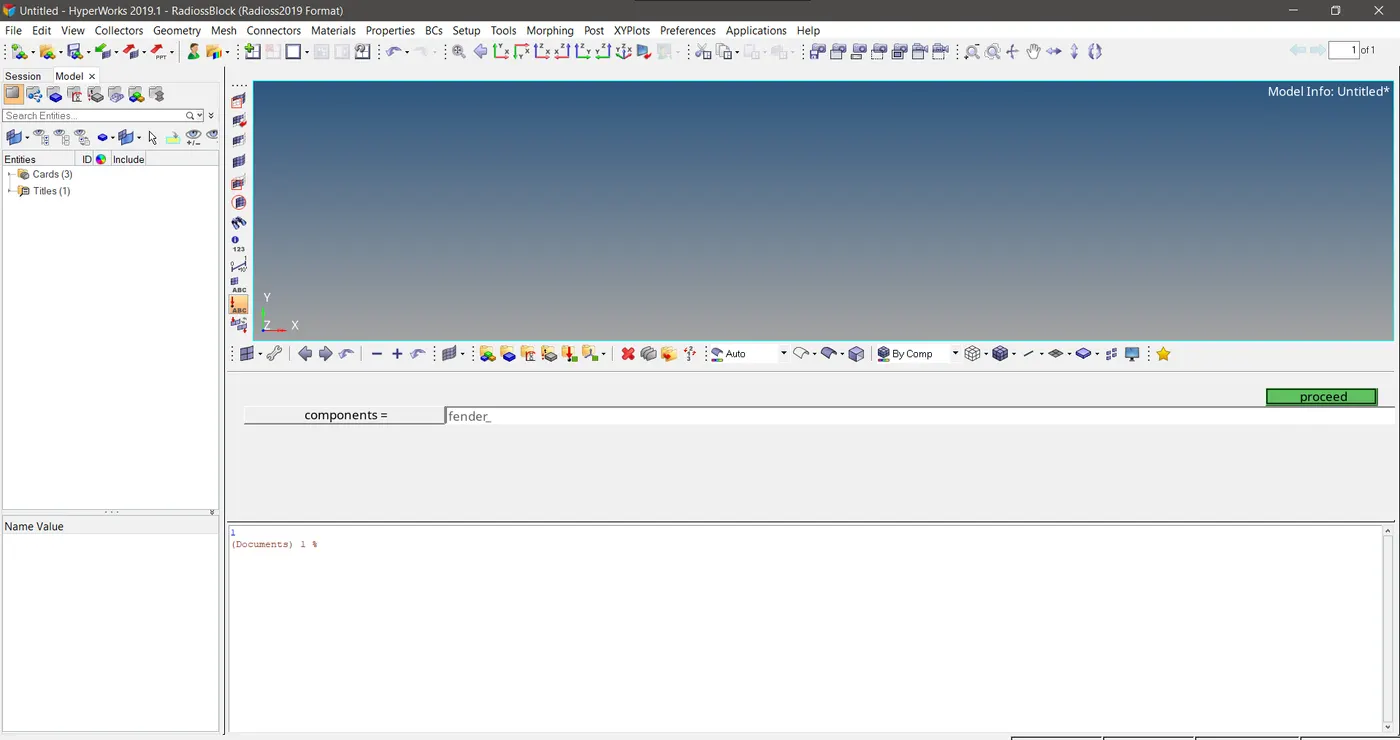
FIg 1 Asking the user for component name input
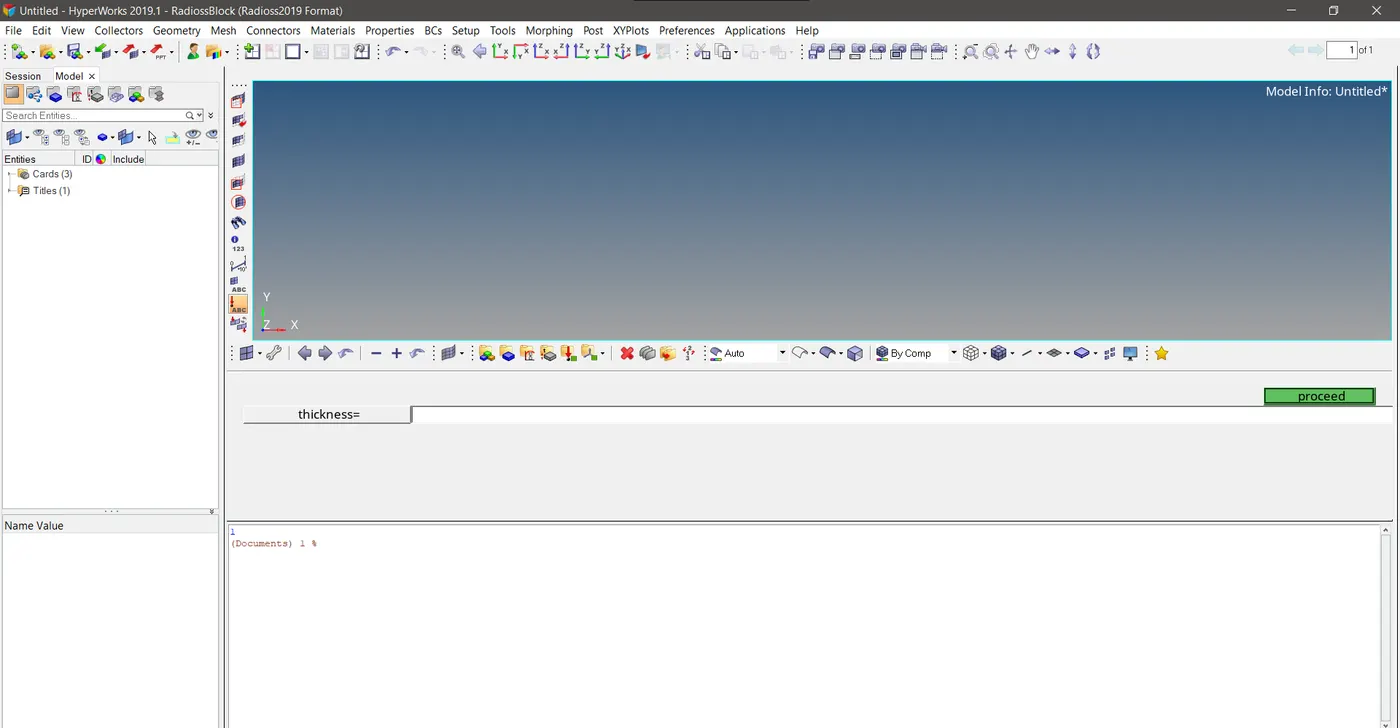
Fig 2 Asking the user to enter the thickness value which needs to be assigned to the newly created property
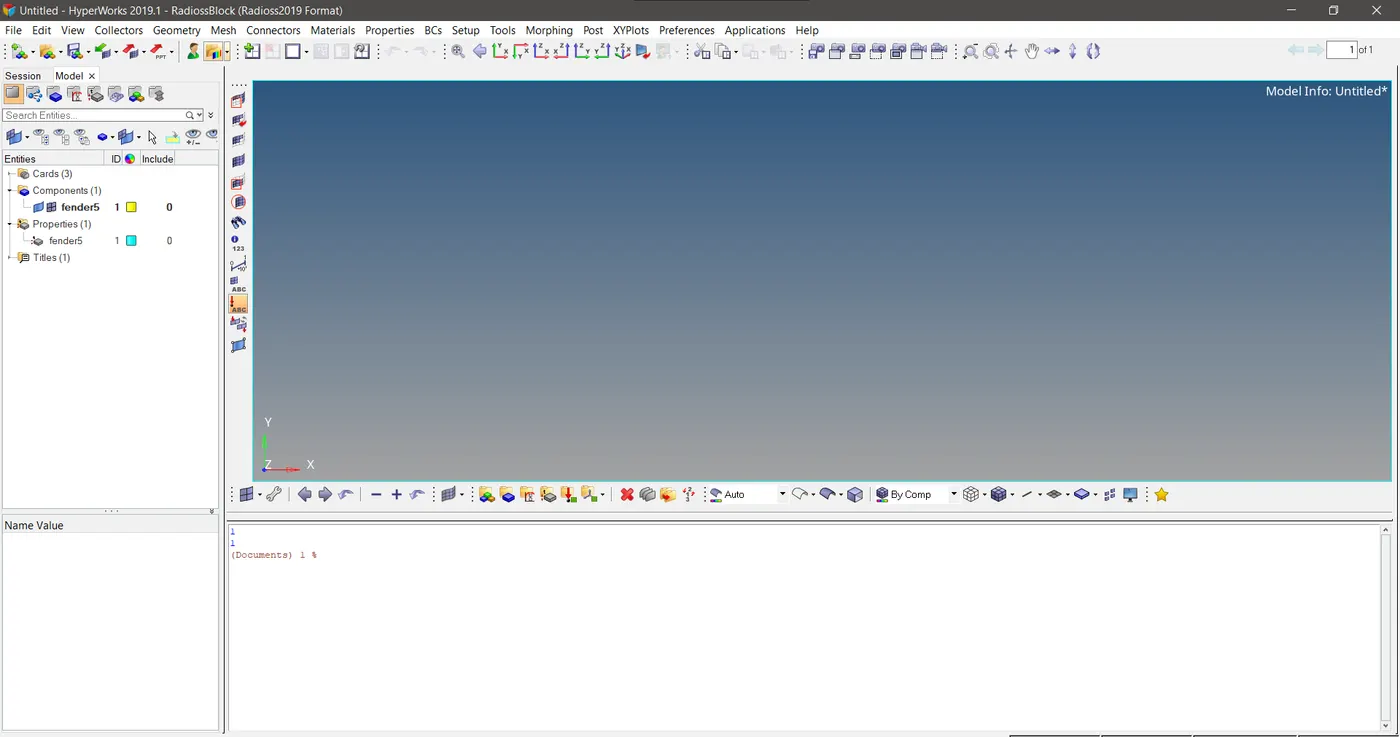
Fig 3 After the creation of component and property
CONCLUSION
This macro can make the job easier in a significant manner as we donot want to create component, create property and assigning thickness and assigning the property card to component card manually.Instead we can just type in the component name and thickness value and then the code we built will automatically create the component and property and the thickness will be assigned to it automatically. This will make the process easier when we are dealing with the complex models having a large number of components.So the orgabising of parts into respective collectors only will be need to done manually.