Week 8 Challenge
1. Applying Load Exercise
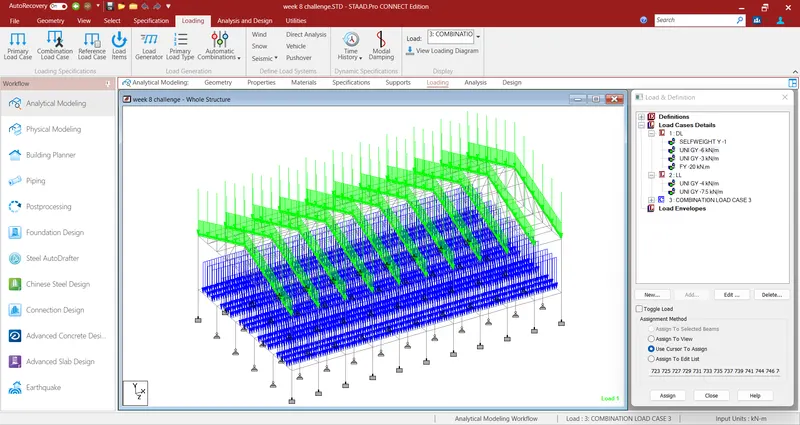
For the structure modelled in previous exercise. Apply following loads
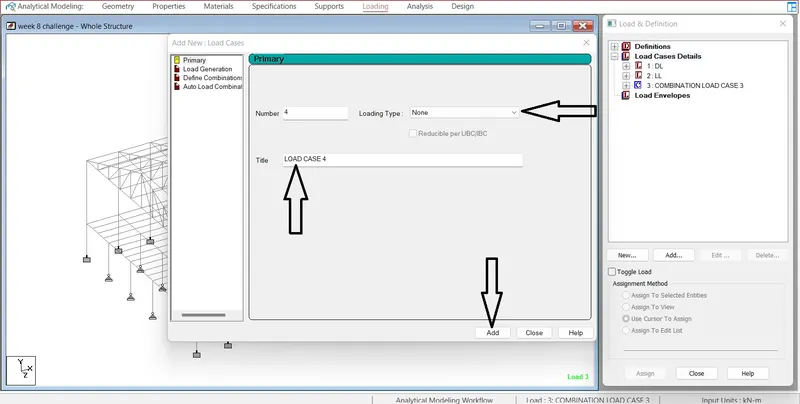
- Form a Load case as DL for Dead Load
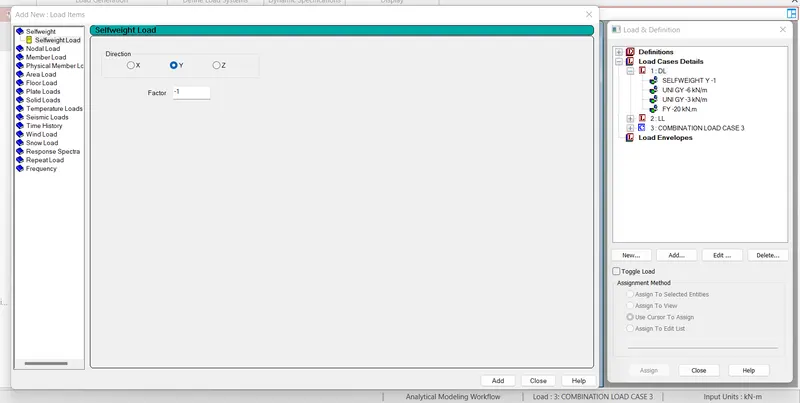
- Apply Self weight
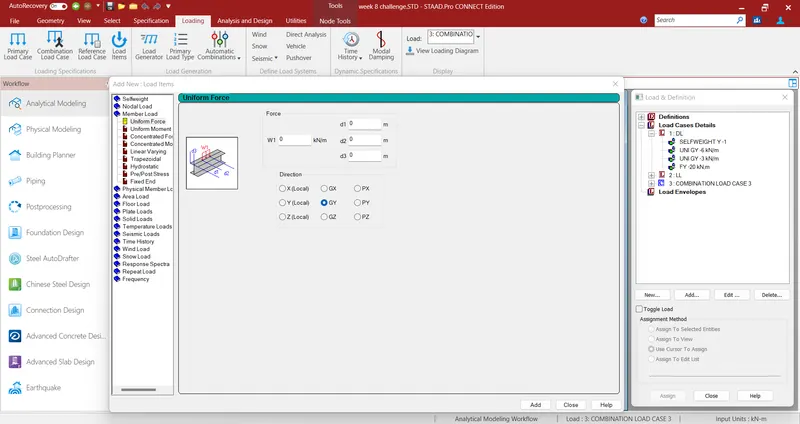
- Apply member load of 3 kN/m on the rafter
- Apply member load of 6 kN/m on the secondary beams
- Apply point load of 20 kN at node intersecting inclined member on the top chord.
- Form a Load case as LL for Live Load
- Apply member load of 4 kN/m on the rafter
- Apply member load of 7.5 kN/m on the secondary beams
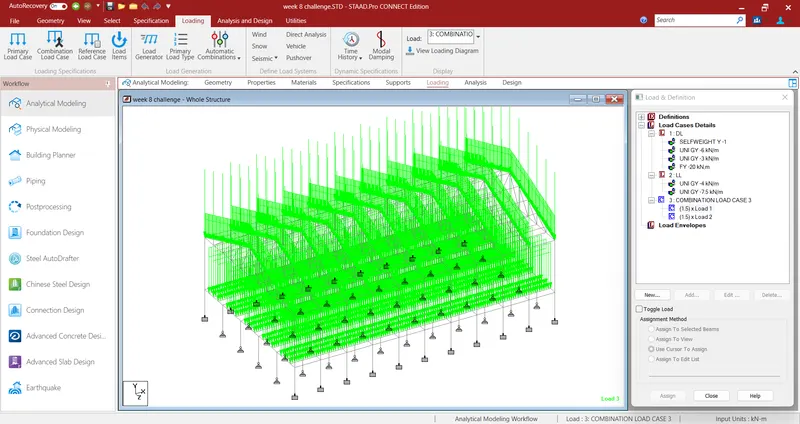
- Form load combination 1.5DL+1.5LL
Solution)
- After applying all the member properties, support condition & specification, Loading on the member should be applied.
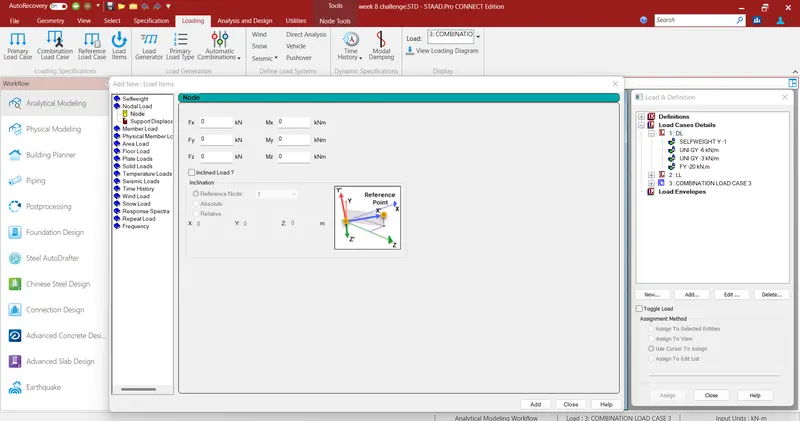
- Go to LOADIND command, Click to basic load cases, Apply the cases like Dead load/ Live load etc.
- Apply the load type& intensity in to thecreated load cases.
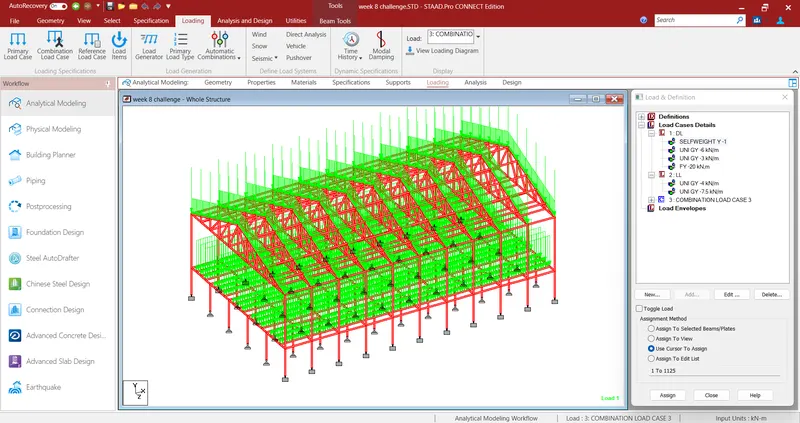
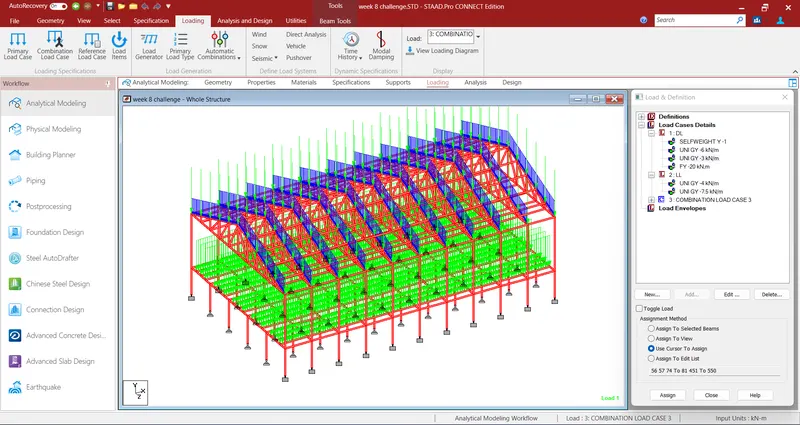
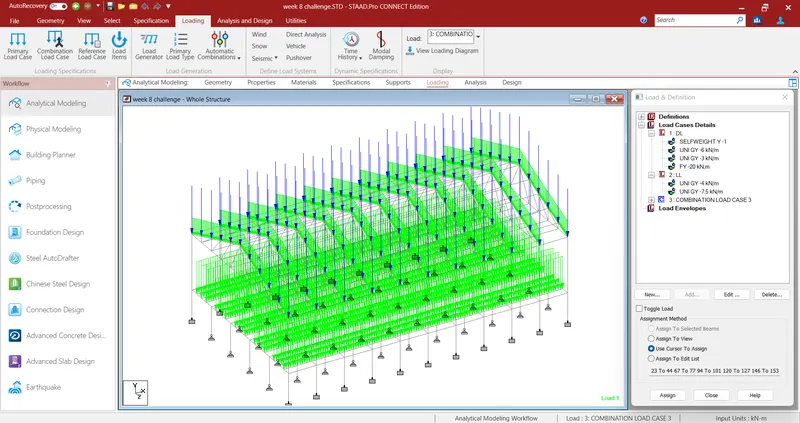
- Select the Geometry apply the loading by clicking on Assign ti selected list.
After applying all the loads, load combination are made so that real scenario of the model can be seen in staad results. 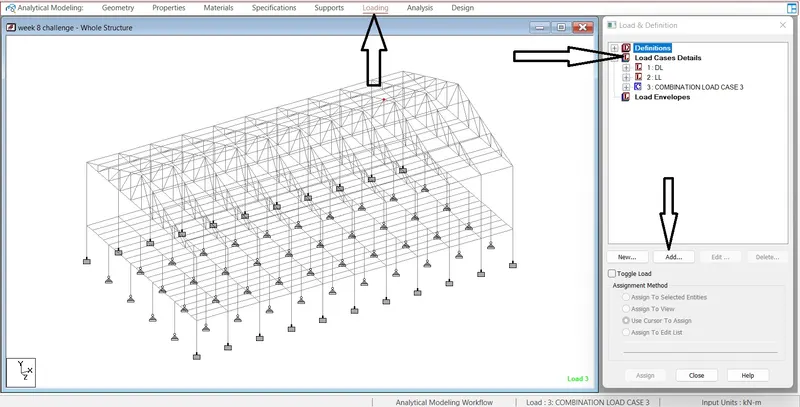
2. Find Maximum Force and Minimum Force for member and present the STAAD result.
Continue previous challenge, Run the analysis and find following results on the member mentioned
- Run the analysis
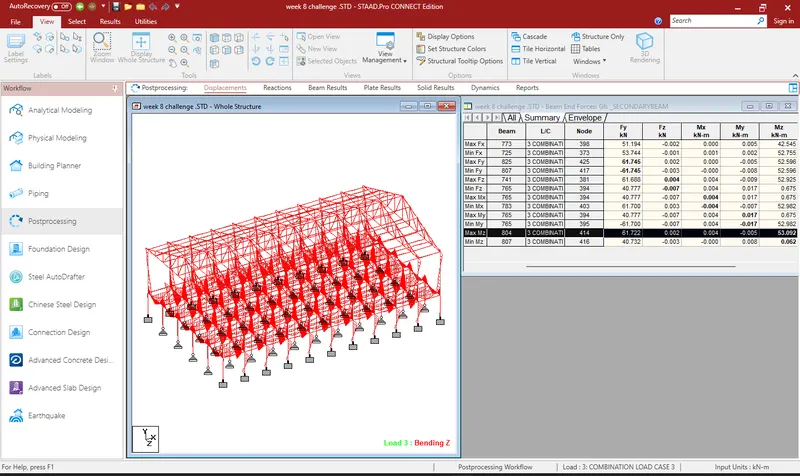
- Find the Maximum Moment in the Secondary beam for 1.5DL+1.5LL case
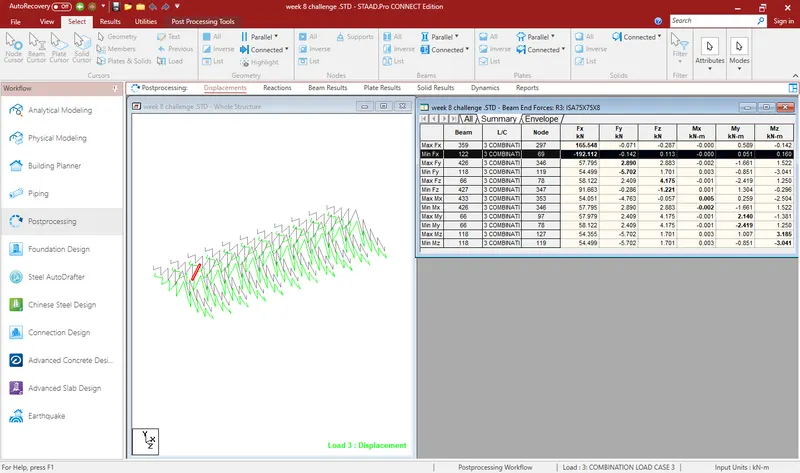
- Find the Maximum Axial force on the inclined bracing and identify the member having the maximum force for 1.5DL+1.5LL case
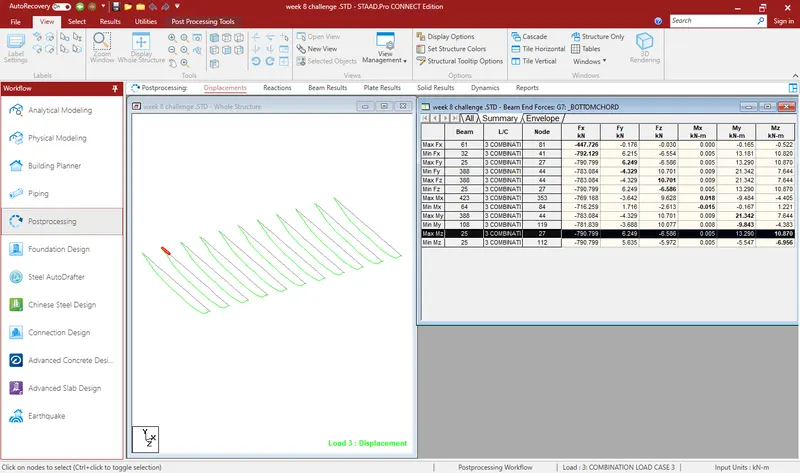
- Identify Bottom chord of Truss having Maximum shear Force & Maximum moment for 1.5DL+1.5LL case and present the values.
Solution :
- the max Bending Moment value is M@Z=53.092Kn KNM
- The max Alxial Force value is
- The max Bending Moment & Shear force value for bottom chord are
- BM(max)=10.870knm
- SF(max)=6.249kn
3. View and Rectify the Warning, instabilities in the structure
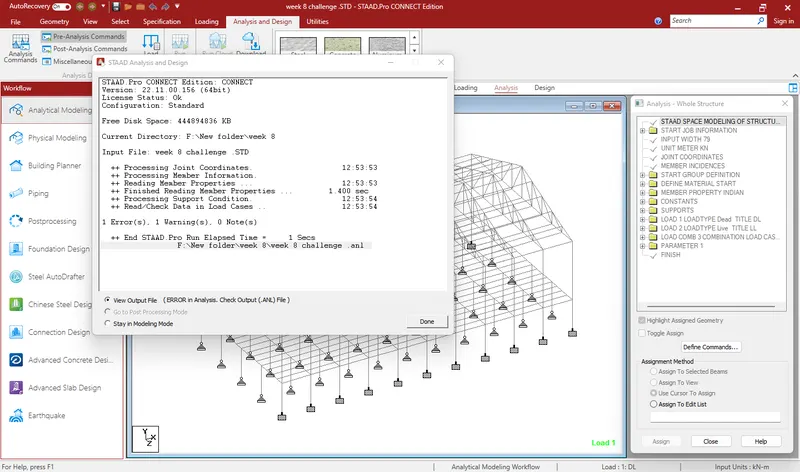
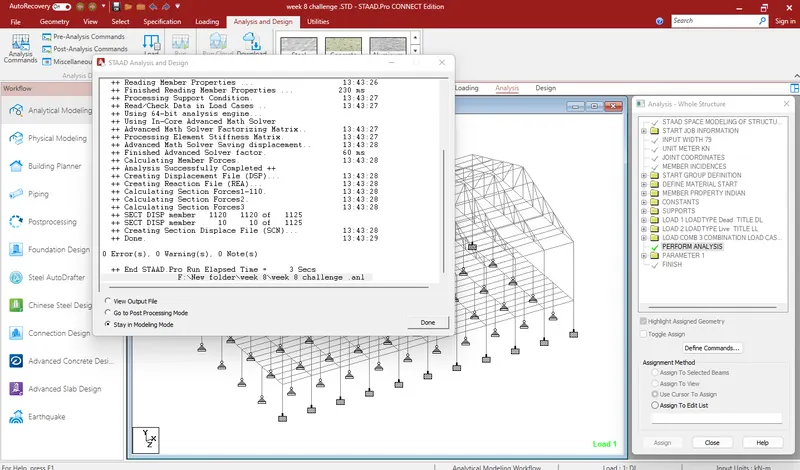
For the attached STAAD file identify the Warnings and fix the same and run the analysis.
Solution :
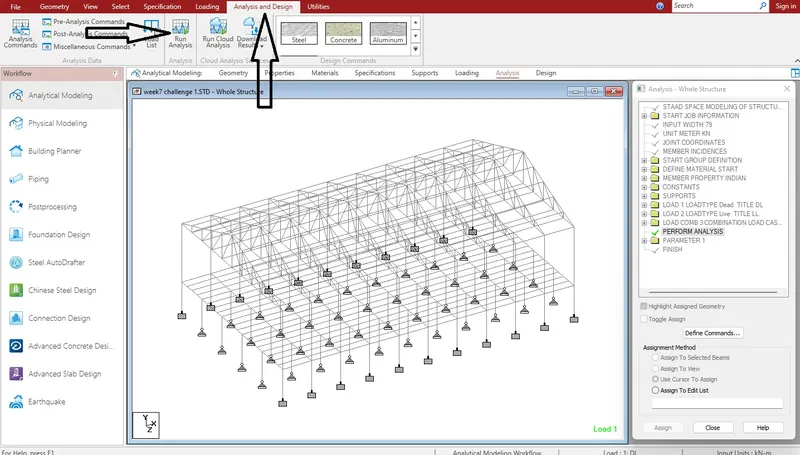
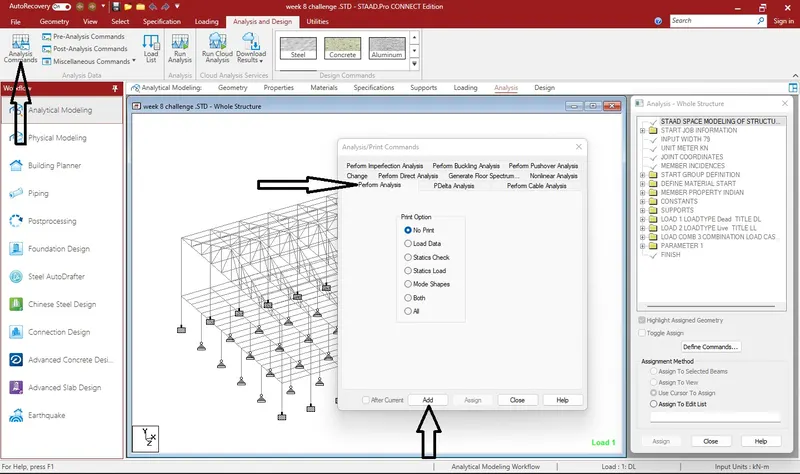
- After applying all the loads, Giving all the parameter we have to go to Analysis command & click to Perform Analysis & print all in order to run the program successfully.
4. Design Parameter exercise
In continuation to challenge 1, Apply Design parameter for structure modelled for code IS800:2007.
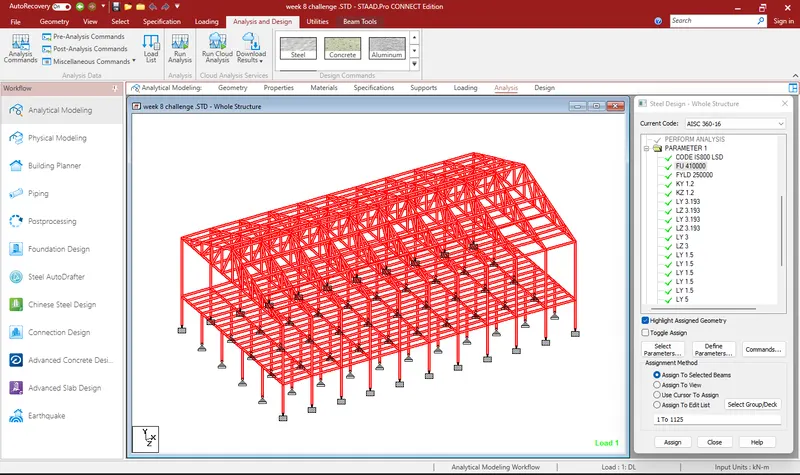
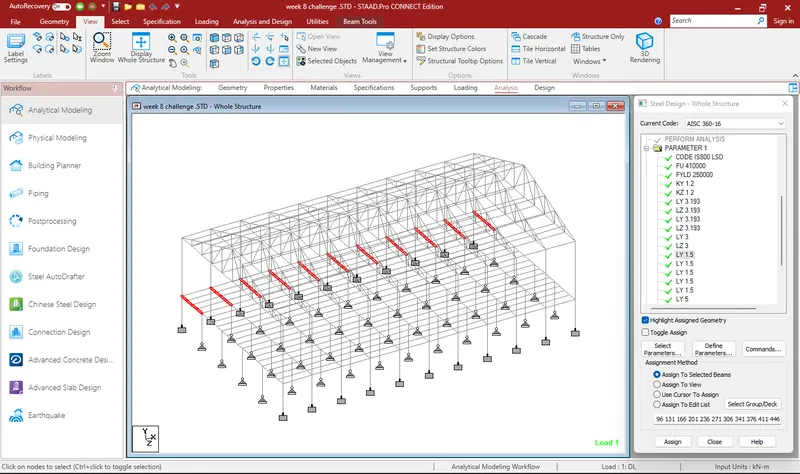
- Effective Length Lx, Ly, Lz for beams, Truss elements
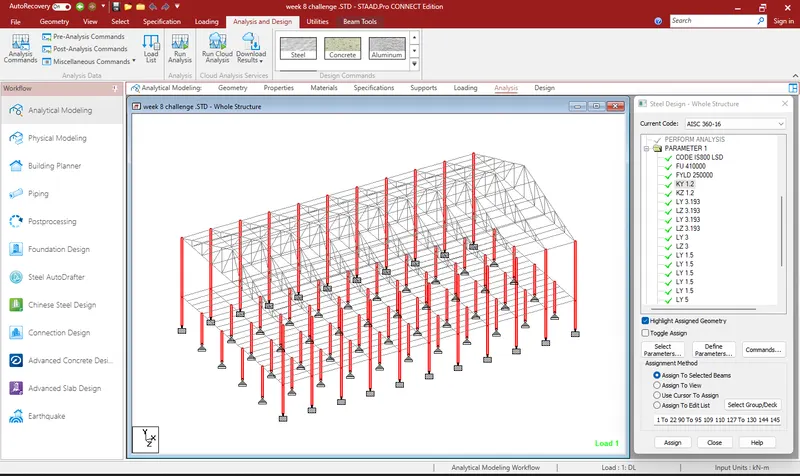
- Effective length factors Ky, Kz for Columns
- Apply other design parameters for respective members
Silution:
- To see the actual behaviour of the structure we apply the design parameters.
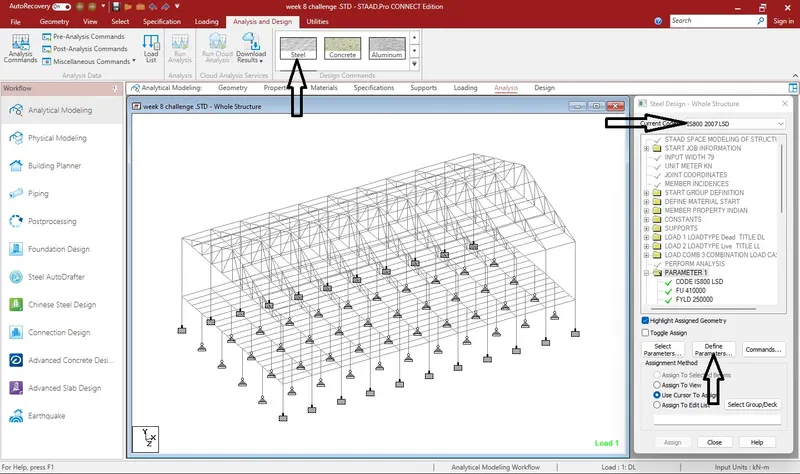
- Go to Analysis & Design, click on steel, add the Code, select the required parameters & add.
- After adding all the parameters, select the geometry to assign the parameters.
- After assigninig all the parameters, Go to command add check code & steel take off.
- Run the analysis to get the final results.