Week 8 - Challenge 4 - Coin Holder Design
COIN HOLDER
OBJECTIVE:
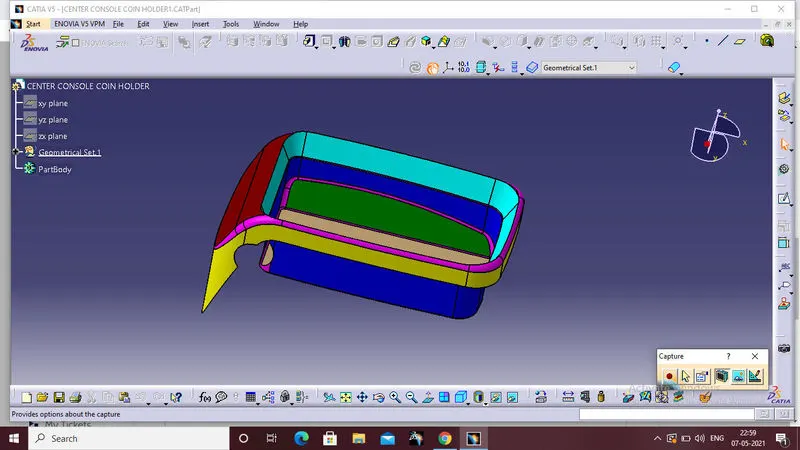
To create the Coin Holder Plastic component through the given Class-A surface,And the tooling axis for the given Class-A Surface should be created meeting the requirements of the draft angle and at the end perform the Draft analysis on the model.
1.CLASS A SURFACE:
Input file is an given class A surface
2.TOOLING AXIS
Procedure :
First check the boundary option to ensure without any gap is there on the given class A surface.
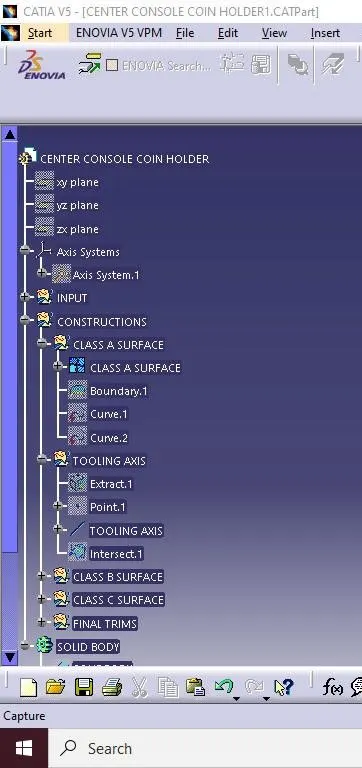
For creating tooling axis first extract the base flat surface.Then untrim the extracted surface and create the point on the surface of the untrim postion,than insert the axis system at the center of the point.
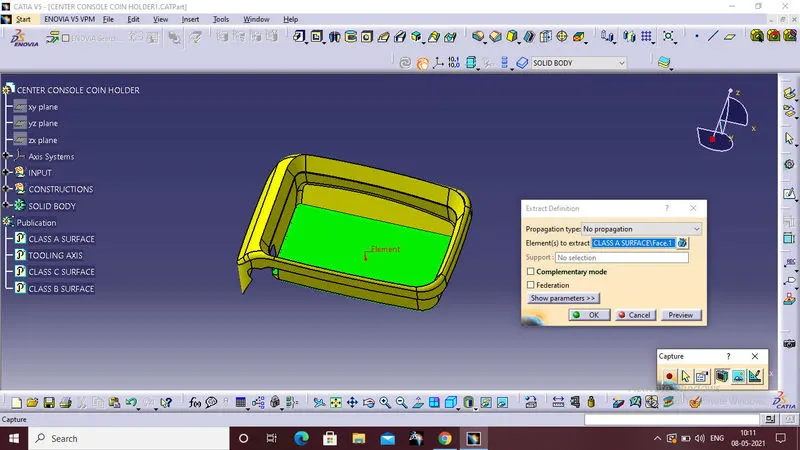
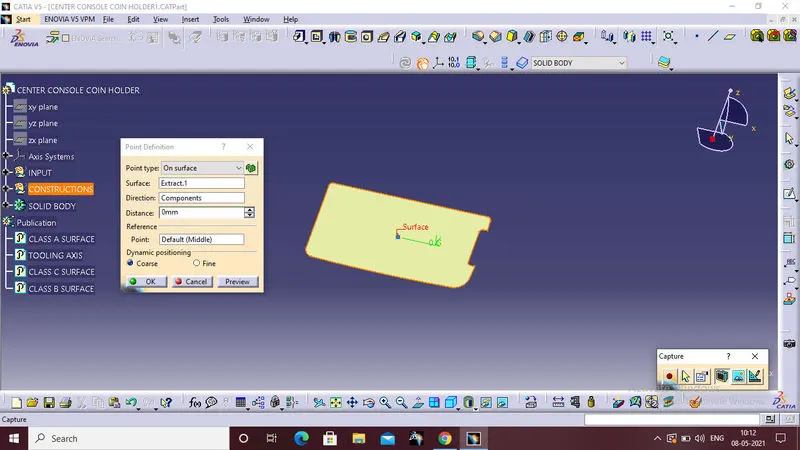
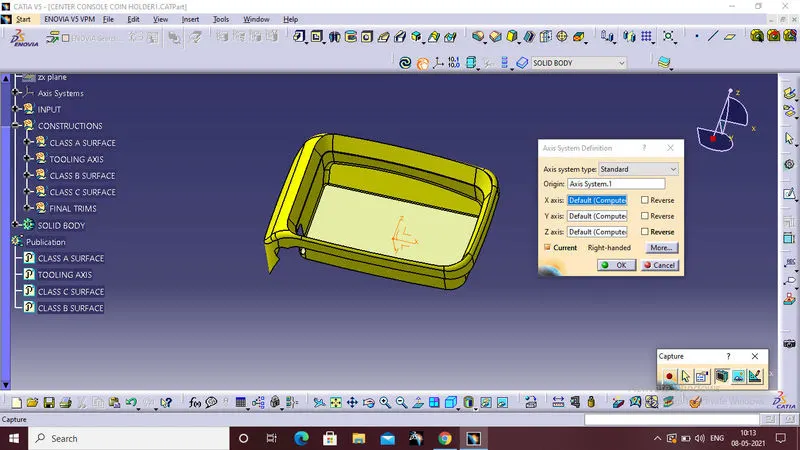
Than create the intersection between the Zy plane to the class A surface.
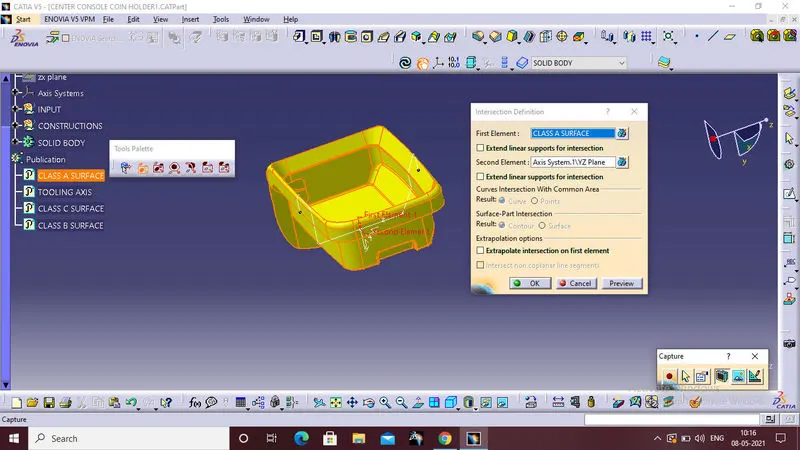
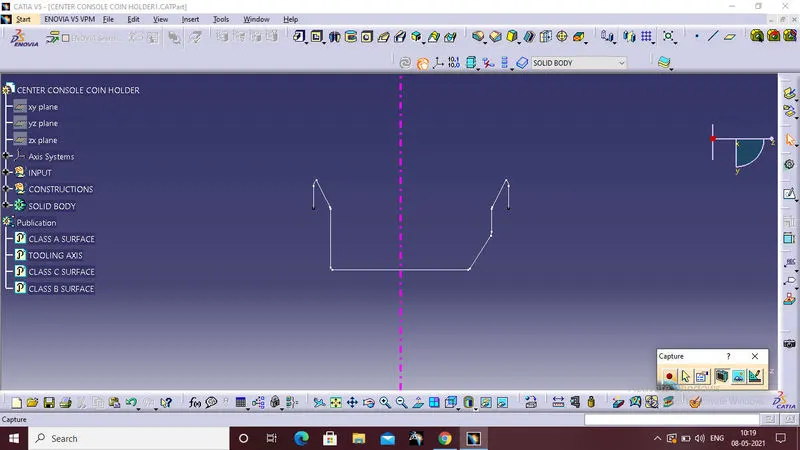
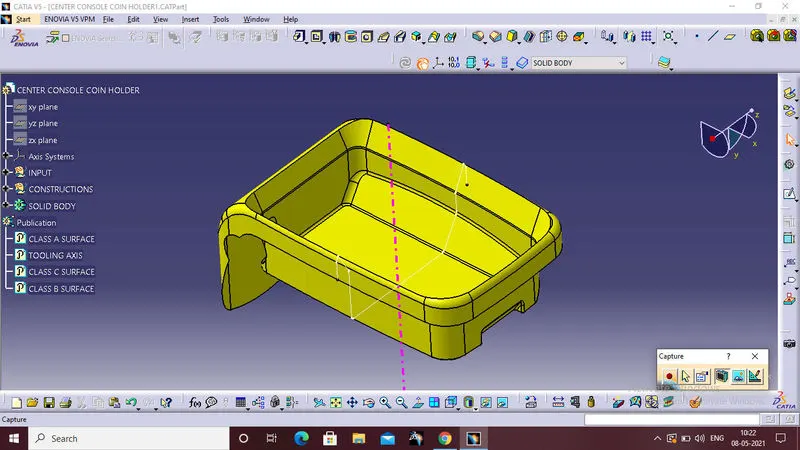
After taking the intersection,the one side of the wall is flat,and all the other area also cleared by the 90deg direction tooling axis.so create the line perpenticular to the base extracted surface,That will be the our tooling axis.
3.CLASS B SURFACE:
1.INNER SIDE WALLS:
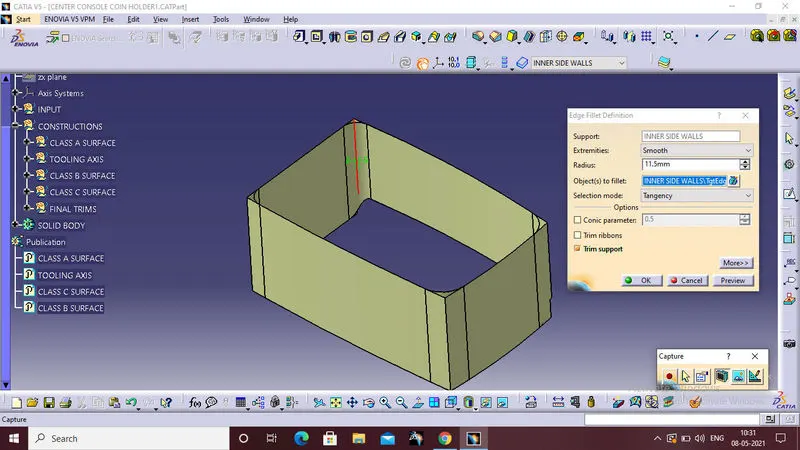
The first postion of the class b surface is an innerside wall.
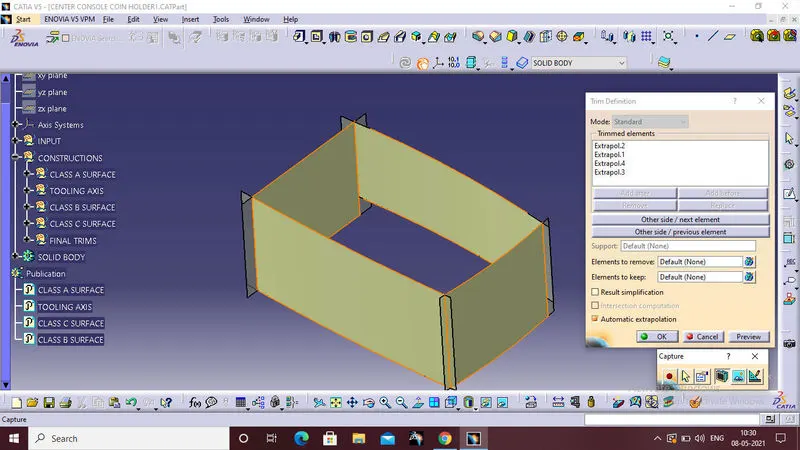
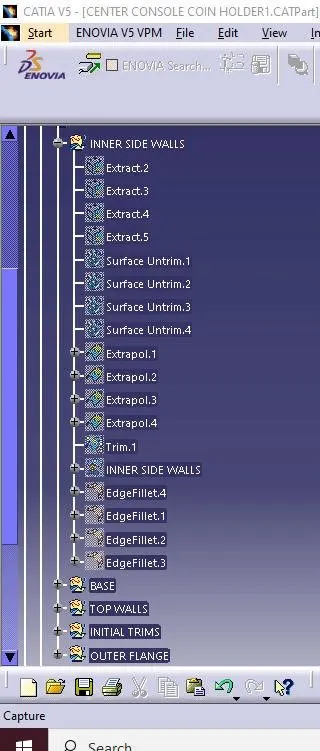
First extract all of the inner side walls,than untrim that extracted surface and extrapolated the untrimed surfaces to completely intersect with each other.
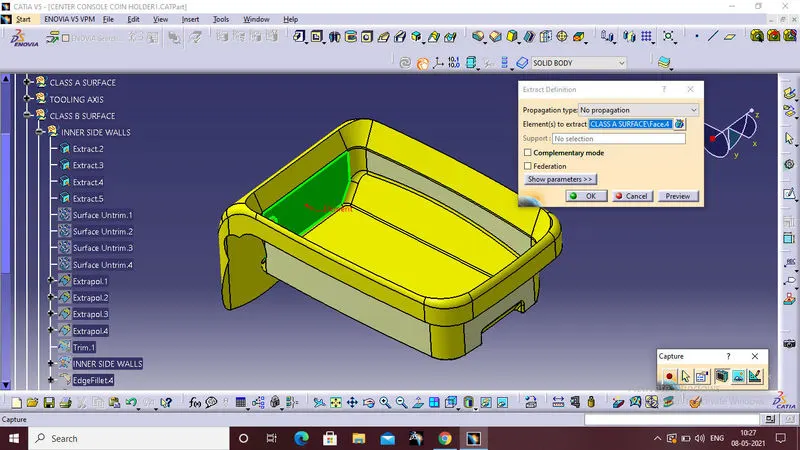
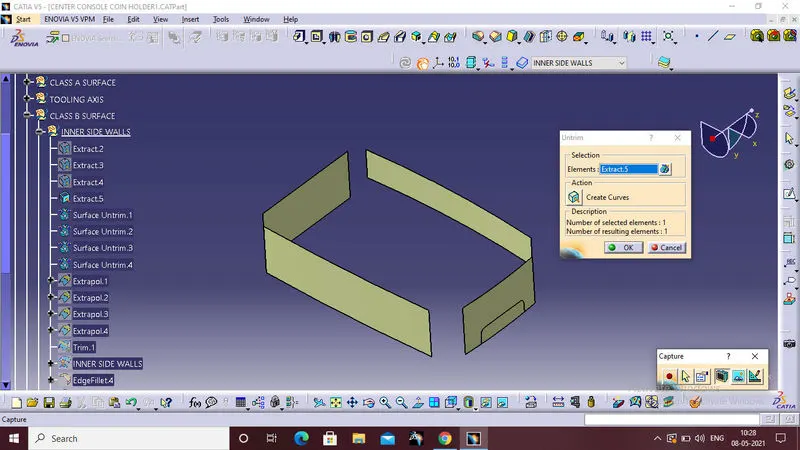
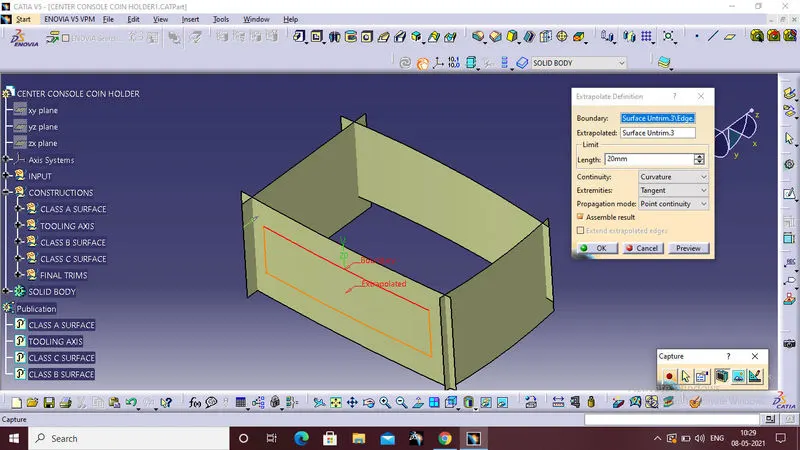
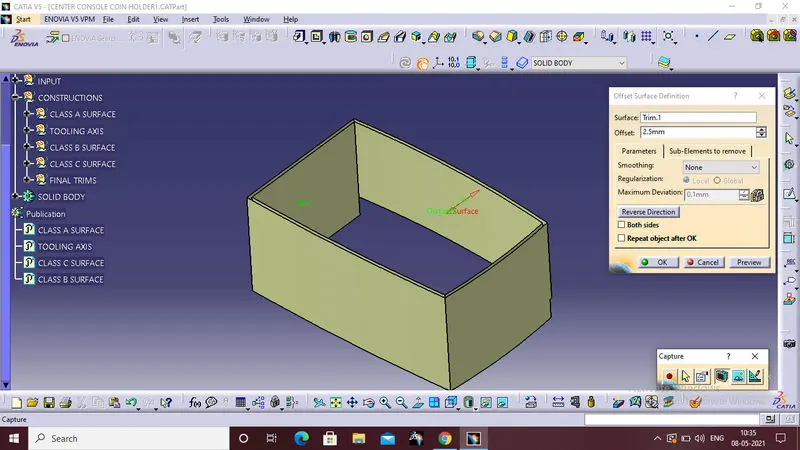
Trim the extrapolated surfaces with each other,and offset the trim surface 2.5mm because the wall thickness of the component is 2.5mm and the corner radius are given to the four side corner,this is the inner side wall of an class B surface.
2.BASE
Second part of the class B surface is base,follow the same procedure for the inner walls creation.extraction ,untrim and extrapolationand trim and offset.
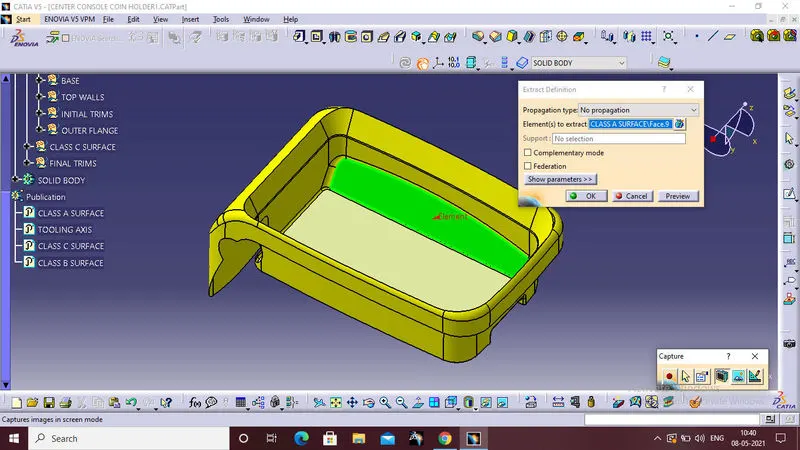
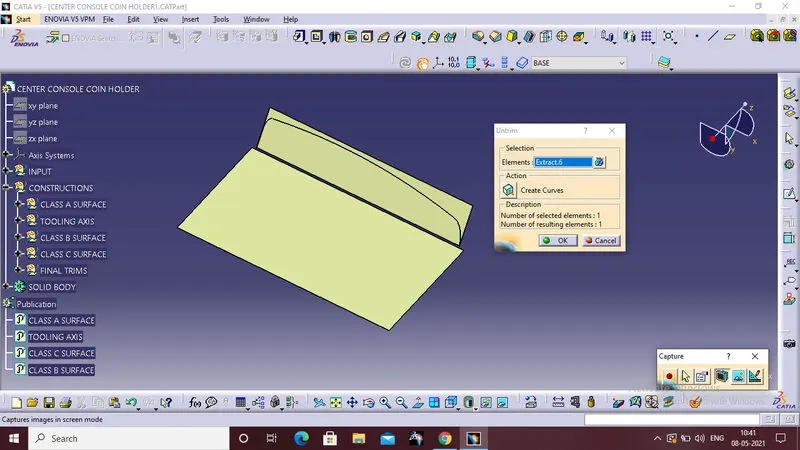
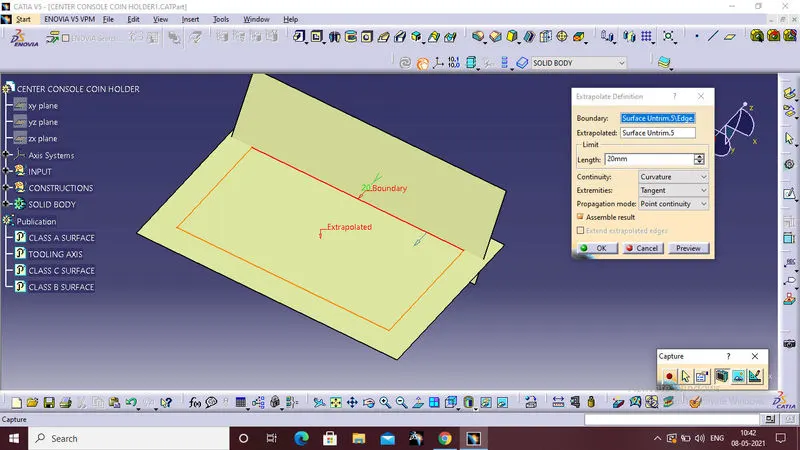
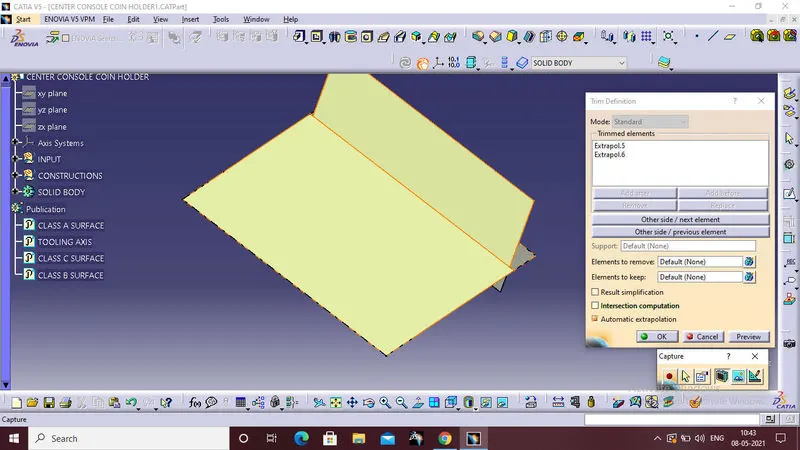
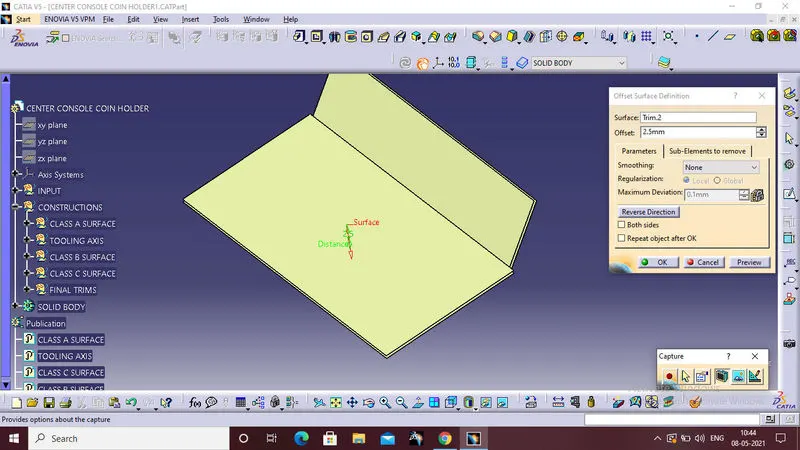
Same for the small surface inside the base surface.
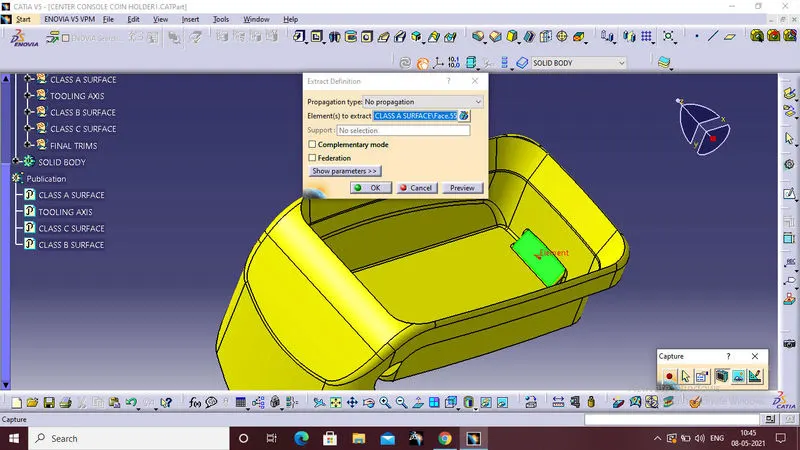
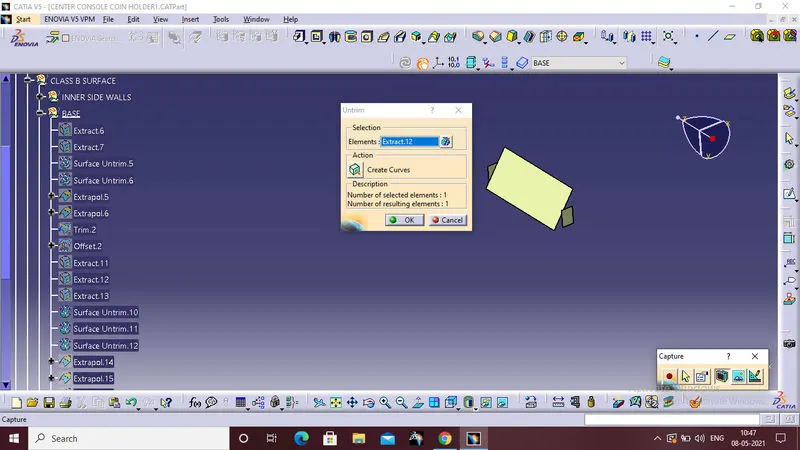
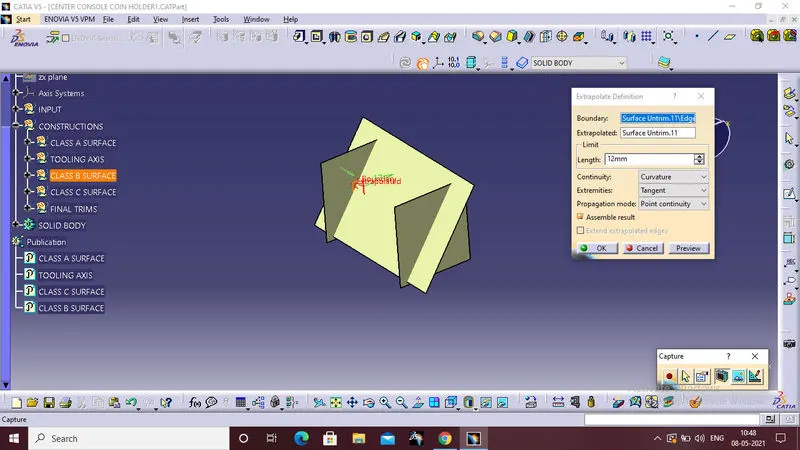
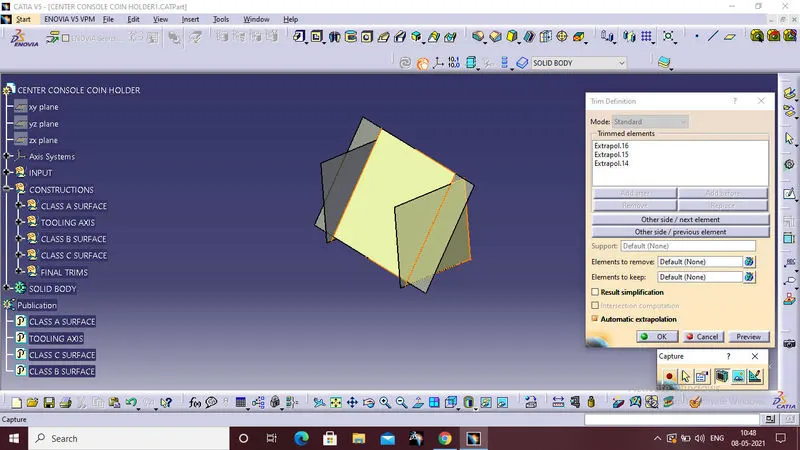
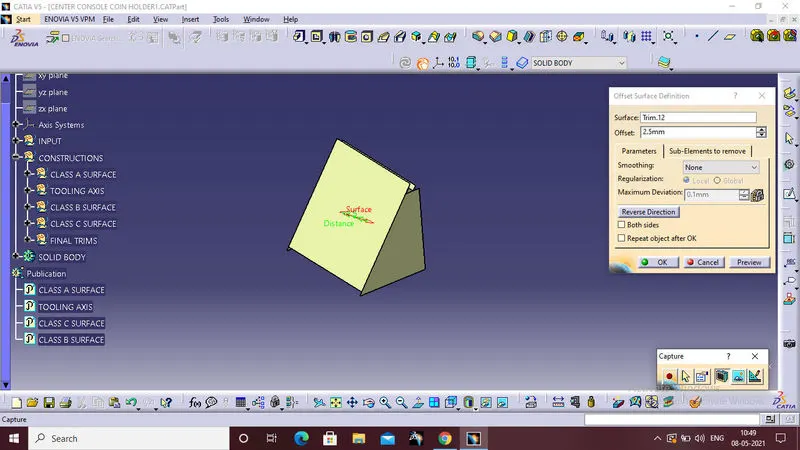
Trim the base surface to the inside small inside surface,after trimming that is our required base surface of class B surface.
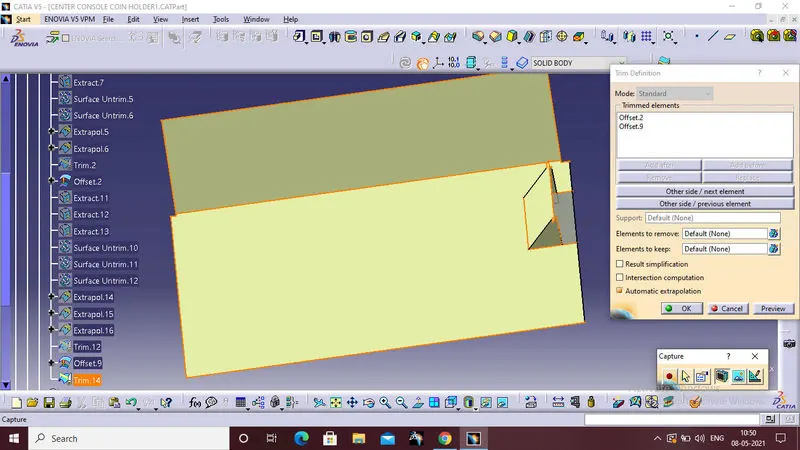
3.Top walls
Third part of the class B surface is top walls,for that first extract the top wall surfaces from the given class A surface.
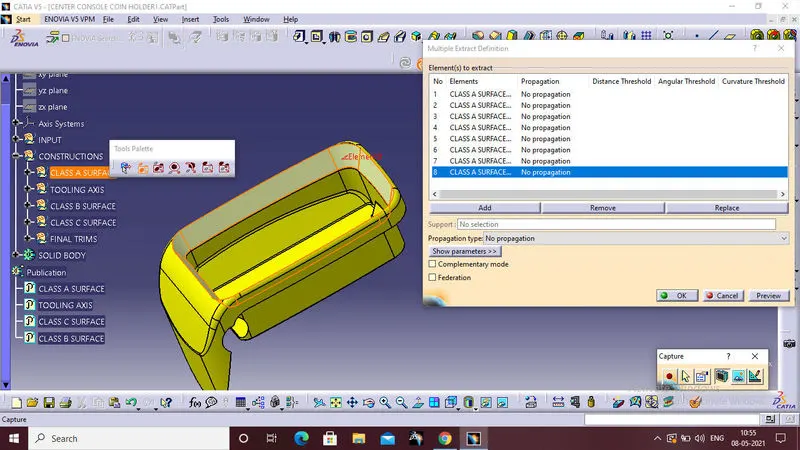
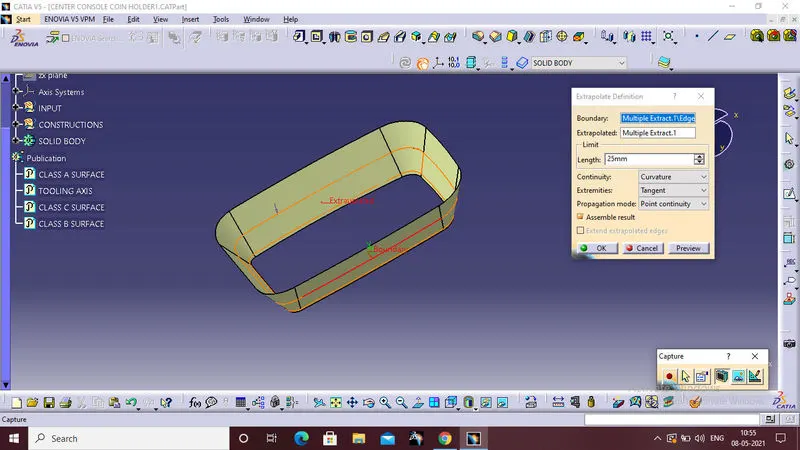
Than extrapolated the extracted surface to completely intersect with the other surfaces.
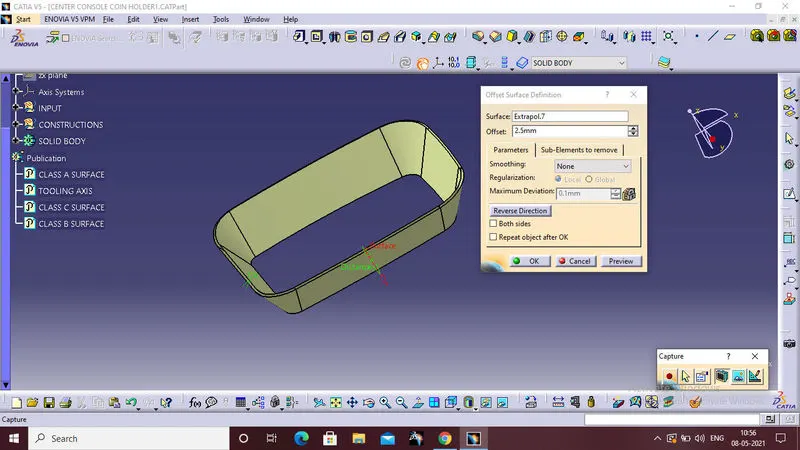
Offset the extrapolated surface at 2.5mm.
First trim the inner wall with the base surface
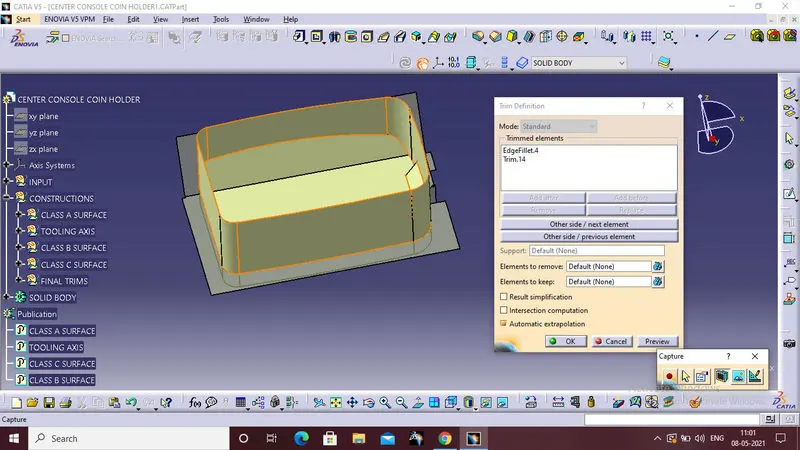
Than trim the last trimmed surface with the top wall.
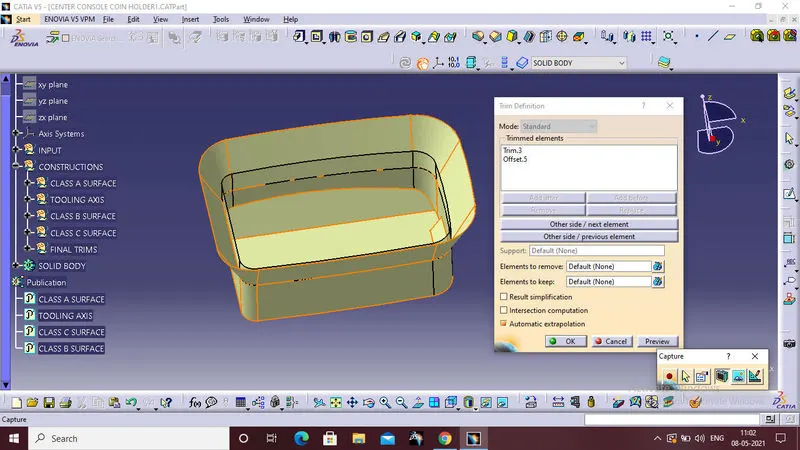
These are the initial trim parts.
4.OUTER FLANGE
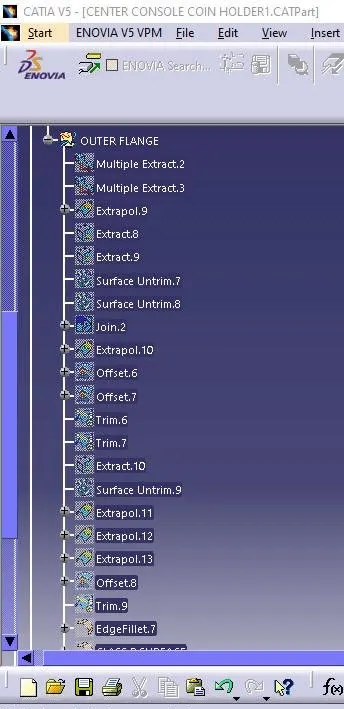
Last part of the class b surface is outer flange,follow the same procedre for the inner wall creation to make the outer flange.
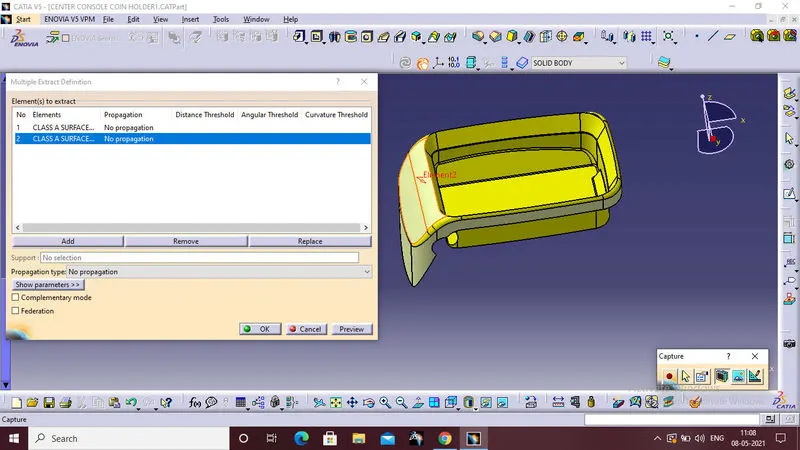
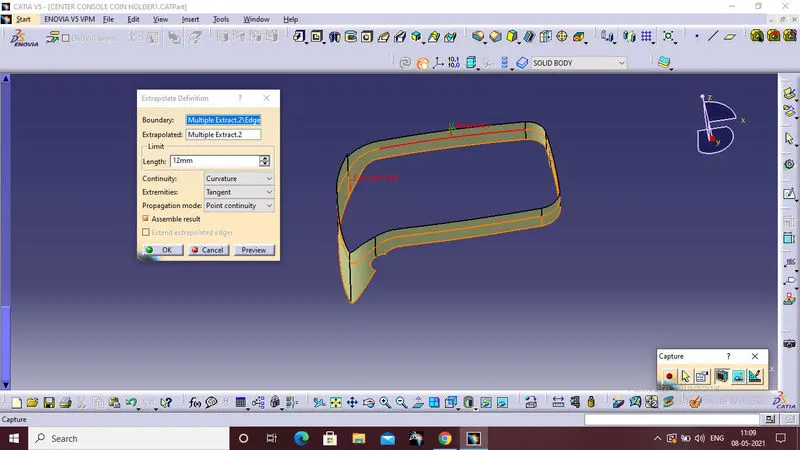
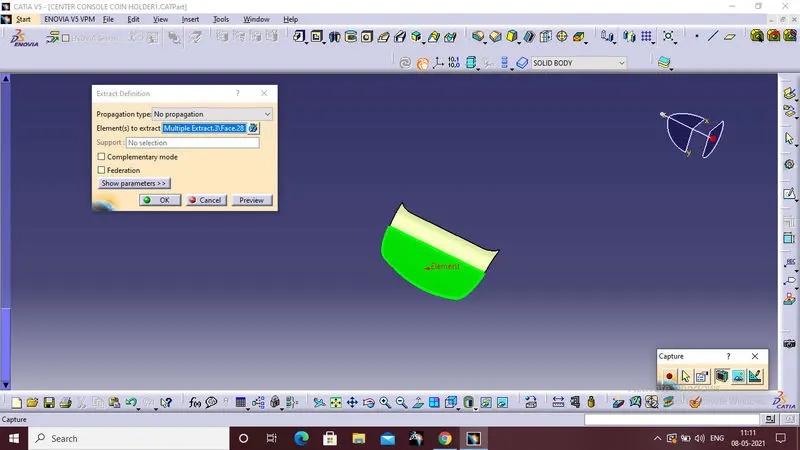
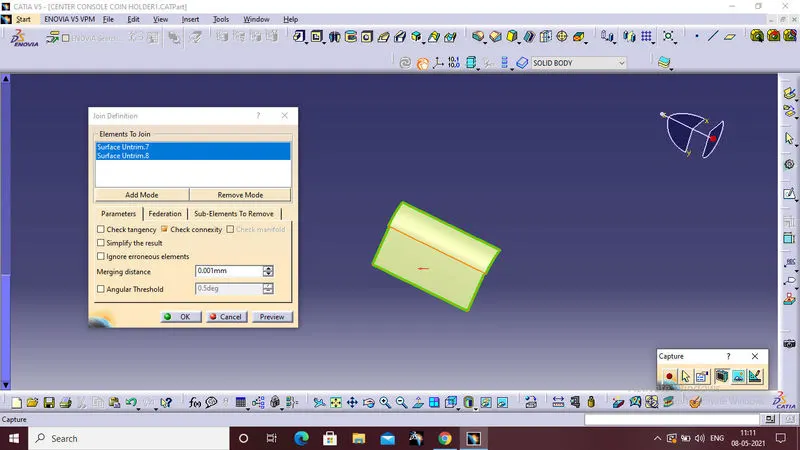
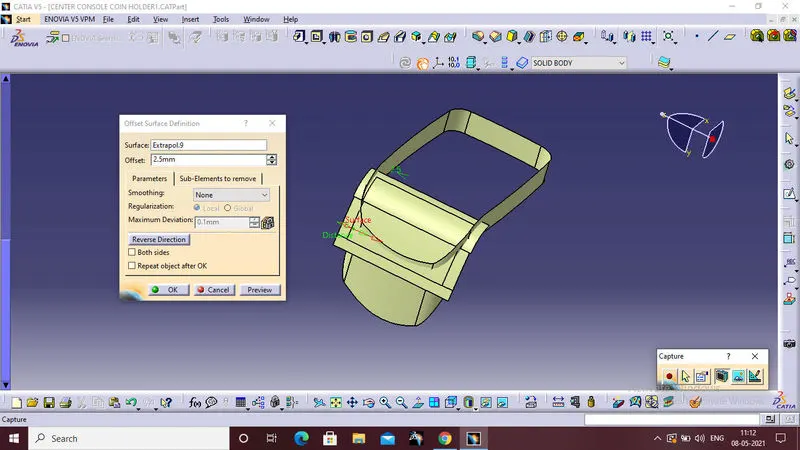
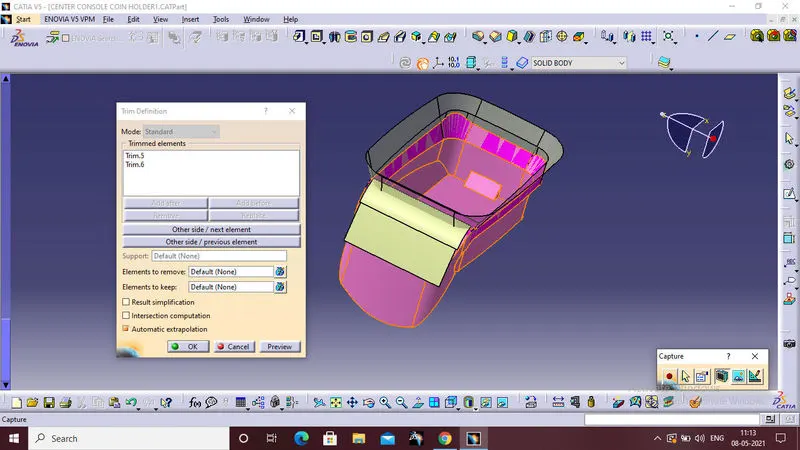
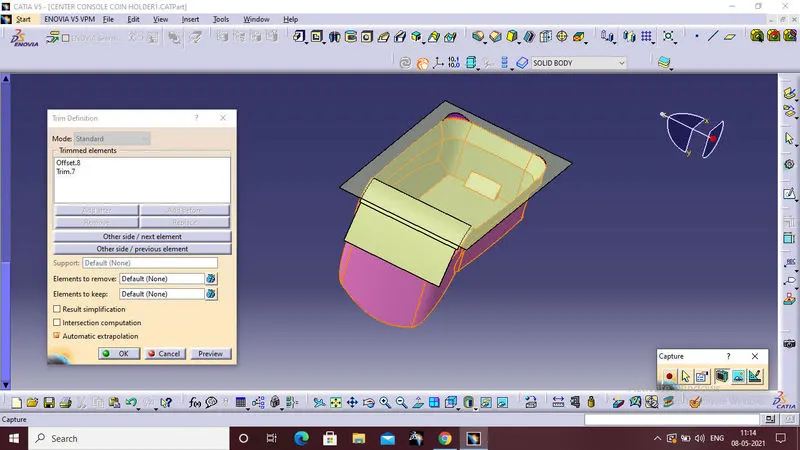
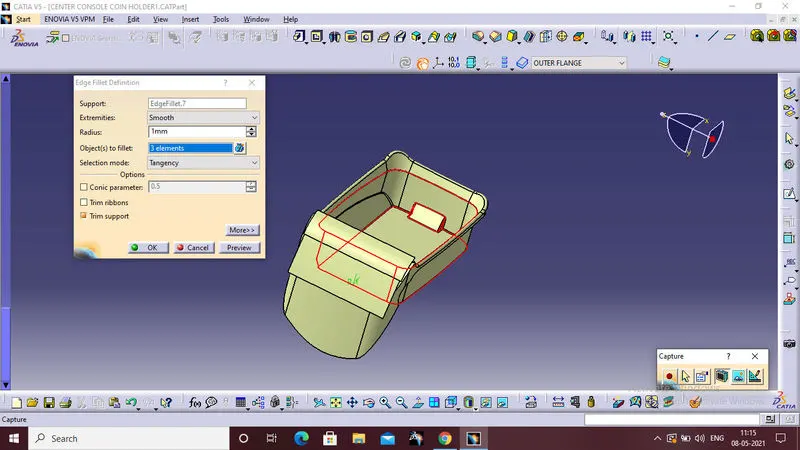
This is the final class b surface.
4.CLASS C SURFACE
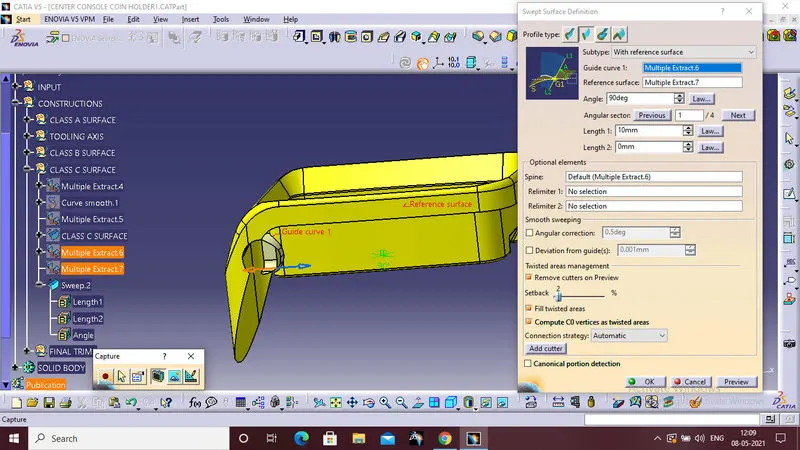
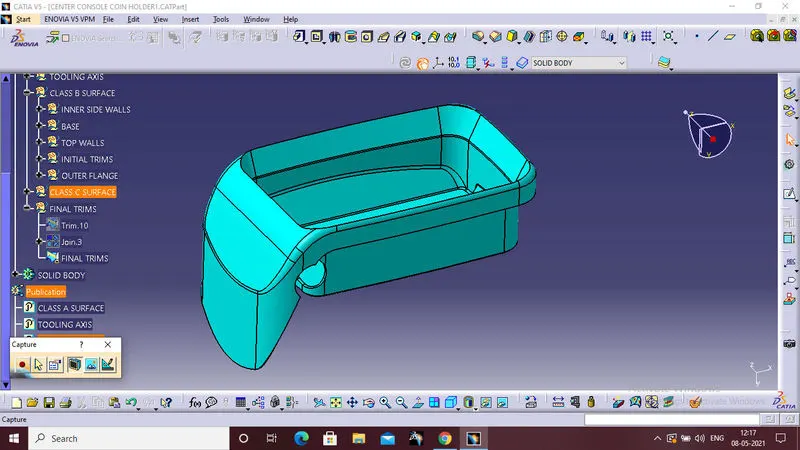
For class c surface first extract the outer boundary of the class A surface.
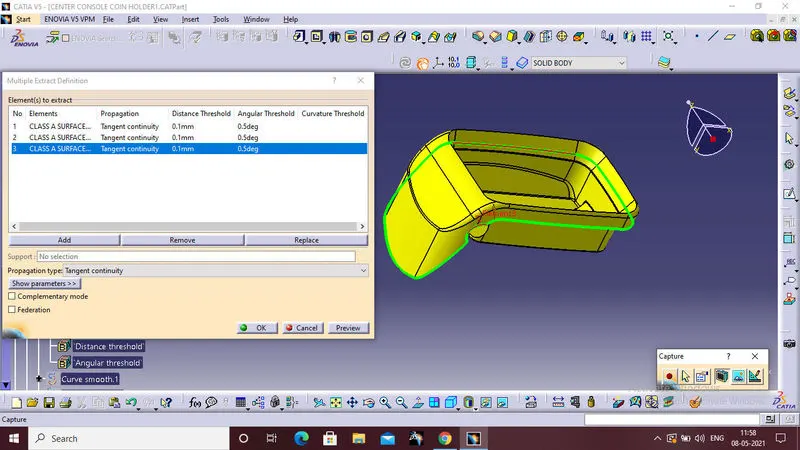
Than extract the outer flange surface ,that is the reference surface for using swep command.
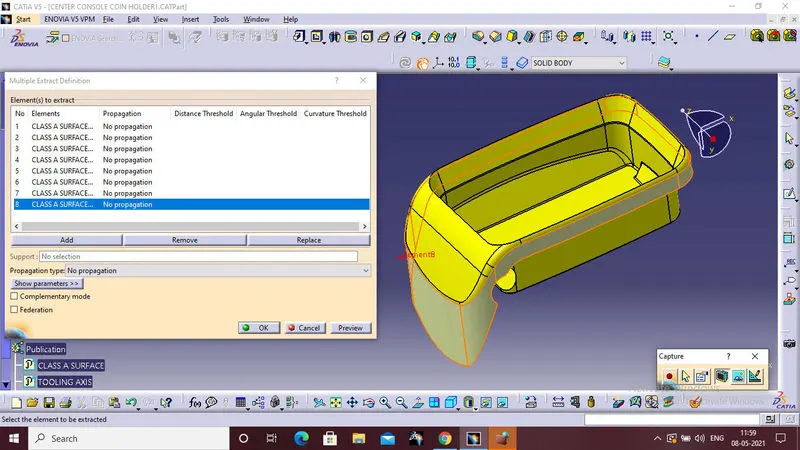
swept the extract boundary with the extracted reference surface,this is class C surface.
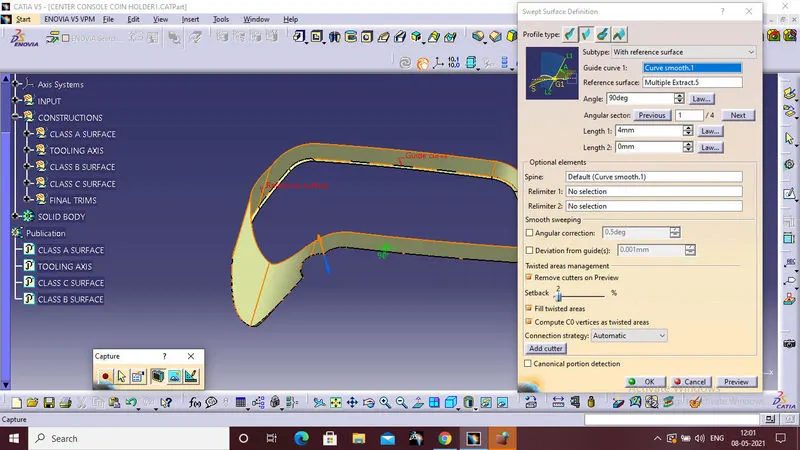
Use the same procedure for the bottom cut section,
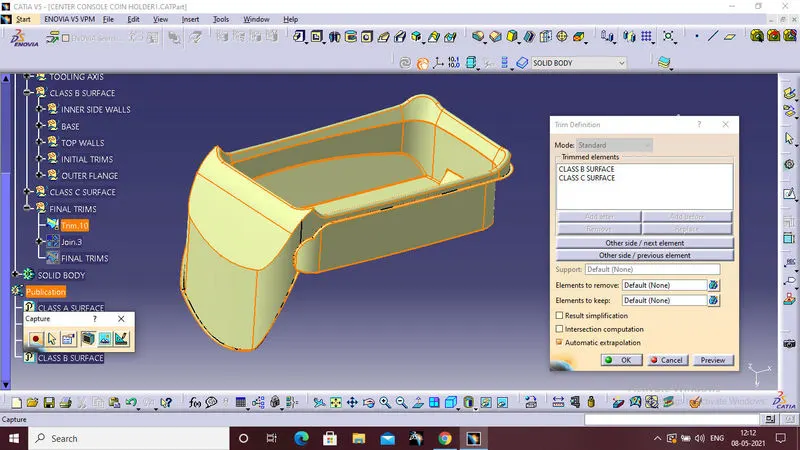
FINAL TRIMS:
Trim the class B surface with classs c surface
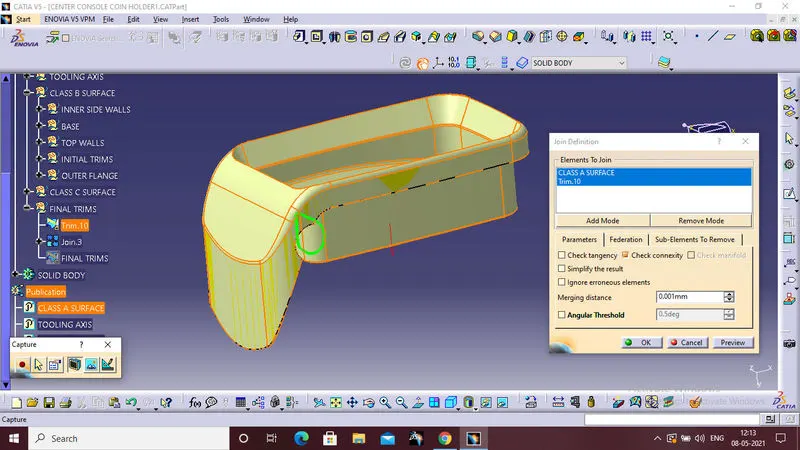
 Than join the last trim surfcae with class A surface.
Finally trim the bottom swept section with the join section.
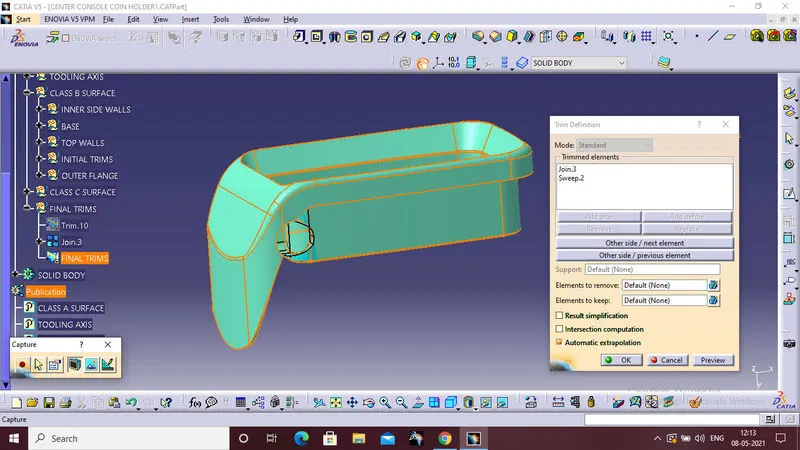
THIS IS THE FINAL TRIM SURFACE.
5.SOLID BODY
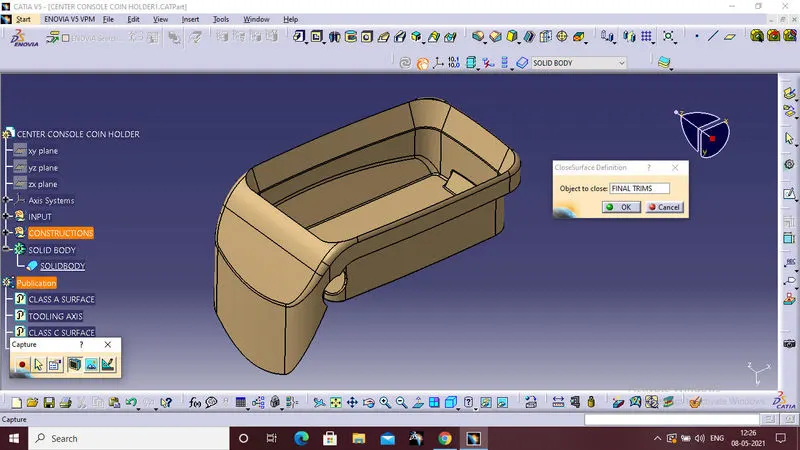
After completing the trim make the solid body of the trim,for that switch on the part workbench,in part workbench select the closed body command and select the trim surface and click ok.
This is the final solid body of the trim surface.
6.DRAFT ANALYSIS:
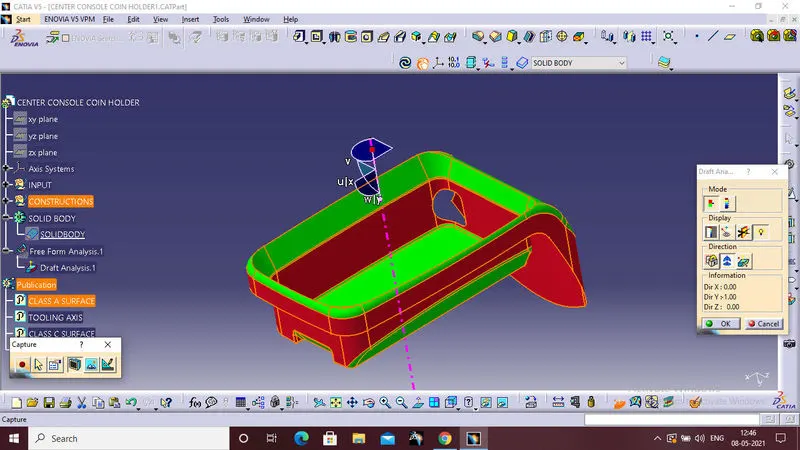
Draft analysis is required to check if a part has required draft or not. Draft is required so that a part can be ejected from its mould.
- Click Draft Analysis (Mold Tools toolbar) or View > Display > Draft Analysis. Set analysis parameters and color settings, and then click .
- Click View > Modify > Draft Analysis.
- Click Draft Analysis (View toolbar) or View > Display > Draft Analysis.
Draft analysis is not possible to craete coin holder,Because of some surface is having 90 degrees.
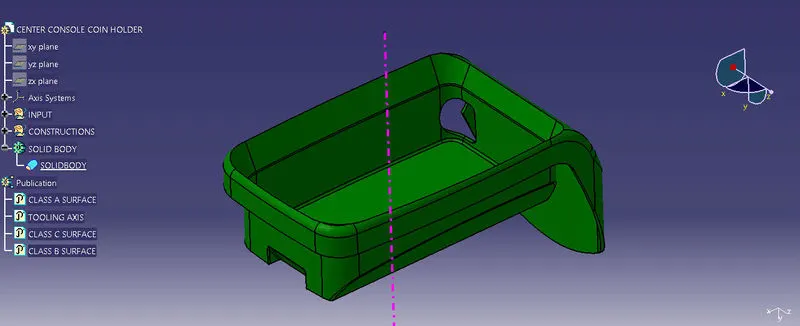
VIEWS:
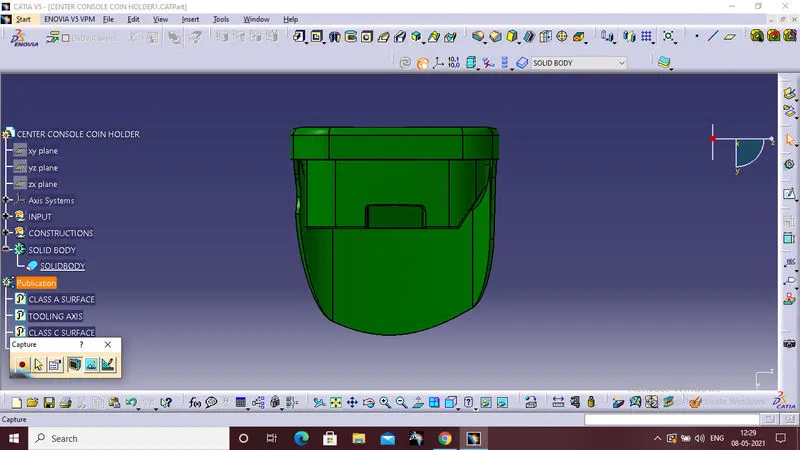
FRONT VIEW
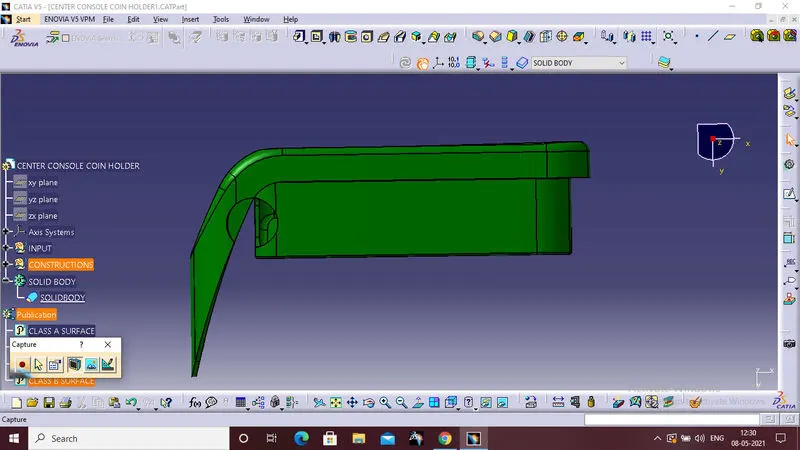
SIDE VIEW
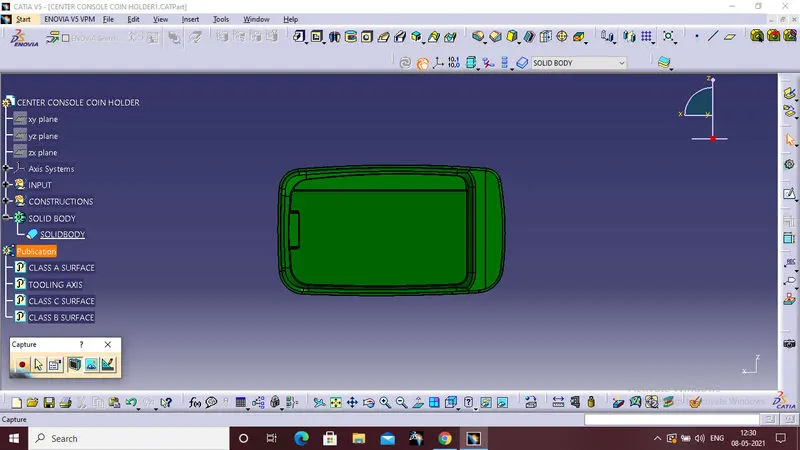
TOP VIEW
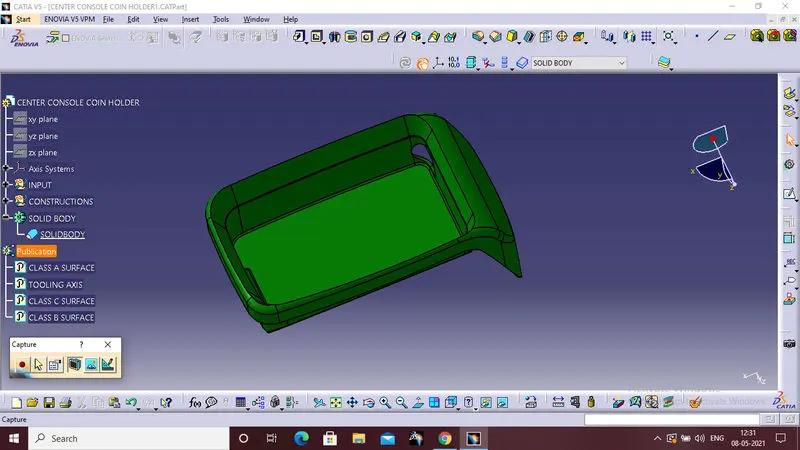
ISOMETRIC VIEW:
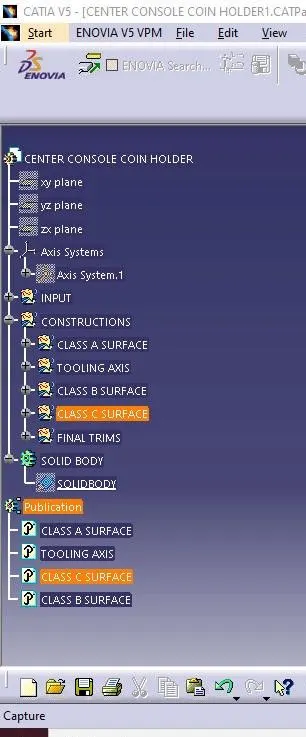
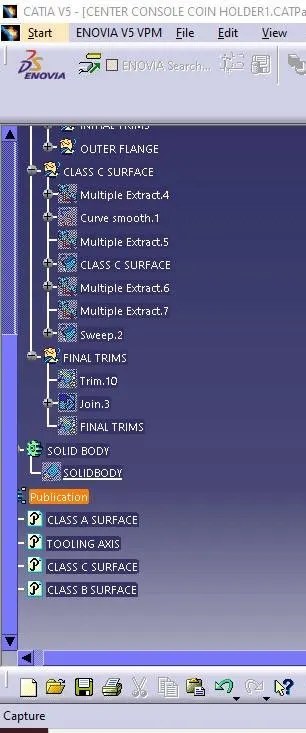
TREE STRUCTRUE:
RESULT:
The Coin Holder Plastic component through the given Class-A surface.And tooling axis for the given Class-A Surface should be created meeting the requirements of the draft angle and at the end perform the Draft analysis on the model, are sucessfully completed by using catia software.