Week 8-3D Tetra Meshing Challenge
OBJECTIVE:1.Creating Tetramesh for a given housing model by 2D TO 3D conversion method
2.Creating Tetramesh for a given component by volume/direct tetra mesh method
3.Creating Tetramesh for a given component by volume/direct tetra mesh method
CAD model:Housing Model
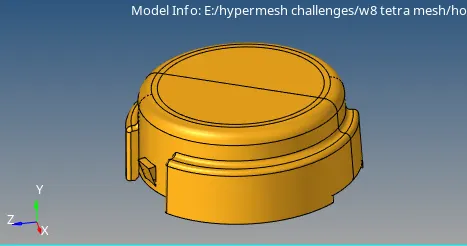
Procedure:
- Imort the model by selecting import<model
- keep the graphics area in topomode then delete solids by selecting delete<solids<displayed<delete
- quality parameters should be given by selecting Tools
- then delete fillets which are having less then 2mm
- geometry cleanup should be done by geometry clean up tools.
- remove surfaces having less distance.
- for meshing Go to 2D<automesh<Target element length 4<trias<surfaces<select displayed.2D mesh will be generated.
- For quality check Goto Tool<check elements.adjust the failed elements till failed element become zero
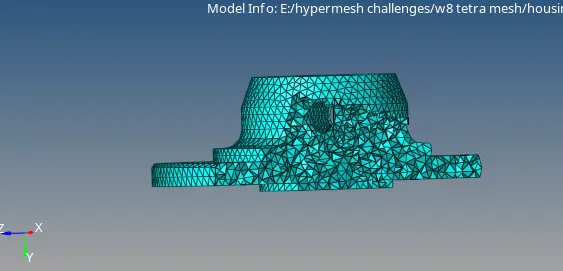
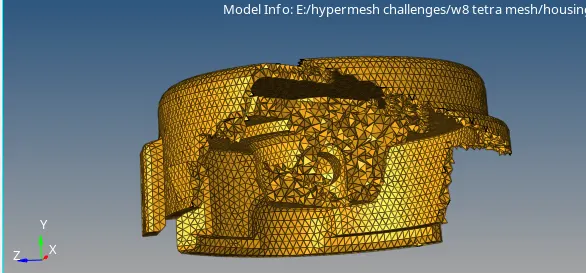
- Now we have to convert 2D mesh into 3d tetra mesh by selecting 3D<tetra mesh<select elements<displayed<then click on mesh
- now we have to check the quality of 3D mesh.Go to tool <check elements<3D<tet collapse we have to work on the model upto tet collapse become zero.
- same procedure have to be followed for model 2.
2.volume tetra method:
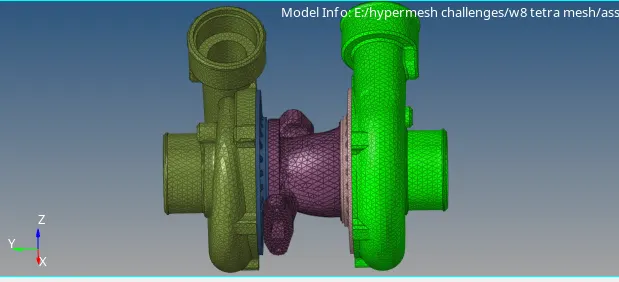
- for this assembly we have to mesh 4 components individually.
- Goto 3D<volume tetra<solids<select solids<2D type trias<3d type tetras<element order first or second<click on mesh
- tetcollapse should be check as same in previous model.
Direct method:
- Go to 3D <tetra mesh<components displayed<mesh.if the componet is not meshed then goto view<browsers<Hypermesh<utility<click on geometry mesh<select quick tetra mesh<then select components <clickcon proceed.
- mesh size 4 and minimum edge size and minimum element size mesh type trias only<click on mesh
- for quality check check for tet collapse same as discussed above.
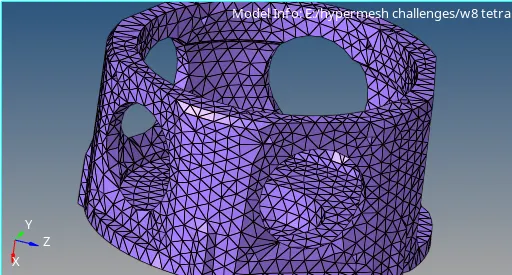
CONCLUSSIONS:
- 3D tetra mesh generated by 2D to 3D converting method
- 3D tetra mesh generated for assembly by volume tetra mesh
- 3D tetra mesh generate by direct method