Week 8-3D Tetra Meshing Challenge
Aim:For the given components we need to generate the 2D shell element(Tria) and convert to 3D mesh and perform Quick Tetra mesh/Volume mesh Alone with help of Quality Criteria mentioned below.
1.Tetra Mesh generation Method:2D shell mesh to 3D volume mesh conversion
Min length of element=2
Max length of element=7
Target length =5
Tet Collapse =0.15
2.Tetra Mesh generation Method:Quick tetra mesh/volume tetra mesh(3D mesh).
Target element length =3
Tet collapse =0.15
3.Target element size= 4
Tet collapse =0.15
Theory: For the given three components we need to perform the volume mesh and here we have followed different methods to perform the volume mesh(3d mesh).one is perform the surface mesh and generate the volume mesh using tetra element and perform the volume mesh by selecting the entire surface.Here i have observed is when we perform the surface mesh and convert to 3d mesh will give good result because it will capture the fillet regions properly and when it comes to quick tet/volume mesh will not give results sometimes.
Procedure:
1.Import the geometry
2.Manual toggling/geometry cleanup
3.quality criteria
4.mesh.
1.Import the geometry:
Import the cad file from the internal folder by file ˃ open/import ˃ select the respective file and import.this step has to follow the same step for individual components one after the other.
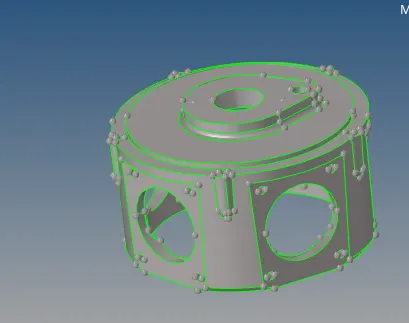
Fig: Imported Crank housing Geometry
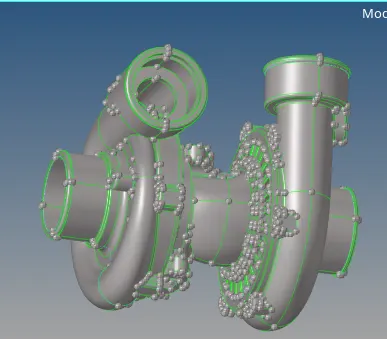
Fig:Imported Assembly Model(Casing1,hub,Chub,Casing2)
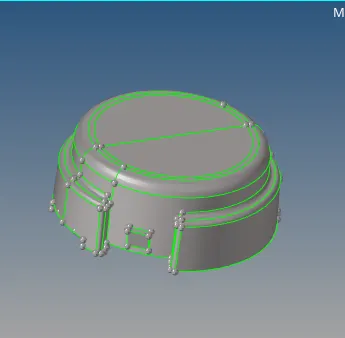
Fig: Impoted housing model
2.Manual toggling/geometry clean up:
Once the geometry is imported we need to perform the geometry cleanup before we perform the meshing.if we do not perform the this any open ends its thrown as error in the Auto meshing. And minimum length error as shows.
3.Quality Criteria:
Before perform the meshing in the geometry we need to enter the quality criteria since its 3d mesh we consider min and maximum and target lengths for 2d and for 3d mesh we follow the tet collapse.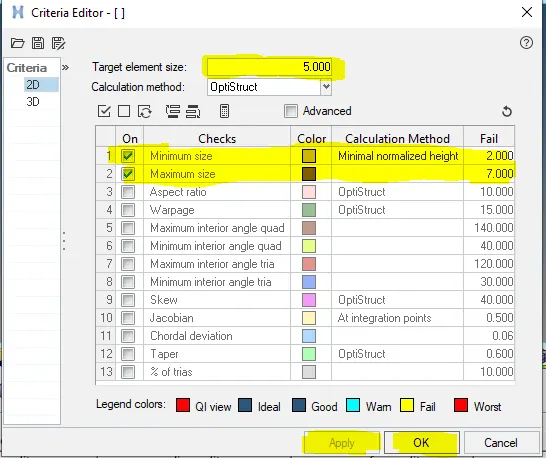
Fig:2D shell element quality criteria
4.Mesh:
Once the quality criteria entered we can perform the meshing and F12 mesh we need to change the mesh type is tria and once the surface meshing is done and satisfy the quality criteria before volume mesh. 3d ˃tera mesh ˃in tera mesh page change it to elements ˃ tetra mesh parameters we have to set the min and max tetra values and select the entire FE and mesh and once it is done press F10 check for Tet collapse which is0.15 and if any in the same page select the tetra remesh option and remesh the 3D elements to satisfy the tet collapse value and failure becomes zero.once completed as suggestions given should not be dents present in the geometry and i have aligned some elements and translated against the geometry.
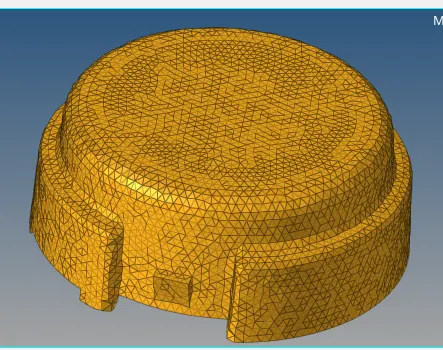
Fig:meshed omponent of hub model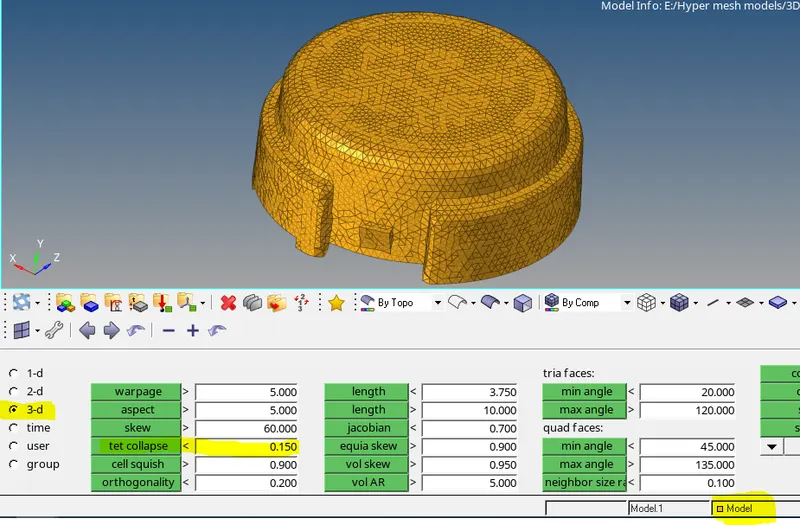
Fig:Check elememt page to check tet element collapse
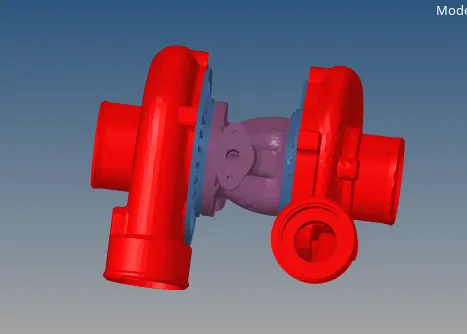
fig: Volumesh generated meshed assembly model
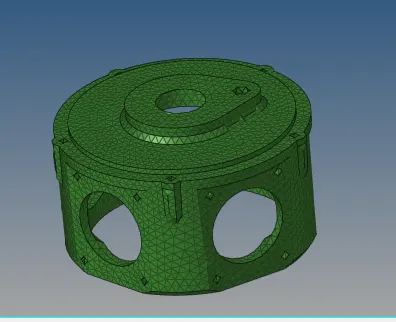
Fig; volume mesh generated crank housing model
outcomes of the challenge:
1. learnt the 3d messhing and surface meshing
2.clearing the tet element failure
3.Aligning the elements and avoid the dents
4.Satisfying quality criteria
Result:
For the given components 2D shell element(Tria) and convert to 3D mesh has been done and Quick Tetra mesh/Volume mesh Alone performed with help of Quality Criteria mentioned below.