AIM:
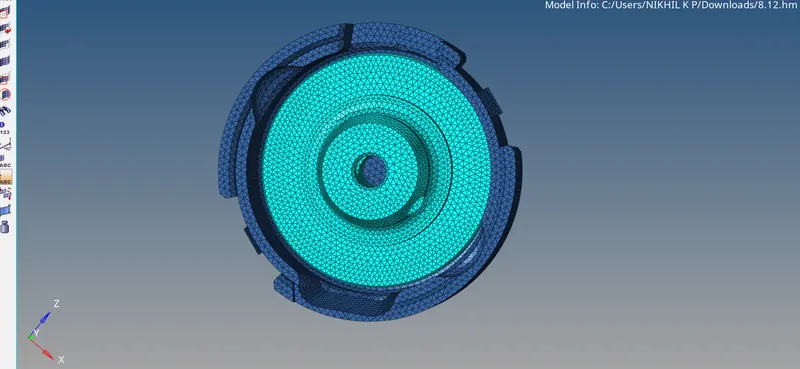
1.To Create a Tetramesh for Housing component with the following quality criteria.
TetraMesh Generation Method: 2D to 3D Conversion
Elements sizes: Min- 2 Units, Target- 5 Units, Max- 7 Units
Tet collapse: 0.15

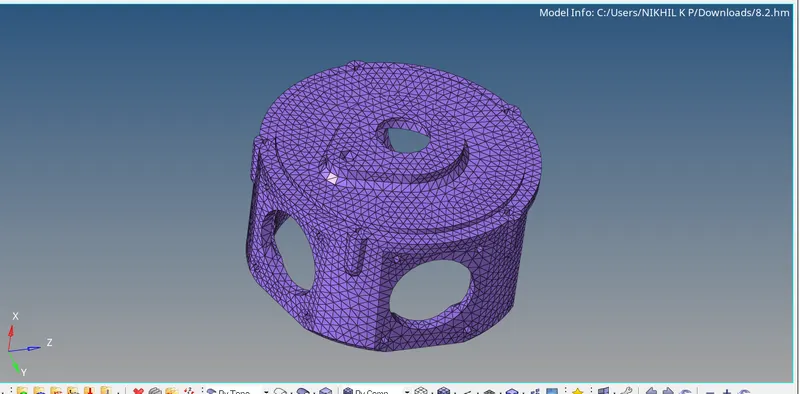
2.For the given model, Create a 3D Tetramesh with the following quality criteria.
TetraMesh Generation Method: Quick Tetra Mesh/ Volume Tetra Mesh
Target Element size: 3 Units.
Tet Collapse: 0.15

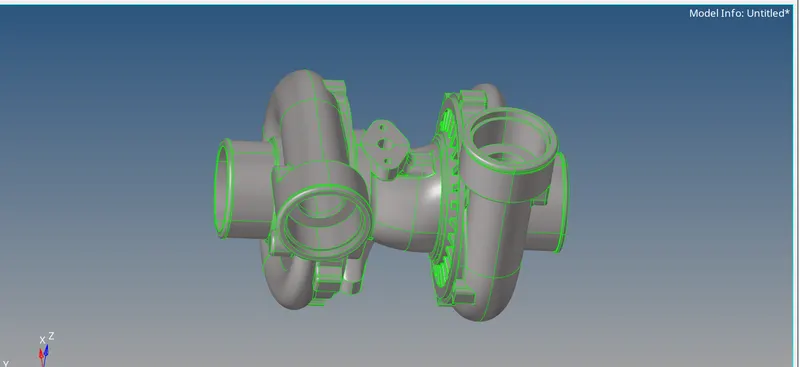
3.For the given assembly model, Create a 3D Tetramesh with the following quality criteria.
TetraMesh Generation Method: Quick Tetra Mesh/ Volume Tetra Mesh
Target Element size: 4 Units.
Tet Collapse: 0.15
ONJECTIVES:
To make proper tetra hedral meshing with different methods and using of the option to change the material 2D to 3D meshing and direct quick tetra meshing and volumetric meshing etc are done with these challenge.
PROCEDURE:
1.2D to 3D TETRA MESHING
*To download the object and check the dimension parameters of the element and check the geometry clean up for the parts.Take one by one parts for the object meshing is done with the 2D to 3D meshing process.
*first of select one of the object and others are made non visible hub portion.2D/auto mesh/put surfaces/select the object and make the meshing./elemnt size and minimum and maximum sizes should provide on the parameter and quality criteria.
*Meshes are clean with with min and max criteria data and check element error failers using different tools edge edit and quick edit tools are used the panel for element cleaning.
*After that make the 3D connection click on 3D/TETRA MESH/FIXED QUAD/TRIAS TO TETRA MESH/ELEMENTS/SELECT/FIX COMPOUNDARIES OPTION TICK/MESH.
*Check elements checking the tet collapse is zero put the value with 0.15.for making tet collapse zero and make sure that the component is meshed proper for that
*Press short cut key F5/SELECT OBJECT/MASK /mask is done proper with 3D is possible.
*Save the model.

2.QUICK TETRA MESH/VOLUME TETRA MESH
*For download the second object and make it geometry cleanup and element clean up.
*For tetra meshing two ways are done directly by volume tetra mesh and quick tetra mesh
*On the rigth tab select 3D option/TETRAMESH/VOLUME TETRA/SELECT THE ELEMENT/MESH CURRENT COMPONENT SELECT/FIX OPTIONS TICK/MESH IS DONE /CHECKING OBJECT PARAMETERS ERROR AND OTHER ELEMNTS QUALITY ERROR ANYTHING DONE ON IT.
*Put the tet collapse is 0.15.errors found on left of the side /save the error/press F5 MASK/SELECT/ ELEMNT BOX/RIGTH CLICK /RETRIVE/MASK/REVERSE the failer parts are on the screen in visible errors are corrected by remesh or adjust the tet collapse height.
*After tet is zero make it mask and check the object elements.
Save the final model.

3.VOLUME TETRA/QUICK
*For making the parts are 5 different parts and made as on proper meshing 3D connect parts are visible single by single and made seperately.
*For quick tetra VIEW/BROWSERS/HYPERMESH/UTILLITY/GEOM/MESH/QUICK EDIT/SELECT COMPONENT/PROCEED/PUT MESH VALUES/PUT TRIAS ONLY/MESH....
*Automatically meshing is done with some time then check elements check errors same as for the volume tetra and correct the elements on proper manner and check one by one and made smooth save.
RESULT:
Made differnt methods of tetra meshing with the different componenets and check error failures on the object.