Week 8
CHANGING THE SHAPE AND DIMENSIONS OF THE 3D CAD MODEL
Aim:
To Morph the given object as per the requirement using the morphing module in the ANSA
Understanding the morphing
Morph is a very helpful tool for Shape modifications. Most of the Morphing Modifications can be applied both on FE and Geometry models. The functions of the MORPH menu can be used to reshape shell and solid FE-Models, avoiding returning back to the CAD model for modifications and re-meshing the model. In this way, different versions of a complete meshed model may be created for optimization or any other purpose.
Morphing is the technic which is to change the shape and dimension of the object or model (2D or 3D).
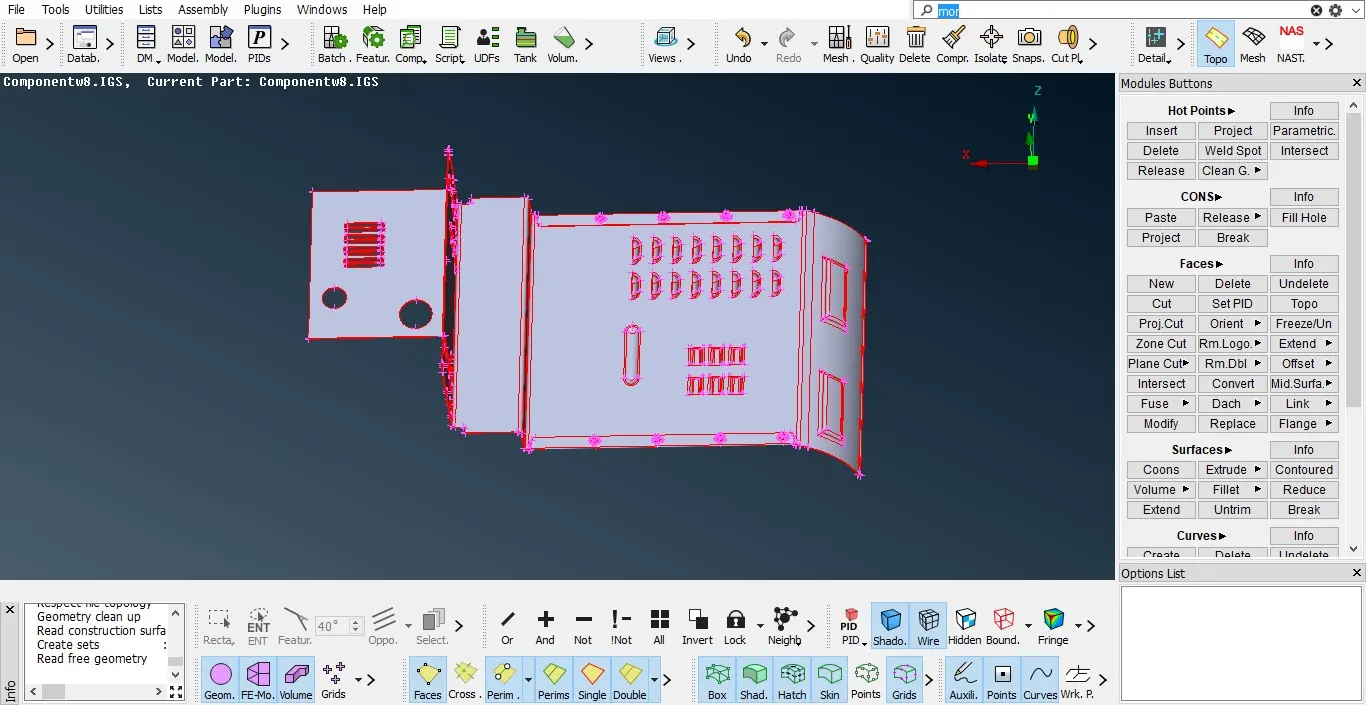
Cad model before topo.
Morphing can perform on 3D topo type object or mesh type.
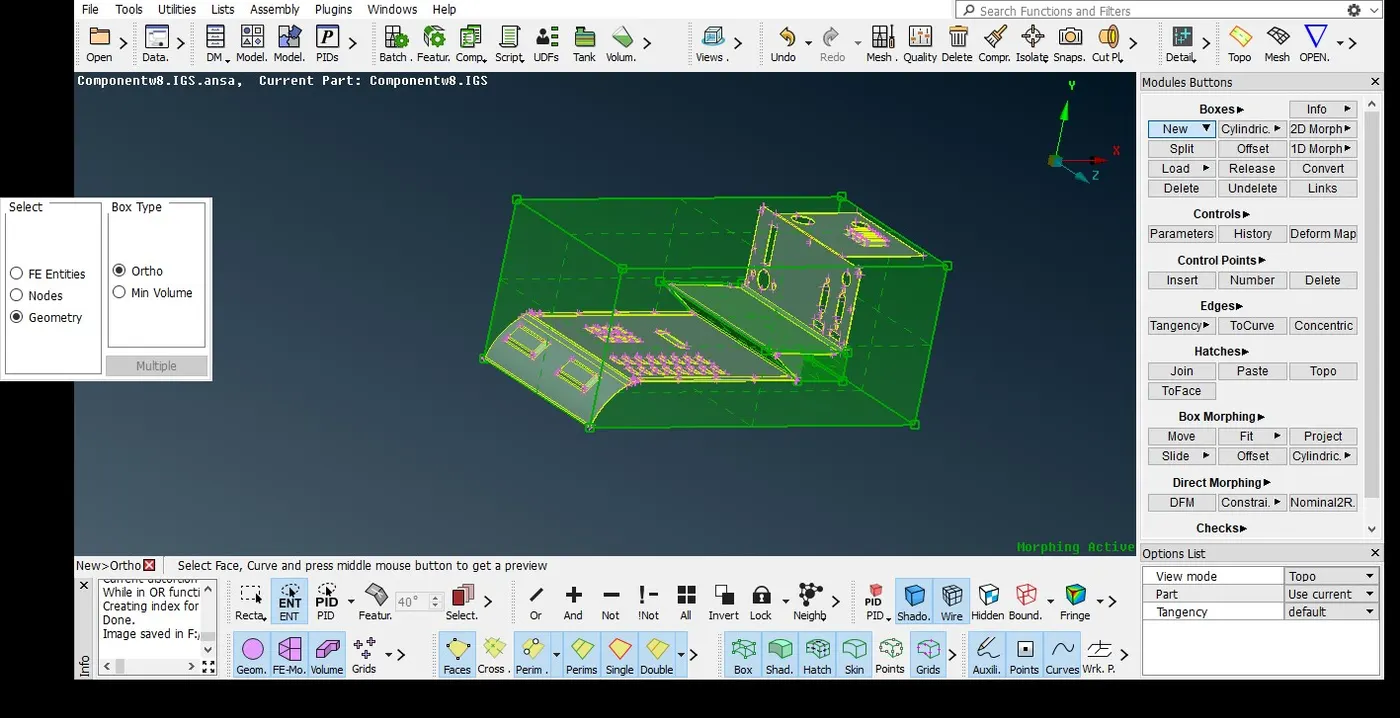
Morphing consist of boxes like New, cylindrical, 2d morph and 1d morph. There are three types of Morphing Boxes: Hexahedral, 2D and Cylindrical. The first two types are working in local x,y,z while the third in r,θ,z coordinates for cylindrical or round shape.
New: it consist of new morph box of ortho (3d) or mini volume type. And also selection type FE entities, Nodes and Geometry
We can select the any area of the object based on the selection type. Here we are selecting the model based ortho type with geometrical selection.it gives us a three dimensional box having four corner nodes of hexahedral box.
Box morphing: it consist of many shape deformation commands like move, fit, and slide etc.
Move: to control the moving point by selecting entities and nodes, in box morphing we can select the anywhere in the model after selecting the new morph
In move it consist of MV free, translate, transform, scale and rotate. It is having numerical distance displayed in the direction of X, Y and Z direction of the object deformed.
Split: Morph box can be split into any number of parts to change the shape of the any particular region of the morph selection.
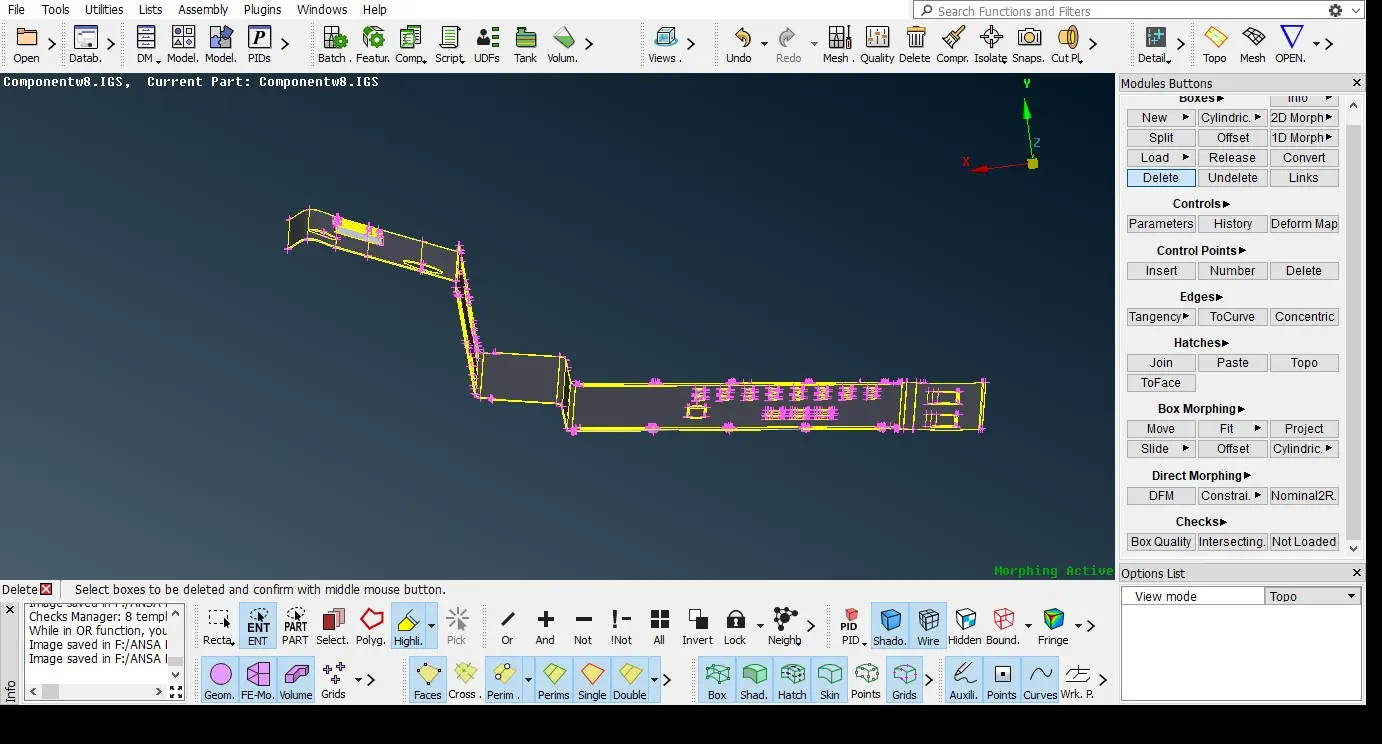
They are points which reside at the corners and along the edges of Morphing Boxes. Their locations determine the shape of the Box. They can be created and moved using the functions of the CONTROL POINTS and BOX MORPHING groups. Control Points are normally displayed as green squares. However, if some of the loaded entities of a Morphing Box reside outside a given Box Face, then the Control Points of this Face are considered as frozen and are symbolized as orange filled rectangles. Frozen Control Points may not be moved for Morphing by any function of the BOX MORPHING Group, so as not to spoil the continuity of the model.
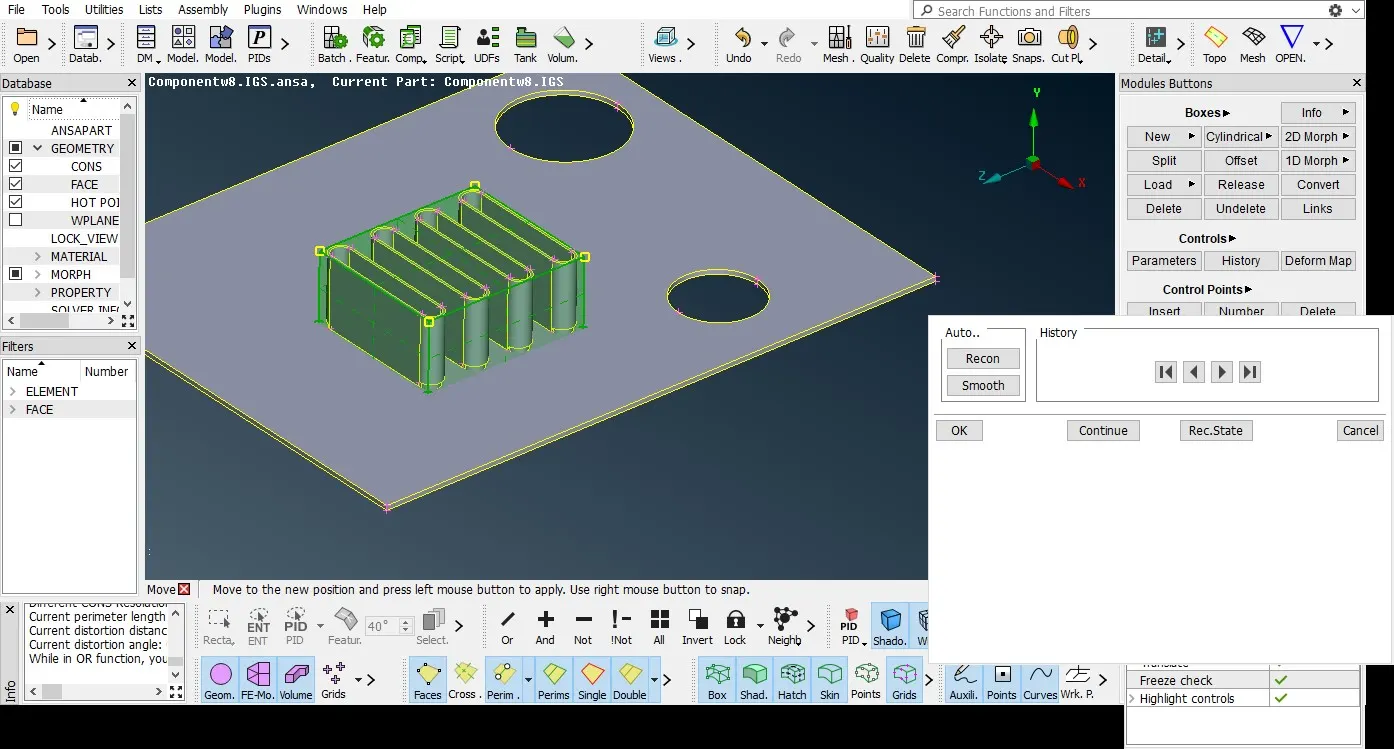
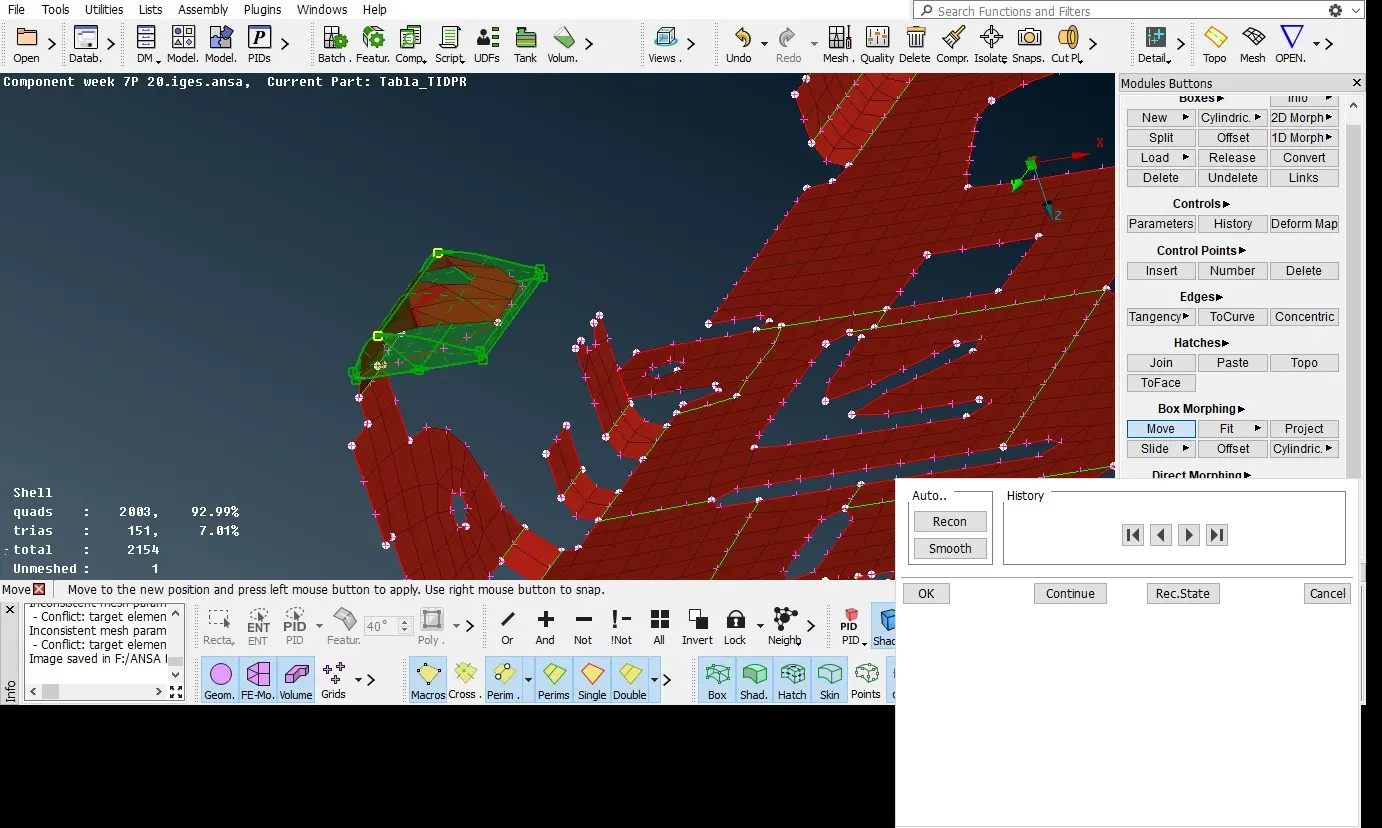
We have changed length of the closed loop ribs here, due to morphing there are some disturbances occurs in the geometry.
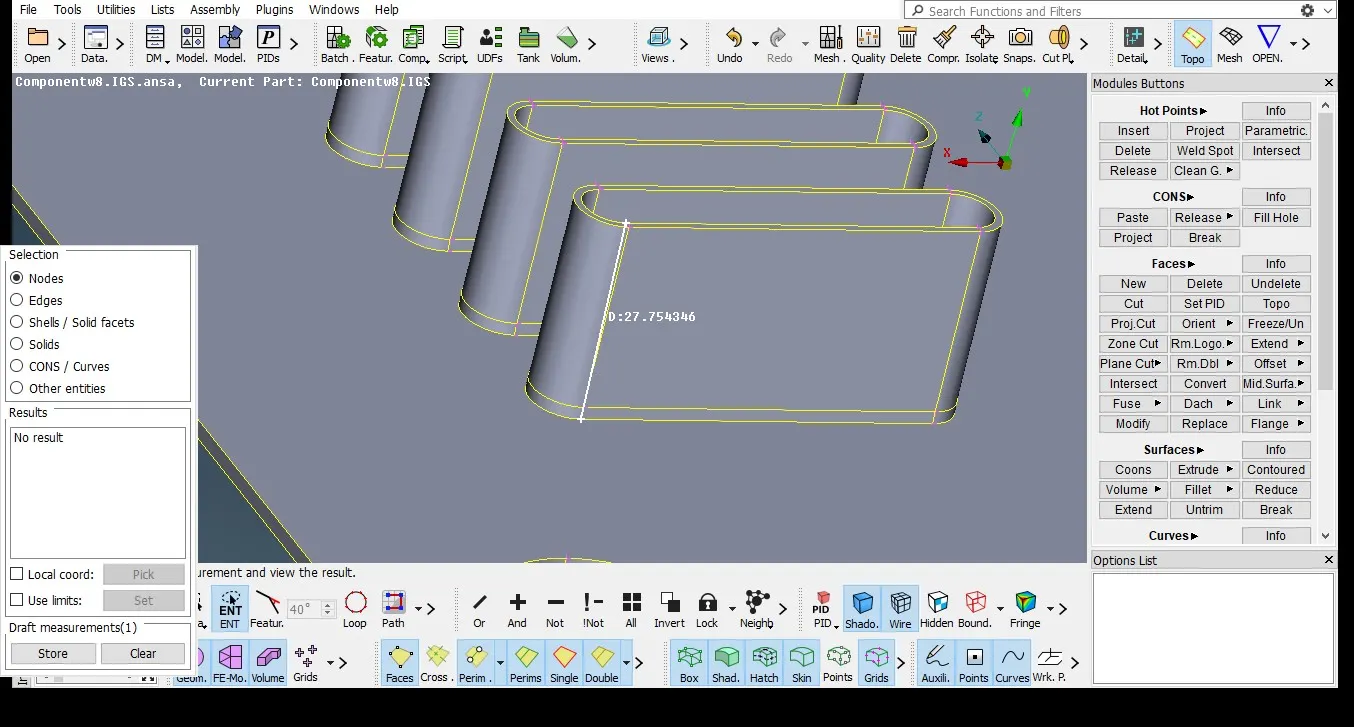
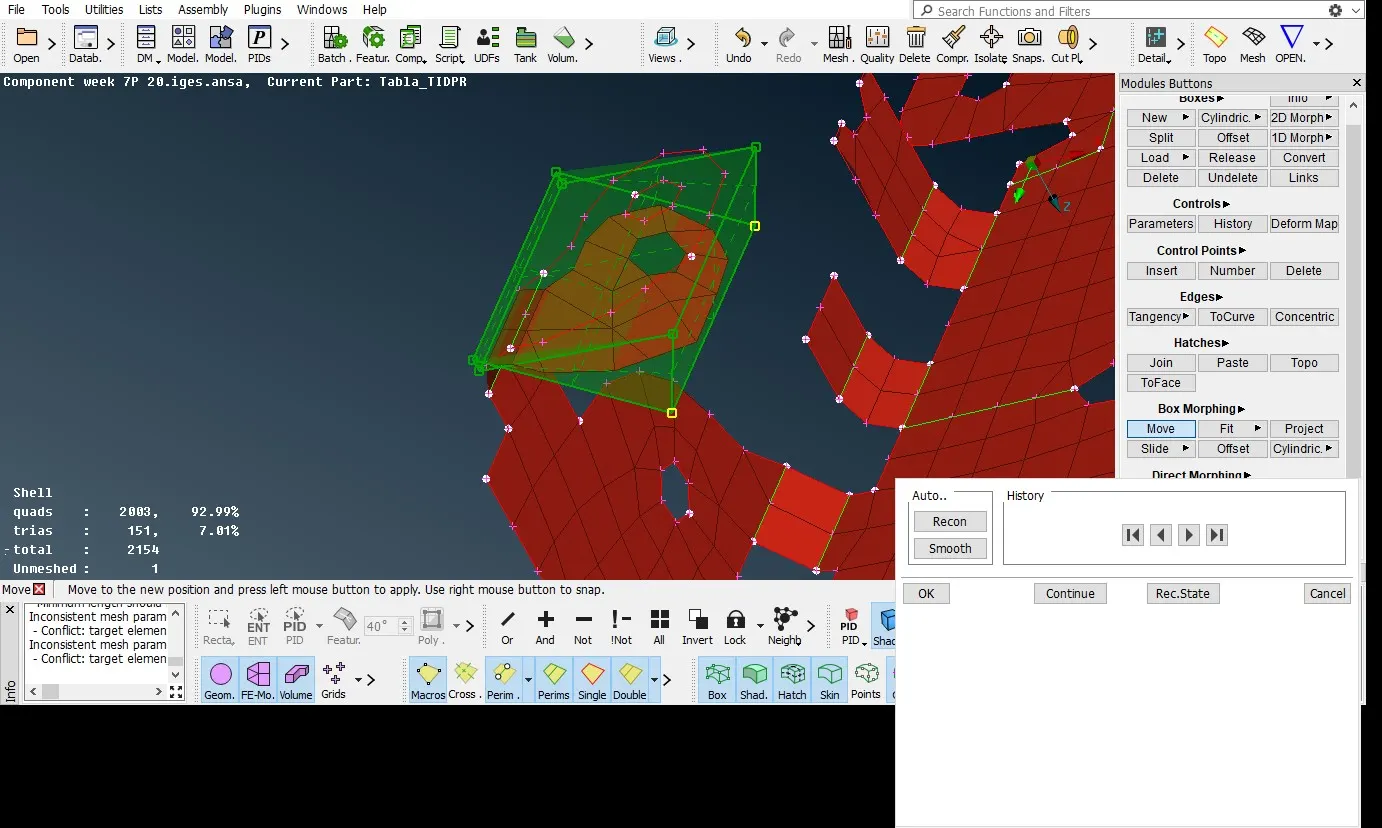
The below image shows that morph box is selected at the middle portion of the CAD model by selecting the corner points of the morph box we can move any direction with respective the global coordinate
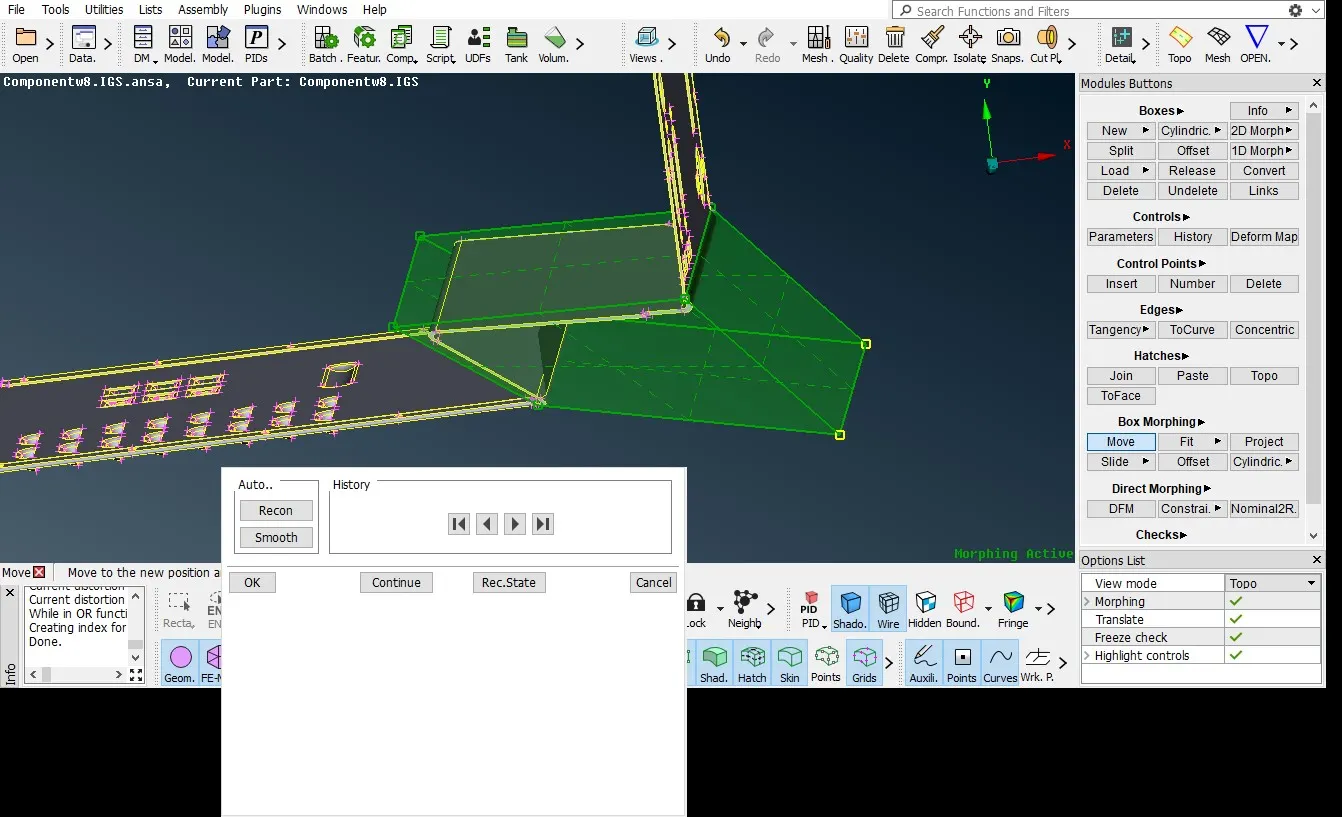
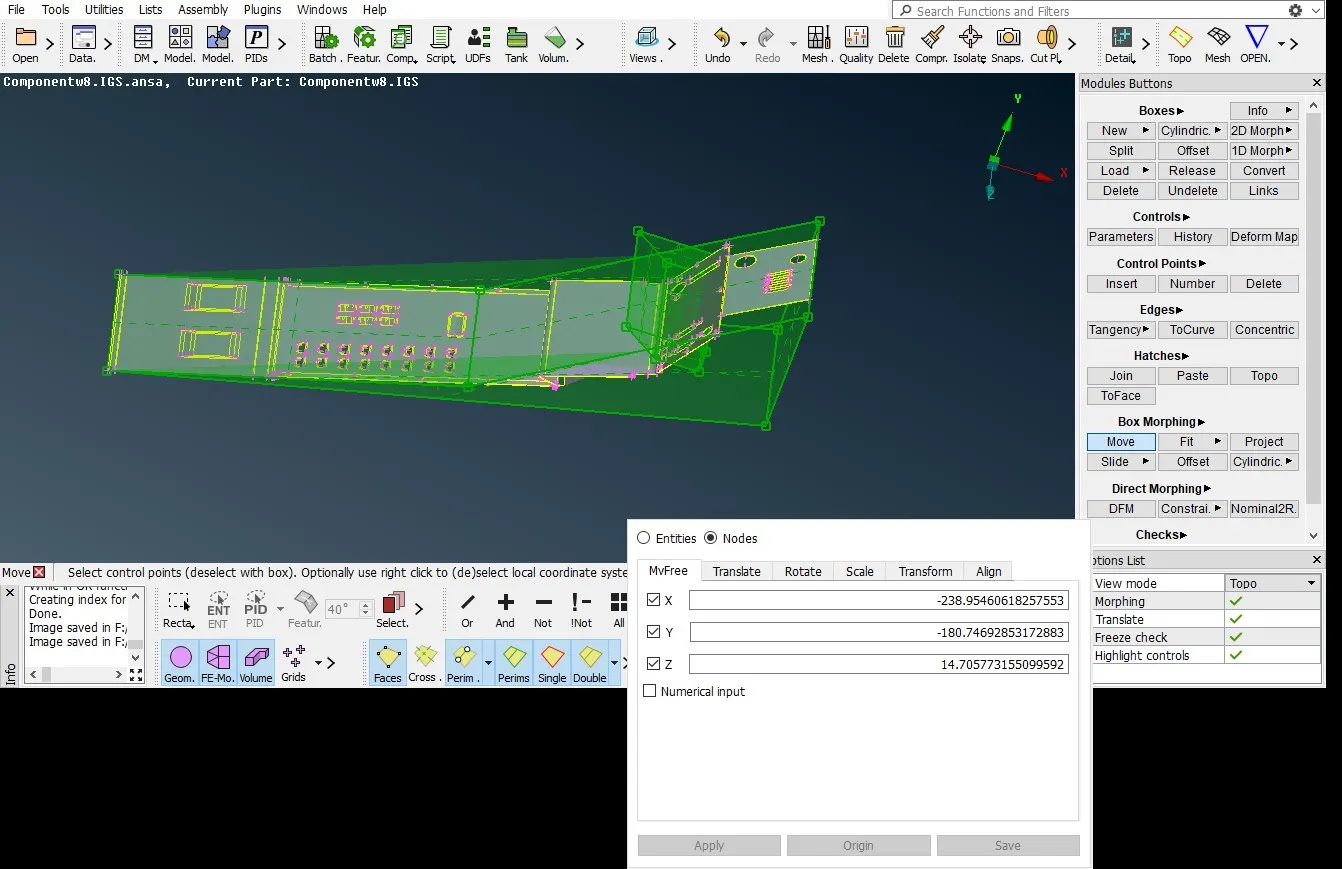
Morphing box selected mesh type here the bolted frame slightly changed here using morph box with move command.
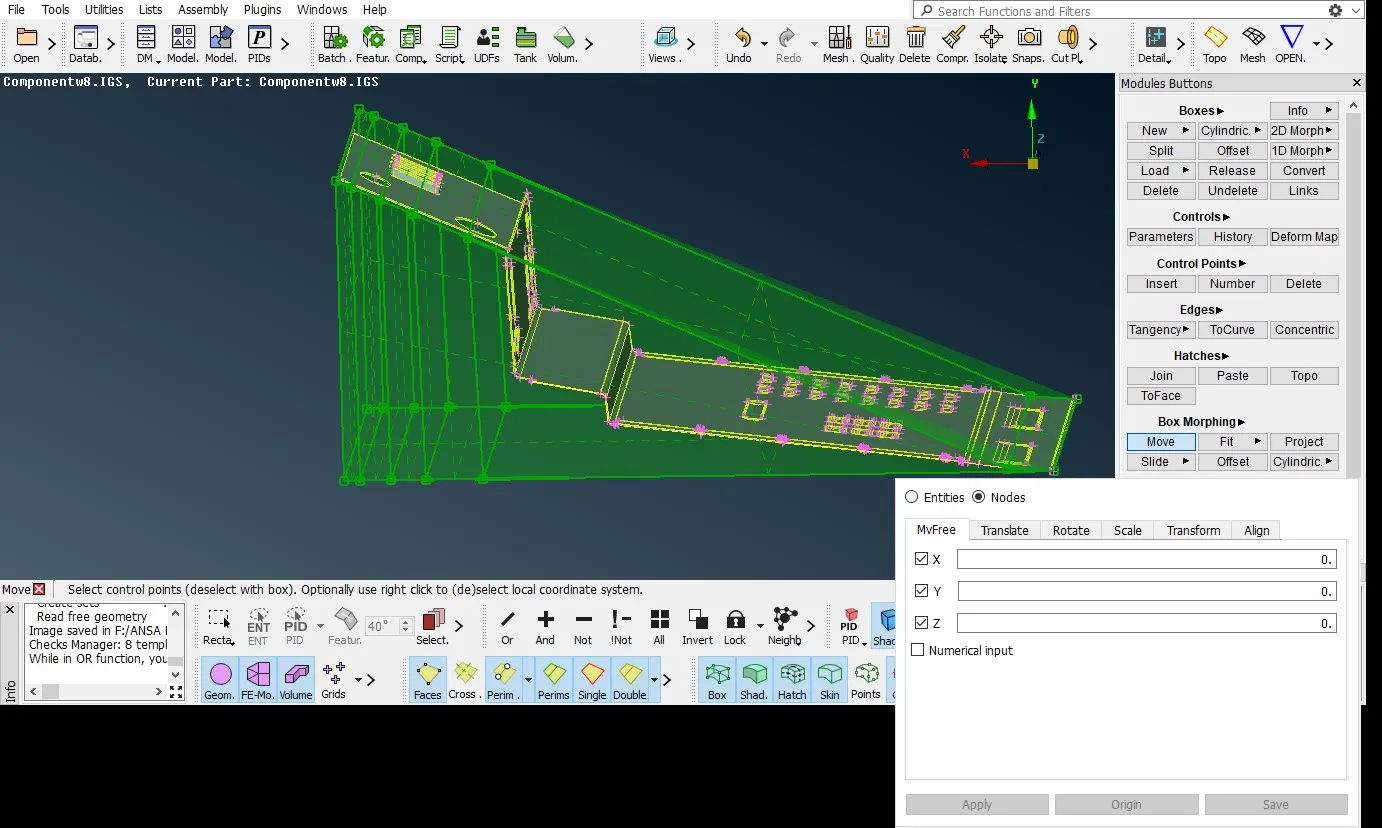
FE entities
Direct Morphing:
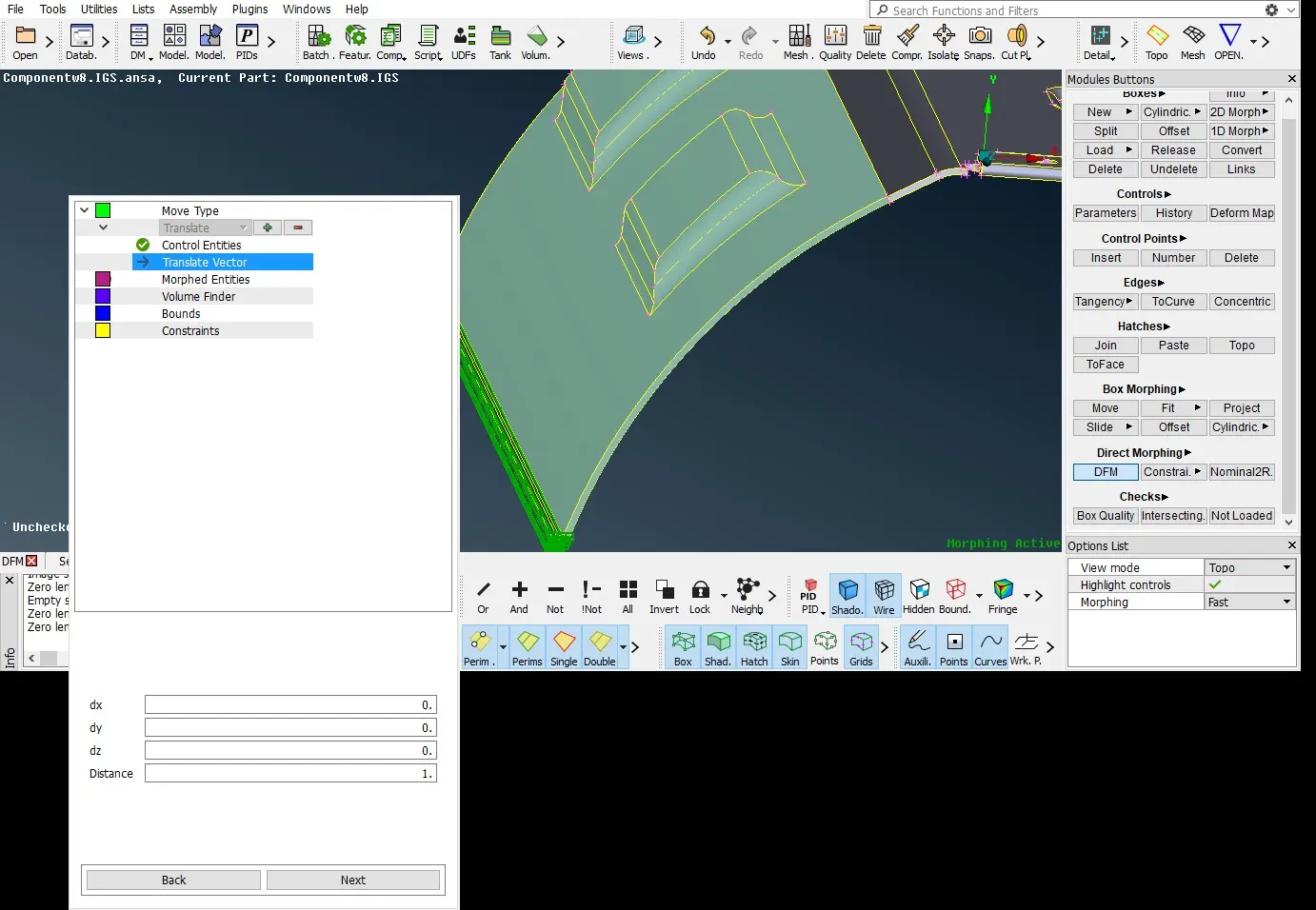
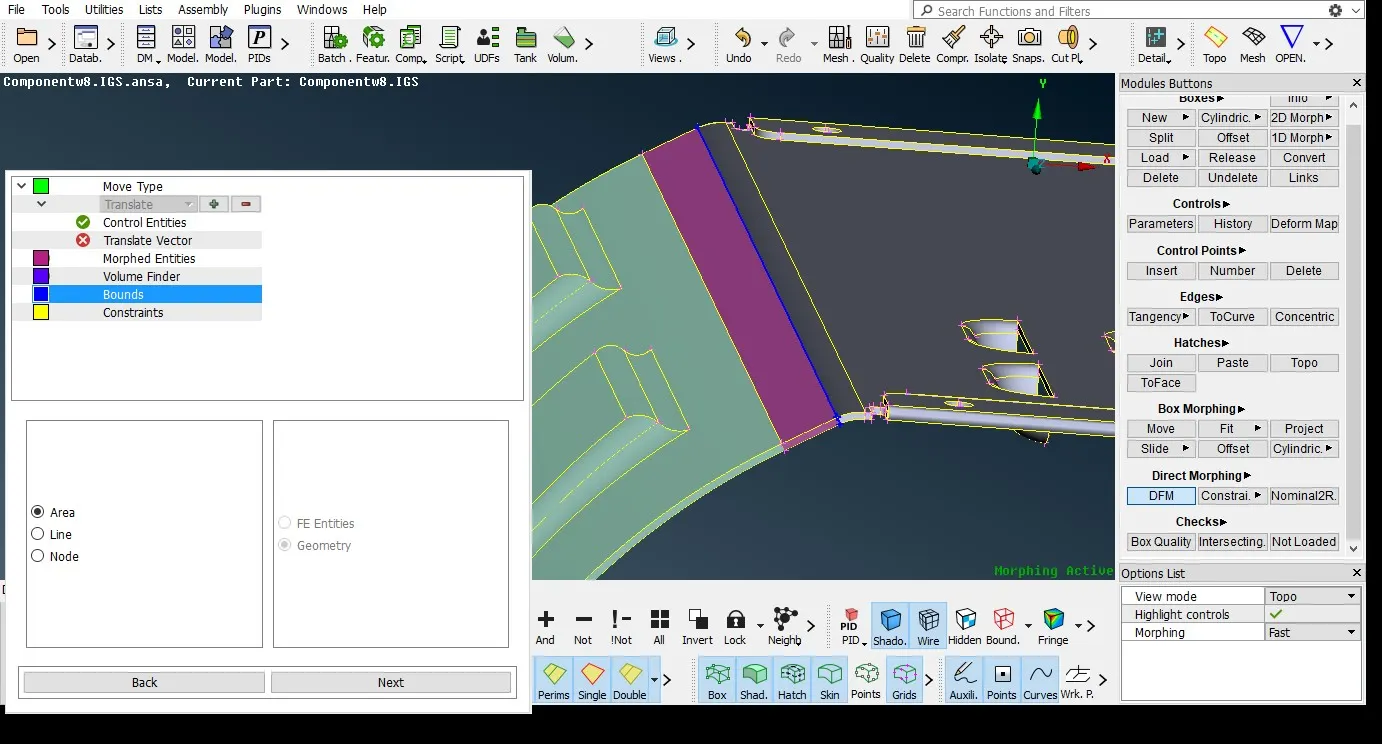
Direct Morphing FE and Geometry Models Morphing can also be applied without Morphing Boxes. This is also helps to create local depression in specific place or zone.
without box morphing.
Application of morphing
Morphing can reduce the time in changing the shape of any component or dimensions of the cad model and FE
Creating depressions and holes
Modifying the hatchback or shape of the car body and other parts.
Modifying the position and curve points of various cad models.
Applications of Morphing can be found in Durability, Crash, NVH, and CFD etc. Furthermore, Morphing can be applied to Geometry (CAD) models
Morphing plays very important role Major industries especially in automotive industry like car, sports cars, two wheeler and other mechanical design industries.
Learning Outcomes:
Learned how to modify the shape of any object or model using morph tool.
Learned how to use morph boxes and modifying the dimension in various direction
Role of direct morphing without creating the morph box.
Conclusion: Modification is done on cad model as per the requirement and learned how to use the morph tool fundamentals in various areas of the objects.
https://drive.google.com/file/d/1ACdti2hTD3rihSJwLcIZkuinvk5ixLf8/view?usp=sharing