Simulating head impact of the pedestrian head form on the Car hood and calculating HIC36 value Using LS-Dyna
AIM: To perform the simulation representing the pedestrian head impact on the car hood and calculate the HIC values in LS-Pre post.
ABSTRACT: In this assignment, we are going to simulate the head impact simulation and calculate the head injury coefficient (HIC) values. To do so we have taken the head inclined at 45 degrees inclined to the horizontal plane and the velocity took is 30kmph.
we will do this task in three steps:
- The impact simulation of a simple head impact with the Rigid wall.
- The impact simulation of the Headform provided with the Rigid wall
- The impact simulation of the head form with the Hood.
THEORY:
Crashworthiness of the pedestrians
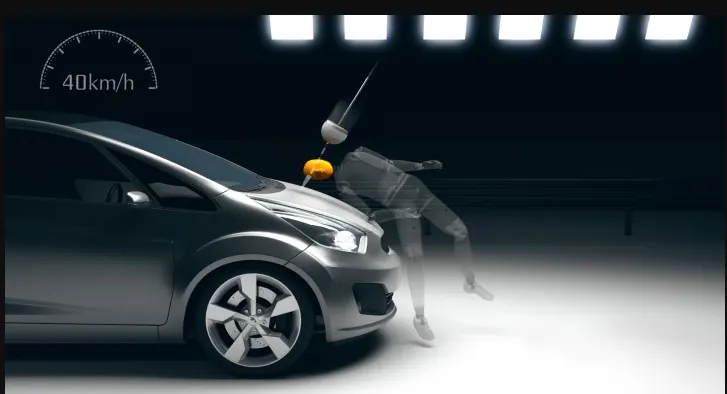
Crash rating for pedestrian protection has also been recommended in the many crash regulation systems(Euro-NCAP). A series of tests replicating the impact on child and adults pedestrian are done at 20-40kmph. Im[act sites are then assessed and protection offered is rated as fair, marginal, or poor. the protection can be improved using pedestrian-friendly bumpers. to protect the head, the bonnet top area needs to deflect. it is important that sufficient clearance is provided above the stiff structure beneath to avoid deflection.
(Head Injury Coefficient)- HIC
The most common criterion used to predict head injuries is the Head Injury Criterion (HIC).s. It is based on the resultant translational acceleration of the head. The HIC should not exceed 1000 considered to be dangerous to life and standard as per Euro NCAP it is below 650 recommened.
METHODOLOGY:
- open the keyword .k file in LS-prepost
- include file(import model file) or transform(inclination) the model if needed.
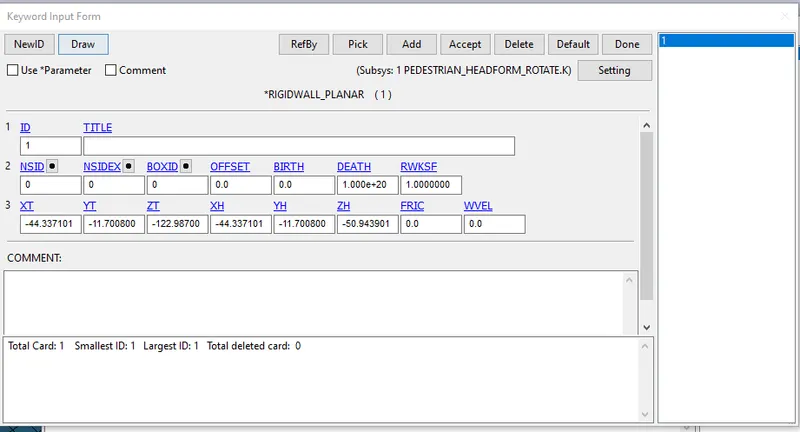
- Define a rigid wall/hood surface along the z direction at some distance apart.
- set the initial velocity towards the rigid wall/Hood surface with 30kmph or 8.33mm/ms
- Define the section, material card and assign these cards to the part card.
- Define the contact card using part or node set.
- Define control and database card.
- save the keyword file and run the solver
- Analyze the results (stress, strain, acceleration )
The unit system followed is [gm, mm, ms]
PROCEDURE:
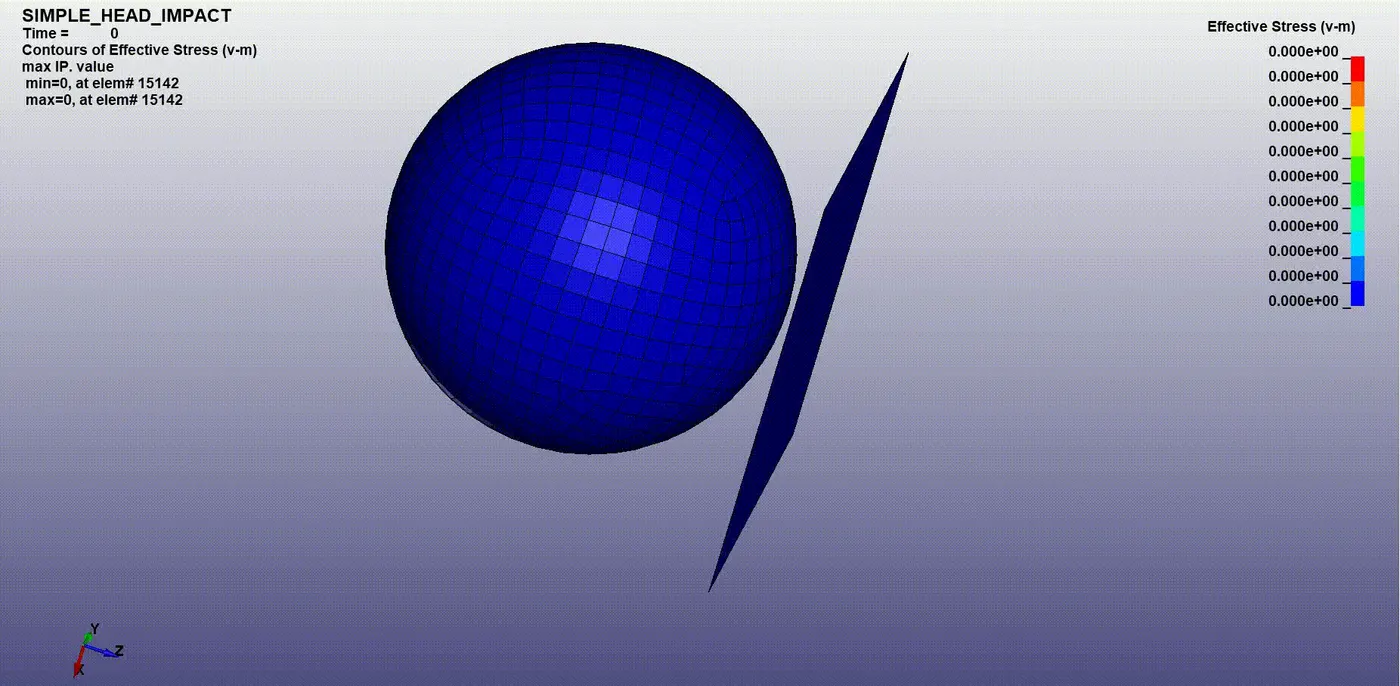
Case 1: Impact simulation of a simple head impact with the Rigid wall
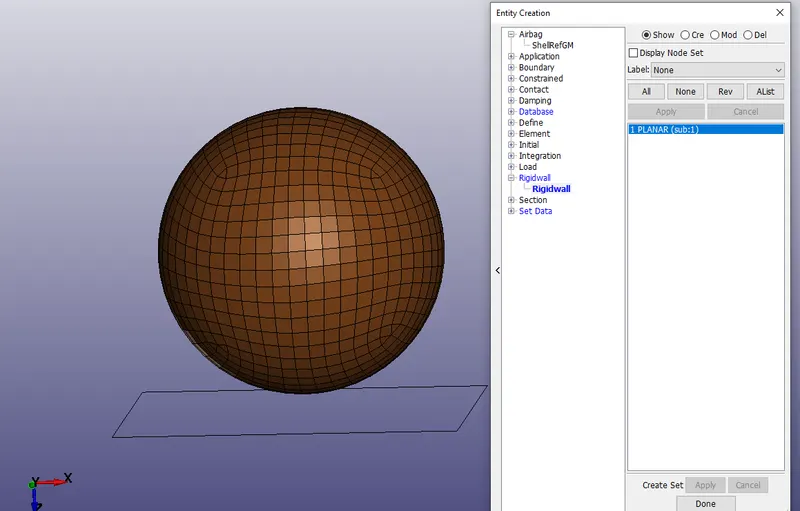
Create the rigid wall by creating an entity along Z-direction at a distance of 10 mm.
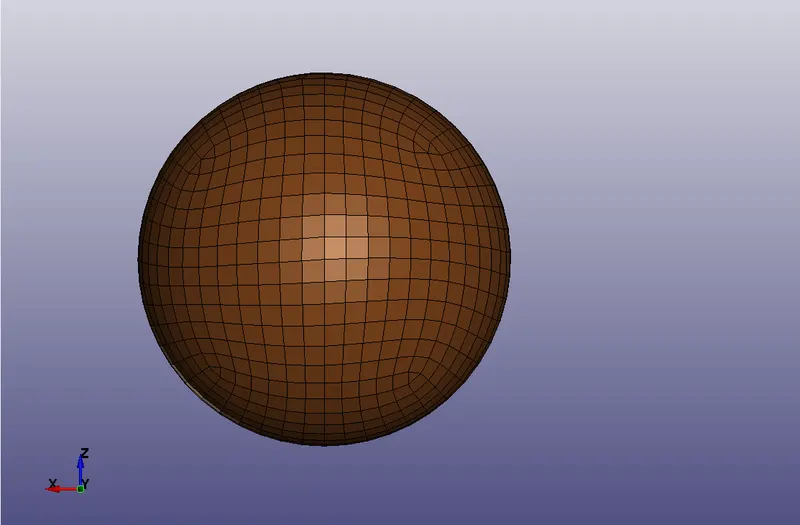
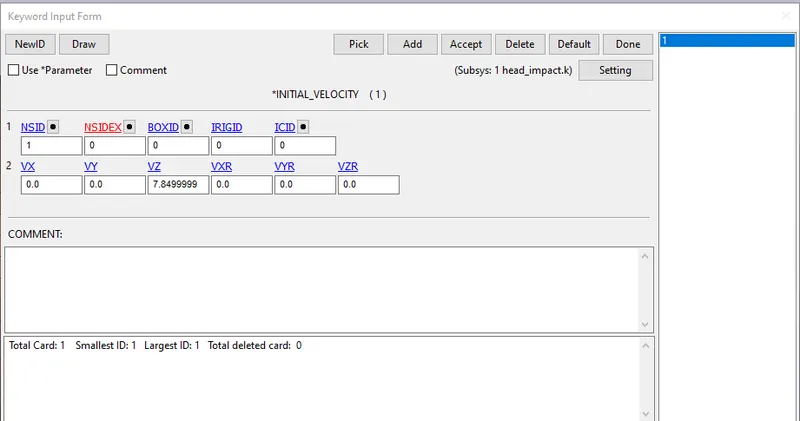
Provide initial velocity to the model spherical model towards the rigid wall with velocity 30kmph or 8.33 mm/ms
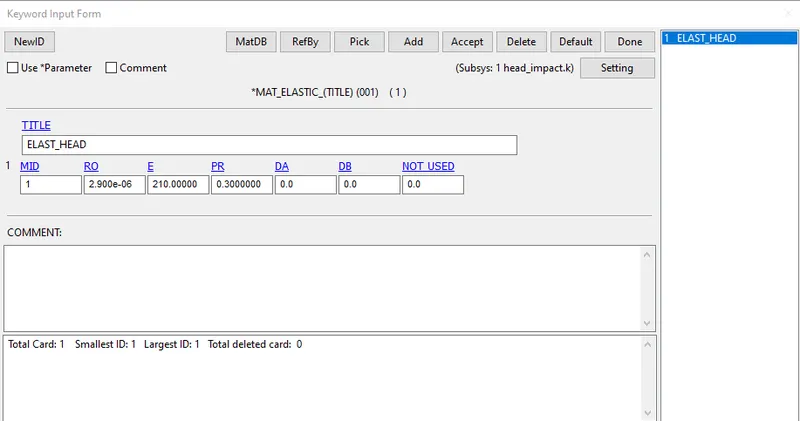
Provide the material card for the spherical ball.
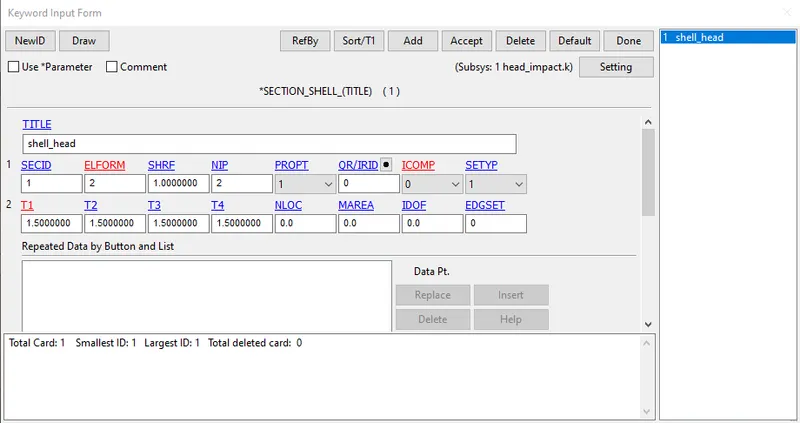
Provide the shell section card to the spherical ball.
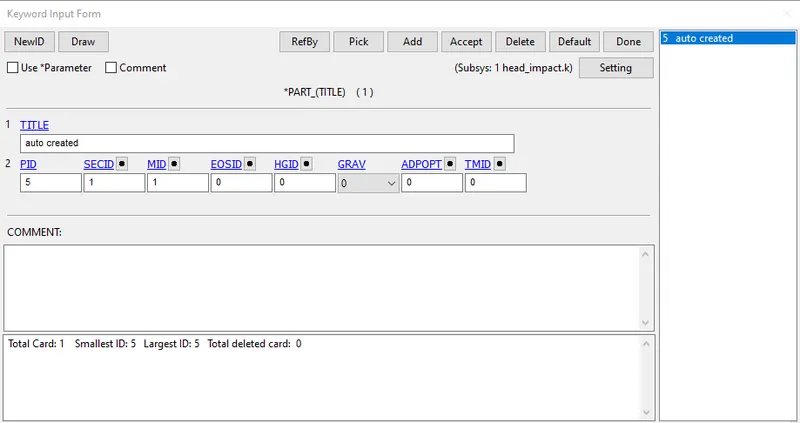
Assign the material and the section ID to the part card
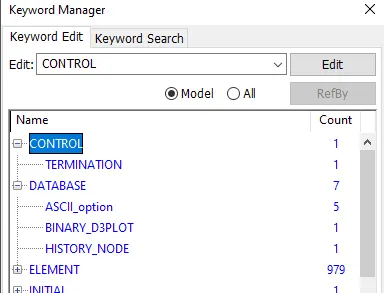
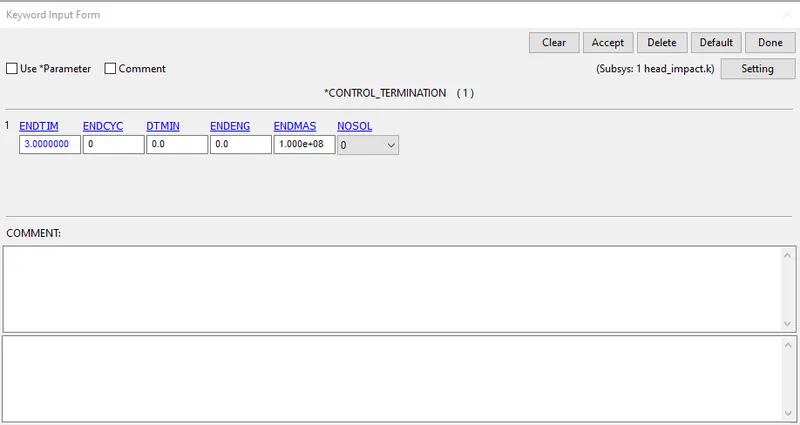
Assign all the database and control cards required with termination time as 3 ms
Case: 2
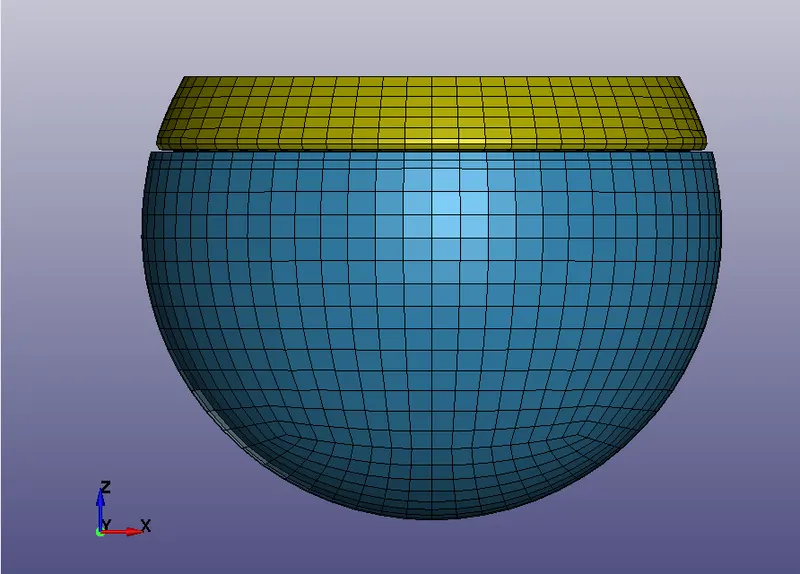
Open the Headform keyword file into the LS-prepost
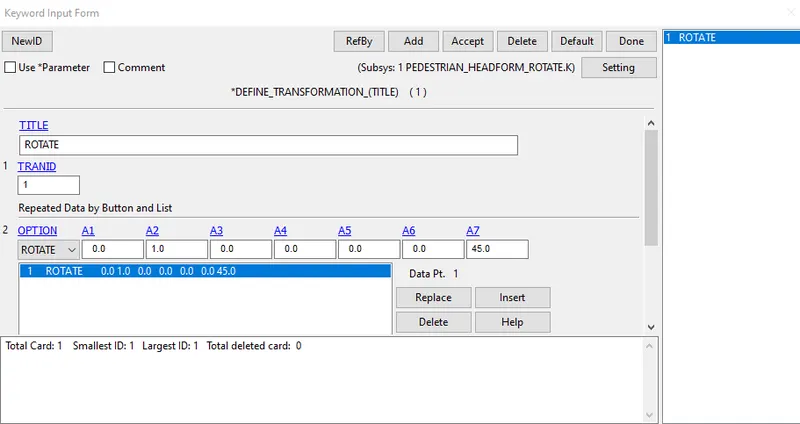
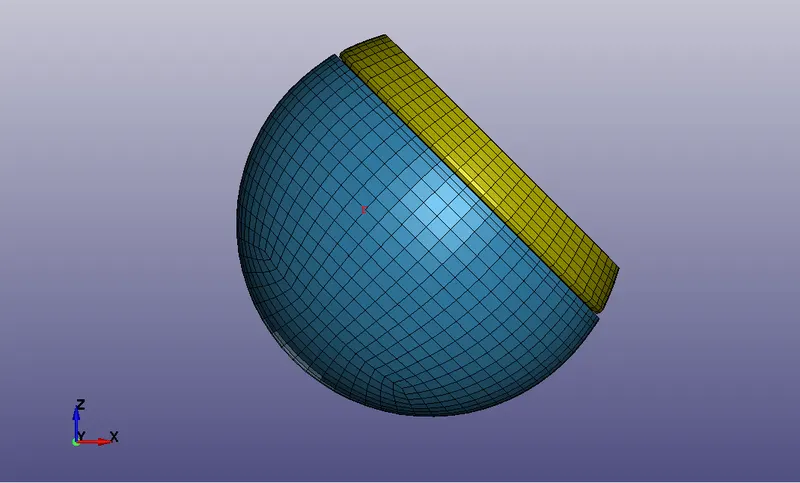
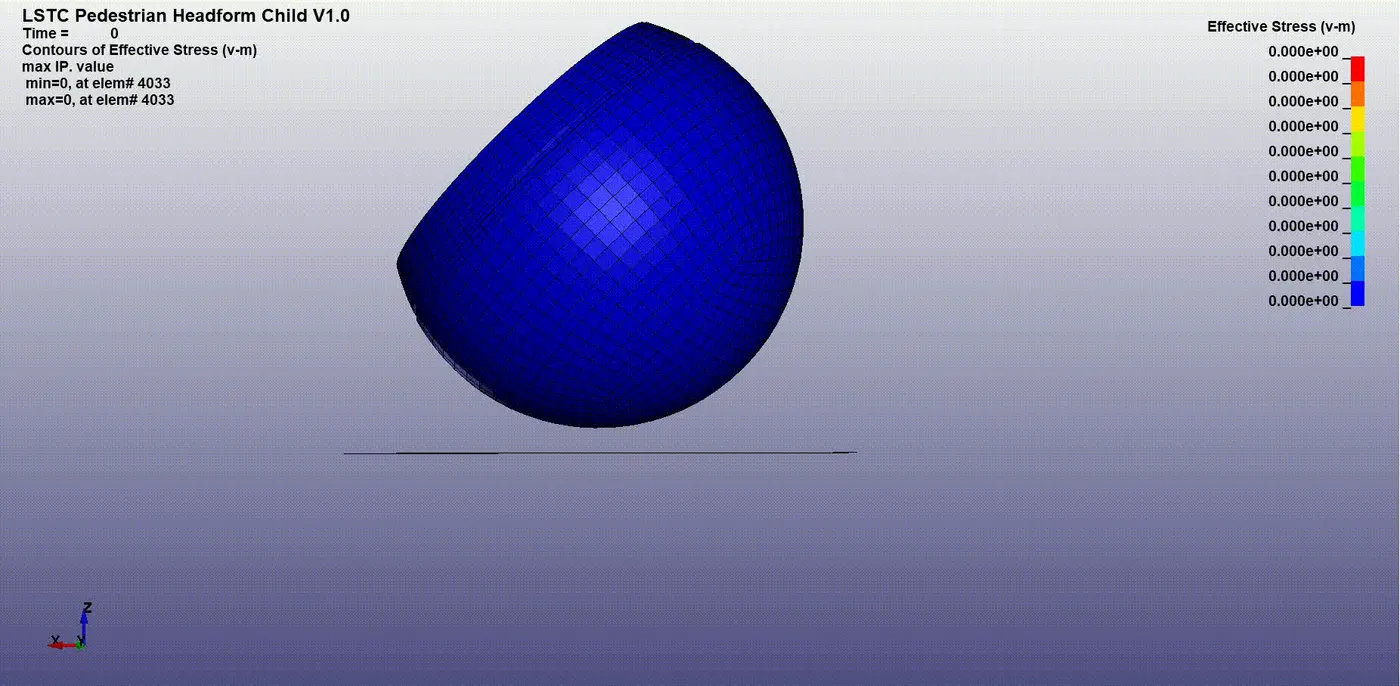
Rotate the headform at an angle of 45 wrt to the Y-axis using DEFINE_TRANSFORMATION CARD. Put A2=1 and A7=45 then click insert and accept.
Now use the INCLUDE_TRANSFORM to write the transformation into the file. browse the file to include the transformation and provide the TRANID = 1(Rotate)
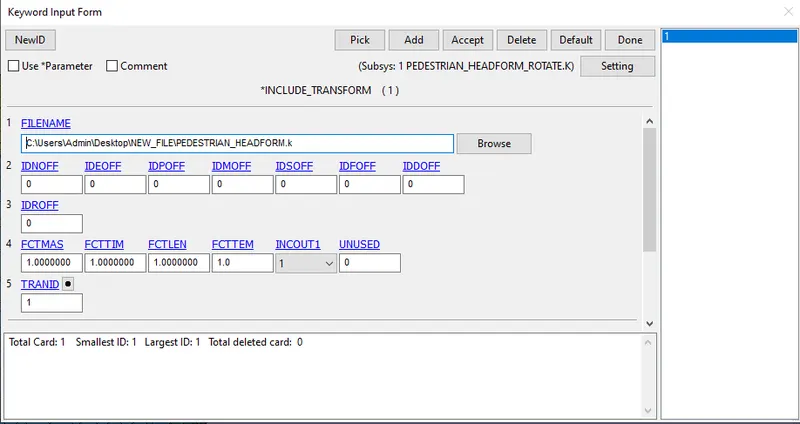
Once you save the keyword file close the current file and reopen it. now you can see the inclined headform orientation.
provide the planer rigid wall along the z-axis at a distance of 10 mm from the lowermost node.
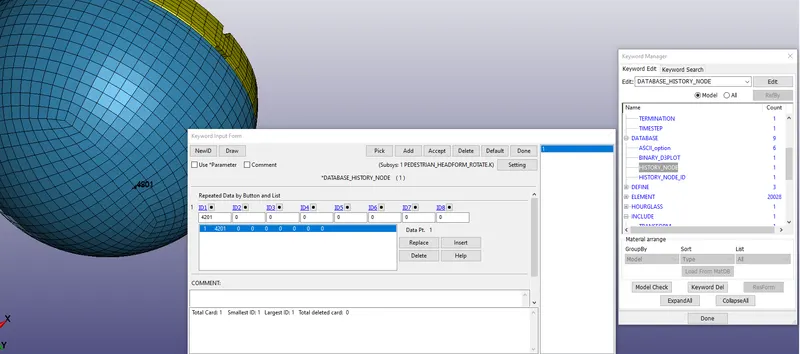
select the node(lowermost node) to register all history data using DATABASE_HISTORY_NODE CARD.
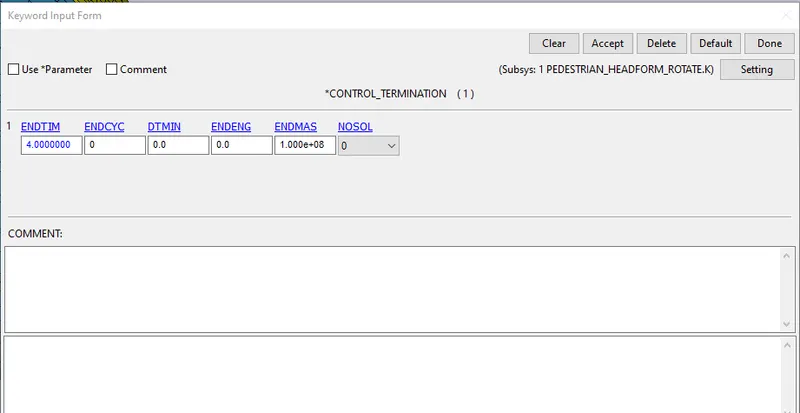
Set the ENDTIM as 4ms while defining the Termination card.
CASE 3:
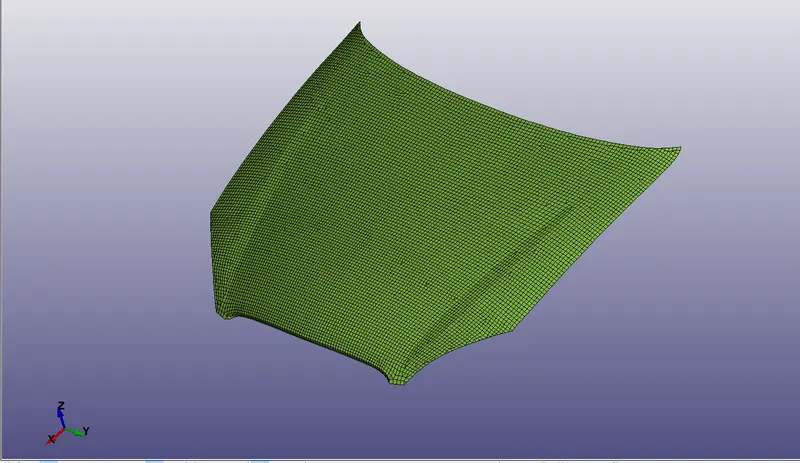
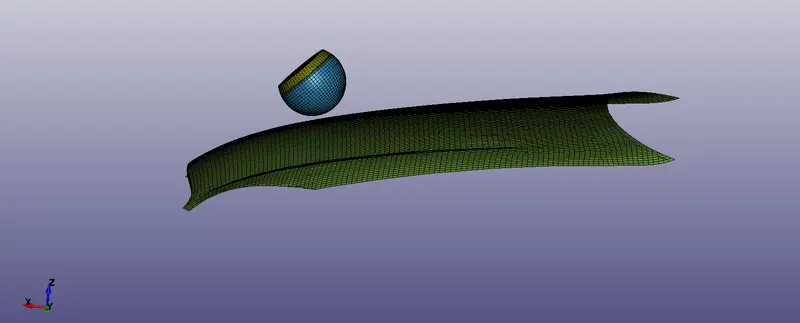
Open the hood model in LS-prepost ( as shown below)
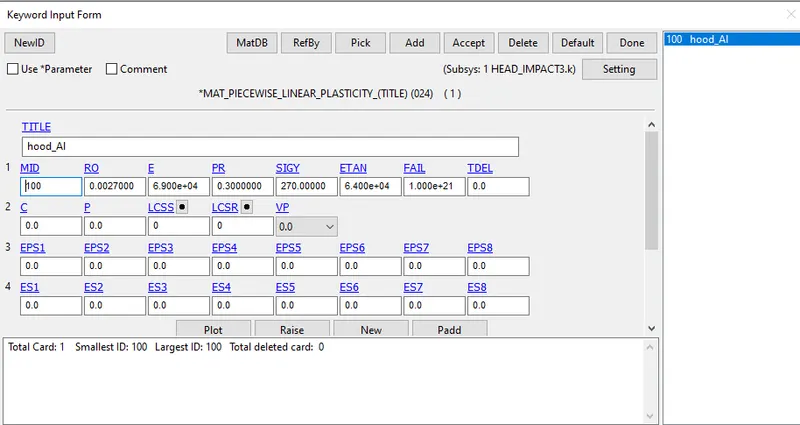
Set the material card as aluminum and set the property as per that in [gm, mm,ms]
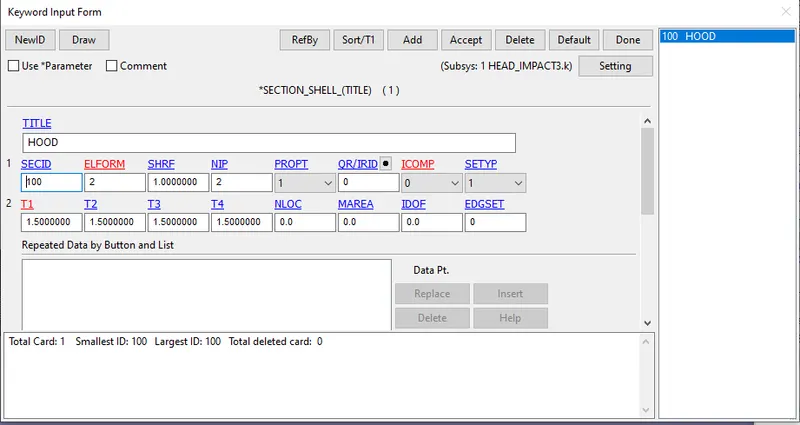
Assign the section card for the hood body.
Assign the section and material ID to the hood part.
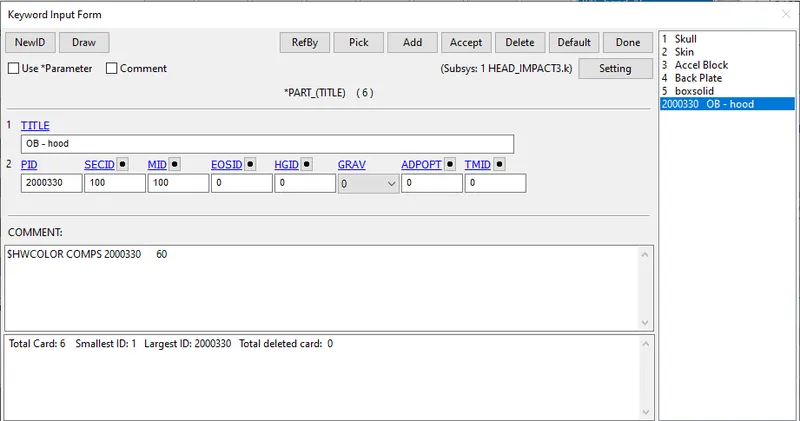
Now define a INCLUDE CARD to file in which you want to include this data of the hood, browse the file at insert the file and Accept.
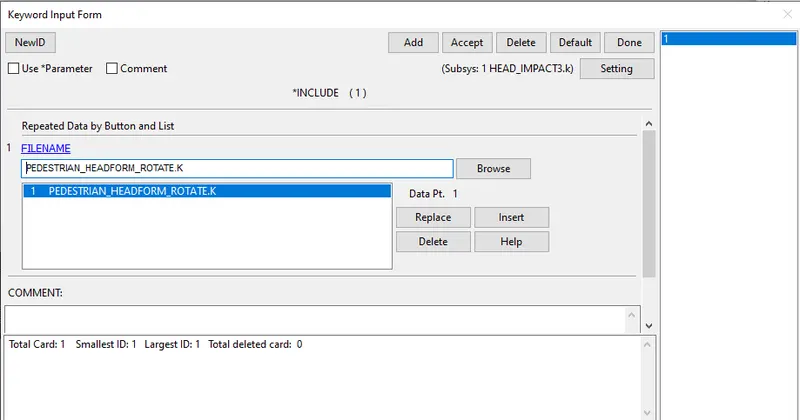
once you save the file then open the file in which you have included the meshed hood data.(As shown below)
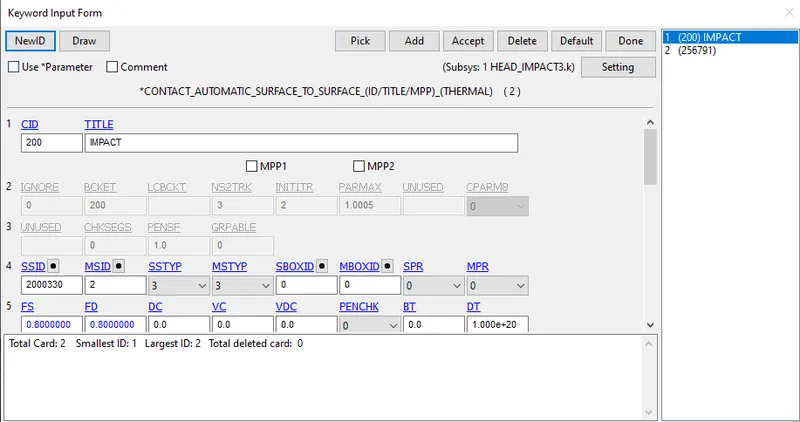
Define the contact automatic surface to surface set save as hood surface and mater as headfoam surface
Define the SPC and constrain the motion of the hood edge node in all translational DOF.
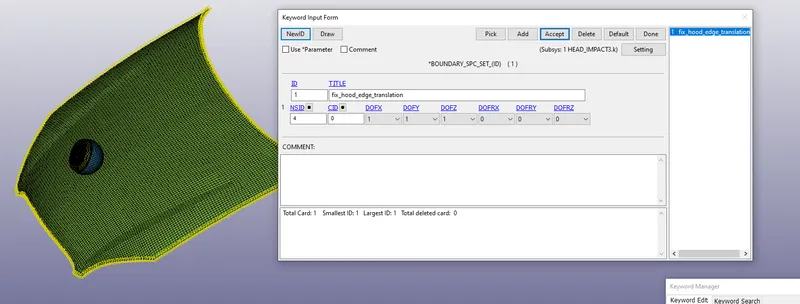
Assign the CONTROL_TERMINATION CARD with ENDTIM value as 20 ms.
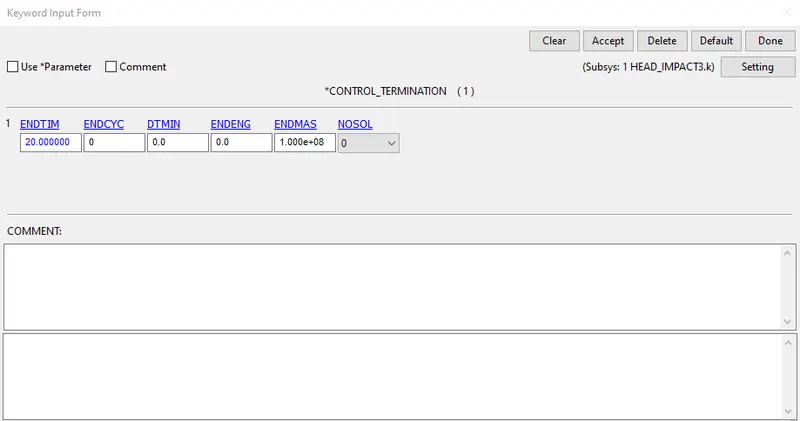
save the file and run it solver at LS-RUN.
CONCLUSION & RESULT:
these are the following animations for the given three cases.
case1:
The material defined for the simple head (spherical ball) is linear elastic where the stress generates just at after the impact and by the time it fades aways showing the behavior of the elastic material. with max(v-m) stress as nearly 2.4 Mpa
case2:
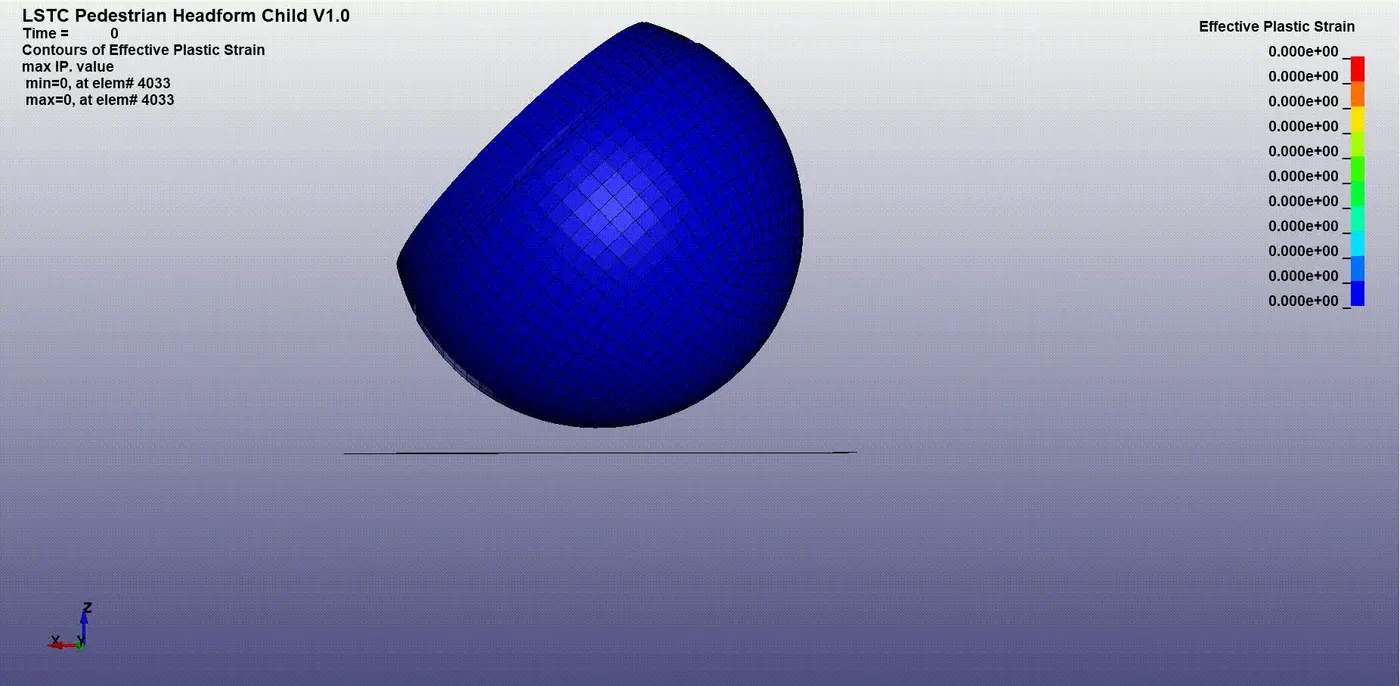
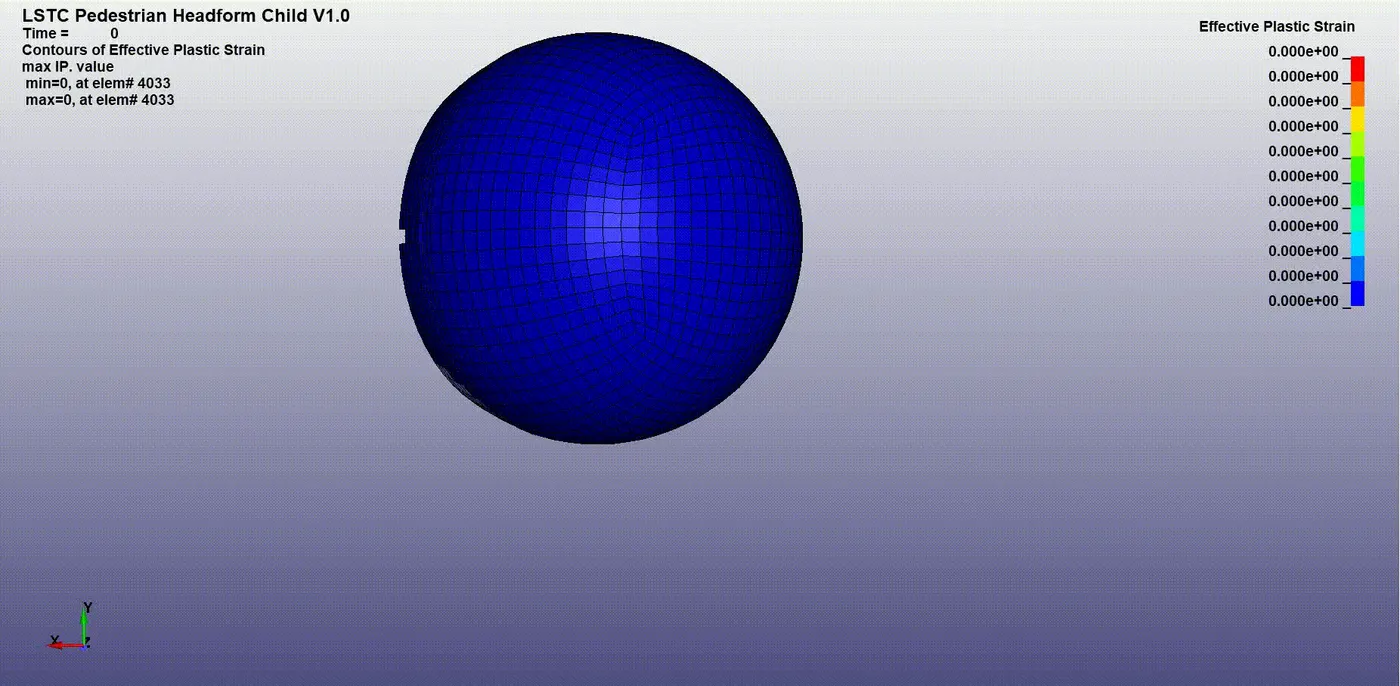
Very similar to case 1 where it shows the headfoam impact on the rigidwall effective stress level goes max up to .012 Mpa at 2.5 ms and the effective strain values as max. 6.7 E-03 at time 2.5ms.
case 3:
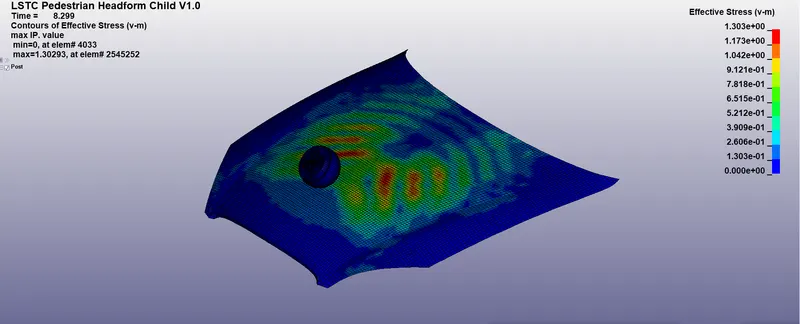
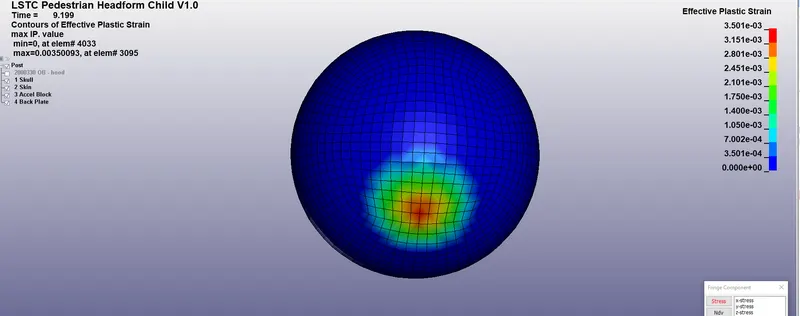
Now we take the headfoam impact on car hood contour plots the 1st below image is V-M stress(max.=0.0062Mpa) and another is the Effective plastic strain values(max=0.0042mm)
Energy plot:
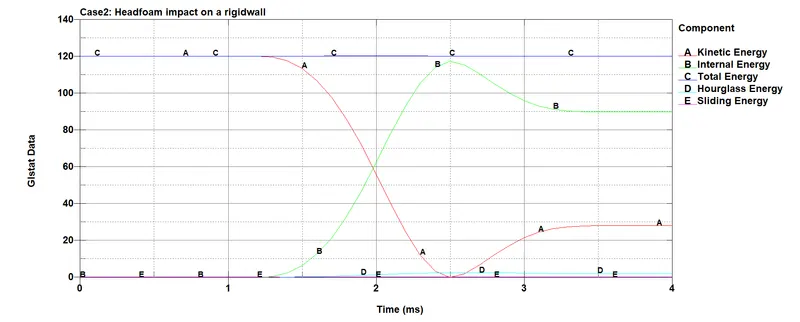
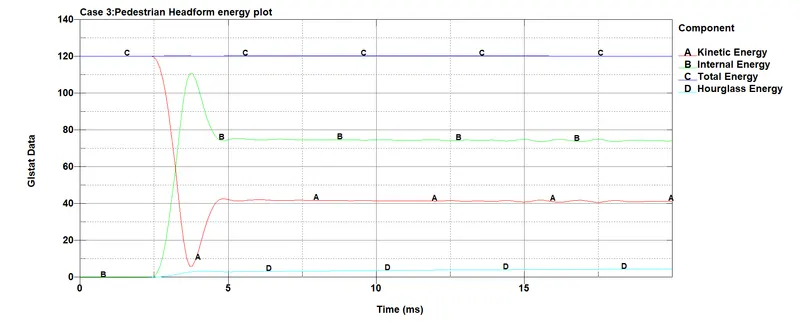
With the help of global states we can get the energy details of the for both the cases as we can see hourglass energy is zero and kinetic energy in both the cases reduces just after the impact and strain energy increases. The simulation termination time for both the case are taken different therefore the energy conversion in case1 starts at nearly after 1.5ms and after that stays in s steady state whereas in the case 2 the conversion happens after 2.5ms and attains steady state after that. we can see a rise in K.E right after some time that is due to recovery of k.E due to rebounce back of the headfoam.
case2:
Case 3:
HIC 36 plot:
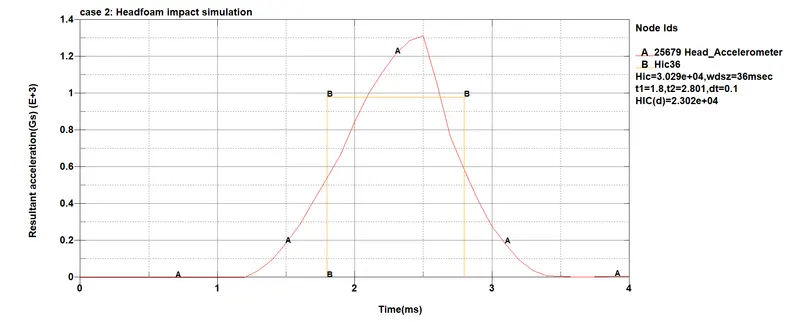
case2:
As we can see in the case 2 impact with rigidwall the HIC value for the time-interval of 36 ms is 3.029E+04 which is too high. This is even true for this case as the wall is rigid therefore it can be very fatel. The standard safe value for the pedestrain safe HIC36 value is below 650.
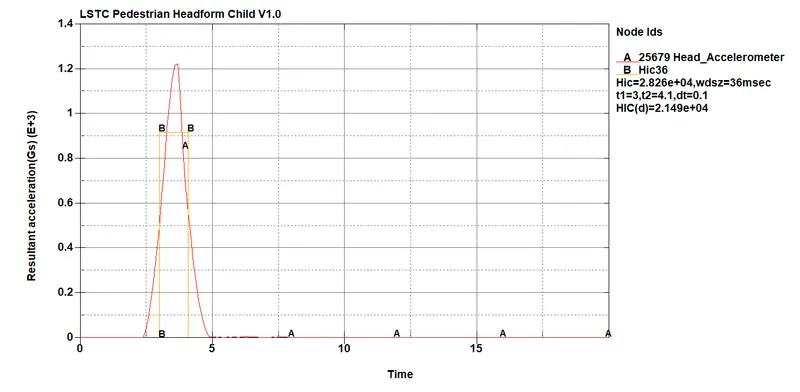
Case3:
In this case of headfoam impact with car hood the HIC36 value of bit low as compared to case2(rigid wall) i.e 2.826E+04 due the elasto-plastic material which is less stiffner than rigidwall. but even though the values are way too high as compared to pedestrain head impact safety value which is 650 therefore it could be either wrong at simulation level or very much fatel.
Note: the node taken is head_accelerometer because it is best to get the value at COG of head which is the head accelerometer.
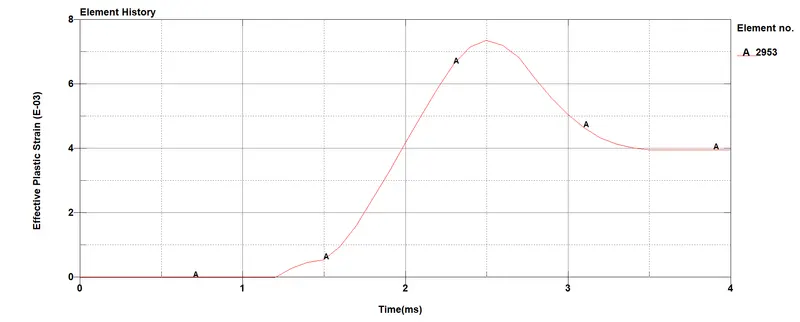
Effective strain plot
Case2:
Looking at the strain plot we can say that in case 2: that the strain is zero at the start of the simulation and it starts developing with time gradually after 1.5ms of time reaches it peak value of 7.4 E-03 & then slowly reduces to the value of 4E-04 Mpa elastic +plastic recovery then stays at that value till the end of the simulation.[Note: the element 2953 is taken on headfoam skin right at the spot of impact].
Case3:
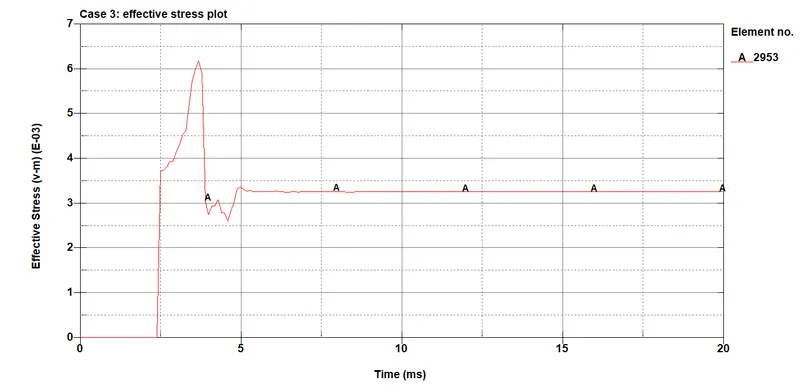
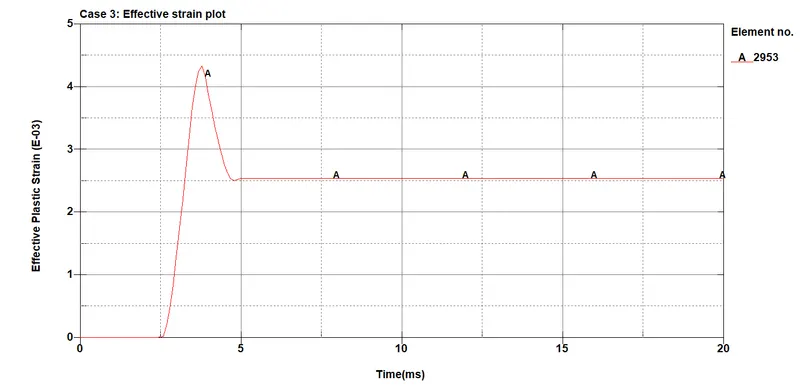
Very similar behaviour we get to see in the case 3 where headfoam impacts to a hood. Same element is considered for observing the stress values. The rise in the values starts from 2.5ms and rises to a value of 4.4 E-03 reaches the maximum value then reduces to a value of 2.5 E-03M a then stays at that value till the end of simulation.
Effective strain plots
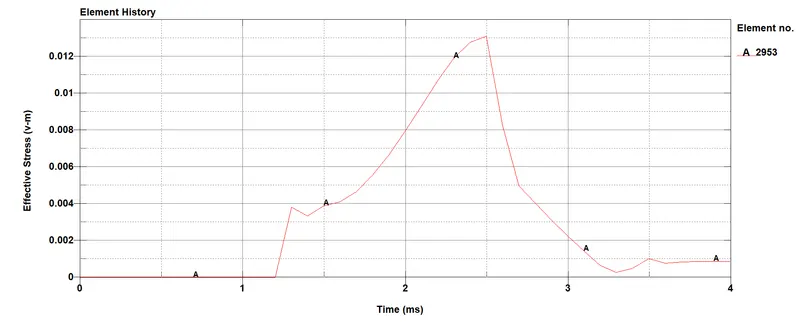
Case2:
In the case of impact of headfoam with the rigidwall the strain energy at the start of the simulation is zero therefore zero stress develop till 1.2 ms then just after the impact the headfoam starts to deform stress develops reaches to a value of 0.012Mpa at 2.5ms(mid of simulation) then drops down soon after that nearly to 0.001Mpa at the end of the simulation.
Case3:
As we can see that the stress values rises just after 2.5ms then reaches peak value as 0.0062Mpa which is almost the half as compared to the case2( rigid wall) . The stress value reduces after the impact then stays at teh value of 0.0034Mpa till the end of simulation