Week 6-Meshing of Hood Challenge
Follow the below-mentioned quality criteria, mesh the component given below and assign thickness:
Target Element Length = 5 Units
| S.N | Quality Criteria | Value |
| 1 | Aspect Ratio | 5 |
| 2 | Skewness | 45 |
| 3 | Warping | 15 |
| 4 | Taper | 0.5 |
| 5 | Min. Length | 2 Units |
| 6 | Max. Length | 8 Units |
| 7 | Min angle Quad | 45 |
| 8 | Max angle Quad | 135 |
| 9 | Min angle Tria | 20 |
| 10 | Max angle Tria | 120 |
| 10 | Tria % | 10 |
Procedure:
GEOMETRY
- Import the geometry into the hypermesh environnment.
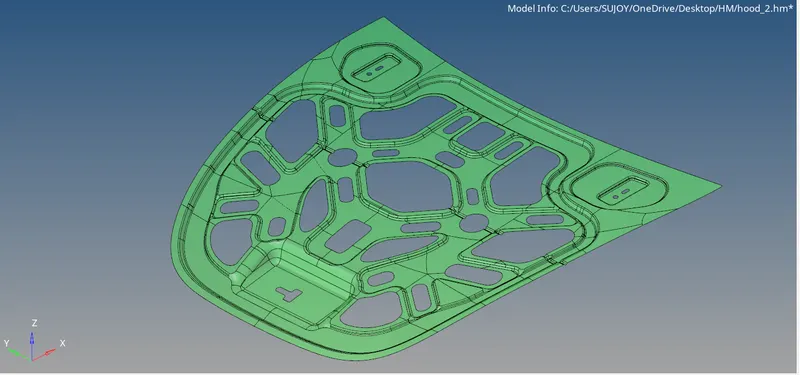
- Extract the midsurface with midsurface command.
- Perform a geometry cleanup. Provide the quality criteria as given in the objective.
- MESHING
4.Press F12 to open the mesh tab.
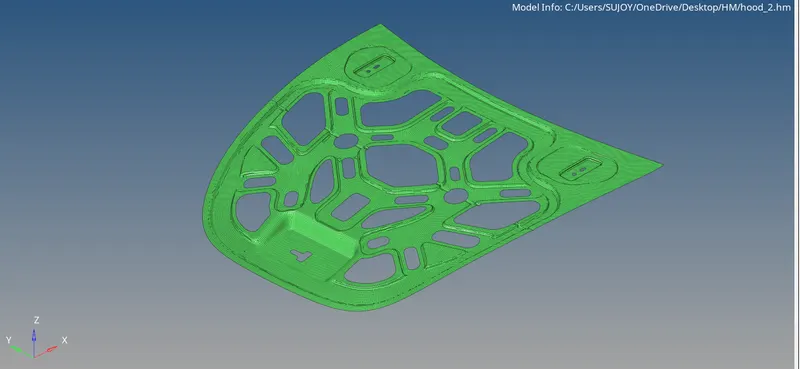
- Since Meshing was irregular at some places, it was easier to mesh the mid-surface by first dividing them into smaller pieces and work on them individually. Then Organize it back together with the organize tool from tools tab.
- QUALITY CHECKS
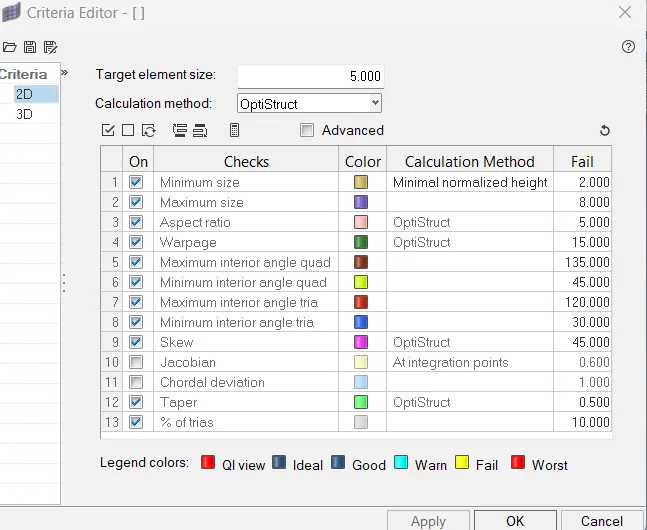
- Next part is to check the quality criteria and solve the errors wherever quality failed.
- This can be done in the Qualityindex tab. The Element Optimize tool and place nodes can be very helpful to remove errors significantly.
- .
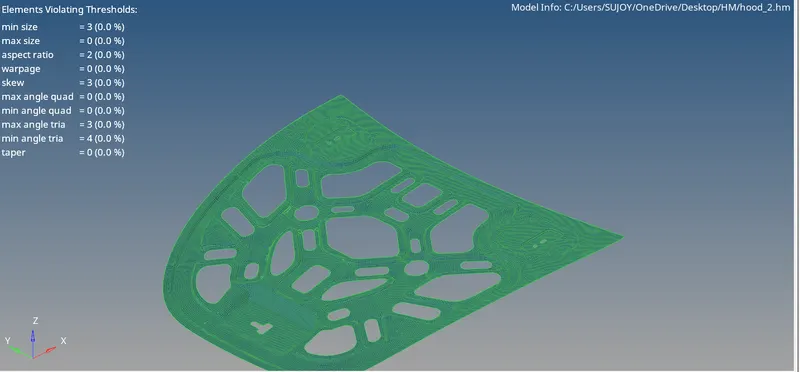
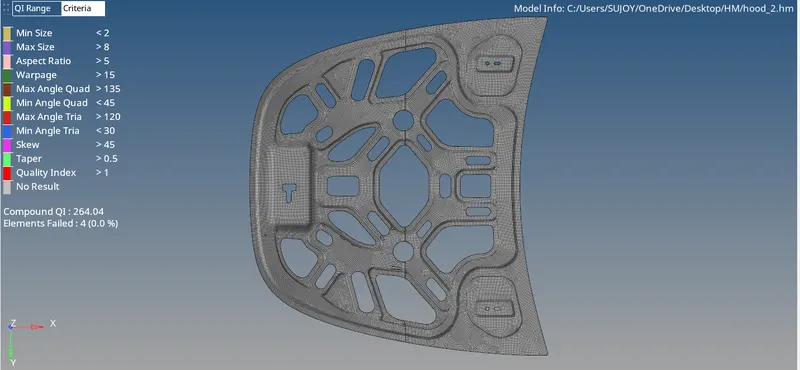
- Make sure to remove rotating quads by rebuilding mesh wherever required. Splitting the trias using split or combine and optimize command can also remove the trias.
- To assign thickness to the model, we create a property and a material and then assign thickness.
Conclusion:
Geometry cleanup, mesh generation, and check for quality were done for the given model.