Week 6-Meshing of Hood Challenge
Aim:
For the given hood model we need to extract the mid surface and mesh the component with the given quality criteria
Theory:
in the Automotive BIW component is hood and in the hood we have sub component which are attached near the latch and bolting are because those areas which experience more stress so to avoid we need reinforcement. In given hood we have outer hood,inner hood and latch and hinge and outer hood.
|
s.no |
Quality Criteria |
Value |
|
1. |
Aspect Ratio |
5 |
|
2. |
Skewness |
45 |
|
3. |
Warping |
15 |
|
4. |
Taper |
0.5 |
|
5. |
Minimum length |
2 |
|
6. |
Maximum length |
8 |
|
7. |
Minimum Quad angle |
45 |
|
8. |
Maximum Quad angle |
135 |
|
9. |
Minimum Tria angle |
20 |
|
10 |
Maximum Tria angle |
120 |
|
11. |
Triangle % |
10 |
Procedure:
1.Import the hood geometry from the local folder
2.Remove the solids
3.Geometry clean up
4.Extract the midsurface (offset)
5.Enter quality criteria
6.Automesh
Element clean up
1.Import the geometry:
Import the geometry from the local folder which is file ˃open ˃geometry(select the hood model).
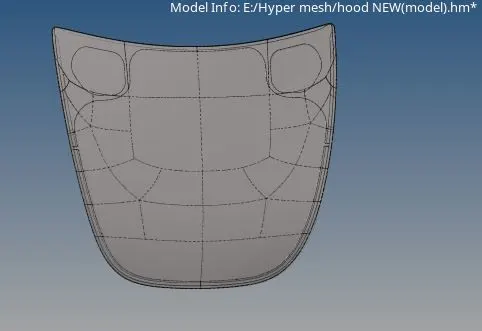
fig:Imported hood geometry
2.Remove the solids:
Once the geometry is in GUI we need to remove the solids and because here in hypermesh we are doing 2D shell mesh for that we need shell entity. For that using delete ˃ select the solids from the list ˃ and select the entire geometry and delete the solid. To conform that before the solid deletion all the edge were and after delete the edges will be thin.
3.Geometry Cleanup:
Geometry cleanup is used to remove unwanted pinholes and small radius and cuts which are present in the model by default pre set values by hypermesh. Here i have experienced learnt with help of the cut present in the geometry we can achieve the good mesh flow and avoid errors(failures).removing of the sharing edges(green lines)leads to bad mesh flow.
Geometry ˃autocleanup ˃ select the entire geometry and ok.
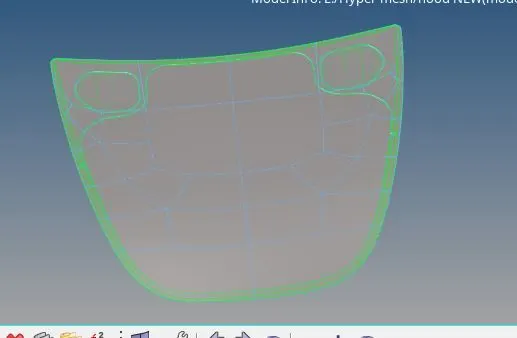
Fig:Geometry cleanup with supressed lines(blues lines)
4. Extract Mid surface:
Here due to uniform thickness we need to extract the mid surface using auto mid surface in one shot. And here we need to extract the midsurface from the individual component and create the individual component and move.
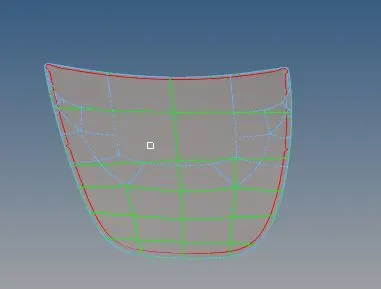
fig:Mid surface of the outer hood
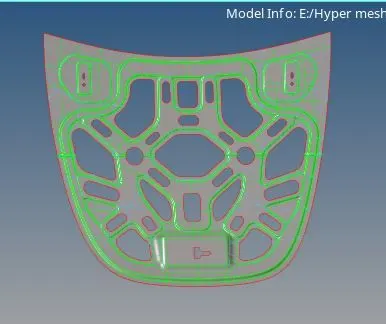
Fig:mid surface of inner hood
5.Enter quality Criteria:
Before the meshing we need to enter the given quality criteria
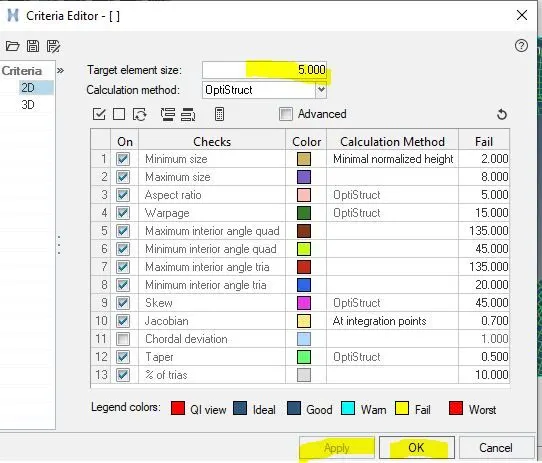
Fig: Quality Criteria
6.Automesh:
Once the mid surface is extracted we need to mesh on the selected component with the given target length. Here i have followed the individual area and made some user splits which are parallel this is because to avoid the trias and element failures the geometry cuts which are present in the middle leads to bad mesh flow and trias concentration and element failures so to avoid this by trial and error i have triad. And we have to maintain the mesh flow parallel and perpendicular.
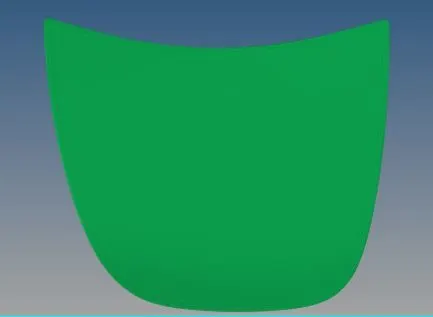
Fig:Meshed model of outer hood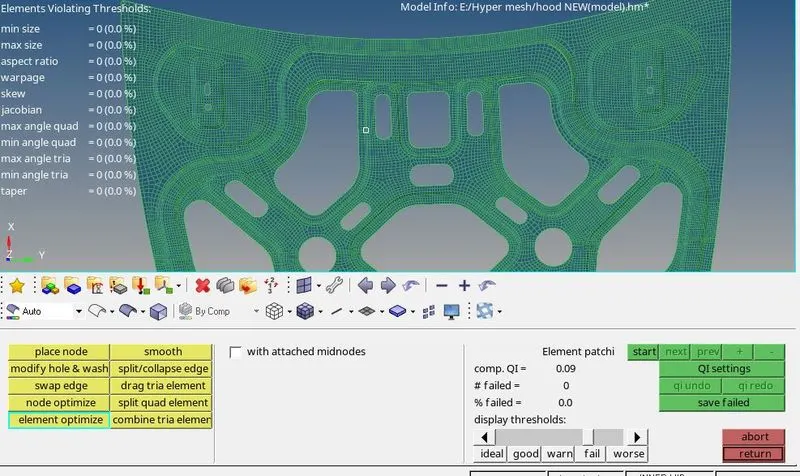
Fig:Meshed model of inner hood with zero element failure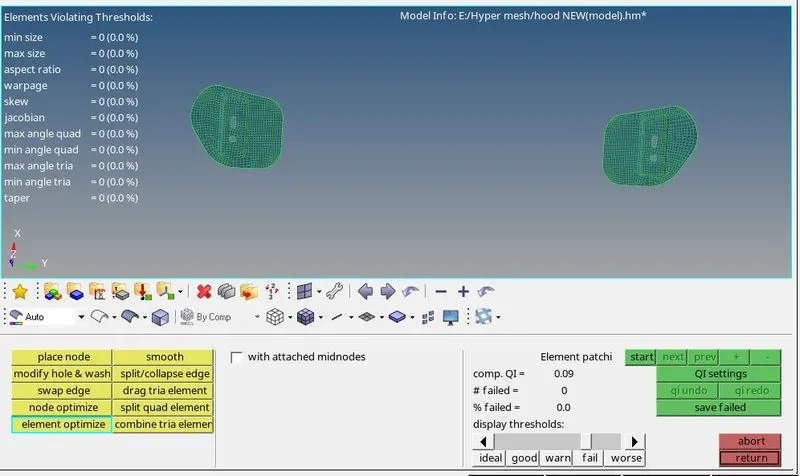
fig:meshed hinge model with zero element failure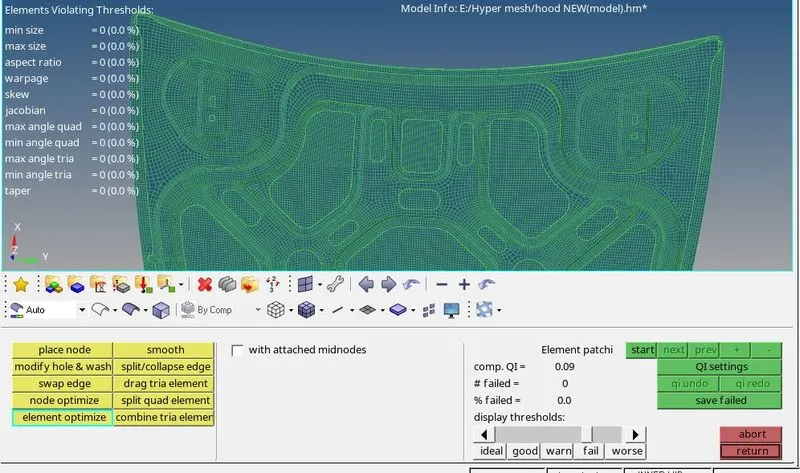
Fig:final meshed model
7.Element clean up:
Place node:which is used to move the node in the desired direction
Combine trias:As the name says to avoid trias in of the quad.
Drag tria:when the tria is single we can bring out using this.:
Element optimize :this will adjust the element
Split Quad
replace:It works as the paste option which is paste the node
Smooth;it smooth the mesh flow
Shrink element :this is to check the duplicate elements and delete the elements if present by using delete option
Suppress and unsupress
Align nodes
Mesh reconstruction
Learning outcomes:
1.Extraction of the midsurface and meshing when irregular shapes present in the model
2.Geometetry cleanup tools and auto clean up
3.satifying the given quality criteria
Result:
For the given hood model the mid surface and the component has been meshed with the given quality criteria