Week 6- Challenge
AIM:
To create the midsurface and meshing of the hood model which is divided into four components namely,
- Latch
- Hinge
- Outer panel and,
- Inner panel.
For each components, check for geometry cleanup and extract the midsurface out of the parent geometry and devolop the meshing of the components with proper feature capturing and with the given quality criteria.
QUALITY CRITERIA:
| S.N | Quality Criteria | Value |
| 1 | Aspect Ratio | 5 |
| 2 | Skewness | 45 |
| 3 | Warping | 15 |
| 4 | Taper | 0.5 |
| 5 | Min. Length | 2mm |
| 6 | Max. Length | 8mm |
| 7 | Min angle Quad | 45 |
| 8 | Max angle Quad | 135 |
| 9 | Min angle Tria | 20 |
| 10 | Max angle Tria | 120 |
| 10 | Tria % | 10 |
PROCEDURE:
- Import the model from the file location which is in .IGES format, which can be imported using the import from geometry tab.
- Unhide all the surfaces given in the component and delete the solids in the geometry using Delete->solids->Delete entity option.
- Start the model with latch assembly. First inspect the model carefully for any deformations or check for connectivity.
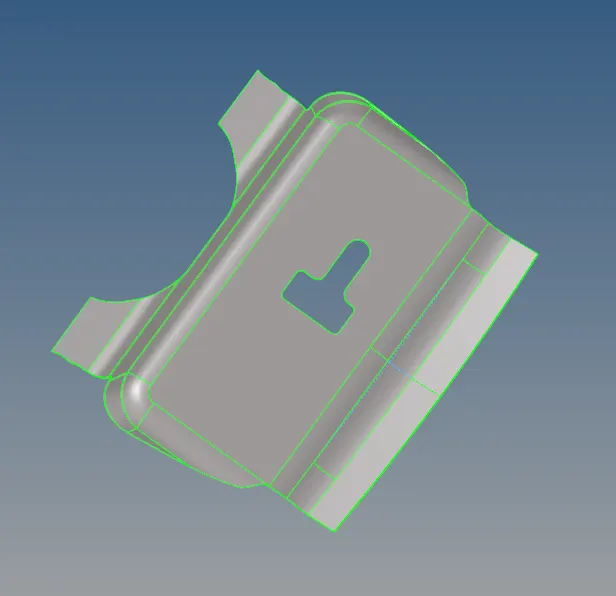
- Extract the midsurface for the latch using the midsurface tool in the geometry panel.Midsurface-> Autoextraction->skin-offset-> Extract.
- After the extraction, check whether the midplane is the exact replica of the parent geometry and if it matches more than 95 percent of it, then proceed to next step.
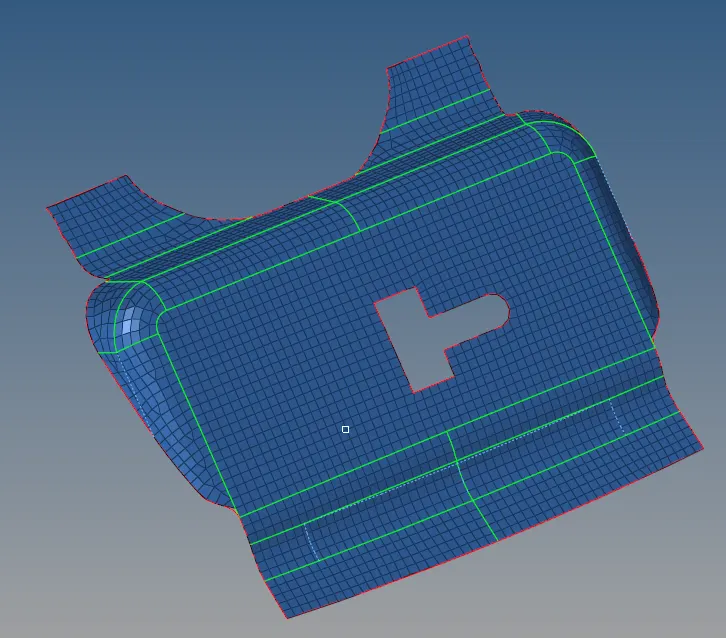
- Check for fillets and other features where the minimum quality fails and toggle the lines for the same.
- Rather than going for automesh, devolop the mesh for each surface part by part and cutlines have to be created wherever the mesh flow is not good.
- Ensure that while meshing the align and flow of the mesh has been switched on and in the option toolbar change from keep mesh to Advanced remesh which will align and make the mesh to have good connectivity.
- Select the geometry colour mode as By topo and element colour mode as By element quality so that the failing qulaity criteria can be easily visible and removed.

- While meshing, the main criteria's whuch we have to follow are:
- No trias should be formed in the corners or edges.
- No opposite trias and no back to back trias resting together.
- Minimal number of trias in the fillets or hemmings.
- Mainly no rotational quads in the componnets
- No trais should share a boundary with featurelines.
- Connectivity between the elements 0
- Providing splitting or cutlines will result in a better mesh flow.
- Use mixed type elements for irregular surface and quad type elements for parellel and equal faces.
- Follow these steps for all those other components during the time of meshing which enables to get a better result during simulation.
- Remove all the quality errors from the surface by considering all the above criterias.
- Do the same procedure for the hinge component without failing the the quality and criteria rules.
- In hood model the larger parts are mainly upper panel and lower panel which is more time consuming as compared to other.But when analysed, the inner and outer are symmetrical and can be cut into half and can be reflected later.
- For the inner panel delete the half portion except the latch part in the components as the fillets on the surface are not in symmetry.
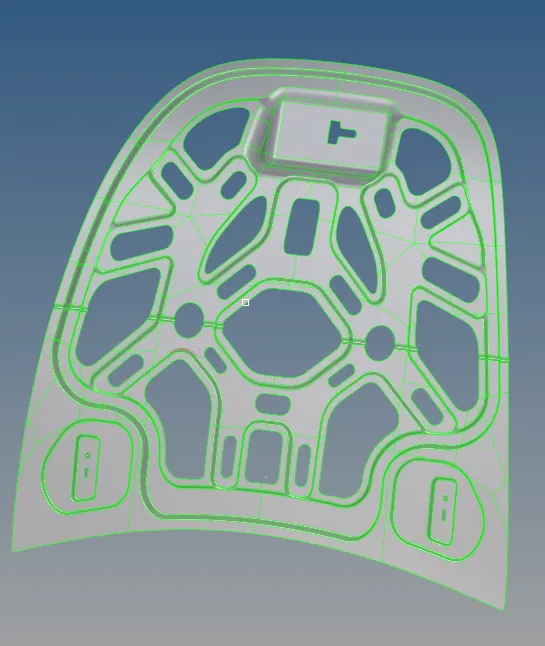
- The inner panel is the most complex part in this component where the feature capturing, tria concentration and percentage all have to be taken care of.
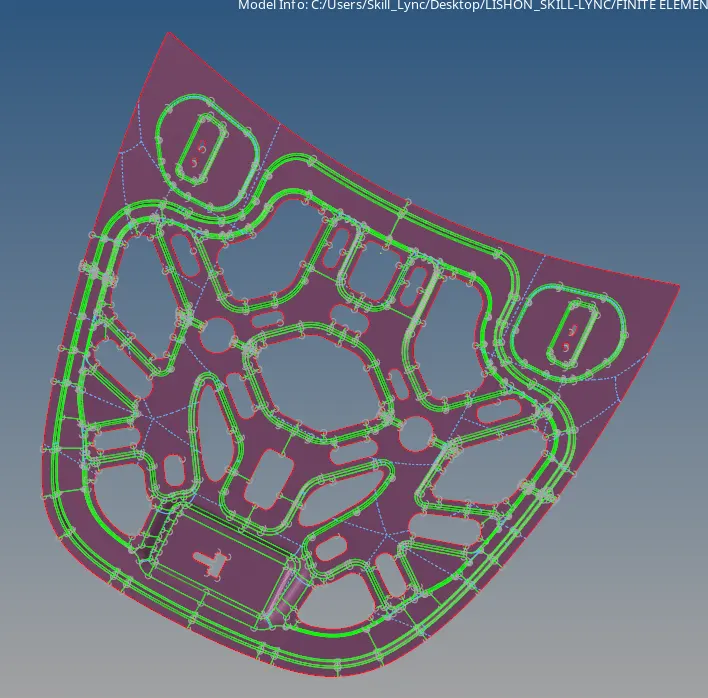
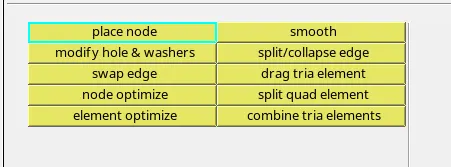
- While meshing, inorder to maintain the qulaity of the mesh there are various options or tools which will help to organize the elements as well as to reduce the trias inorder to have a better mesh flow.
- Place node: It is used to move the nodes of an element to any direction to align the elements.
- Smooth: It is one of the best option to remove quality errors from the surface.
- Swap edge: Swap the edges of elements.
- Drag elements: it can be used to join any tria elements by by simply dragging along.
- Element optimize: Inorder to align or smooth the elements, this function is used.
- Combine tria elements and split quad elements are used to combine the two tria elements into a quad element and make a quad element into two equal trias respectivily.
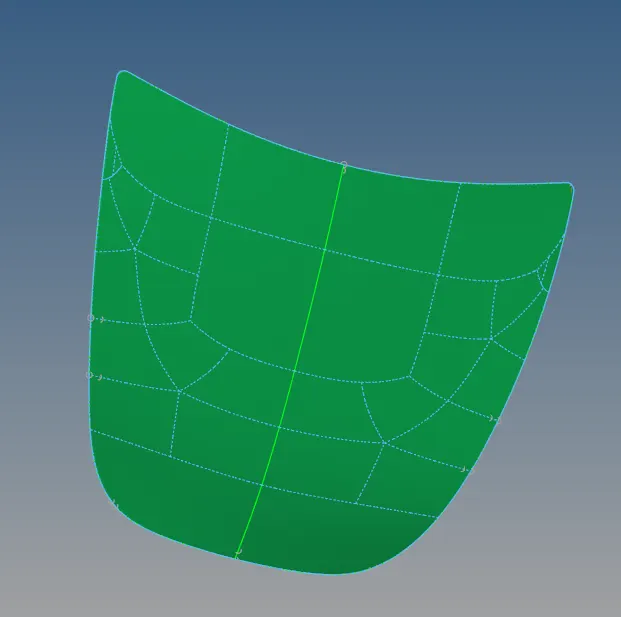
- The outer panel can be meshed with the quad elements in most of the parts and use mixed only in the curved regions
- The hinge is another simpler part in the hood where meshing can be done easily.Since there are two hinges that are of same size, mesh has to be done only on one hinge and other can be reflected.
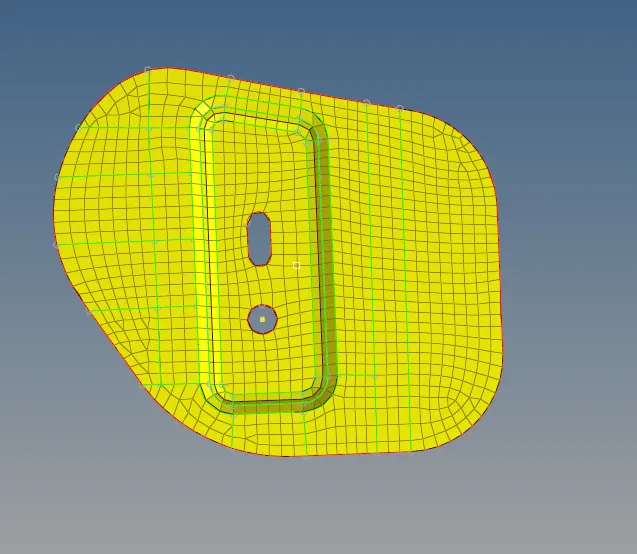
- The reflect option is one of the most important tool by which we can save time. From Tools-> Reflect you will get the tool for reflect. Just by selecting the elements and surfaces seperately and create duplicates of them in the current compound and select the axis to which it has to get reflected and last, select the base point for reflection.

CONCLUSION:
The whole hood component consisting of latch, hinge, upper panel and inner panel have been completed with extracting the mid surface and creating a mesh on the surface with better mesh flow and accepting all the quality criterias.