Week-6 Calculate the Stretch Ratio by comparing the ELFORM (-2,-1,1,2) with Ogden_Material Model.
Aim:
1.Create a block of 10mmx10mmx10mm dimension with 10 elements for each direction and use the material card attached (Ogden_Material.k)
2.Use appropriate boundary conditions to simulate tensile behavior for the model.
3.Compare the results for the simulation using ELFORM = 1, 2, -1, -2
4.Use a proper solver (Implicit/Explicit)
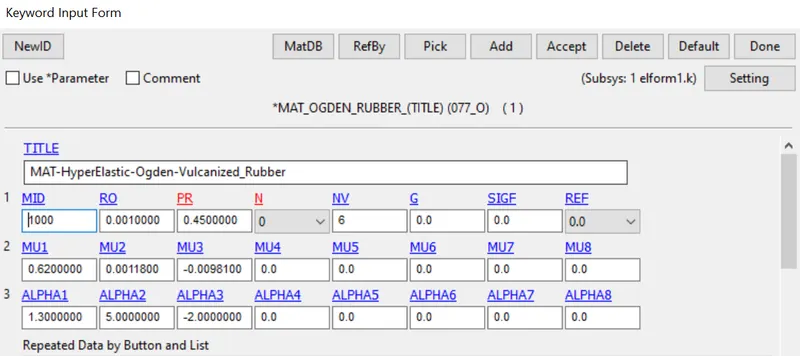
The Ogden material model is a hyperelastic material model used to describe the non-linear stress–strain behaviour of complex materials such as rubbers, polymers, and biological tissue. The model was developed by Raymond Ogden in 1972.
Procedure:
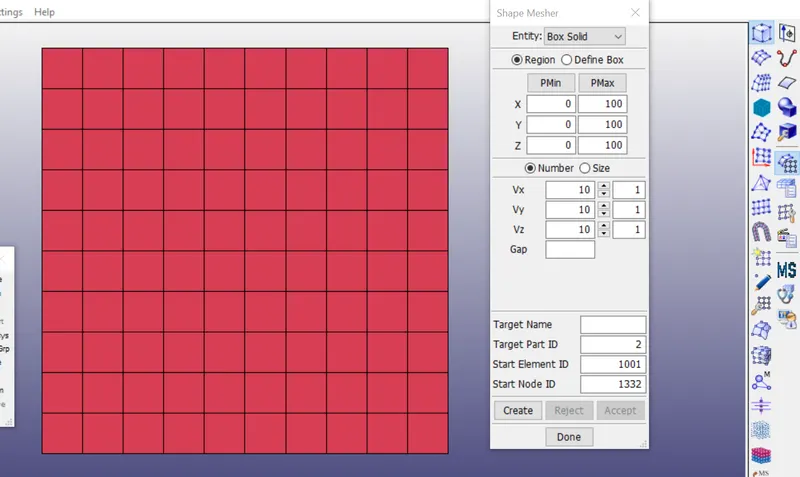
Open the given keyword file which contain the Ogden Material, Create a block 10mmx10mmx10mm dimension with 10 elements for each direction.
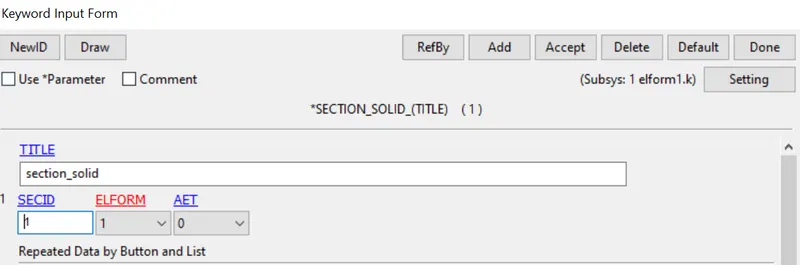
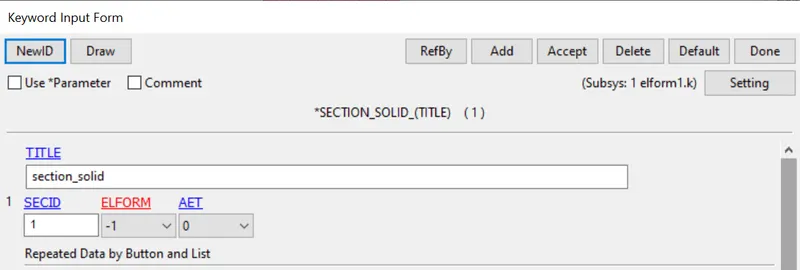
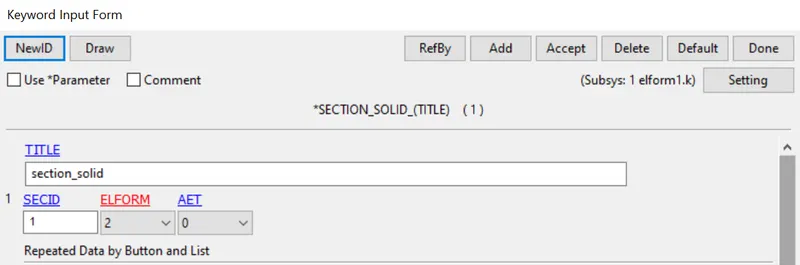
Now create a solid section for 4 different element formulation 1,-1,2 and -2.
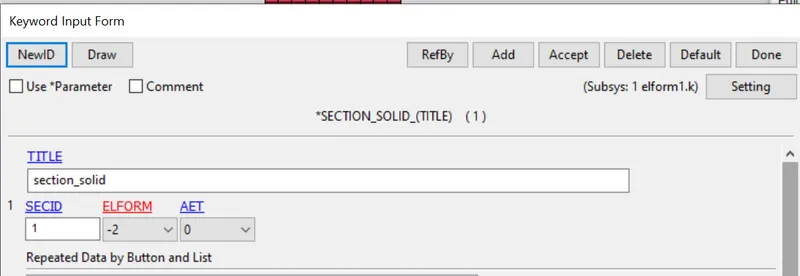
Material card attached (Ogden_Material.k) that is representative of the material properties from the below figure
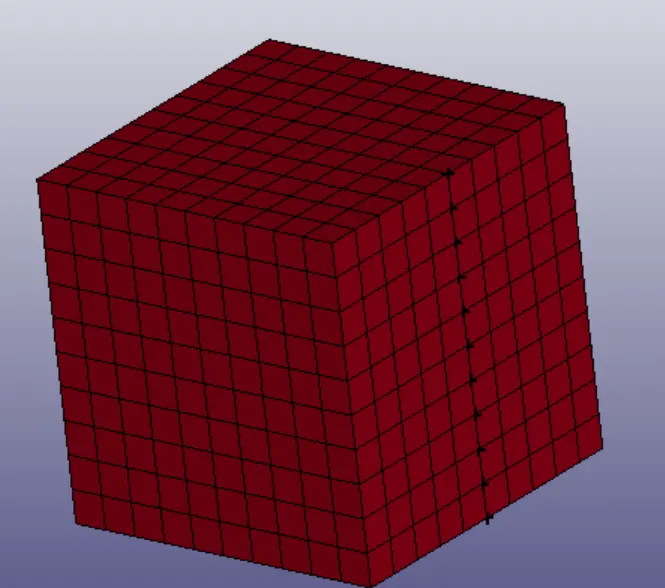
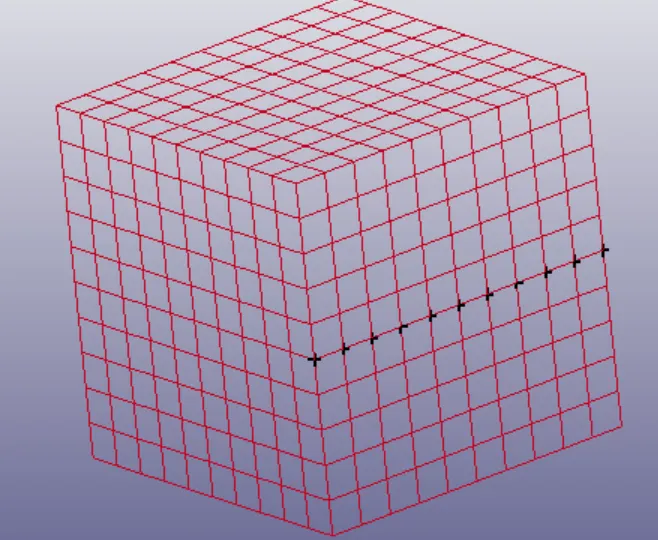
Boundary conditions : To perform an unaxial tnsile condition of the faces arrested on x axis, fix y along Z direction and fix Z along Y direction
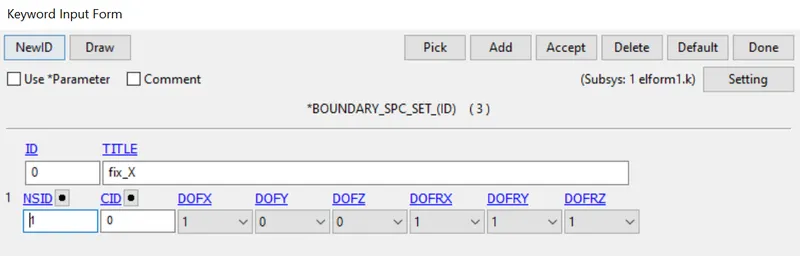
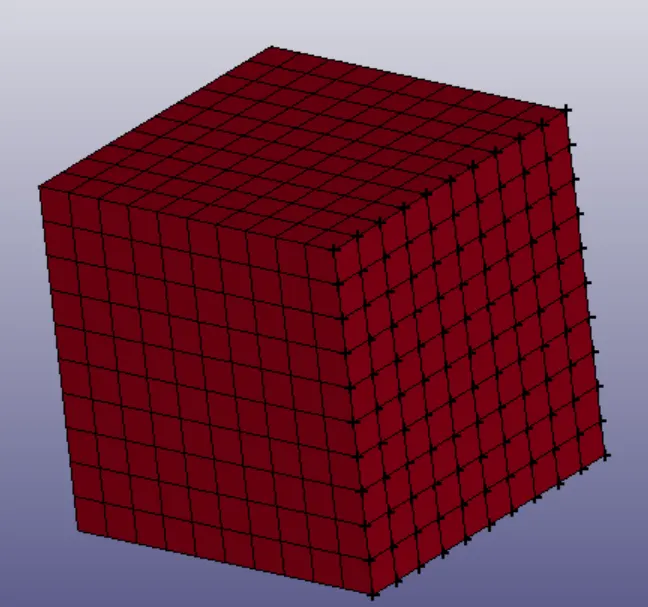
Then Fix y along Z direction
Then fix Z along Ydirection
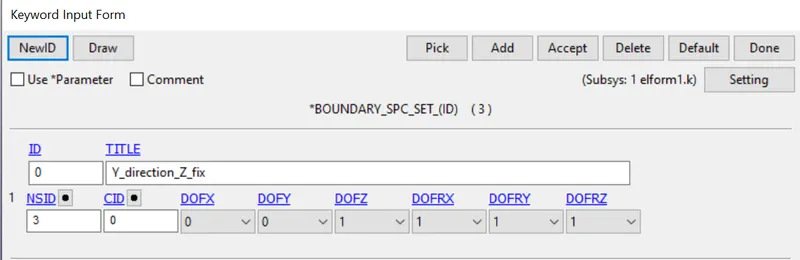
Then , the nodes have to moving faces are selected to the applied force for that create the prescribed motion set
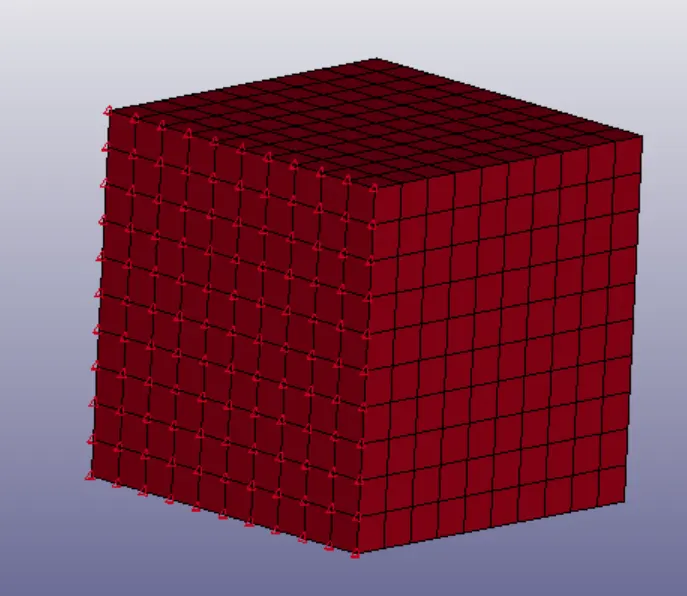
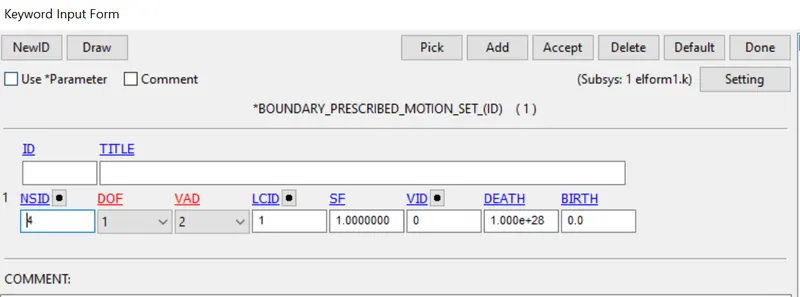
The load applied on the moving surfaces to attain the stretch ratio value of 5, is calculated by
Stretch ratio = 1 + engineering strain
where,
engineering strain = change in length / original length
therefore,
Stretch ratio = 1 + engineering strain
5 = 1+ (change in length /10)
change in length = 40mm.
Hence the maximum value is 40+10=50mm is defined as curve its is called as LCID.
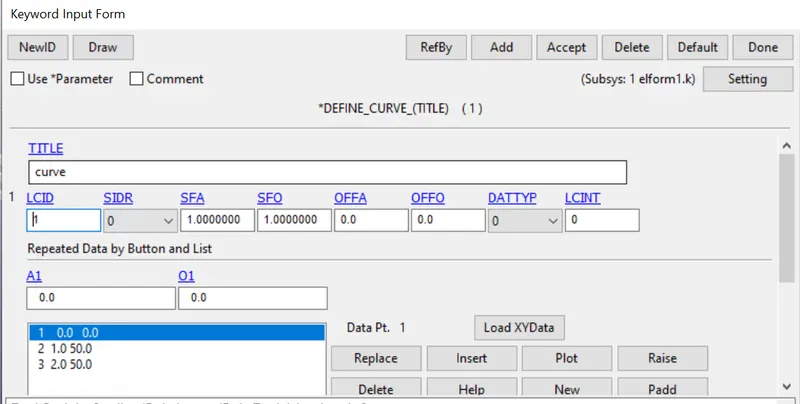
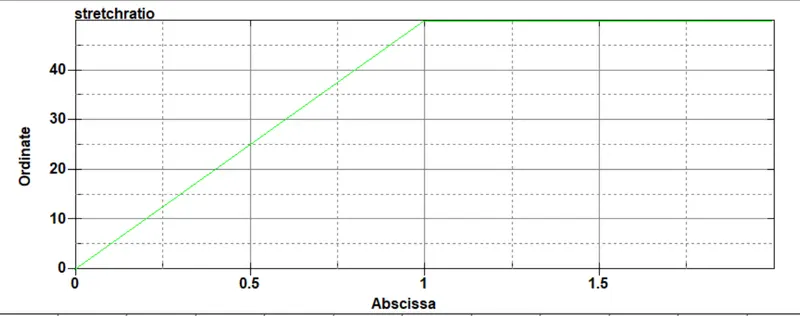
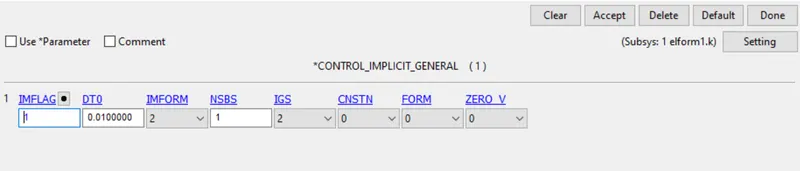
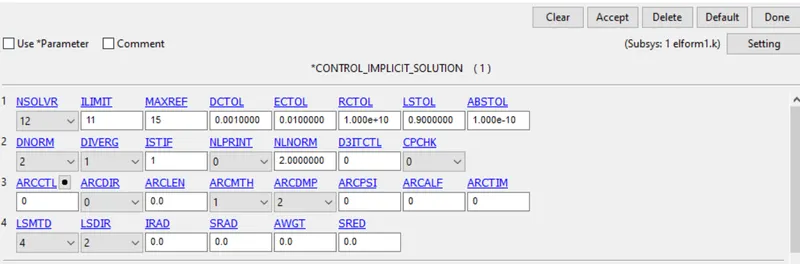
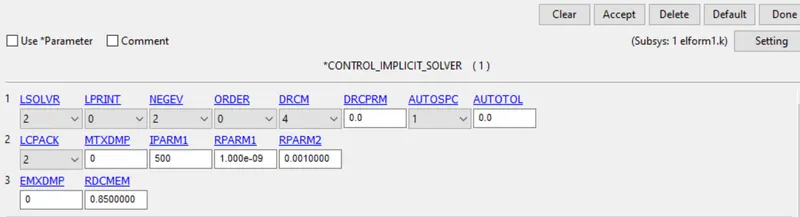
Control cards are been implicit analysis are followed below
*CONTROL_IMPLICIT_AUTO
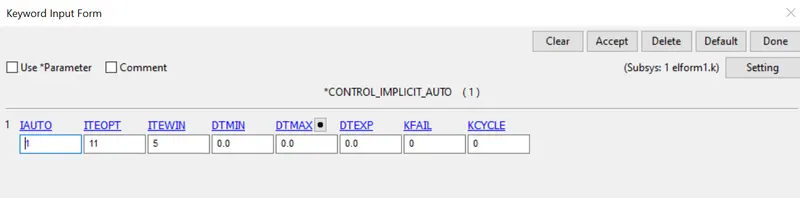
*CONTROL_IMPLICIT_GENERAL
*CONTROL_IMPLICIT_SOLUTION
*CONTROL_IMPLICIT_SOLVER
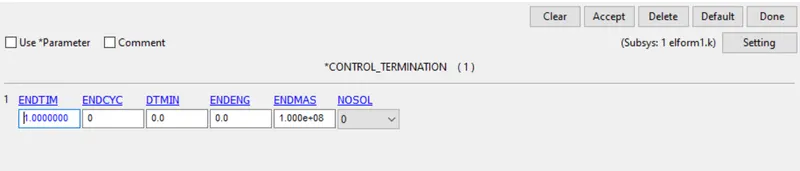
*CONTROL_TERMINATION is set as 1ms
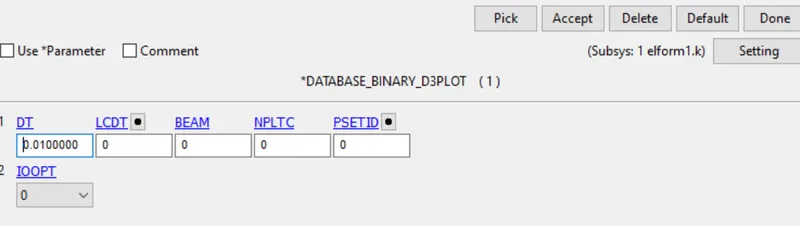
*DATABASE_D3PLOT is set as 0.1ms, ASCII option for GLSAT,MATSUM,ELOUT
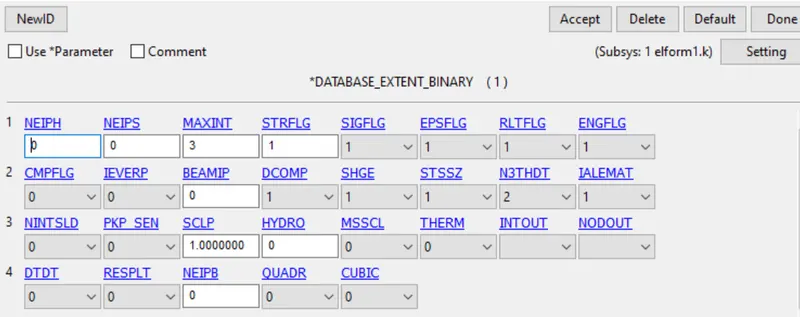
*DATABASE_EXTENT_BINARY card with STRFLG as 1,
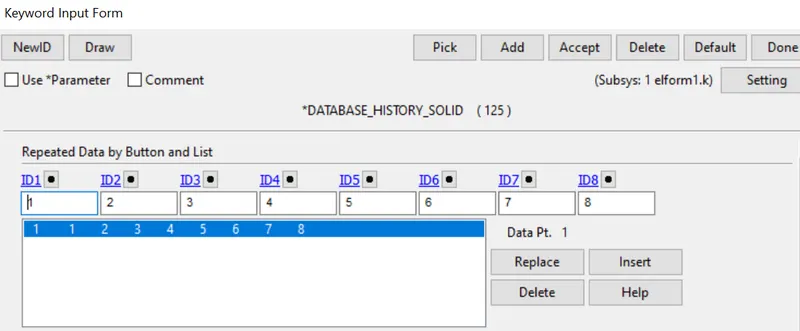
*DATABASE_HISTORY PLOTis used to compute the stress strain results
save the file ,then open ls manager >start solver>
Results:
Open Ls Prepost using the option File>open>LS Dyna binary plot,animation plot verious elform -1,-2,1 and 2
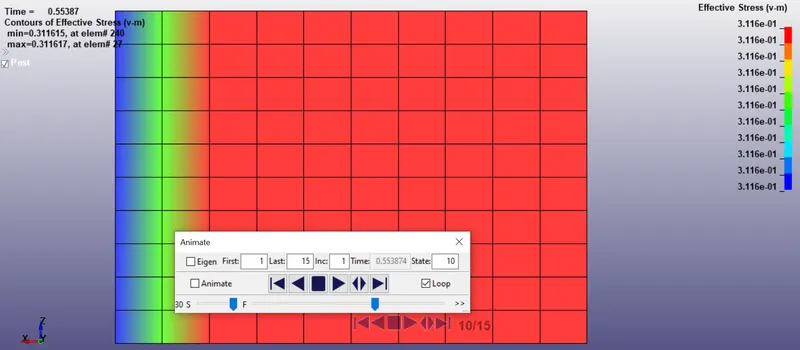
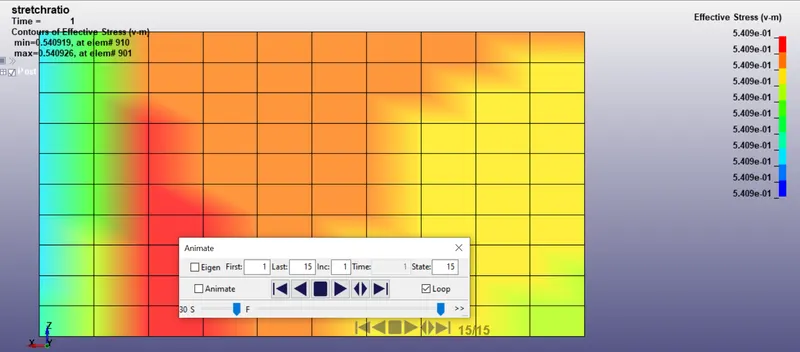
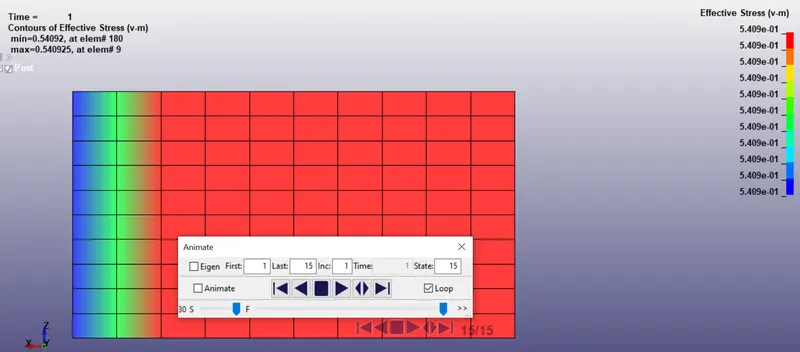
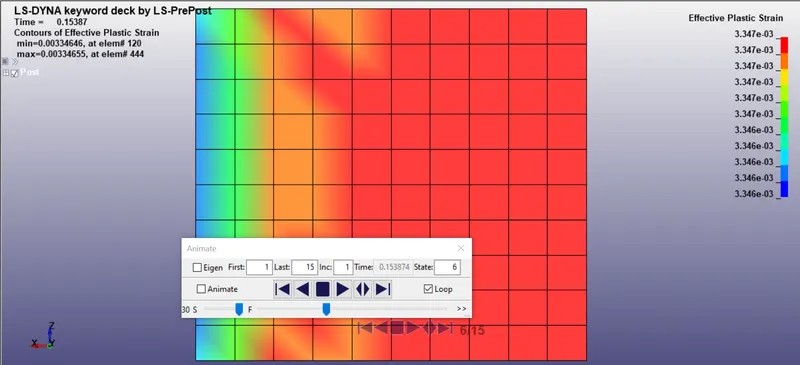
From the above contour animation we aboved the maximum valve of various cases.
Calculation of Engineering,engineering strain and stretch ratio
LS-DYNA the output of stress and strains from Post FringeComp Stress/Strain is given as true stress and strains.Stretch ratio l is defined as the ratio between the final length L and the initial length L0 of a component i.e. it is equal to (1 + engineering strain)
We know that,
True stress = Engineering stress (1+Engineering strain)
Engineering stress= True stress / (1+Engineering strain)
True strain = In (1+ Engineering strain)
Engineering strain = e^True strain - 1
Stretch ratio λ = 1+Engineering strain
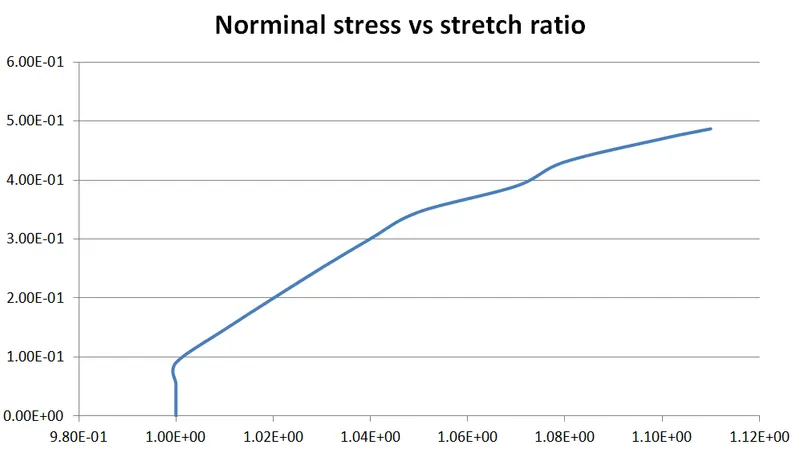
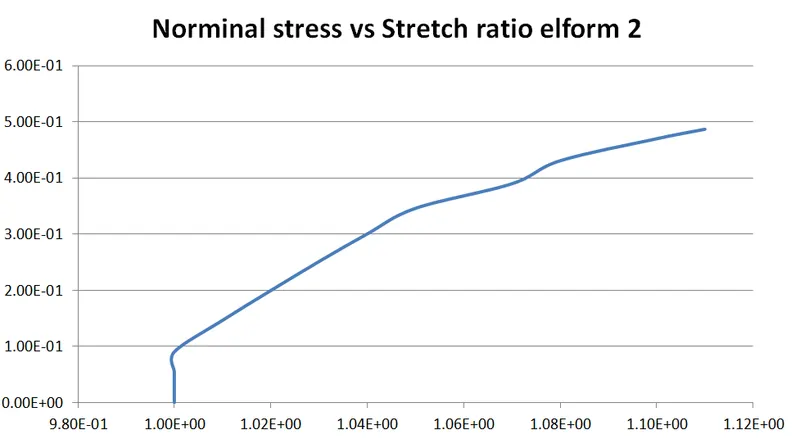
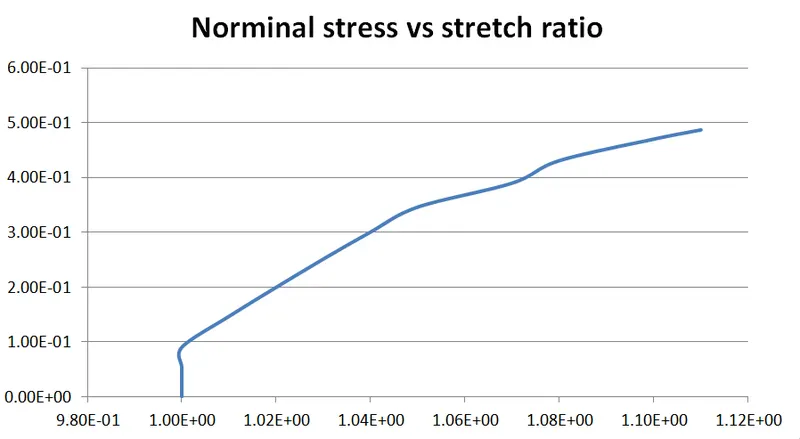
calculated engineering stress, engineering strain and stretch ratio are attached below, x axis indicate stretch ratio , Y axis stress.
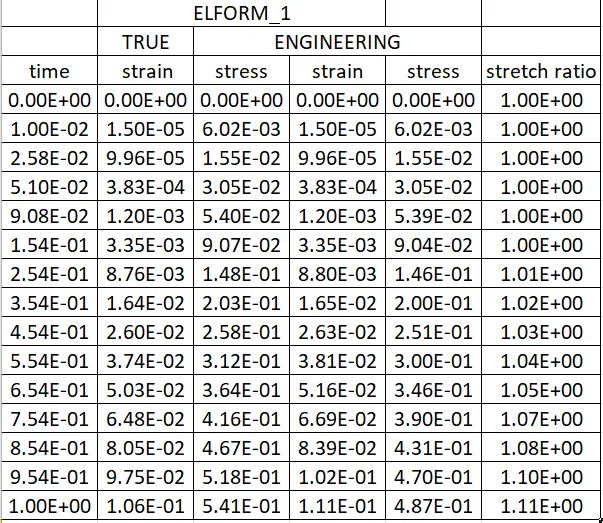
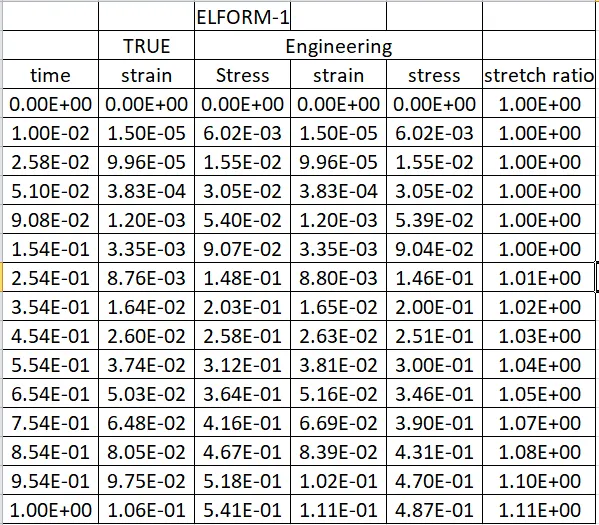
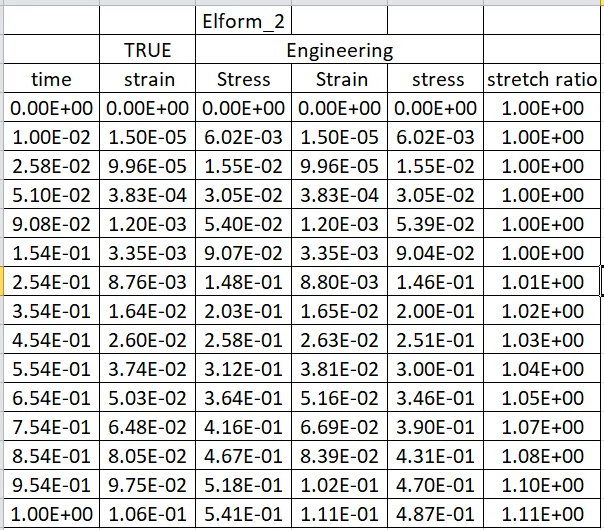
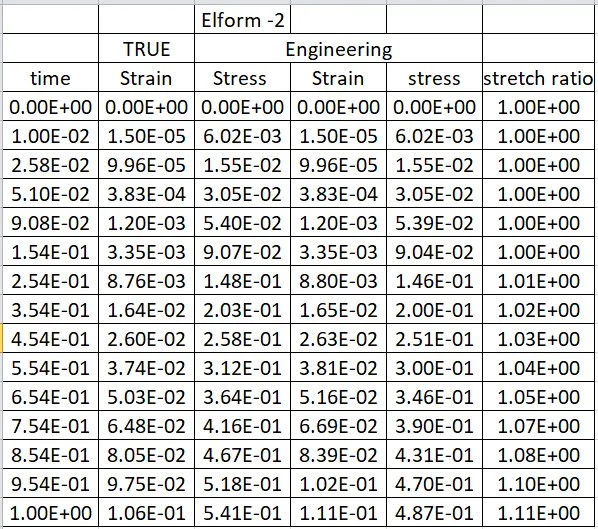
Plot stress vs stretch ratio plot below ,where X axis as stretch ratio , Y axis as stress. for elform 1,-1,2 and -2.
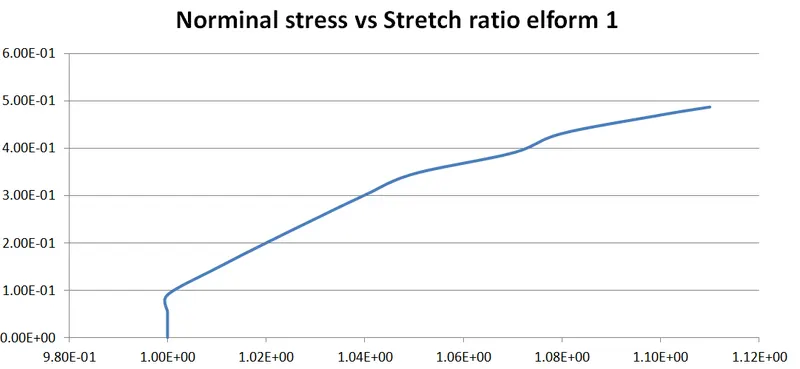
Conculsion:
From the Fe model of solid block is created by mat ogenden is like a vulcanized rubber, is to perform a simulation of an unaxial tension load test for different cases such as elform 1,-1,2,-2.The engineering stress/strain nand stretch ratio was calculated to plot the graphs.The engineering stress value for a strtch ratio in the simulation for different elform was approximately 0.5mpa
The unaxial tensile test was solved by using implicit solver since this analysis is quite similar as quasi static analysis on a hyperelastic non linear materials with steady state loading conditions.