REAR-DOOR CONNECTION FOR CAR USING ANSA PREPROCESSOR
OBJECTIVE: REAR-DOOR CONNECTION FOR CAR USING ANSA PREPROCESSOR
PROCEDURE :
- Importing of the model
- Assigning PID's and analysing model
- Assign connections for door model
IMPORT OF MODEL
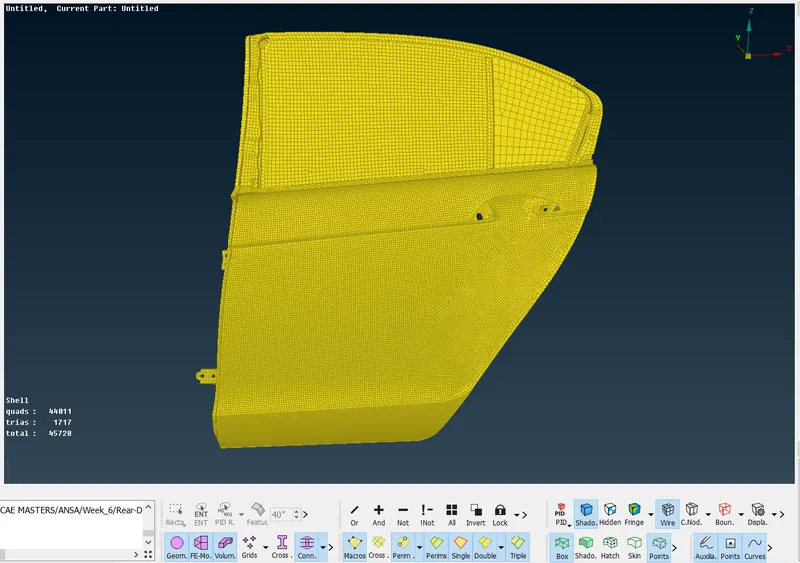
- The model is imported into the ansa GUI.
ASSIGNING PID'S
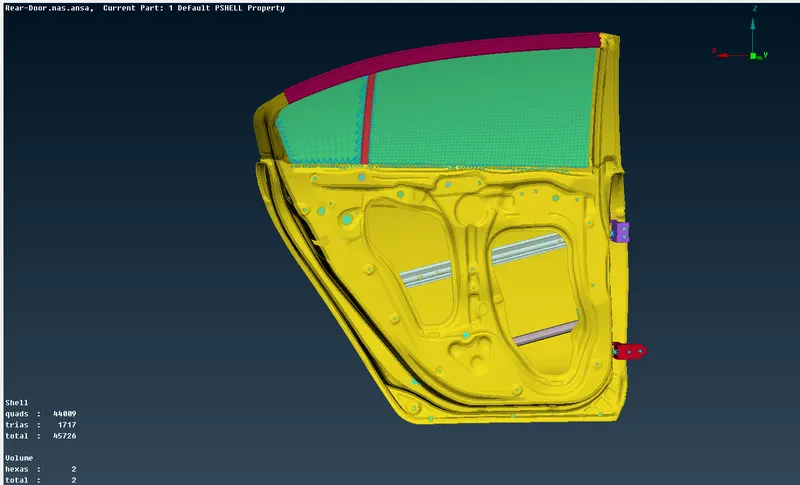
- In order to establish elemental connections on the model, PID's must be assigned to differentiate all the parts and specify their thickness etc.
- PID is set and they can be seen in different colour representation
ASSIGNING OF CONNECTIONS
- Depending on the mechanisim and its fnction these connections are used in this model (Spot weld, Bolt,Rbe2 , Rbe3-cbush-rbe3)
- SPOT WELD
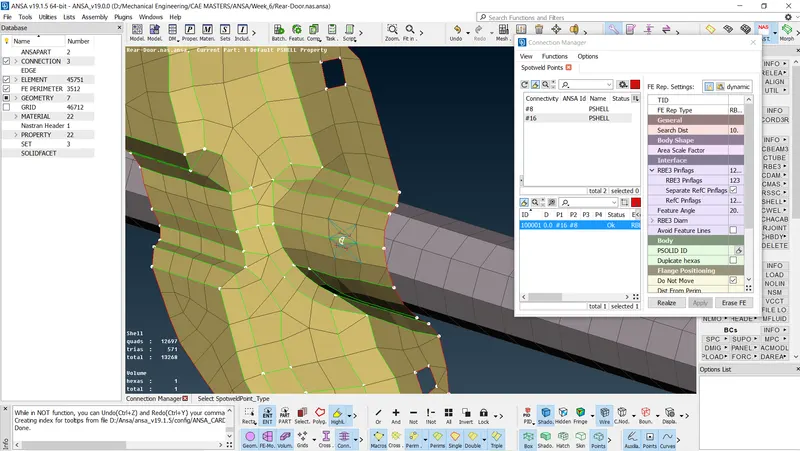
- Spot weld are created on the linkage mechanism below
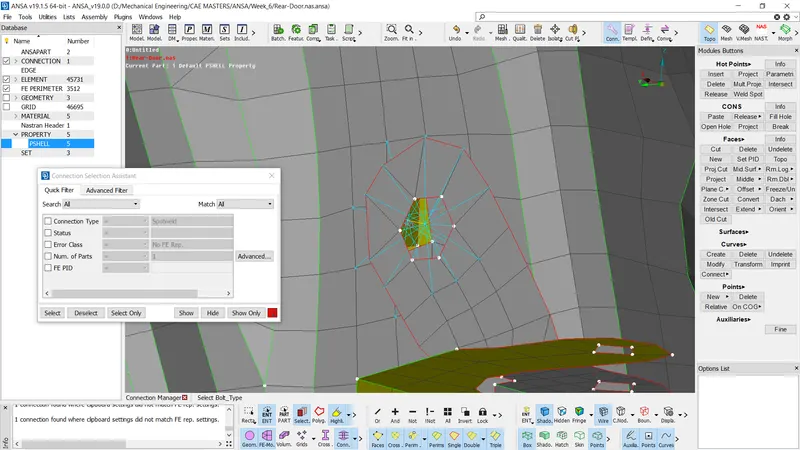
- It is created by converting a 3D point into a spot weld
- Created a solid Id PBUSH
HINGES
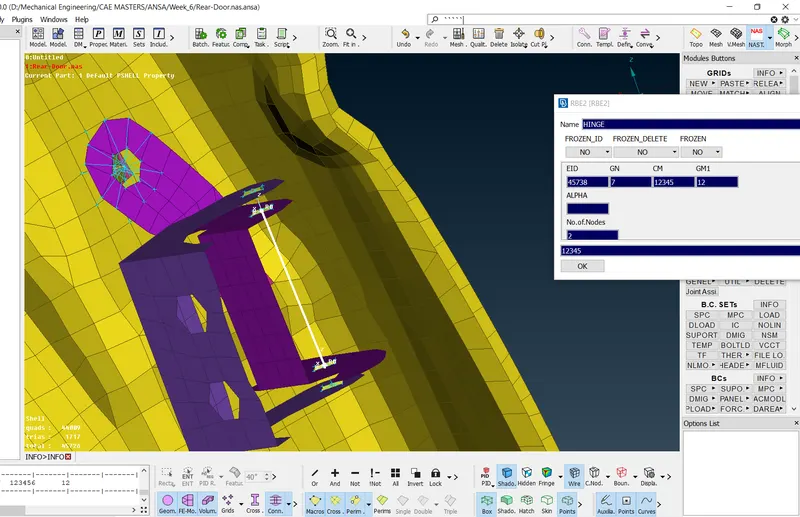
- Hinges are created around the parts which control the z-axis rotation of the door
- Hinges are created by using a simple Rbe2 element at the top and bottom holes , then a two point Rbe2 element is joined to them and the required degree of freedom is set.
BOLT
- Bolt connection is created automatilcally using a coveted 3D point to a bolt and setting the necessory parameters
RBE2
- This one dime
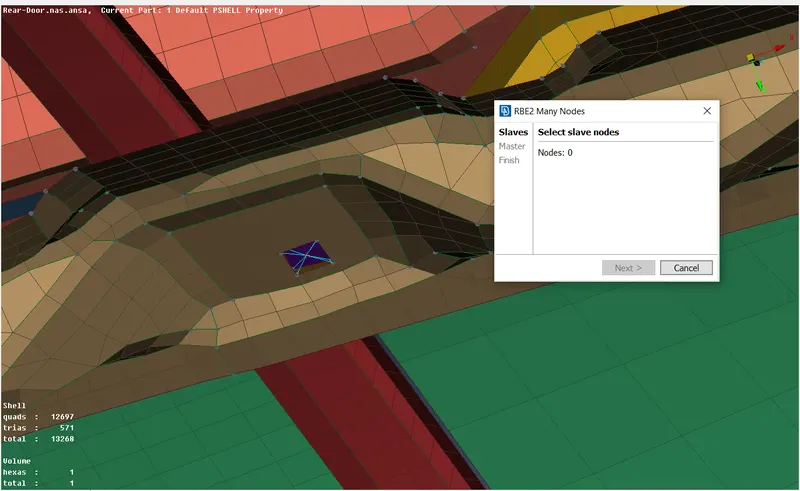 nsion links are created to connect opposite holes together
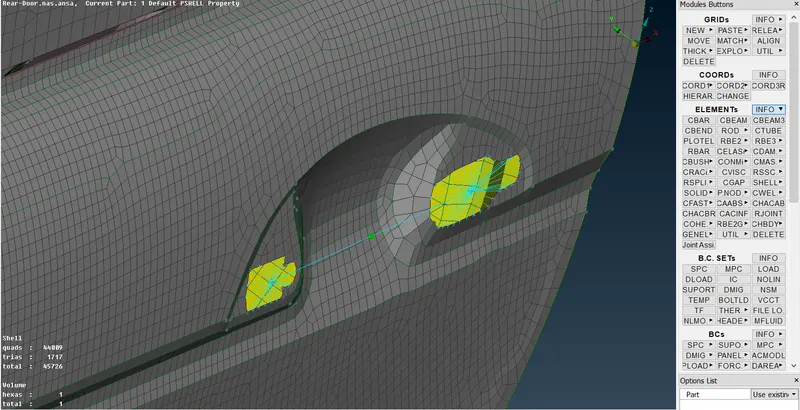
 - The door knob is created by defining two rbe2 links at opposite side and connecting them with a two node Rbe2 element . The master of this link has a mass placed n it of about 0.004T
RBE3-CBUSH-RBE3
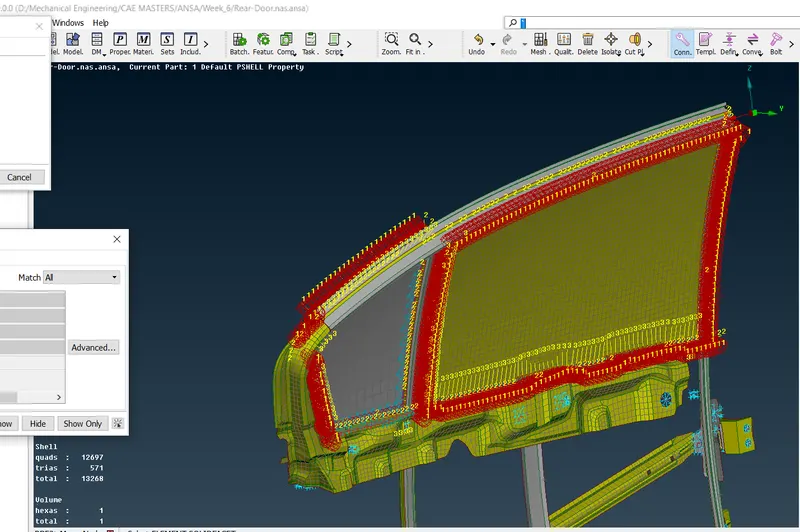
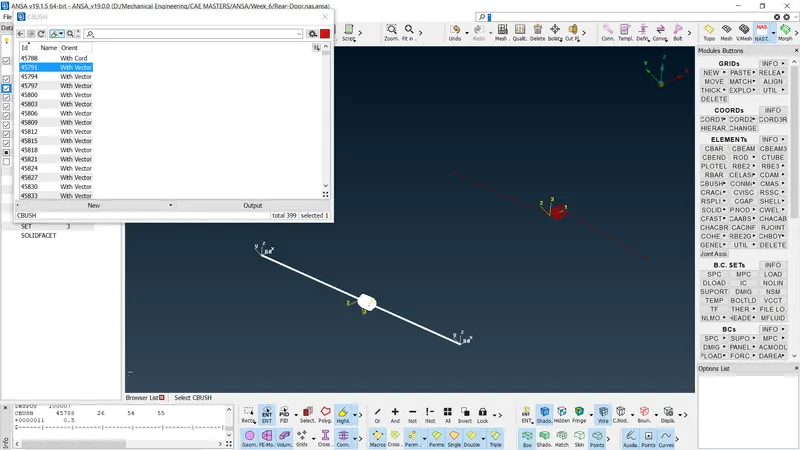
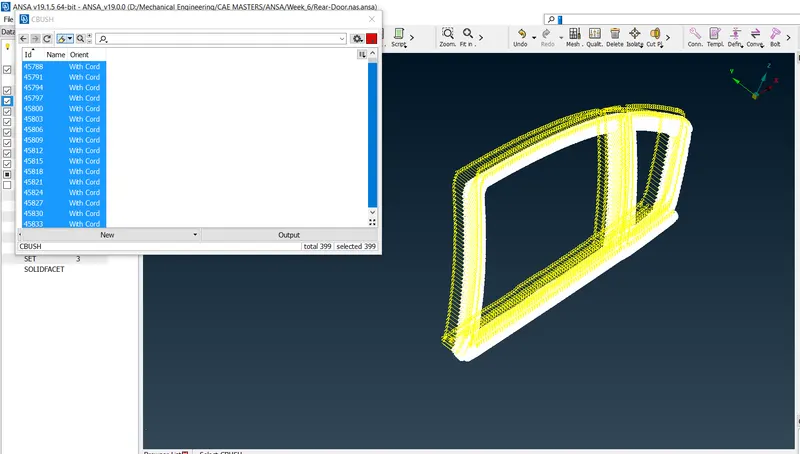
- This connection is made around the door frame to keep the mirror fixed .
- rbe3 element are created all acrros the egdes of hte mirror sides
- Orientation of these links are changed to match that of the origin by specifying CID of 0 for all links
RUBBER STRIP
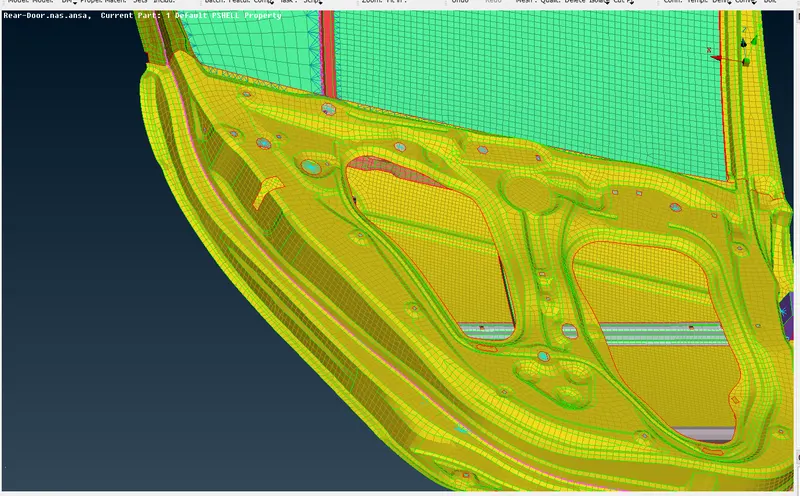
- A seam line is created to represent a rubber strip using fea2curve tap to create this effect by converting to seamline.
CONCLUSION
The model was succefully created with connectiobs as assigned