Week- 5 - Solid meshing
AIM: - GENERATE A VOLUME MESH OF THE GIVEN REAR VIEW MIRROR COMPONENT ACCORDING TO THE GIVEN QUALITY CRITERIA.
Objectives:
Perform geometry check n and clean up if required.
Generate surface mesh having tria elements according to the mentioned quality criteria.
Generate 3D Tetra mesh from the surface mesh obtained according to the quality criteria.
The given challenge was completed with the help ANSA tool and the steps involved in it are as follows:
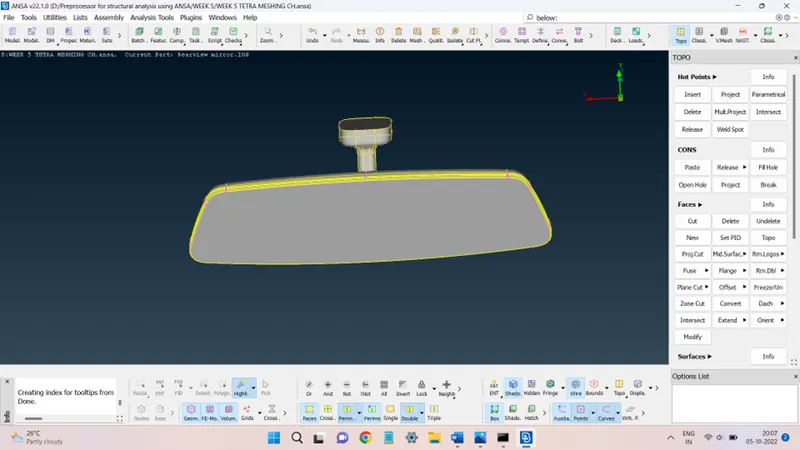
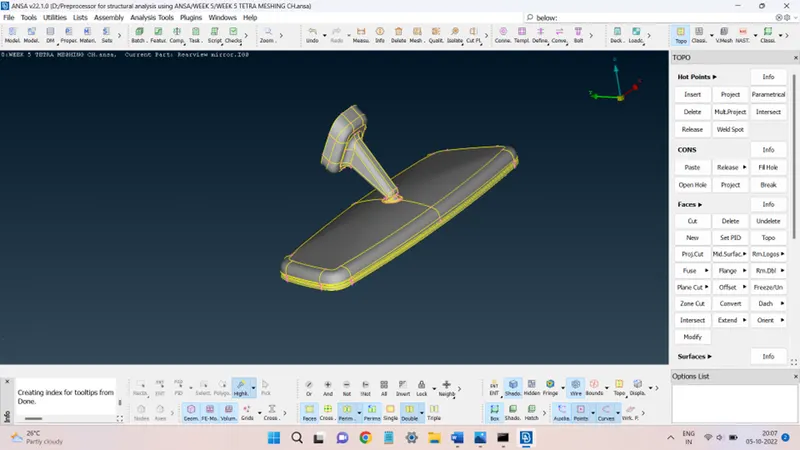
STEP 1: Import the geometry and perform the geometry check.
The geometry after being imported into the ANSA environment will look like this:
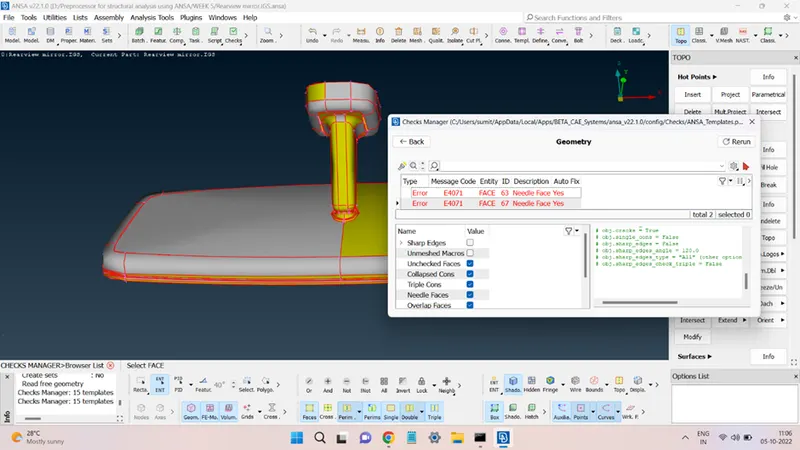
A geometry check was performed on the geometry and the results are shown in the below figure.
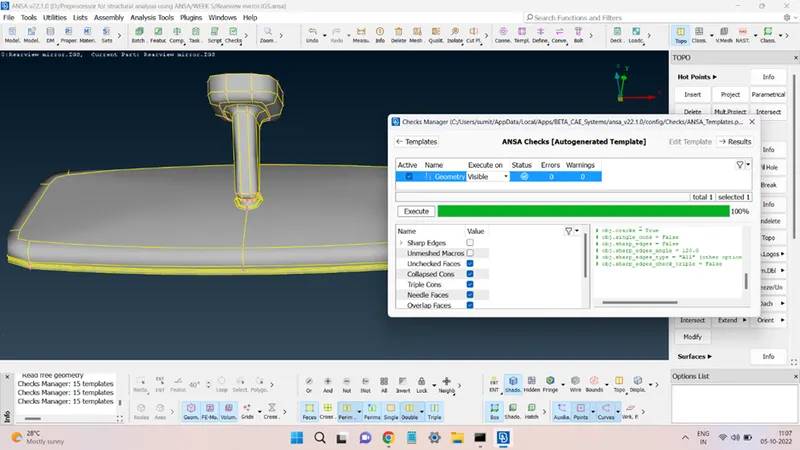
The errors were automatically fixed by the ANSA algorithms and after these fixes were done the geometry is:
STEP 2: Performing the surface meshing.
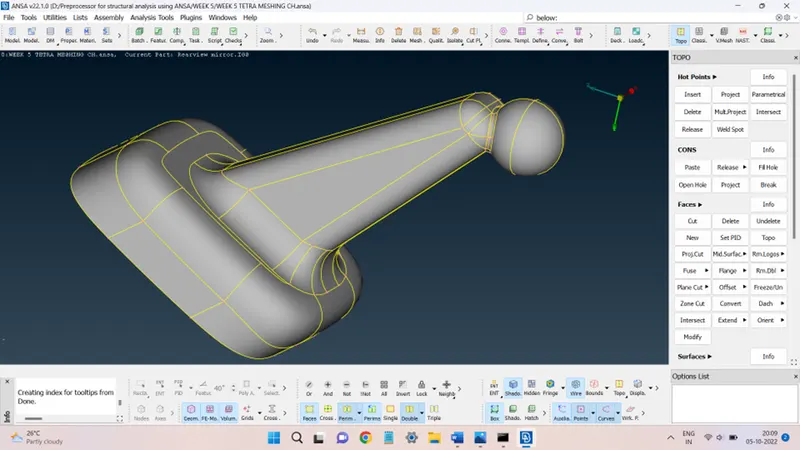
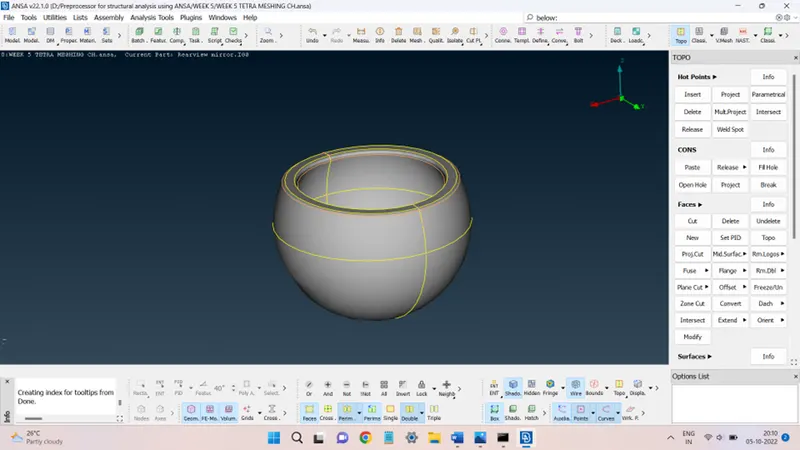
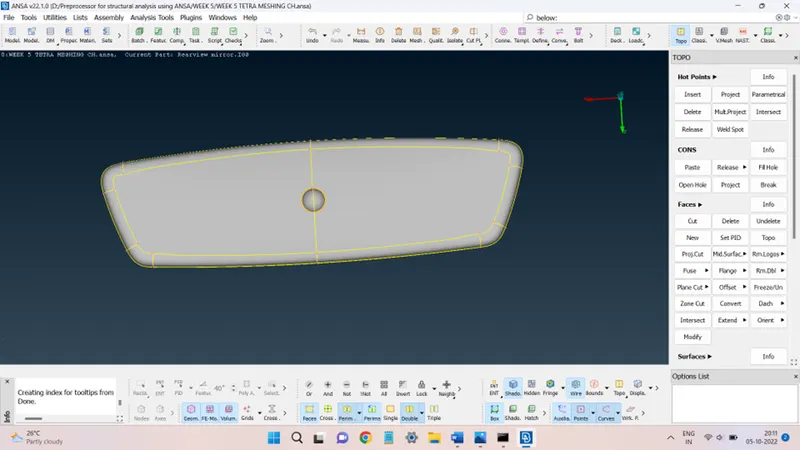
To obtain the shell mesh of the given geometry, first, the geometry was segregated into four different components, shown in the figures.
BALL N LEG(RVM):
SOCKET:
MIRROR BASE:
MIRROR:
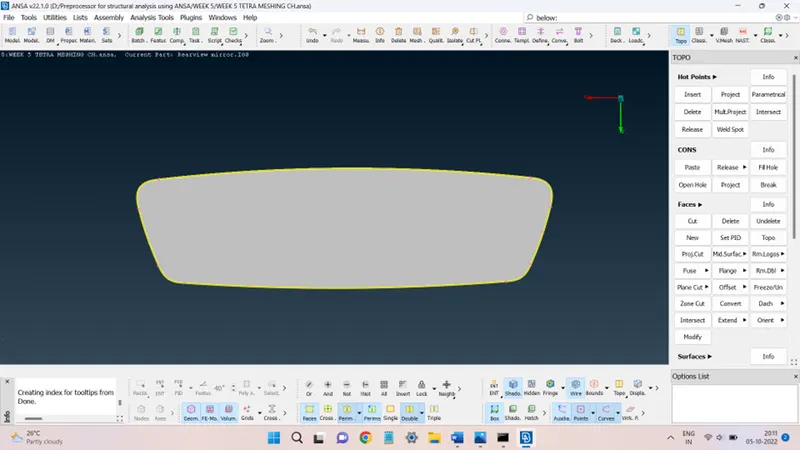
All these parts were stored with help of the separate PIDs created.
The shell meshing was performed on each of them and the quality criteria settings taken are shown in the figures below:
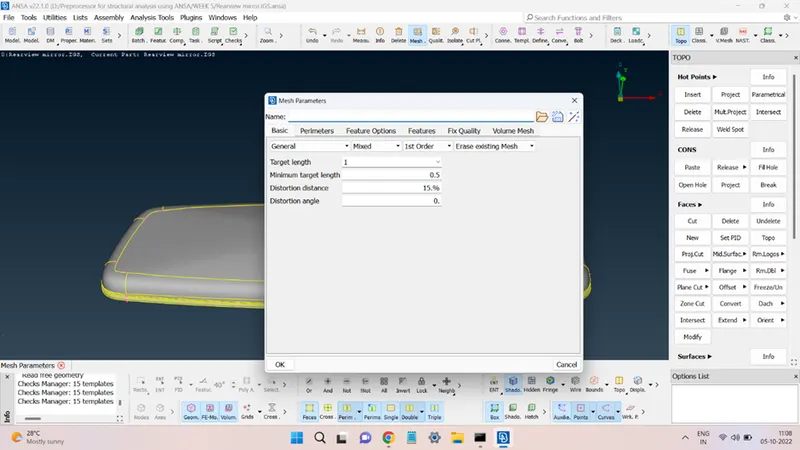
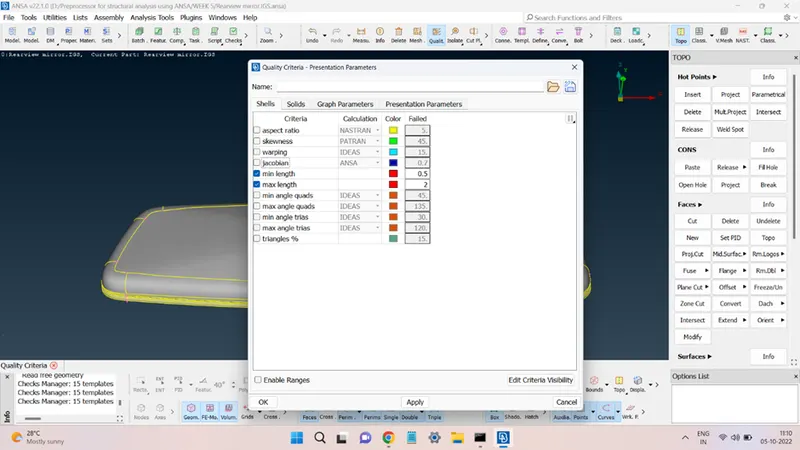
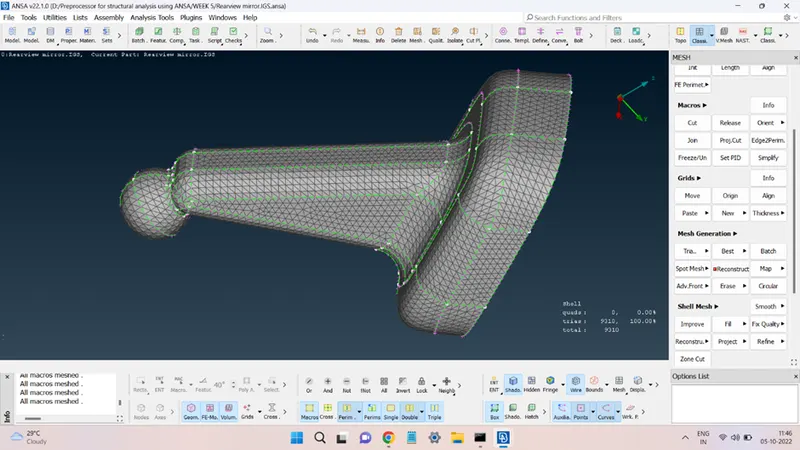
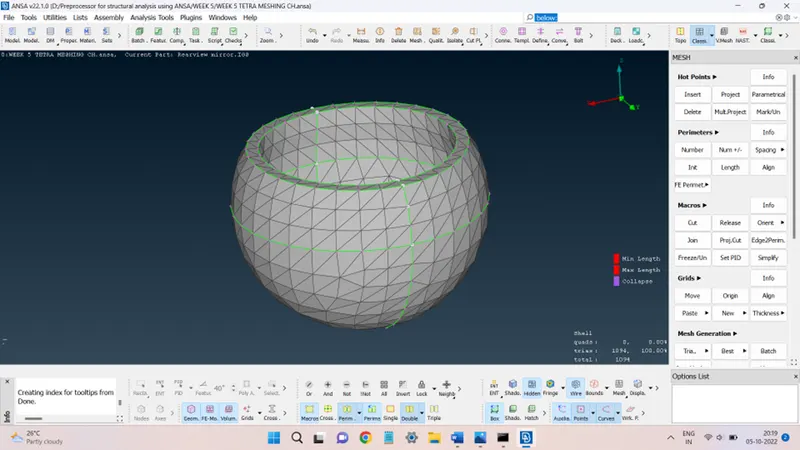
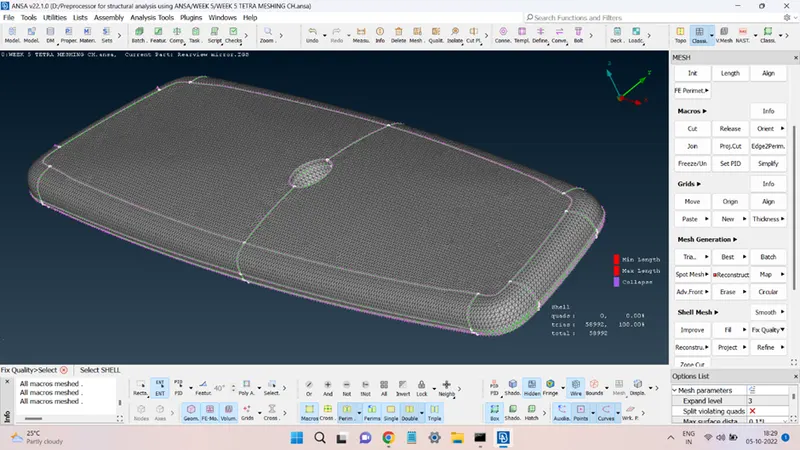
The shell mesh obtained consists of the Tria elements over the flat and nearly flat faces and Ortho Tria elements over the complex and s curved surfaces. The mesh generated is shown in the following figures.
BALL N LEG(RVM):
SOCKET:
MIRROR BASE:
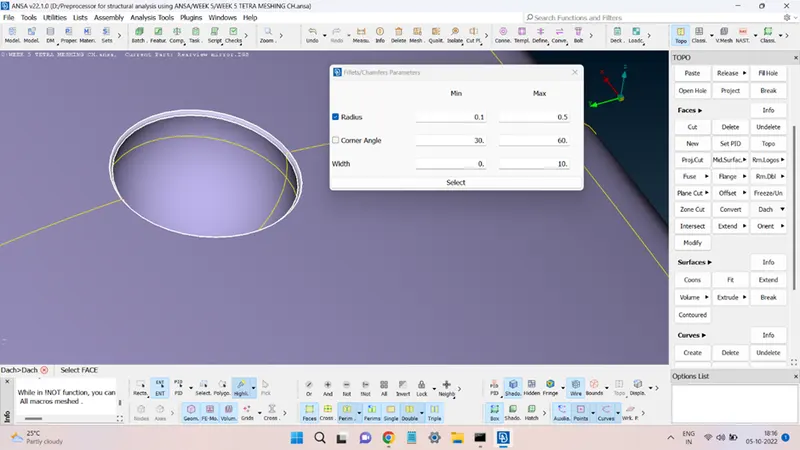
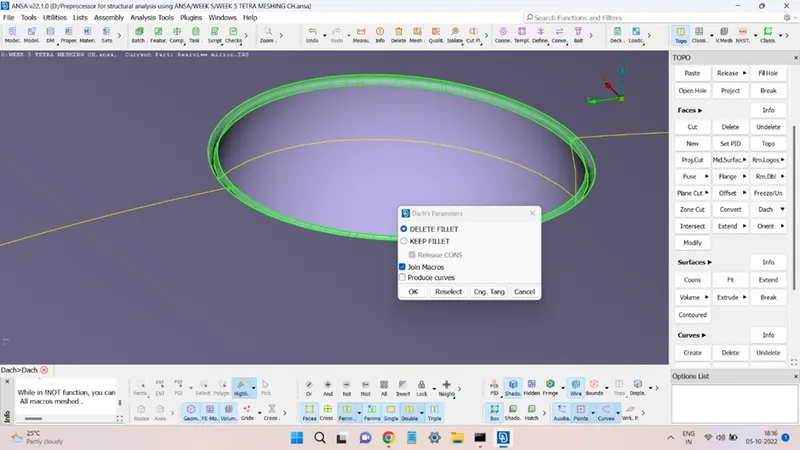
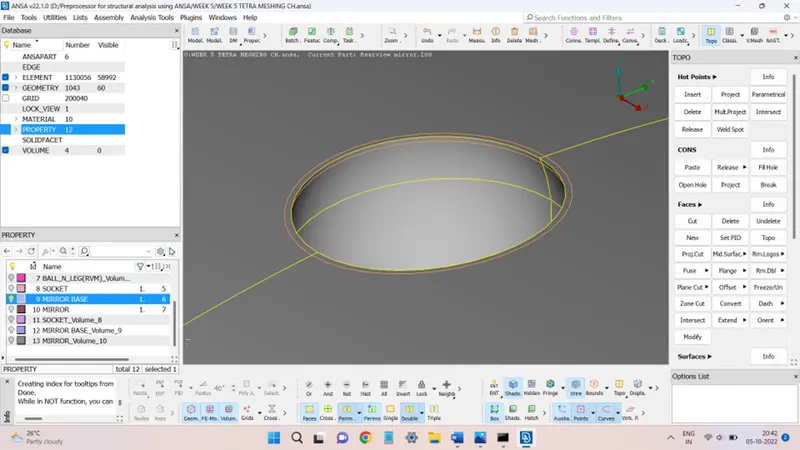
The central cavity fillet radius was less than the minimum element length so it was defeatured using the Dach command present in the Faces panel of the Topo deck.
MIRROR:
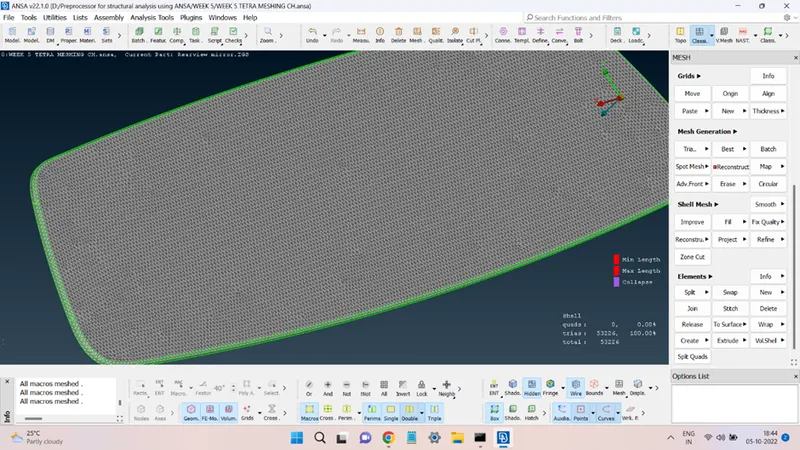
The quality of the shell elements can also be seen in the above figures.
STEP 3: Generating 3D Tetra mesh.
The above-generated shell mesh was then converted into 3D solid mesh consisting of Tetra elements.
To do so, it is necessary to create the closed volume property using the shell mesh for each part. This can be done by the Define command present in the Volumes panel of the V. Mesh deck.
Select the entity for which the volume property is to be created and hit the middle mouse click.
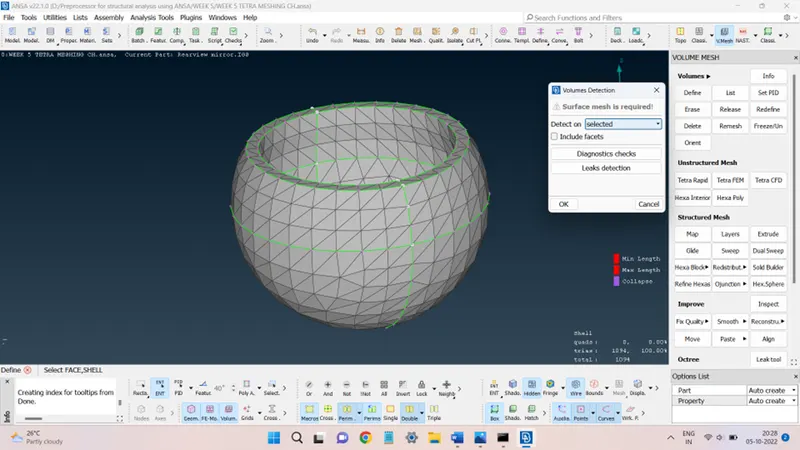
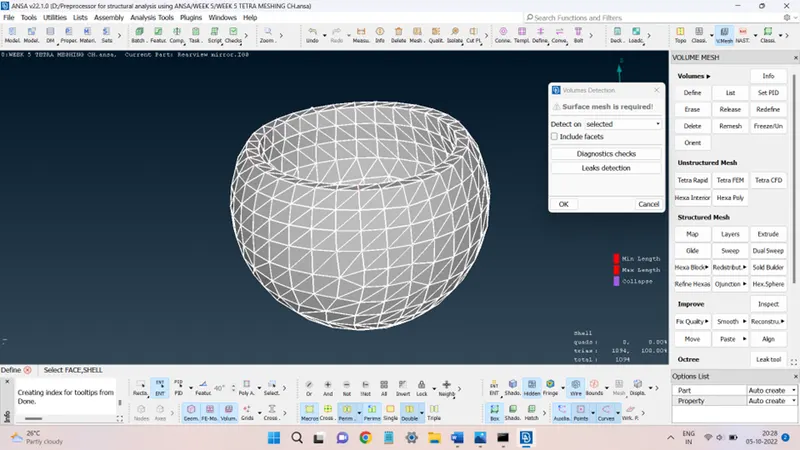
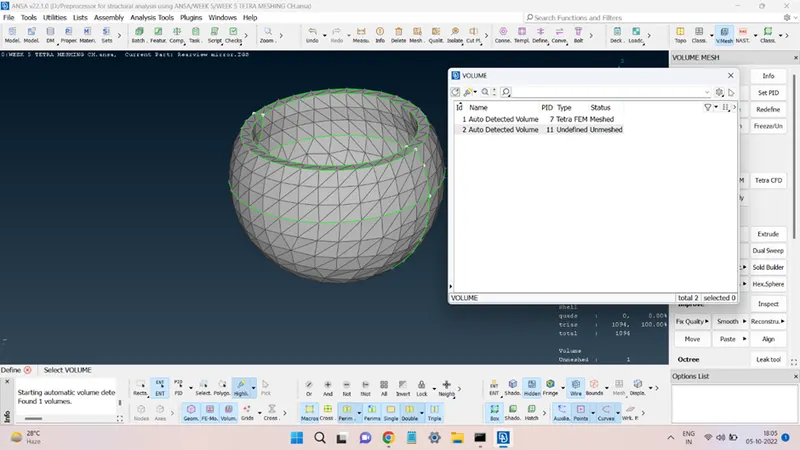
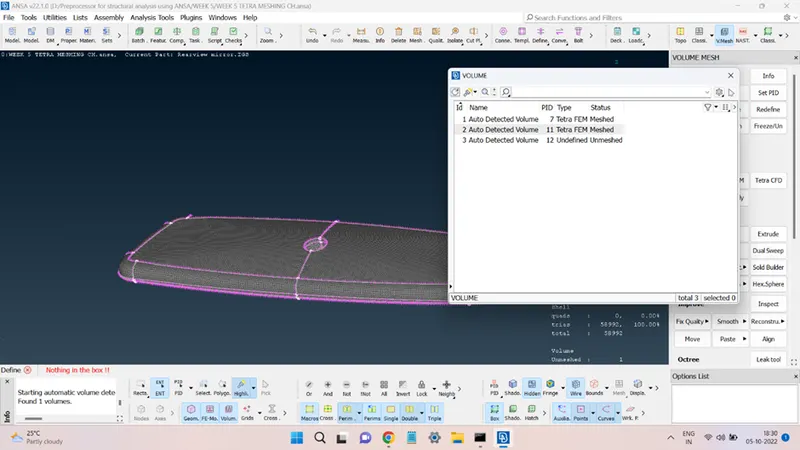
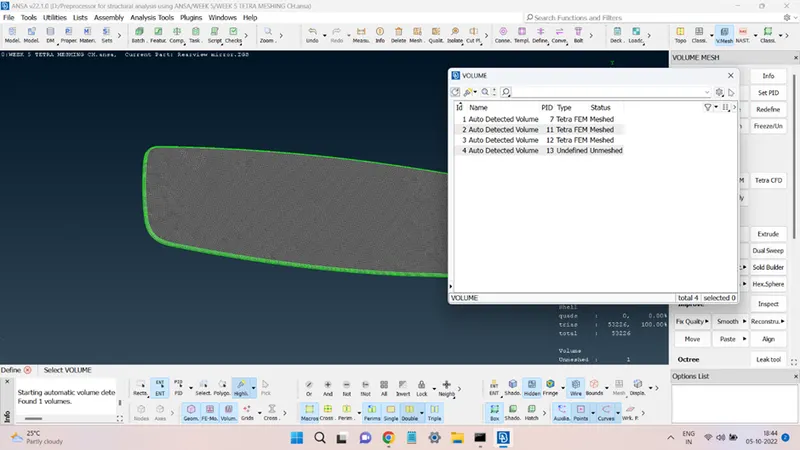
This will generate an unmeshed closed volume property. This method was used to generate the volume property for each shell mesh.
Now, the solid meshing can be done on each volume part. The quality criteria for the solid mesh are shown in the figure below:
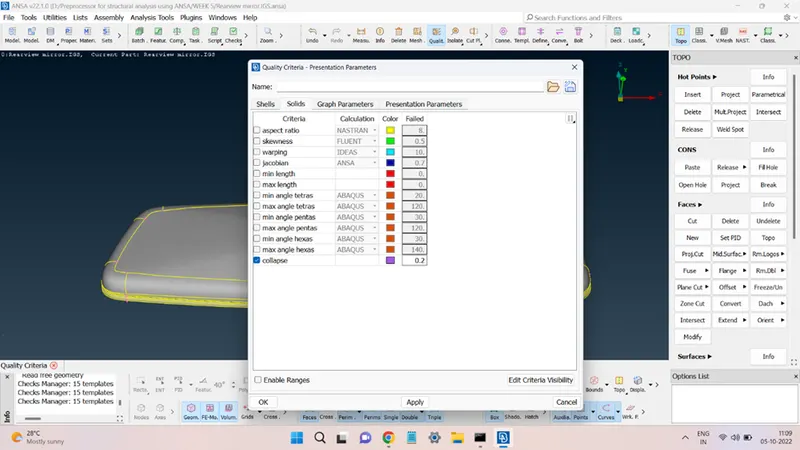
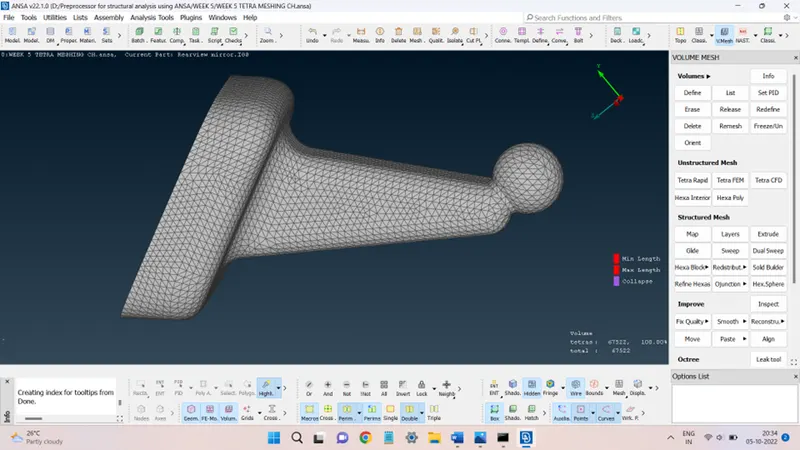
The solid mesh was generated through the Tetra FEM algorithm present in Unstructured
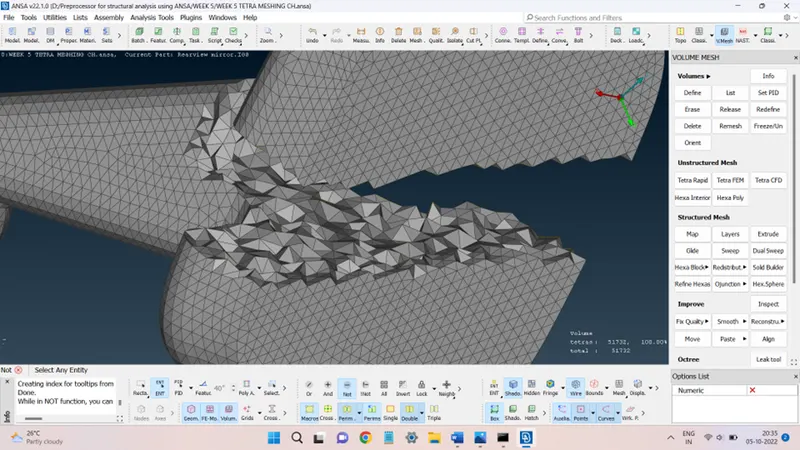
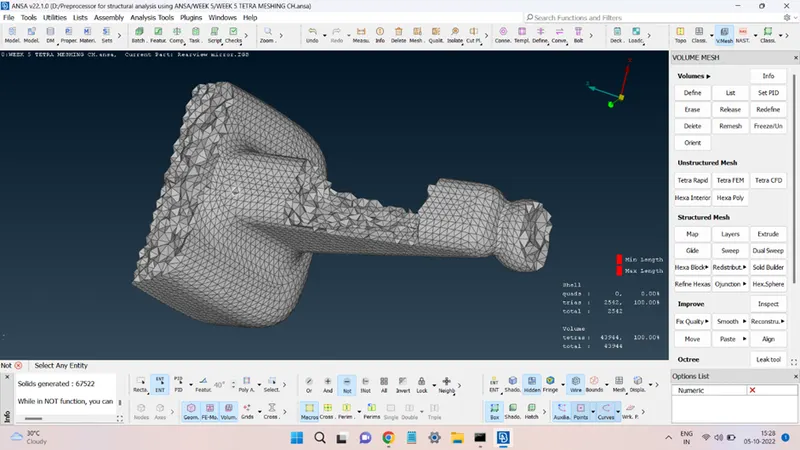
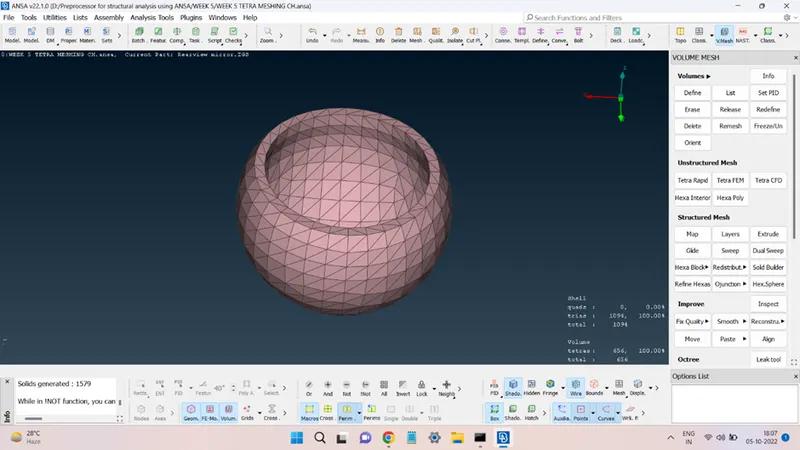
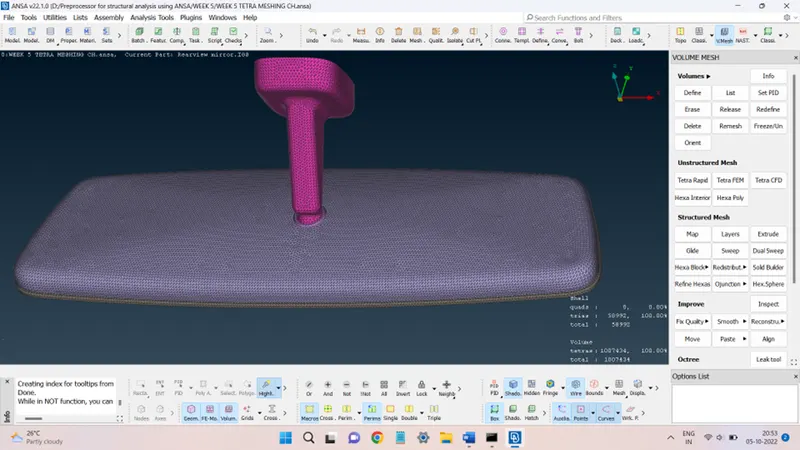
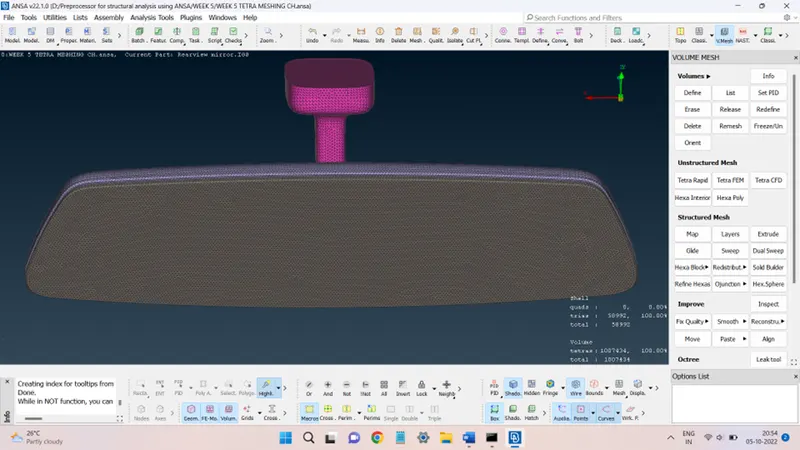
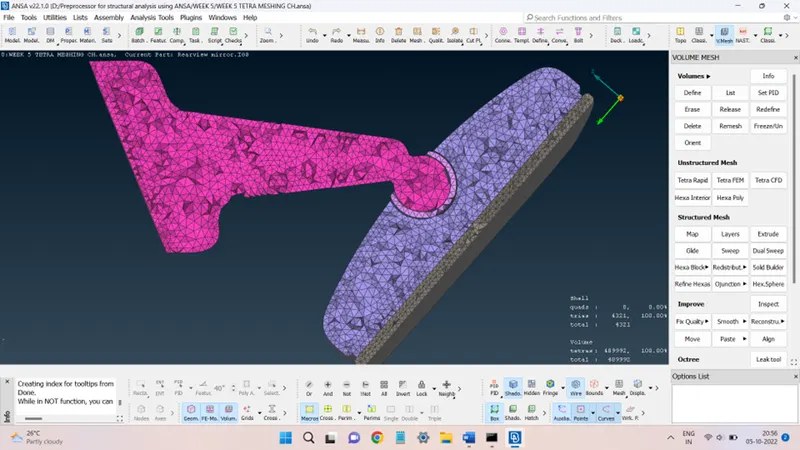
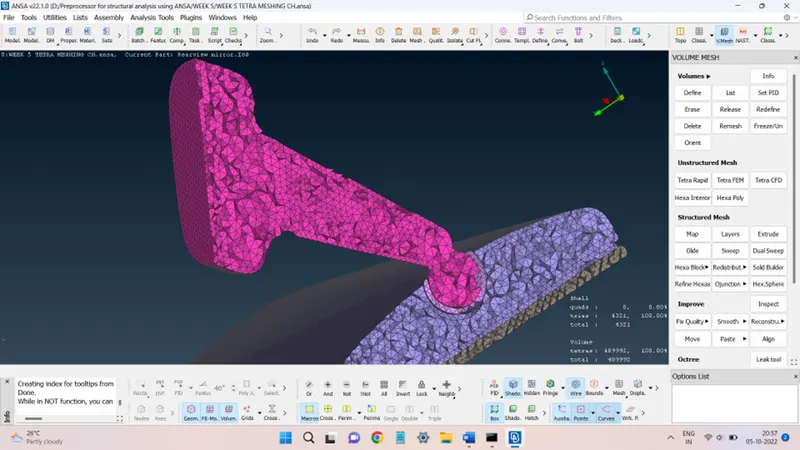
Mesh in V. Mesh deck. The mesh obtained for each component is as follows:
BALL N LEG(RVM):
SOCKET:
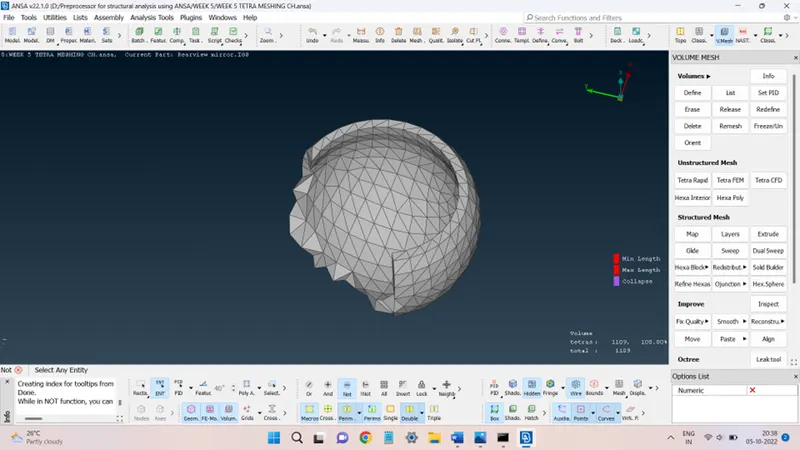
MIRROR BASE:
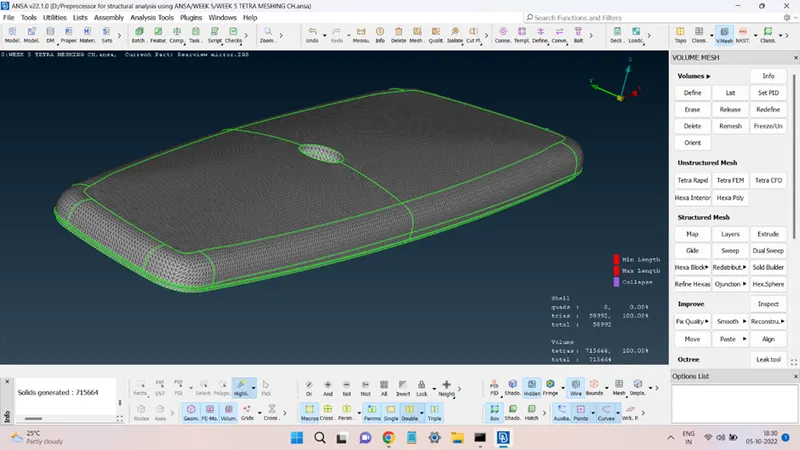
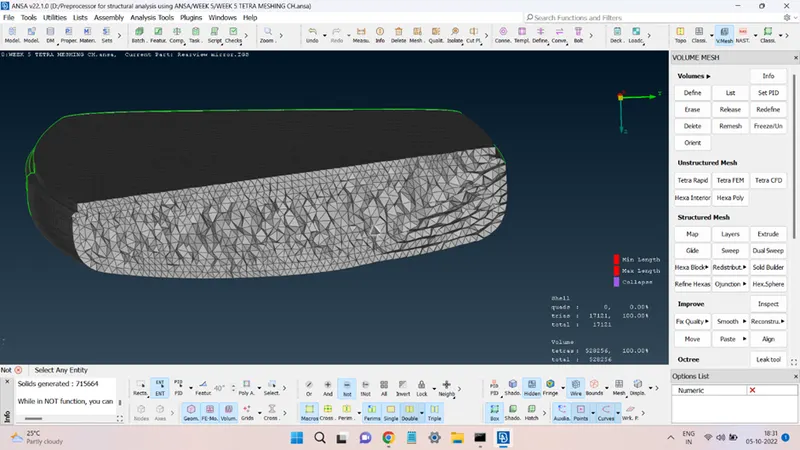
MIRROR:
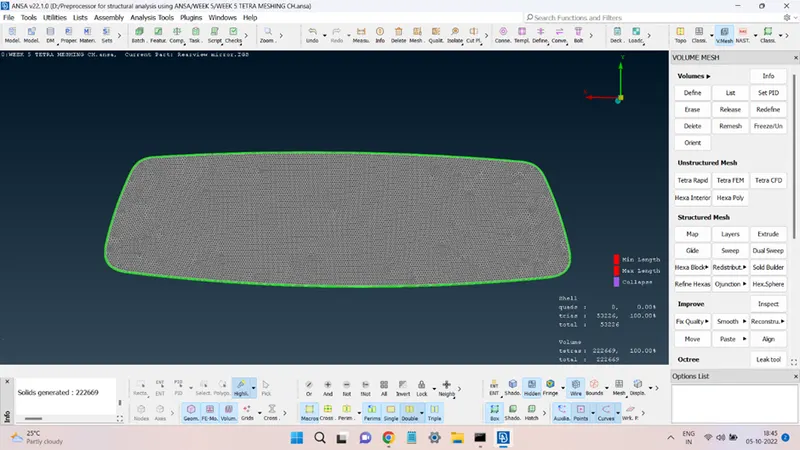
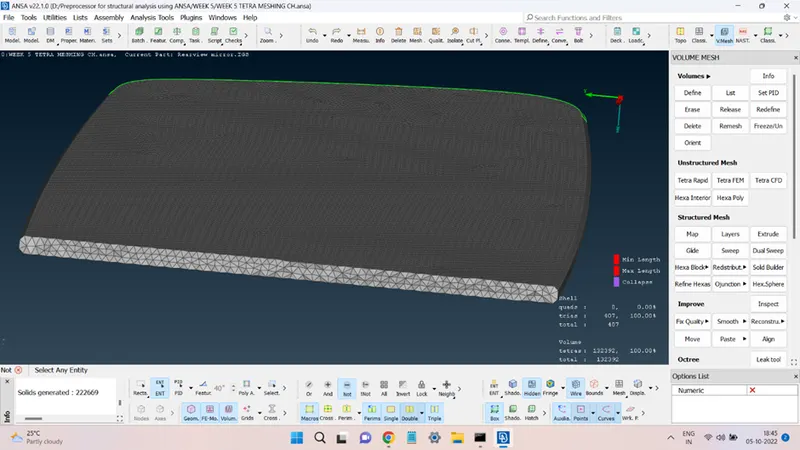
The complete meshed components are shown in the figures below:
Conclusion:
The given Rear View Mirror component meshed successfully.
The present challenge provided an opportunity to learn how to generate a solid mesh and the steps that are involved in doing so.