Week 5 Challenge : Surface wrap on Automotive Assembly
Aim:
To merge the Engine, Transmission and Gear Box into a one model.
Generating surface wrap with target length of 3mm around merged model to have a common volume.
Introduction:
The surface wrap is used to create a watertight surface mesh which replicates the exact geometry of model. The surface wrap is used to perform the external flow analysis which do not require any internal components. The accuracy of surface warp depends on the elements size of mesh, smaller the element size better is the feature capturing of small and intricate parts. For generating smaller sized mesh, the time required is also high. So, a proper balance between selection of mesh element size and computational time becomes critical.
Methodology:
. All three models like Engine, Transmission, Gear Box Model are imported and are checked one by one for any unwanted surfaces present and if any single cons are present. TOPO clean-up is done by deleting such unwanted surfaces like extra ring structure protruding from geometry, extra edges on surface.
. Then the geometry needs to be closed i.e. holes need to be filled by using new -coons /fitted. The open holes results in surface distortion during warping the model. The final topo Cleaned model are as shown in figure.
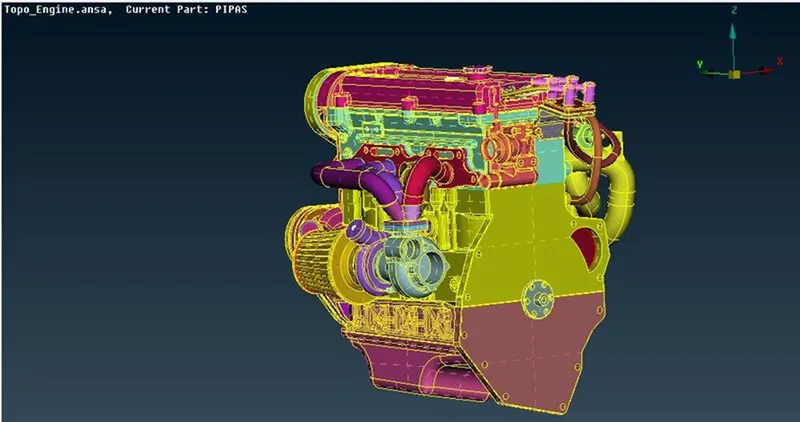
Engine
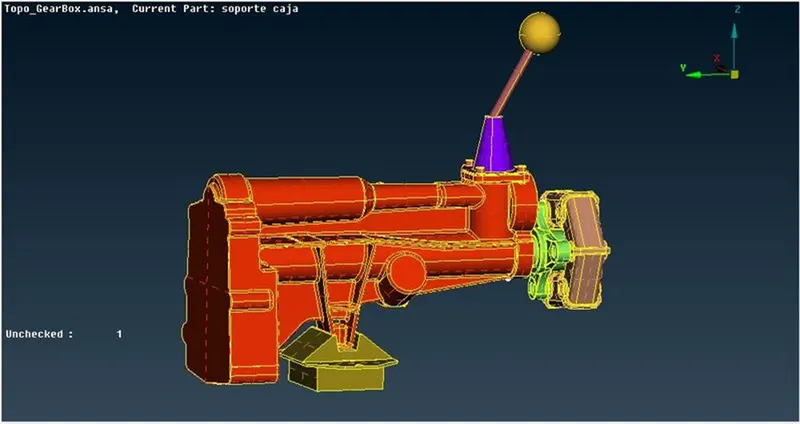
Gear box
Merging:
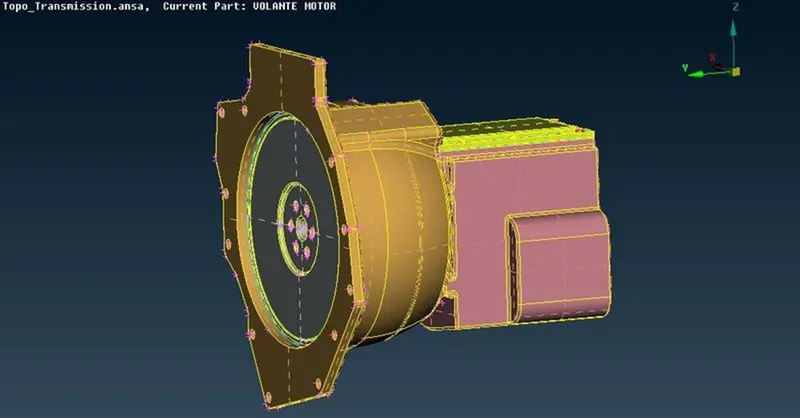
The all three models are to be merged by using, Files- Merge. The final merged model is as shown in figure
Surface Wrapping:
. Mesh deck is opened to warp the surface using “Constant Length” in warp tool.
. Mesh Deck-Elements- Wrap-Constant Length- New
. Untiled -Castellation- enter mesh length-
. Mesh- Smooth Factor of 0.5 – Nodes out of surface – Assign properties from structure
. Select ‘0’- Give a name – and select all PID’s bt (cntrl+A) – by presing green arrow PID’s will move to Octree Scenario
. Then Select run and surface wrap will take place. An final surface wrapped model is shown in figure
Conclusion:
The combined Powertrain model is surface wrapped successfully with element size of 3mm.