Bending of iPhone
Objective:
To perform the bending of iPhone simulation and obtain the fatigue life of material using ANSYS workbench.
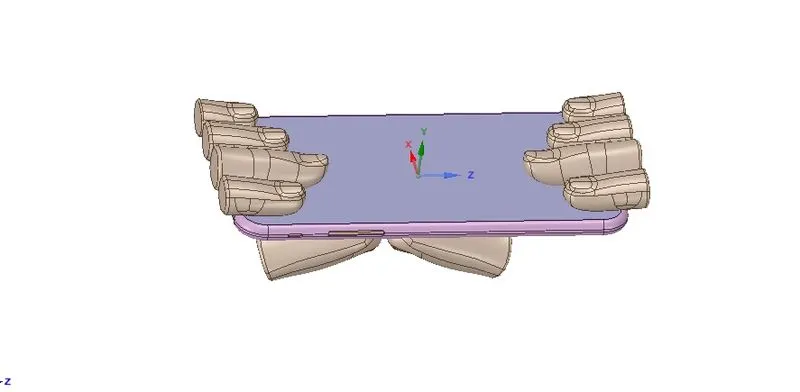
Case 1:The simulation is carried out by placing the pushing fingers near one of the side edges of the iPhone.
Case 2:The simulation is carried out by placing the pushing fingers at the middle of the iPhone.
Procedure:
Static structural analysis system is opened in the project schematic window of ANSYS workbench.
The project is renamed as iPhone bending.
Engineering Materials:
The following materials are used for the iPhone bending simulation.
1.Structural steel from General materials section.
The properties of Structural steel are
2.Polyethylene from General materials section.
The properties of Polyethylene are
3.Glass -A new material is created with following properties.
4.Aluminium alloy NL from General non-linear materials section.
A stress-life curve is created with following tabular values.
The properties of Aluminium alloy NL are
Geometry:
The iPhone CAD model is imported into the Design modeler which is one of the geometry editor of ANSYS.
The model is generated and checked if any abnormalities are present in the model.
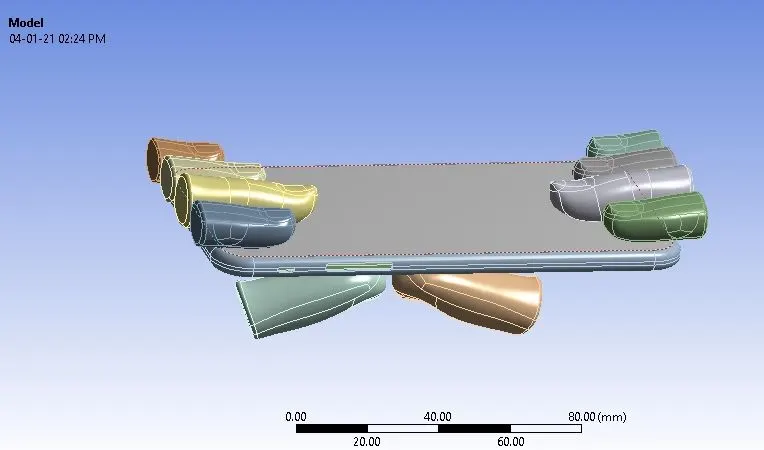
The iPhone CAD model consists of different bodies which are renamed accordingly as upper fingers,pushing fingers,frame,inner and display.
The model with pushing fingers at the edges as default is assumed as Case 1.
Materials assignment:
In Mechanical tab,the bodies of iPhone model are assigned with different materials.
The upper fingers and the pushing fingers are assigned with Structural steel material as their behaviour is set to be rigid.
The display of the iPhone is assigned with Glass material.
The frame of the iPhone is assigned with Aluminium alloy NL material.
The inner body of the iPhone is assigned with Polyethylene material.
Contacts:
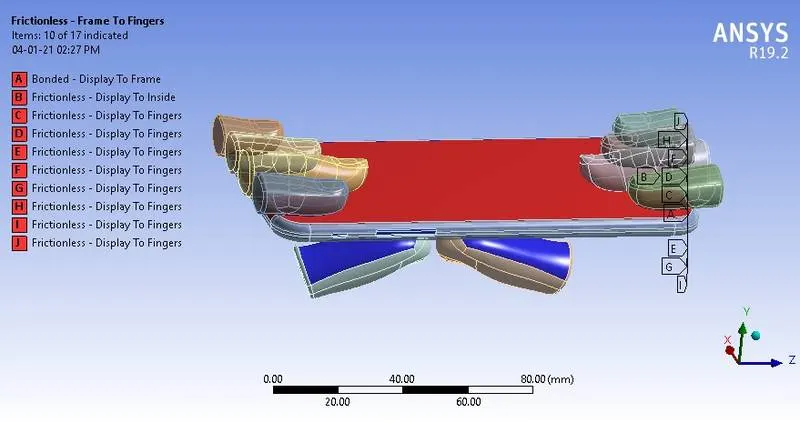
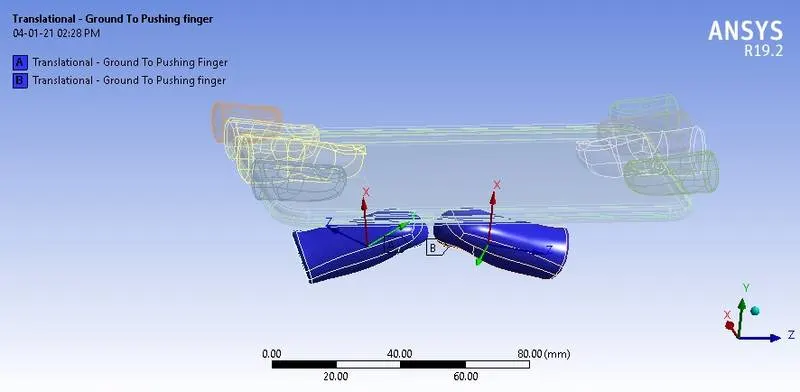
Frictionaless contact type is created for each and every contacts between fingers and the frame of iPhone.
Bonded contact type is created between display and frame of iPhone.
Meshing:
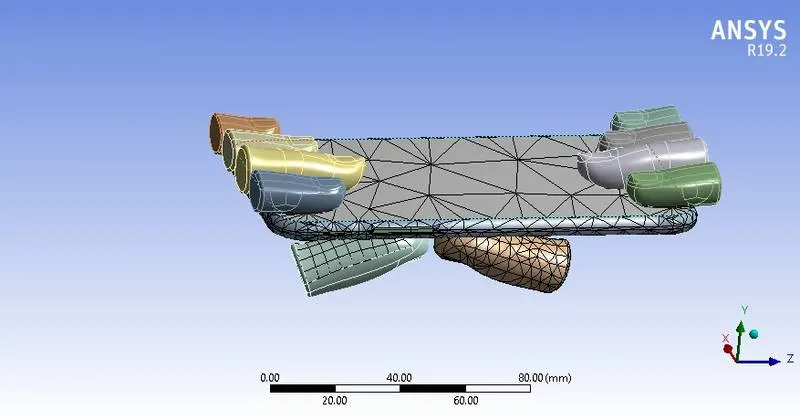
A default mesh size of 4mm with tetra elements is used for the analysis.
The adaptive mesh size is turned off in order not to capture the features as they are not our interested regions.
Analysis settings:
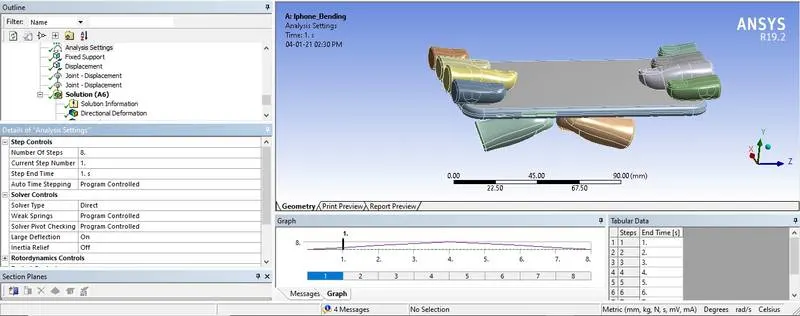
The simulation is set to run for 8 steps.
Large deformation is turned on in order to account for non-linear deformations.
The solver type is set to Direct.
The stabilization limit is set to constant with an energy dissipation ratio of 0.2.
Boundary conditions:
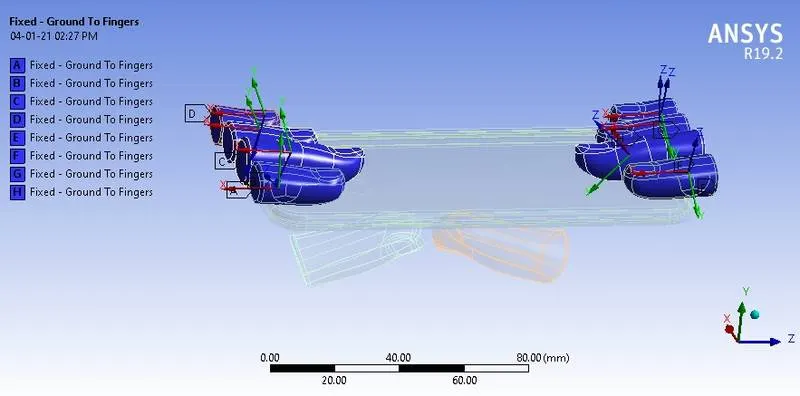
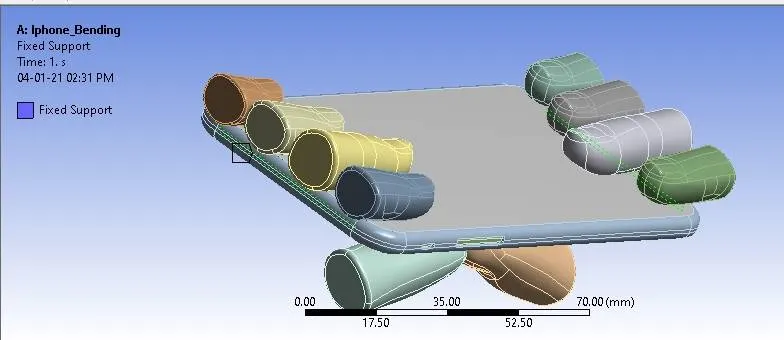
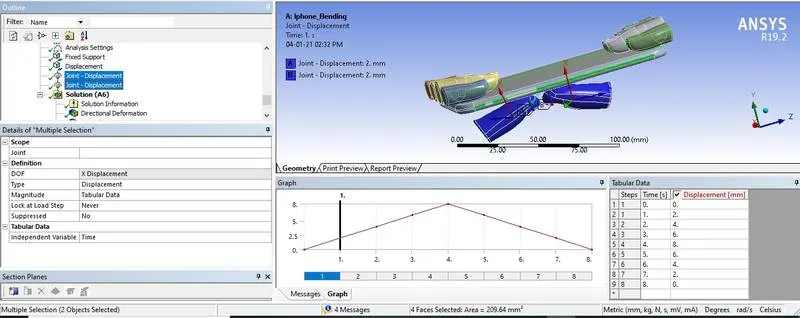
A fixed support is created at the two longitudinally opposite faces of the iPhone frame as the frame should not fly away during simulation.
Fixed support
Displacement
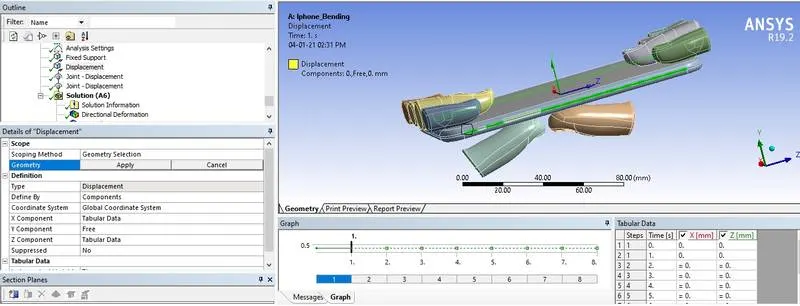
Joint Displacement
Results:
The following results are solved for the whole model.
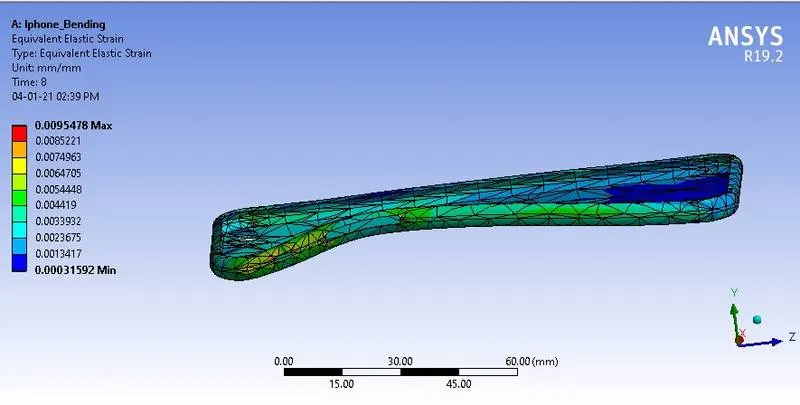
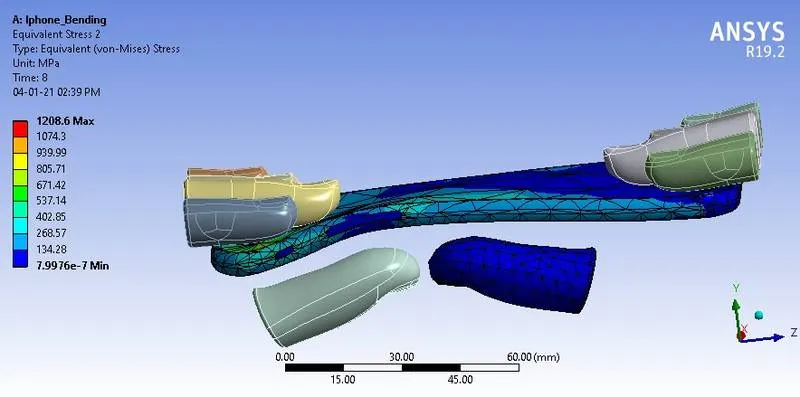
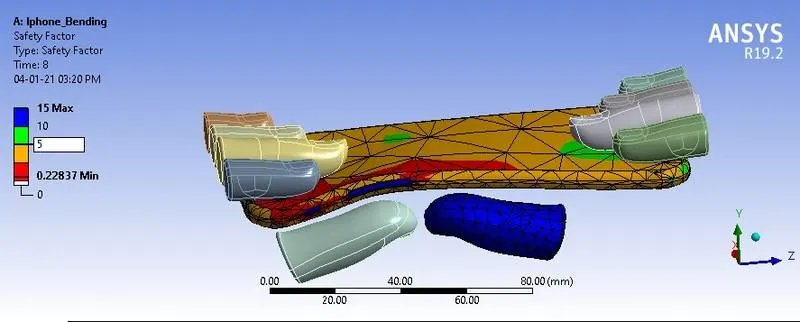
Case 1: The simulation is carried out by placing the pushing fingers near one of the side edges of the iPhone.
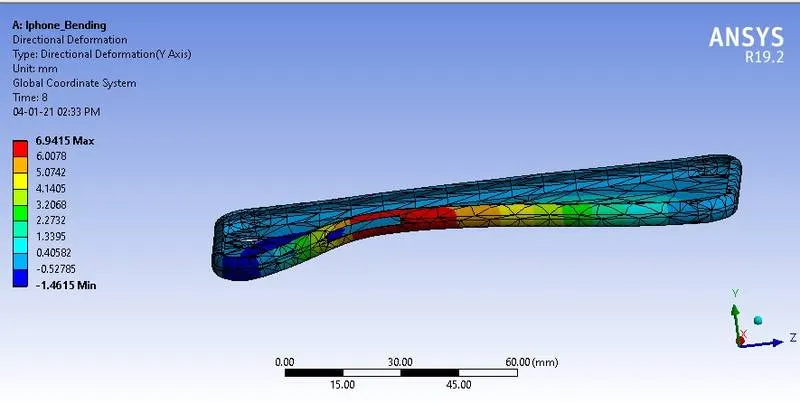
Directional deformation
Directional deformation (Y direction)
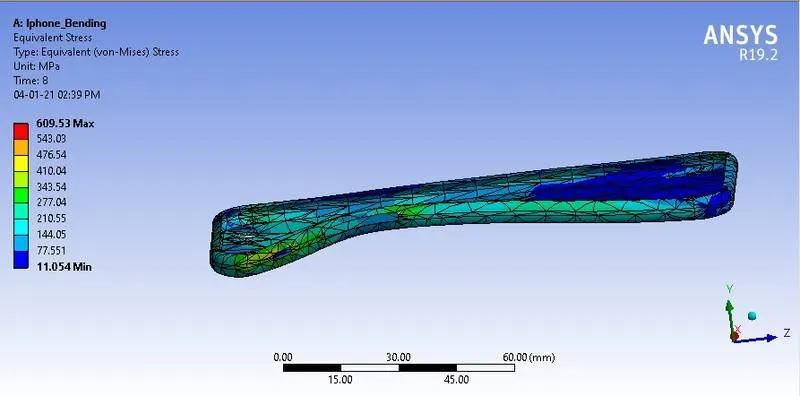
Equivalent strain
Equivalent stress
Safety Factor
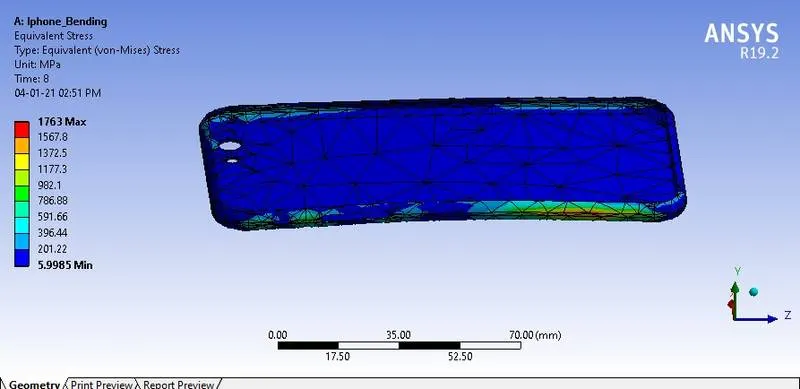
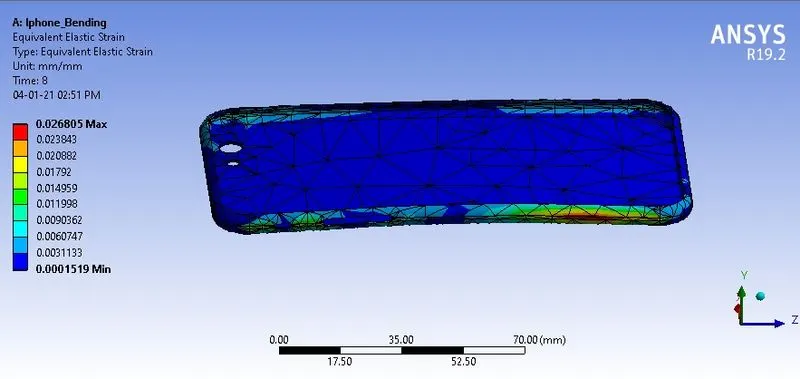
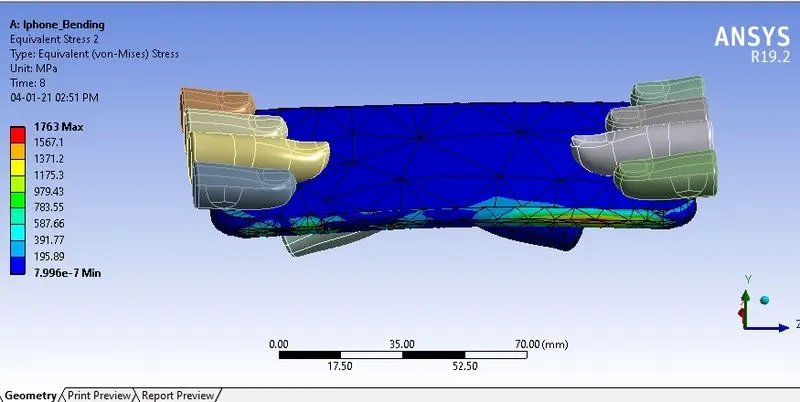
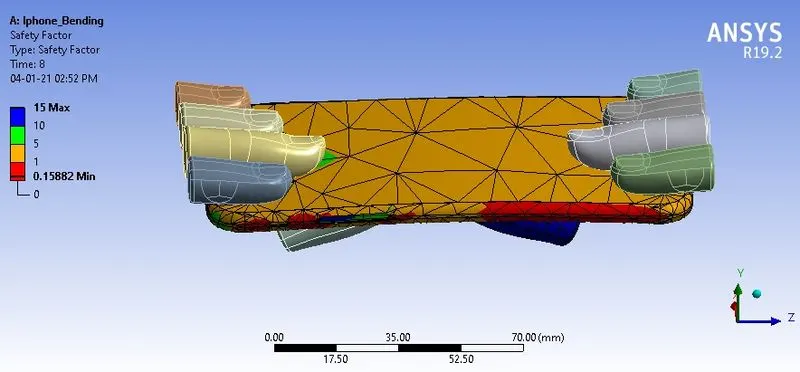
Case 2: The simulation is carried out by placing the pushing fingers at the middle of the iPhone.
Directional deformation
Equivalent strain
Equivalent stress
Safety Factor
Simulation video
From the results obtained,it is found that

It is evident that the stress at the second case is incresded to more than of stress at the first case because of the uniform distribution of applied load at the middle of the iPhone frame.Also the deformations produced at both the cases do not have much difference between them.
The factor of safety has increased in case 1.
- Omkar Kudalkarnicely presented..... appreciated