PREPROCESSING ON A GIVEN REAR VIEW MIRROR BY USING TETRA ELEMENTS IN ANSA
AIM :
To Perform the Preprocessing operation on a given Rearview mirror model, all should be done in ANSA.
OBJECTIVES :
1) Geometry Cleanuping on the given rear view mirror component.
2) Providing the quality parameters and Mesh Parameters.
3) Performing a shell meshing on a component surfaces and quality checking.
4) Defining the volume for which performing the 3d meshing.
5) Performing a tetrahedral meshing on which defined volume and quality checking.
GIVEN CAD MODEL :
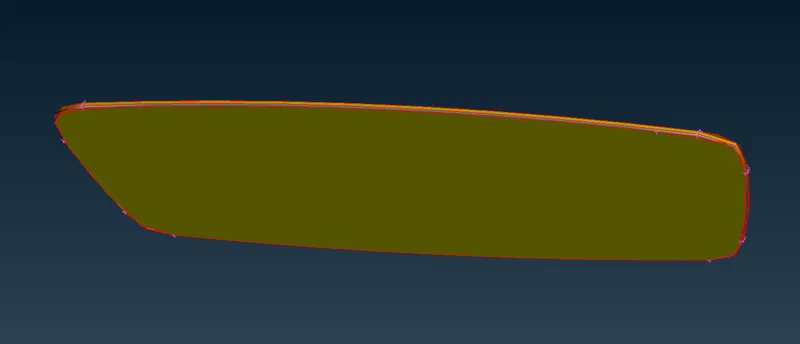
Open the ANSA Software, Importing the appropriate file which is Rear View Mirror by using GUI Option. After Opening the given model, it showing from the Graphical window as shown in below image.
This model consists of four parts which are Support Handle, Spherical Bearing, Rear View Mirror Frame and then Rear Mirror.
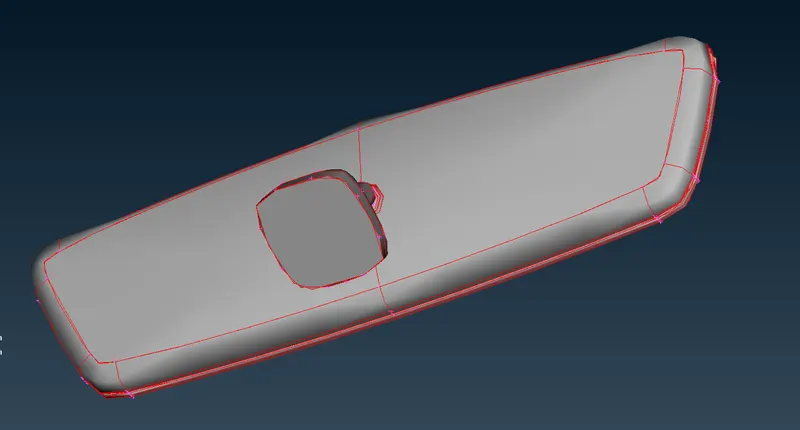
i) Handle :
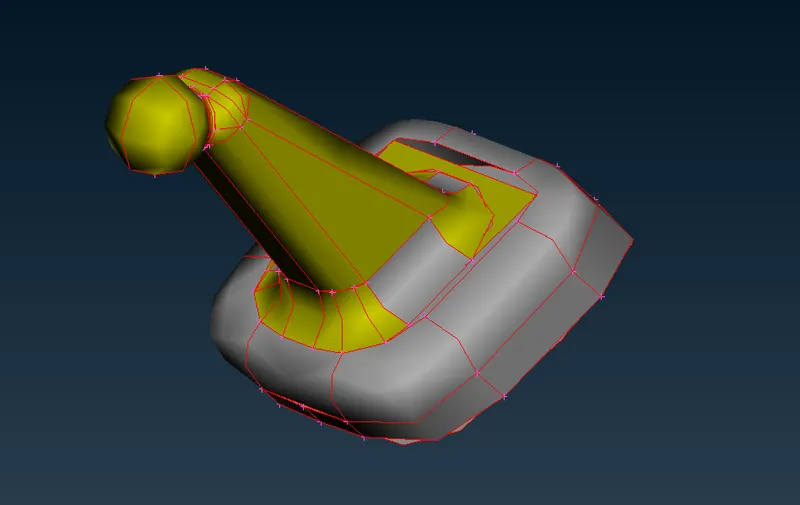
ii) Spherical Bearing :
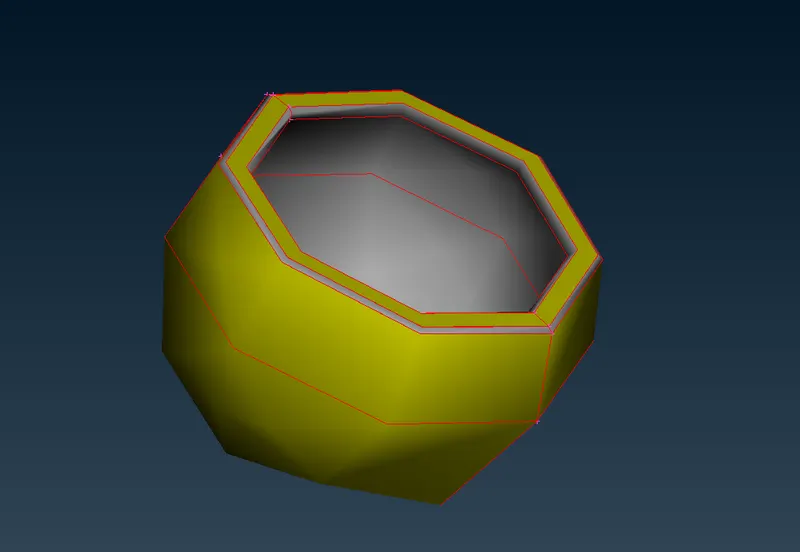
iii) Mirror Frame :
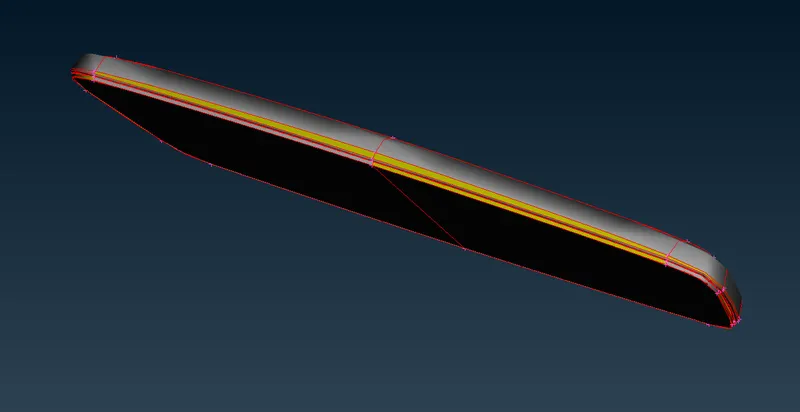
iv) Mirror :
PROCEDURE FOR ATTAINING THE OBJECTIVES :
I) Geometry Cleanuping on the given rear view component :
ii) Topology Cleanup :
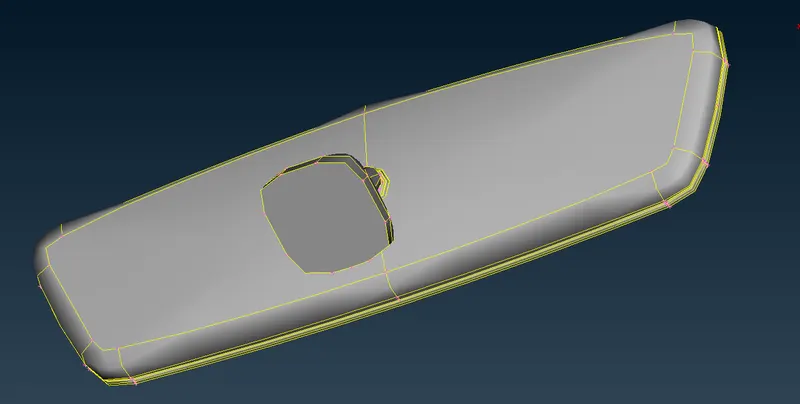
As we noticed from the imported model, each & every Macros are not connected to each other. Inorder to connects the macros to eachother, we have to use "Topo" option under where "Topo" module & "Faces" Sub module for which performing the topology cleanup in single shot with box selection.
After done the topological cleanup, a model looks like as shown in below image.
iii) Geometry Checks :
Before going to discritization process, Make sure we have to checking the geometry if there's any geometrical issue are available or not.
ANSA have default template which have prepresented some few important parameters, we have to select all those things except "Sharped Edges" and "Unmeshed Macros". Because, those are no need for this case.
After complete the parameters selection, make sure keep "Visible On" from the "Execute On" option and then Execute to which finding the errors from the visible geometry.
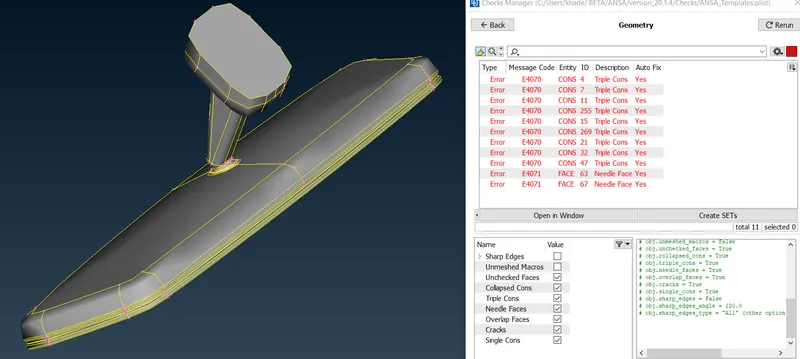
From the model, ANSA findout few errors from the geometry which are "Triple Cons" & "Needle Face" as shown in above image.
Inorder to fix those errors, we have two option in our hand. One is Manual fix and another one automatic fix. In this case, we Confidently going with automatic fix, because as we noticed from the check tab which is "Yes" for "Auto fix". Which means ANSA can able to fix by itself
Inorder to do fix those thing in automatically, we have to select all errors which are shown up and right click & followinly select fix option. Afterthat, ANSA algorithm quickly suppressed any one of double cons for rectifying the Needle face and converting into Double cons from Triple cons.
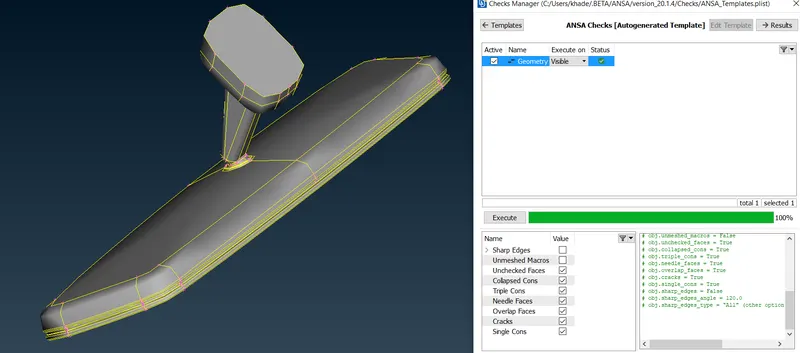
Once did those thing, we have to cross check the same model. Now, there's no error are popuped from the visible tab.
II) Set the Quality Parameters and Mesh Element Parameters :
Mesh Parameters tab :
Before going to meshing operation on the surface, make sure we have to keep the appropriate target element length, minimum target length and then Maximum target length. Make sure, keep the element type which is Ortho trias.
All Meshing algorithms will deploy a elements as per given those value ranges only.
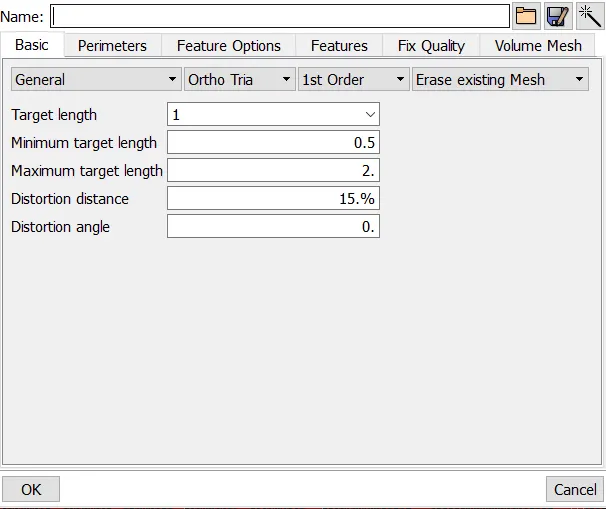
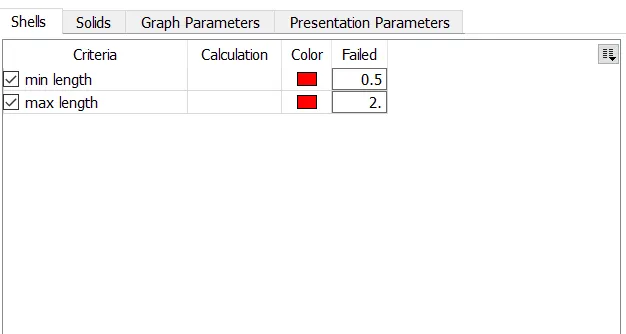
In this case, we only take care of minimum & maximum element length criteria only. These quality criterias for only which 2d shell elements. Whenever we create a 2d Tria shell elements for which generating the 3d elements, we have only concern these two criterias.
We have to create a meshing elements with this range.
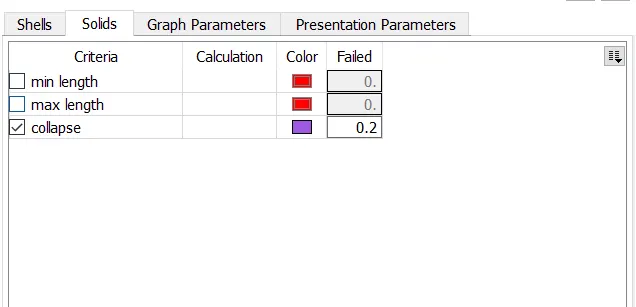
In 3d tetra element, we have only concern about Tet Collapse quality criteria.
III) Shell Meshing with Quality Checking :
First of all, Make sure keep the resolution of components to which distance between the two nodes is equal to the target element length by using "Length" option under the "Perimeter" sub module & "Mesh" module.
Before going to meshing, we have inspect the model If there's any topogical cleanup has required.
Generally, As we know triangle ideal shapes are capturing the curvature profile very accurately as compared remaining shapes. So, that we use triangle shape elements.
By using Best or Spot algorithms with Ortho tria & Normal tria elements to which performing the meshing operation on surface by surface along with checking the quality of each & every elements.
If generated elements are not proper orientation or any elements has been failed due to any of the given element quality criterias. We have to use reconstruct option or Improve option to which remesh, by results we get proper orientation of elements and also avoid the element failing.
i) Handle :
Without Topo :
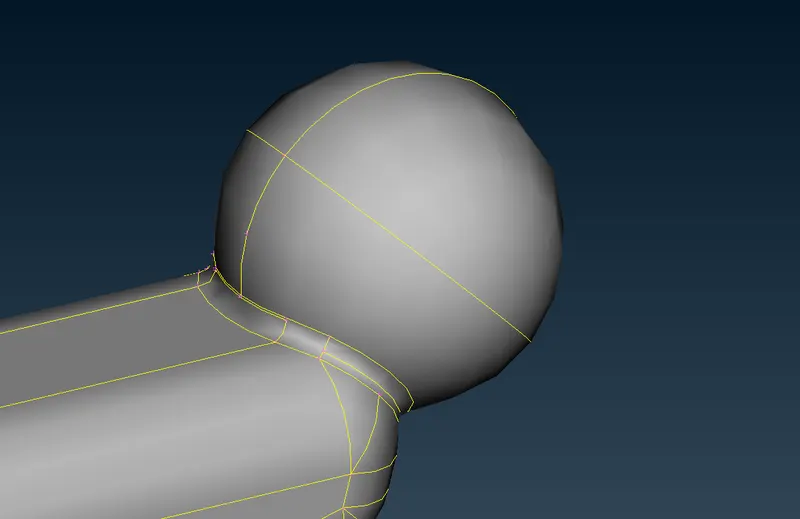
As you see from below image, there's some few double cons are closed to eachother which distance is less than the minimum element length. If We performing the meshing operation without supressing any of the double cons, by result created elements are not satisfying the minimum element length on that particular place.
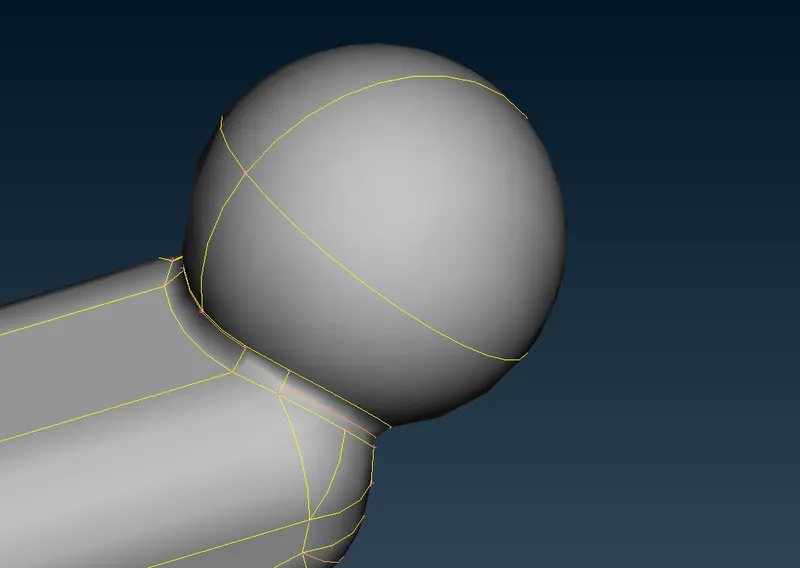
With Topo :
Inorder to avoid those thing while performing a meshing operation, make sure we have to supressing the appropriate double cons as shown in below image.
Now, If we performing the meshing operation on that place, by results we get proper mesh flow as well as element wouldn't be fail.
Discritize the handle part and Quality checking :
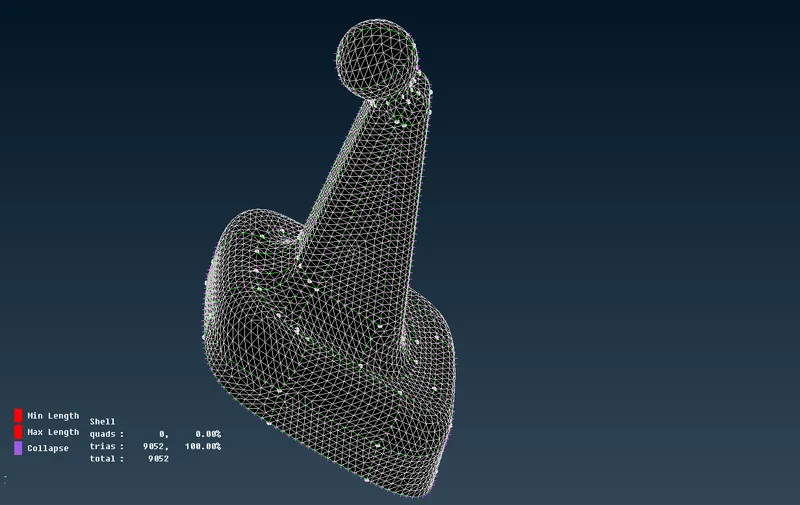
After done the topology cleanup whereever it's required, We have to perform meshing operation surface by surface along with make sure checking element qualities.
Generated elements are proper flow on the surface and also there's no elements are failing.
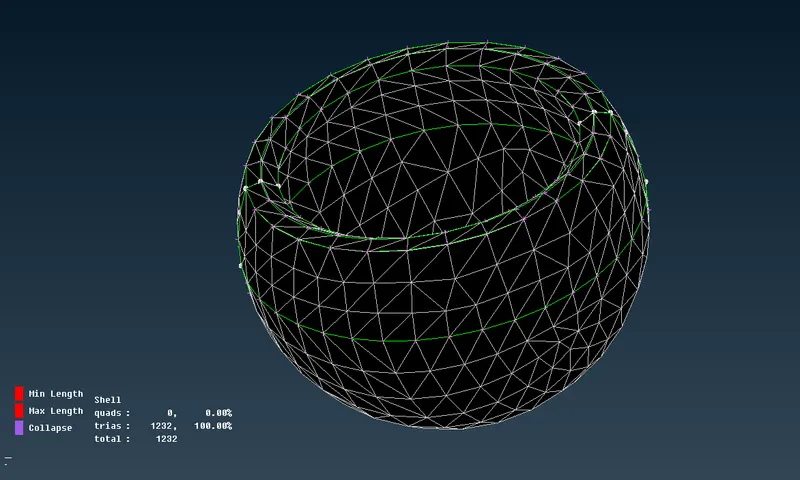
ii) Spherical Bearing :
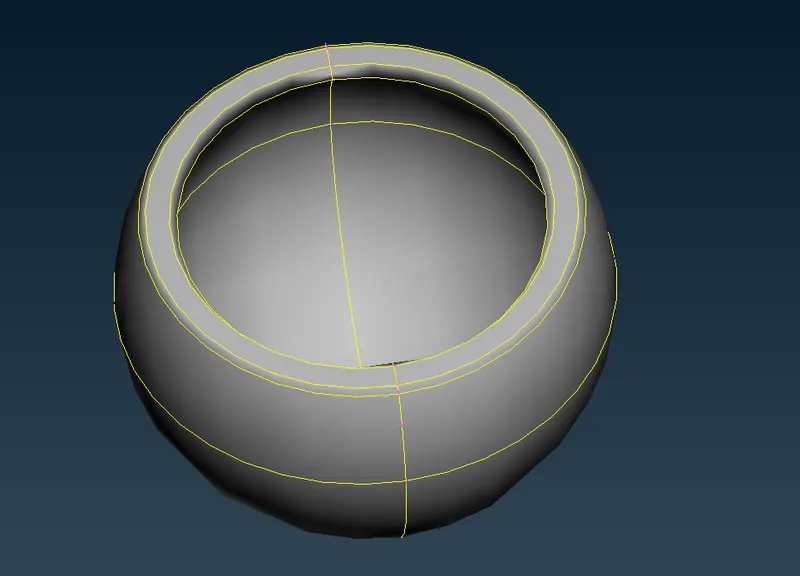
Without Topo :
In this component have small fillets on a both corners which distance is less than minimum element length. If we do the meshing operation without concerned on that place, by results what are the elements are presented on the fillets which is failing for minimum element length.
With Topo :
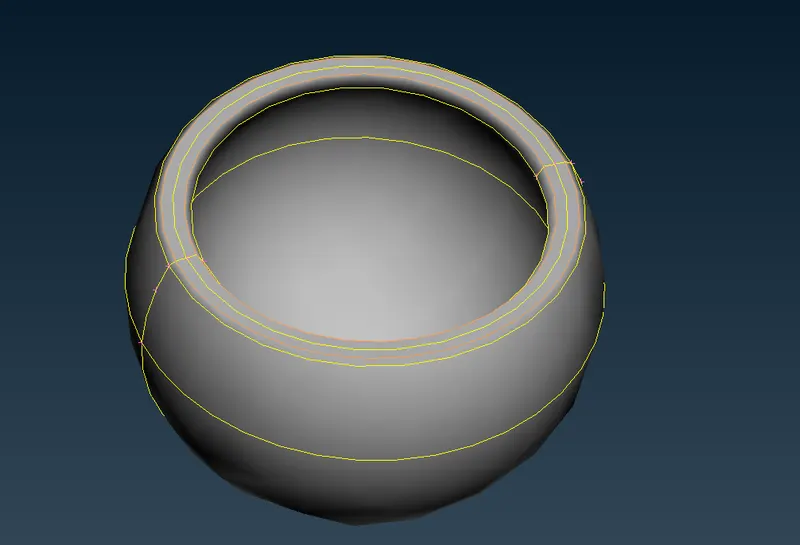
Inorder to avoid such things, we have to create a new double cons between those two double cons & supressed any one of the double cons from where fillets region like as shown in the below image.
Discritize the spherical bearing and quality checking :
After done the topology cleanup whereever it's required, We have to perform meshing operation surface by surface along with make sure checking element qualities.
Generated elements are proper flow on the surface and also there's no elements are failing.
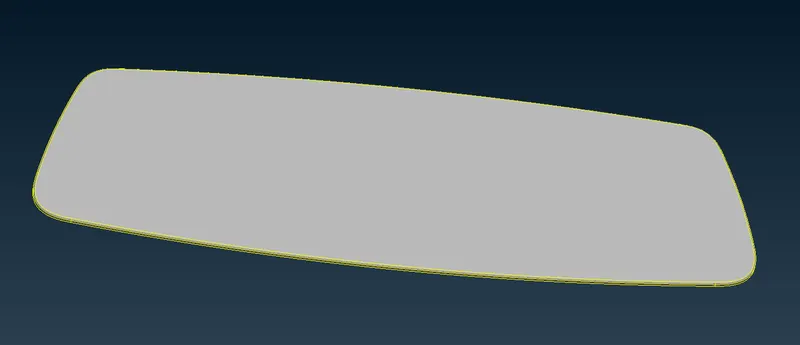
iii) Mirror :
There's no need of topology cleanup on this mirror. So, we directly go to meshing process.
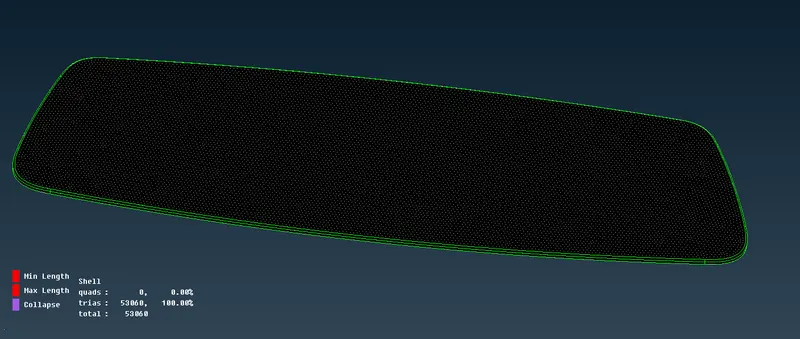
Discritize the Mirror Frame with Quality checking :
After done the topology cleanup whereever it's required, We have to perform meshing operation surface by surface along with make sure checking element qualities.
Generated elements are proper flow on the surface and also there's no elements are failing.
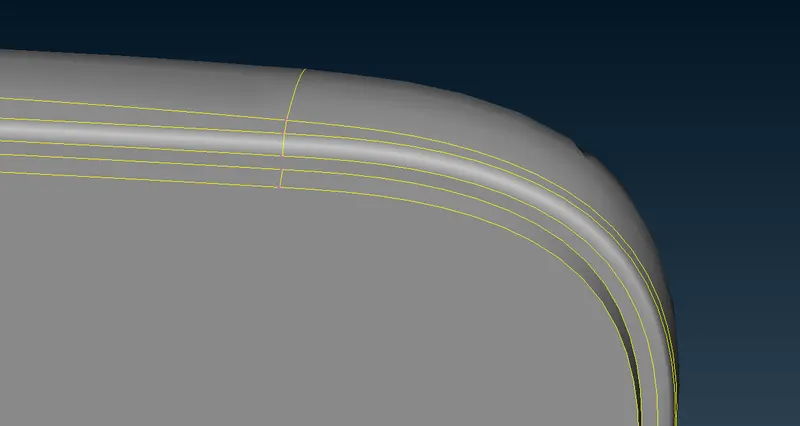
iv) Mirror Frame :
Without Topo :
A fillet region, double cons distance between is less than the minimum element length. So, we have to supressing any one double cons properly for which avoiding the elements are failing due to the minimum element length.
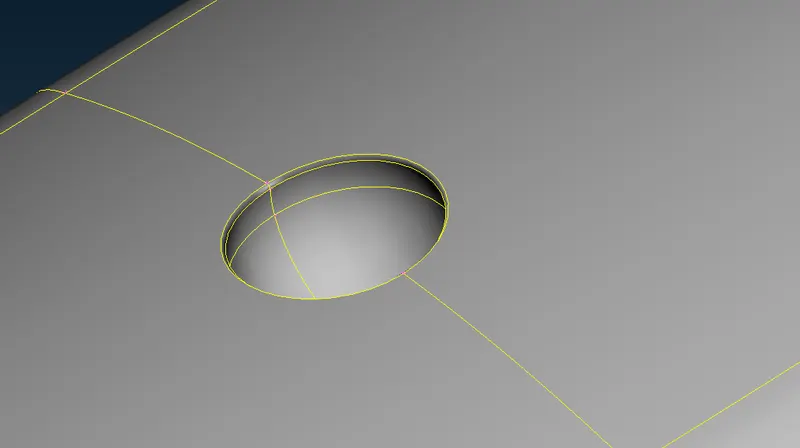
Similarly, few double cons distance between is less than the minimum element length.We have to suppress the any one of the double cons in properly.
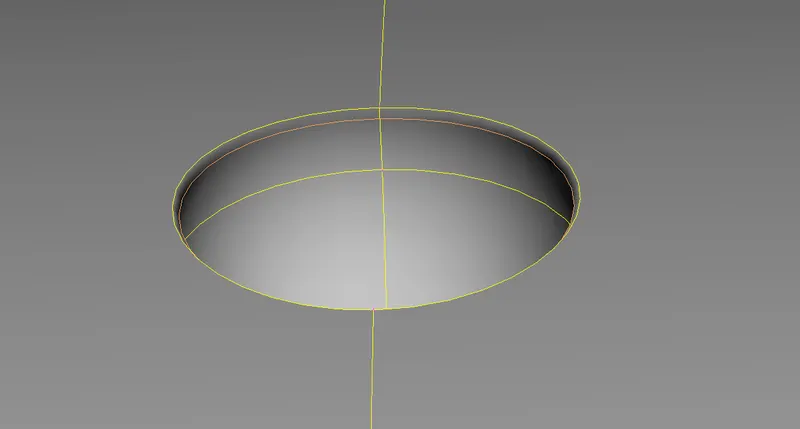
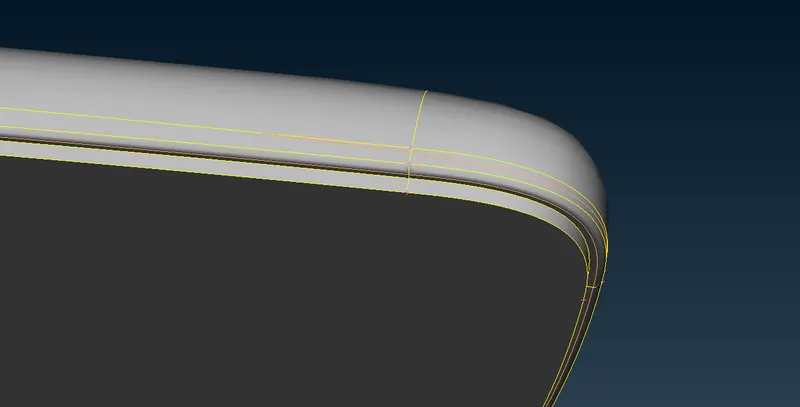
With Topo :
After done topology cleanup for meshing, it will looks like as shown in below two images.
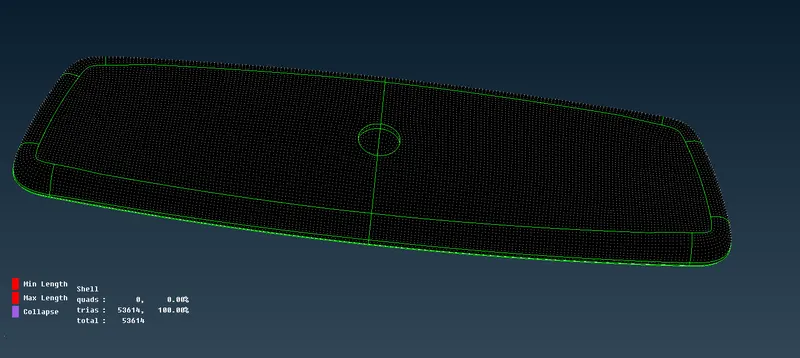
Discritize the Mirror Frame with Quality checking :
After done the topology cleanup whereever it's required, We have to perform meshing operation surface by surface along with make sure checking element qualities.
Generated elements are proper flow on the surface and also there's no elements are failing.
IV) Defining the control Volume :
Before going to create a volume meshing, make sure we have to defining the volume region for which generating the 3d elements on interior of the shell elements..
Make sure, we had to done the 2d shell element properly without any opening. Then only, we has to define the volume.
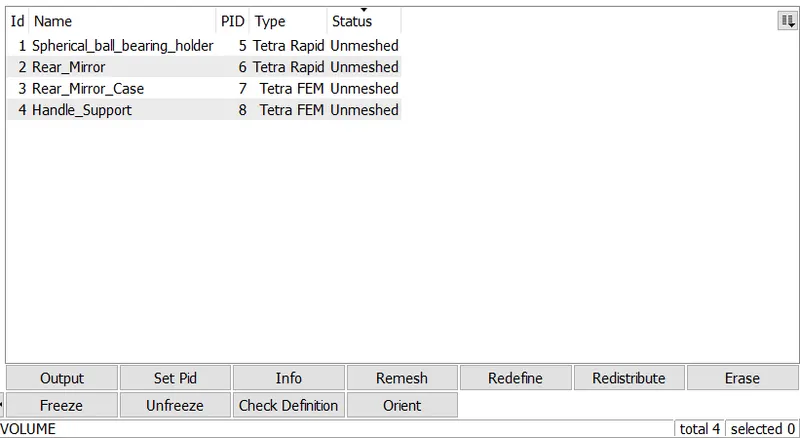
After defining the volume to all parts, it will listed out as shown in below image.
We choose the element type which is Tetra Rapid for first two and choose the element type which is Tetra FEM for remaining two.
In each element type have different algorithms & different growth rate as well for which generate the tetrahedral element at interior of the volume.
V) Performing the Tetrahedral meshing and quality checking :
i) Handle :
By using Tetra FEM method to which generate the tetrahedral element on a Handle interior of the volume.
There's no elements are failing due to tet collapse.
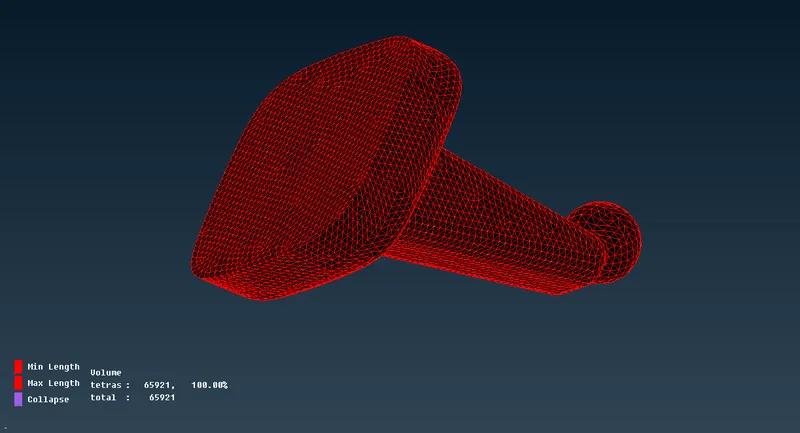
Here below is cross sectional view of this component. It looks like strutured shapes near the surface at few regions and then loss the structured flow due to the growth rate at middle.
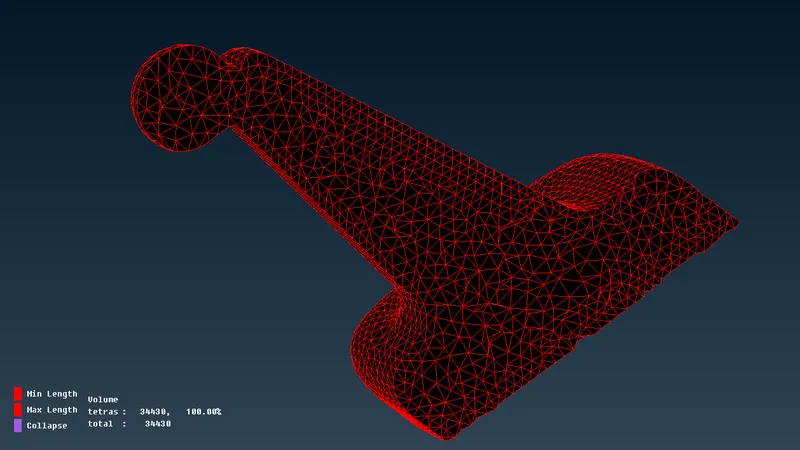
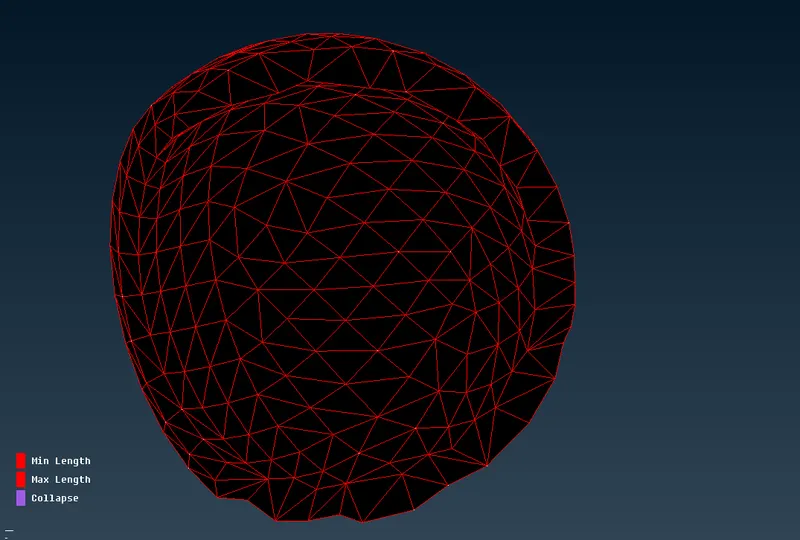
ii) Spherical Bearing :
By using Tetra Rapid method to which generate the tetrahedral element on a Spherical Bearing interior.
There's no elements are failing due to tet collapse.
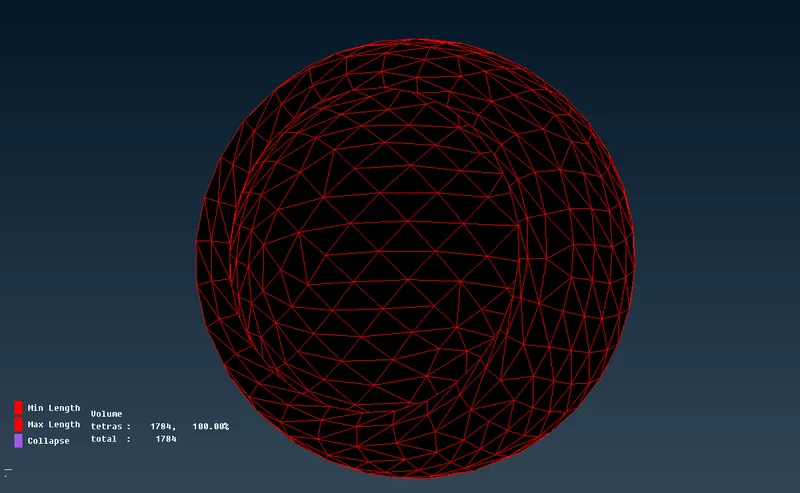
Here below, a cross sectional view of spherical bearing.
iii) Mirror Frame :
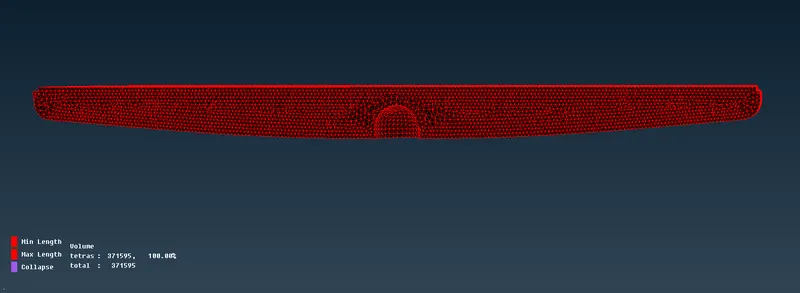
By using Tetra FEM method to which generate the tetrahedral elements on a Mirror Frame interior.
There's no elements are failing due to tet collapse.
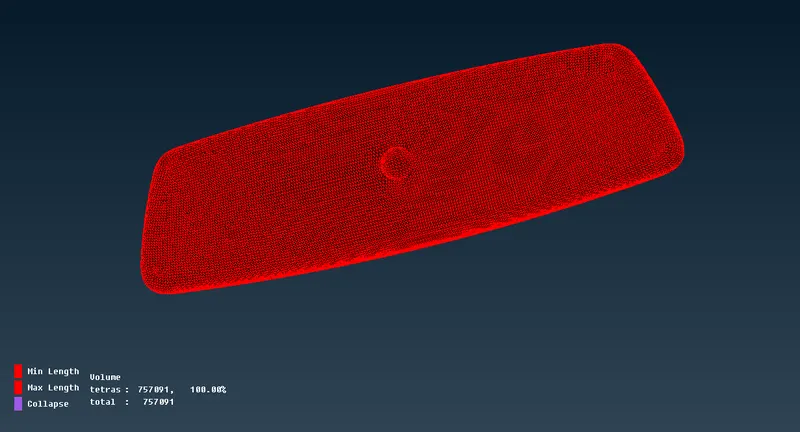
Here below, a cross sectional view of mirror frame.
iv) Mirror :
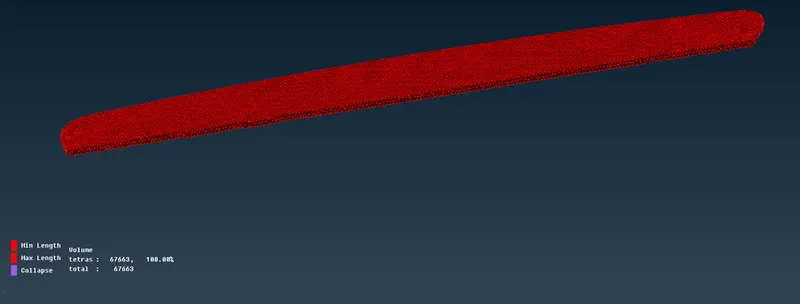
By using Tetra Rapid method to which generate the tetrahedral element on a Rear View Mirror interior.
There's no elements are failing due to tet collapse.
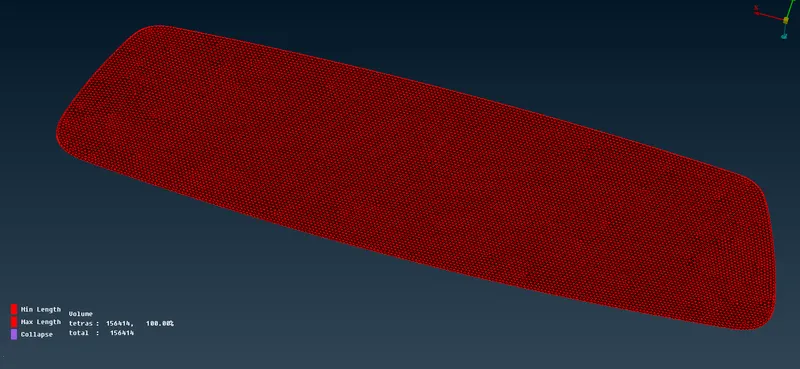
Here below, a cross sectional view of rear view mirror.
CONCLUSION :
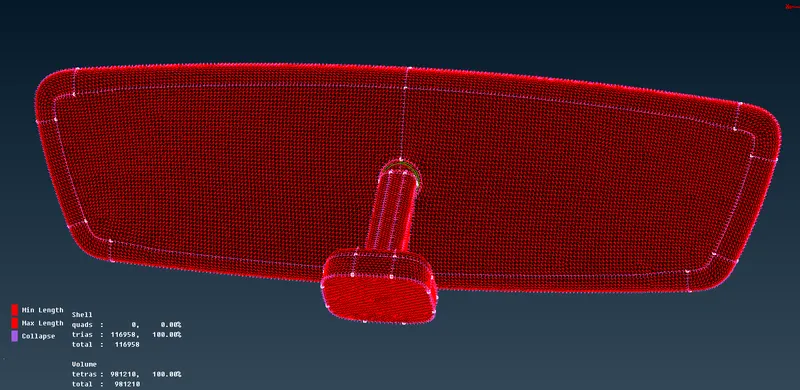
Successfully done the preprocessing operation on a given rear view mirror such as geometry cleanuping, shell meshing by using trias & Ortho trias, Quality checking for 2d meshing, Defining the control volumes, generating the tetrahedral volume meshing with the help of tria shell meshing and then finally quality checking for 3d elements.