Week 5
Aim: Perform Tetra Mesh for Rearview Mirror component
Procedure:
- Geometry model cleanup
- Creating 2D mesh with maintainance of element quality
- Converting 2D Shell Mesh to 3D Tetra Mesh with maintained element quality
Geometry model cleanup:
- Importing CAD model file into ANSA
- Viewing whole model to just get an overview of model and then using perimeter>length and macros to make whole hot points at 1 mm distance inorder to have smoothness of whole model
- Performing TOPO for whole model to convert single CON to double CON.
- Now, view each part of model individually and perform Geometry check in Checks panel to see error and try to overcome those errors. Recheck Geometry checks again until all the errors are overcome.
- Make sure to use Orient option so that all the faces have same grey or yellow color.
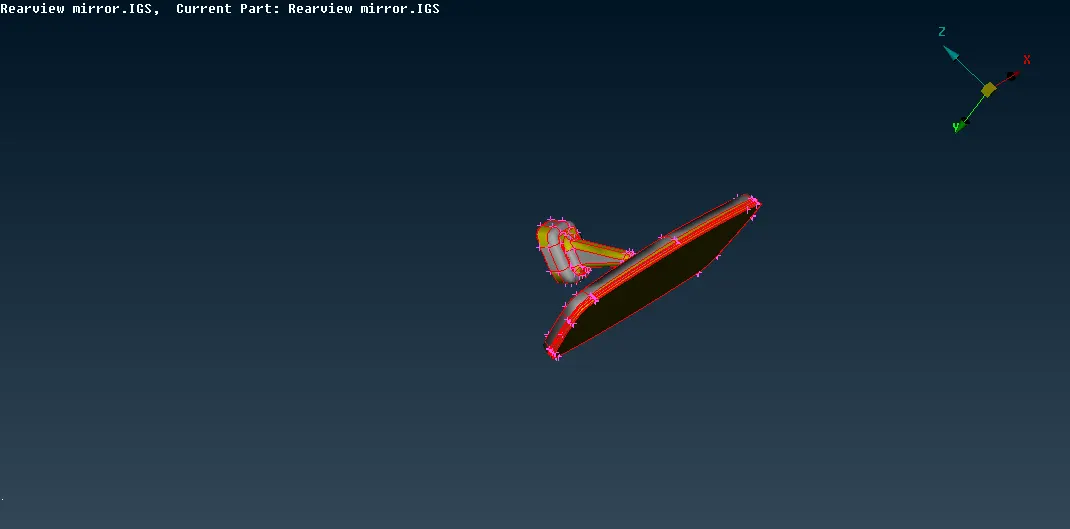
Image of Imported CAD model
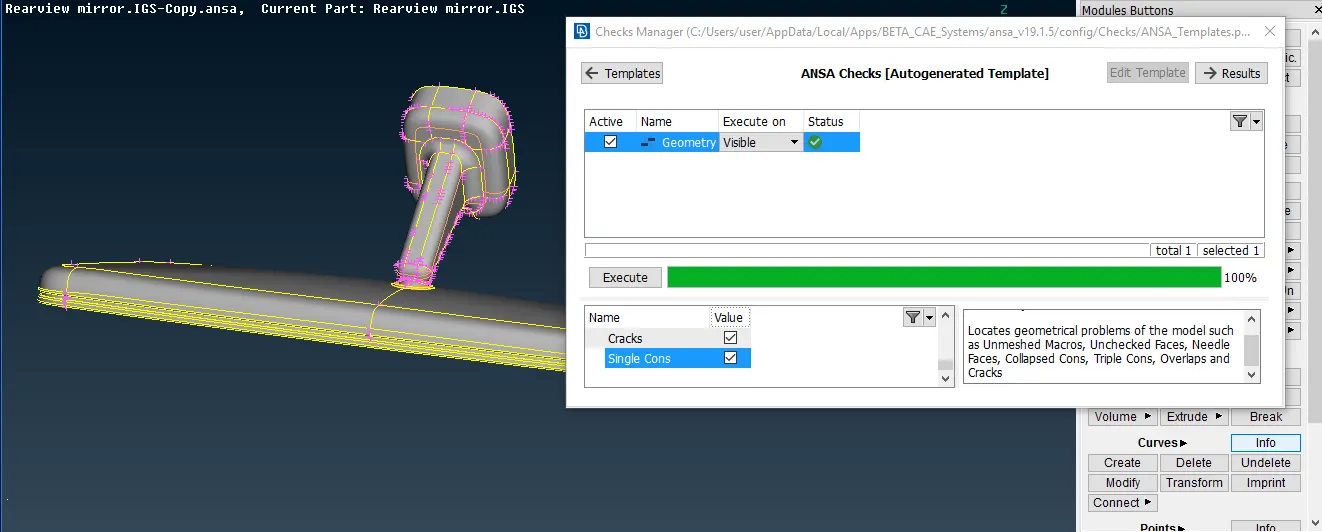
Image of Geometry error free CAD model
Creation of 2D shell mesh with maintainance of element quality :
- After performing CAD cleanup of model , 2D shell mesh is created.
- In order to form Tetra element we need to create 2D shell with TRIA and ORTHO TRIA only.
- For curve surfaces , holes , curved fillets etc ORTHO TRIA is used as it gives best results for such surfaces whereas for plane or straight surfaces it is recommended to use TRIA as it gives good result.
- 2D mesh is perfomed by visualising each part individually so that it can be performed accurately.
- Element quality parameters provided as:
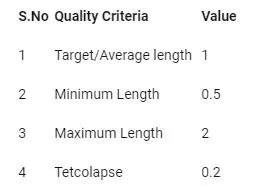
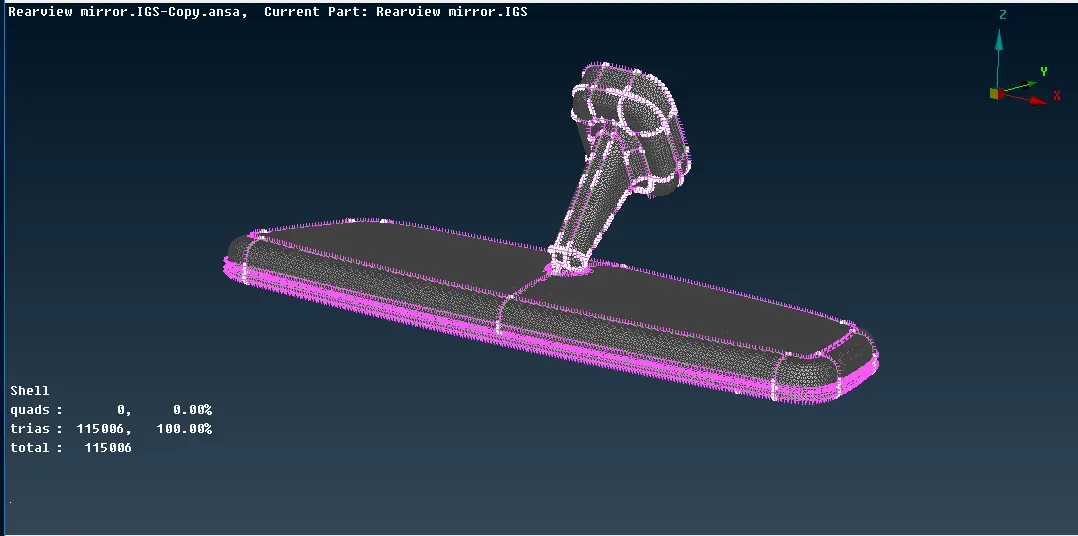
Image of 2D shell mesh with TRIA and Ortho TRIA created on Rearview Mirror
Converting 2D Shell Mesh to 3D Tetra Mesh with maintained element quality:
- After creating quaity 2D shell mesh on model , it is converted to form 3D Tetra mesh.
- Generally two types of Tetra are used : 1. Tetra Rapid 2. Tetra FEM. In this model , Tetra FEM is used.
- In order to create Solid Tetra mesh , first Solid PID is created for each part . In volume TAB , SOLID is defined by assigning Solid PID to part . Then we go to list where we will Remesh the part with TETRA FEM.
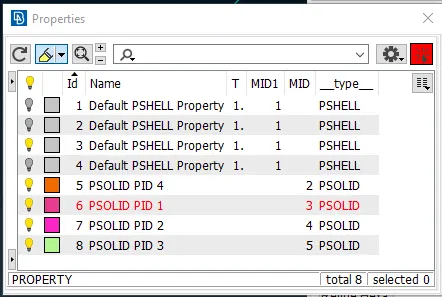
Image of SOLID PID created for each part
- After creation of Solid Tetra mesh , make sure to check for Tet collapse element quality and overcome those OFF. Move, Fix quality etc can be use to overcome Tet collapse quality.
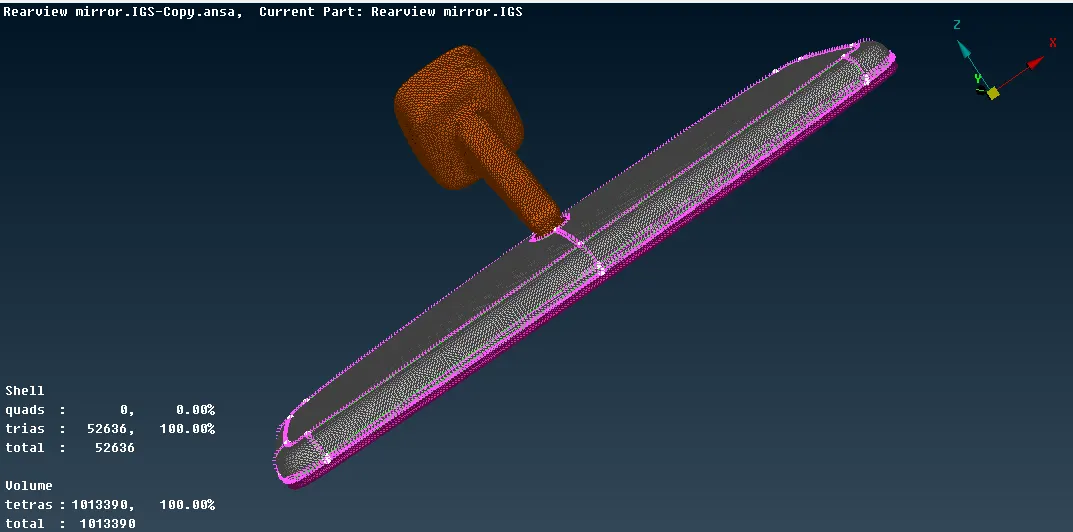
Image of Solid Tetra Mesh with error free quality created on model
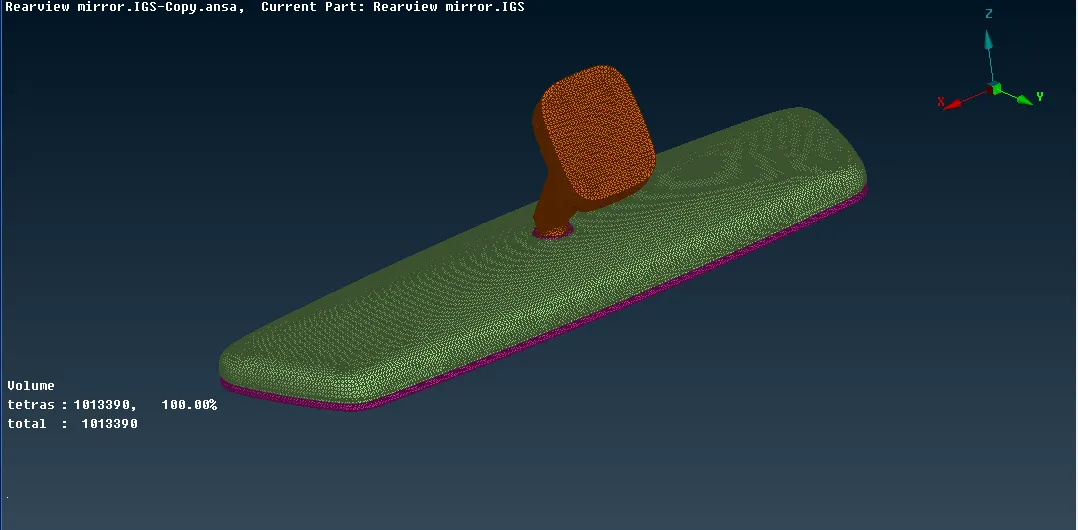
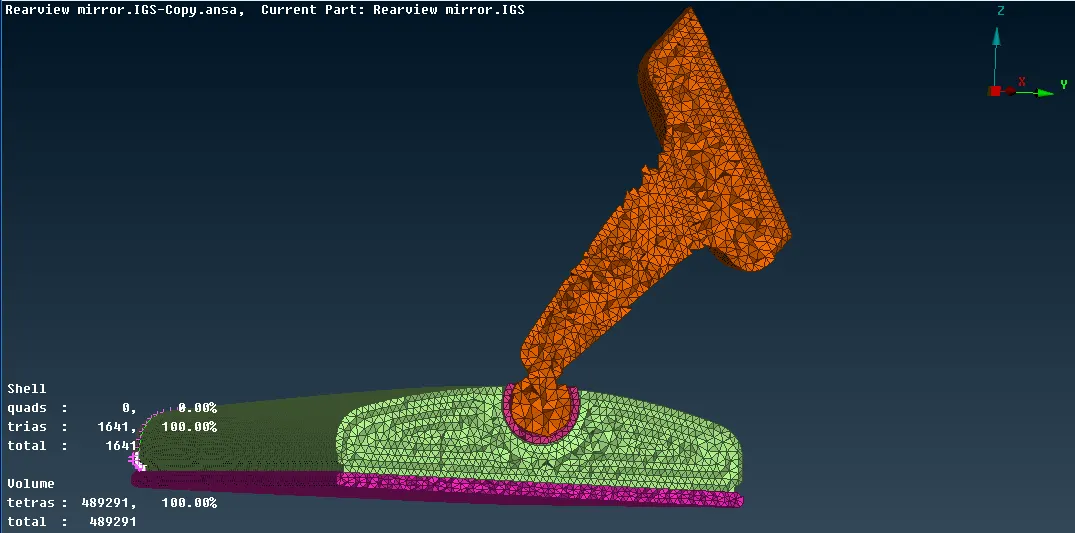
Image of Cut section to show Solid Tetra mesh created on Model
Learning Outcomes:
- Got knowledge of how to do proper geometry cleanup of imported CAD model and make proper orientation of model
- Got knowledge of when and where to use Ortho TRIA and TRIA
- Got knowledge of how to created SOLID TETRA mesh
- Got knowledge in peforming and maintaining good element quality for 2D shell and 3D solid elements
Conclusion:
Successfully performed Tetra Meshing of Rearview Mirror component by maintaining Element parameter quality.