Week - 4 - crash box simulation
Crash Box Simulation,
Objectives;
This Challenge is to simulate the crash test for crash box analysis with different shell thicknesses(1.2 / 1.5) and compare those parameters.
Different assumption and information required,
1. Create Rigidwall using Rigidwall_Keyword.
2. Assign the steel material for the crash box.
3. Initial velocity fro the crash box should be around the 50kmph.
4. unit of the system is gm-mm-ms.
5. Increasing the thickness from 1.2 to 1.5.
Compare the Different parameter as follows as,
1. Cross-sectional force generated in the middle of the crash box.
2. Acceleration plot of a node in the middle of the crash box.
3. Maximum directional stress and strain along the length of the crash box.
4. Plot of all energies (total, internal, kinetic, hourglass, sliding).
5. Compare the accelerations and stress/strain plots of 1.2/1.5mm crash boxes.
Procedure;
Material Creation,
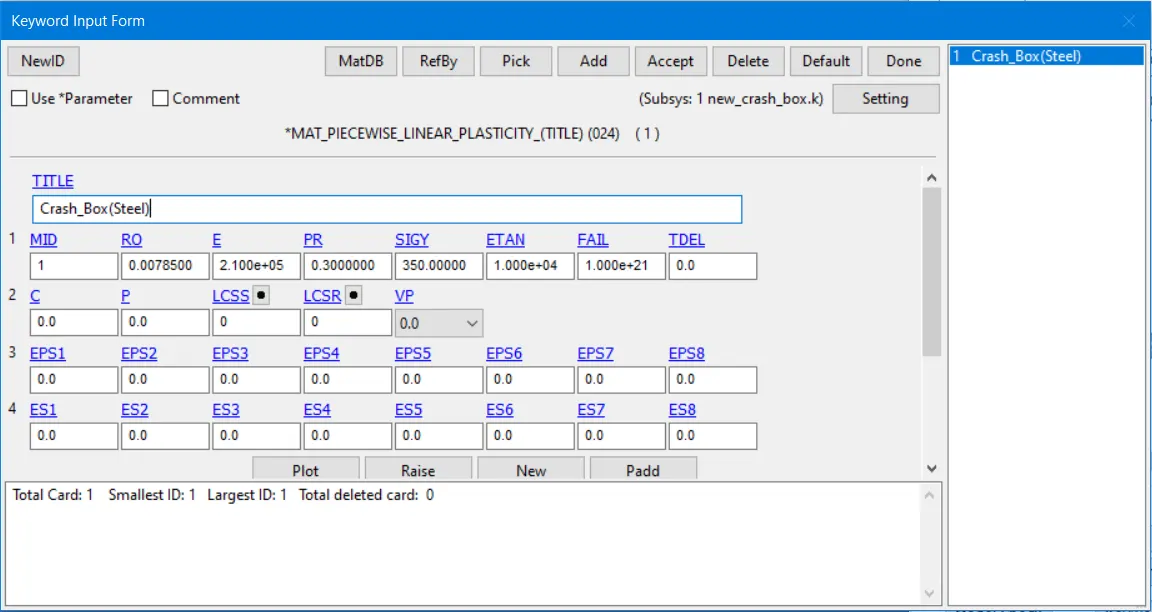
1. As mentioned above the material steel to the crash box and assign parameters,
Density= 7.85e-3 g/mm3 ; young modulus = 2.1e5 ; Poission's ratio = 0.3
Yield Strength = 350MPa
2. MAT_024_Piecewise_Linear_Plasticity has taken to assign the mentioned parameter on the tables.
Section Creation;
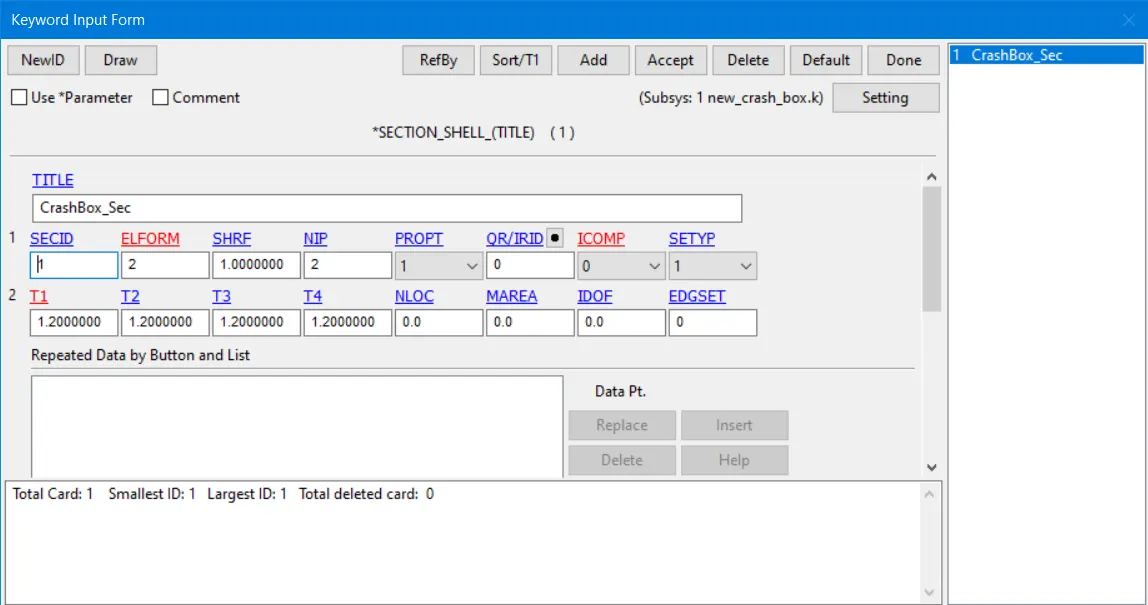
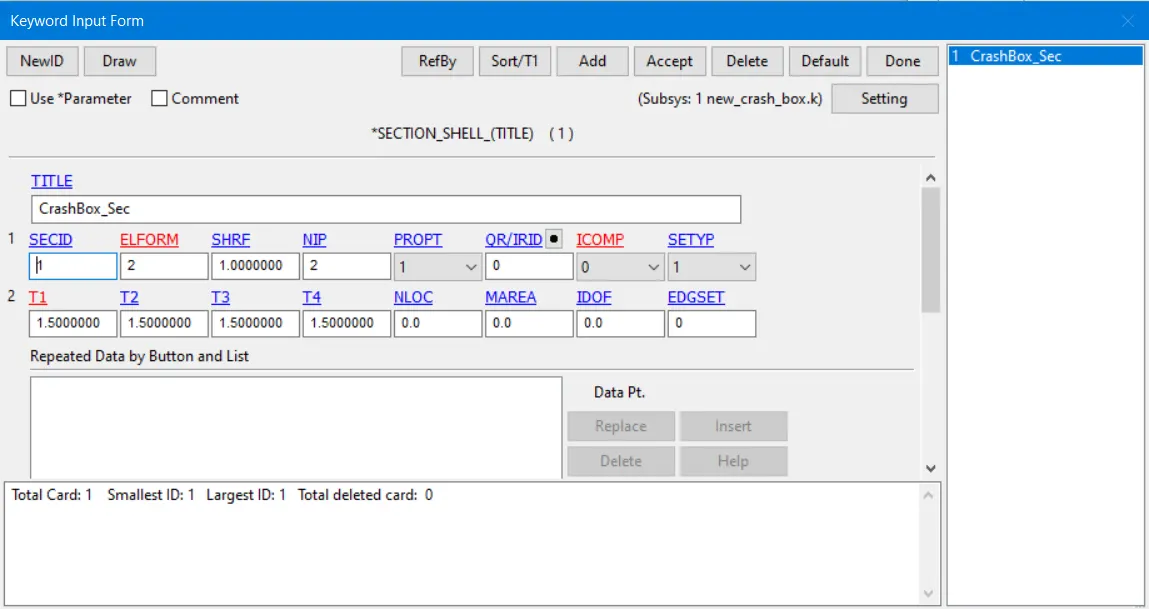
1. Two models were created different thickness like 1.2 and 1.5. But it's assigned on the same Section ID.
Part Creation;
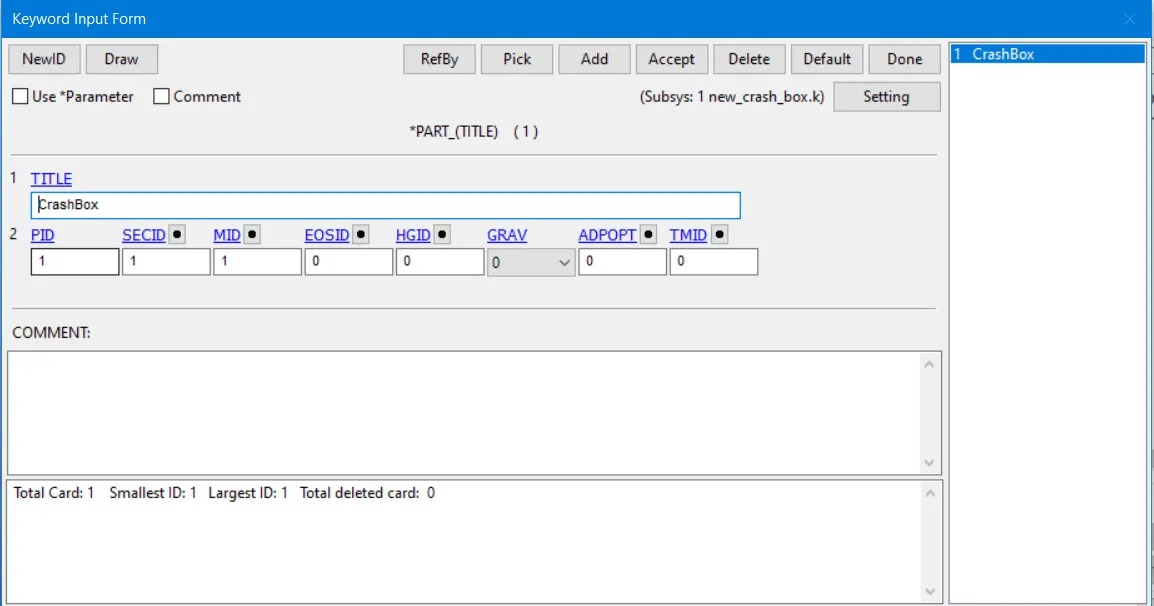
1. That material keyword and section keyword have to be assigned on the Part keyword.
Rigid wall Creation,
1. Rigid wall has to be created on, where the crash box demolish. The rigid wall was positioned 10mm away from the crash box.
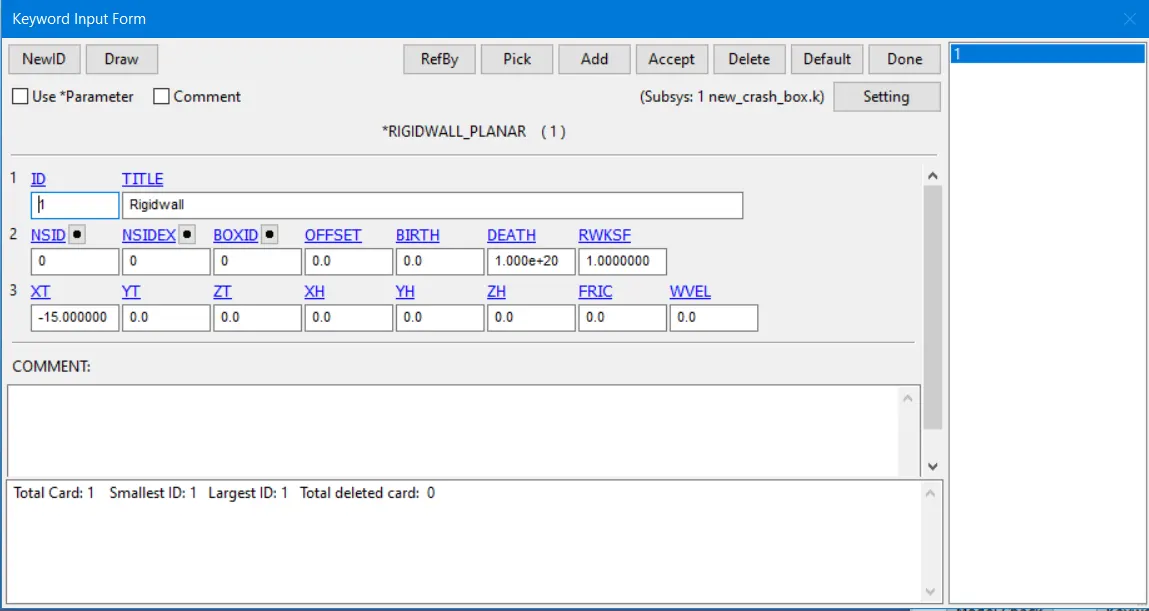
Initial Velocity,
The initial velocity of 13.888 mm/ms created at the x-axis in a negative direction.
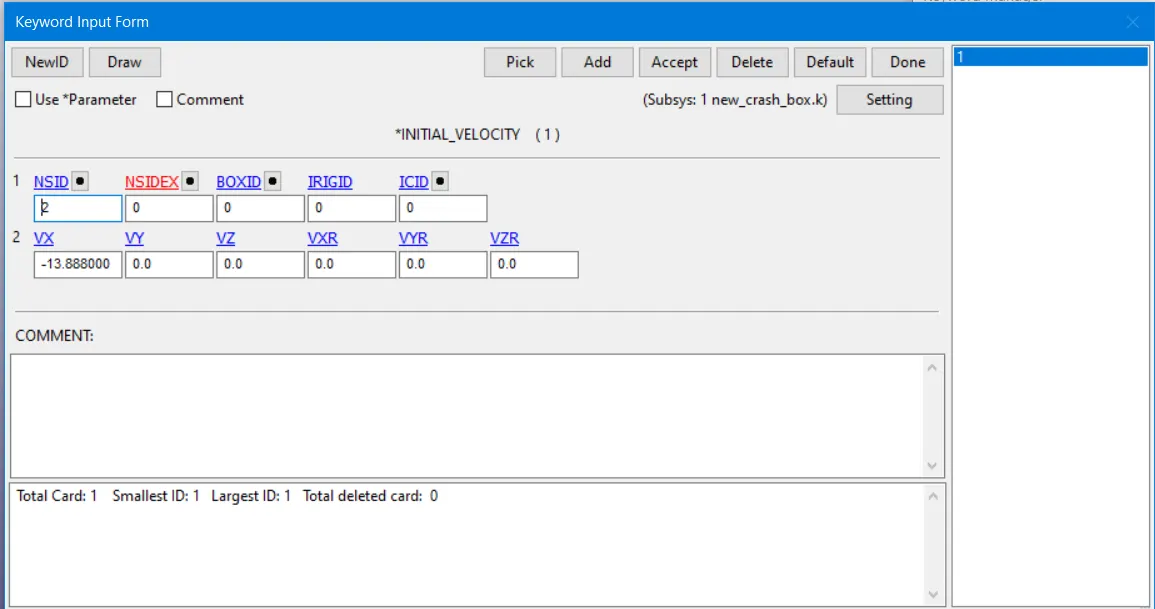
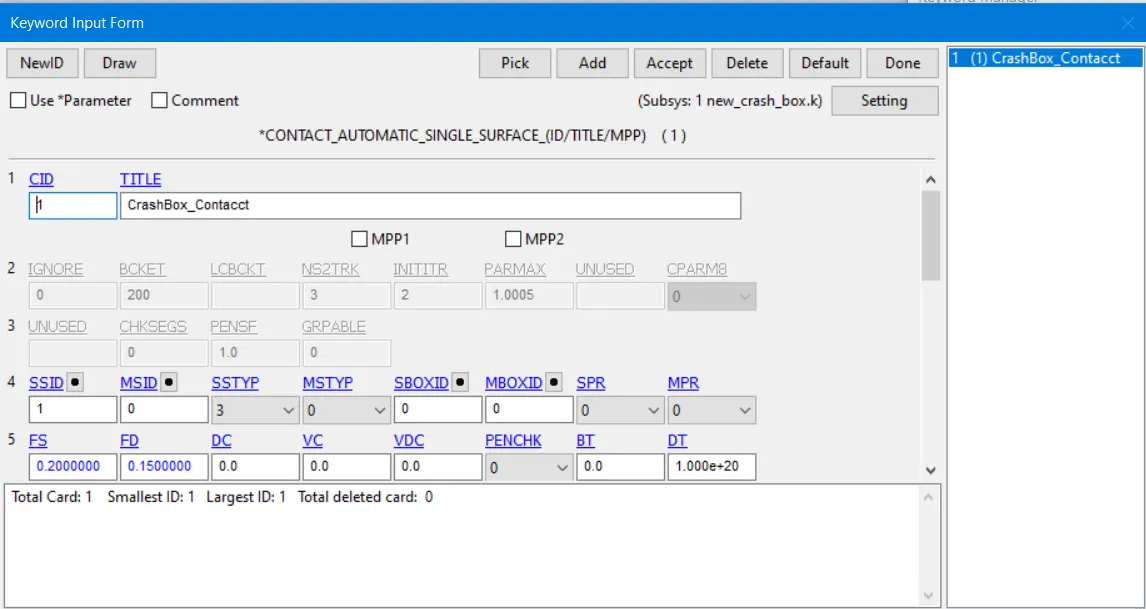
Contact Creation,
1. Contact_Automatic_Single_Surface has to be created between a rigid wall and a crash box. This conduct helpful to crash the box into the rigid wall the box buckles and contact itself.
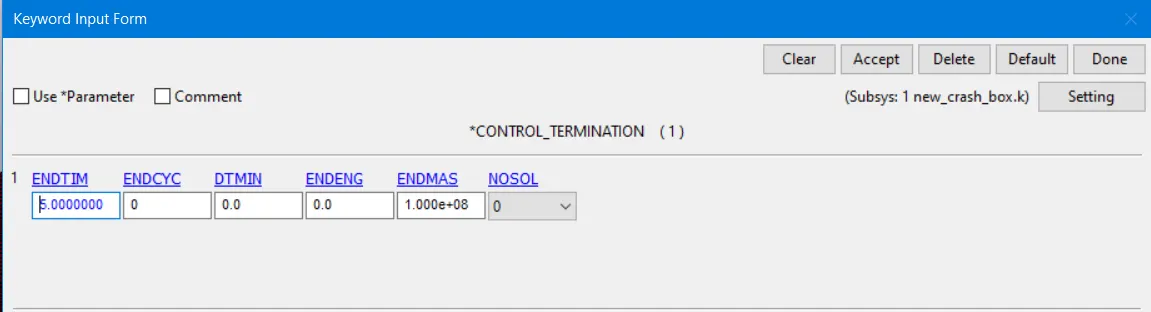
Control,
It's necessary to create the Control_Termination is the end of the time of simulation and Control_Energy initiates the hourglass and sliding energy.
Database,
Cross-section creation,
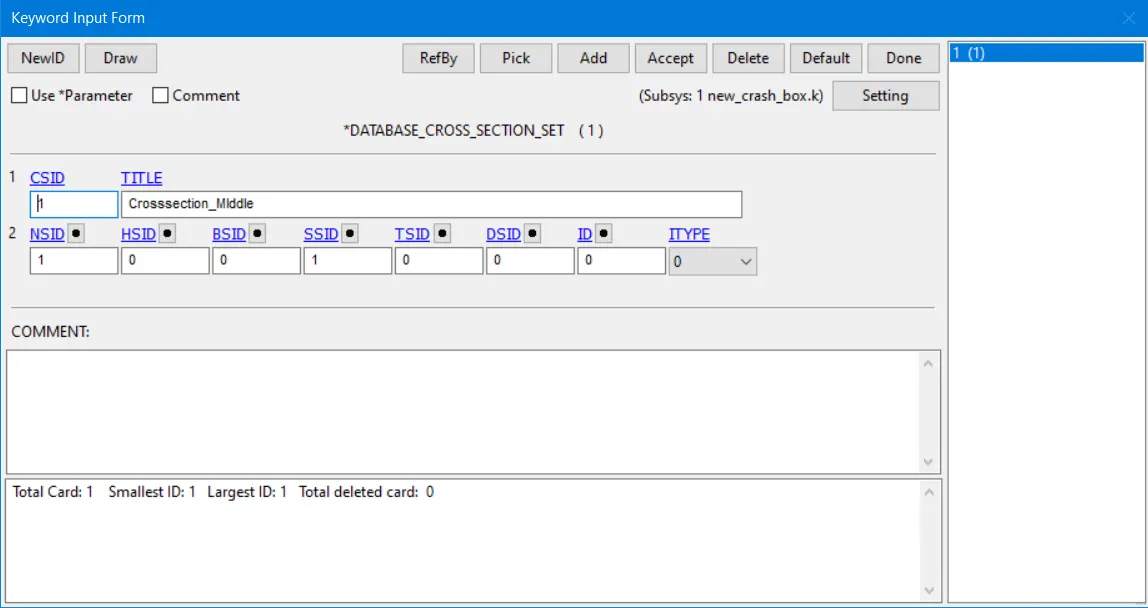
This is required for how much of the cross-sectional force acting in the middle of the cross-section and Database_Cross_Section_set has to be created. And set of nodes and set of elements also assigned with them.
Binary D3plot and ASCII option,
1. In the d3plot to be assigned the time interval between the outputs is 0.1
2. ELOUT, MATSUM, GLSTAT, RCFORC, RWFORC, SWFORC, NOD OUT this required option assigned into the ASCII option.
Results,
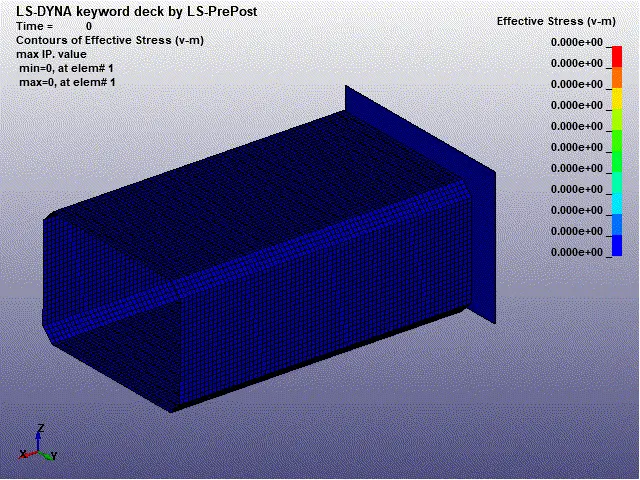
Simulation of the crash box for1.2mm thickness of the shell,
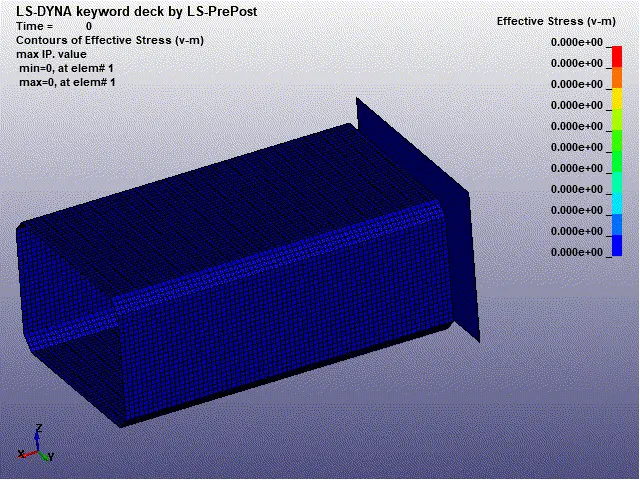
Simulation of the crash box for 1.5mm thickness of the shell,
Cross-sectional Force generated in the middle of the crash box,
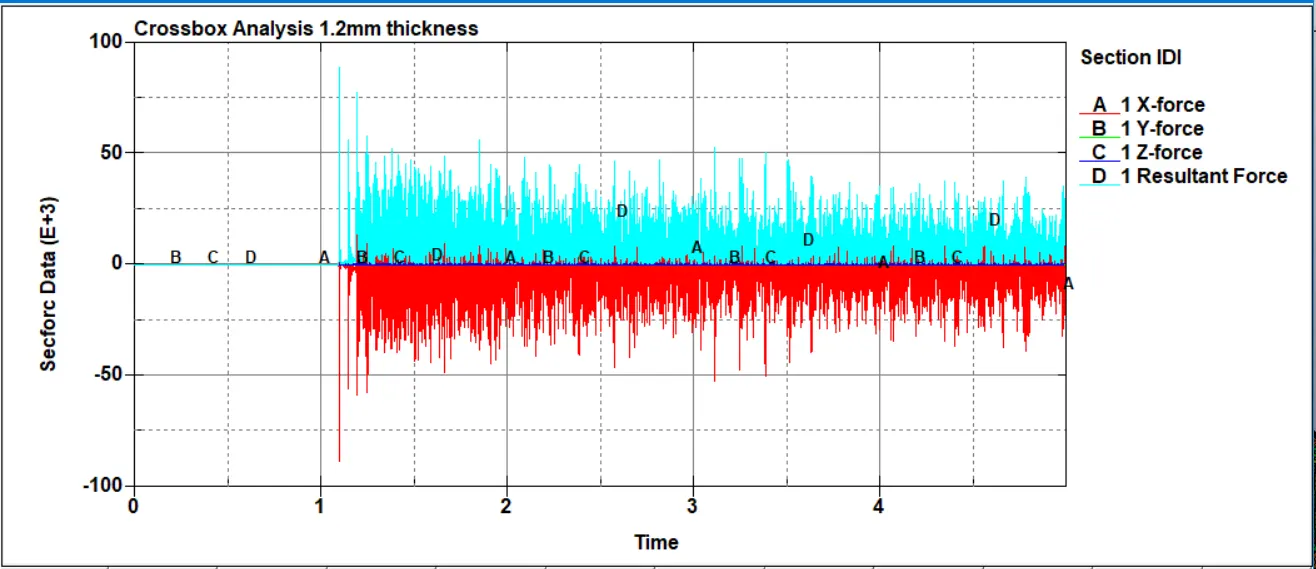
The cross-sectional force generated in the middle of the crash box in 1.2mm Shell thickness,
The cross-sectional force generated in the middle of the crash box in 1.5mm Shell thickness,
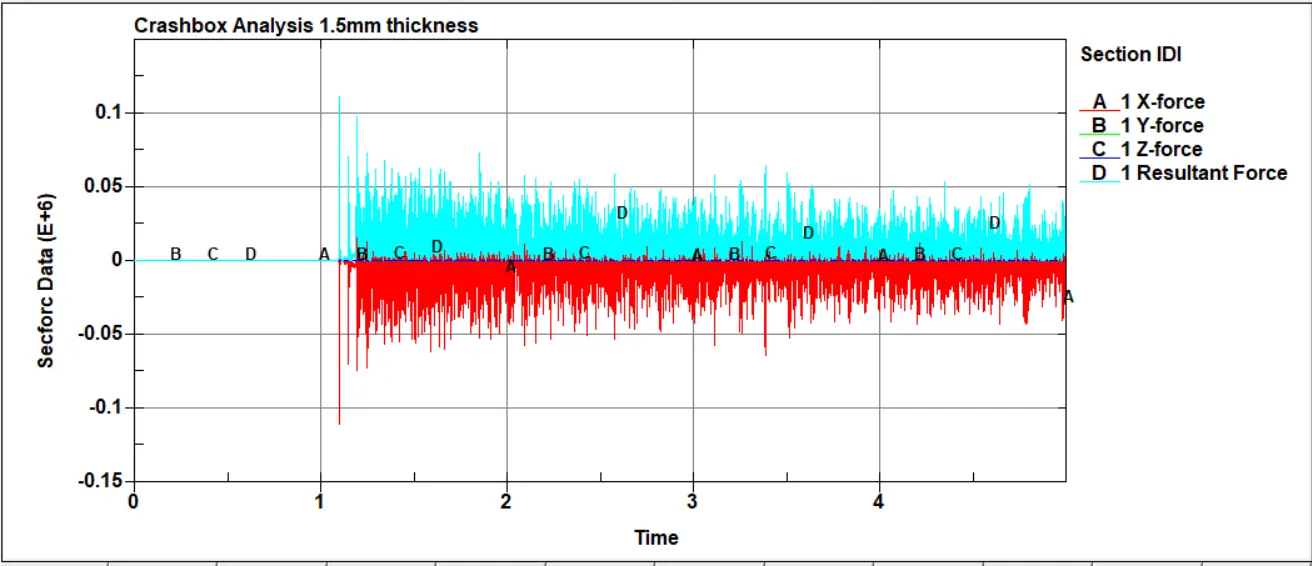
The resultant force for 1.5mm thickness at the crash box impact on the rigid wall 11KN and 4KN created at the end of the last frame.
The resultant force for 1.2mm thickness at the crash box impact on the rigid wall 8.9e4N and 3.6e4N created at the end of the last frame.
Acceleration of a node in the middle of the crash box,
The acceleration force generated in the middle of the crash box in 1.2mm Shell thickness,
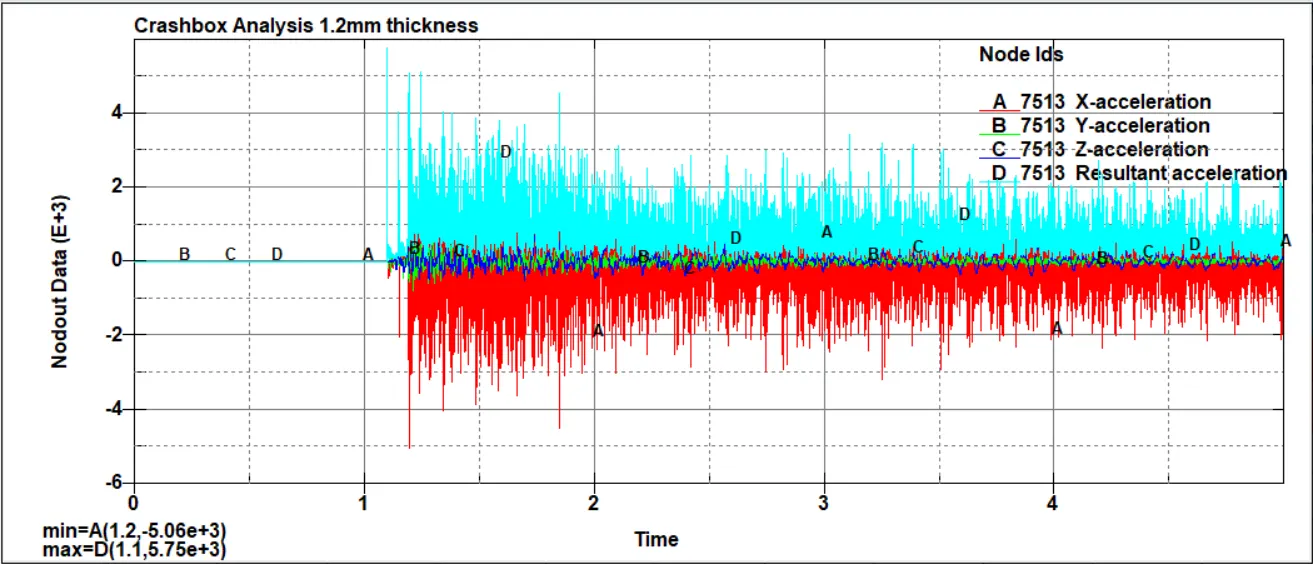
The acceleration force generated in the middle of the crash box in 1.5mm Shell thickness,
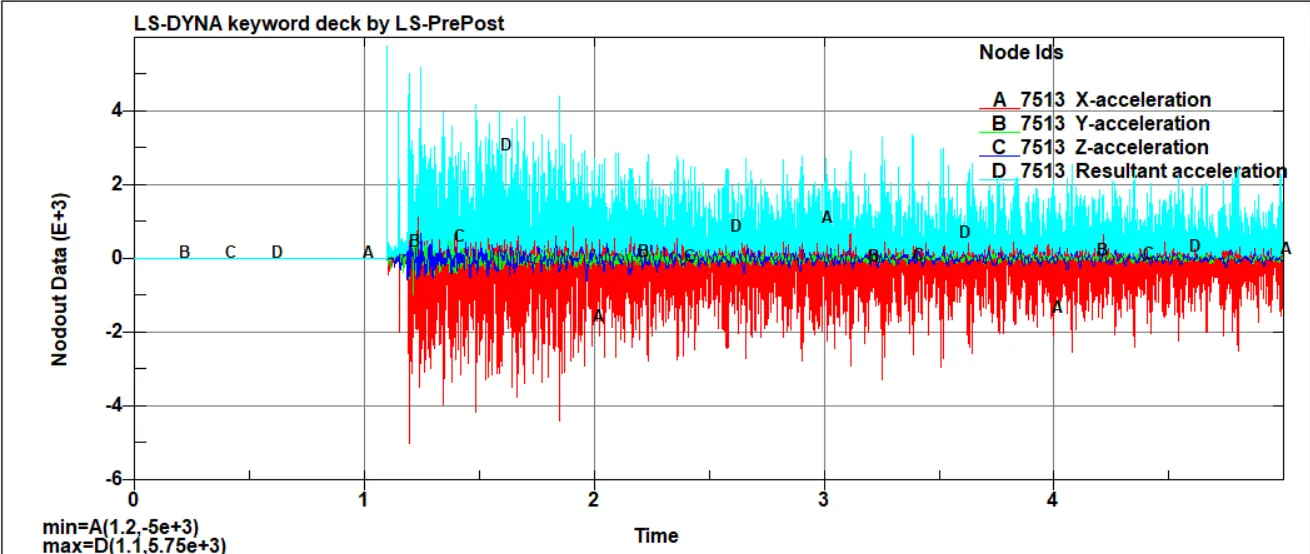
The acceleration of the node 7513 for 1.5mm thickness at the crash box impact on the rigid wall 5.75e3 mm/s2 and 2.2e3 created at the end of the last frame.
The acceleration of the 7513 for 1.2mm thickness at the crash box impact on the rigid wall 5.75e3 mm/s2 and 2.12e3 created at the end of the last frame.
Directional Stress,
Stress along the x-axis,
Crashbox analysis in 1.2mm thickness,
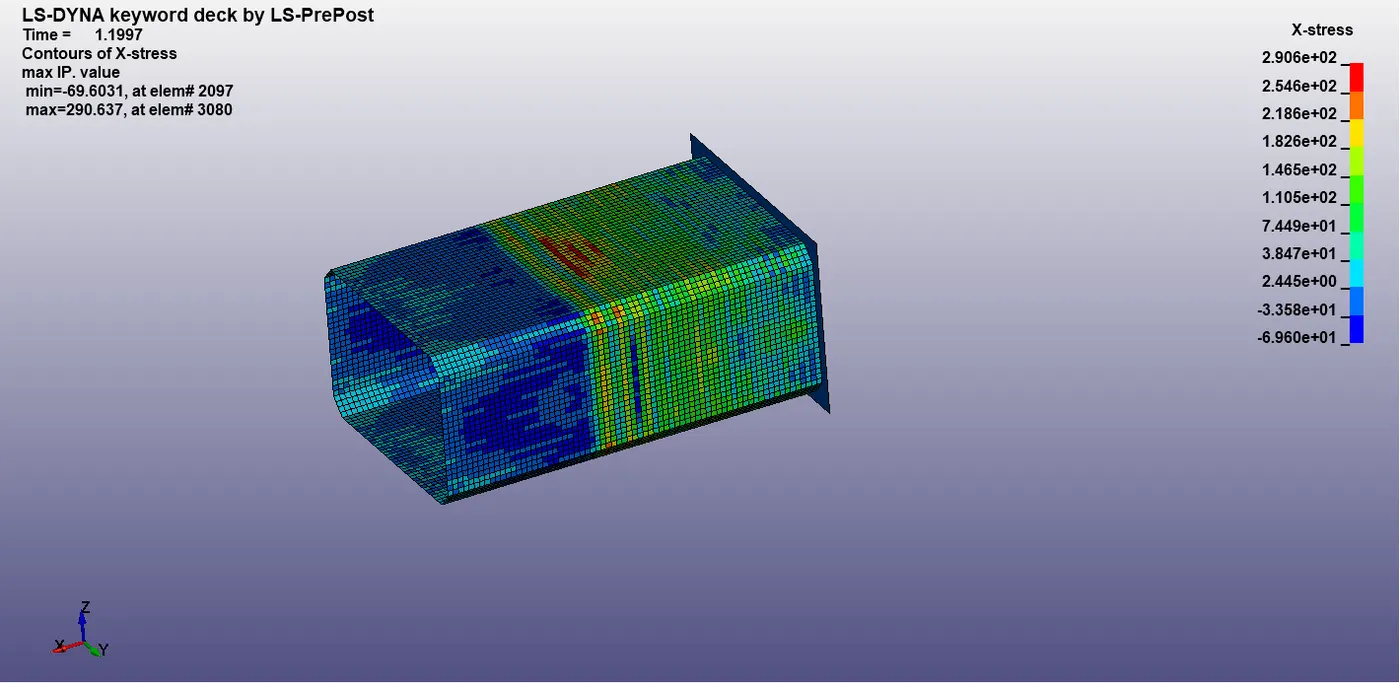
Crashbox analysis in 1.5mm thickness,
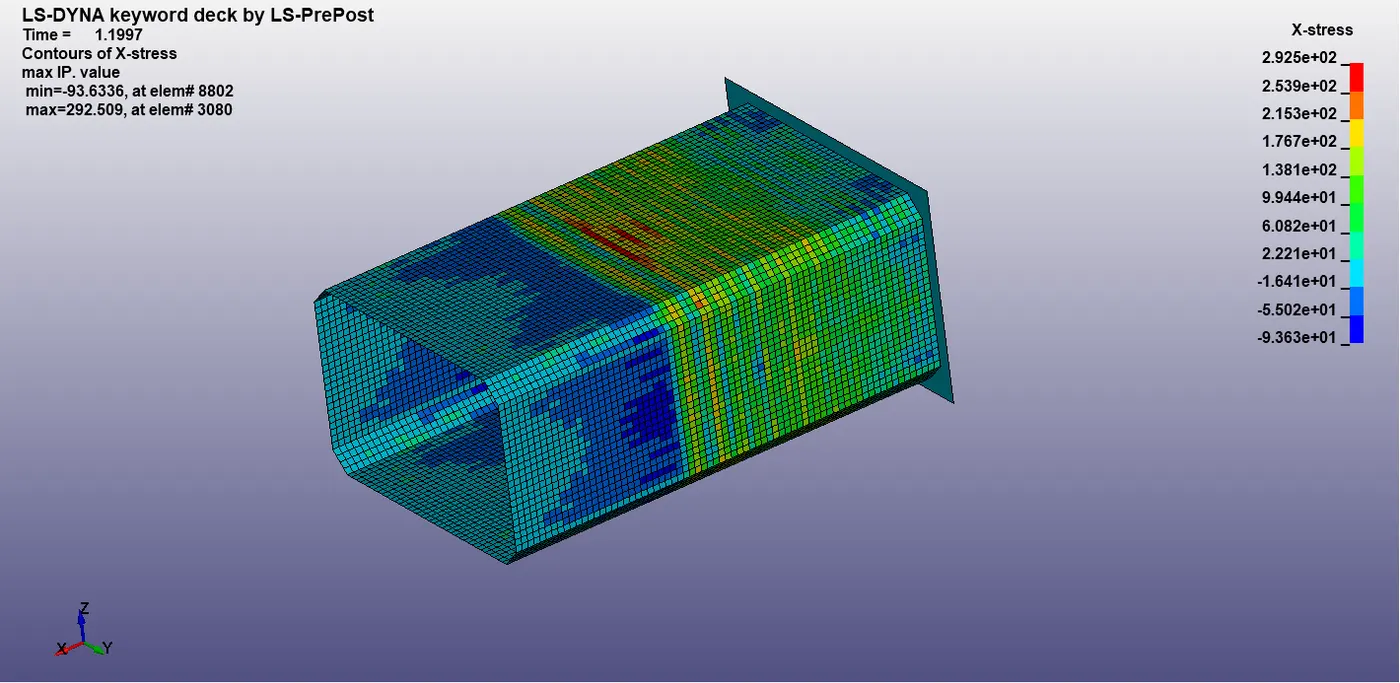
In directional stresses along the x-axis for 1.2mm and 1.5mm shell thickness is 2.906e2 and 2.925e2 MPa respectively.
Stress along the Y-axis,
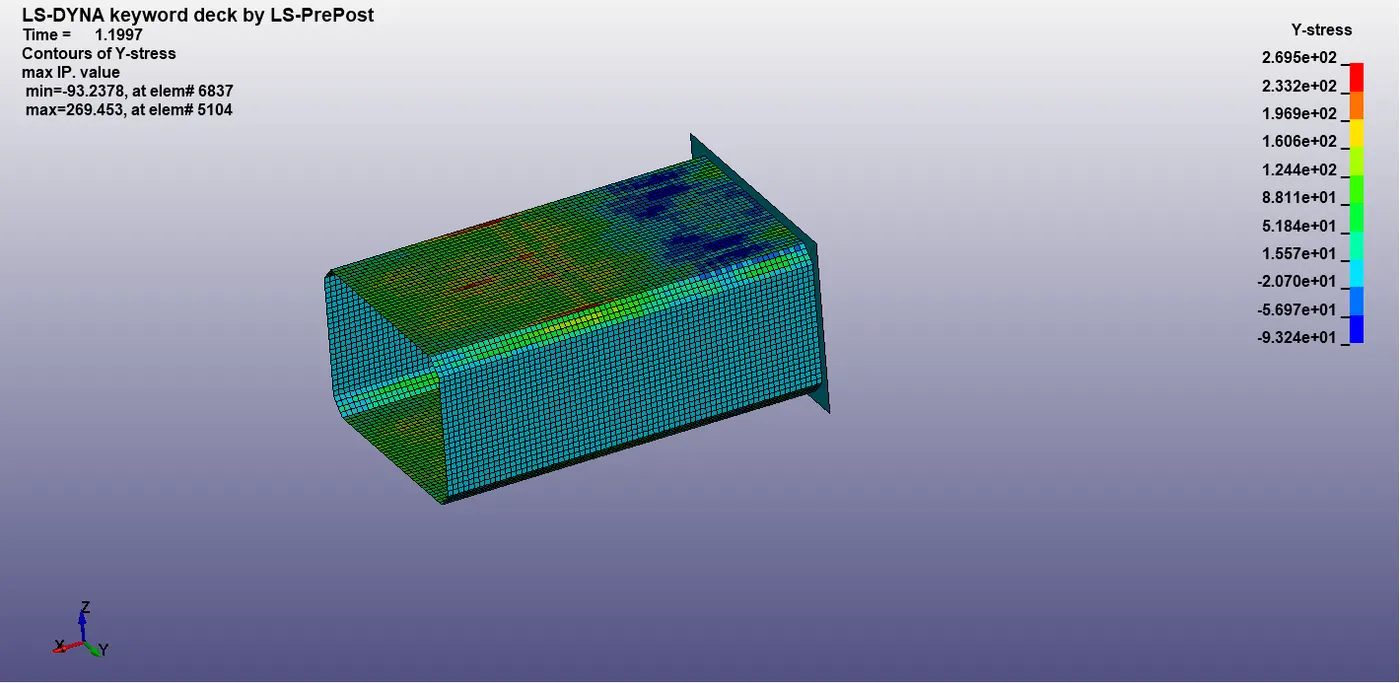
Crashbox analysis in 1.2mm thickness,
Crashbox analysis in 1.5mm thickness,
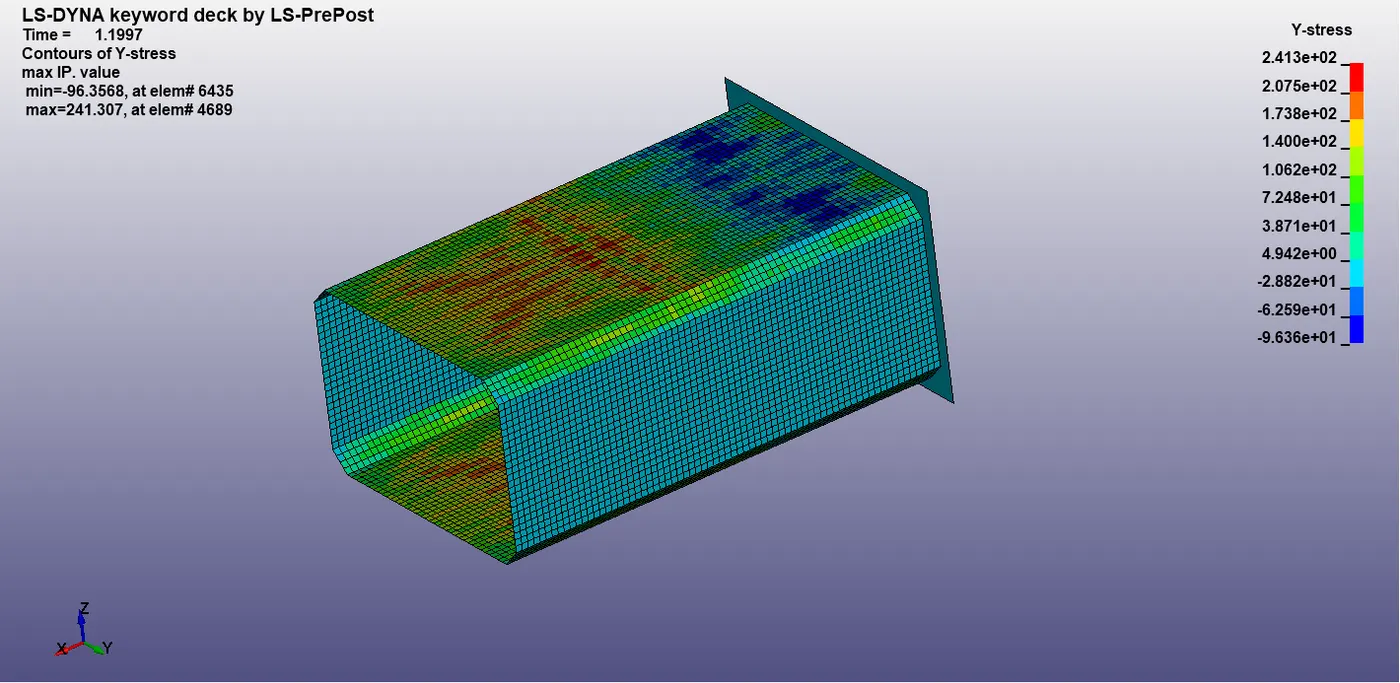
In directional stresses along the y-axis for 1.2mm and 1.5mm shell thickness is 2.695e2 and 2.413e2 MPa respectively.
Strain,
Strain along the x-axis,
Crashbox analysis in 1.2mm thickness,
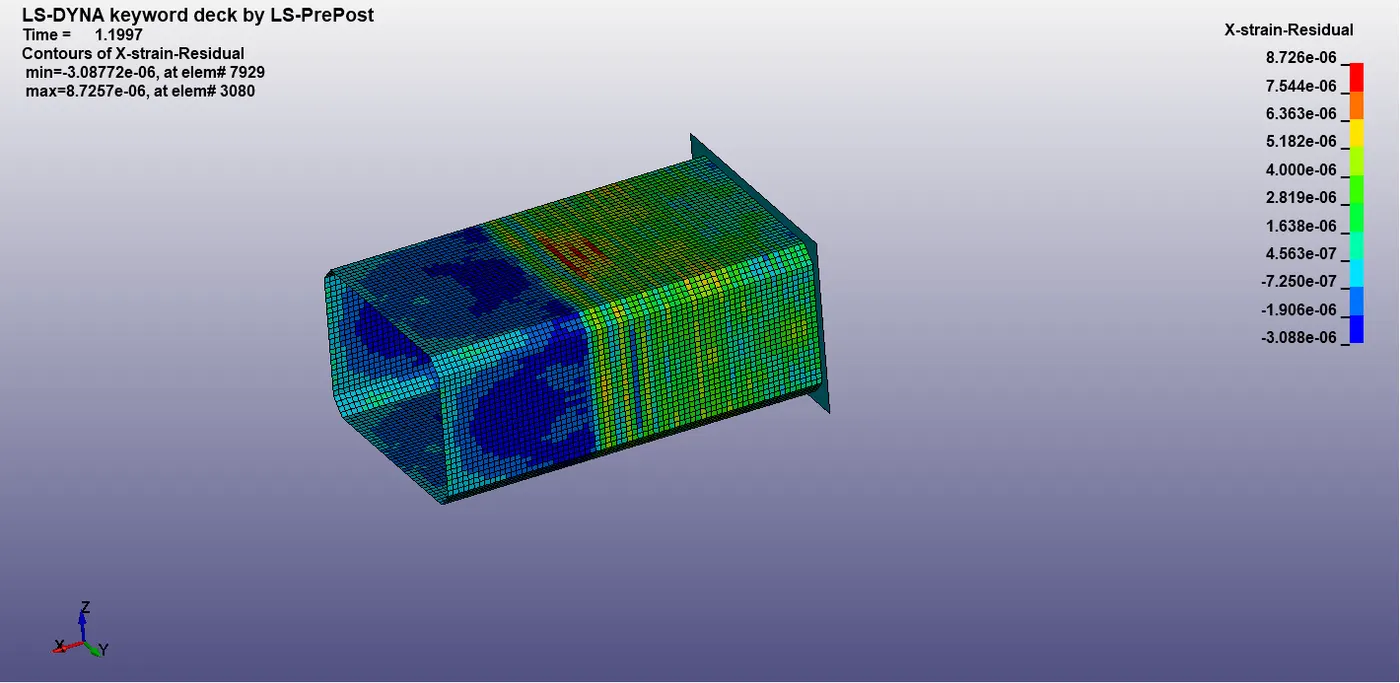
Crashbox analysis in 1.5mm thickness,
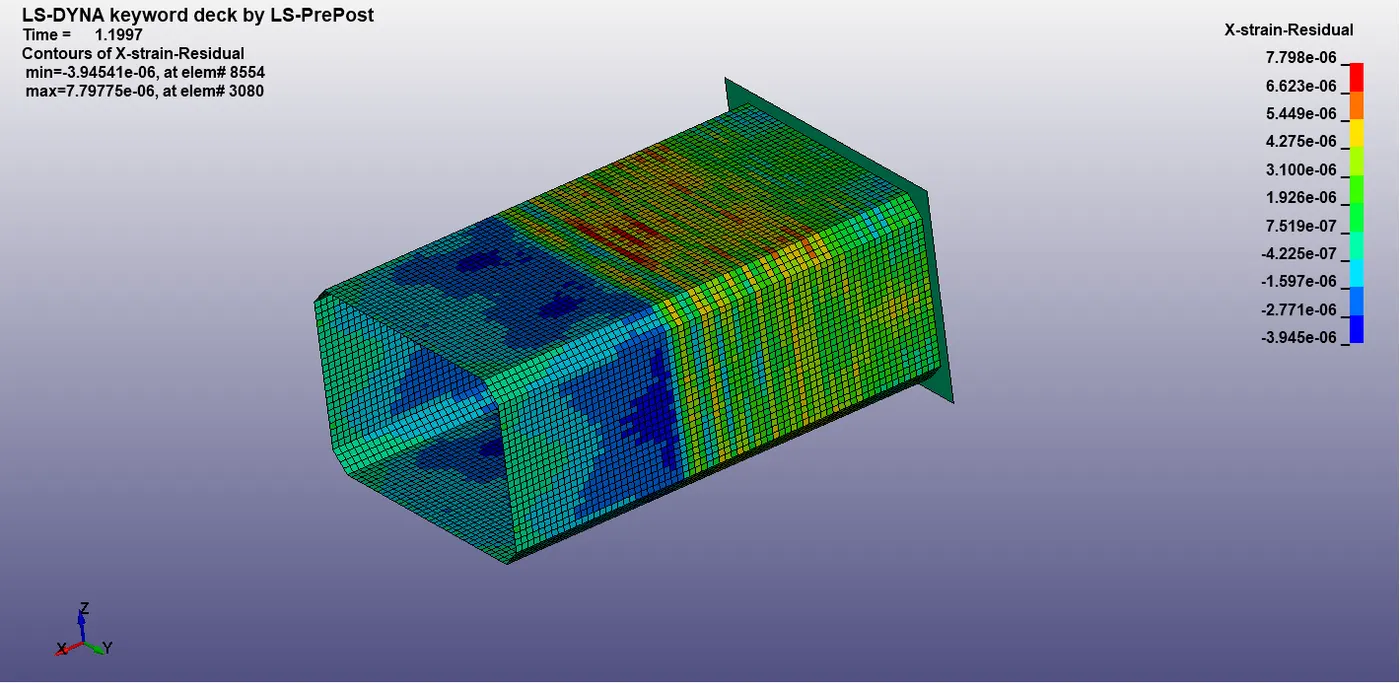
In directional strain along the x-axis for 1.2mm and 1.5mm shell thickness is 8.72e-06 and 7.798e-06 MPa respectively.
Strain along the Y-axis,
Crashbox analysis in 1.2mm thickness,
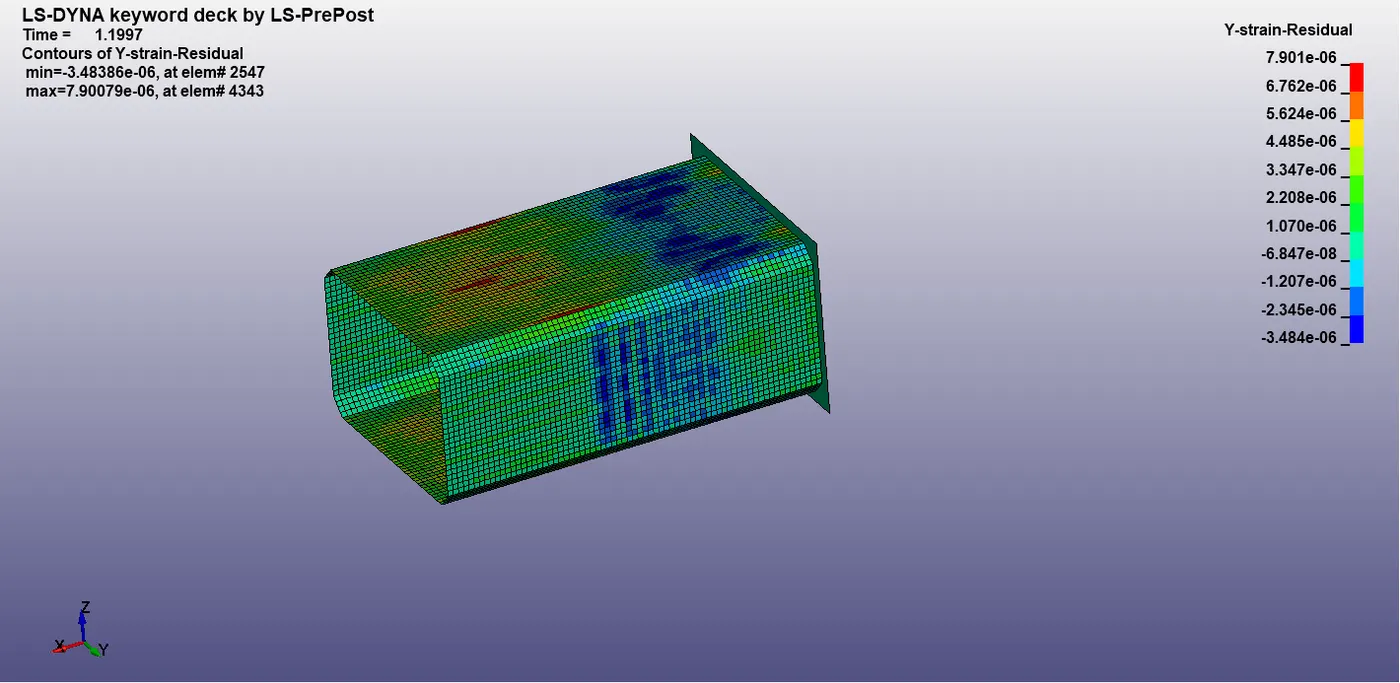
Crashbox analysis in 1.5mm thickness,
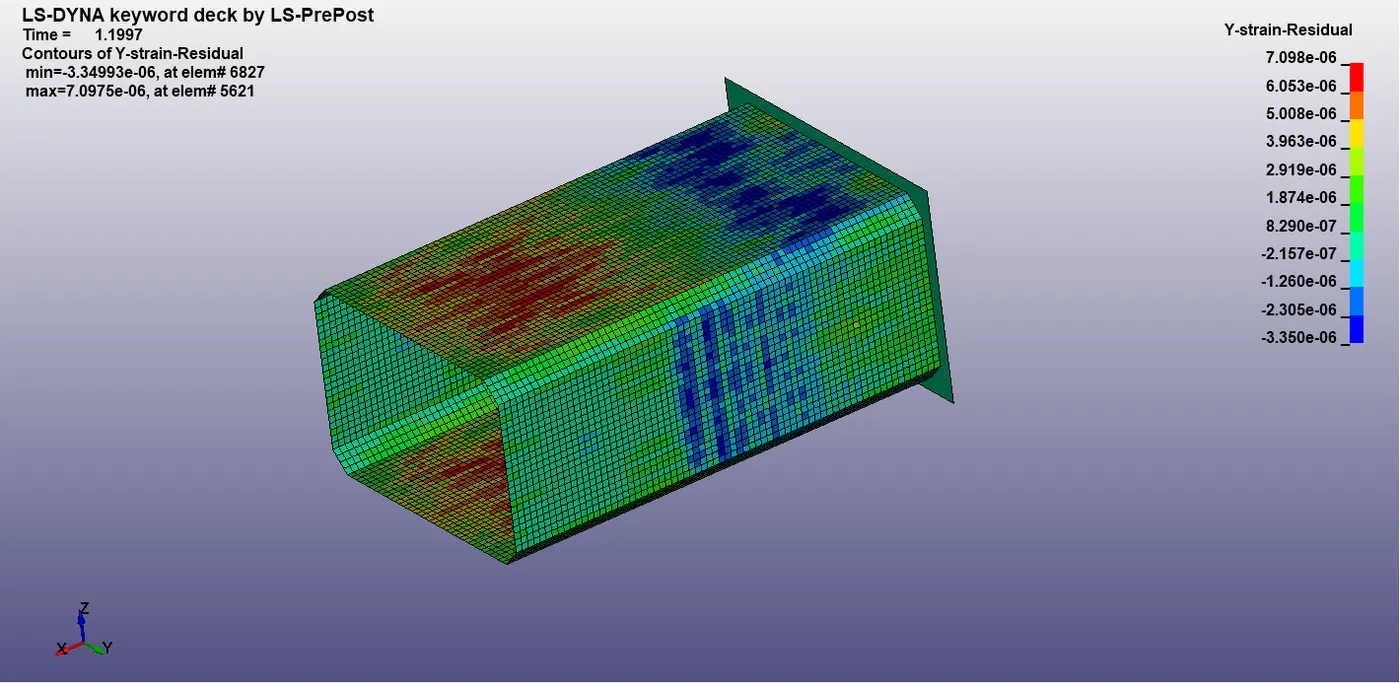
In directional strain along the y-axis for 1.2mm and 1.5mm shell thickness is 7.901e-06 and 7.098e-06 MPa respectively.
Energy Plot,
Energy plots for 1.2mm shell thickness,
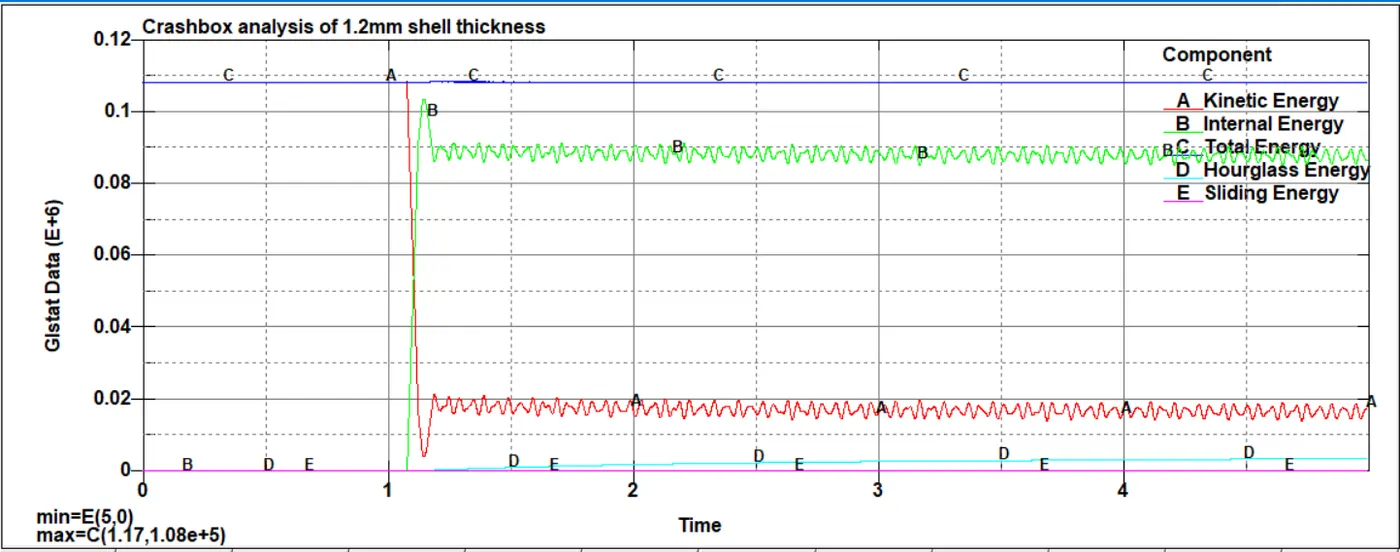
During the Impact Final value due to the impact
Kinematic energy = 2.02e4 J 1.41 e4 J
Internal Energy = 1.01e5 J 8.78 e4 J
Total Energy = 1.08e5 J 1.08e5 J
Hourglass Energy = 346 J 3.28 e3 J
Sliding Energy = 0 0
Energy plots for 1.5mm shell thickness,
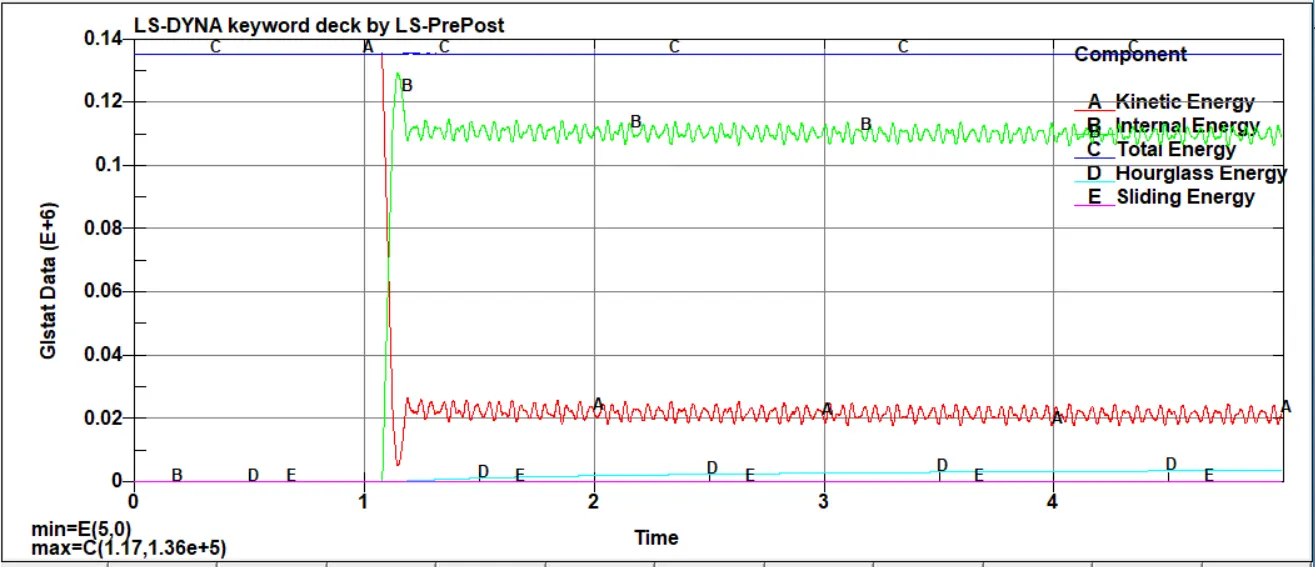
During the Impact Final value due to the impact
Kinematic energy = 2.66e4 J 2.28 e4 J
Internal Energy = 1.27e5 J 1.07 e4 J
Total Energy = 1.36e5 J 1.36e5 J
Hourglass Energy = 285 J 3.45 e3 J
Sliding Energy = 0 0
Compare the accelerations and stress/strain plots of 1.2/1.5mm crash boxes,
Required parameter 1.2mm thickness 1.5mm thickness
1. Stress 2.906e2MPa 2.965e2MPa
2. Starin 8.72e-6 7.78e-6
3. Acceleration at 7513 5.75e3 mm/s2 5.75e3 mm/s2
https://drive.google.com/file/d/18Mb4Ka4dYK2tPz1FvhSKALVCytWcFlNt/view?usp=sharing
Conclusion;
This challenge is comparing the stress values, Acceleration values, and how much of the distributing between the rigid wall and crash box. Stress on the 1st case 1.2mm shell thickness was taken the maximum of 2.906e2 MPa this value is less than the 350MPa(stress of steel). And increasing the shell thickness stress values also increased simultaneously.
That graph values can not be true because there are uneven peaks and valleys on all the plots, its mentioned the reports. Acceleration on the node 7513 as mentioned with graph it's helpful to understand how much of stress acting on the middle of the crash box and otherwise to know the stress acting on a particular node.