MESHING OF A BOTTLE CAP USING ANSA PREPROCCESOR
AIM : Succesfully mesh the provided plastic bottle cap using Ansa
Components
- Single plastic bottle cap
PROCEDURE
- Geometry cleanup
- Extracton of midsurface
- Meshing of all components
- Checking quality
- Assigning thickness
- Conclusion
GEOMETRY CLEANUP
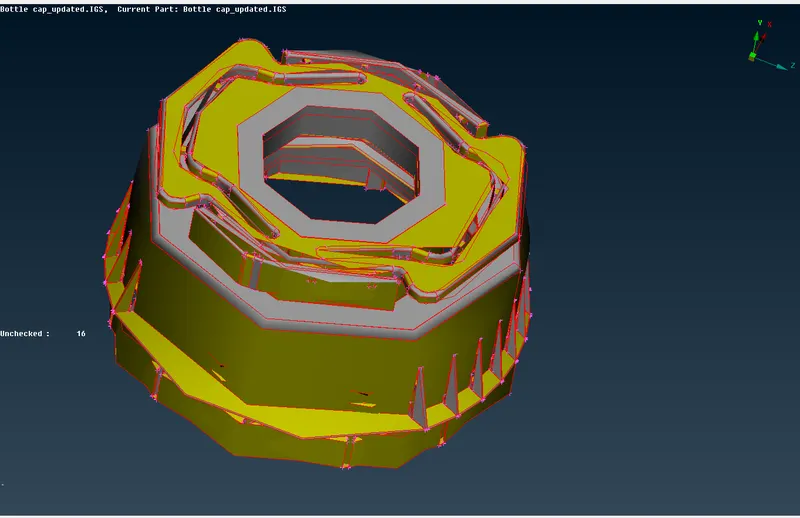
- When the geometry is first opened in Ansa, it can be seen as a single entity from the image below
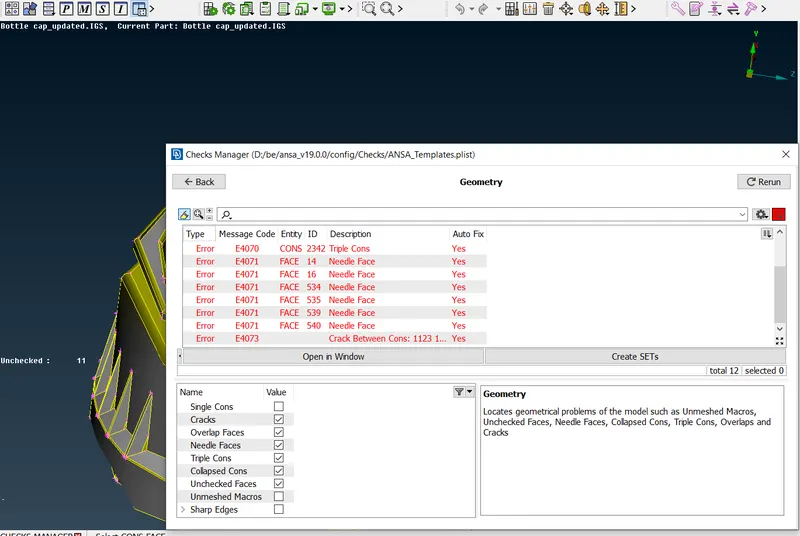
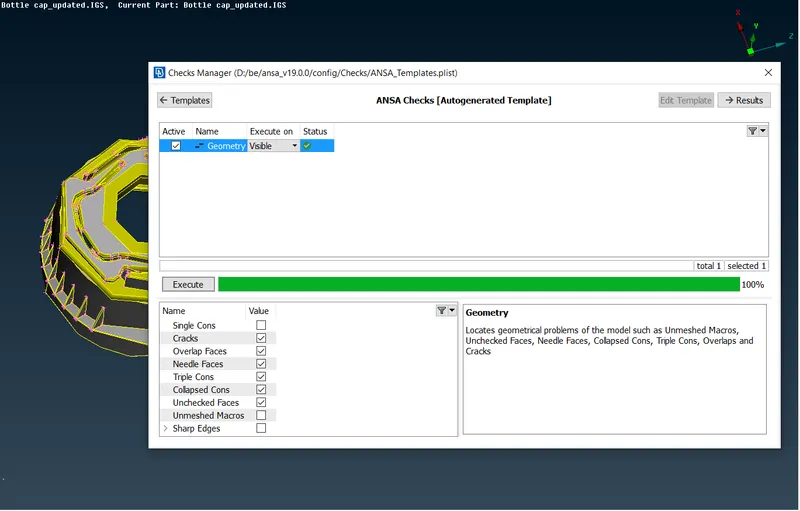
- An automatic geometry check is made on all of these lock screens to check for errors in geometry surfaces by specifying, ( single,triple and double cons , cracks, collapse cons etc). It can be seen below the results.
EXTRACTION OF MIDSURFACE
- Midsurface of the components are created in order to make a shell mesh on the components.This is because it is more efficient and time saving than using 3D meshing.
- The midsurface can be generated automatically and manually.This task, i chose to use the manual option. The "offset" function is used to offset the surfaces of all the components by a distance which is equall to half the thickness of the components. After offsetting, the surfaces are all joined together using "topo".
- The midsurface of all components are generated separately and saved with specific PID's.
- The final geometry check is done to make sure there are no errors in the midsurface generated.
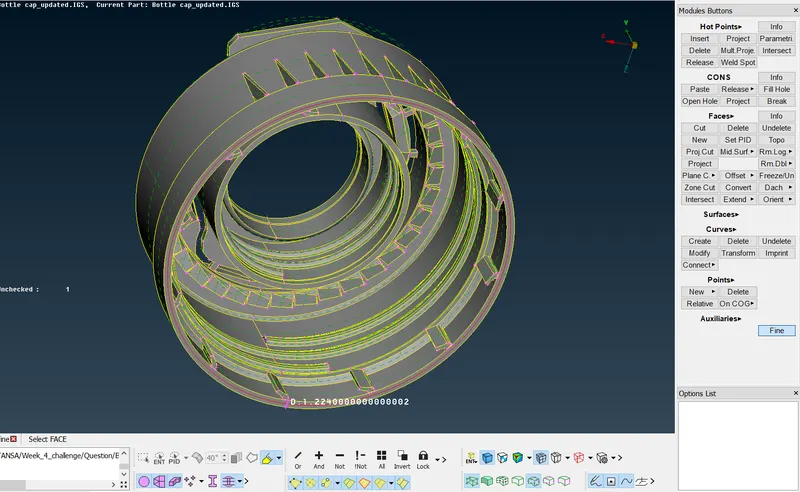
Midsurface is taken in parts according to thickness and saved with required properties.
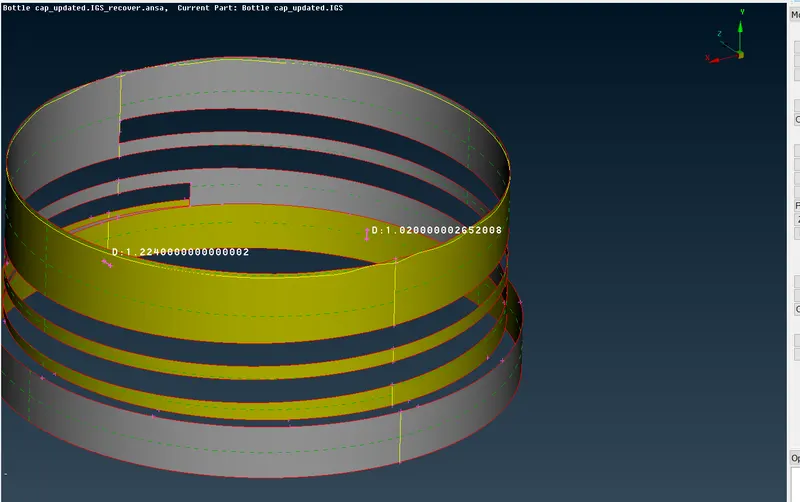
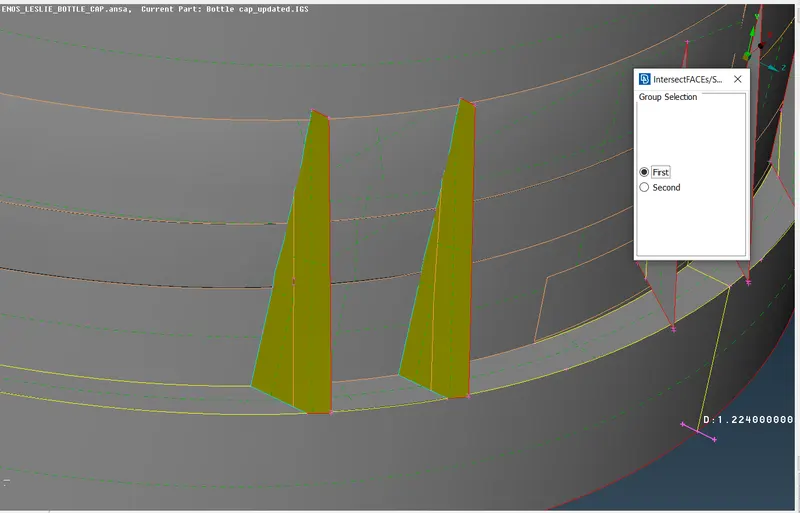
Using the extend feature together with the intersect, the midsurface of the fins and attachments are created
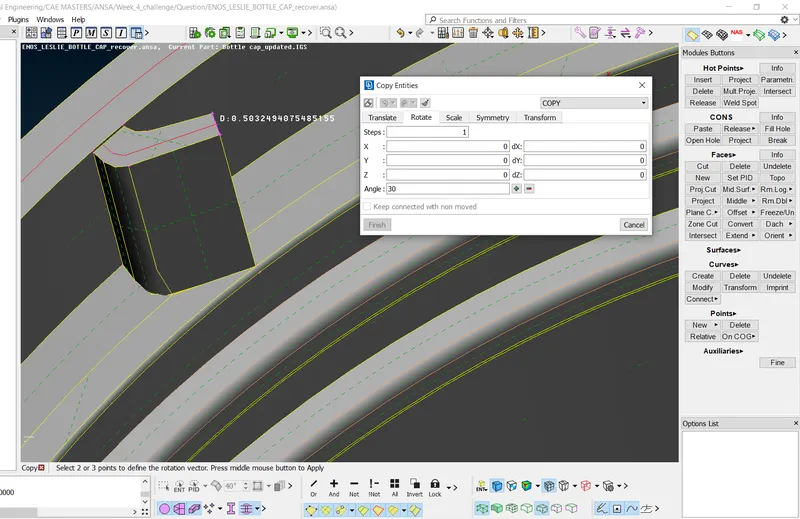
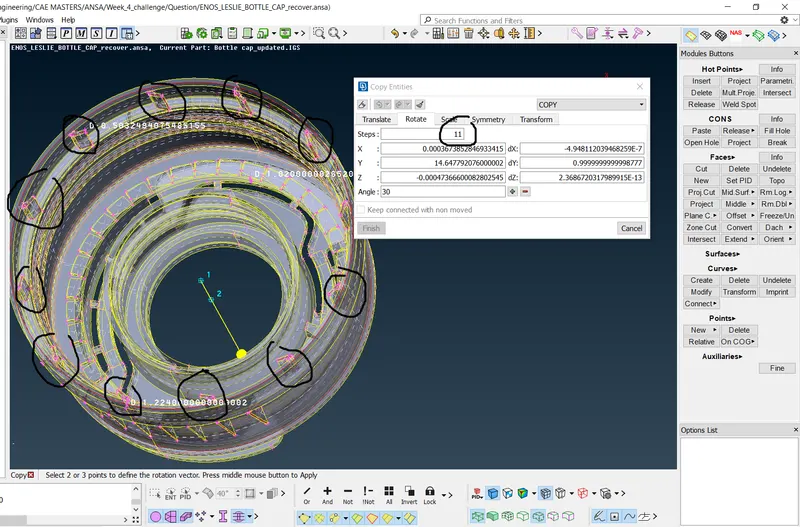
Circular patterrns are made for components which are repeating and replicated
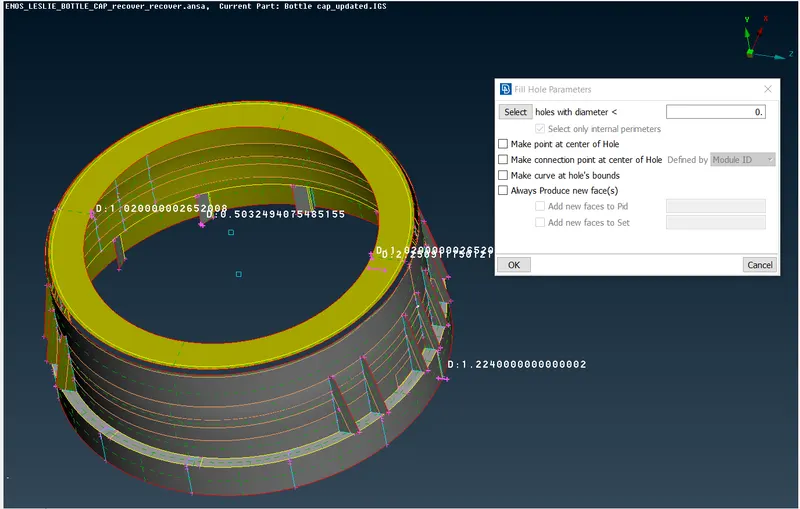
Final image midsurface
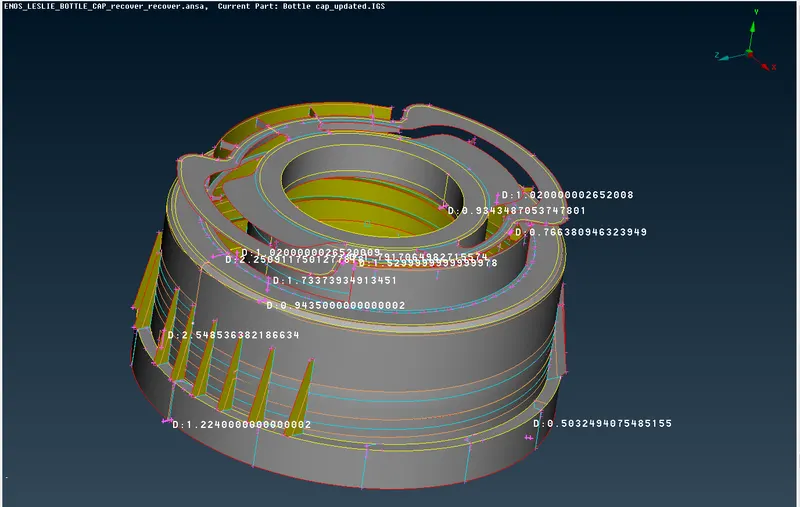
MESHING OF COMPONENTS
- Before meshing is done, all geometries must be cleaned up in order to control the rquired mesh sizes.
- For a mesh of target element size of 1, all cons and lines which form spaces with length below 0.5mm must be controlled. In a sense that, we must re-edit these cons to increase their sizes to 0.5mm and above.
- This can be done by using the perimeter length of 5mm across all components and carefuly checking for cons and edges lesser than 0.5mm to be editted.
- Editting is done by using the "cut" function to create cons and remove cons.
- All circles should be captured with even number of elements and they should be rotated and maked to position them parallel.
- After clean up, meshing can be started
- The element mesh size is set to 1mm and mixed element type is chosen
- All components are meshed using this mesh type and considering the following criterias for optimum mesh flow
- All rotating quads should be eliminated from the mesh
- Minimum tria elements should be present
- All opposite tria elements should be combined to form quads
- No tria elements should be in contact with any feature lines
- Tria elements should be well spaced from each other and should not be in contact with each other.
- No tria elements should be present at the edges of the components
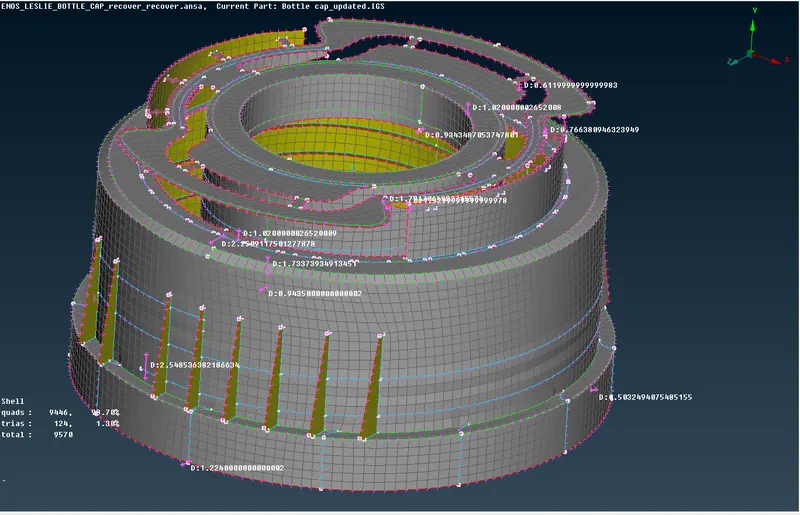
These criterias where used to provide optimum mesh flow for the meshing of components.
Checking Quality
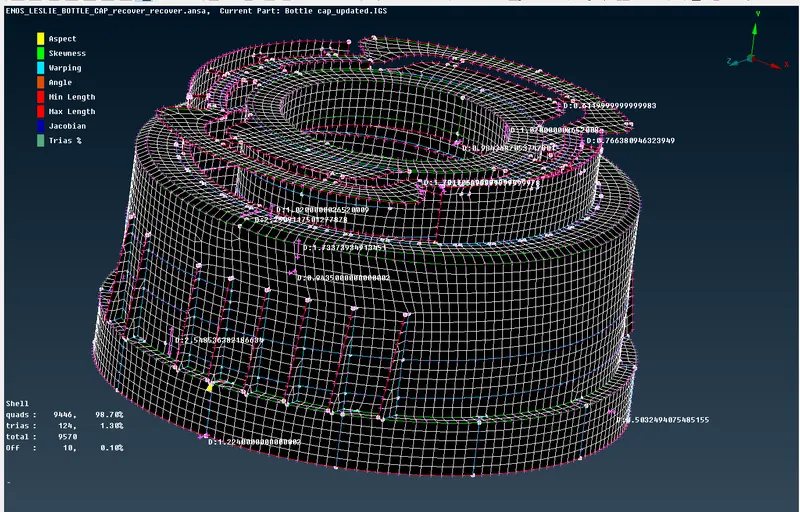
Quality parameters for this mesh can be seen below.
|
S.No |
Quality Criteria |
Value |
|
1 |
Target/Average length |
1 |
|
2 |
Minimum Length |
0.5 |
|
3 |
Maximum Length |
3 |
|
4 |
Aspect |
3 |
|
5 |
Warpage |
15 |
|
6 |
Skewness |
45 |
|
7 |
Jacobian |
0.7 |
|
8 |
Minimum Quad Angle |
45 |
|
9 |
Maximum Quad Angle |
135 |
|
10 |
Minimum Tria Angle |
30 |
|
11 |
Maximum Tria Angle |
120 |
|
10 |
Tria Percentage |
15 |
CONCLUSION
The component were all meshed successfully. Display shell as slide was activated.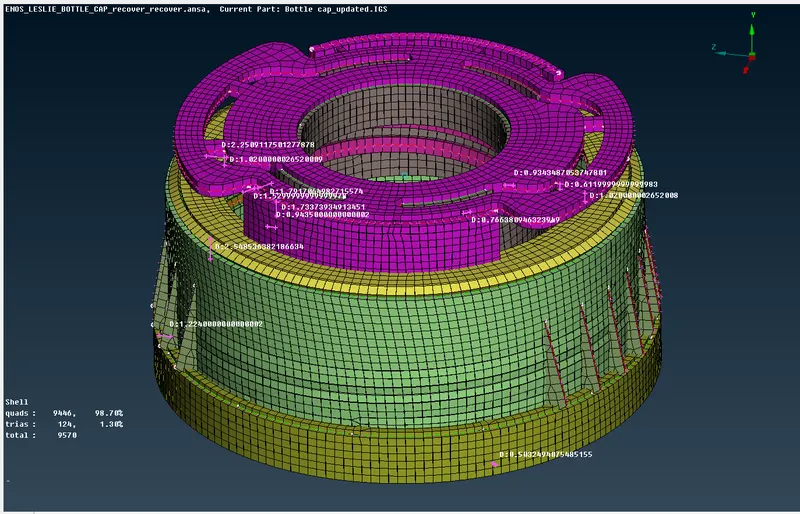 s
s
NB : THIS CHALLENGE HELP ME GAIN KNOWLEDGE IN USING ANSA TO GENERATE MIDSURFACE AND MESH SUCCESSFULLY WITH PASSING ELEMENT QUALITY.