Week 4
MESHING OF BOTTLE CAP BY EXTRACTING THE MID SURFACE USING ANSA
Objective: Clean up the geomentry of the given bottlecap model,extract the mid surface and mesh the model according to the given quality criteria and assign thickness.
Procedure: To fullfill the above objective folllowing steps are performed:
- Import the model.
- Clean up the model.
- Extract the mid surface.
- Assigning the pid's to the model.
- Mesh the model according to the given quality criteria.
The tools used to perform the above steps are:
- Universal delete:The universal Delete function of the Geometry Group can be used to delete various ANSA entities (Curves, Faces, FE-Model entities etc.).
- release: Release the topology of the selected cons
- fill hole:This function fills holes on Faces. The holes can be of any shape. we can select manually or automatically.
- compress:This function is used to compress an ANSA database. Compression may be selectively applied either on geometric entities only (faces, curves 3D-points) or on the entire database. By this operation, all information concerning deleted entities is lost.
- paste:This function is used to paste nodes.
- coon's:This function defines a new multi-patch Surface, using the Coons interpolation principal. This is an easy way to define a new surface by its boundary curves. Quadrilateral and triangular surfaces are created.
- move surface:This function moves a selected mesh node on the Macro Area's surface, or a perimeter node along the perimeter segment on which it lies. Also it moves a node belonging to FE-model mesh on the surface which is defined by the adjacent shell elements.
- split:This function splits quadrilateral and triangular shell elements into smaller ones.
- reconstruct:The Re-construction function is a powerful tool for the creation of a high quality surface mesh.
- project:This function projects, as CONS or 3D Curves, a number of selected 3D-curves, CONS, element edges, line elements or Hexa Box edges on a number of selected Faces, in a user controlled direction. The selection of the CONS or 3D-curves can be assisted by the 'Corner Angle', 'PID Neighbs' for line elements or 'Path'
- Swap:Swap function rotates the shell edge picked by the user, inside the two shells which have that edge as common.
- cut:This function cuts (splits) an existing Face or joins if inverse operation is applied.
- Rm-dbl: It compares and remove the similar surfaces.
- Import the model:
- We import the cad model into ANSA,the file transfers from igs file to ansa database file,then we switch to topo mode.
- open>bottlecap_updated.igs
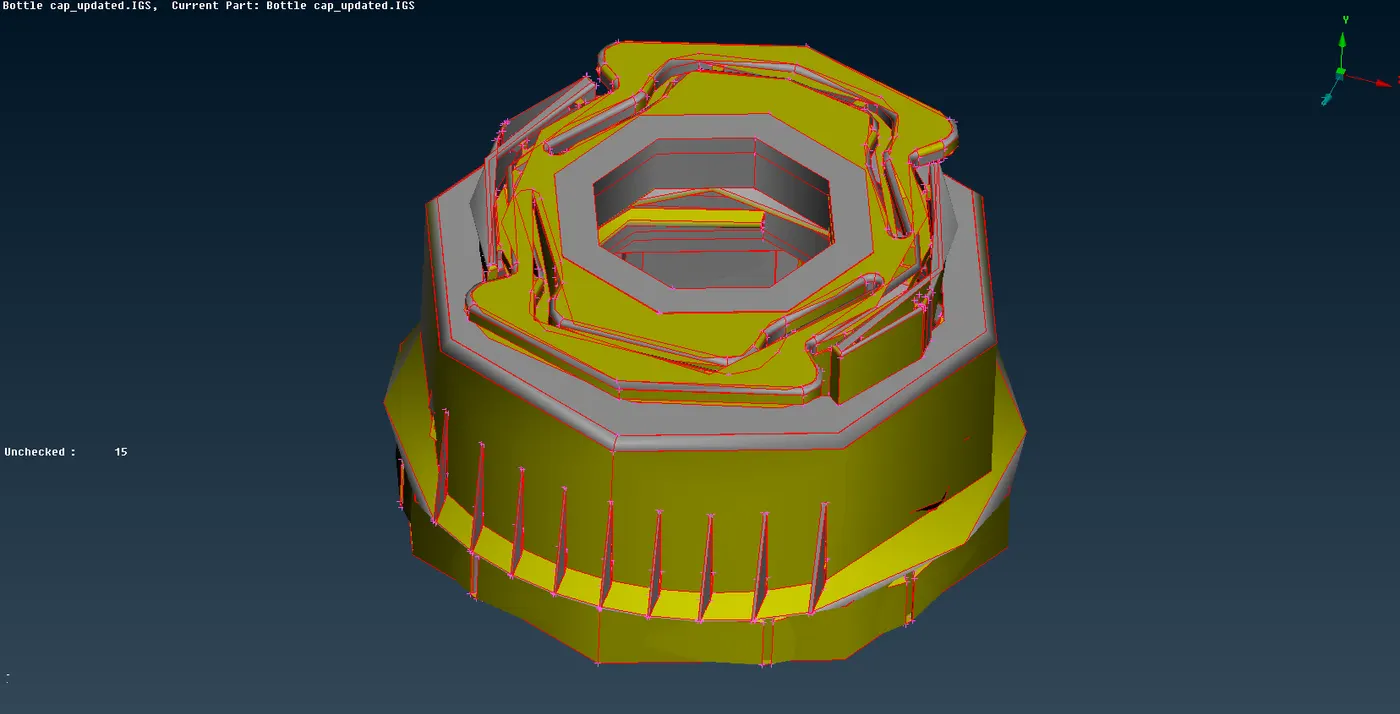
2.Clean up the model:
- In order to extract the midsurface we make sure that the model is clean.
- The surfaces of the model are not stitched properly together,so we perform topo operation so that the single cons between surfaces are converted into double cons.
- The resolution of the model is low because of the distance between the nodes are more,so in order to get better resolution we reduce the legth of perimeter to 1.
- we now perform the geometry checks from checks manager we found the some cracks on the inner and outter ribs, we deal those cracks using coons and topo commands.
- After eliminating those cracks we goes to checks manager and again perform geomentry checks inorder to confirm the entire model is clean now it shows some needle faces are generated we use auto fix command inorder to fix them.
- Now the model is free from topological errors.
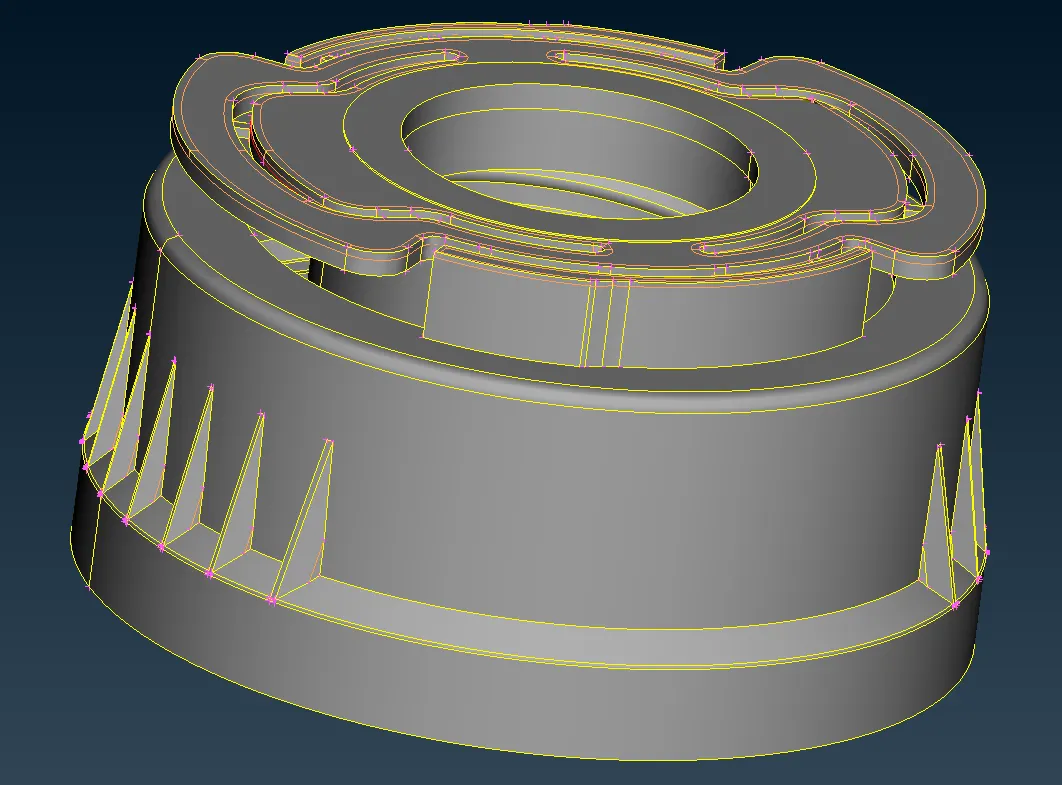
3. Extract the mid surface:
- Inorder to extract the mid surfaces we have two options they are auto-midsurface extraction and manual mid surface extraction.
- In auto-midsurface extraction method we use command mid-surface from faces tab but here the geometry is some what complex the mid surface option cannot generate the proper results,so here we use manual mid surface method .
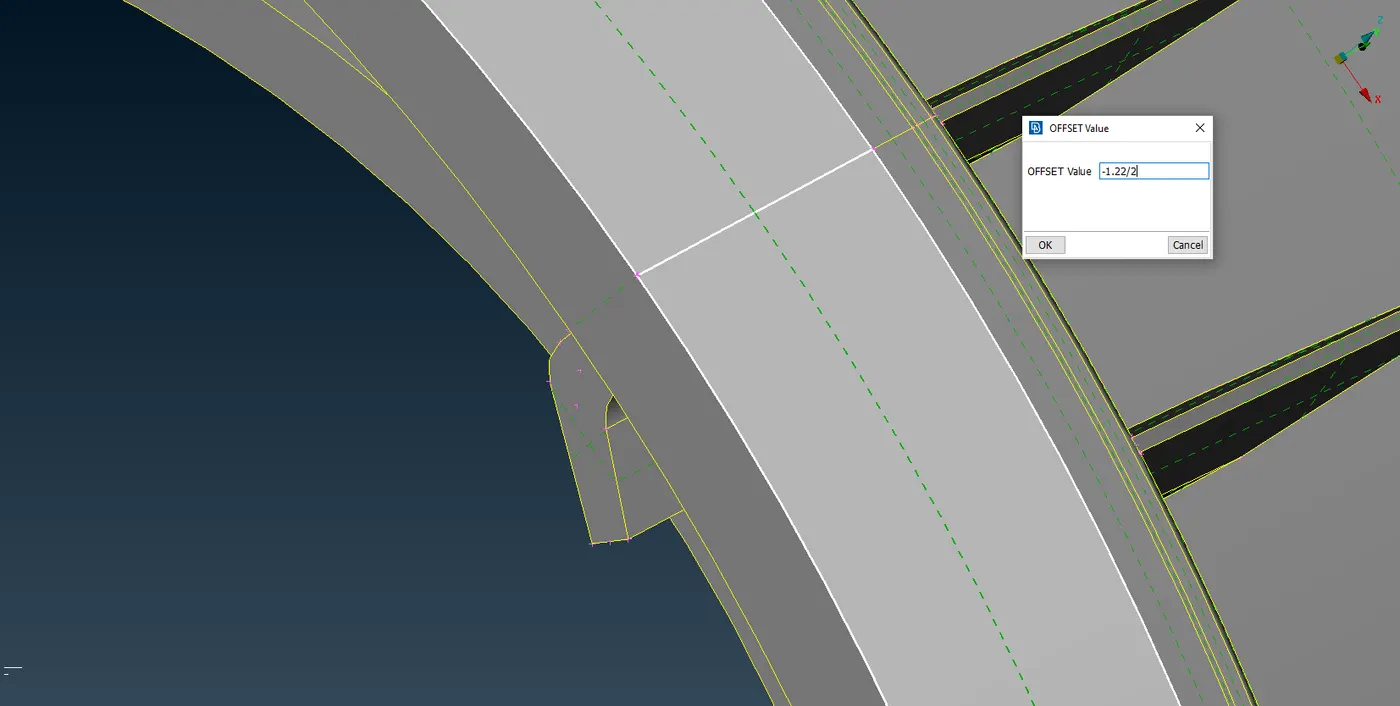
- For outer shell portions we use offset option from faces.we offset the faces to half of it respective surface thickness.The thickness of the surface are measured using the measure option from utilities and these measurements are stored for further references.
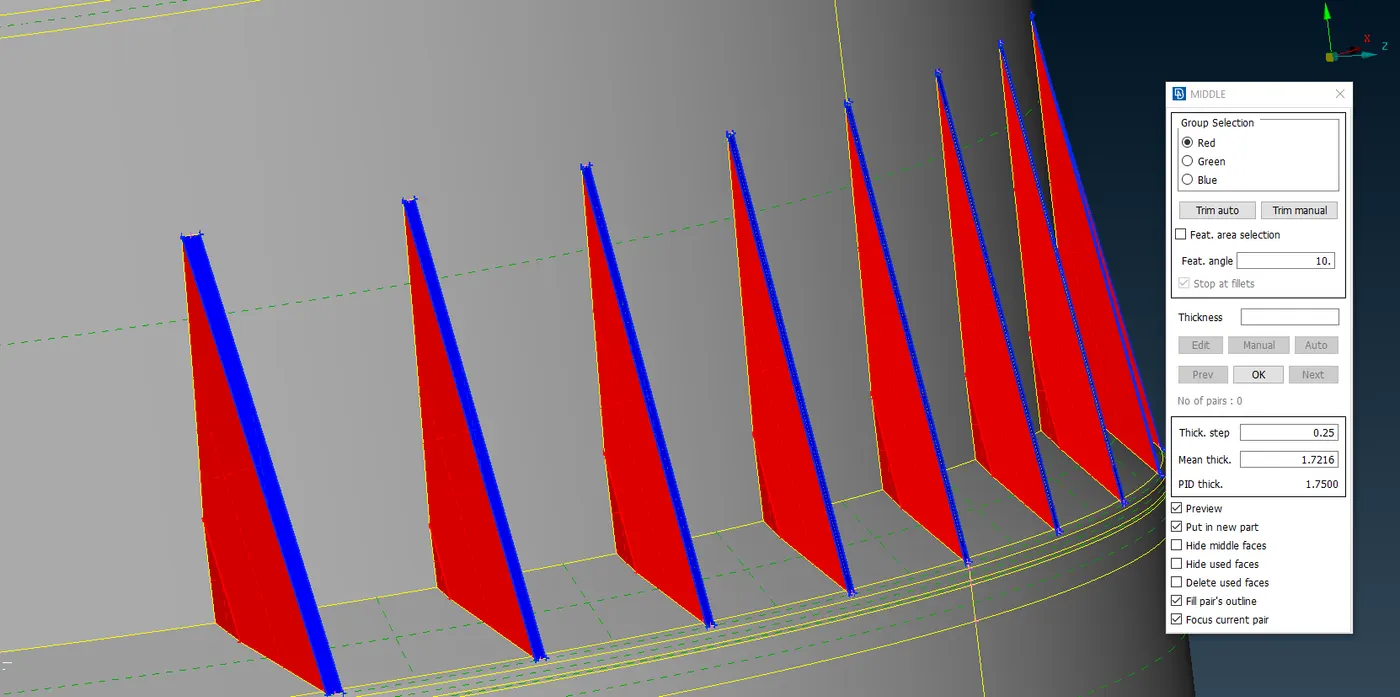
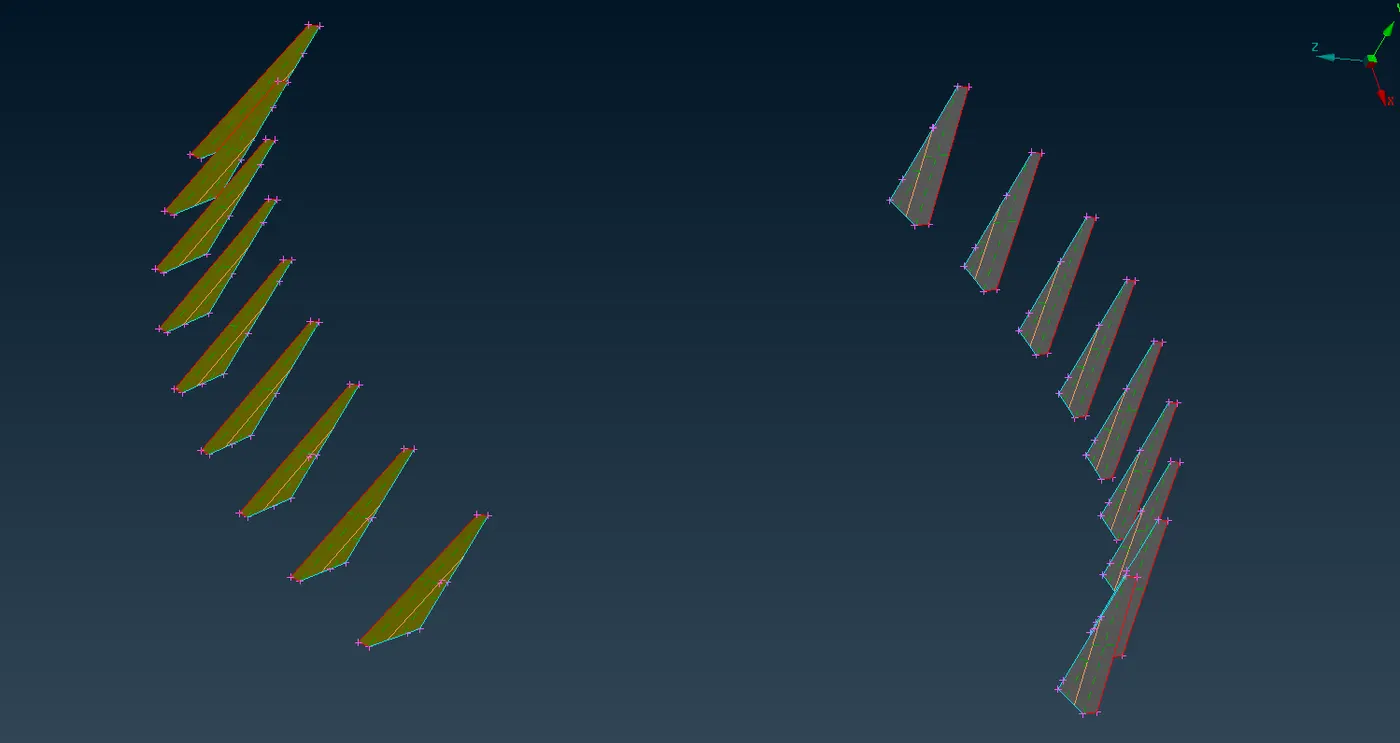
- For the surfaces like ribs we use middle option from faces which creates a middle face between the two others.
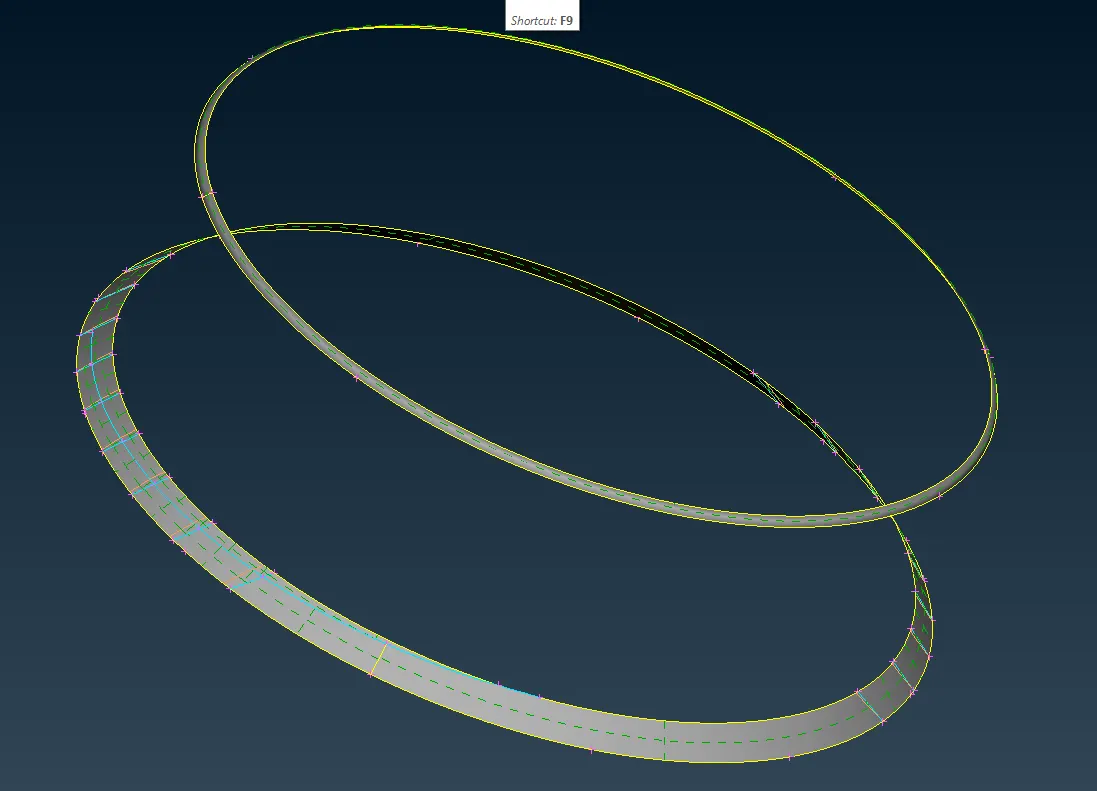
- For extracting the midsurface for the thread we first generate the middle curve by using middle option from the curves and we project the curve to opposite edge and we use coons option to generate the surface attaching the two curves.
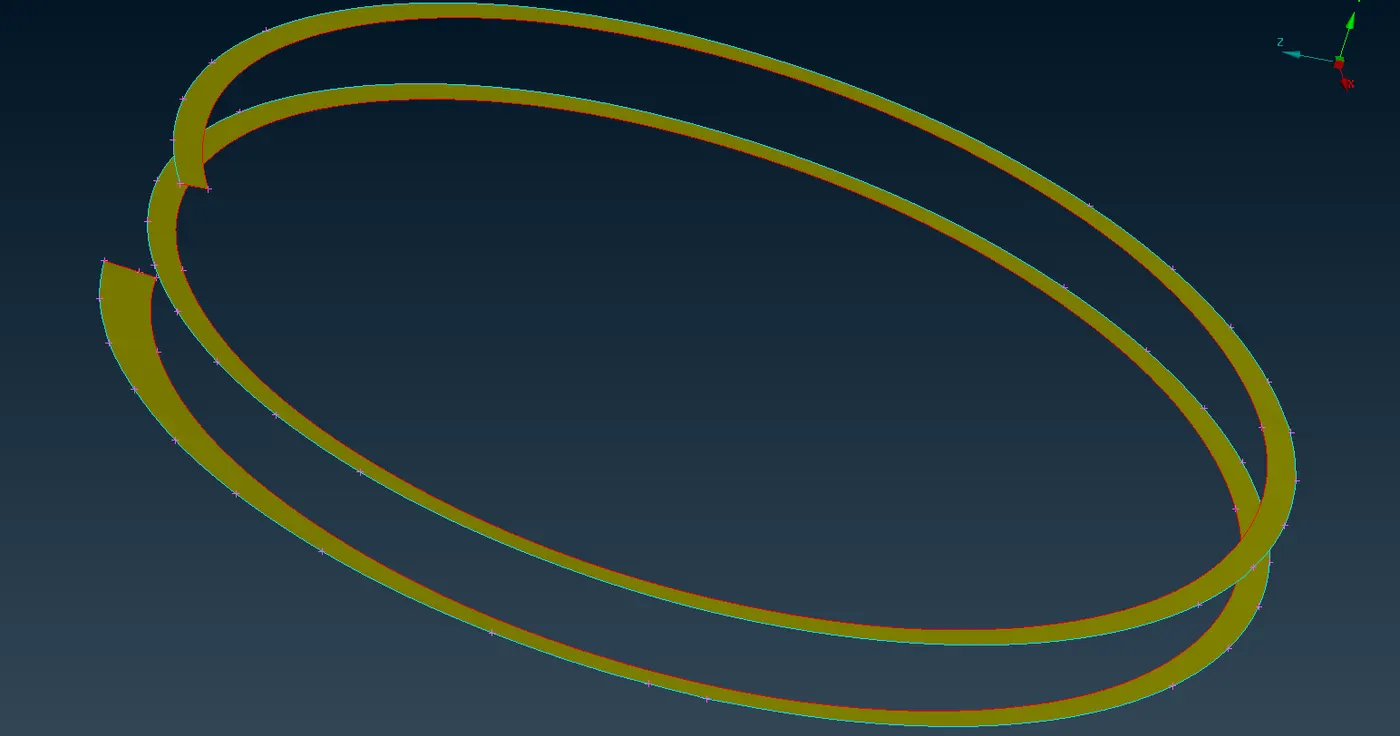
- We also use dach option to get rid of the fillets present on the surfaces.we also use transform(rotate,symmetry) option for generating the midsurfaces for similar kind of surfaces.
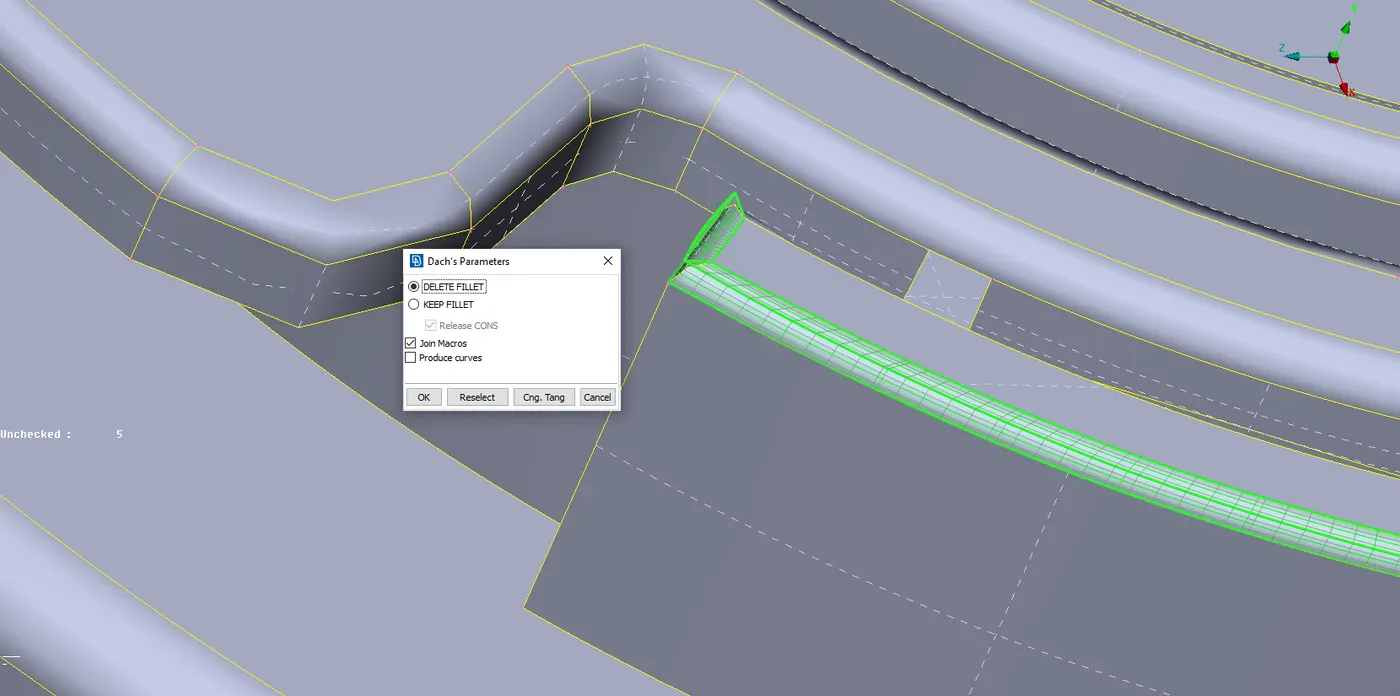
- We need to project or extend or intersect some surfaces to other surfaces in order to have continous geometry as of the parent model.
- After extracting all the midsurface we make sure that the midsurface extracted are free from geometry and topology errors by making performing geometry checks option.
- If any cleaning of geometry is necessary we perform cleaning operations and we also delete unnecessaryhotpoints present.
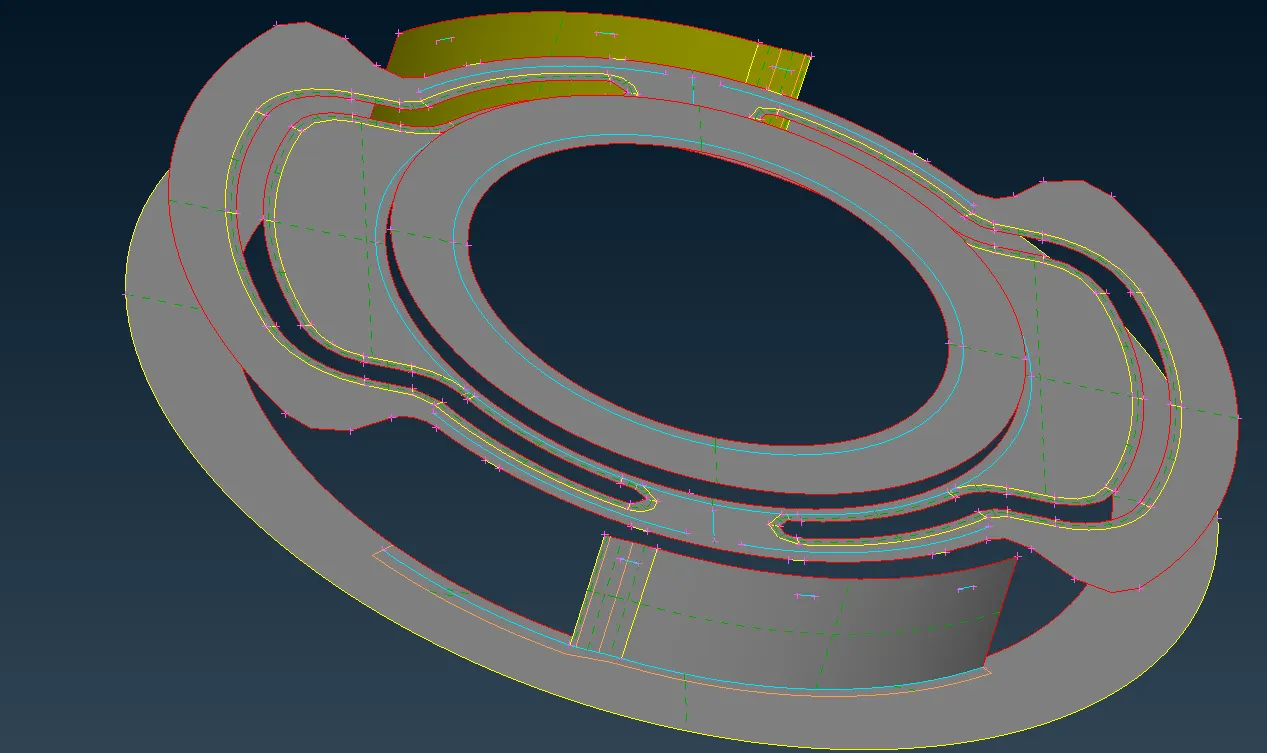
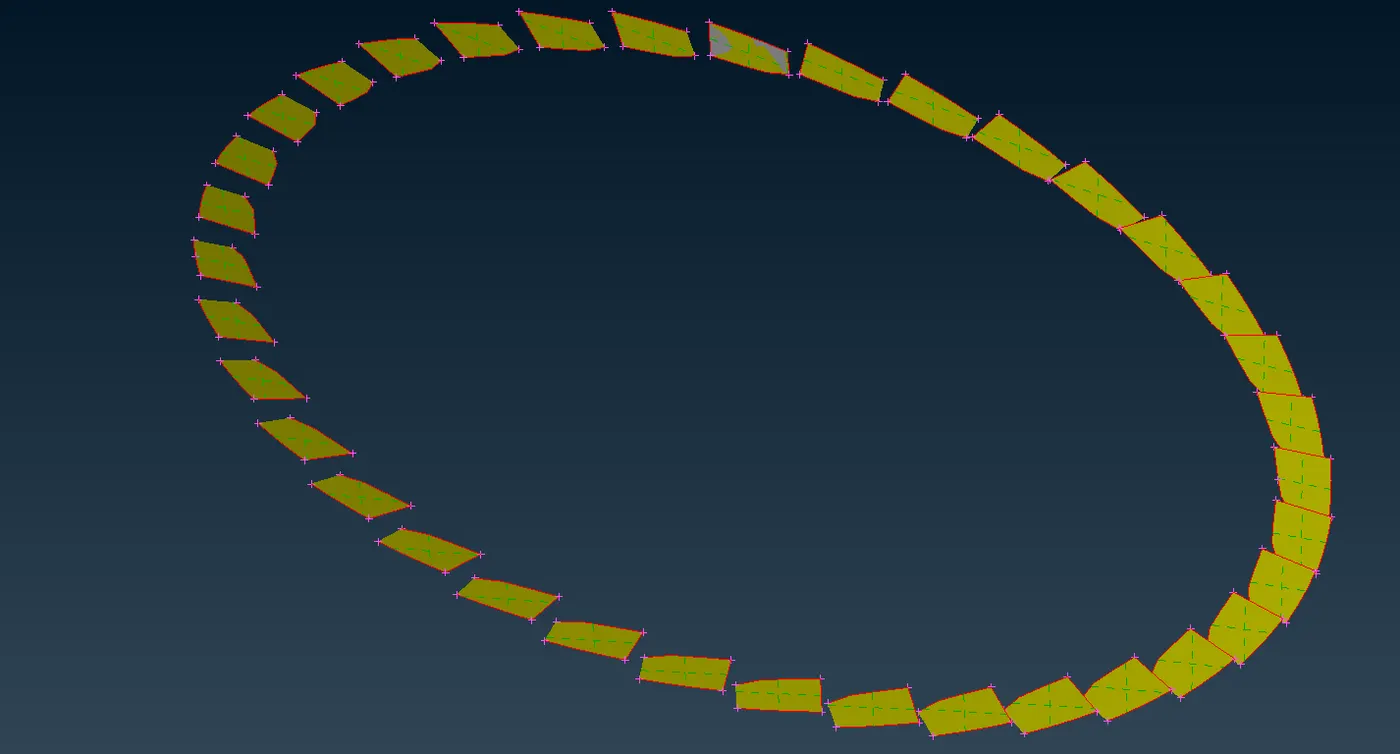
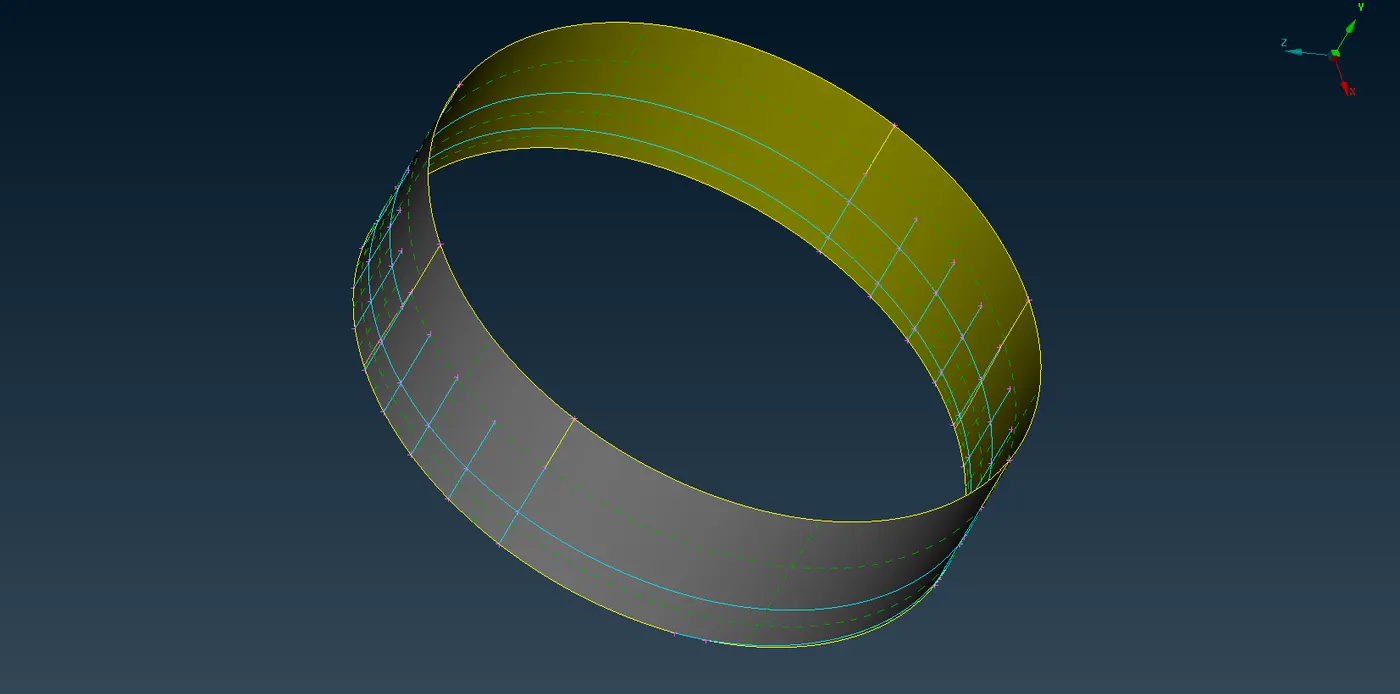
- The following are the images of various midsufaces:
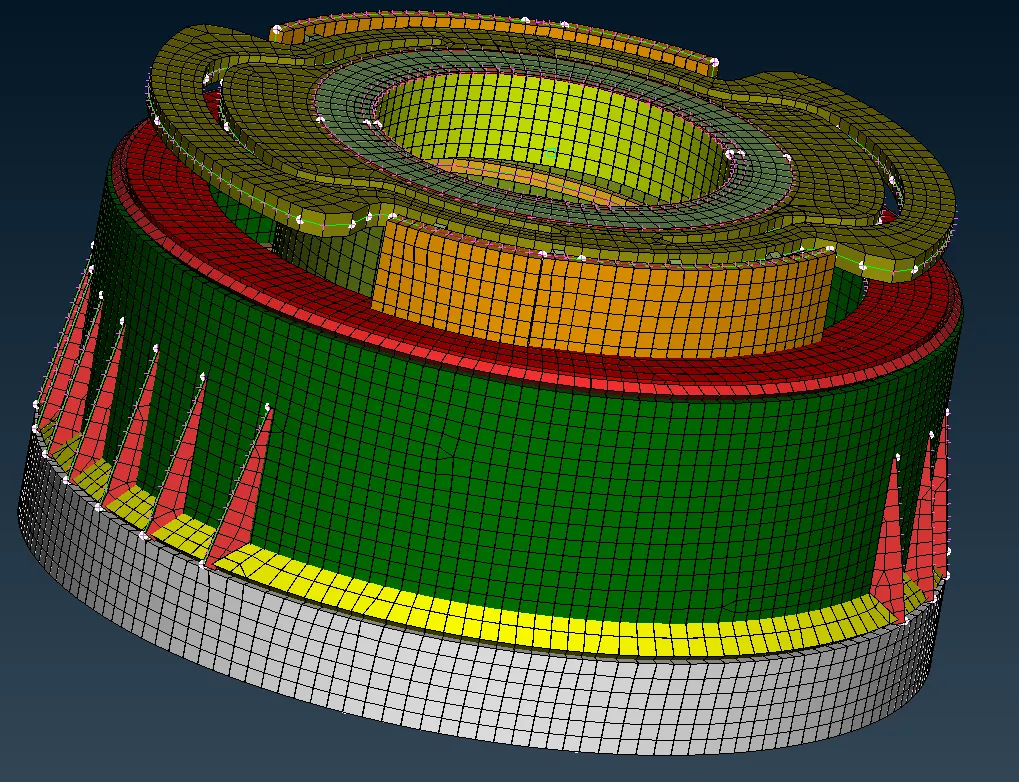
4.Assigning the pid's to the model:
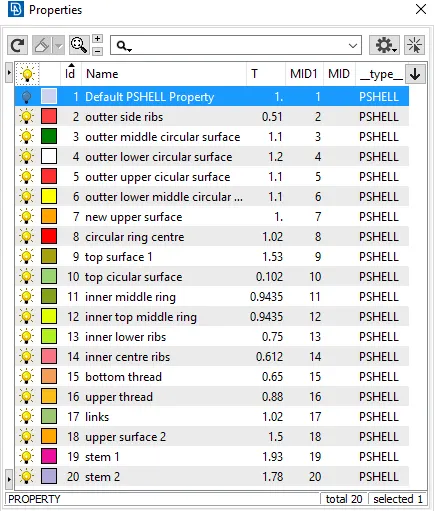
- We assign the pid's to the extracted mid surface parts by clicking the property id tab.
- we also assign thickness to extracted midsurface parts with respect to their parent parts.
- The pid's we assign are shown in the figure:
5.Meshing:
- In order to mesh the model we need to make sure that the model is error free.
- Now to perform meshing we switch to mesh mode from topo mode and assign the target length as 1mm.
- We also assign the quality parameters in the quality criteria tab as shown below:
|
S.No |
Quality Criteria |
Value |
|
1 |
Target/Average length |
1 |
|
2 |
Minimum Length |
0.5 |
|
3 |
Maximum Length |
3 |
|
4 |
Aspect |
3 |
|
5 |
Warpage |
15 |
|
6 |
Skewness |
45 |
|
7 |
Jacobian |
0.7 |
|
8 |
Minimum Quad Angle |
45 |
|
9 |
Maximum Quad Angle |
135 |
|
10 |
Minimum Tria Angle |
30 |
|
11 |
Maximum Tria Angle |
120 |
|
10 |
Tria Percentage |
15 |
- Before the mesh is generated we need to check the perimeter length to 1.
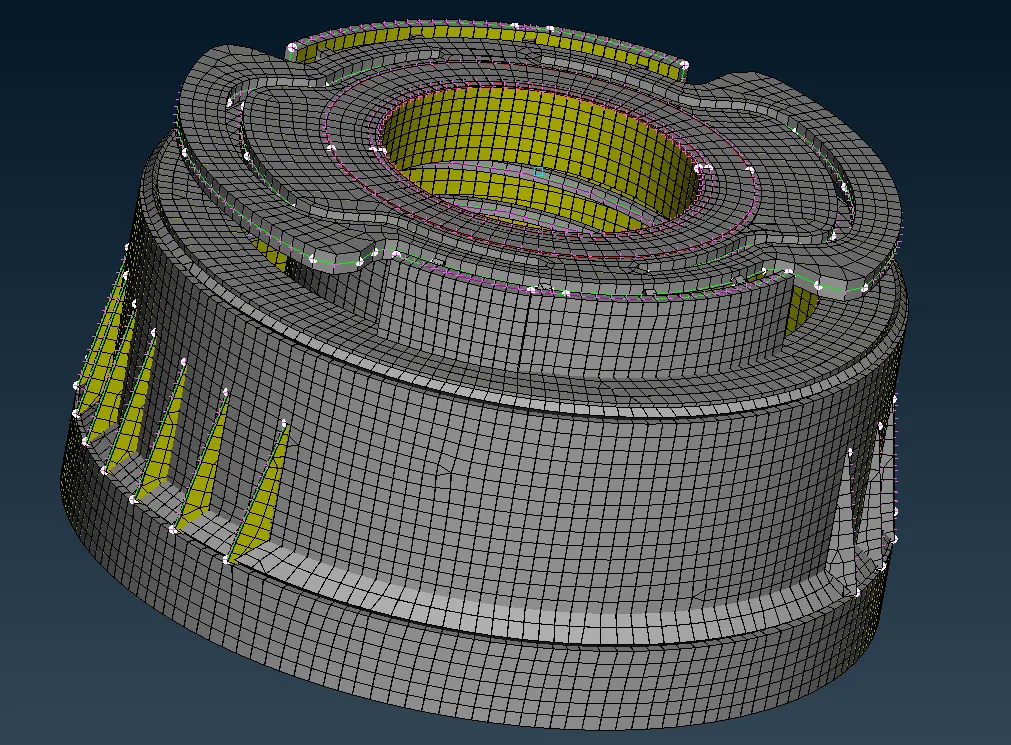
- We apply the best mesh as the mesh generation tool,element shape as mixed.
- The mesh is applied first to the complex geometry, and then the remaining parts.
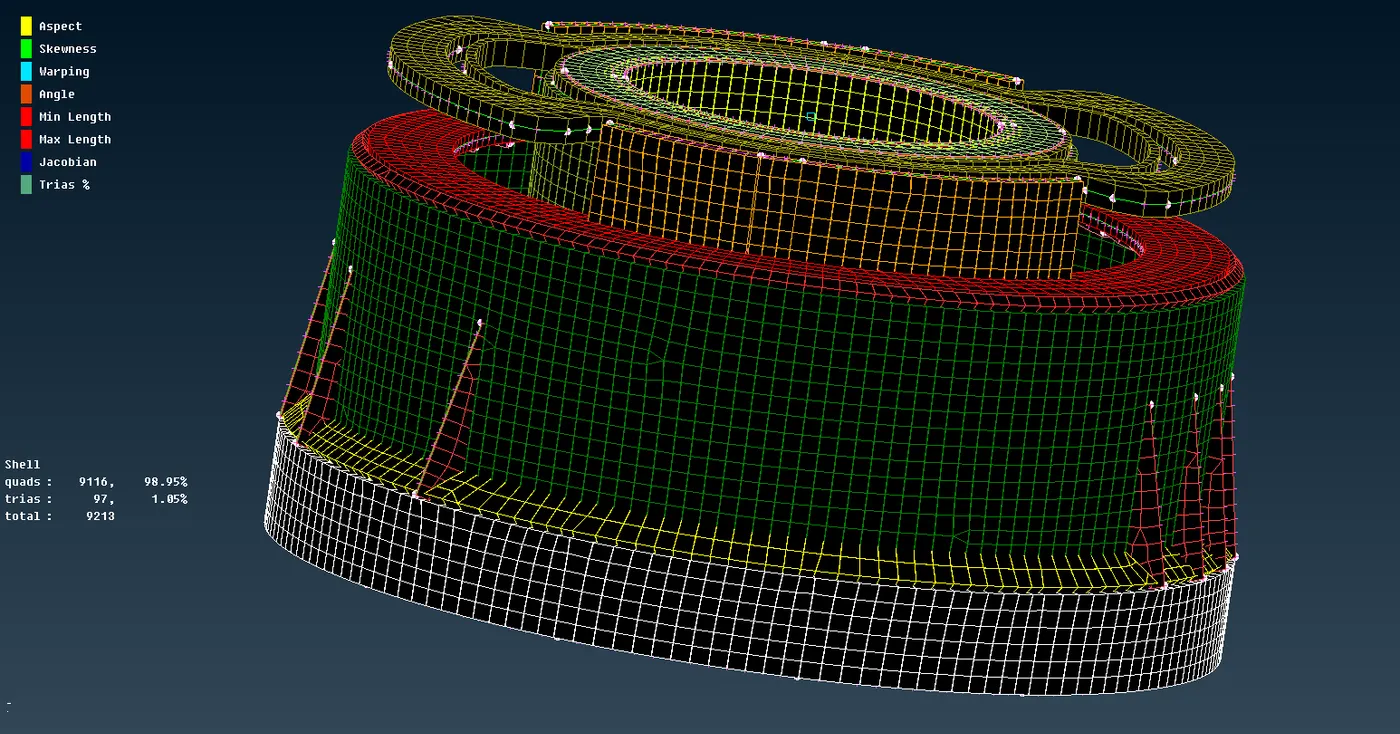
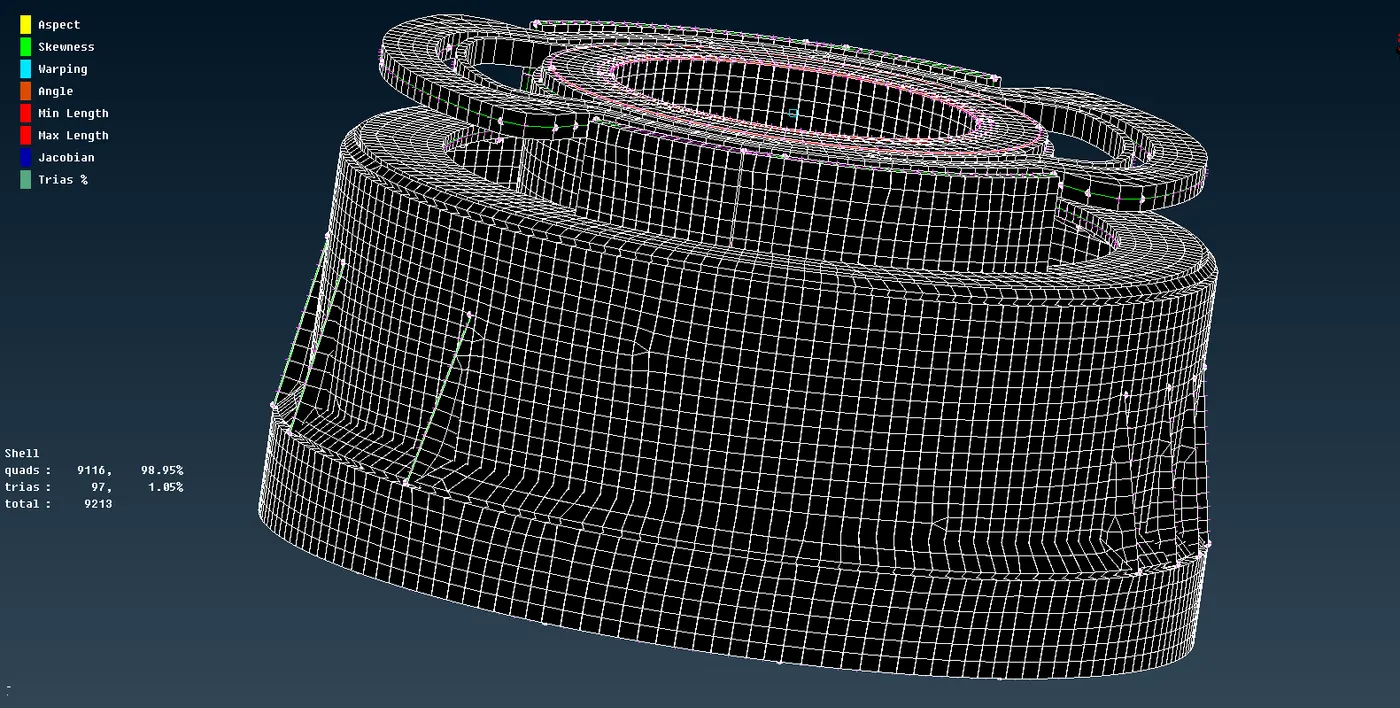
- After meshing the midsurface we make sure that the mesh generated passes quality criteria if some element fails we adjust or reconstruct the mesh.
- we also try to reduce the no.of trias as much as possible.The percentage of trias in the model are 1.32.
Learning outcomes :
- We learn extracting of mid surface manually using offset,middle,middle-multi,middle curve options and rotate,symmtery options.
- We also learn how to mesh components using 2dmesh and also making the mesh corrections using different options like mvfree,mv surf etc.
Conclusion:We succesfully meshed the bottlecap model by extracting the midsurface and also assign thickness to the assigned midsurface.