Week - 4
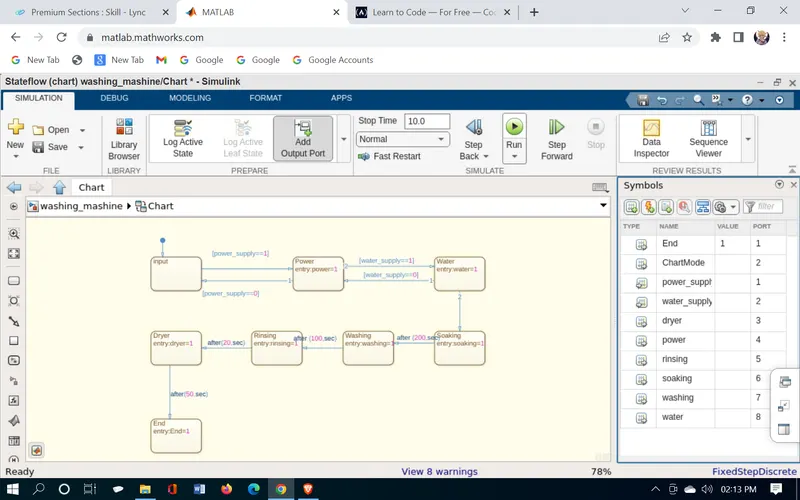
- Implement control logic of a “washing machine” using Stateflow as per given sequence:
- If the power supply is available, the system gets activated
- If the Water supply is not available, stop the process & indicate through LED
- Soaking time should be 200s followed by Washing time of 100s.
- Then rinsing happens for next 20s & dryer runs for 50s
After all the processes have completed turn on the finished LED
A washing machine is a machine used to wash various types of clothes without applying any physical effort. With a washing machine, you don’t have to rub the clothes with your hand or squeeze them to remove the water from them. The washing machine is also called a clothes washer or simply a washer. The washing machine enables you to wash your clothes automatically without having to supervise its operation. All you have to do is put the clothes in the machine and select the wash mode. The washing machine automatically takes in the amount of water and detergent required and it also automatically sets the timer for washing, rinsing, and drying as per the selected mode and the number of clothes.
Stages of washing machine:
Let us now undergo the stages of a washing machine which in turn helps you to understand better and pick the option depending on the basis of your need successfully.
- Prewash
- Washing
- Rinsing
- Spinning
Modeling of Washing machine in Simulink:
these are the following things we need for modeling the subs system of washing machine logical block settings:
1. Toggle switch
2. Constant
3. State flow chart
4. Lamps
5. Display
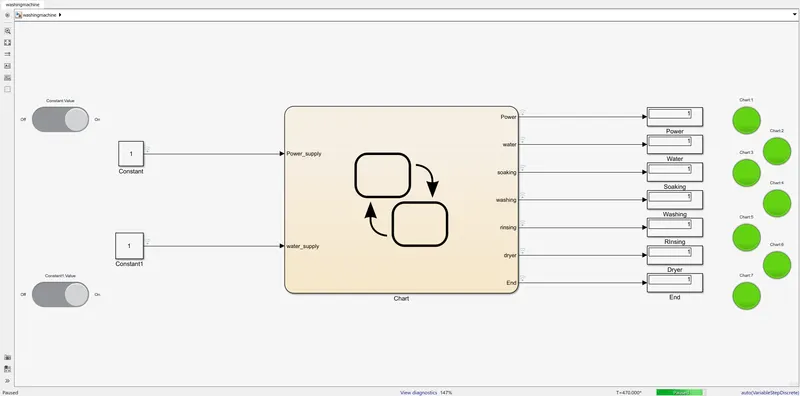
Simulink model:
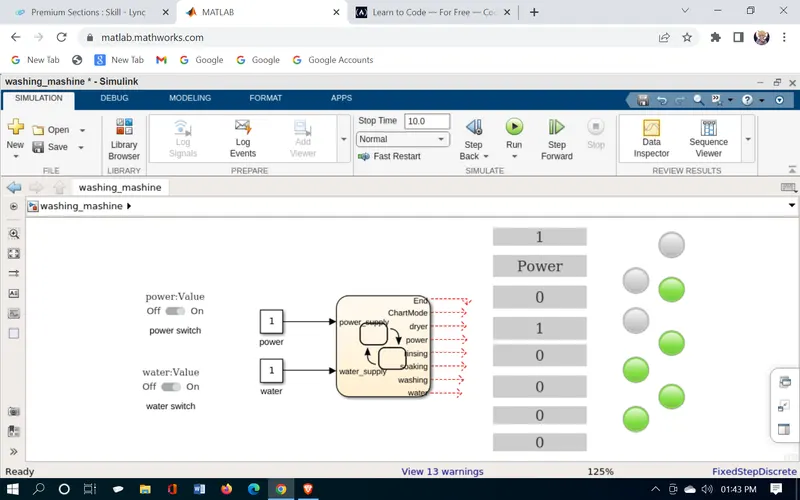
Flow chart model:
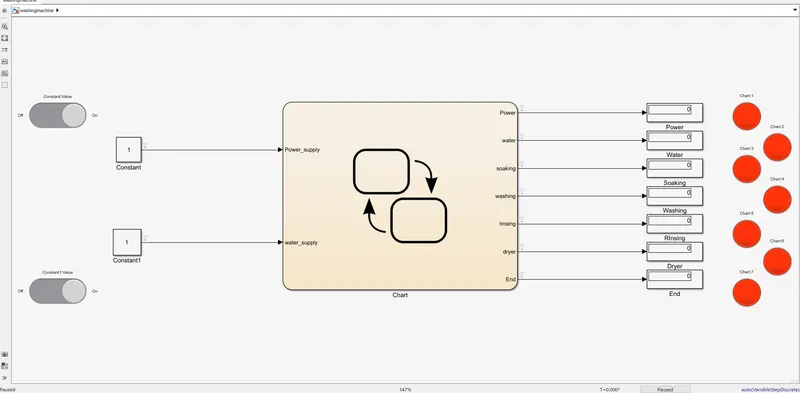
1. Switced OFF when non opertaional
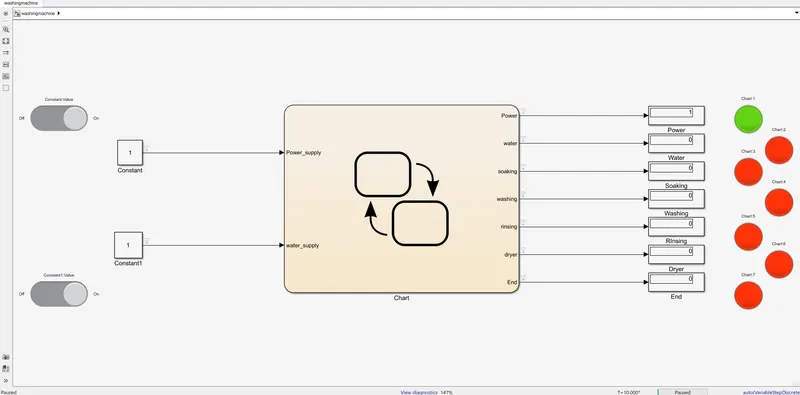
2. Power ON
3. Water Supply ON
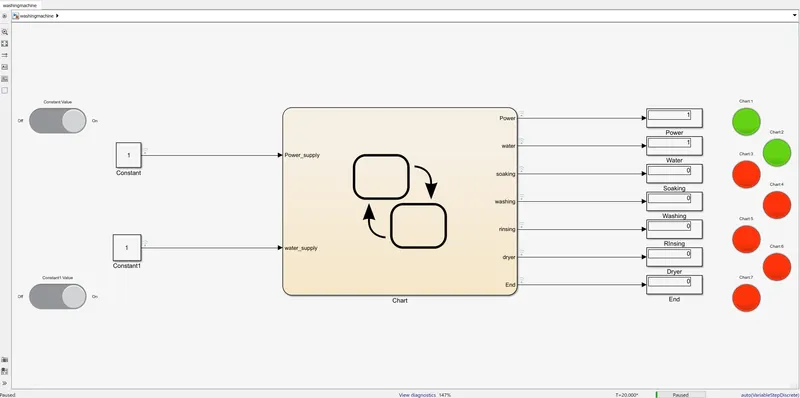
3. Soaking
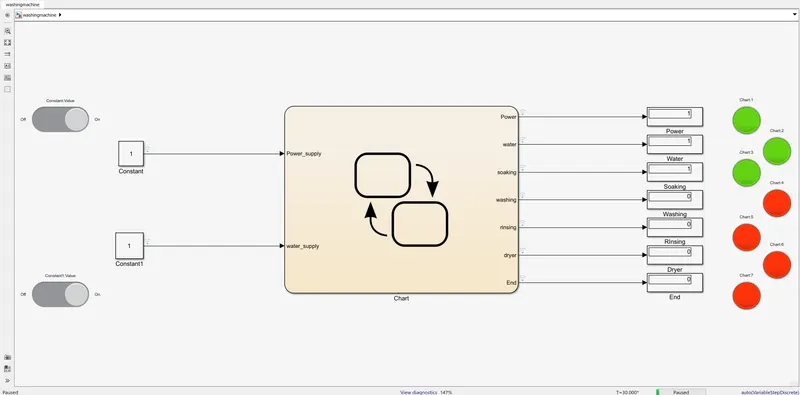
4. Washing ON
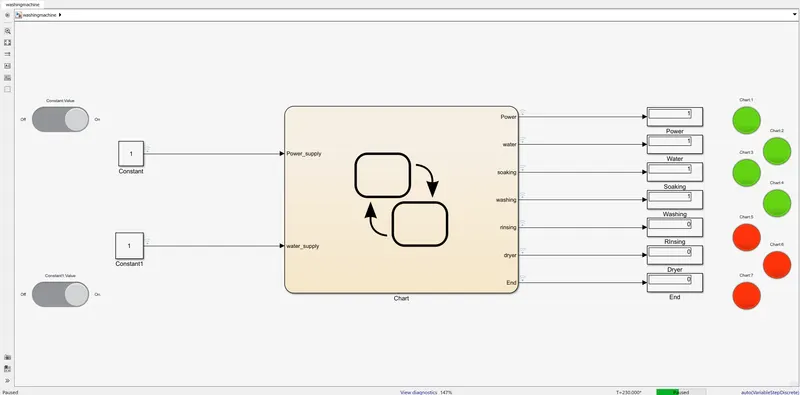
5. Rinsing
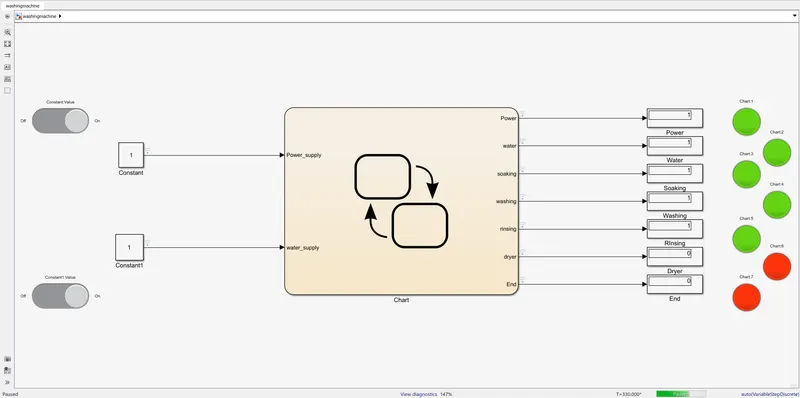
6. Drying
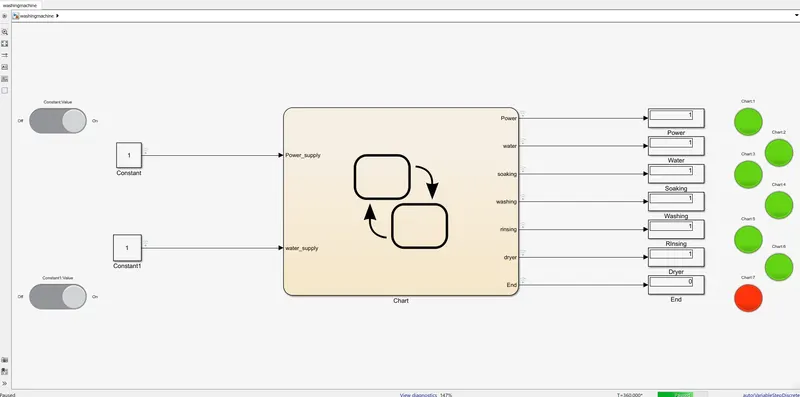
7. END process
2. Make a Simulink chart for the “Gear shift” logic as per the below conditions:
Speed Range(km) Gear
0 to 15 1
16 to 25 2
26 to 40 3
41 to 60 4
Above 61 5
Give speed input while the simulation is running & display the gear number.
The Transmission operating mechanism:
To effect a gear change, selecting first gear, for example, the driver depresses the clutch, disengaging the input shaft. Using the shift lever, the driver selects the first gear, and the linkage moves the shift fork to connect the 1st-2nd locking collar with 1st gear, locking it to the output shaft. Now, when the clutch is released, engaging the input shaft, the output shaft turns because 1st gear is locked to the output shaft by the locking collar.
As the driver speeds up, selecting 2nd gear simply involved repeating the process, but moving the shift lever to 2nd gear. The shift shaft moves the shift fork to disengage 1st gear and engage 2nd gear. Releasing the clutch engages the input shaft again, this time routing power through 2nd gear. Changing to 3rd gear involves using a second shift linkage, shift fork, and locking collar, this one between 3rd and 4th gears.
Because the countershaft and output shaft turn at different speeds, moving from 1st to 2nd gear, trying to engage a higher gear while the vehicle is moving slower would be like trying to turn the shaft at two different speeds, which is impossible. Synchronizer rings are like tiny clutches, using friction to bring the locking collar and the gear to the same speed, at which point they easily mesh and power can be reapplied.
Before we go into the Simulink for the transmission box simulation w need to follow the below conditions for the setup.
Speed Range(km) Gear
0 to 15 1
16 to 25 2
26 to 40 3
41 to 60 4
Above 61 5
and by doing so we do that in a coded pttern in the state flow chart wich we get to see below:
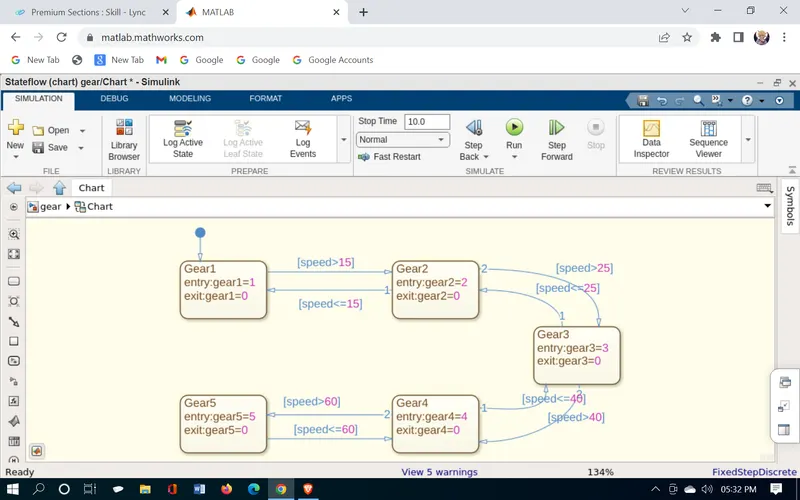
These are the following block setup did we need for the setup:
1. State flow chart
2. Slider
3.Constant
4. Display
5. lamps
Simulink model:
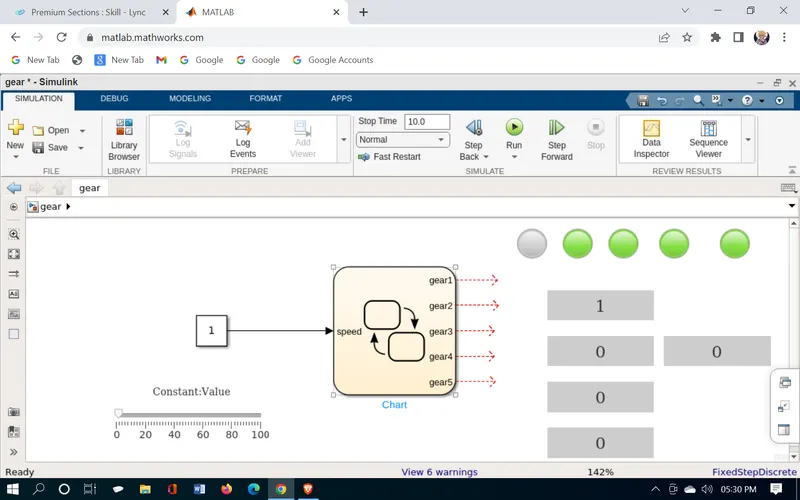
and the output is just as similar as it is
0 to 15 1st gear
16 to 25 2nd gear
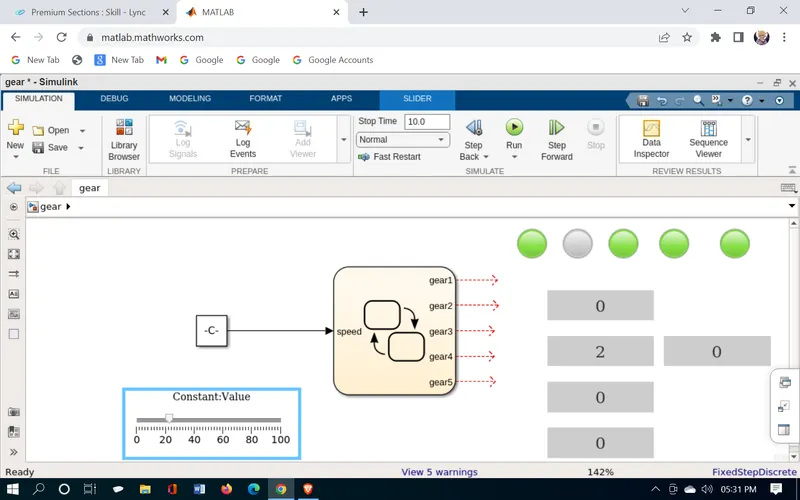
26 to 40 3rd gear
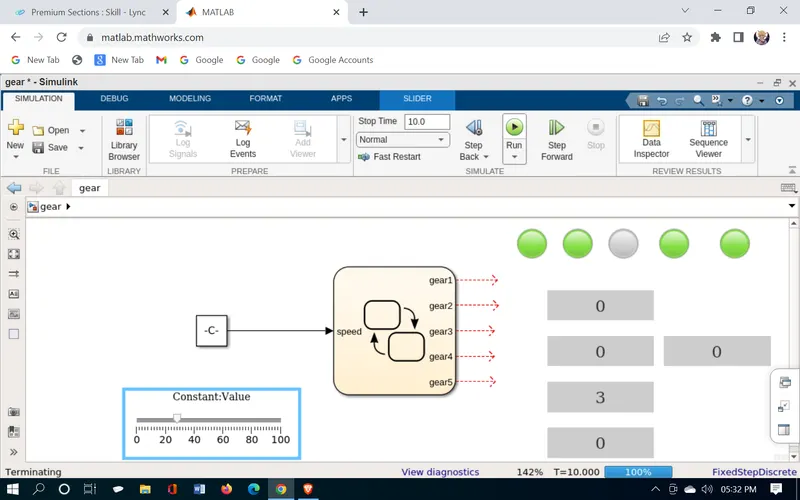
41 to 60 4th gear
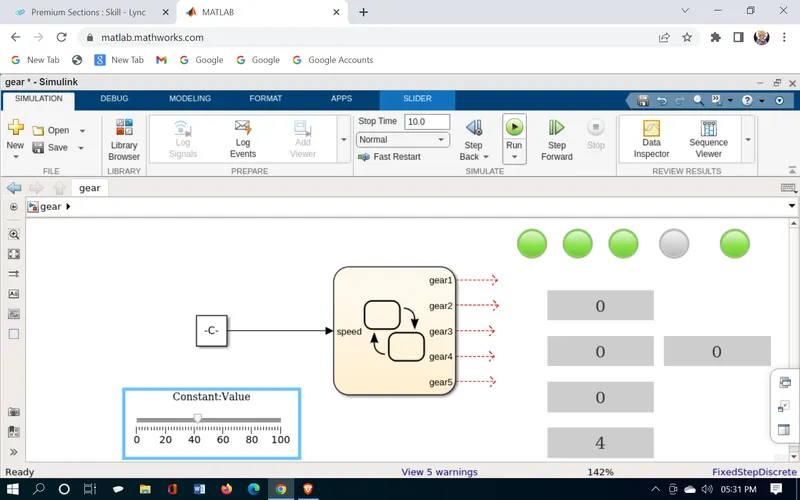
Above 61 5th gear
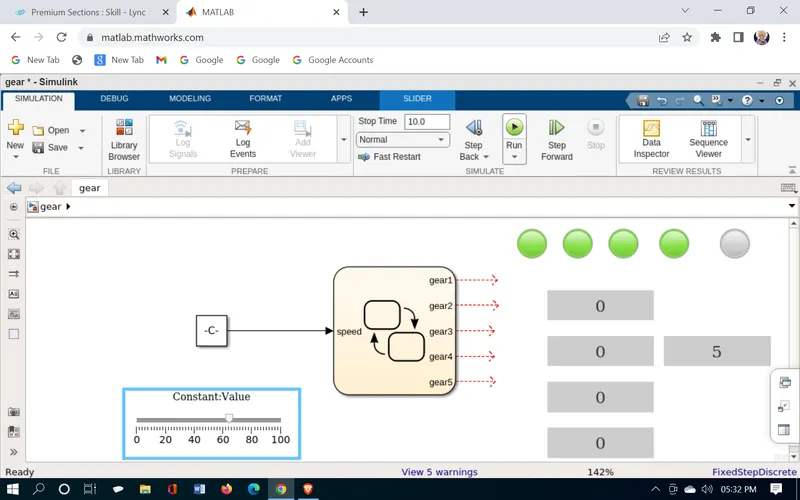
and that's how we did the Gear shift logic in the simulink.
As we can see the lamp is lit according to the gear it shows and the gear is at the current running according to the speed we selected from slider.
https://drive.matlab.com/sharing/fbad674d-0e6b-4b0b-9191-4108490ff974