Mesh the Bottle Cap Model with quality criteria using ANSA
AIM: To Create meshing for the Bottle Cap Model by cleaning geometry errors and making midsurface using ANSA.
KEYWORDS: Topo, Cons, CFD, Nastran, mesh etc.,
SOFTWARE: Ansa
OBJECTIVE:
1. To check the number of parts included in the given Model.
2. To clean up the geometry and do topo.
3. Creating Mid_Surface and again check for geometry clean up.
4. Applying Mesh like General, CFD and Standard any one of this.
5. Here, General mesh as applied and reduced trias near to the hole and features applied.
6. After doing the mesh, assign the thickness for the meshed Model (Draw shell as solid).
INTRODUCTION:
ANSA is a computer aided engineering tool for Finite Element Analysis and CFD Analysis widely used in the automotive industry. It is developed by BETA CAE Systems. ANSA maintains the association between CAD geometry and the FE mesh. This means that the FE meshes are better representations of their
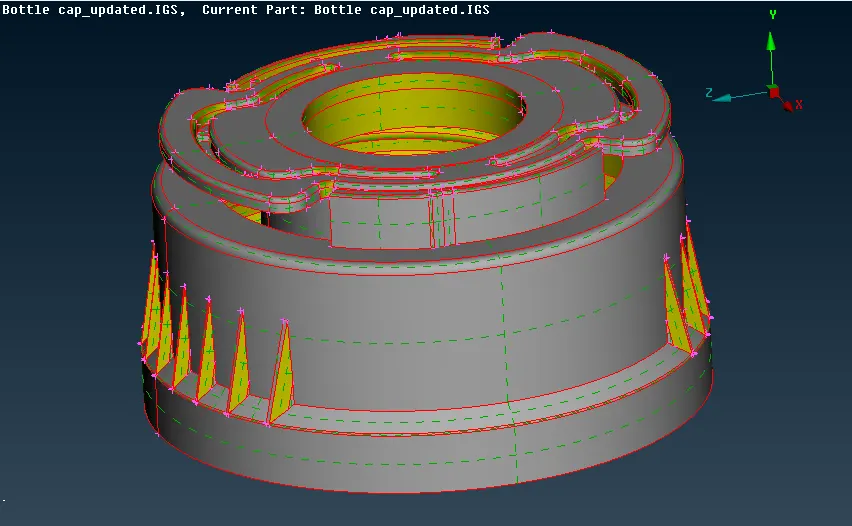
geometric parents. Also it is easy to maintain and update any changes in the geometry by simply reworking the updated area instead of recreating the FE from scratch. It carries several proprietary algorithms for meshing suitable for both CFD and structural models. ANSA stands for 'Automatic net generation for structural analysis', but the software has gone beyond that very quickly. The below figure shows that the actual model to be meshed.
( i ) GEOMETRY CLEAN-UP:
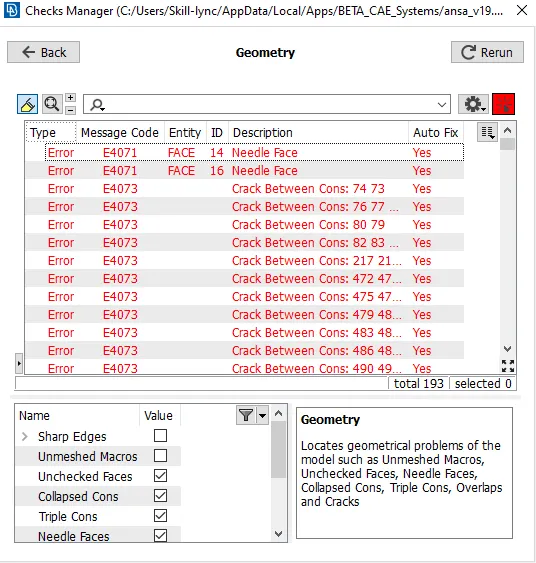
In ANSA software there certain kind of tools used for geometry clean up , meshing and different types solver to define certain problem. Initially CAD model should import to the software and check for gemoetry any error found! there are certain types of error like triple cons, single cons, unchecked faces, convex cons etc.,These errors can fix automatically & also manually. In this model the errors are auto-fixed and the list of errors are shown below.
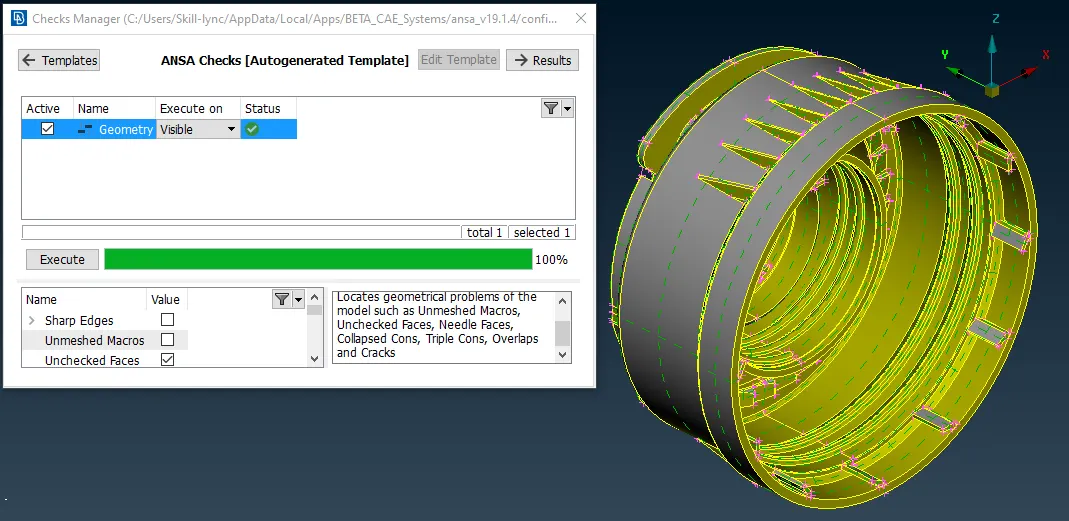
Before reading any CAD data into ANSA you can specify some settings concerning the application of Topology (the connectivity of neighboring Faces), and the Resolution (the appearance of geometrical entities on the screen). These settings should correspond to the dimensions, level of detail and tolerances of the CAD. Herewith the below figure shows that cleaned geometry after did topo and related operations, which is ready to proceed with Mid_surface.
( ii ) MID_SURFACE:
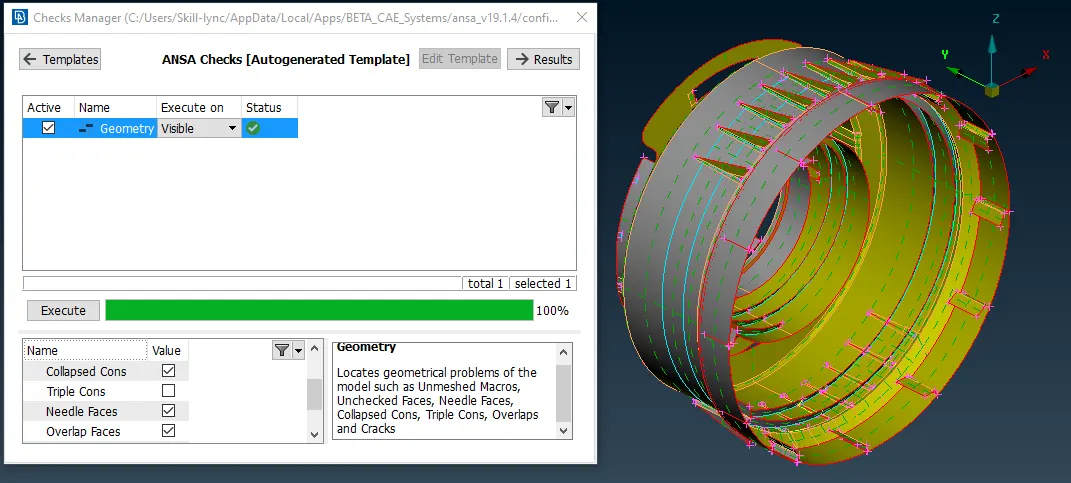
After completed Geometry clean-up, the Model should proceed with Mid_Surface. In Mid-Surface, it can be do with Auto or Manual. In this casting model, the auto mid-surface is not working due some complex features present in the model so Midsurface obtained manually by measuring the thickness of every individual area because of irregular thickness. The Mid-Surface of this model is shown below,
( iii ) MESHING:
After completed the Mid-surface with zero geometry error, the model is ready to mesh as per the quality criteria. In meshing there are 3 types General, CFD & Standard , here General type mesh as selected with mixed element i.e., both trias and quads. Before begin with meshing, we need to assign Quality criteria & mesh parameters.
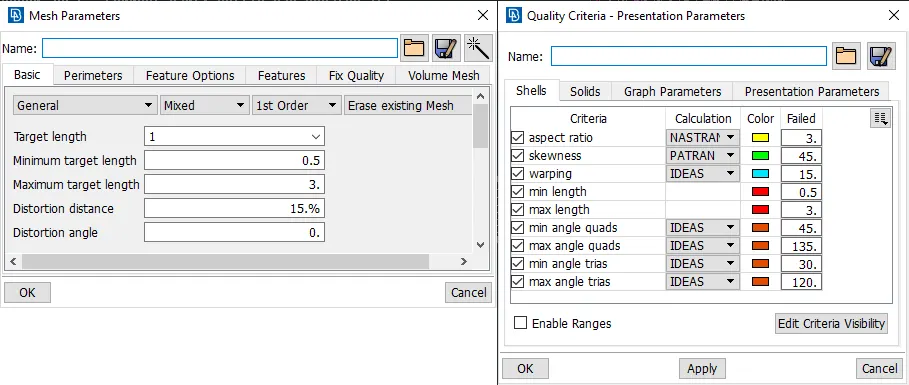
After assigned the mesh parameter & quality criteria for the model, the mesh as to be applied for area-wise for better quality.
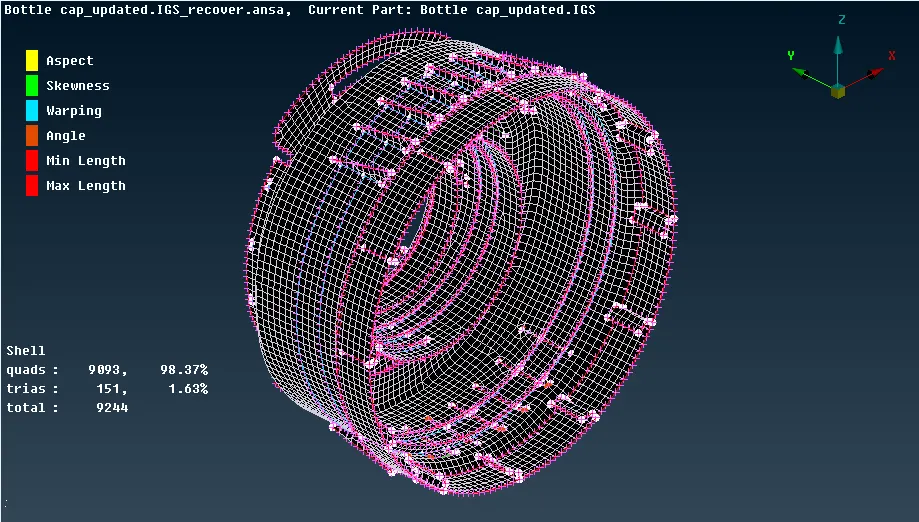
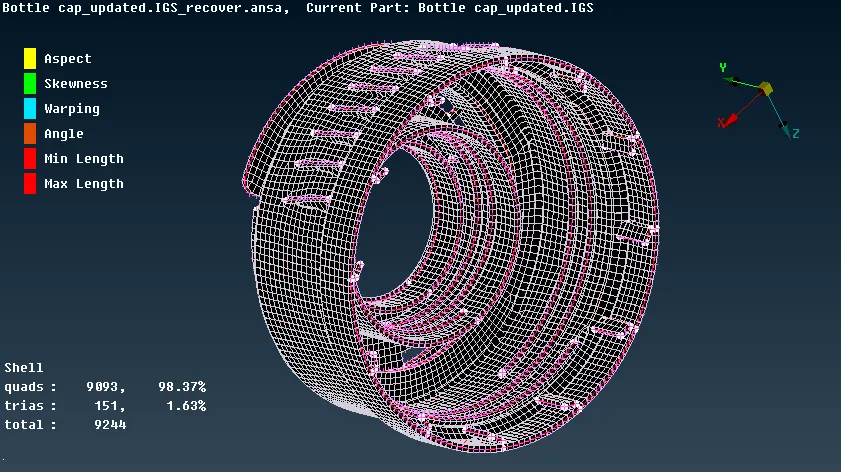
In the above meshed model there is no off element and avoided trias near the hole and features applied. After done the meshing as per the quality criteria we need to assign the thickness as Draw shell as Solid.
CONCLUSION:
- In this model completed the geometry clean up, topo and midsurface. After all the process started applying the mesh as per the quality criteria.
- The Geometry cleanup can eliminated by auto fix and some error can be fixed by manually.
- The midsurface can be created manually, the auto midsurface was not working for this model.
- After all the midsurface created, stared doing mesh for all parts. The mesh used as General for better accuracy and flow.
- After completed all the mesh assign thickness as "Draw shell as solid".
ANSA MODEL:
https://drive.google.com/file/d/12Y9sXAIQ9KTe_mDh1Ei9JTP8SAjKWRGj/view?usp=sharing