Week - 4 - 2D meshing for Plastic components
Aim:
For the given Plastic Bottle Cap model, check for the geometrical errors and take the mid surface by suitable mid-surfacing techniques. PID and Thickness assignment has to be done for all the mid surfaces. Mesh the same with given element Quality criteria. (Refer to the table below for the Quality criteria)
|
S.No |
Quality Criteria |
Value |
|
1 |
Target/Average length |
1 |
|
2 |
Minimum Length |
0.5 |
|
3 |
Maximum Length |
3 |
|
4 |
Aspect |
3 |
|
5 |
Warpage |
15 |
|
6 |
Skewness |
45 |
|
7 |
Jacobian |
0.7 |
|
8 |
Minimum Quad Angle |
45 |
|
9 |
Maximum Quad Angle |
135 |
|
10 |
Minimum Tria Angle |
30 |
|
11 |
Maximum Tria Angle |
120 |
|
10 |
Tria Percentage |
15 |
Procedure:
- Import Model
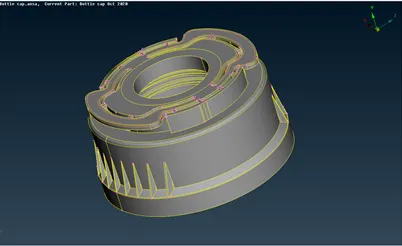
Open the given model (Bottle_cap.ansa) in ANSA – the component is made of plastic
- Geometry Clean-up
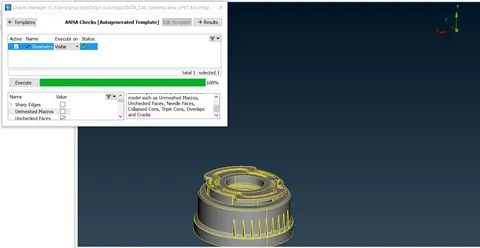
The components are checked for geometry clean-up using Checks > Geometry and clean up the errors using auto fix and use topo tools like new face, delete and topo, etc. to achieve 100%.
- Mid – Surface Extraction
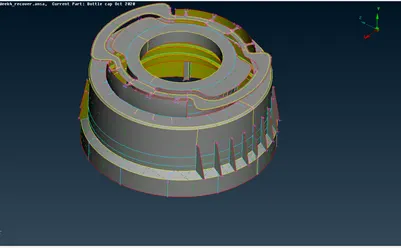
Since the thickness of each part of the component is different, the mid surface of the component is to be extracted manually part by part accordingly.
Below are the tools are used to extract the mid surface
- Offset (topo-faces-offset)– parts that have the same thickness.
- Middle -single/multi (topo-faces-middle) – parts that have varying thickness.
- For screw thread and teeth, we use topo-curve-middle to get the mid curve of the thread/teeth, then it is projected(topo-cons-project) and mid surface of the screw thread is created using those curves (topo-faces-new)
- For Ribs, we use middle (topo-faces-middle) and then it's extended (topo-faces-extend)
- Intersect (topo-faces-intersect) option is also used for the surfaces to intersect accordingly without errors.
- Using COG and Transform (Rotate) we can duplicate the ribs and teeth accordingly to save time.
- Assigning Thickness
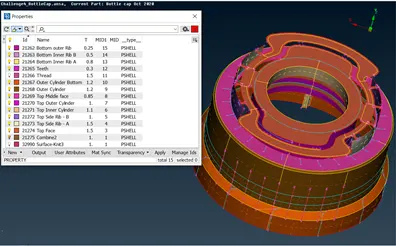
Set thickness (Topo-faces-Set PID) to the mid surface parts accordingly by measuring the thickness of the parent component.
- Meshing
The Mesh parameters and Quality criteria as per requirement are set.
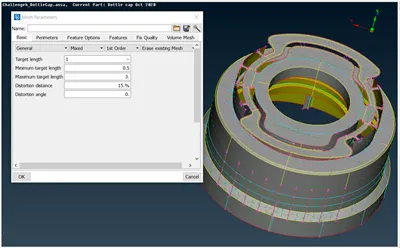
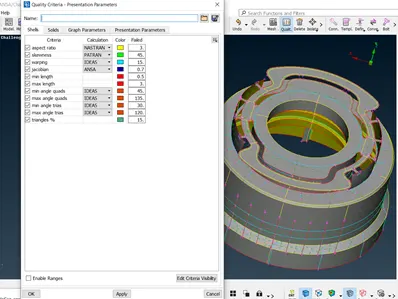
Perimeter and macros are set for 1mm using length in the perimeter option of the mesh tab.
Each Face(macro) of each component is meshed using the Best option in the Mesh Generation.
Mesh Quality is improved using reconstruct option in Shell mesh.
Further failed elements and trias are removed using Split, Swap, Join (Elements Tab), Smooth (Shell mesh tab), Paste (Grids), and Num +/- (perimeter tab).
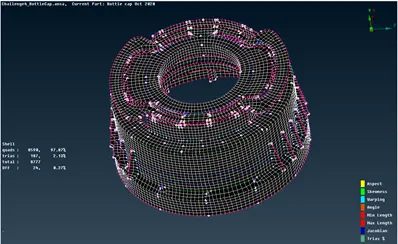
There might be some Failed elements near to Triple CONS or at smaller regions that are bounded by two Triple CONS.
Learning Outcome:
To extract Mid Surface of the plastic components using various methods.
Conclusion:
The Given Plastic bottle cap component is successfully meshed as per the quality criteria.