Week - 4 - 2D meshing for Plastic components
AIM: To mesh the mid surface of the plastic bottle cap model and to ensure proper mesh flow as plastic models contain features of varying thickness which requires precise evaluation for perfect mid-surface generation and thickness allocation.
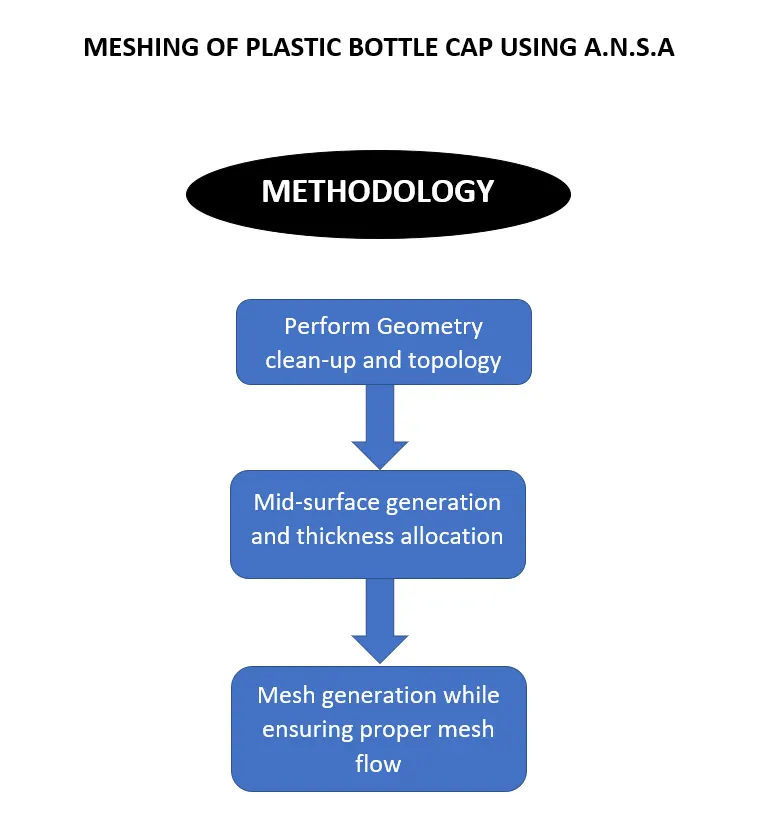
A. GEOMETRY CLEAN-UP AND TOPOLOGY
Basic steps include:
1. Performing geometry checks
2. Deleting distorted features, hot points, etc
3. Forming new faces
4. Performing TOPO
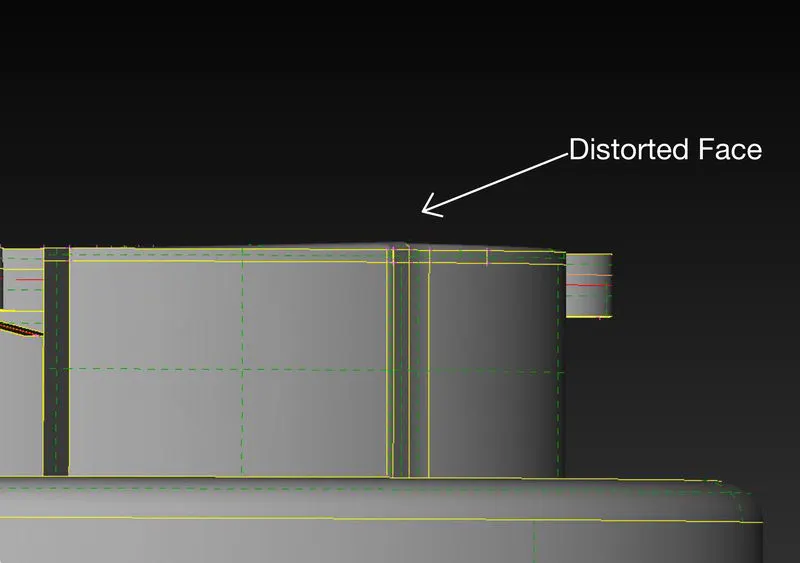
Here, the top face is distorted which will create problems while understanding features and generating mid surface.
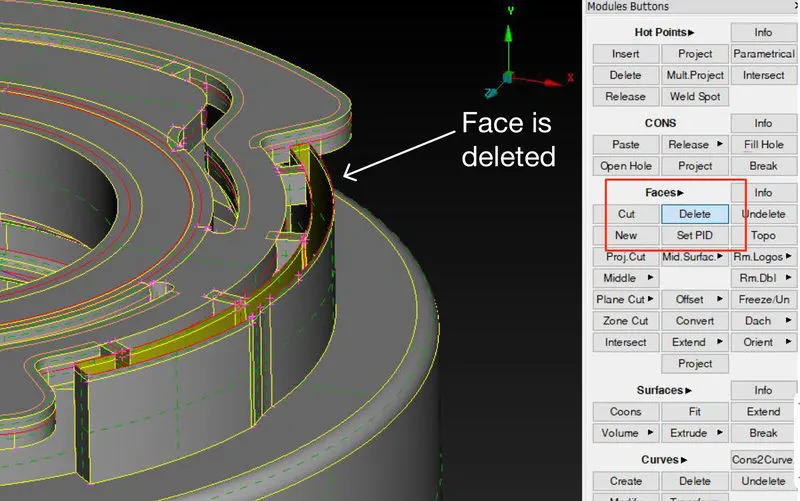
The face is deleted using the delete face option in the TOPO module and unwanted hotpoints are also deleted.
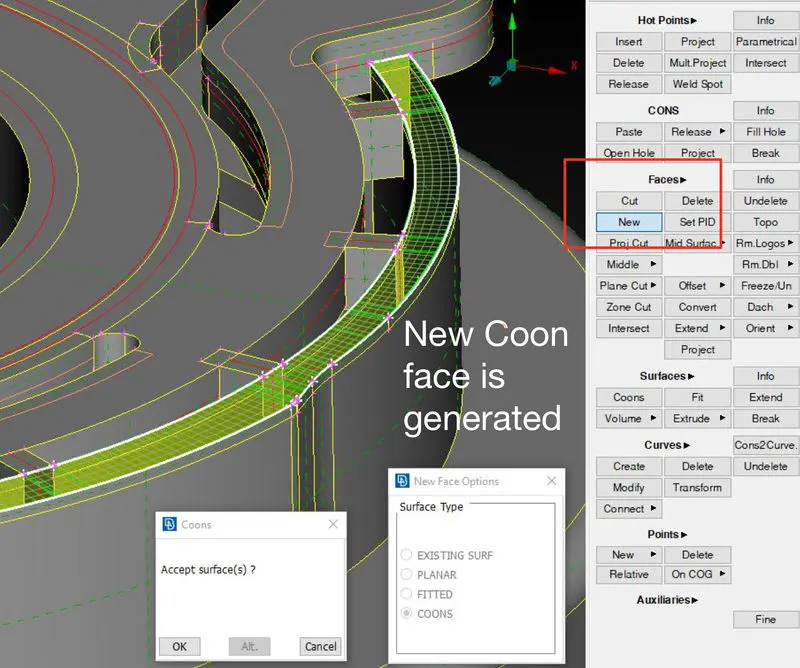
A new face is generated using the COON option
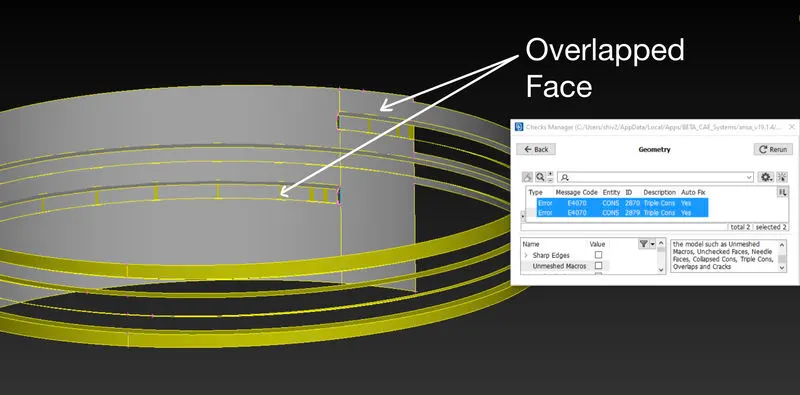
The overlapped face is found while the geometry checks so again unwanted face is deleted and topology is performed.
After series of checks and performing corrective measures, a final geometry check is performed and face orientation is corrected.
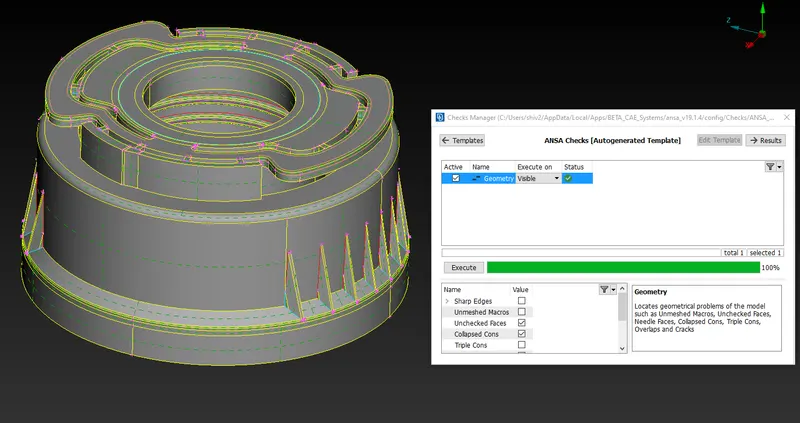
Geometry check is done without single cons and triple cons as they generally occur
B. MID SURFACE GENERATION AND THICKNESS ALLOCATION
Basic steps include:
1. Selecting the proper mid-generation method
2. Performing Topology and extend surface options to make a complete single component
3. Setting PID for features and thickness Allocation
4. Transparency check with parent geometry ON
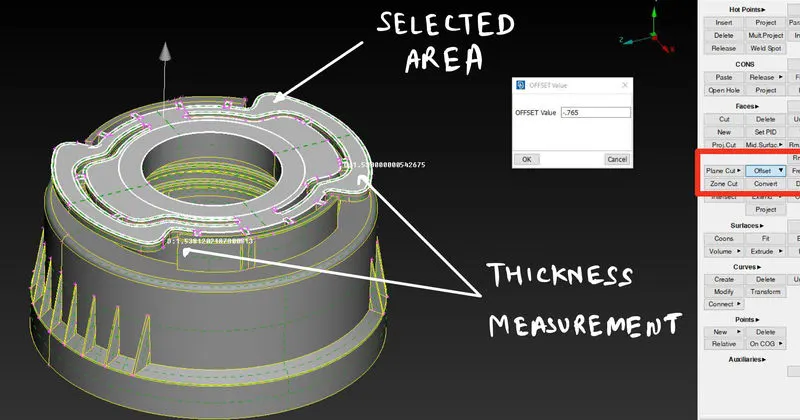
At first, thickness is checked and the Offset option is taken for multiple connected features of the same thickness
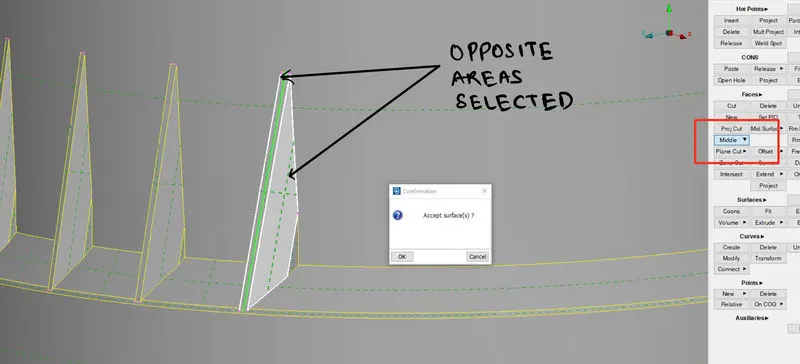
Another option of the middle is taken for the same feature of varying thickness.
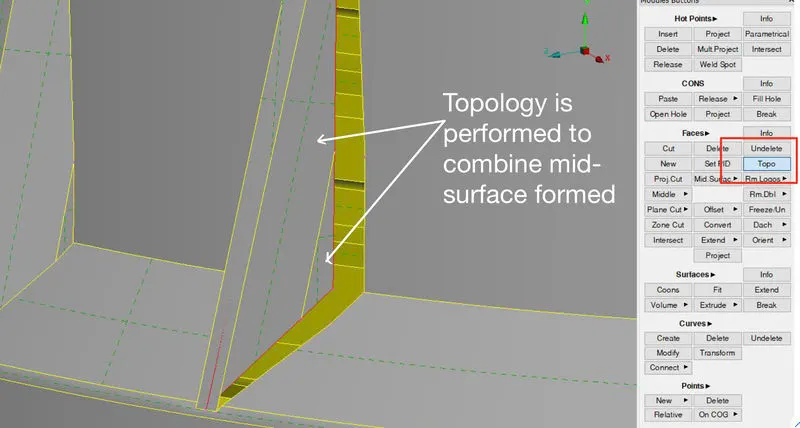
Topology is performed to connect various mid surfaces formed after using different methods of generating mid surfaces
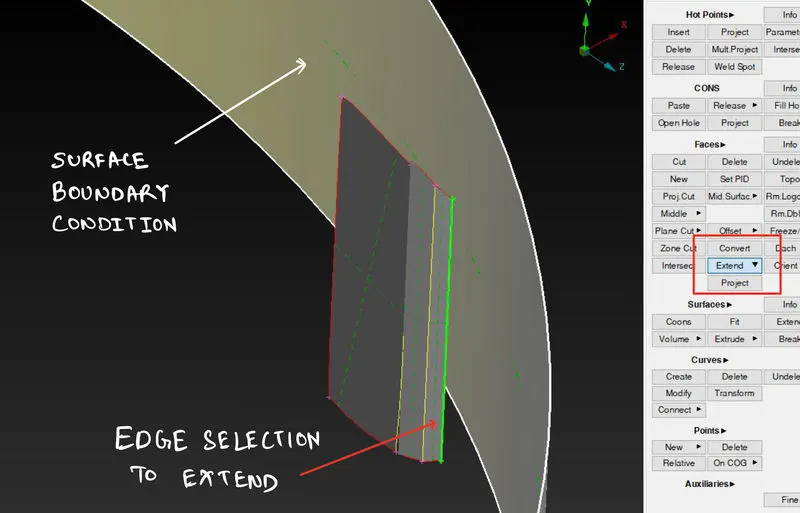
Various Middle surfaces are joined using extend the option to combine the middle surfaces.
After mid-surface is formed, various PIDs are formed and alloted different thicknesses as per the features of a plastic bottle Cap
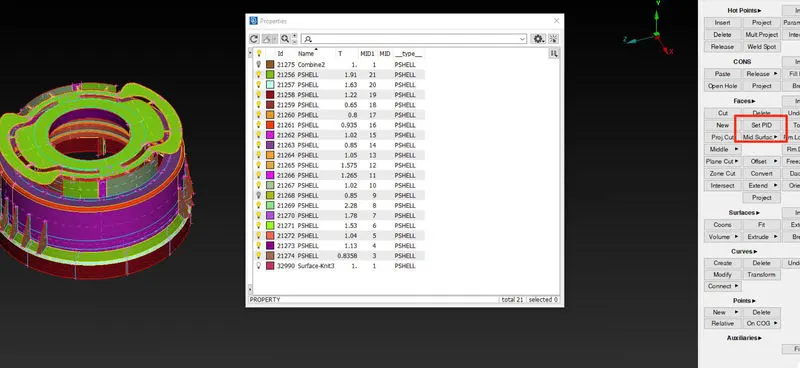
PID generation and thickness allotment.
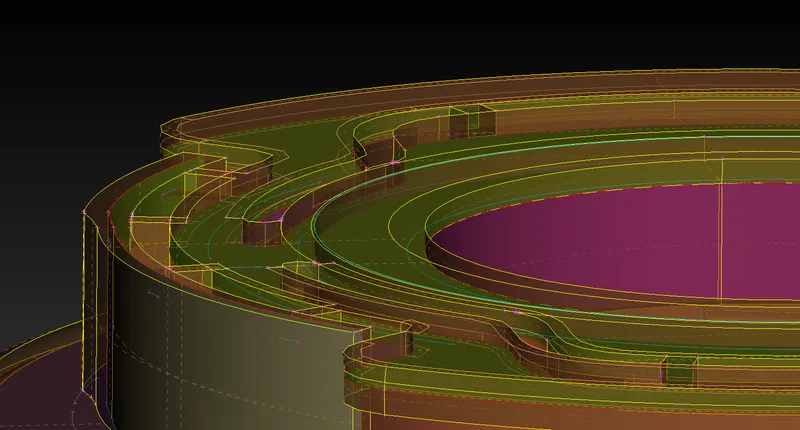
Mid surface check with transparency ON for parent body
C. MESH GENERATION
Basic steps include:
1. Setting given quality and mesh parameters
2. Start Meshing with the proper method
3. Try reducing most of the tria-elements
4. Check mesh and the parent geometry with "draw shells as solid" ON in the presentation parameters
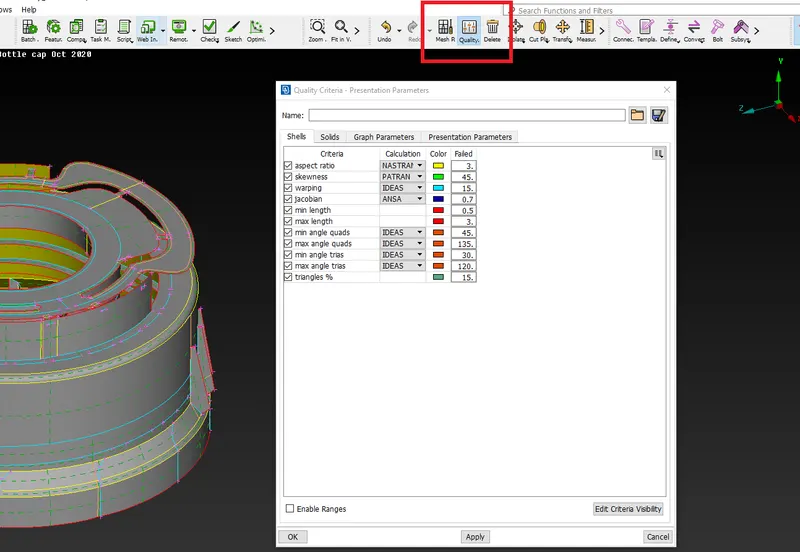
Quality parameters are stored and saved under (.ansa_qual) Extention
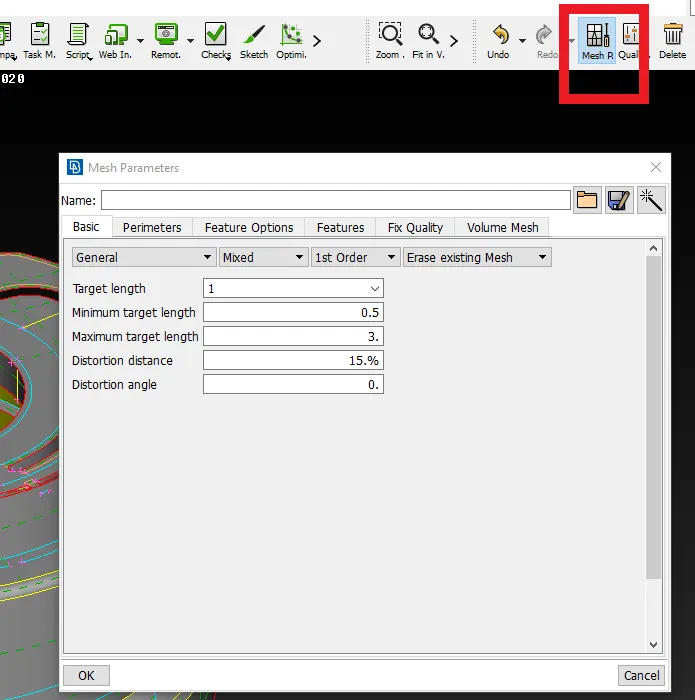
Mesh Parameters are stored under (.ansa_mpar) extension
NOTE: Before proceeding with meshing, parameters and macros are set to unit length as required by quality parameters
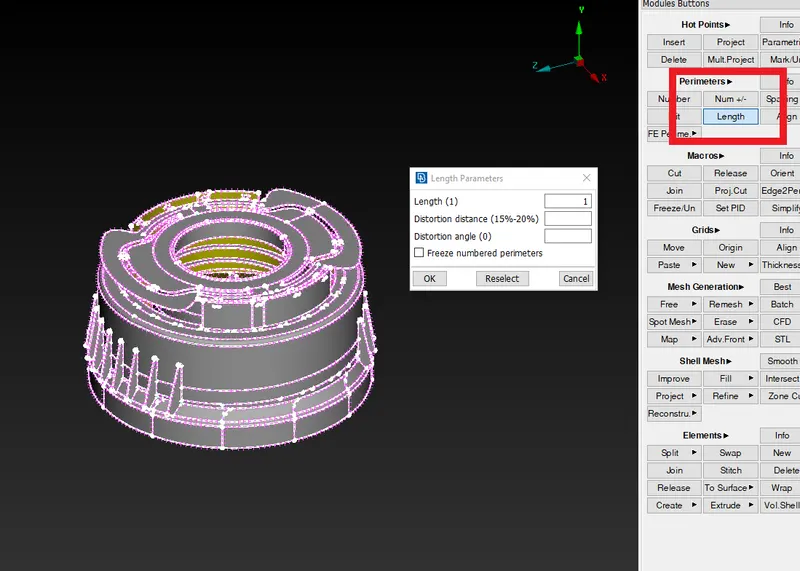
Length parameters are set
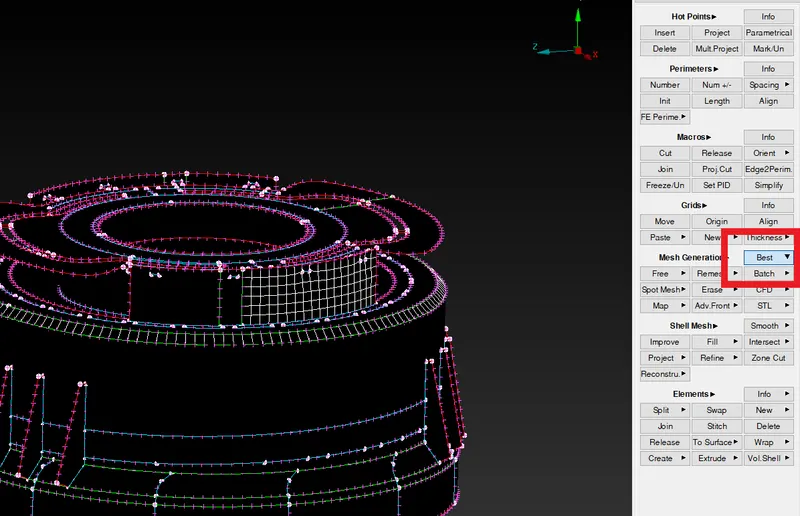
Mesh is created feature by feature using BEST mesh option
NOTE: While reducing Tria elements options like smooth and reconstruction are used
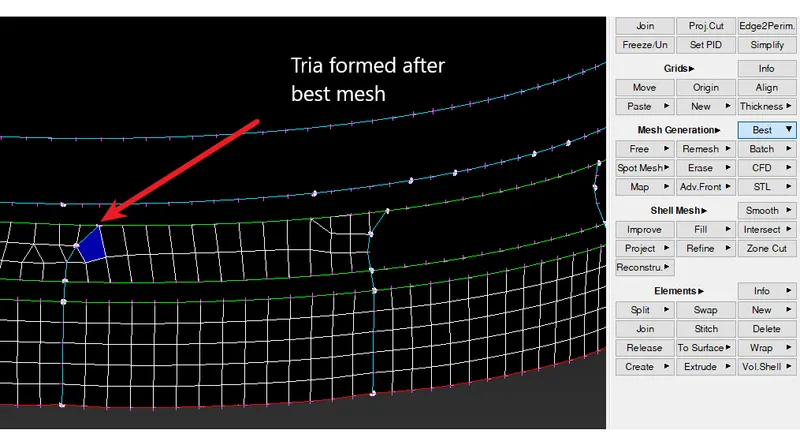
Before reconstruction
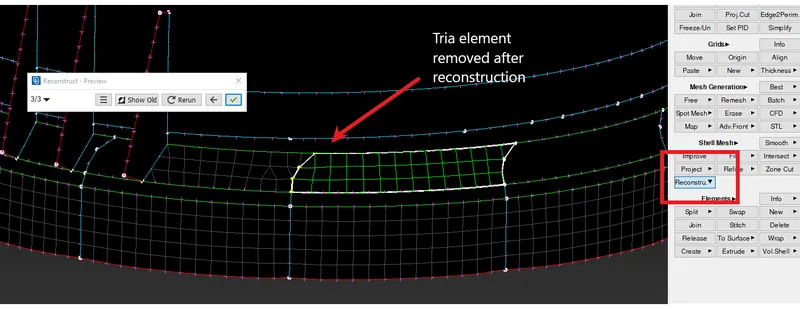
After reconstruction
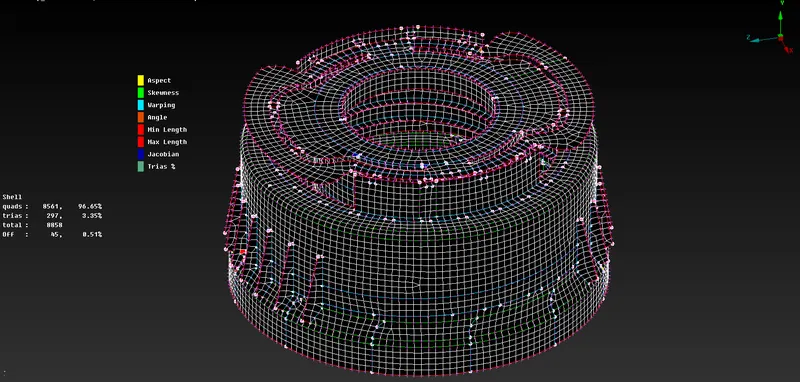
The complete mid surface is meshed
NOTE: Due to the unavoidability of triple cons and various feature positions, some OFF elements will be seen
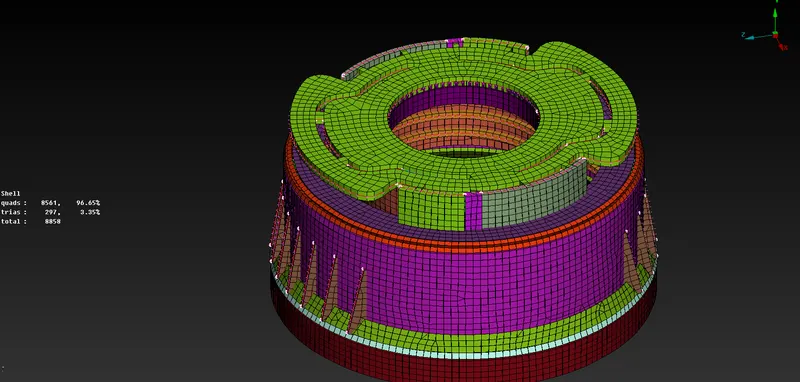
Various PID's created with thickness is shown with "Draw Shells as Solid" ON
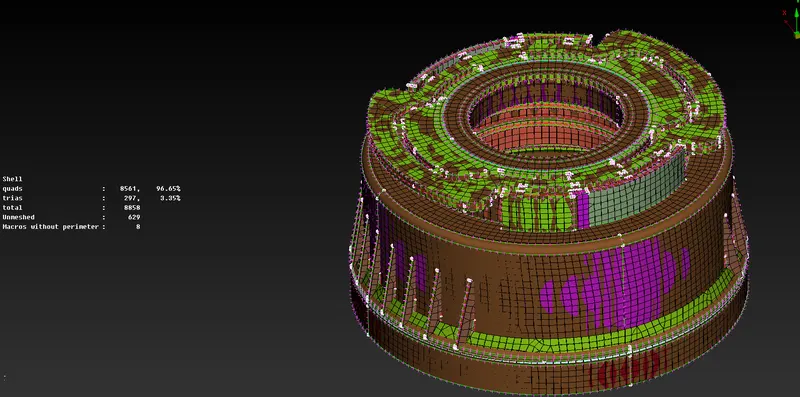
The gradient is seen with parent Geometry ON for Mesh Accuracy Check
CONCLUSION
1. ANSA is an easy-to-use tool to generate a mesh and full preprocessing.
2. Various features can be deleted and re-formed for proper mid-surfacing.
3. For complex plastic parts, triple cons are unavoidable.
4. Due to features of varying thickness, accuracy is a bit difficult to achieve in plastic models.