Week - 4 - 2D meshing for Plastic components
For the given Plastic Bottle Cap model, check for the geometrical errors and take the mid surface by suitable mid surfacing techniques. PID and Thickness assignment has to be done for all the mid surfaces. Mesh the same with the given element Quality criteria. (Refer to the table below for the Quality criteria)
|
S.No |
Quality Criteria |
Value |
|
1 |
Target/Average length |
1 |
|
2 |
Minimum Length |
0.5 |
|
3 |
Maximum Length |
3 |
|
4 |
Aspect |
3 |
|
5 |
Warpage |
15 |
|
6 |
Skewness |
45 |
|
7 |
Jacobian |
0.7 |
|
8 |
Minimum Quad Angle |
45 |
|
9 |
Maximum Quad Angle |
135 |
|
10 |
Minimum Tria Angle |
30 |
|
11 |
Maximum Tria Angle |
120 |
|
10 |
Tria Percentage |
15 |
Procedure:
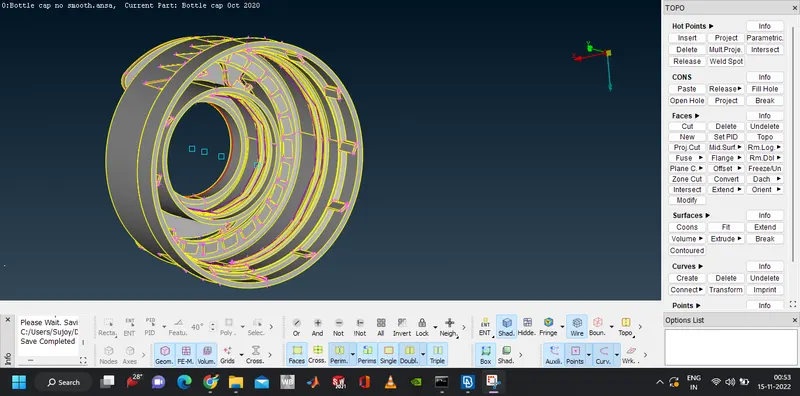
- Geometry is imported to the ANSA environment.
- In order to have a refined look of the component, the nodal distance is required to be shortened. For the refinement go to MESH > Perimeters > Length.
- Click on the Perimeters option in the selection window and select the whole component with box selection and confirm the selection
- In the length, parameters set the length to 1 mm
- The same steps are followed with the Macros selection option
- Before performing the checks, the geometric errors are attempted to fix beforehand using the topo function. Go to TOPO > Faces > Topo and select the whole component and confirm
- The geometry is been checked and the errors are fixed by right-clicking the errors and selecting the fix command.
- Go to Menu Bar > Tools > Checks > Geometry and select all the errors that need to be eliminated and click on execute.
- Setting the quality parameters: The given quality parameters are fed to ANSA by going to Menu Bar > Utilities > Quality Criteria, selecting the required quality checks, and entering the values as shown below.
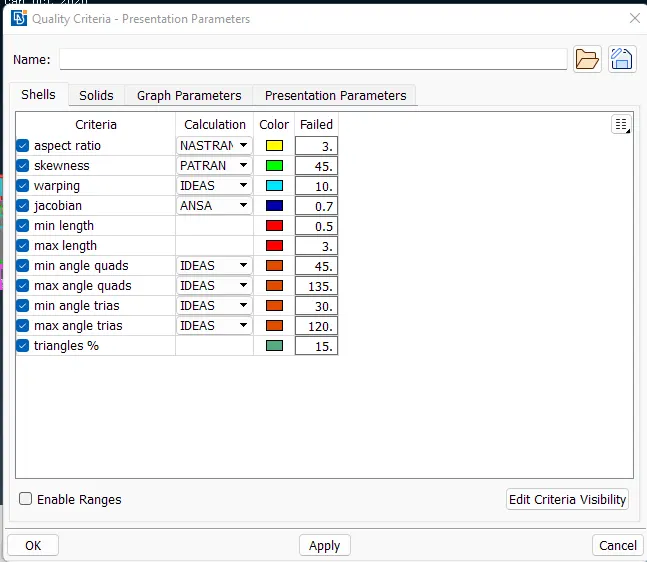
- Aspect ratio demands the maximum length of a side of a mesh element should not be greater than 3 times the minimum length side
- Skewness demands the element shape to be good based on the interior angles of the quad and tria elements
- Warping demands that if the quad element is bent into 2 planes then the angle made by the plane normals to not exceed 15 degrees
- Jacobian demands the mesh elements to be of ideal shape with small tolerance
- The mesh elements' side length should be in the range of 0.5 mm to 3 mm
- Triangles % sets the requirement that of the total mesh elements the trias should not exceed 15 %.
- The mesh parameters set the guidelines to be followed by the meshing algorithms by specifying the above-shown parameter in Menu Bar > Utilities > Mesh Parameters
- The idea side length of the mesh elements is set to 1 mm
- The mesh type is set to general and mesh elements can be a mixture of quads and trias.
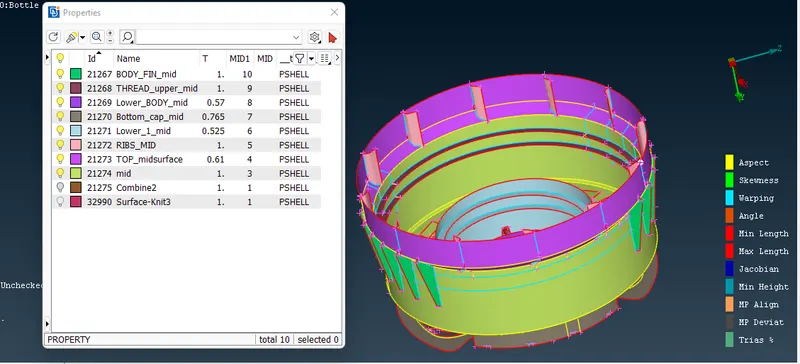
Geometry defeature: - Geometry de feature is necessary since the geometry has a varying thickness throughout the geometry. Thus the geometry is divided into fin, ribs, thread, mid and lower body, and the bottom cap.
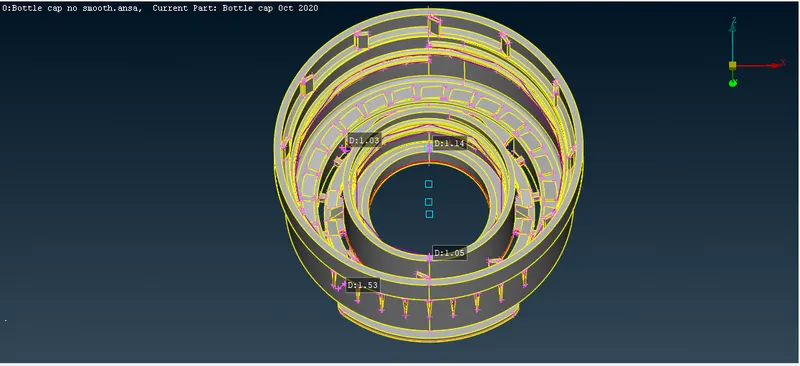
RIB
The mid surface of the rib is done by using cons
The newly formed mid-surface of the rib is joined to the body mid surface is joined to the body by using extend function that is Faces. The following instructions help in generating the mid surface.
The mid surface for this rib is created using TOPO < Curve < Middle< Face<New<Extend.
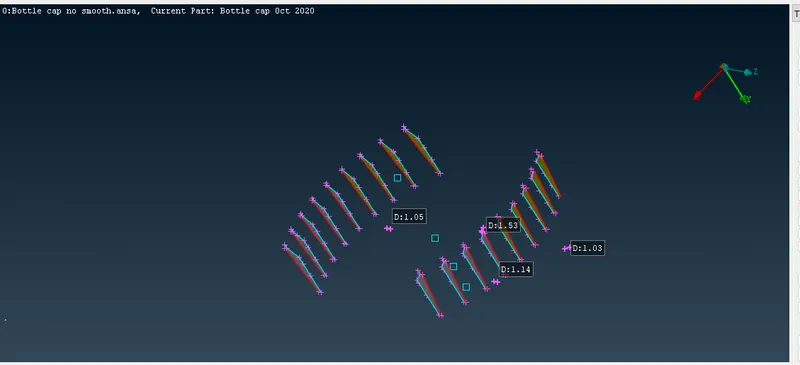
The Fin mid surface is done the same way as the ribs. The middle cure is taken by the middle cons command. This is done since the rib has varying thicknesses. One fin is used to obtain the mid-surface using the Cons and by using transform we create the rest of the ribs.
- The axis of rotation is required for copying the entity in a rotational format. Hence 2 COGs (Center of gravity) are created using TOPO > Points > On COG (Edges)
- Two circular edges are selected at different heights and confirmed.
- Then the fin entity is copied using Menu Bar > Utilities > Transform ( Rotate ) function. The first COG is selected for X and the second COG is selected for dX. This creates the axis of rotation. 11 is fed as Steps since 11 copies are required and Angle is fed with the angle between two fin entities from COG: 30 degrees.
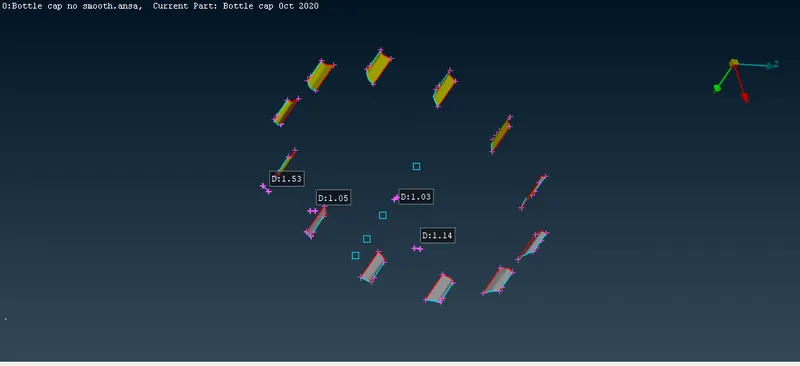
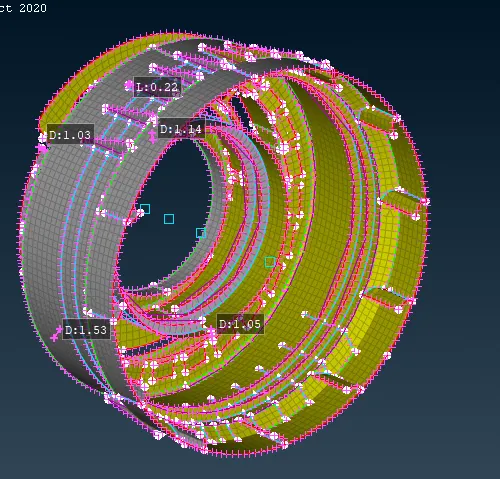
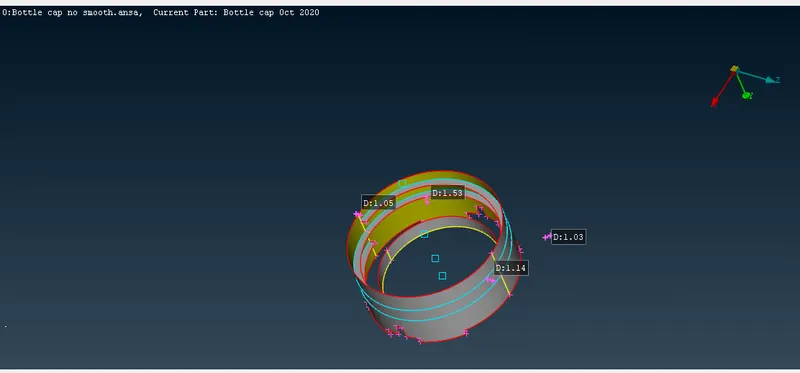
- The inner side of the cap has 2 concentric cylindrical structures. For these, the mid surface can be generated using TOPO > Faces > Offset function
- The outer and inner structures have thicknesses of 1.04 mm and 1.13 mm
- The outer surface of the outer cylinder is selected and on confirmation, offset value window appears.It is set to negative half the thickness value since the grey entity has negative orientation.
- For the inner structure, inner surface is selected and mid surface is extracted
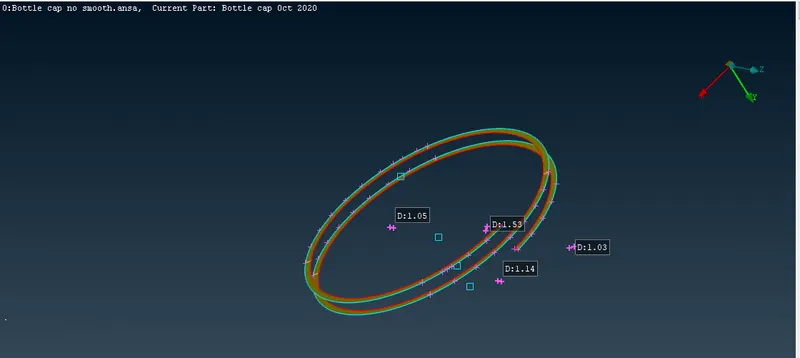
The thread mid surface is extracted using
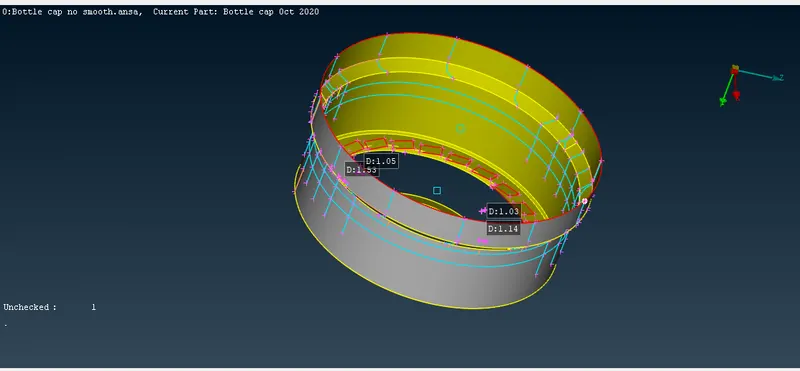
- The mid surface is extracted for the teeth by creating a curve. The larger lengths of the rectangular face of the teeth are chosen and a curve is created in the middle using TOPO > Curves > Middle function. This created a purple line.
- The double con that represents the converged end of the teeth is projected on the mid surface of the bottom plate using TOPO > Cons > Project then selecting the con and subsequently selecting the bottom surface
- Both: the curve and the projected con is selected to create a new face through COONS function in TOPO > Faces > New as shown in the above image
- Since the teeth have rotational symmetry and are 26 in number, the teeth mid surface is copied to all other places using Menu Bar > Utilities > Transform > Rotate. 25 is entered in Steps since 25 more teeth are required and same axis of rotation is selected
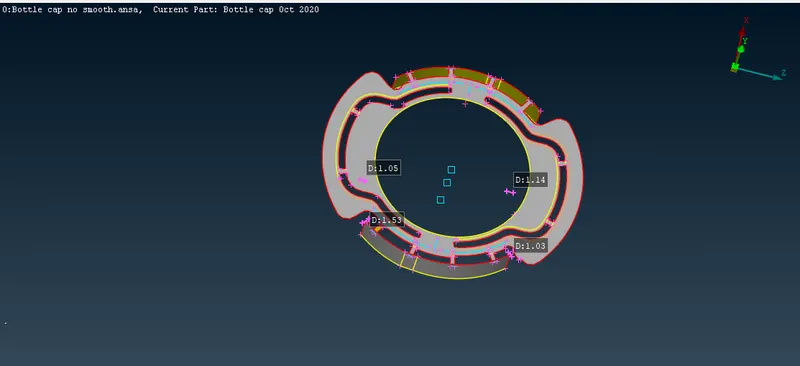
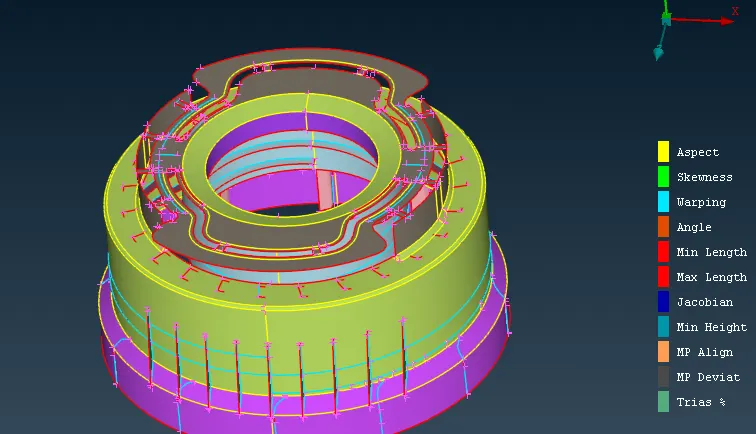
The fillet is converted to a sharp curve since the minimum thickness of the curve is 0.23mm and the minimum thickness is 0.5mm thus it ic converted to a sharp curve for both the lower and the upper fillets.
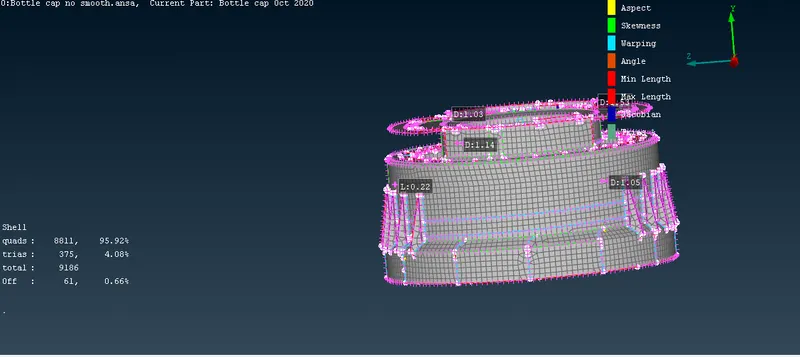
Performing Meshing:
- The deck is switched from TOPO to MESH
- From the MESH deck, nodal length is set to 1 mm for perimeters and macros from Perimeters > Length
- The visibility is switched from Shadow to Hidden mode
- The macros areas are selected and Best mesh algorithm is applied from MESH > Mesh Generation
- The following rotating quad was generated. Since it is unaccepted, it is eliminated using MESH > Elements > Split function.
- The Split cases window pops up. Nodes is selected and the opposite sides of the rotating quad is selected and confirmed. This divides a quad into triangles.
- The Smooth function is occasionally used to improve the mesh flow and Reconstruct function is used to eliminate the OFF elements. These functions are available in MESH > Shell mesh
- Setting PID to various components of bottle cap
- Set PID function in TOPO > Faces is used
- A selection window appears. Individual faces are selected and confirmed. The Property card appears.
- New PID is generated for the particular face by right-click > New > PSHELL. In the PSHELL window, the name of the face is fed and the corresponding thickness.