Week 4-1D Element Creation Challenge
Aim - To create 1D elements on following component with given cross section and DoF.
In HYPERMESH.
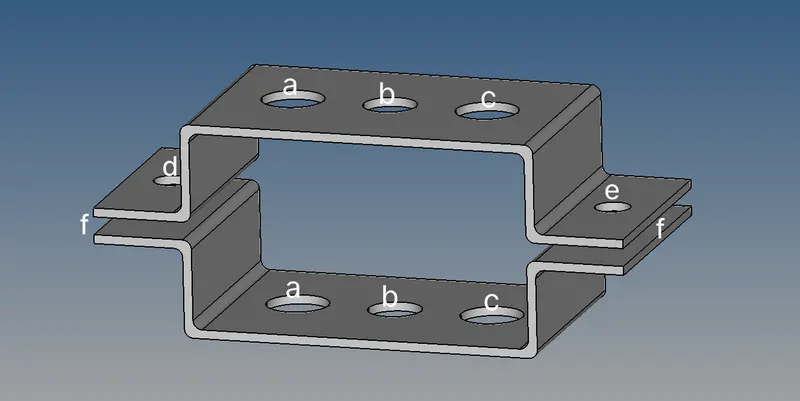
Procedure-
1,Import the CAD file into hypermesh.
a)Midsurface extraction-
1,Go to Geom>midsurface>select the surface>extract.Follow the procedure for top as well as bottom of thecomponent.
2,Create properties and assign material to it and assign properties to two brackets.Create independent nodes if not use organize>select surface>destination>move
3,Give washer split to the holes of 5mm ,2D mesh the midsurface and equate the nodes with washers split
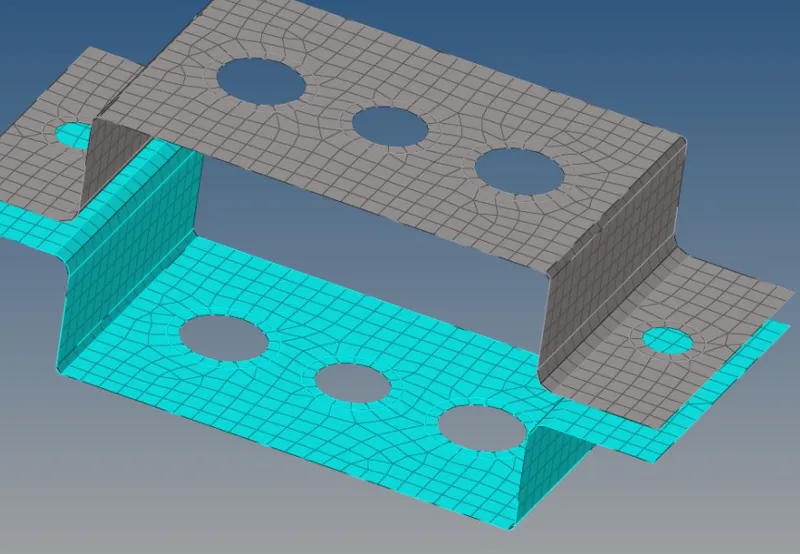
b)Creating 1D Elements-
1)ROD Element-
1,Create RBE2 links.Go to 1D>rigids>select the nodes>create.
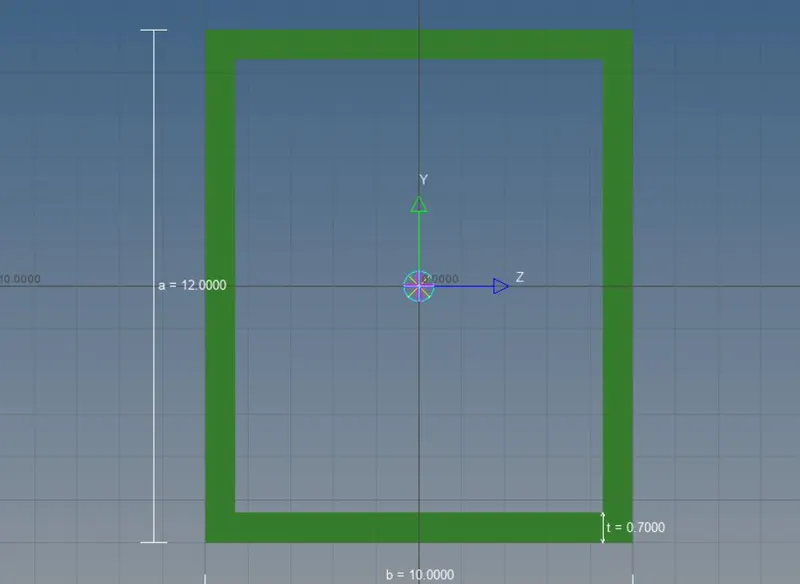
2,To create box,go to hyperbeam>standard section>select hyperbeam from drop menu>thinwalled box from buttom > create.Hyperbeam will open ,give dimensions of your section and go back to hyper mesh.
3.Create new property of rod ,card image as PROD,assign beam specifications as created as in hyperbeam.
4,Go to 1D>rods,update>element type>select type and create.
2)Beam Element-
1,Create RBE3 elements,on top and bottom surface.
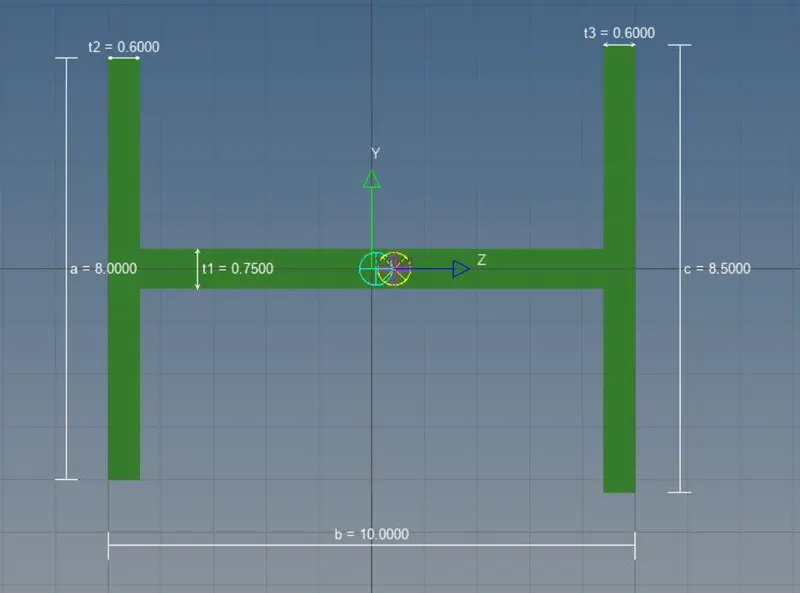
2,Go to hyperbeam>create>standard section>Hypermesh >I section.Give dimensions and go back to hypermesh.Specify dimensions in new created propeerty.card image PBEAM.Go To bars,change element type to CBEAM, create element.
3)BAR element-
1,Create RBE3 links as mentioned.
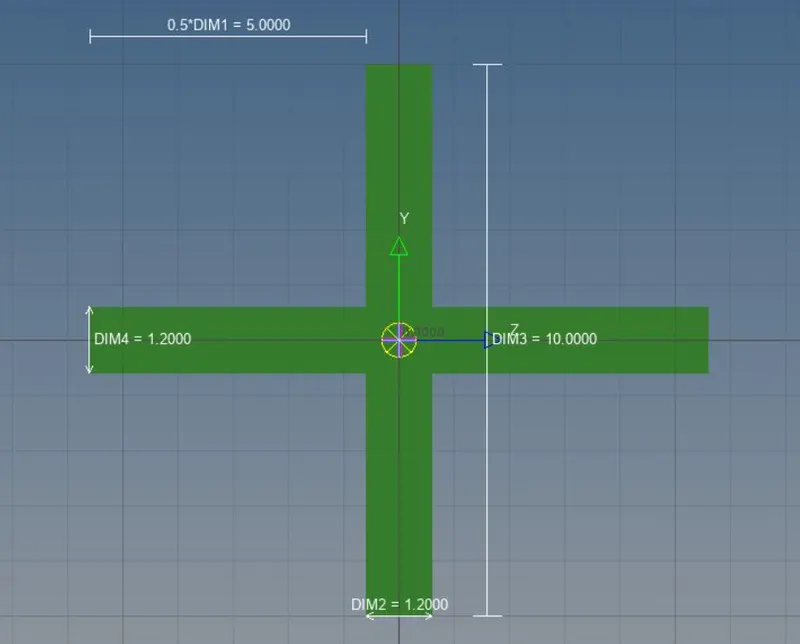
2,create the cross figure in hyper beam and give dimensions as mentioned.import the property of new created element ,change the card image tp PBAR.
3,Go to 1D>bars>select the property as bar>element typeas CBAR>update.
4)MASS element-
1,Go to 1D>rigids>select nodes >create.
2,1D >masses>Massess=10>element type-CMASS1>property>bracket top>create,.
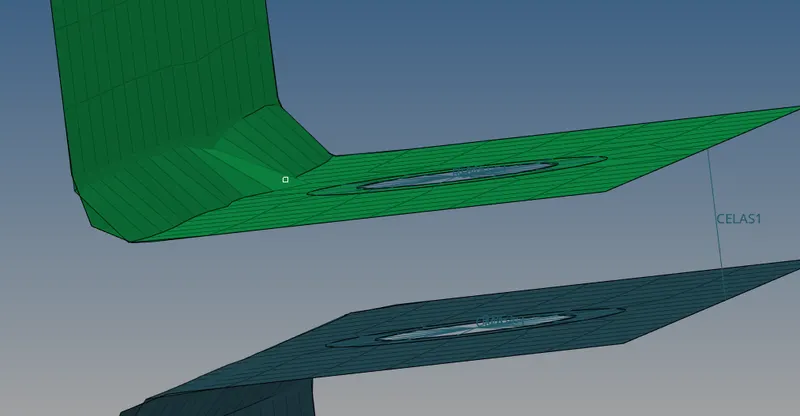
5)springe element-
1,Create a new property spring,card image as PBUSH.
2,1D>springs>element type-CELAS1>property Spring>select nodes.
FINAL IMAGE- 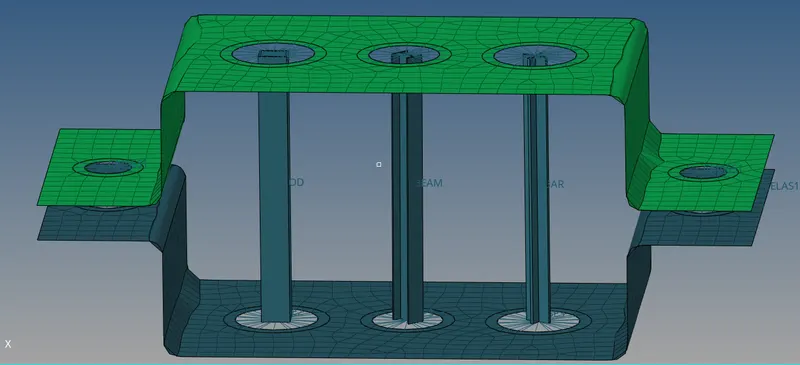
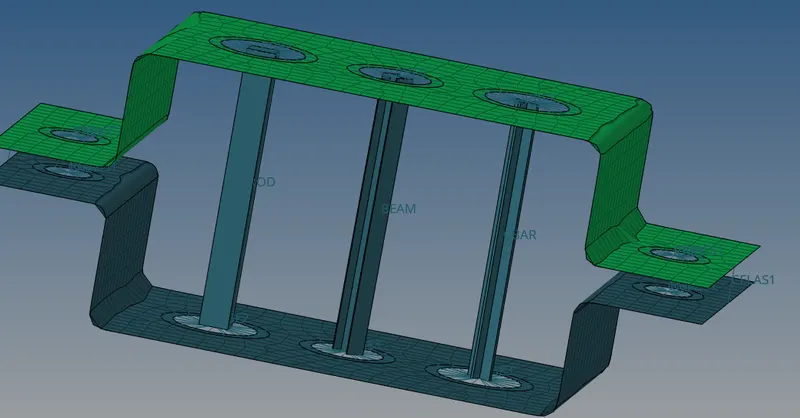
Conclusion-we have created required 1D elements and also midsurface is created using hypermesh.
Done by,
Gowtham Bhogavalli.