Week 4-1D Element Creation Challenge
CREATING MID SURFACE AND 1D ELEMENT REPRESENTATION(BAR,ROD,BEAM)
Aim: For the given parallel plate we have to create mid surface, meshing and also create the 1D element representation on the component with the given cross section and DOFs.
Procedure:
1.import the cad model
2.mid surfacing(which is shell element)
3.Meshing
4.Repesentation of the RBE2,RBE3 with constrains(DOFs)
5.Define the 1D elements(bar,rod,beam) in mentioned place
6.Define the cross section
7.Assign the particular property to component
8.Detailed 1D and 2D Representationparticular
1.Import the Cad model:
Import the Cad model the from the local folder using,Import ˃ Geometry ˃select the file ˃import. As shown below.
2.Mid surfacing:
Mid surfacing is the representation of the 3D model as a 2D shell element. Geometry ˃mid surface ˃ Here we can see different option in extraction option here i have used offset to extract mid surface ˃ select the surface which you want to extract the mid ˃ and middle click or extract. The reason we using the Auto mid surface because its thickness is uniform throughout.
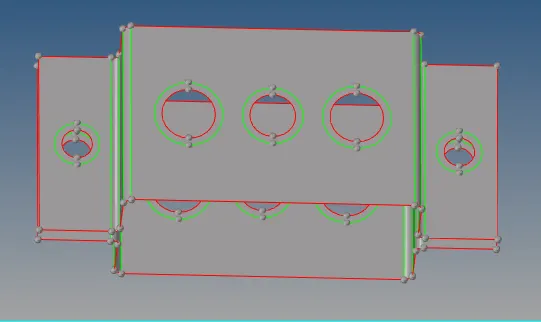
Fig:mid component and Washer split near the hole
3.Meshing:
Before proceeding the meshing we have to create the Washer split near the hole region to avoid the trias.using Geometry ˃ quick edits ˃Washer split ˃select the line and offset to 5.1 and follow the same offset to all holes because the our element size is 5mm if we take the offset value below 5mm it would be element failure which is not acceptable.[2D ˃Auto mesh ˃element size is 5mm and select the mesh type is mixed ˃select the surface and middle click or mesh button ˃ and adjust the nodes inside and outside the circle to avoid the trias.
4. Representation of the RBE2&RBE3:
To creat the RBE2 element we have option called rigids and RBE3 which is rbe3.[1D ˃RBE2 ˃select the calculate node ˃nodes by Path selection and create and ˃update the Dofs As per the given in the question.In the same way 1D ˃select the rbe3 ˃select the nodes by path and create.
5.Define the 1D elements(bar,rod,beam) in mentioned place:
Using 1D ˃select the bar and ˃select the node 1 and and node2 and then ok it will ask how the rod should in direction .Then the connection is established. Apply the same for the bar and beam.
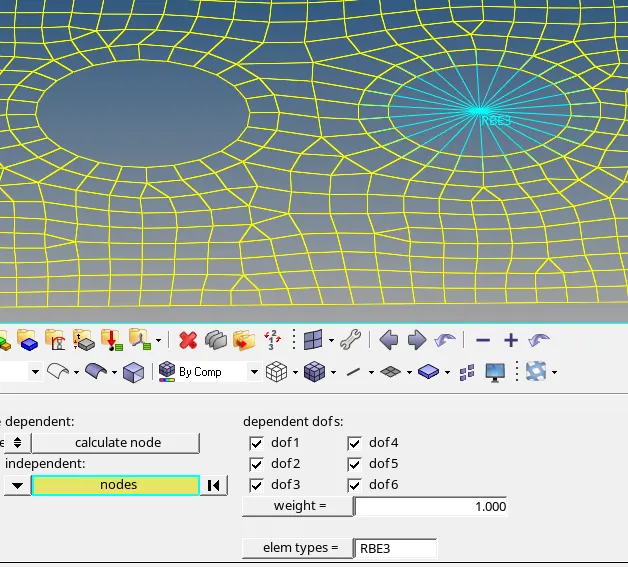
Fig:RBE3 Element and constrained in all DOFs
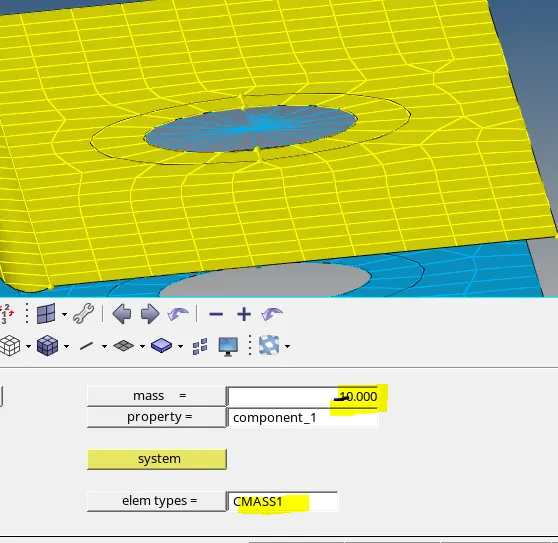
Fig:RBE2 Element And Mass added on the RBE2
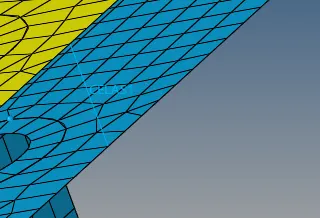
Fig:Spring Element
6.Define the cross section:
1D ˃ Hyper beam ˃standard section ˃hypermesh ˃standard I-section ˃give values mentioned in the question [Beam Element]
1D ˃ Hyper beam ˃standard section ˃hypermesh ˃Thin walled Box ˃give values mentioned in the question [Rod Element]
1D ˃ Hyper beam ˃standard section ˃optistruct ˃ select the cross ˃give values mentioned in the question [Bar Element].
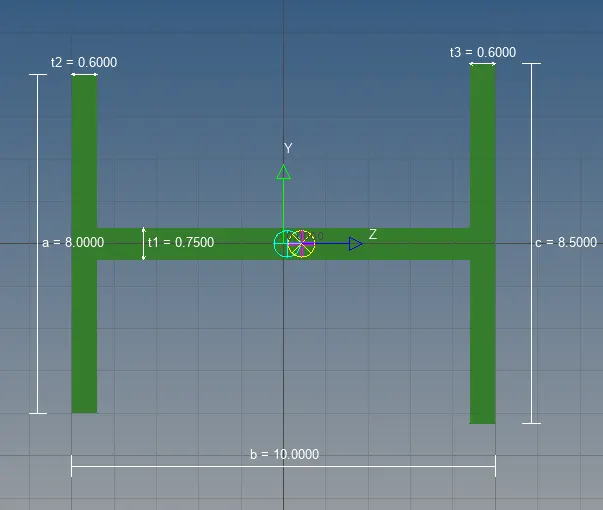
Fig:Beam I -Cross -section along with given dimension
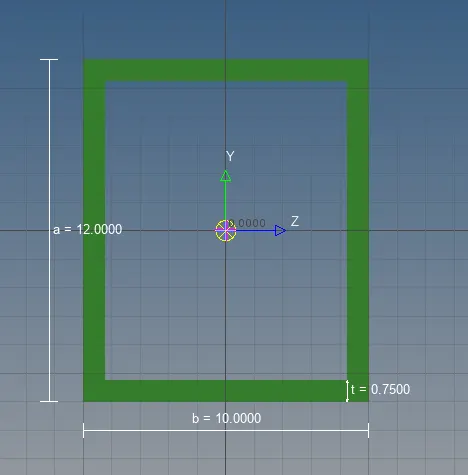
Fig: Box cross-section (Rod)
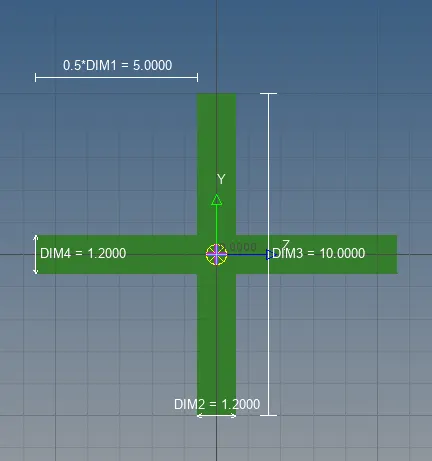
Fig:X-cross section (Bar Element)
7.Assign the particular property to component:
Once the cross section is defined .in the property tree create the property for rod and bar and beam, in the property page assign the particular cross-section to particular name suppose if we open the rob property in the options select the beam selection in that we have to select the rod from the list and for beam we have to select the I section.
8.Detailed 1D and 2D Representation:
After all the procedure the representation in 2D view and and connections in 1D representation,from the toolbar select the 1D detailed element representation and For 2D select the 2D detailed Element Representation.
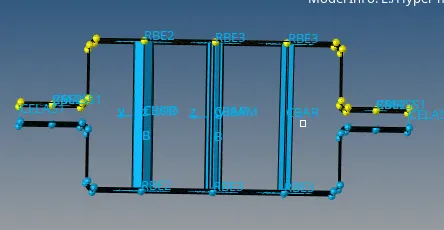
Fig:Representation of Element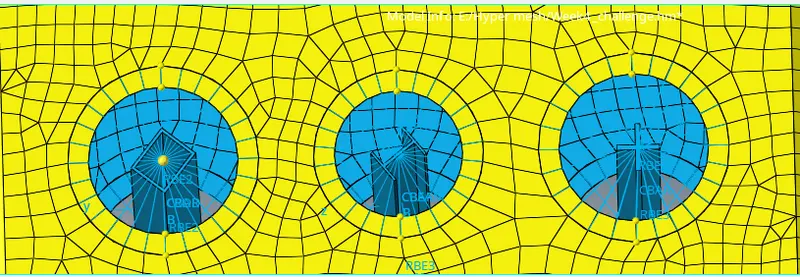
Fig:Rod,Beam,Bar Elements in 2D view
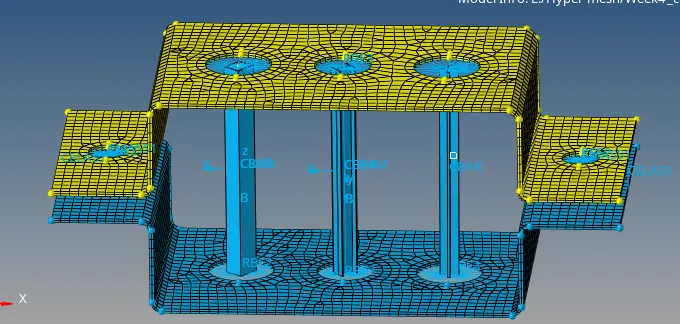
Fig: Final model
Learning Outcomes:
1.I have learnt the extraction of mid surface and meshing
2.Creation of the 1D elements(rod,bar,beam) and cross section creation
3.And also learnt the how to assign property and material to componet
Result:
For the given parallel plate mid surface, meshing has been done and the 1D element representation on the component with the given cross section and DOFs is done.
Here below i have attached model link
https://drive.google.com/file/d/1pwi__XAgD1Mk2HE7XWB1KgLzM73Uo-Ti/view?usp=sharing