Week 3 - Solving second order ODEs
Aim:-
To solve an ordinary differential equation (ODE) and use the calculated information to animate the motion of the pendulum via
MatLab.
Theory:
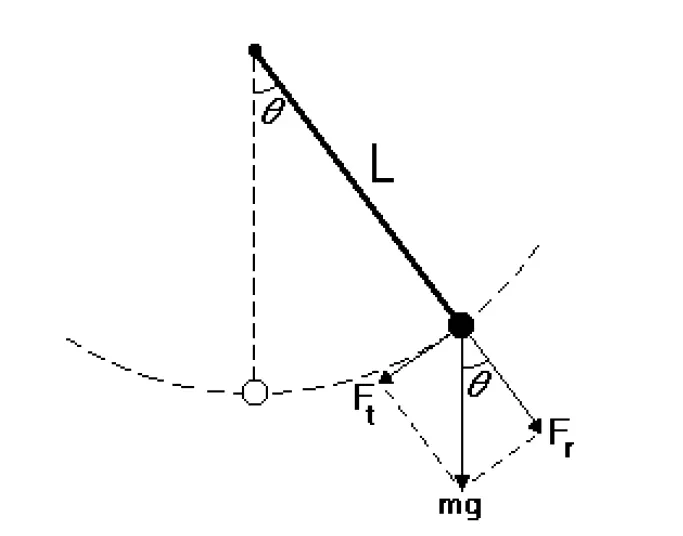
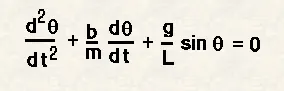
A simple pendulum consists of a point mass suspended on a string or wire that has negligible mass. If the pendulum weight or bob is pulled to a relatively small angle from the vertical and let go, it will swing back and forth at a regular period and frequency. Figure 1 shows a simple pendulum model
Code Explanation:-
The function code
% A function program which will be called in the main program to solve the
% ODE
function [dtheta_dt] = ode_func(t,theta,b,g,l,m)
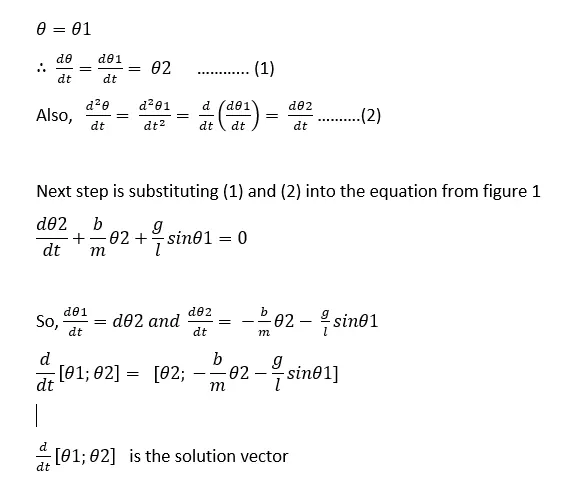
theta1 = theta(1)
theta2 = theta(2)
dtheta1_dt = theta2
dtheta2_dt = -(b/m)*theta2-(g/l)*sin(theta1)
dtheta_dt = [dtheta1_dt; dtheta2_dt]
end
% Objective: Solving second order ODEs of a penedulum
b = 0.05 % damping coefficient
g = 9.81 % gravity (m/s^2)
l = 1 % length of the spring (m)
m = 1 % mass of the bob (kg)
% initial condition
% angular displacement is 0 and angular velocity is 3
theta_0 = [0;3];
% time span
% Pendulum oscillates between 0-20 seconds
t_span = linspace(0,20,600);
%solve ODE
[t,results] = ode45(@(t,theta) ode_func(t,theta,b,g,l,m), t_span,theta_0);
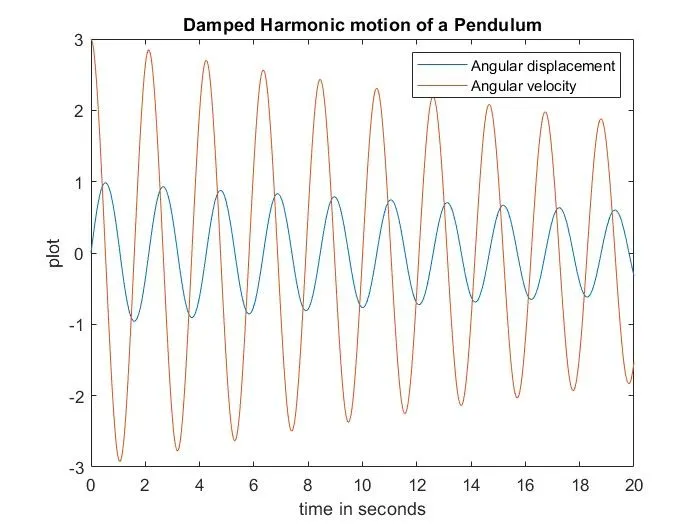
plot(t,results(:,1))
hold on
plot(t,results(:,2))
ylabel('plot')
xlabel('time in seconds')
title('Damped Harmonic motion of a Pendulum')
legend('Angular displacement', 'Angular velocity')
% For loop
% Before starting the for loop, a counter value was defined
ct =1;
for i = 1:length(results(:,1))
x_start = 0
y_start = 0
x_end = l*sin(results(i,1))
y_end = -l*cos(results(i,1))
% plotting the animation
figure(2)
plot([-1 1], [0 0], 'linewidth', 5)
hold on
plot([x_start x_end],[y_start y_end],'linewidth',3)
hold on
plot(x_end,y_end,'o','markersize',20,'markerFacecolor','y')
title('Animation of transient behaviour of a Pendulum')
axis([-1.5 1.5 -1.5 1])
pause(0.03)
hold off
M(ct) = getframe(gcf)
ct = ct+1
end
% Animation of the pendulum
movie(M)
videofile=VideoWriter('Pendulum Animation.avi', 'uncompressed avi')
open(videofile)
writeVideo(videofile,M)
close(videofile)Result:
Conclusion:-
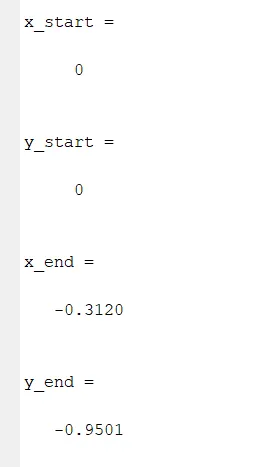
The x_start,y_start, x_end y_end values
Animation Video:-
Here is the link for the video of the animation that I got for this project.https://www.youtube.com/watch?v=n2JGQCQjRX8