Week 3 - Solving second order ODEs
Aim:
The aim of this project is write a program that can simulate the pendulam motion.
Objectives:
- write a program to calcualte ODE equation.
- creating a simple pendulam motion animation video.
Solving second order ODE:
The given equation is
the above equation can be written as
substituting,
theta =theta1;
dtheta/dt = dtheta1/dt = theta2;
the above values can be submit in second order equation
d^2theta1/dt^2+(b/m)*theta2+(g/L)*sin(thata)= 0;
from above,
dtheta1/dt = theta2;
dtheta2/dt = -(b/m)theta2-(g/L)sin(theta1);
To write a program first we have to create a function which is used to get correct output
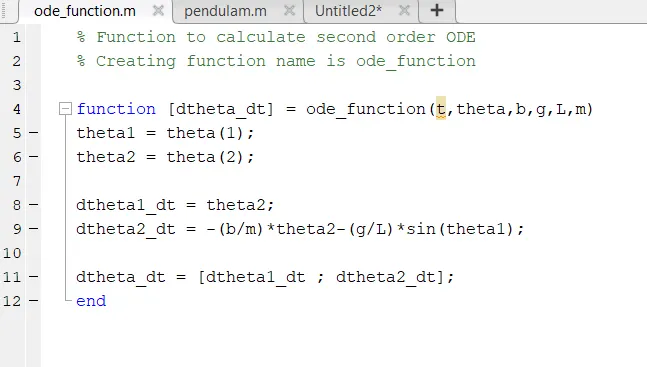
The function code is as follow
% Function to calculate second order ODE
% Creating function name is ode_function
function [dtheta_dt] = ode_function(t,theta,b,g,L,m)
theta1 = theta(1);
theta2 = theta(2);
dtheta1_dt = theta2;
dtheta2_dt = -(b/m)*theta2-(g/L)*sin(theta1);
dtheta_dt = [dtheta1_dt ; dtheta2_dt];
end
Solution to solve second order ODE:
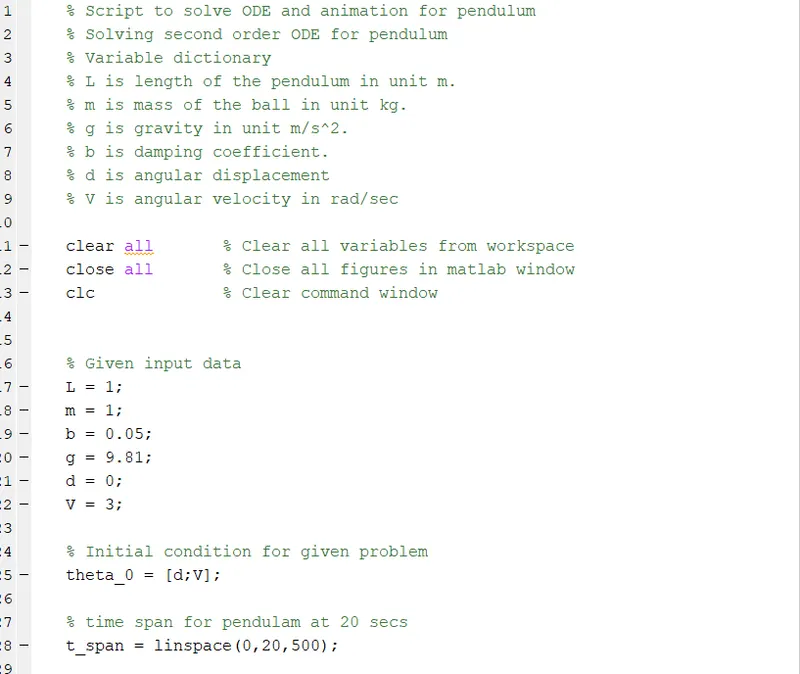
% Script to solve ODE and animation for pendulum
% Solving second order ODE for pendulum
% Variable dictionary% L is length of the pendulum in unit m.
% m is mass of the ball in unit kg.
% g is gravity in unit m/s^2.
% b is damping coefficient.
% d is angular displacement
% V is angular velocity in rad/sec
clear all % Clear all variables from workspace
close all % Close all figures in matlab window
clc % Clear command window
% Given input data
L = 1;
m = 1;
b = 0.05;
g = 9.81;
d = 0;
V = 3;
% Initial condition for given problem
theta_0 = [d;V];
% time span for pendulam at 20 secs
t_span = linspace(0,20,500);
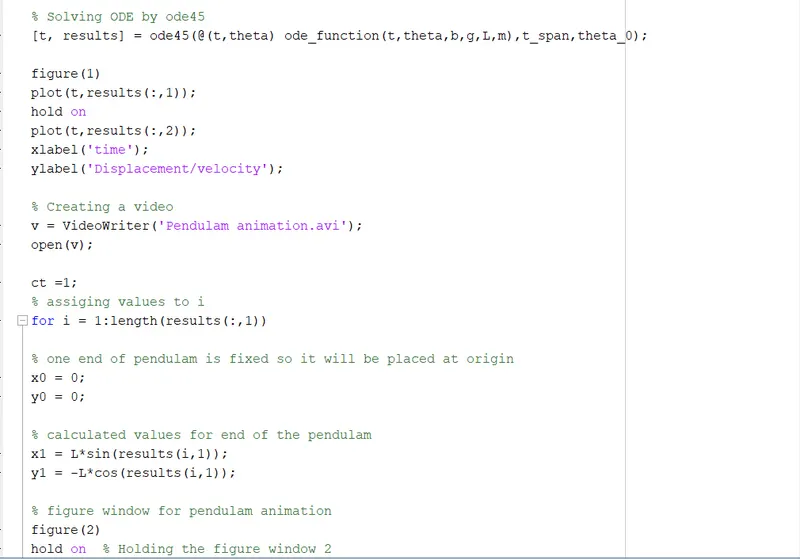
% Solving ODE by ode45
[t, results] = ode45(@(t,theta) ode_function(t,theta,b,g,L,m),t_span,theta_0);
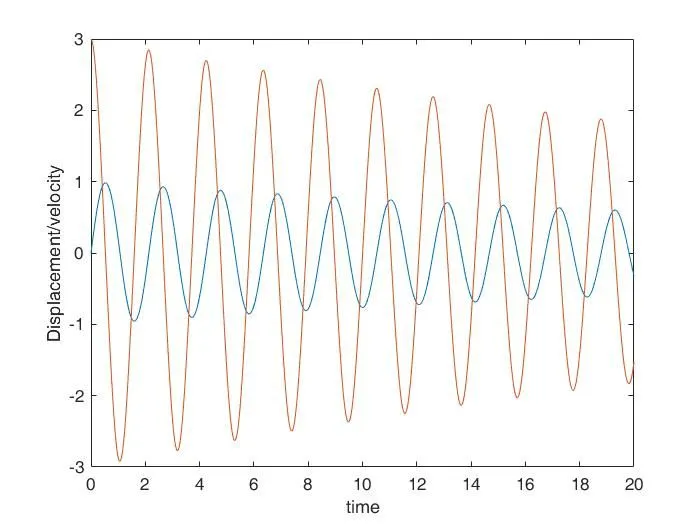
% Plots for angualr dispacement and angular velocity
figure(1)
plot(t,results(:,1)); % This plot is for time vs angular displacement
hold on % To hold the plot for next plotting
plot(t,results(:,2)); % This plot is for time vs angular velocity
xlabel('time'); % X-axis named as time
ylabel('Displacement/velocity'); % Y-axis named as didplacement/velocity
% Creating a video
v = VideoWriter('Pendulam animation.avi');
open(v);
ct =1;
% assiging values to i
for i = 1:length(results(:,1))
% one end of pendulam is fixed so it will be placed at origin
x0 = 0;
y0 = 0;
% calculated values for end of the pendulam
x1 = L*sin(results(i,1));
y1 = -L*cos(results(i,1));
% figure window for pendulam animation
figure(2)
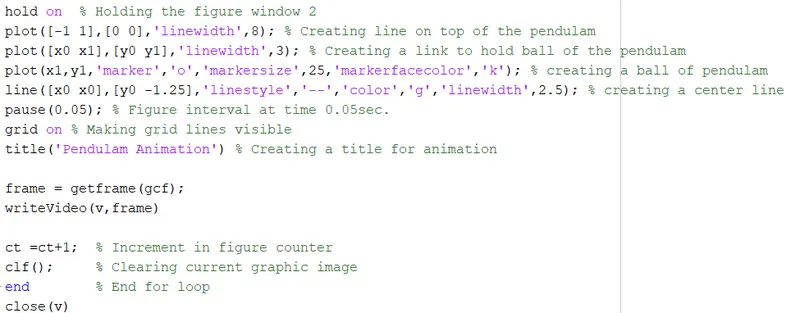
hold on % Holding the figure window 2
plot([-1 1],[0 0],'linewidth',8); % Creating line on top of the pendulam
plot([x0 x1],[y0 y1],'linewidth',3); % Creating a link to hold ball of the pendulam
plot(x1,y1,'marker','o','markersize',25,'markerfacecolor','k'); % creating a ball of pendulam
line([x0 x0],[y0 -1.25],'linestyle','--','color','g','linewidth',2.5); % creating a center line
pause(0.05); % Figure interval at time 0.05sec.
grid on % Making grid lines visible
title('Pendulam Animation') % Creating a title for animation
frame = getframe(gcf);
writeVideo(v,frame)
ct =ct+1; % Increment in figure counter
clf();
% Clearing current graphic image
end % End for loop
close(v)
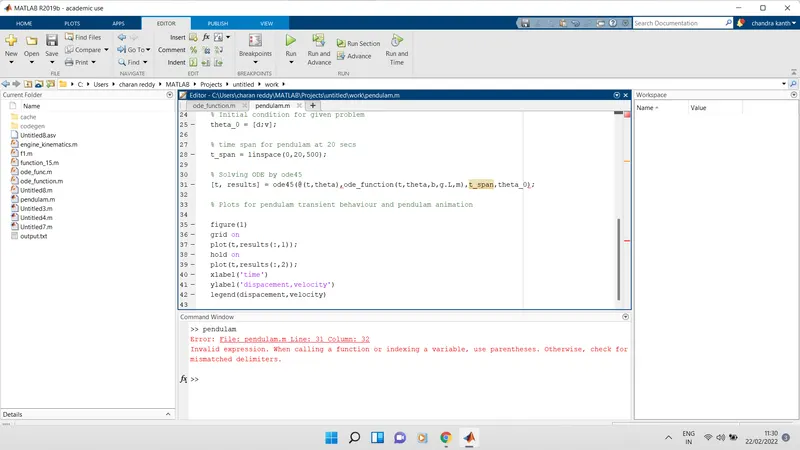
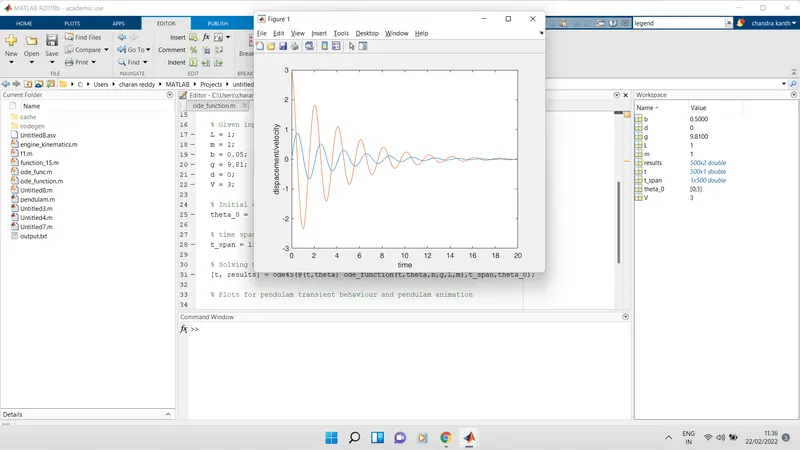
Errors that occured while writing program
- The main errors that happened in writing program is typing mistakes
- The second error that occured in plots
- Another error occured while typing incorrect damping coefficent value.
Output:
https://drive.google.com/file/d/1GMZkn1IkTYMGc2C5M2QmqOmSJ6jCZnVQ/view?usp=sharing