Week - 3 Drop test Challenge
Objective:
To set-up the simulation of a phone falling on a rigid plate.
Step - 1:Importing the model in LS-Dyna
The .K file is imported into LS Dyna and the components can be viewed as shown below.
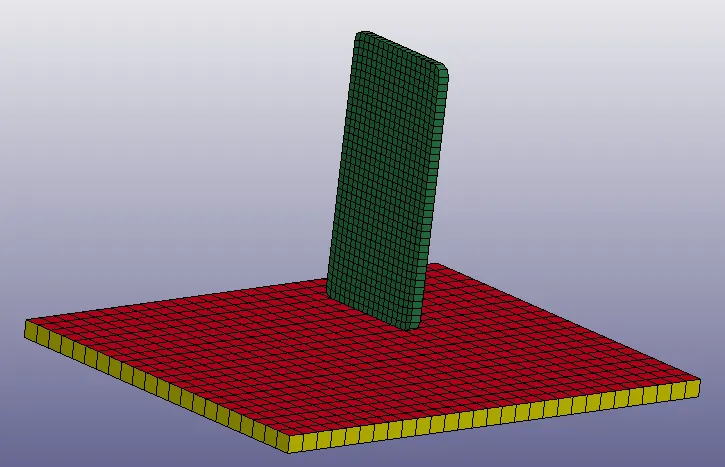
The model has three components
1. Phone - solid elements
2. Rigid plate - shell elements
3. Rigid plate - solid elements
The drop test can be simulated on either the shell or the solid version of the rigid plate. Since the solid elements involve more computational cost compared to the shell elements, the simulation is set-up using the rigid plate made up of shell elements. Therefore the solid elements rigid plate is removed from the simulation.
Step - 2: SPC and Initial velocity
The nodes of the rigid plate are selected and their motion is constrained in all six degrees, since the plate should be stationary during the drop test event.
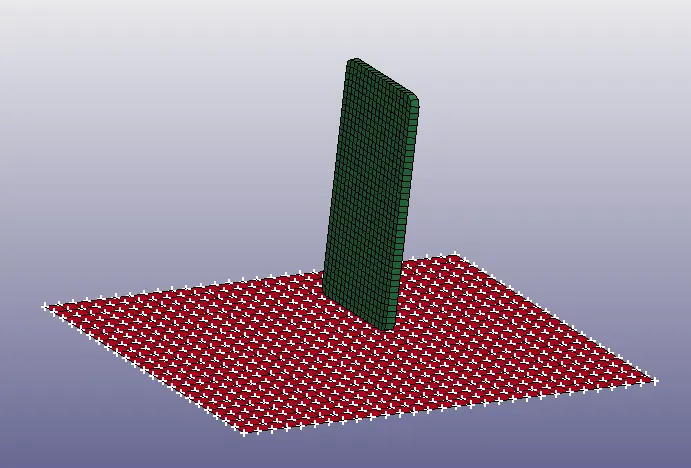
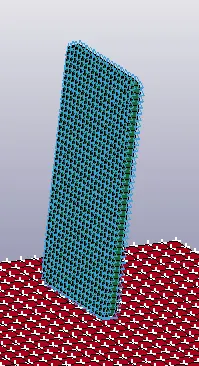
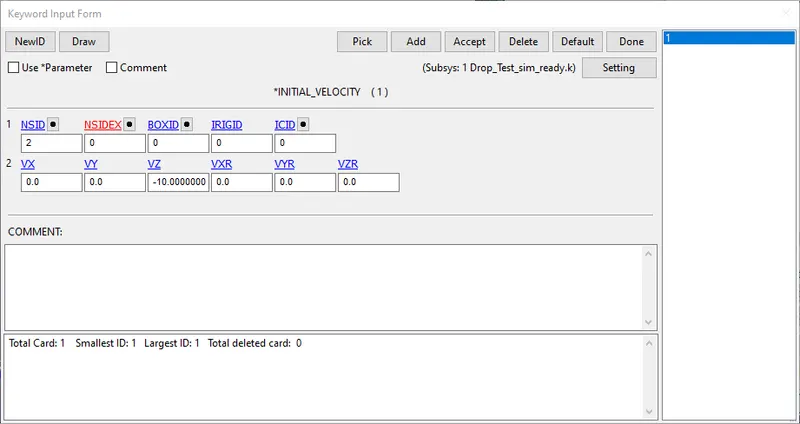
An initial velocity of 10 mm/ms is applied in the negative Z direction on all the nodes of the phone as shown below.
Step 3: Material and Section definition
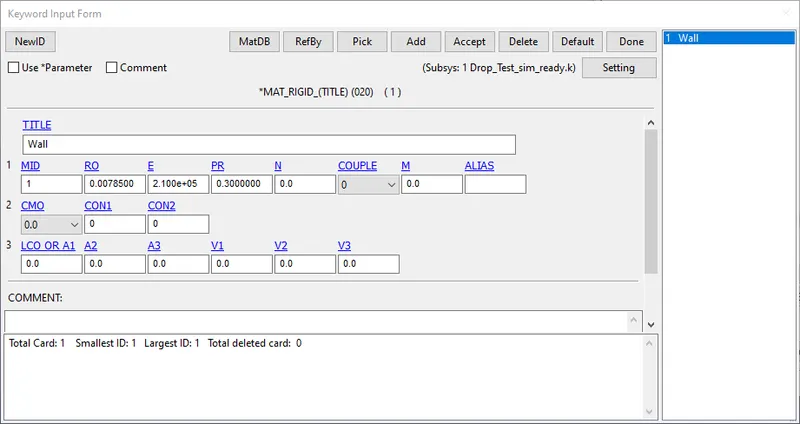
The rigid plate is defined using MAT_20 card with the following material property values for Rho, E and PR.
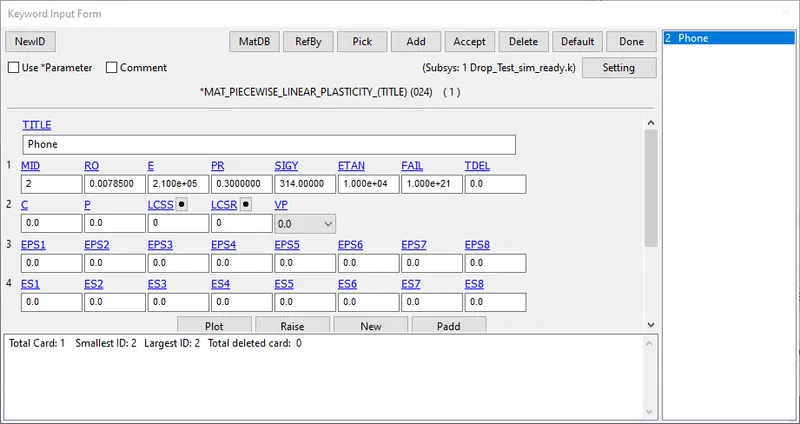
The phone is defined using MAT_24 card with the following material property values for Rho, E and PR.
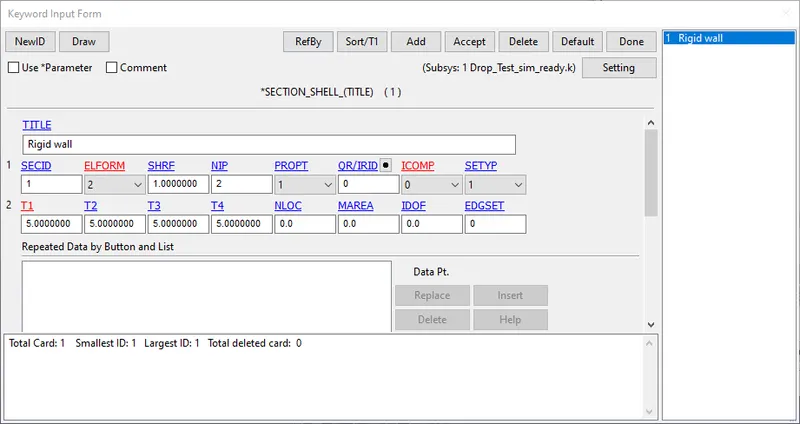
The rigid plate is defined using SHELL elements with a thickness of 5mm and ELFORM 2.
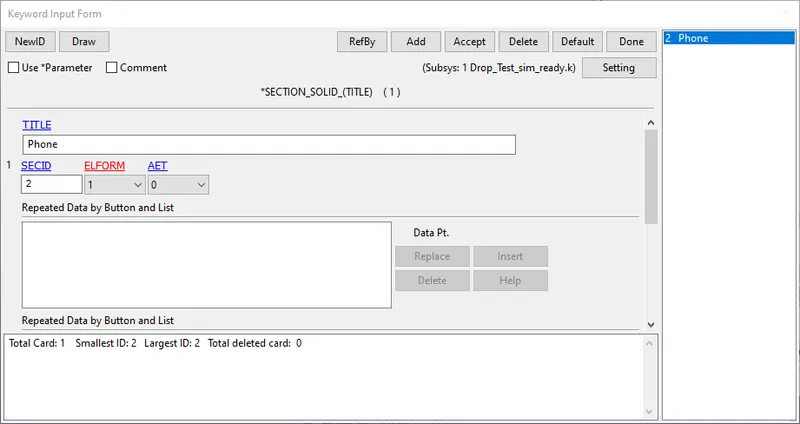
The phone is defined using solid elements with default ELFORM 1.
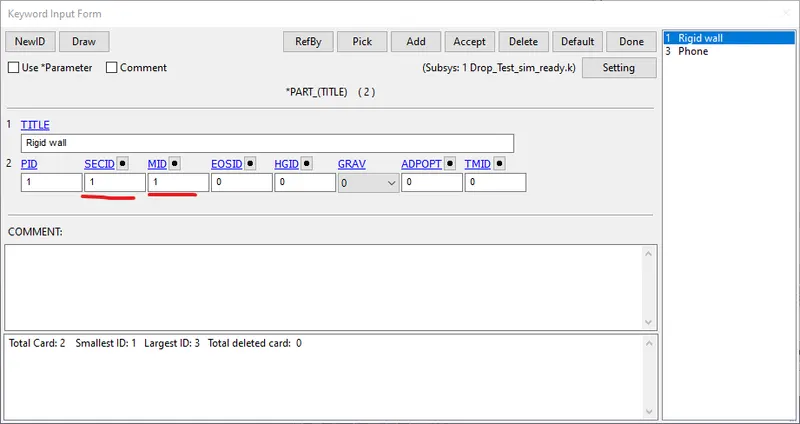
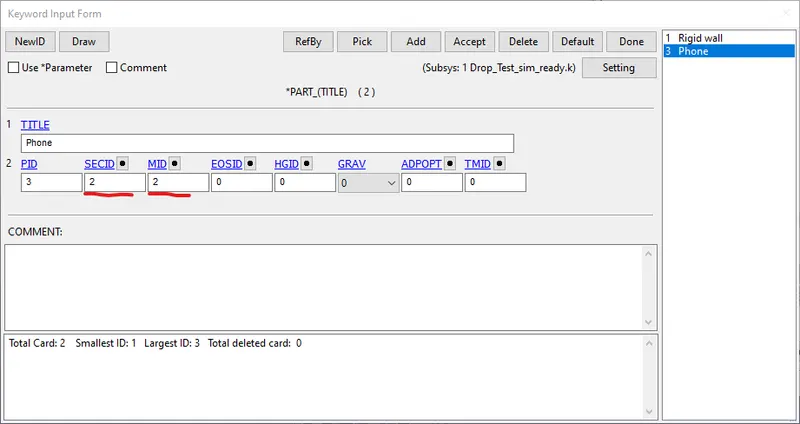
The material and the section definition is assigned to the respective Part IDs as shown below.
Step 4: Contact and control cards
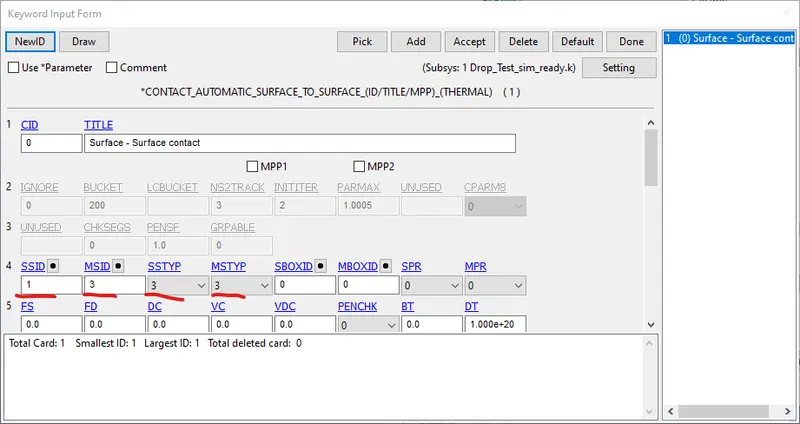
An AUTOMATIC_SURFACE_TO_SURFACE contact is defined between the phone and the rigid plate, with the plate as the Master segment and the phone as the Slave segment.
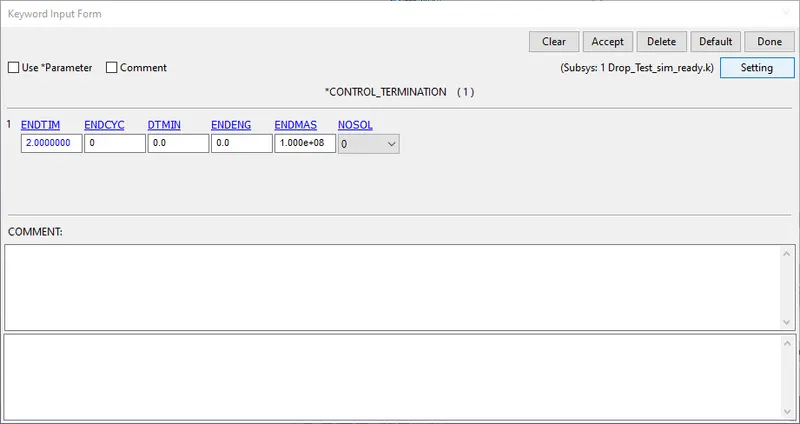
The CONTROL_TERMINATION card is defined with a runtime of 2 ms as shown below.
Step 5: Database - ASCII and BINARY plots
Under DATABASE ASCII, GLSTAT, MATSUM and RCFORC are requested with a DT of 0.1 ms.
THE BINARY D3PLOT is also requested with the same time step.
The model checker is run and the model is now ready for simulation.
Results
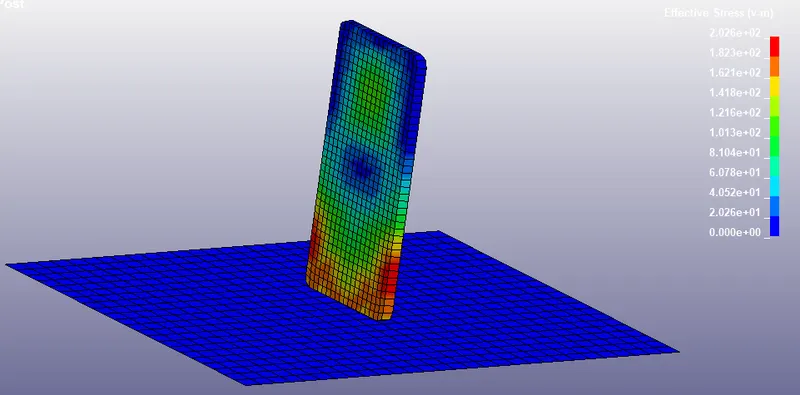
Stress
The von mises stress can be visualized as shown below.
Energy plot
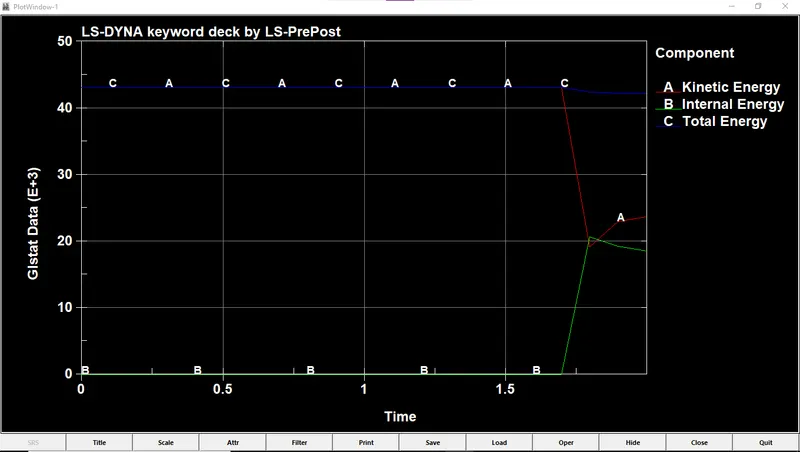
The kinetic, internal and total energies can be plotted from the GLSTAT file as shown below.
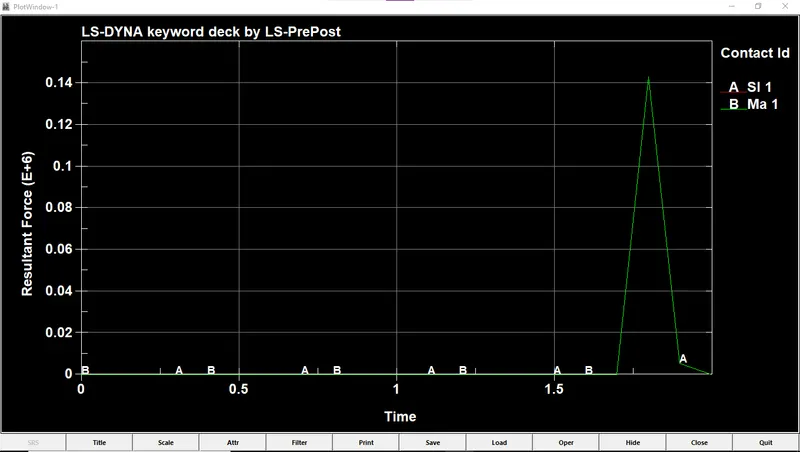
Interface energy
The resultant energy due to the contact definition can be seen in the plot below.
Conclusion
Thus the drop test of the phone falling on a rigid plate has been simulated and the results have been discussed.
The modified .K file and the D3 plot file have been attached below.