Week - 3 Drop test Challenge
OBJECTIVE :
To complete the simulation of a Simplified cellphone falling on to a plate mimicking the ground.
STUDY OF PROVIDED FILE :
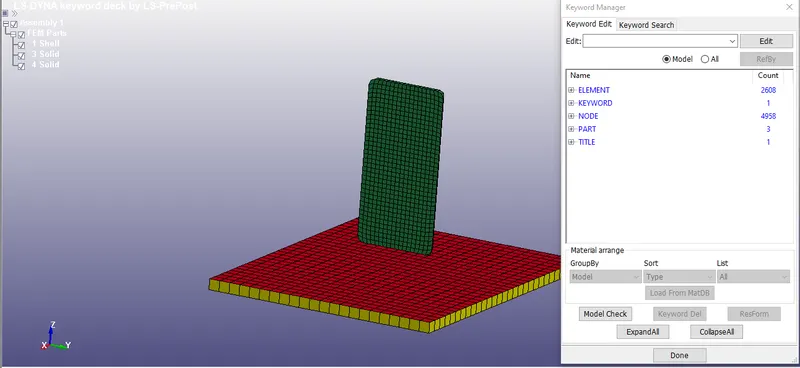
- Models in File -
* The file contains 3 part files - 2 solid and 1 shell
* The phone body (Shown in green) is defined as one solid part and the floor (Shown in yellow) is also defined as a solid part
* Furthermore, another floor file is provided (Shown in red) as a shell part.
Since only one floor part is required, the Solid floor is deleted. (As shown), also the phone length is measured using the measure node to node option and the value is found to be 150.4 which indicates the unit of length in the system is mm. (As shown)
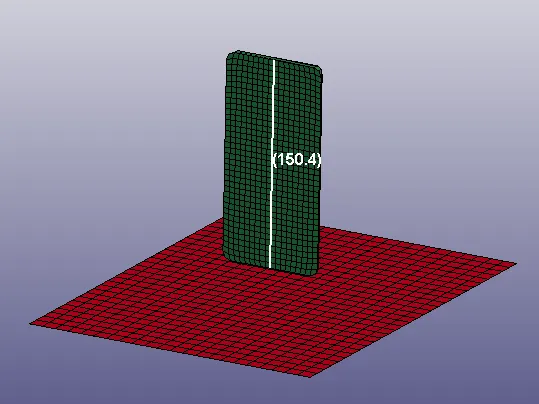
- Parts in File -
* After deleting the solid floor, we are left with 2 parts in keyword manager, exploring the definitions of the 2 part keywords, we can see that they do not have any material or sections defined.
Hence we need to create and assign material, section, contacts, initial velocity and required Database and Control cards to run the simulation.
RUNNING THE SIMULATION :
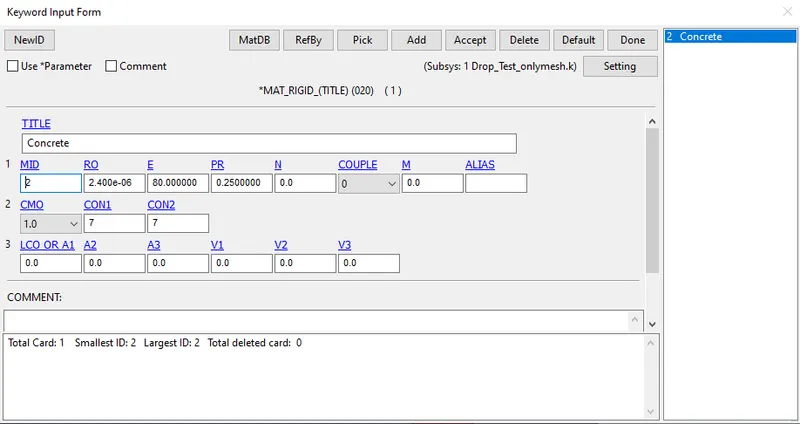
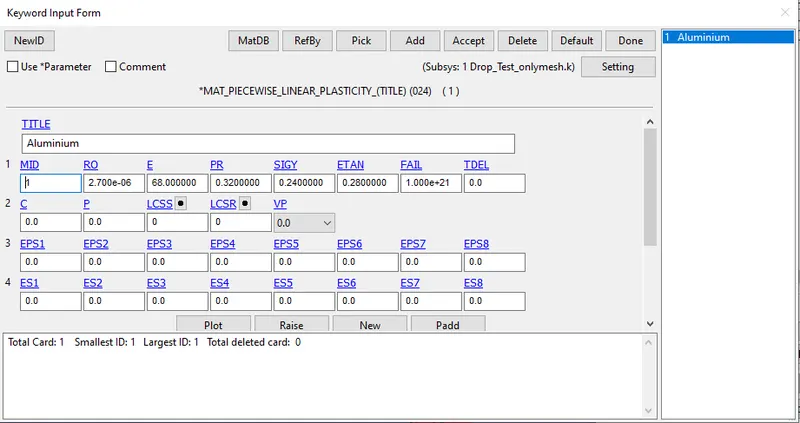
i) First, the material cards are created for the 2 part files, the MAT Cards selected are :
MAT_020-RIGID : For the floor
MAT_024-PIECEWISE_LINEAR_PLASTICITY : For the phone
The defined cards are shown below :
- Rigid Card (Floor)
- Piecewise_Linear_Plasticity Card (Phone)
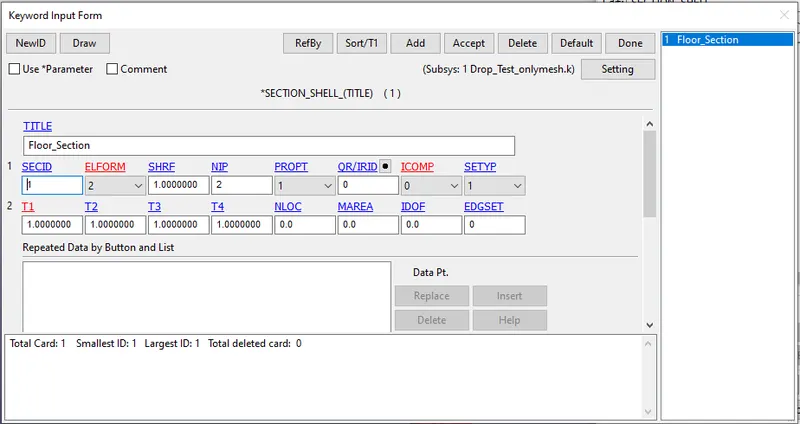
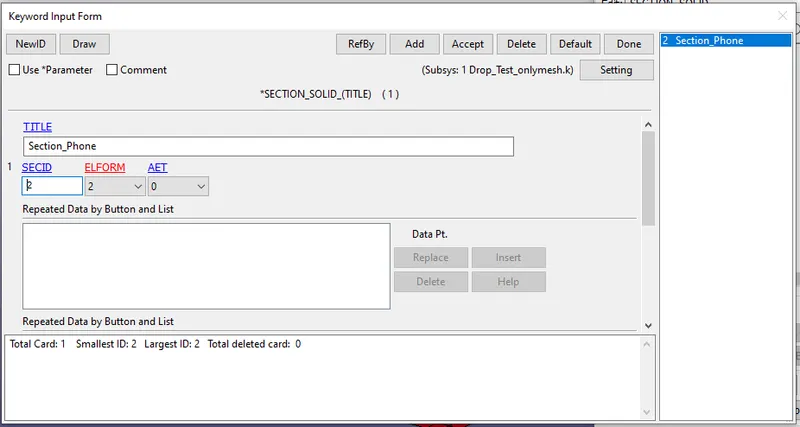
ii) Now, the section cards are created for the 2 parts, A solid section card is used for the Phone and a shell section card is used for the floor.
- Shell Section Card (Floor)
- Solid Section Card (Phone)
iii) The created section and material cards are assigned to the respective Part files.
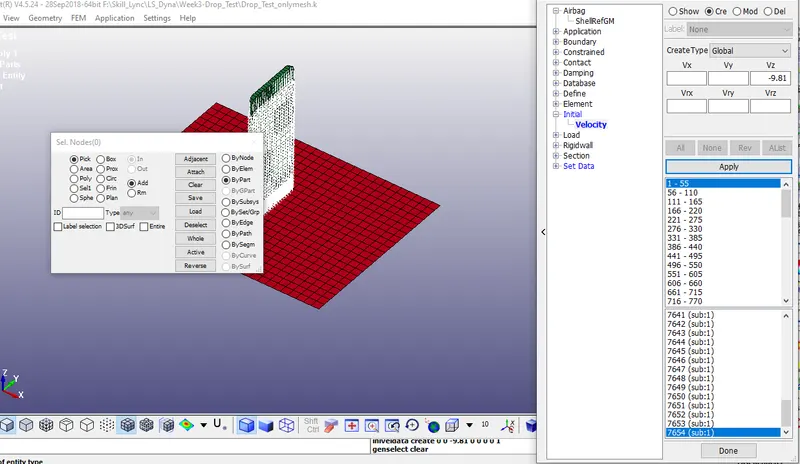
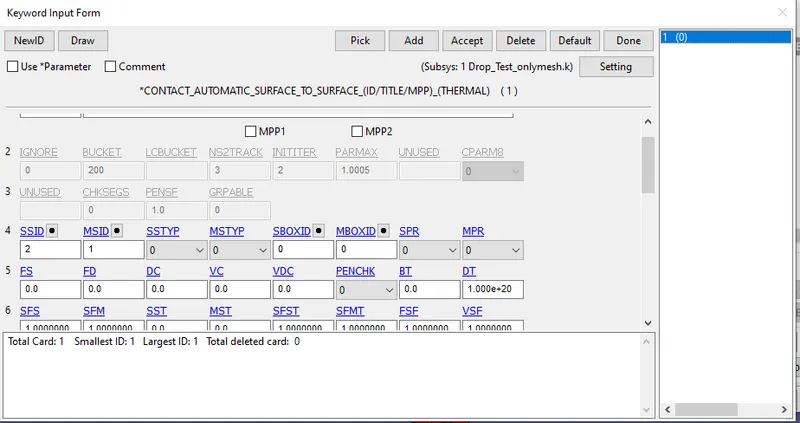
iv) As per the requirement, the phone is supposed to fall towards the floor and generate a force when the impact occurs. To achieve this, a initial velocity needs to be applied on the nodes of the Phone body and a contact should be defined between the phone and the floor so that it does not pass through the floor and instead collides with it.
- Initial Velocity -
* To provide an inital velocity to all the nodes of the phone, The *Cre option is used inside the Initial_Velocity Tab in the entity manager
* Since it is assumed that the phone is not thrown towards the ground but rather falling towards it due to the effect of gravity, the inital velocity is provided as 9.810 m/s
- Contact between Floor and Phone -
* Using the keyword manager, the *CONTACT_AUTOMATIC_SURFACE_TO_SURFACE keyword is selected.
* Since the floor is the more rigid body between the two parts, the floor is defined as the master and the phone is provided as the slave.
v) Now, only the required control cards (To control the simulation) and Database Cards (To obtain required outputs) need to be defined before running the simulation.
- Control Cards -
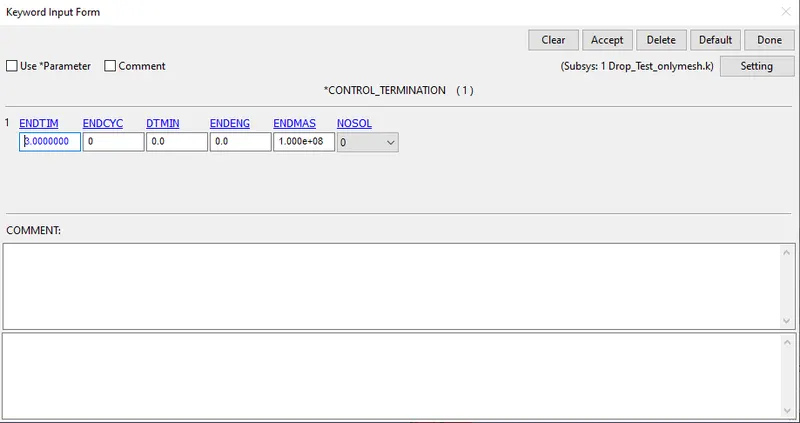
Since this is a very simple linear stress analysis, there is no need to define a lot of control cards and hence, only the *CONTROL_TERMINATION card is defined as shown
- Database Cards -
The following database cards are requested :
*BINARY_D3PLOT : With a dt of 0.05s
*ASCII_ELOUT : With a dt of 0.05s
*ASCII_GLSTAT : With a dt of 0.05s
*ASCII_NODOUT : With a dt of 0.05s
vi) With the above points completed, the pre-processing of the required simulation is over and can be simulated. The file is now saved over the provided .k file and is simulated using the LS-Program Manager
POST-PROCESSING :
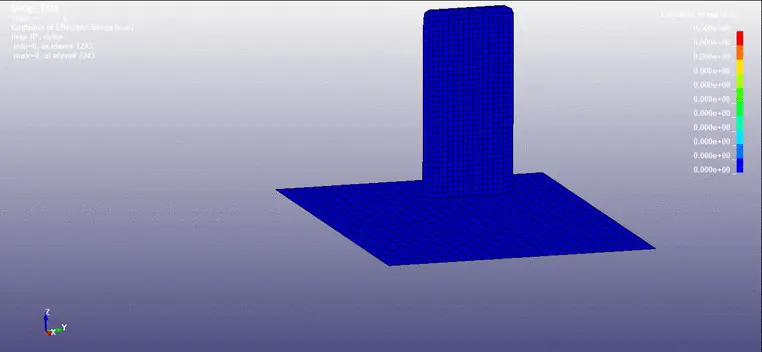
- Stress Plot -
CONCLUSION :
Thus, the input deck was setup as required and the required simulation was conducted to get the desired output.
Click here to view the files of the simulation.