Week - 3 Drop test Challenge
Cell Phone Drop Test,
Objective;
This challenge is a Cell Phone drop test is conducted by creating the input keywords and simulating the model. This test helps to predict how much stress acting on the cell phone its drop at a particular distance.
Procedure;
First of all open, the Ls-Dyna model (.k file) use the Ls-Dyna Keyword file. In Ls Dyna, no specific unit system deck so take the specific unit system. The unit system took here in kg, mm, ms.
Material Creation,
1. Model & part<Keyword manager<MAT<Select the material type<Give the values<Accept & Done.
2. This model has a Shell part that is a rigid plate and the Solid part is a cell phone. The surface material takes the steel because usually most drop tests taken the steel material used to the surface. And Cell phones made up Aluminium with alloys and plastics.
MAT_20_Rigid = Its created to shell part (rigid plate).
Density = 7.85e-6; Youngs modulus = 210; Poissons Ratio = 0.3
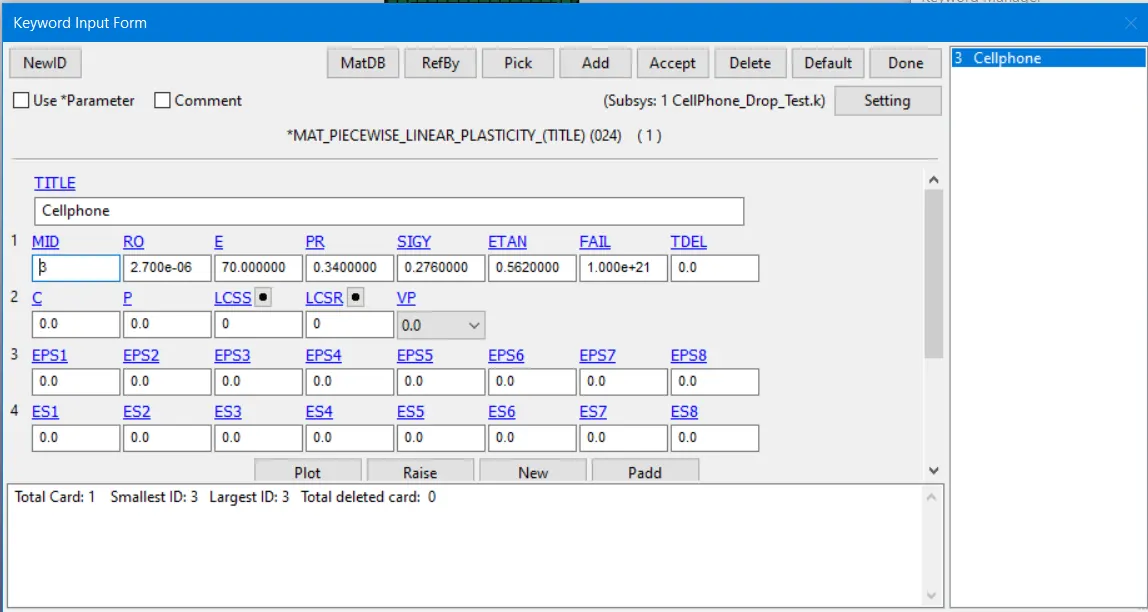
MAT_24_Piecewise Linear Plasticity =Its created to solid part (Cell phone) This parameter coincides with the aluminum material.
Section Creation,
1. Model & Part<Keyword Manager<Section<Select the section type<Assign the specimen<Accept & done.
Section_Shell = It's taken to the Rigid Plate.
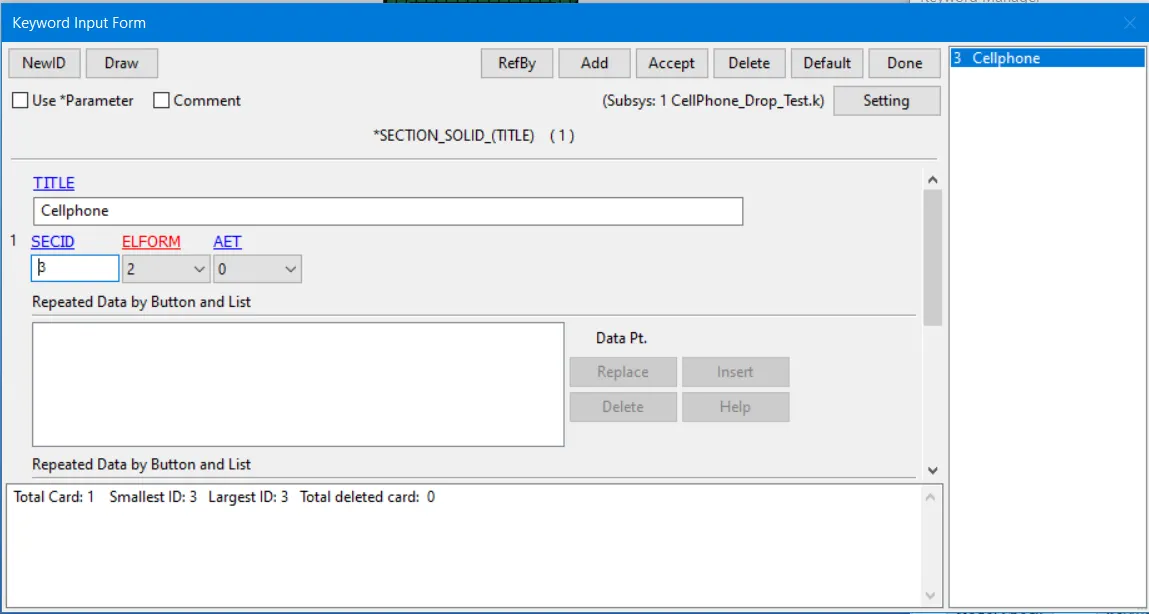
Section_Solid = It's taken to the Cell phone.
Part Creation;
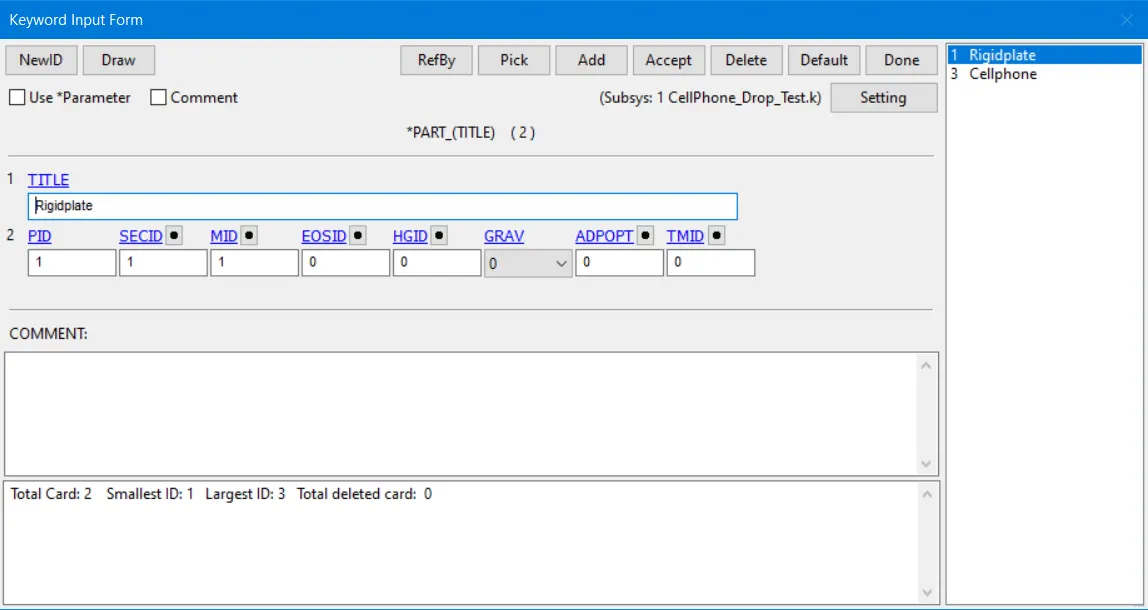
1. Model& Part<Keyword Manager<Part<Assign section and material part<Accept & done.
Boundary Condition,
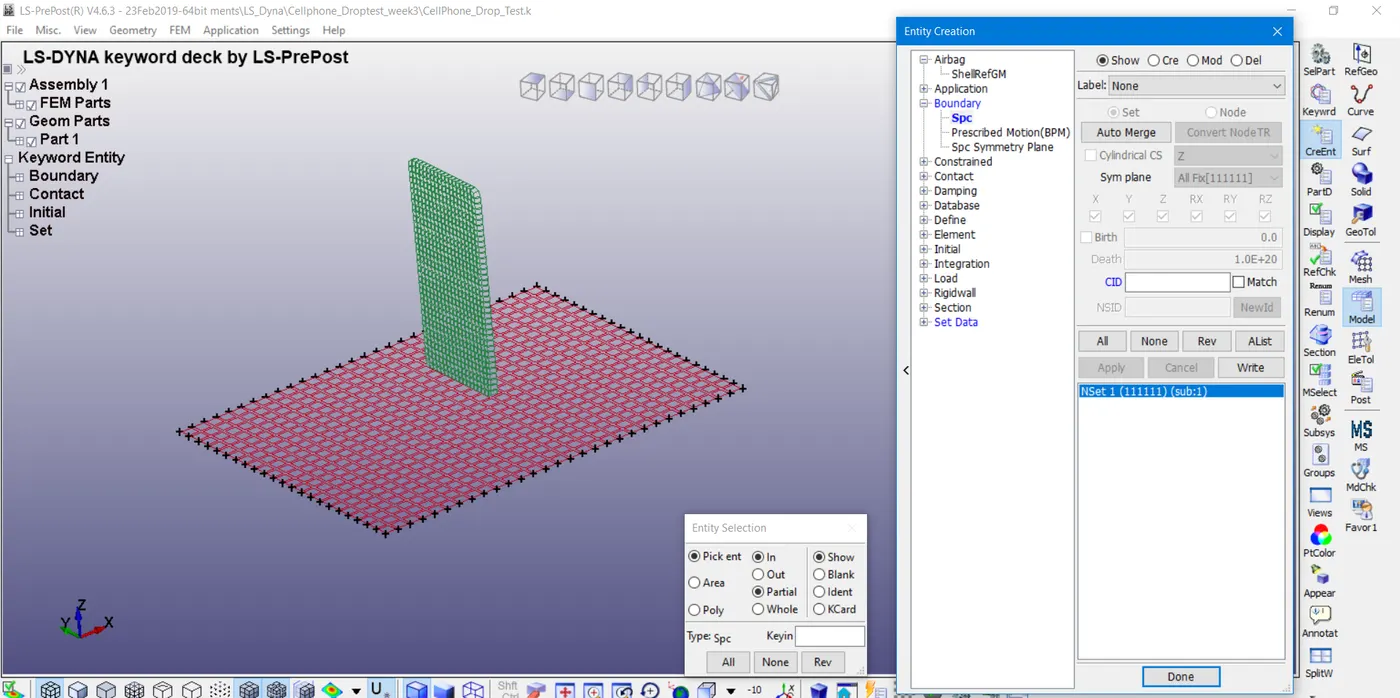
1. Create Entity<Boundary<Spc<Create<Select the part<Apply & done.
2. Boundary_Spc has been created to fix the rigid plate from movement during the impacts.
Initial Velocity,
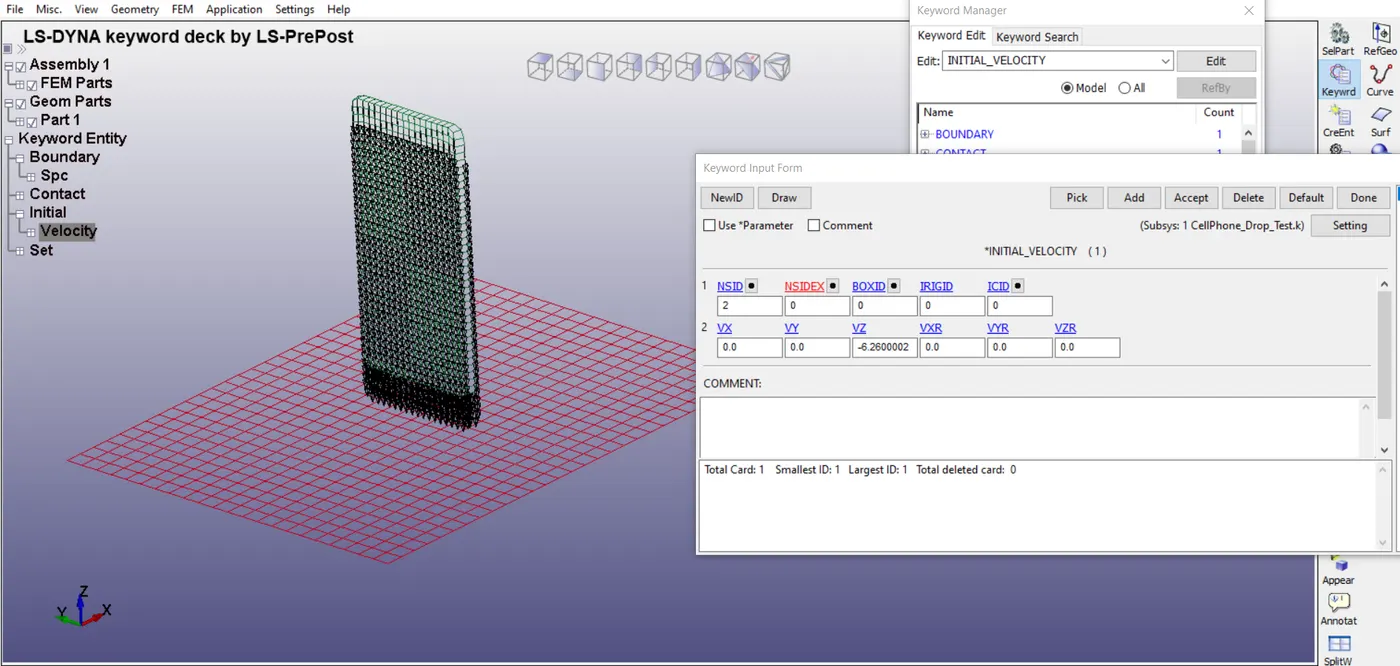
1. In initial velocity assign the node of the cell phone.
2. This velocity is calculated using this formula V = √(2gh). This formula is taken from the Gravity Potential Energy.
3. Assign the V = -6.26 (It's calculated) in Z-axis. Probably, this velocity will make the simulation within a millisecond.
Contact Creation,
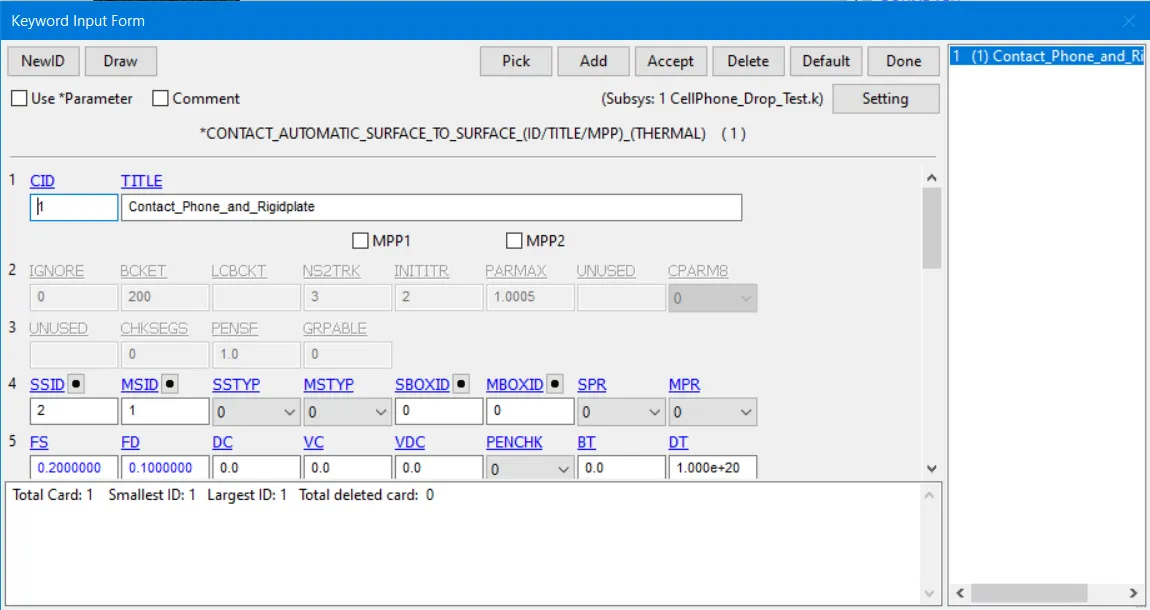
1. Model & part<Keyword manager<Contact<Select the contact type<Assign the parameter<Apply & done.
2. Automatic_Surface_To_Surface has created between the Cell phone and Rigid Plate. Where Cell phone took to the Slave and Rigid plate took to the Master node.
Control Creation;
1. Model & Part<Keyword Manager<Control<Select the required Keyword<Assign the Values<Accept & Done.
Control_Energy = It's created for Hourglass energy and Sliding energy.
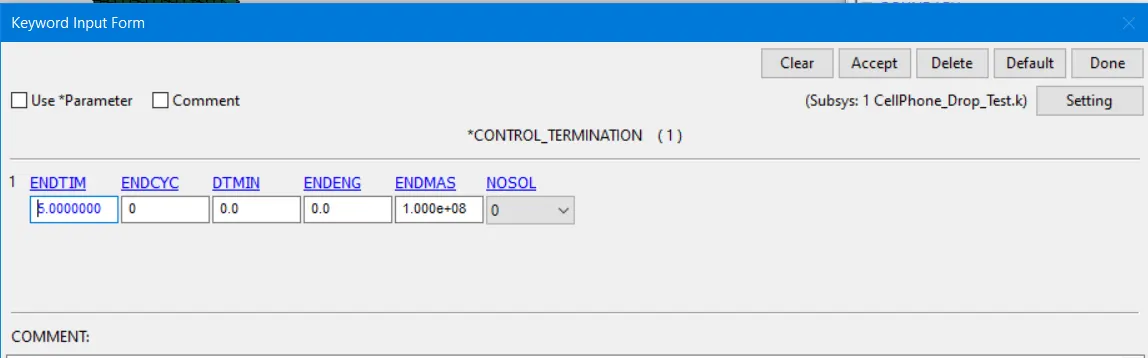
Control_Termination = It's created for the end of the termination ENDTIME = 5
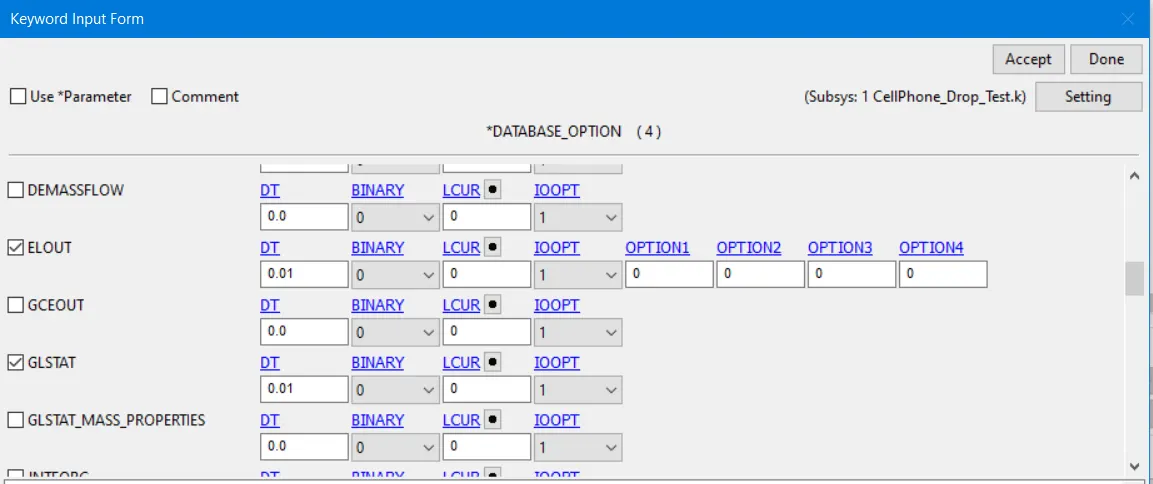
Database Creation,
1. Model & part<Keyword Manager<Database<Select required database<Give the values<Apply & done.
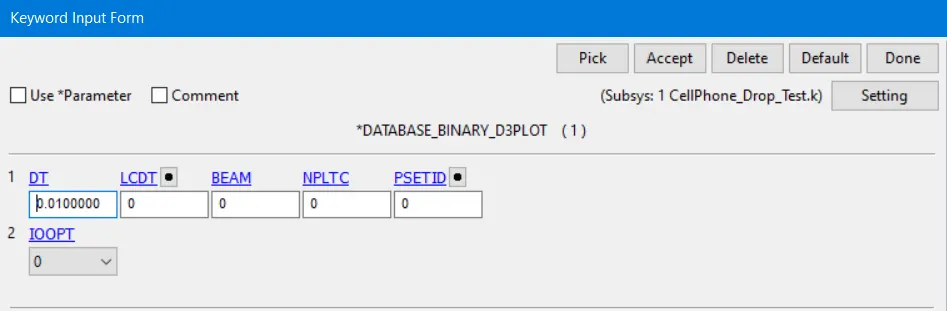
Binary_D3Plot = It's for the frequency with animation set in 0.01ms.
ASCII = In this keyword,
ELOUT = Element Output.
GLSTAT = For kinetic, Internal, and total Energies.
MATSUM = Record the material energy in deformation and acceleration.
SLEOUT = Record the sliding Energy.
Results;
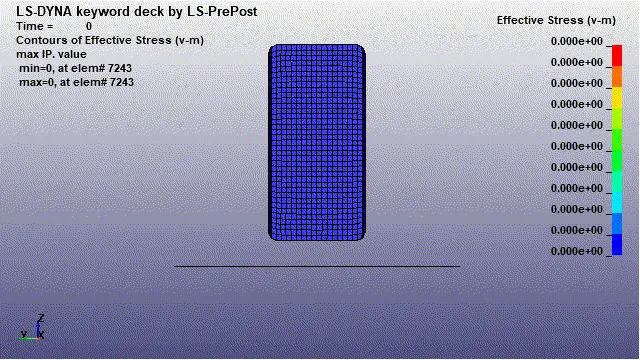
Simulation of Cell_Phone Drop test,
Von-mises,
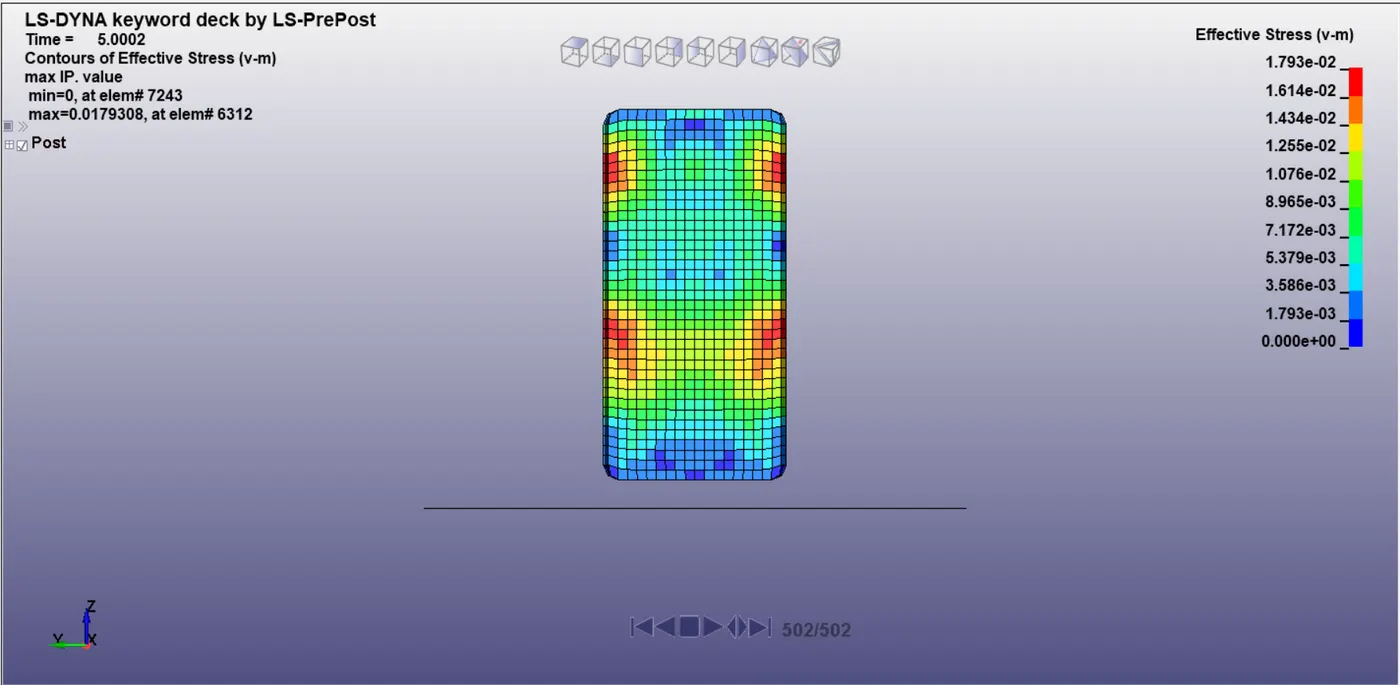
Von-mises stress at final frame 1.793e-02GPa. and Maximum stress acting during the impact 4.294e-02GPa.
Graphs,
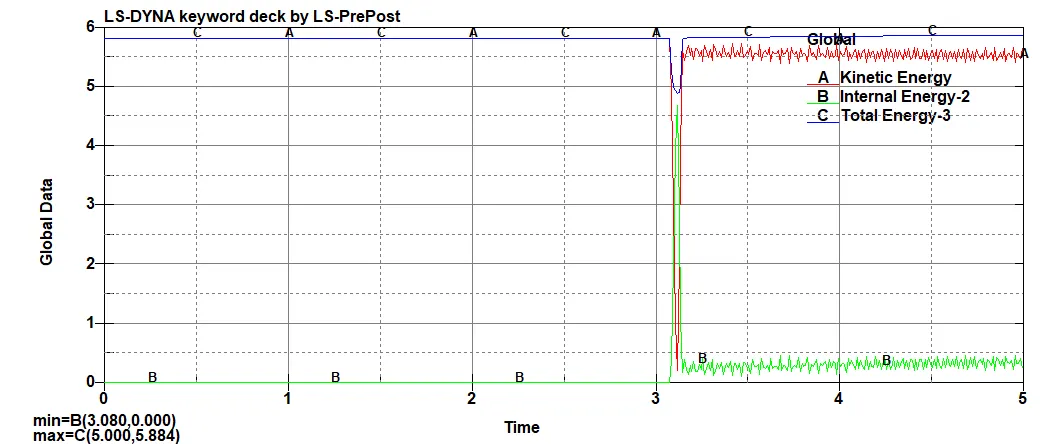
These graphs for internal, kinetic, Total Energy. Kinetic Energy = 5.82J and Total Energy = 5.88J and Internal Energy = 4.68 respective at the simulation time 5ms.
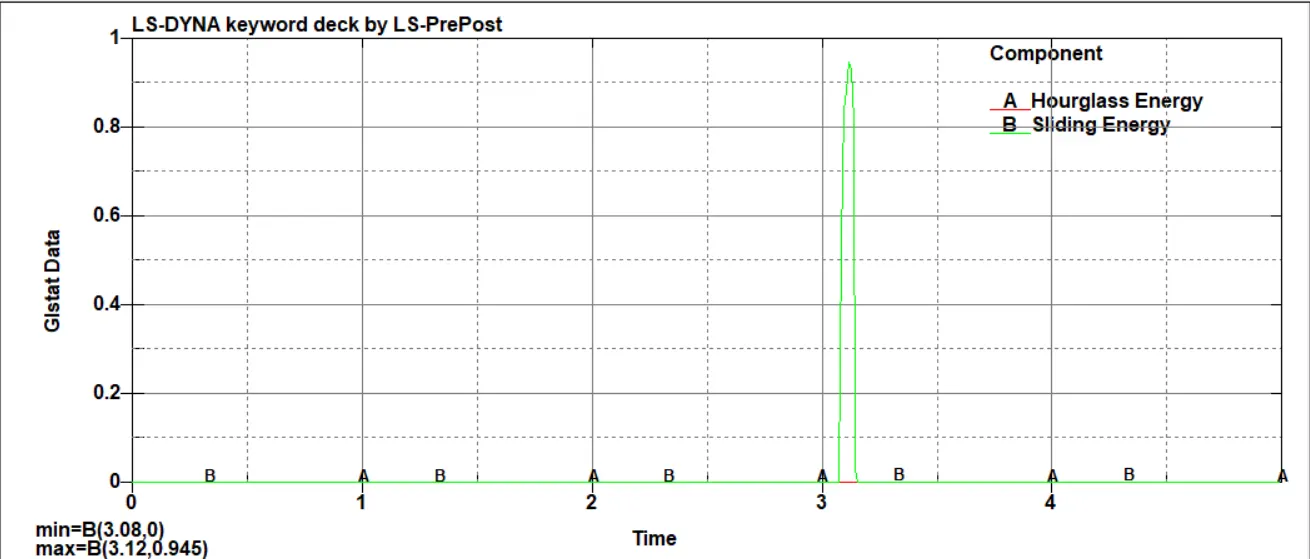
This graph for Hourglass energy and sliding energy. hourglass energy = 0 and Sliding Energy = 0.945
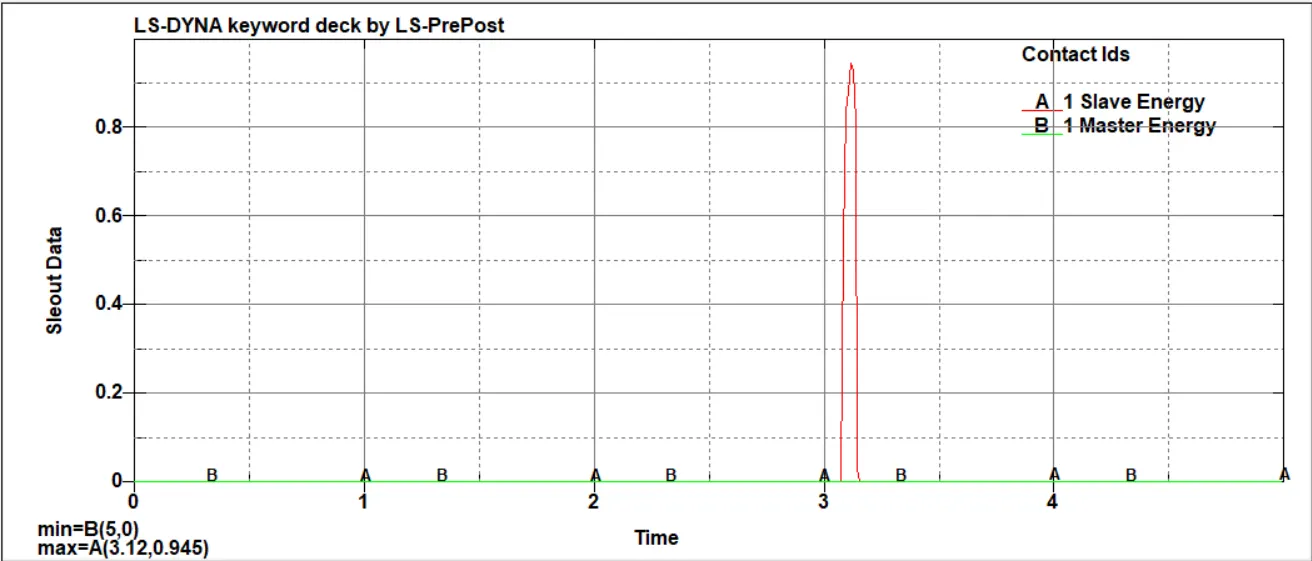
This graph is for slave node energy and master node energy. Slave energy is 0.945 and master energy is 0.
https://drive.google.com/file/d/1WobGBQRVPIxGwW9N4zpiN6qU31F96-R1/view?usp=sharing
Conclusion;
1. All the input keywords have been created successfully and Simulation has been run and the Energy graph has been plotted.
2. This challenge is to make the user get familiarize about creating keywords and simulation from Ls-Dyna manuals.