Week - 3 Drop test Challenge
Assignment 3 - Drop Test Challenge
1. Material definition
The first keyword to be defined in the .k file is the material keyword. I chose to attribute to the phone an elastic material behaviour for reasons of simplicity in the material definition.
This material was defined in the .k file via the lsprepost interface.
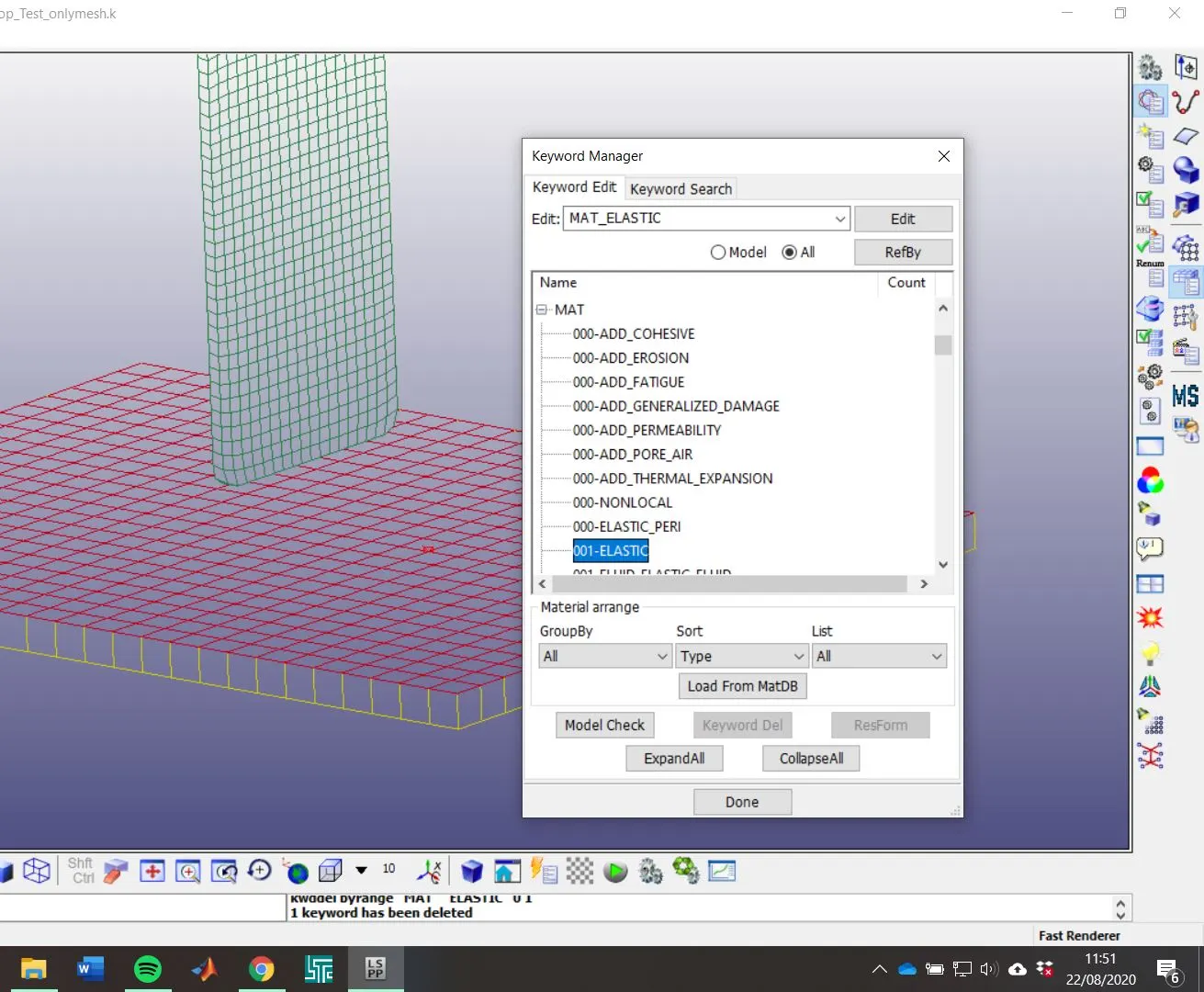
In the keyword manager, I selected the 'All' option to see all the available keywords to be inserted. Then, I chose the 001-ELASTIC option, as it is shown in the following option.
Then, I attributed to the material the properties of a generic aluminium alloy, whose values are shown in the figure that follows.
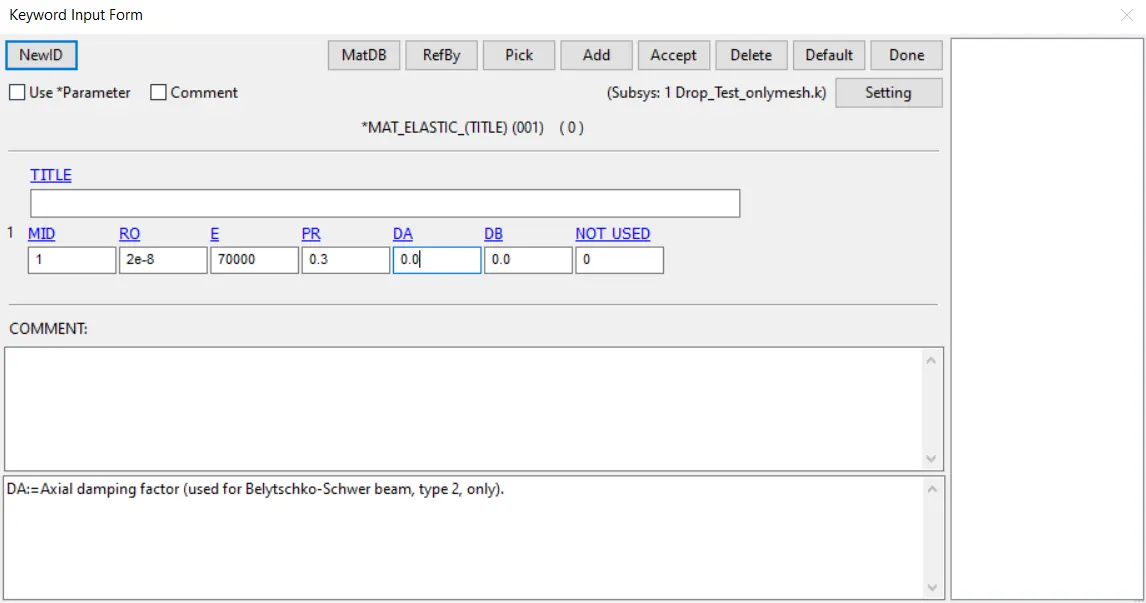
The same procedure was carried for the remaining steps.
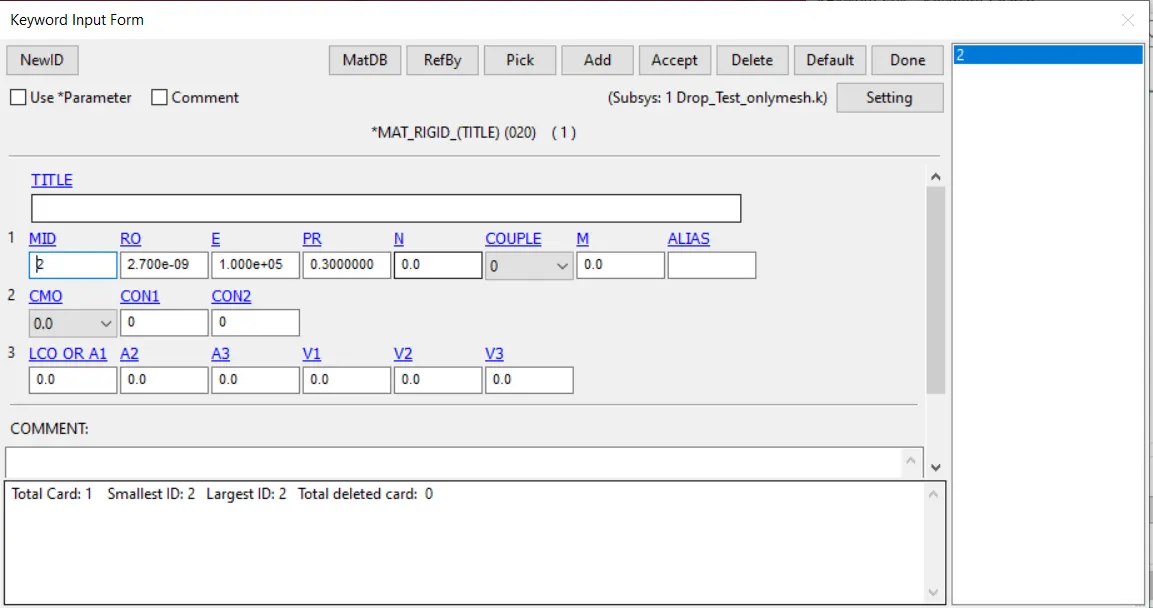
To create the material for the ground, I created a rigid material, to which I gave the same properties as the aluminium alloy:
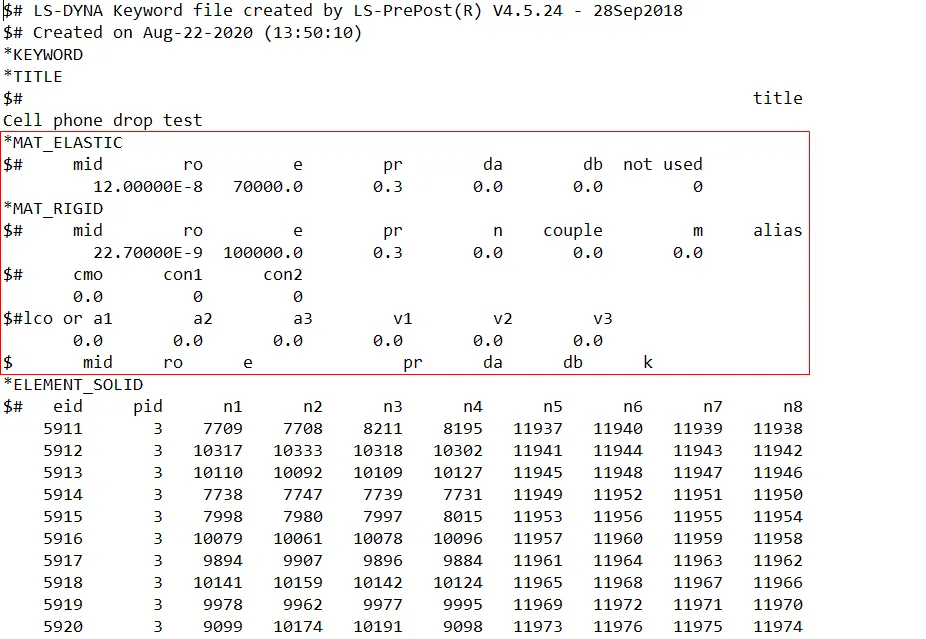
To check if the materials were correctly created, I opened the .k file in the note pad and I certified that they were:
2. Section definition
2.1. Ground
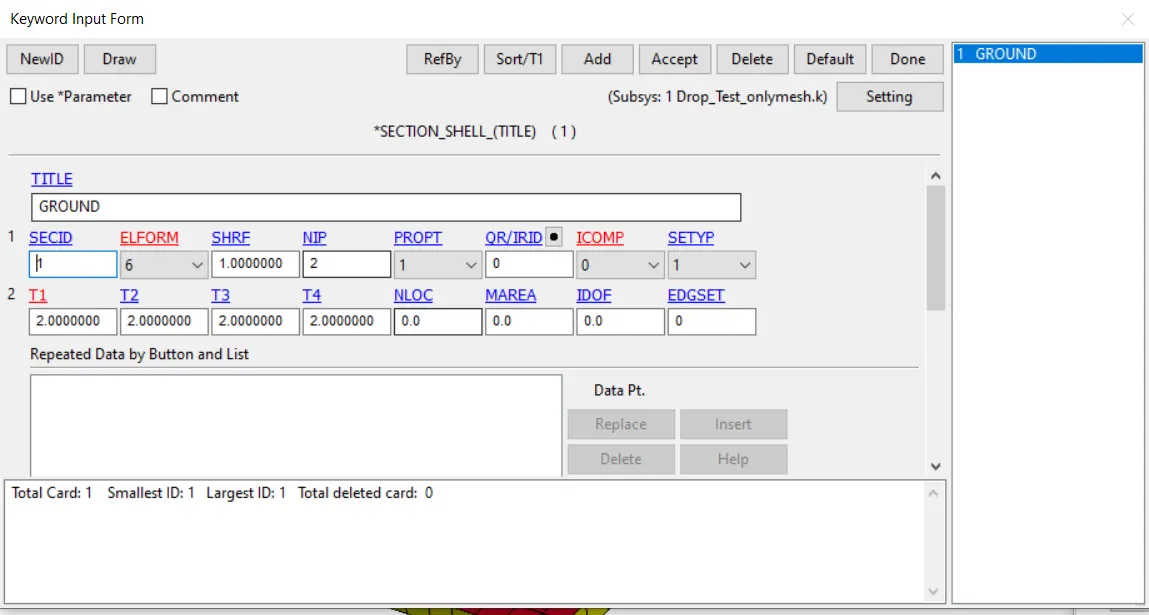
A section needed to be defined to be associated to the ground part. The inputs given to define it are ahown in the following image.
2.1. Cell phone
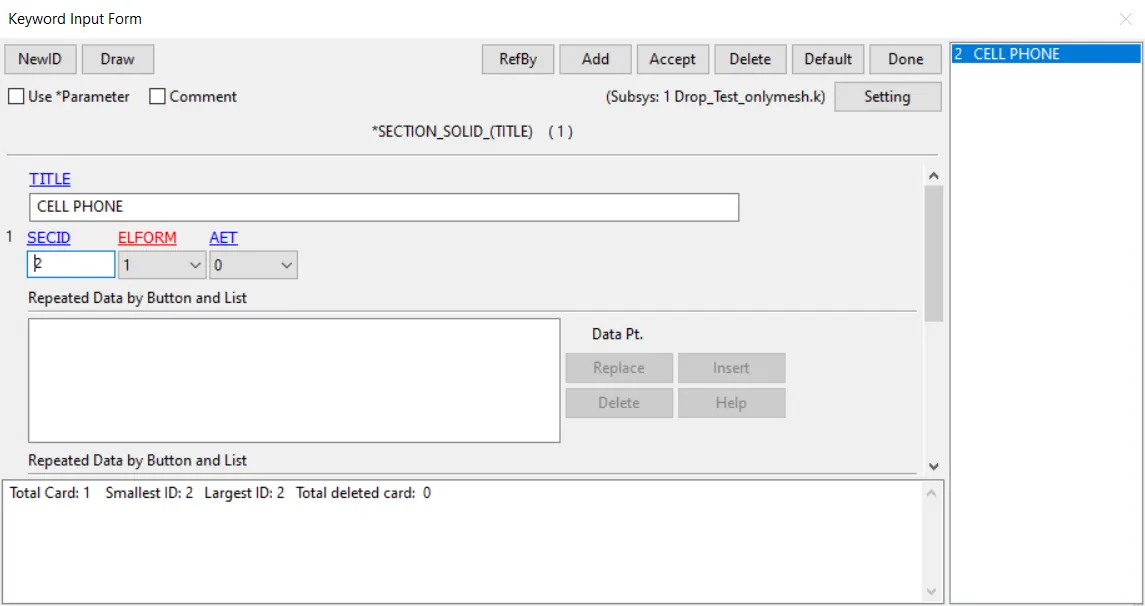
In a similar way, a solid section was defined in the following manner:
3. Part definition
Despite of being already created, I noticed that the parts didn't have a material associated to them. To correct this, I completed the keyword input form of both parts.
3.1. Ground
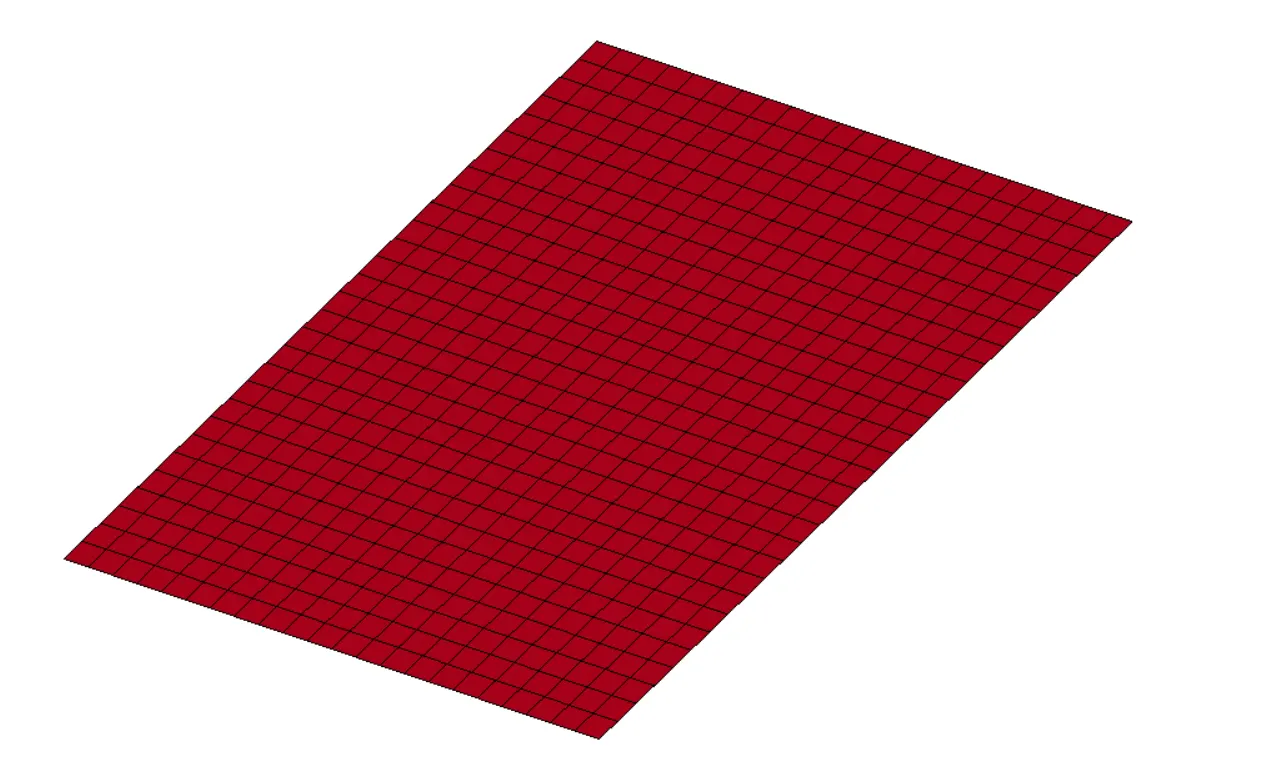
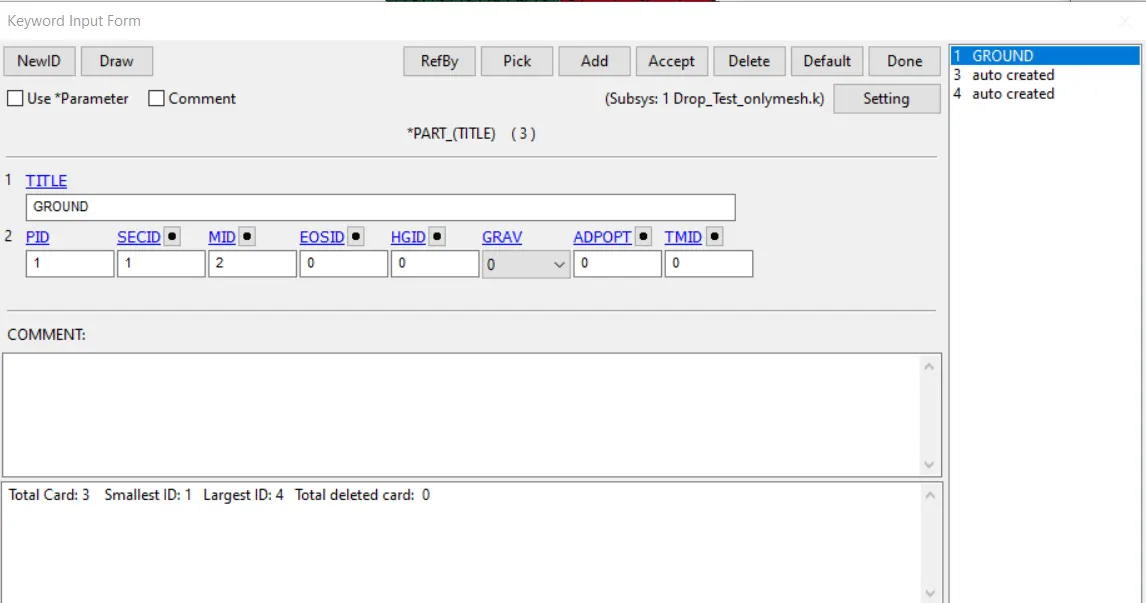
The rigid material, whose ID is 2, was associated to this part:
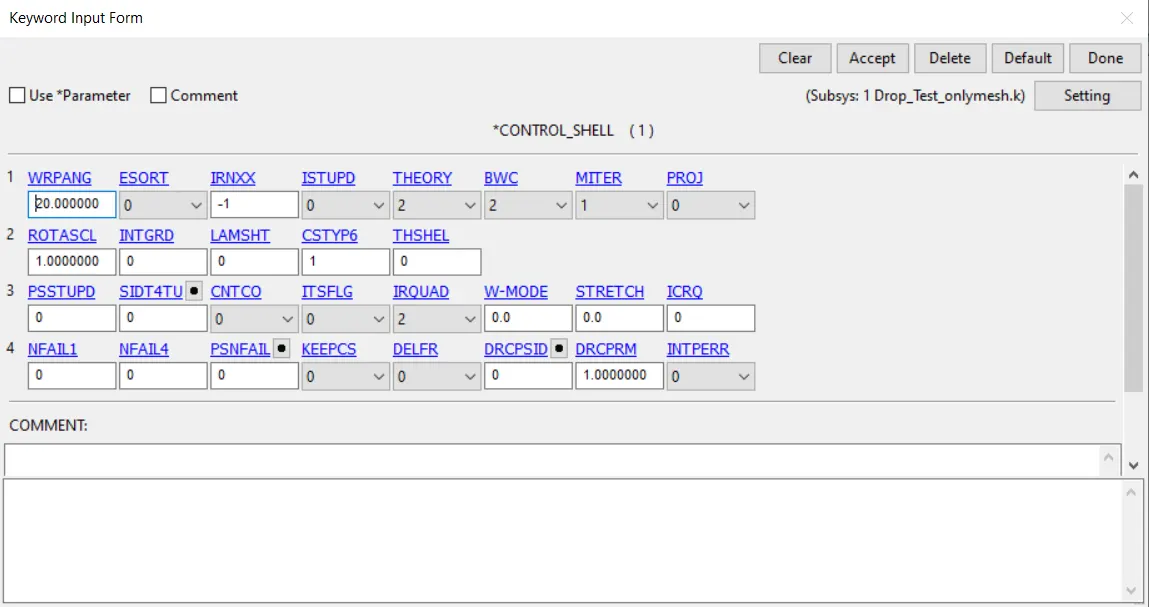
Besides that, CONTROL_SHELL was used:
3.1. Cell phone
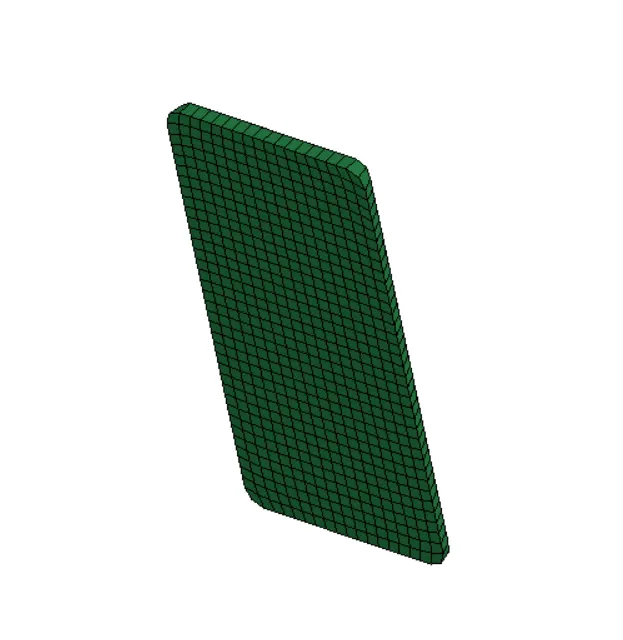
The material with ID = 1 was attributed to this part. This was done by filling the keyword input form in the following manner:
4. Initial velocity
4.1. Set definition
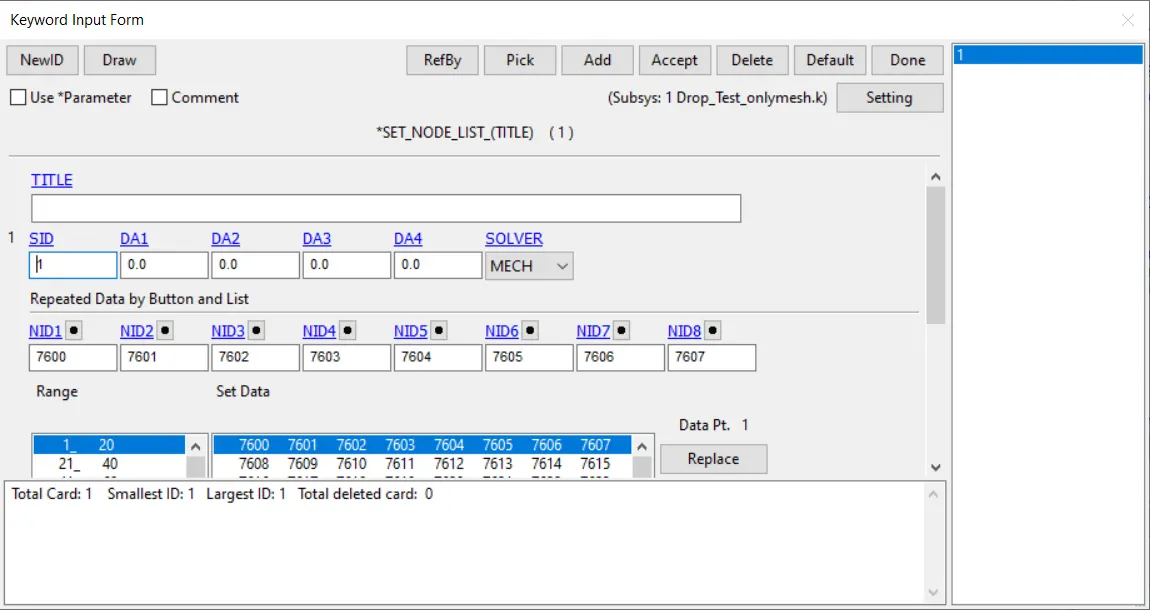
In order to apply the initial velocity to the cell-phone, a set was created. This set corresponds to part 2, the cell phone. This set was defined as a node list.
4.2. Initial velocity definition
To attribute an initial velocity to the mobile phone, the keyword *INITIAL_VELOCITY was deployed.
A reasonable value to give to the velocity of the cell phone when it hits the ground can be calculated by the conservation of energy, between its initial position (1m away from the ground) and its final position (in the ground)
`\frac{1}{2}mv^2 = mgh \Leftrightarrow v = \sqrt{2gh} \Leftrightarrow v = \sqrt{2\times1\times9.8} \Leftrightarrow v = 4.43 m/s = 4430 mm/s`
5. Analysis setup
5.1. Termination time
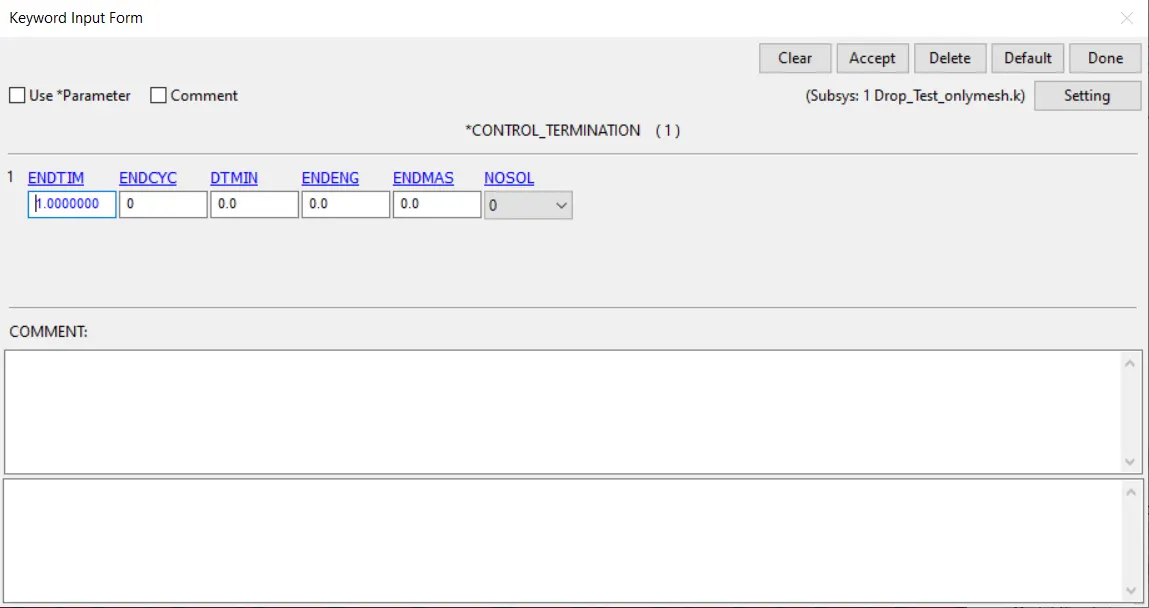
The total simulation time was set to 1s by creating a CONTROL_TERMINATION keyword
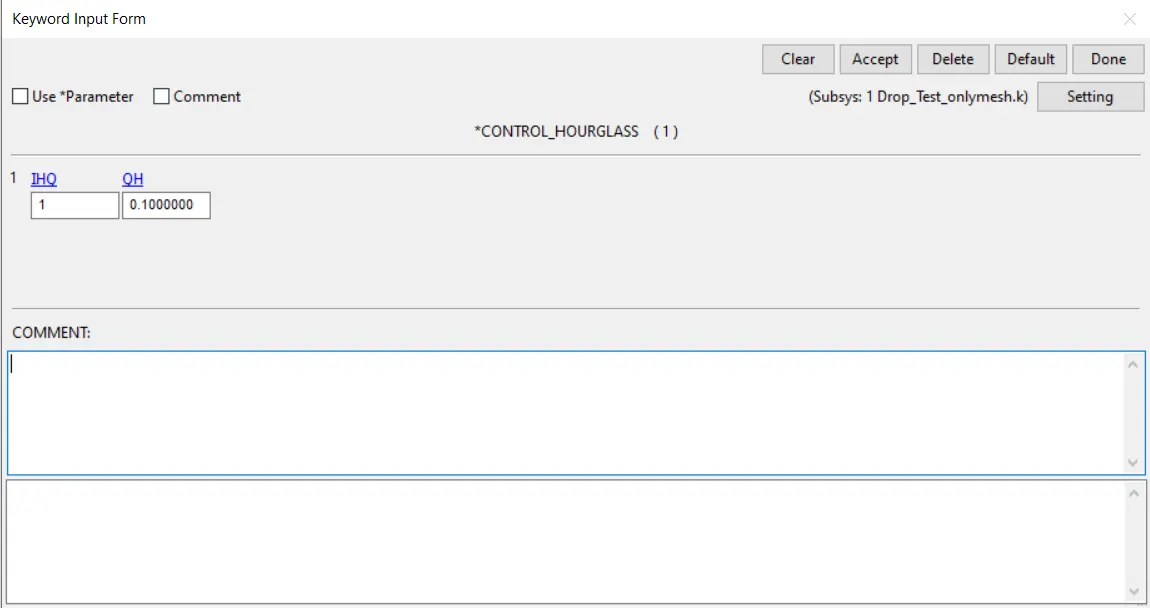
5.1. Hourglass energy
The keyword HOURGLASS_ENERGY was created:
6. Constraints
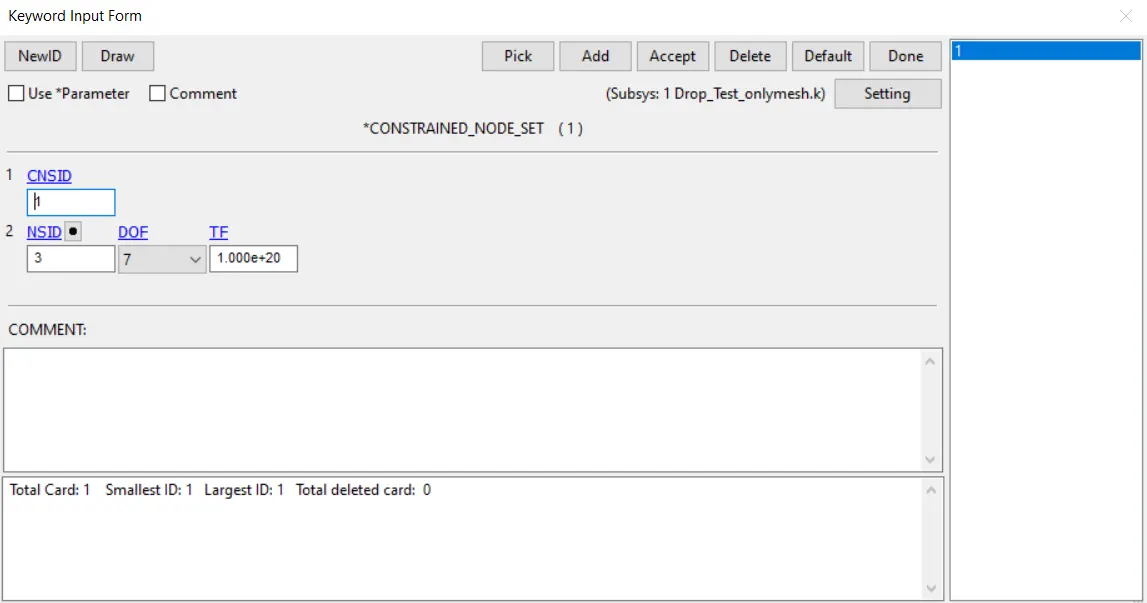
All of the translational degrees of freedom of the ground plate were contrained.
7. Contacts
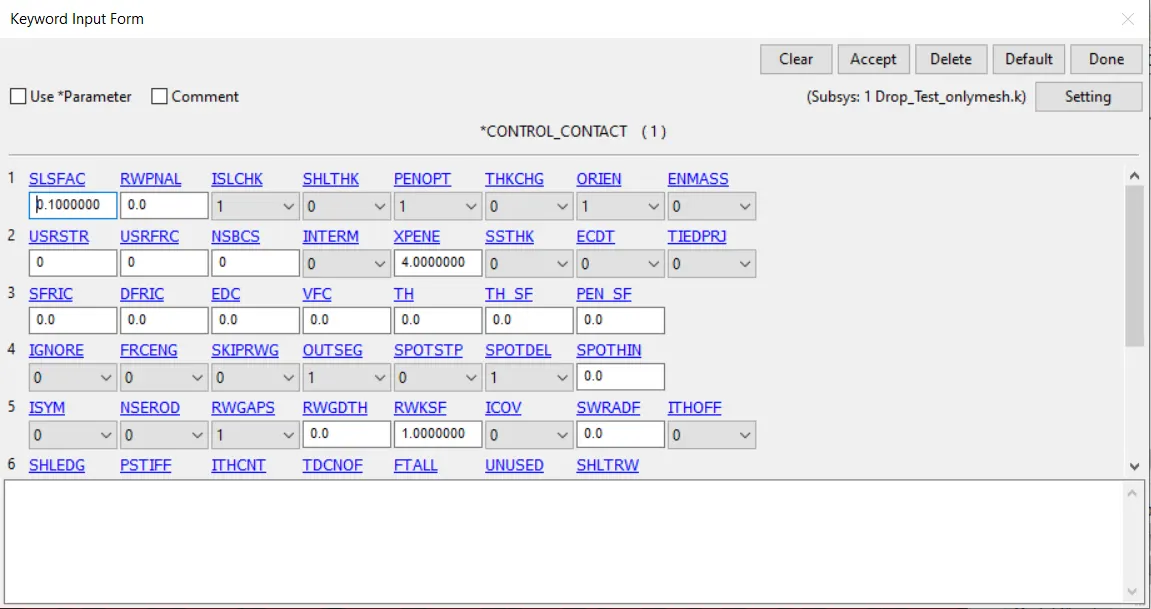
Since there is a contact between the ground surface and the cell phone, a CONTROL_CONTACT was created.
Its inputs were left as defaults.
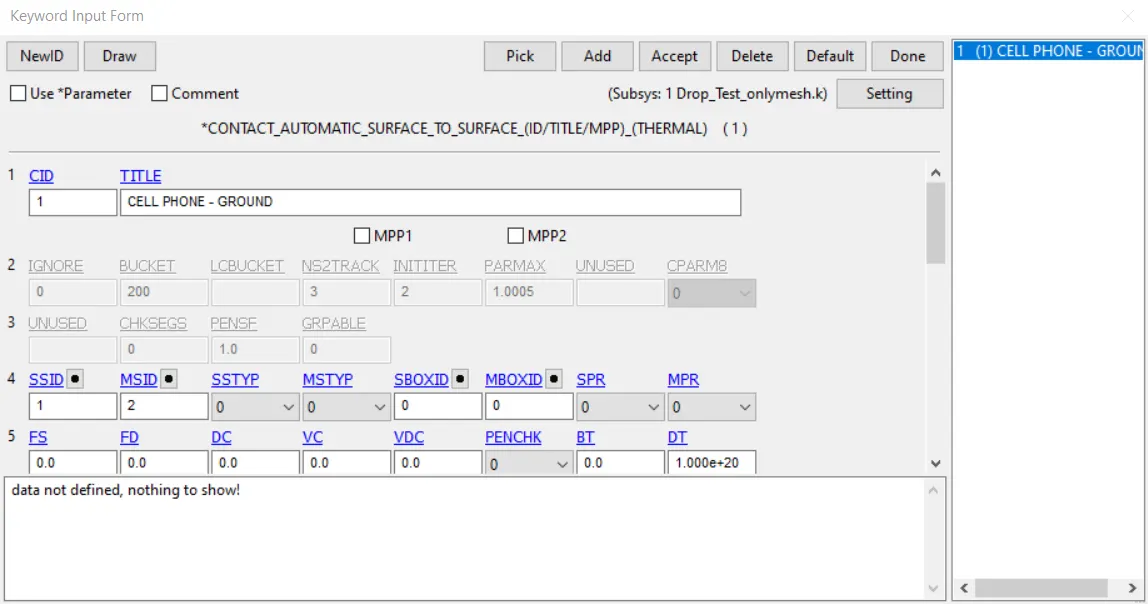
To define the contacts, the keyword CONTACT_AUTOMATIC_SURFACE_TO_SURFACE was used. Not because it is the most accurate contact definition but because it is the least computationally expensive.
7. Result extraction
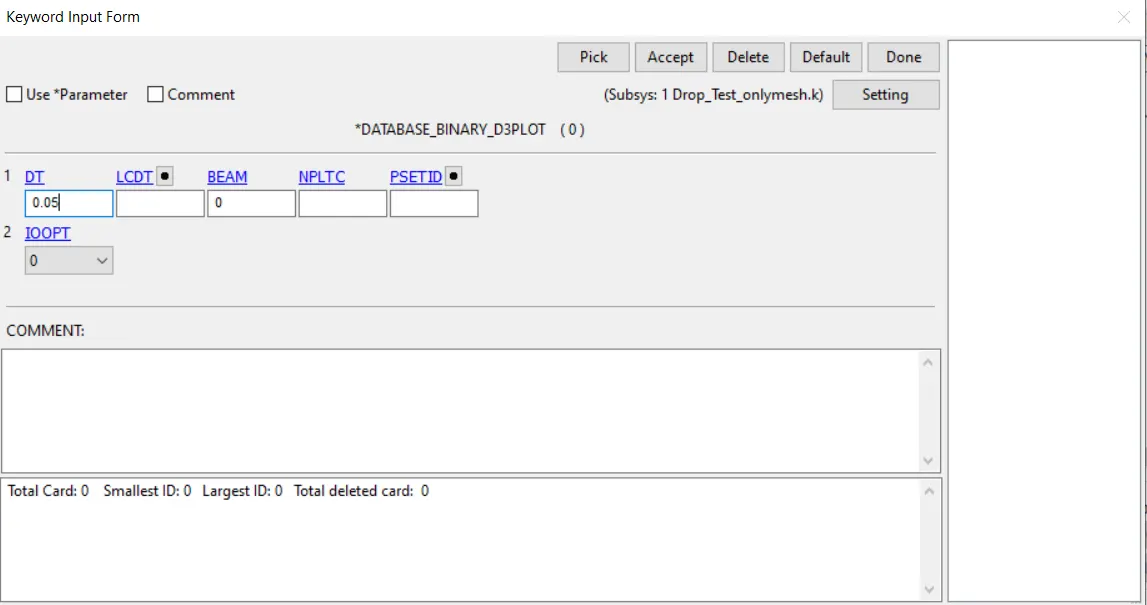
I created a DATABASE_BINARY_D3PLOT keyword
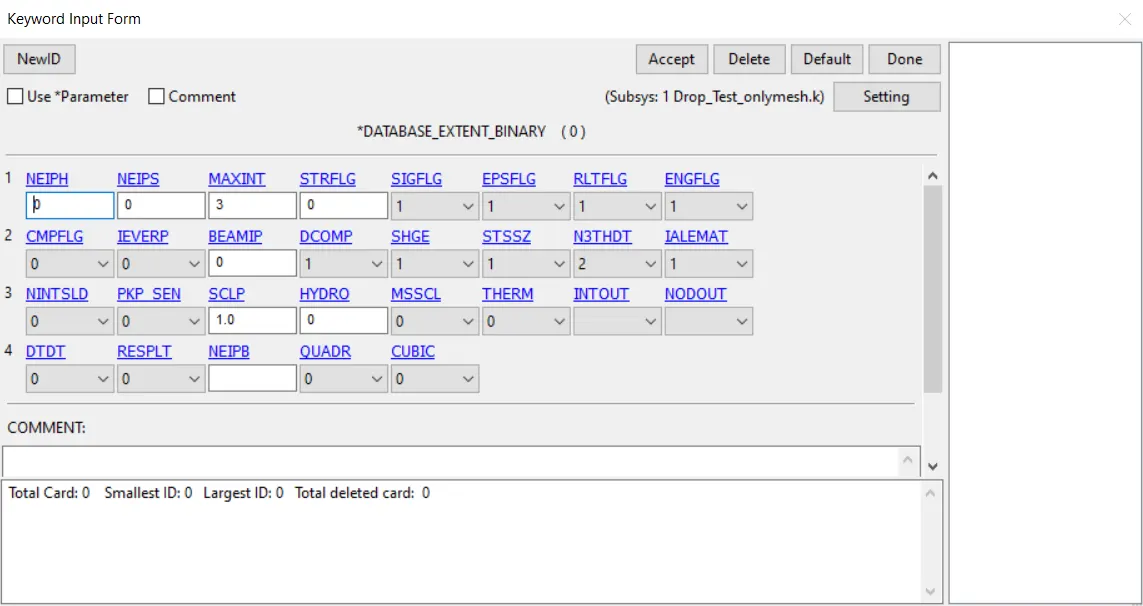
A keyword DATABASE_EXTENT_BINARY was also created:
7. Conclusion
One of the improvements that could be done in this analysis is to contrain all the 6 DOF's of the nodes representing the ground plate.
Another improvement of this analysis would be to establish a contact between the cell-phone surface itself, in order to account for the damage on the surface of the phone if it eventually bends.