Week - 3 Drop test Challenge
Objective- To create a complete input file for performing a drop test using LS-DYNA.
Why is Drop test performed?
The nonlinear explicit finite element code LS-DYNA is used for the drop impact simulations. The main purpose of drop test is to perform finite element analysis for the given model in order to determine the critical regions in it. The FEA model can be used to provide any further improvements on the new model.
Various products such as refrigerators, mobile phones, televisions, washing machines, remote controls, telecommunication and military equipment etc., are subjected to drop tests to assess their fragility and impact tolerance. It is difficult and expensive to understand the effect of various parameters that affect product performance during the test. Finite element simulations using LS-DYNA effectively help to understand the effect of these parameters.
Procedure
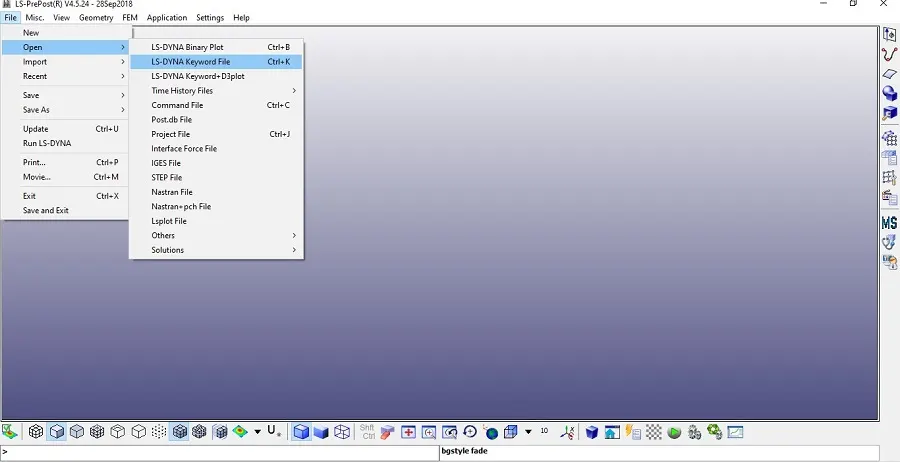
- Import the model file first in LS-Prepost
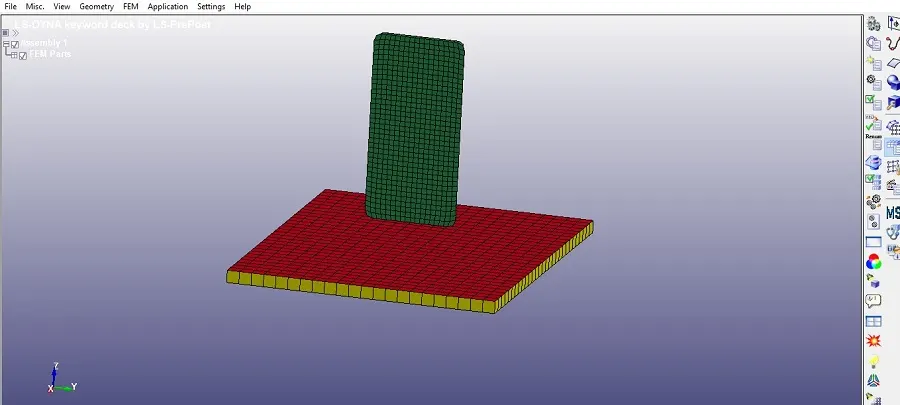
- Here three parts are given but we’ll be considering only two parts the mobile phone and the rigid plate.
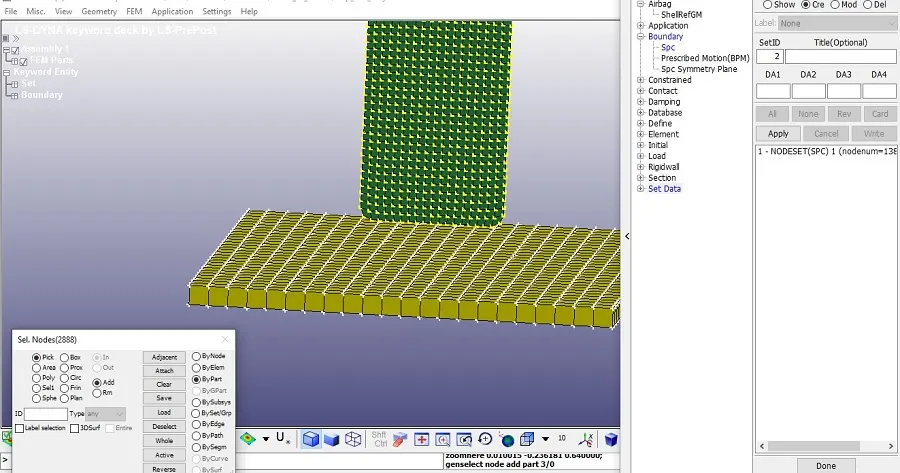
- Now apply boundary conditions to the rigid plate i.e., we’ll fix the rigid plate for our analysis using Create entity>Boundary>SPC>create>pick by part
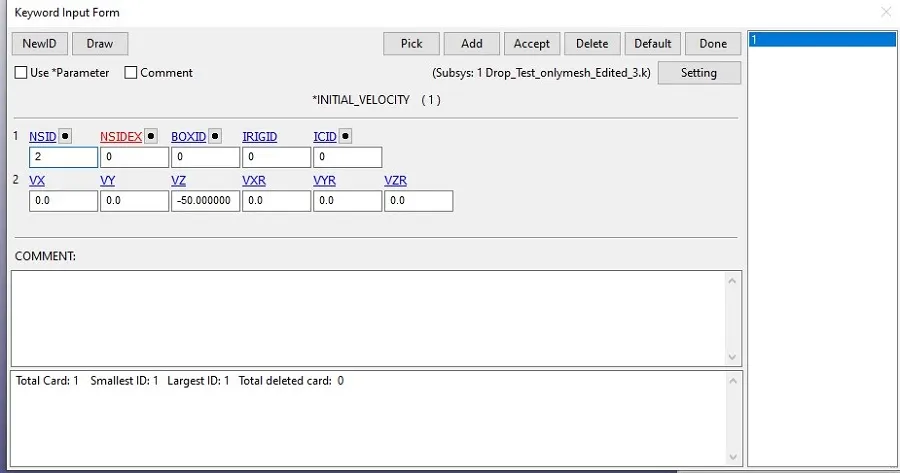
- Create initial velocity for the in -ve z direction mobile phone so that it falls vertically on the rigid plate considering the drop phenomena using keyword manager>all>initial>velocity
- Assign material card to the parts as : Rigid plate- E=33*109 kg/m-s2, µ=0.2, ρ=2300 kg/m3 Mobile phone-E=207*109 N/m2, µ=0.3, ρ=7600 kg/m3, Syt=370*106 kg/m-s2
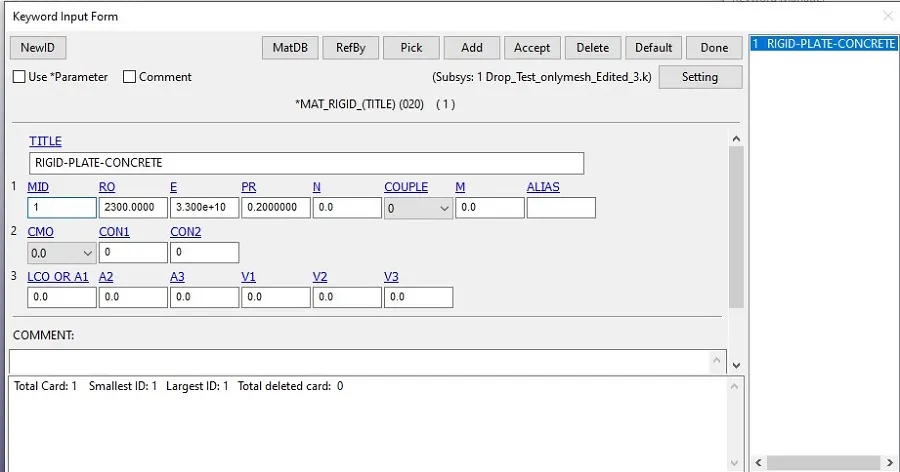
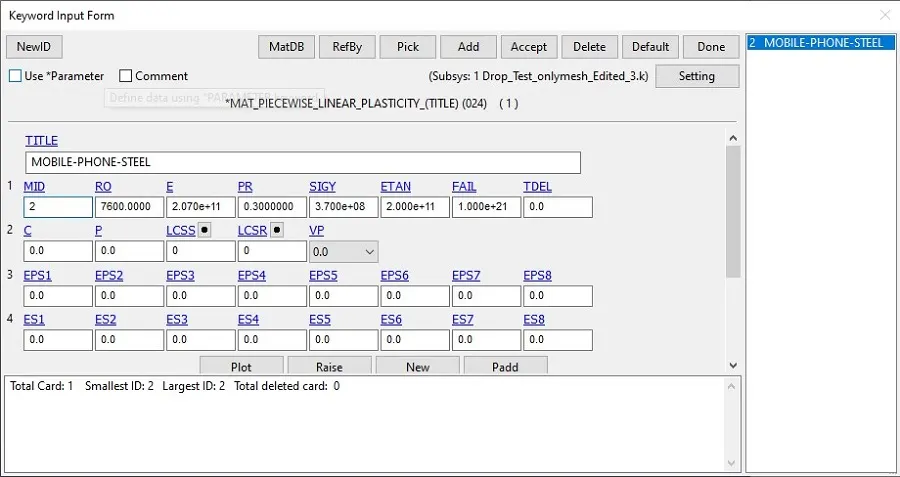
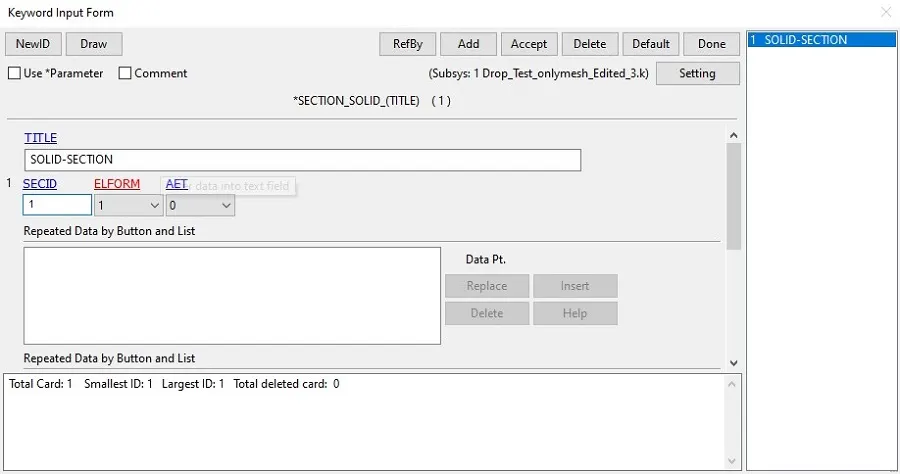
- Create section id using keyword manager>all>section>solid
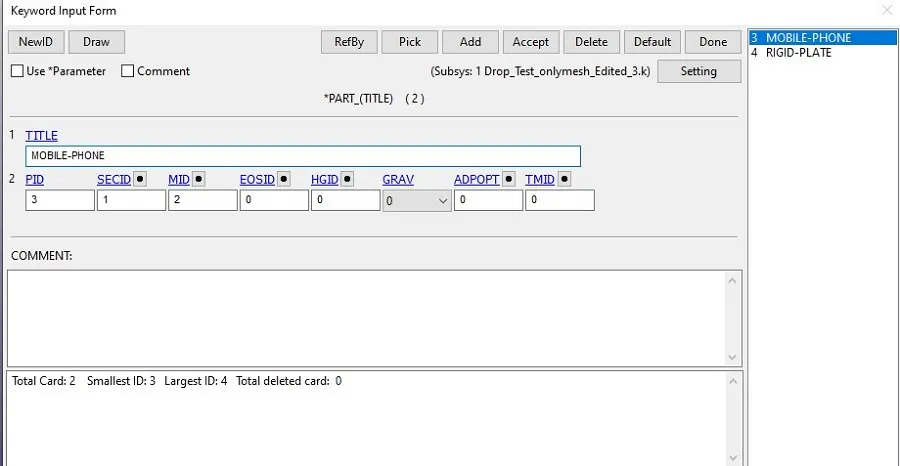
- Now open the part tab and define the material and section id for the individual parts using keyword manager>part
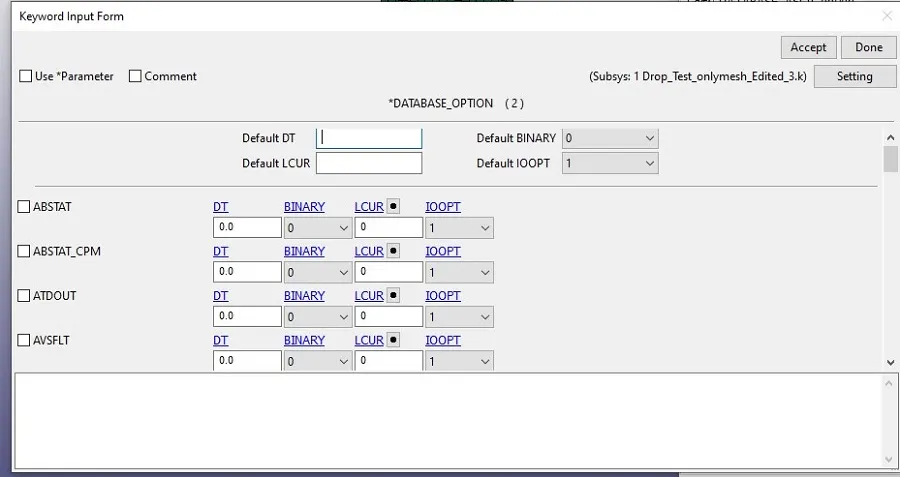
- Define the database cards for binary D3 plot and ASCII option using keyword manager>all>database>ascii or D3plot
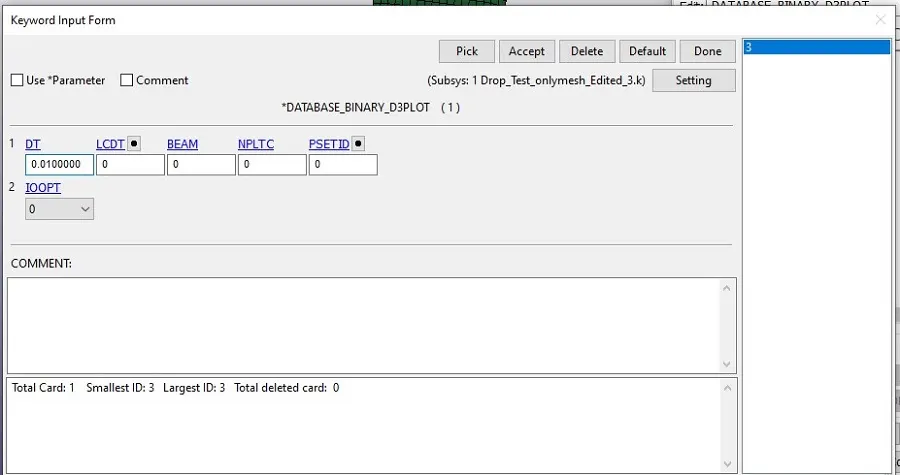
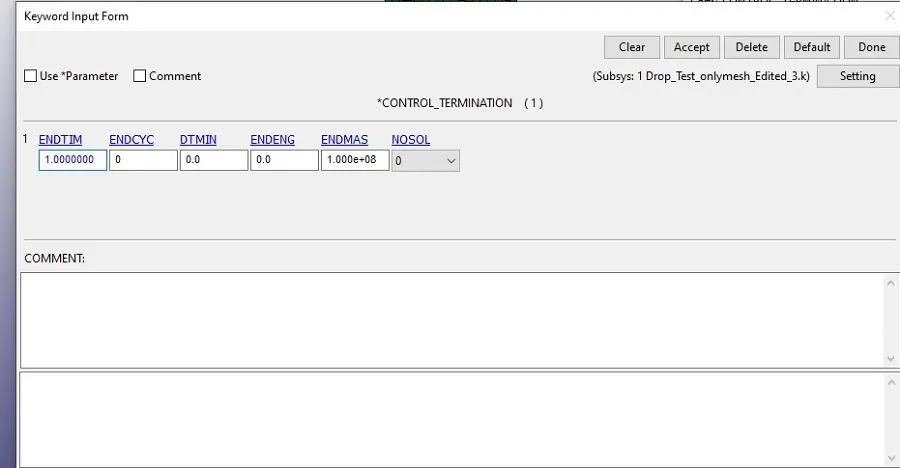
- Now define control card for termination using keyword manager>all>control>termination
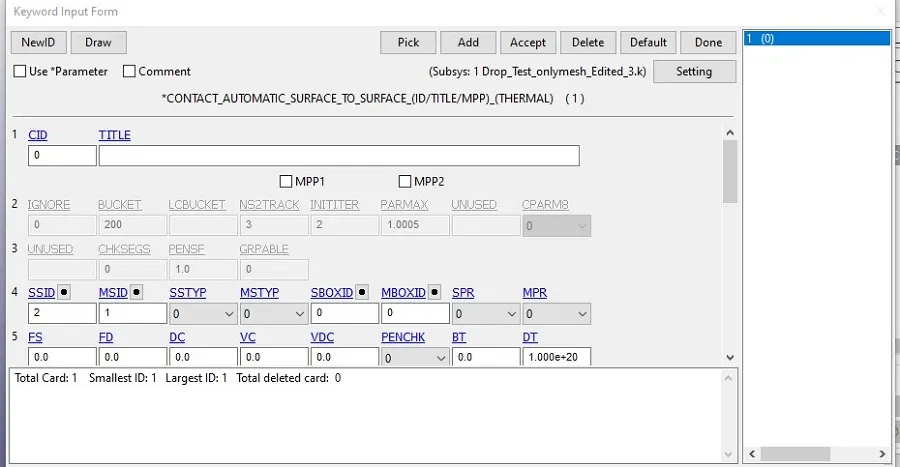
- Create contact surface card for both the parts by making rigid plate as master and mobile phone as slave.
- Save the file.
Results and Analysis
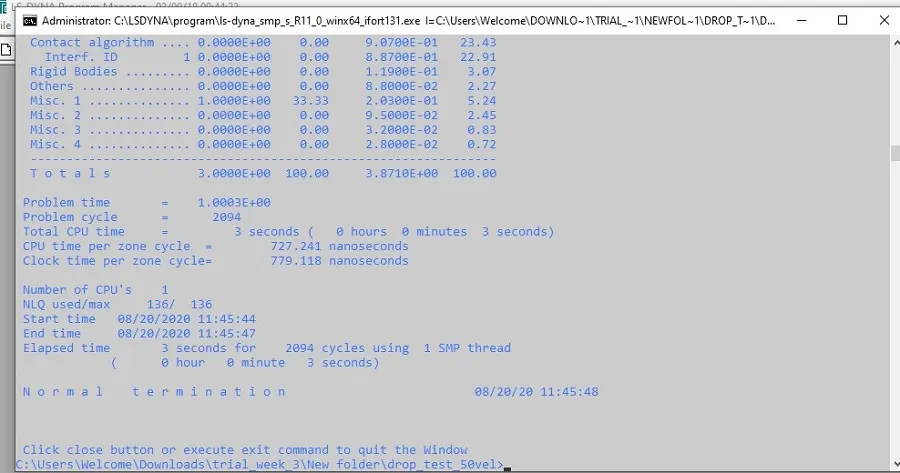
- Run the keyword file in LS-manager.
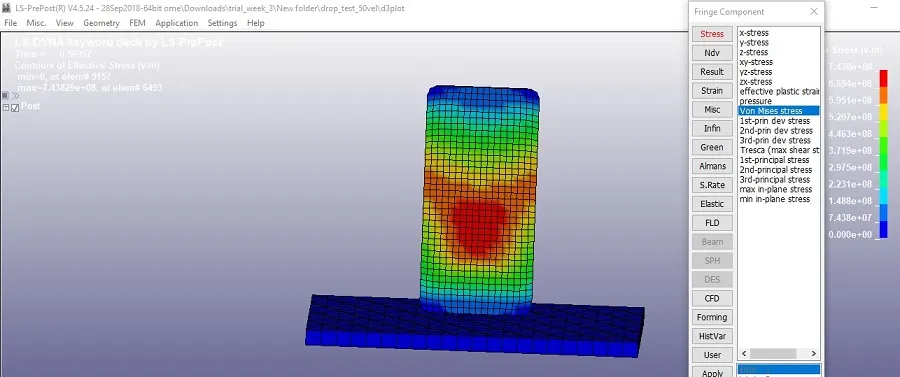
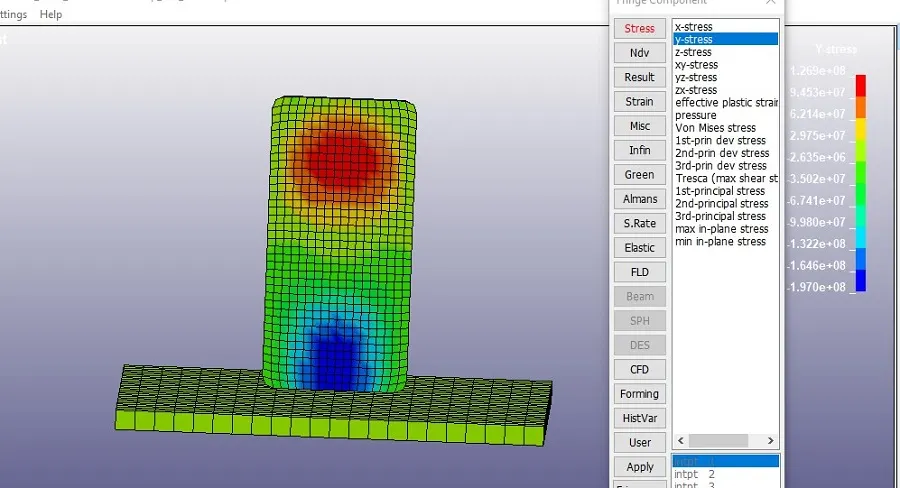
- Below shows the variation of stresses.
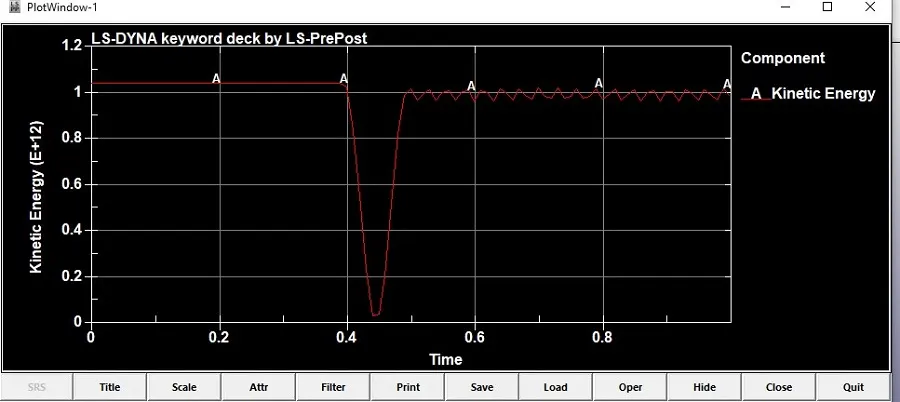
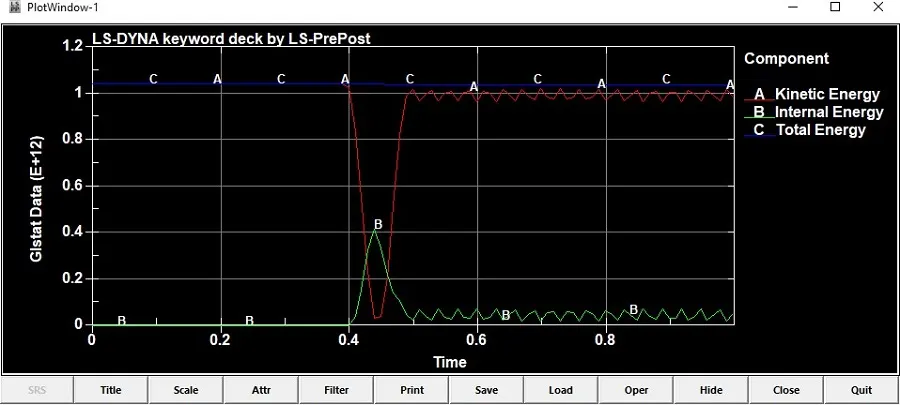
- The below graphs shows variation of different energies for 1second time.
Conclusion
- Successfully performed the Drop test simulation LS-Dyna.
https://drive.google.com/file/d/12mTb7urpZN3moQJPy4gbocpv1hiY9Z87/view?usp=sharing