Week 3 Challenge : CFD meshing on Turbocharger
Aim :- To clean up the geometry of Turbocharger.
Objective:- Mainly to clean up the geometry and remove the error from geometry .
Perform surface mesh with the given target lengths as per PIDs.
- Blade stage-2 = 1 mm
- Impeller = 2 mm
- Shaft rotor = 1 mm
- Turbo casing = 5 mm
- Compressor casing = 5 mm
- Inlet casing cover = 5 mm
Targets to achieve :- Geometry should error free, And the model should mesh properly.
Introduction :-
In an internal combustion engine, a turbocharger (often called a turbo) is a forced induction device that is powered by the flow of exhaust gases. It uses this energy to compress the intake gas, forcing more air into the engine in order to produce more power for a given displacement.
The current categorization is that a turbocharger is powered by the kinetic energy of the exhaust gases, whereas a supercharger is mechanically powered (usually by a belt from the engine's crankshaft).However, up until the mid-20th century, a turbocharger was called a "turbosupercharger" and was considered a type of supercharger.
Geometry of Turbocharger: -
In Orientation :-
In PID :-
In PID the glitch is happing. It has to clear.
The pink and green color glitch is seen.
This glitch has to clean .
After cleaning :-
In geometry we are donning the internal flow analysis, So we doesn't need external faces .
Then it should remove.
The faces are remove by using this method.
In cons it have the option "Release" .
It is used to remove the external faces with internal faces.
The red dot and white line is the release impact of release option.
Deleting the face:-
After removing external faces or unnecessary face:-
In this part , it not containing the hole which is not connected to pipe.
After Projection :-
It is not in good shape , Giving perimeters :-
Now the geometry should watertight for fluid flow analysis.
Making the geometry closed .
Now checking the geometry error by " Geometry Check ".
After done by geometry check, It showing warning for coons.
And error is of "Intersection error".
The intersection error is Showen as :-
Clearing all intersection error.
Done with surface mesh.
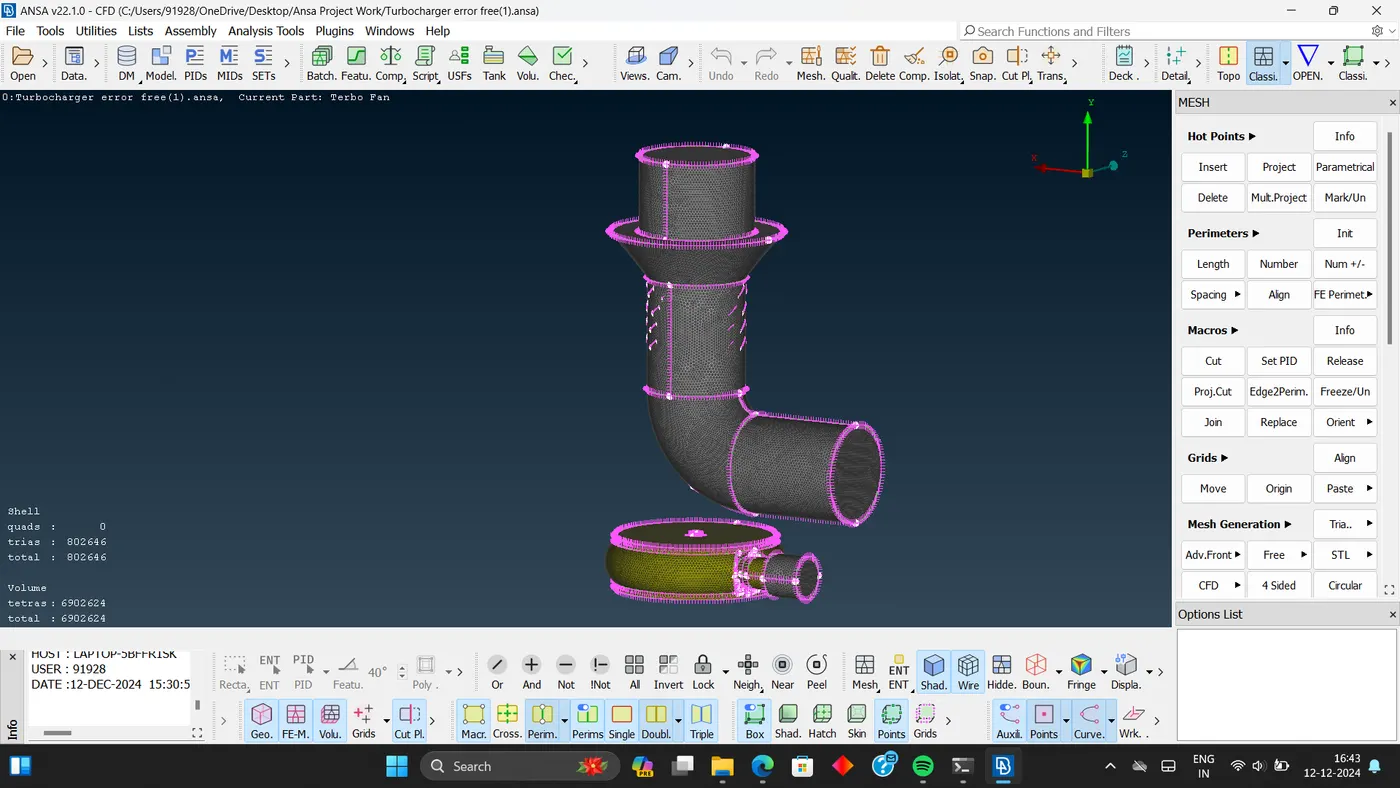
Done with volumetric mesh.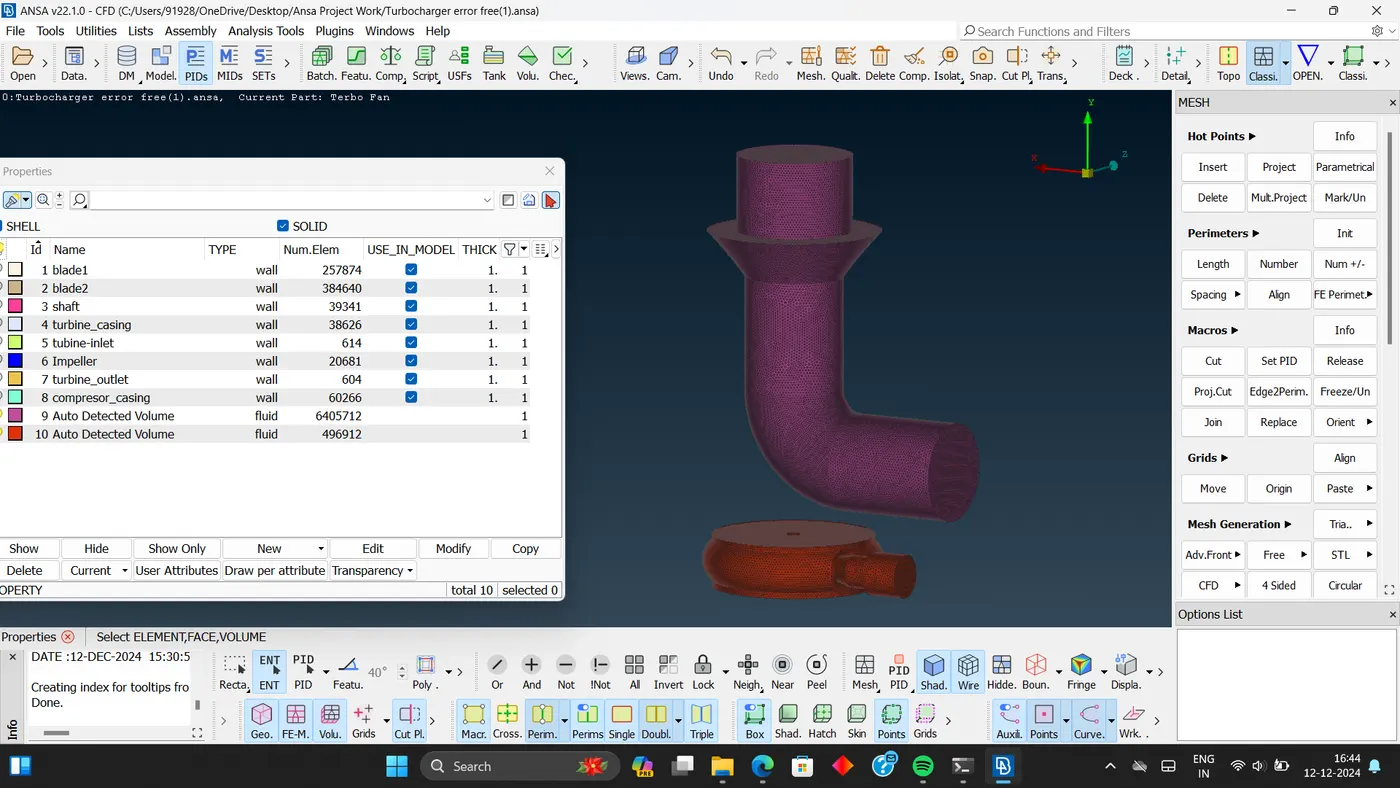
Conclusion :- The geometry be error free, the volumetric mesh and surface mesh is also complete.
Model file:- https://drive.google.com/file/d/12fI-aGpRzJ4RJ8lEbUIJot5K3iSKaBPn/view?usp=sharing