Week-3 Challenge: ADVISOR Tool
ADVISOR TOOL:
Advanced Vehicle Simulator (ADVISOR) was first developed in November 1994 at the National Renewable Energy Laboratory. It was designed as an analysis tool to assist the US Department of Energy (DOE) in developing technologies for hybrid electric vehicles (HEV) through the Hybrid Electric Vehicle Propulsion System contracts with Ford, General Motors, and DaimlerChrysler. Its primary role is to highlight the system-level interactions of hybrid and electric vehicle components and their impacts on the vehicle performance and fuel economy.
- Use EV_defaults_in_file, if cargo mass is 500 kg with all other default conditions, find the vehicle can travel for 45 with FTP drive cycle? & conclude the observations.
In MATLAB command window, using advisor command to launch ADVISOR simulator.
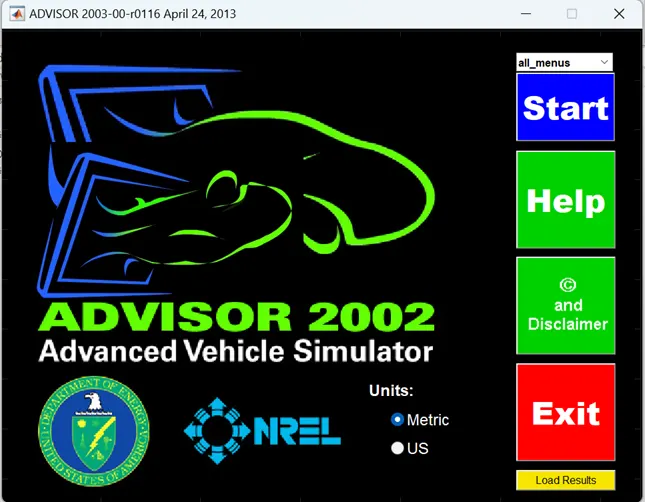
Set units: Metric and press start.
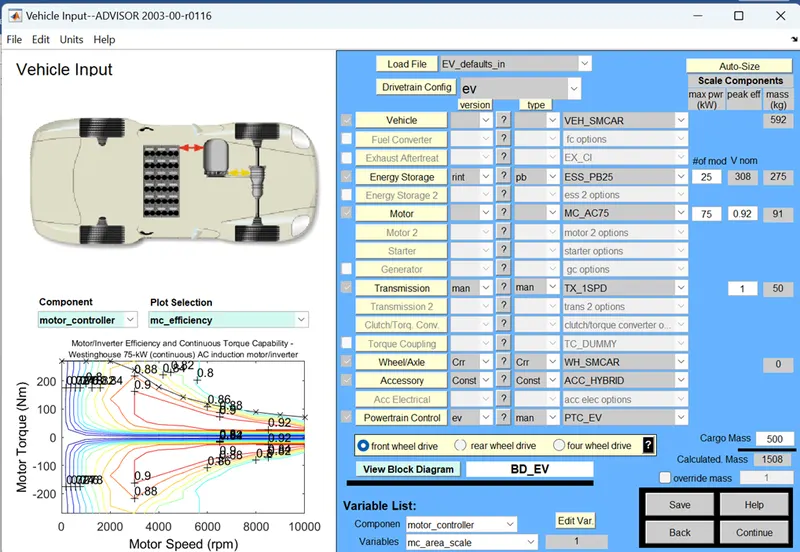
In this window select EV_defaults_in and set cargo mass is 500, then press continue.
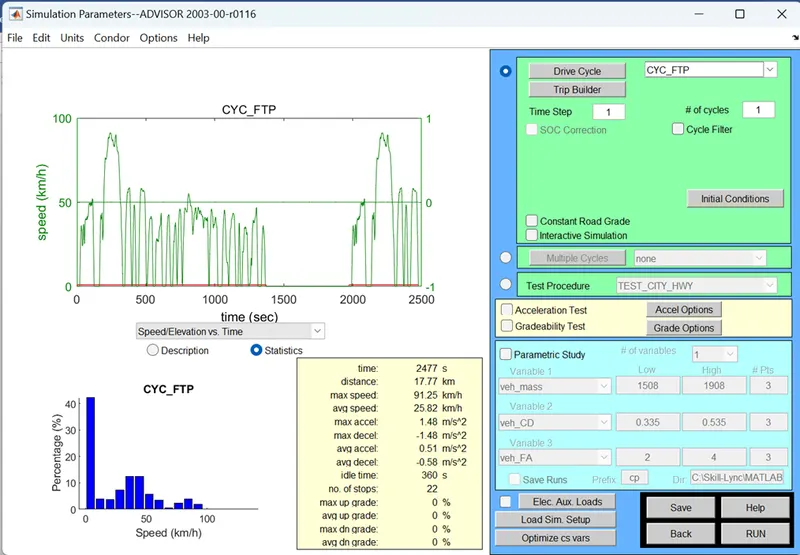
In this window select Drive cycle as – CYC_FTP, then set # of cycle to 1 then RUN.
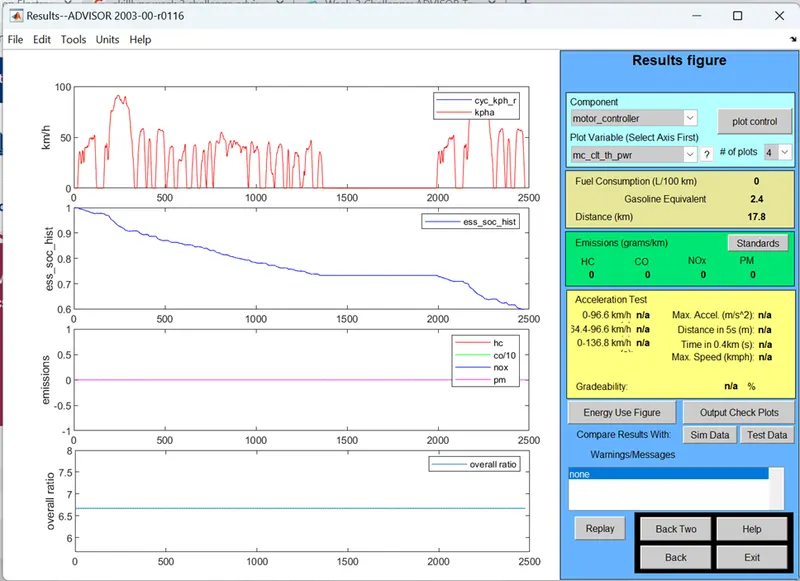
Vehicle travelled to the distance 17.8km in one drive cycle, then SOC is around 60%. Then press back and set # of cycle to 2 then RUN.
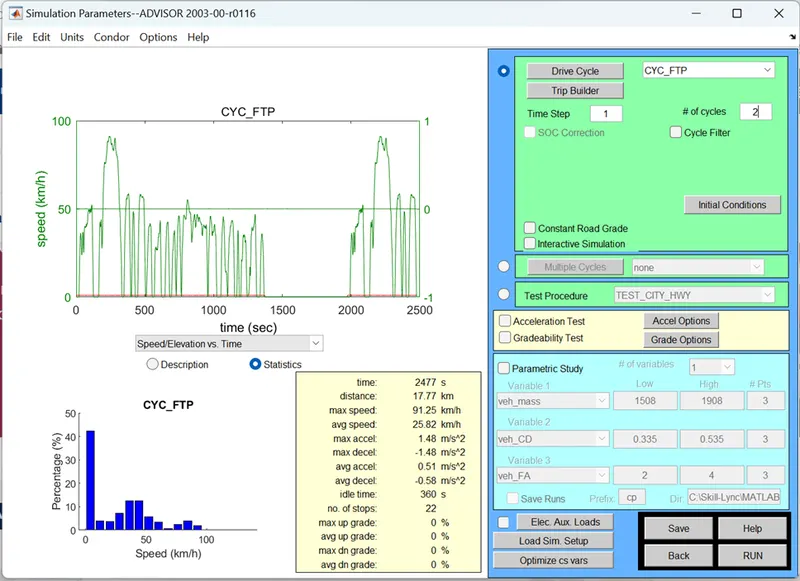
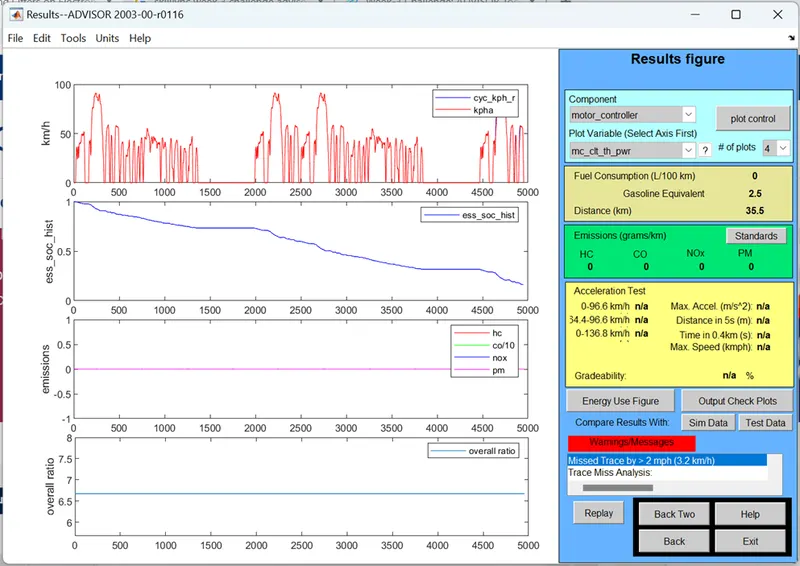
Then Vehicle travelled to the distance 35.5km in two drive cycle, then SOC is less than 50%. Then press back and set # of cycle to 3 then RUN.
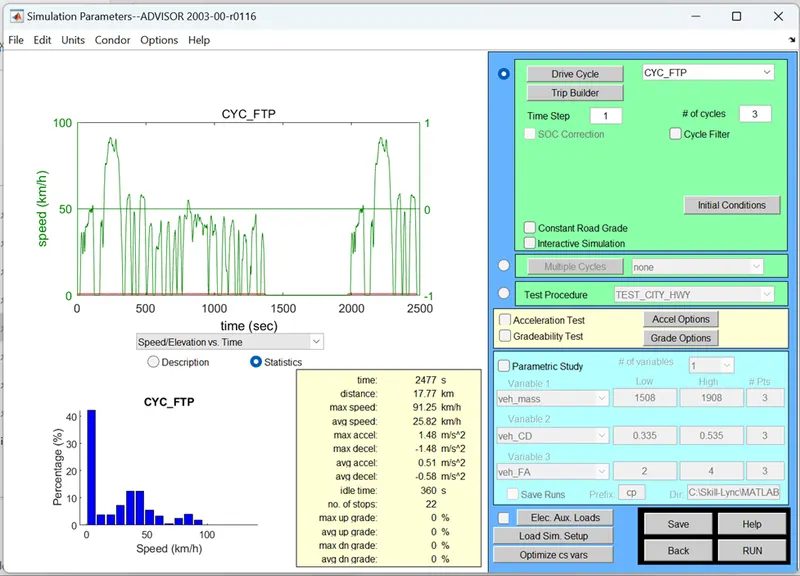
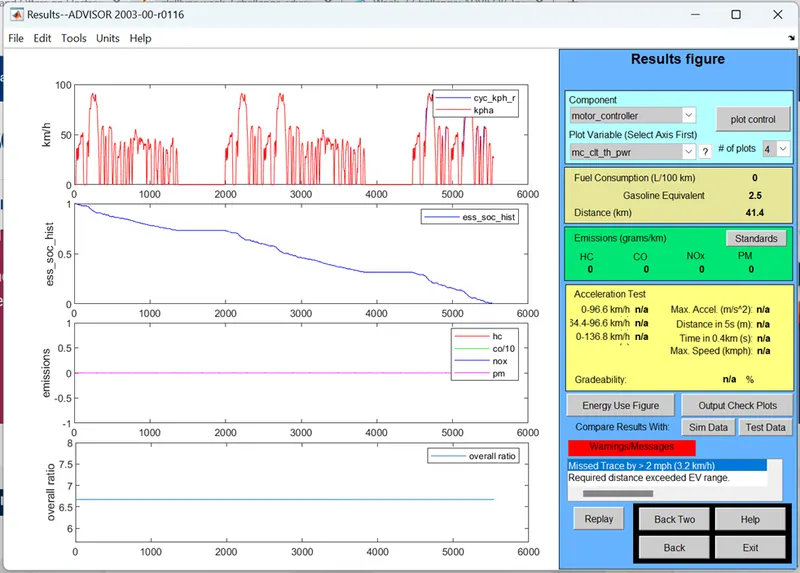
Then Vehicle travelled to the distance 41.4km in third drive cycle and stopped, due to SOC reached to 0%.
Conclusion:
Vehicle not able to reach Distance of 45km by continuous travel of Three drive cycle in CTC_FTP. It stoped at the distance of 41.4km. So we need to increase the battery capacity to overcome this problem.
2. In the above case, try changing the battery capacity and repeat the simulation.
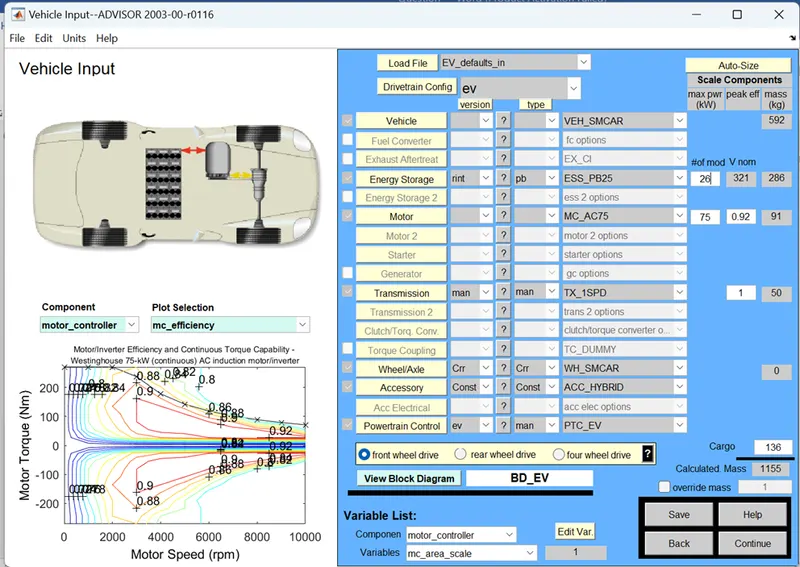
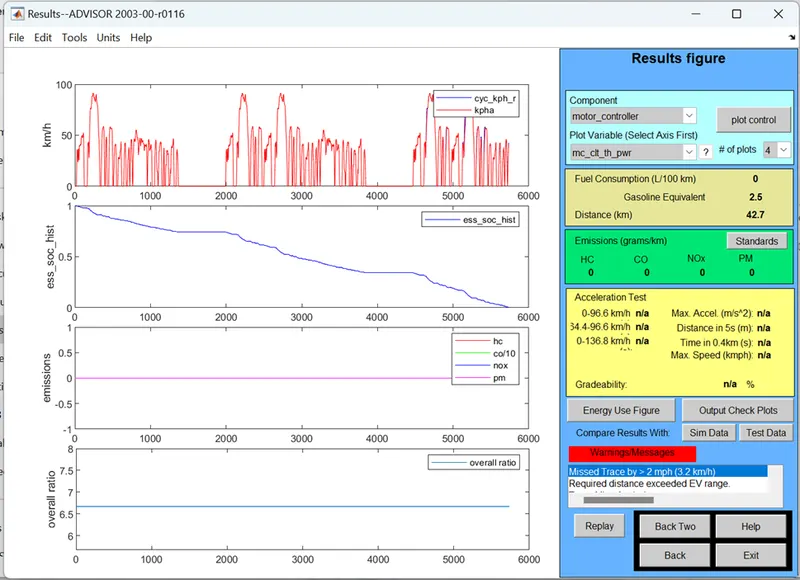
By changing # of mod to 26, then voltage nom changed to 321. Press continue and run the simulation. Observe distance travelled is 42.7km, Not reached to 45km. We have to increase battery capacity.
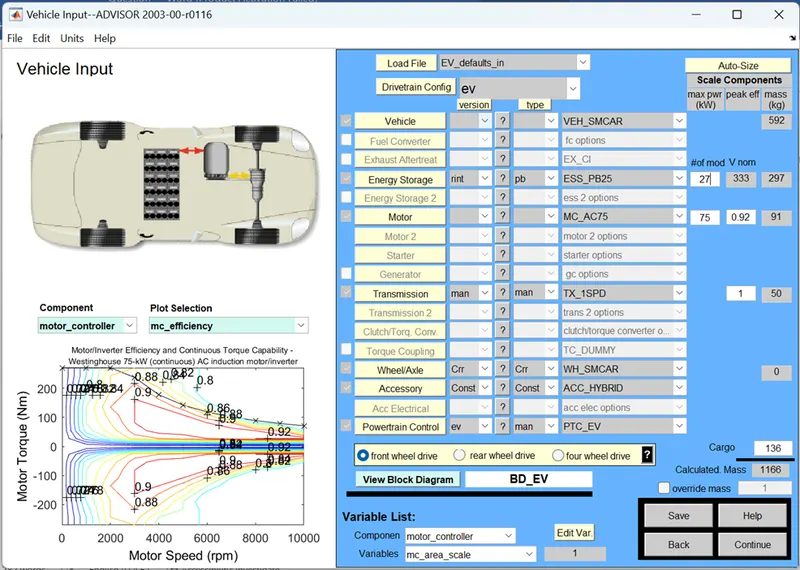
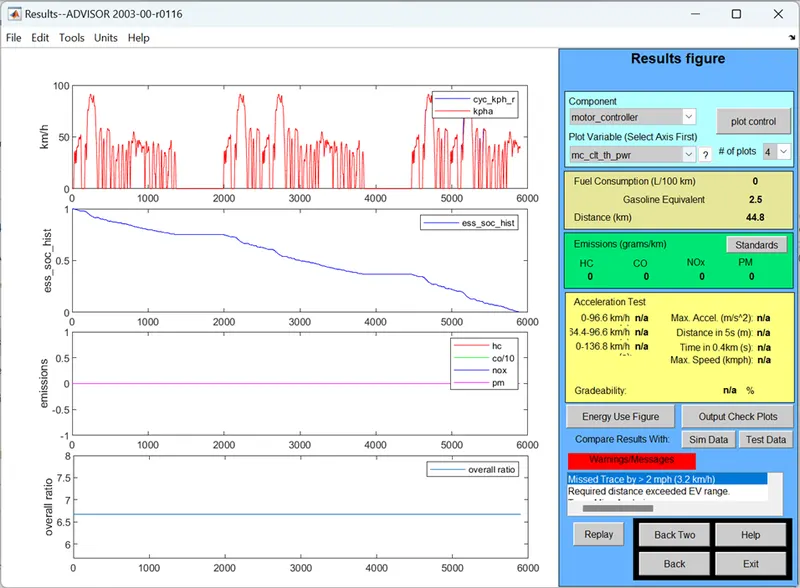
By changing # of mod to 27, then voltage nom changed to 333. Press continue and run the simulation. Observe distance travelled is 44.8km, Not reached to 45km. We have to increase battery capacity.
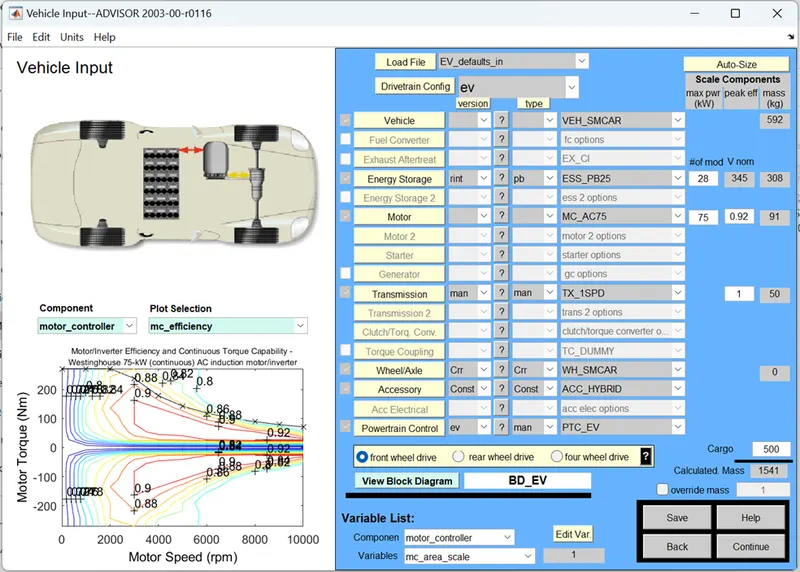
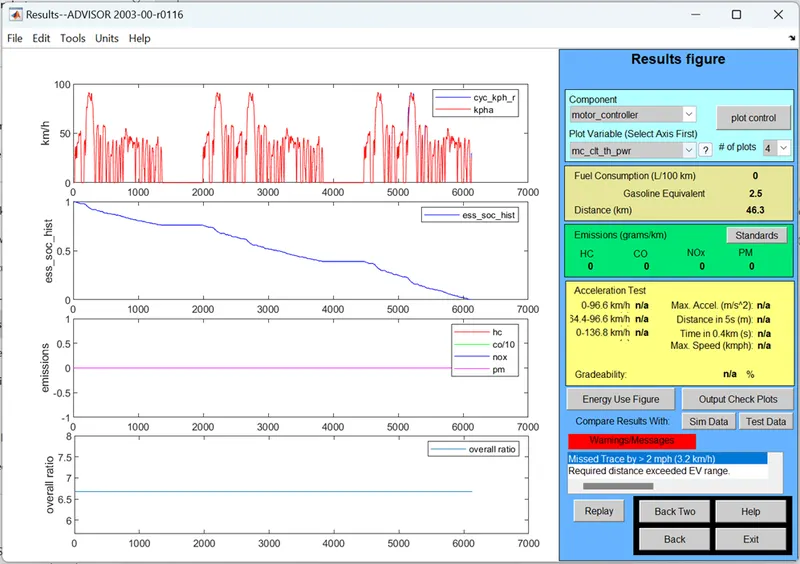
By changing # of mod to 28, then voltage nom changed to 345. Press continue and run the simulation. Observe distance travelled is 46.3km, Reached to 45km.
Concluded that by increasing Battery capacity to 28 – Then Vehicle reached to the Distance of 46.3km, means above 45km.
3. Perform gradeability test with PRIUS_Jpn_defaults_in file. Compare your results in table and conclude.
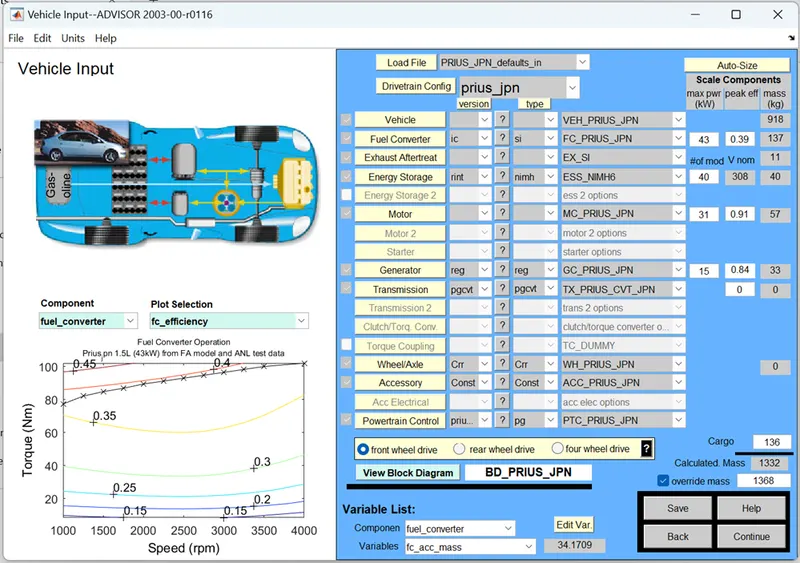
Launch ADVISOR simulator and set Load file to PRIUS_Jpn_defaults_in option. All other parameters are as same. Then press continue.
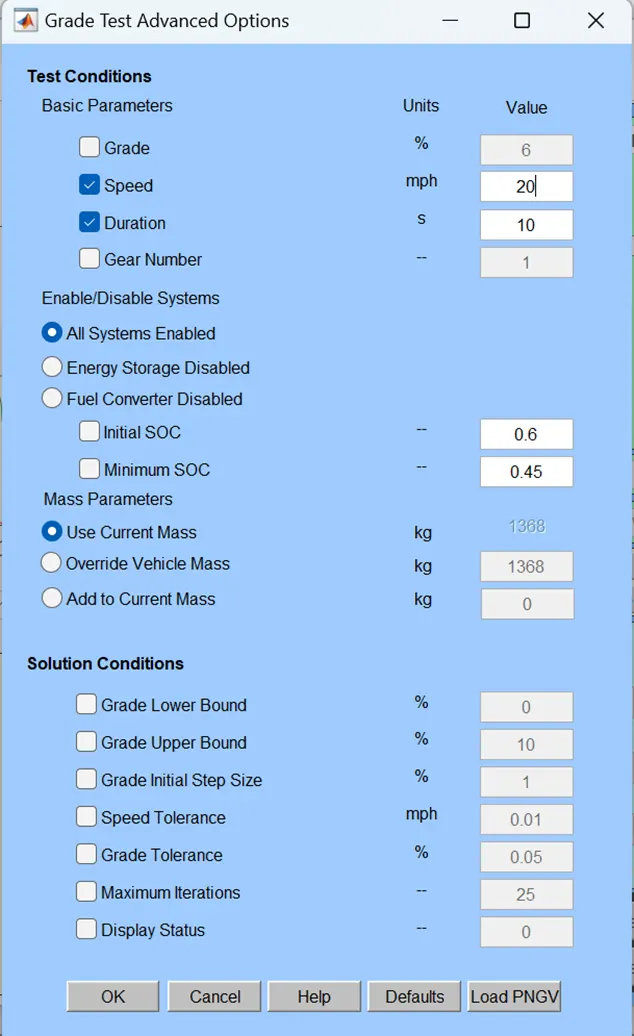
Enable Gradeability Test and go to Grade options
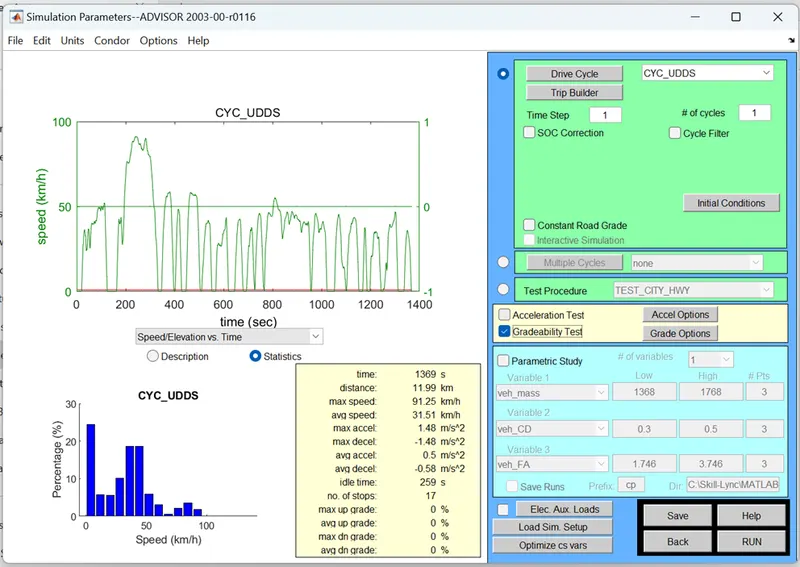
Set speed to 20 mph and Duration 10sec. Then enable All Systems enabled function. Then press OK.
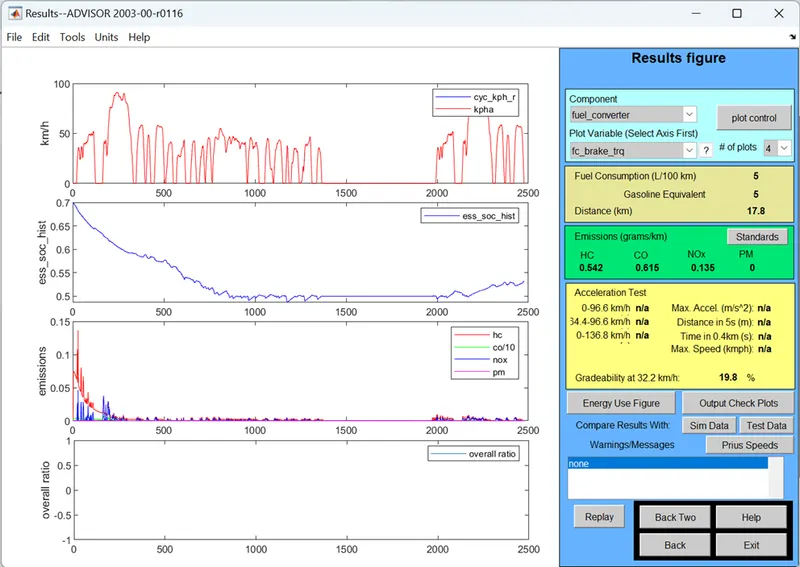
Gradeability is 19.8%, 32.2 km/h speed.
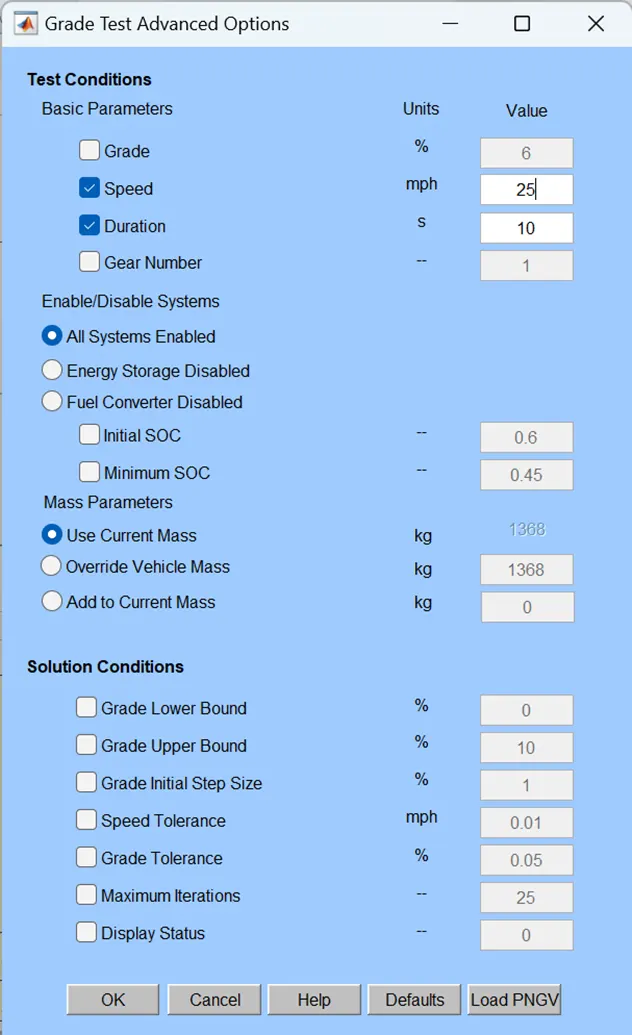
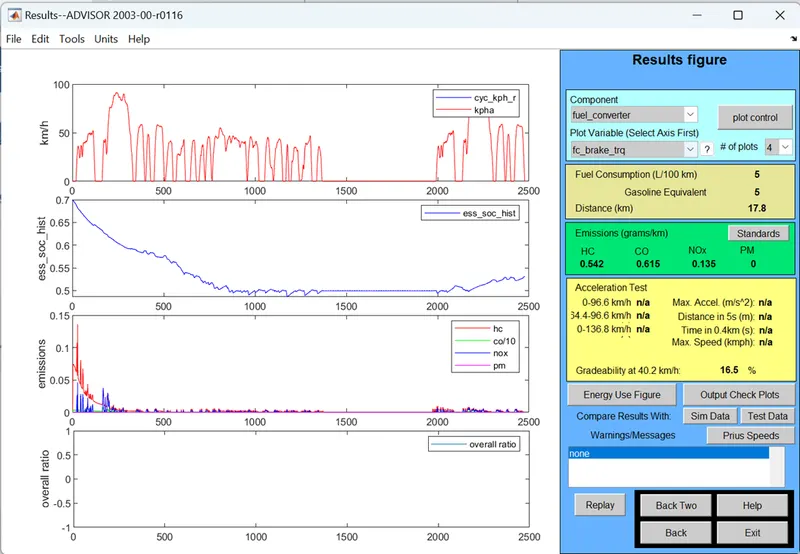
Gradeability is 16.5%, 40.2 km/h speed.
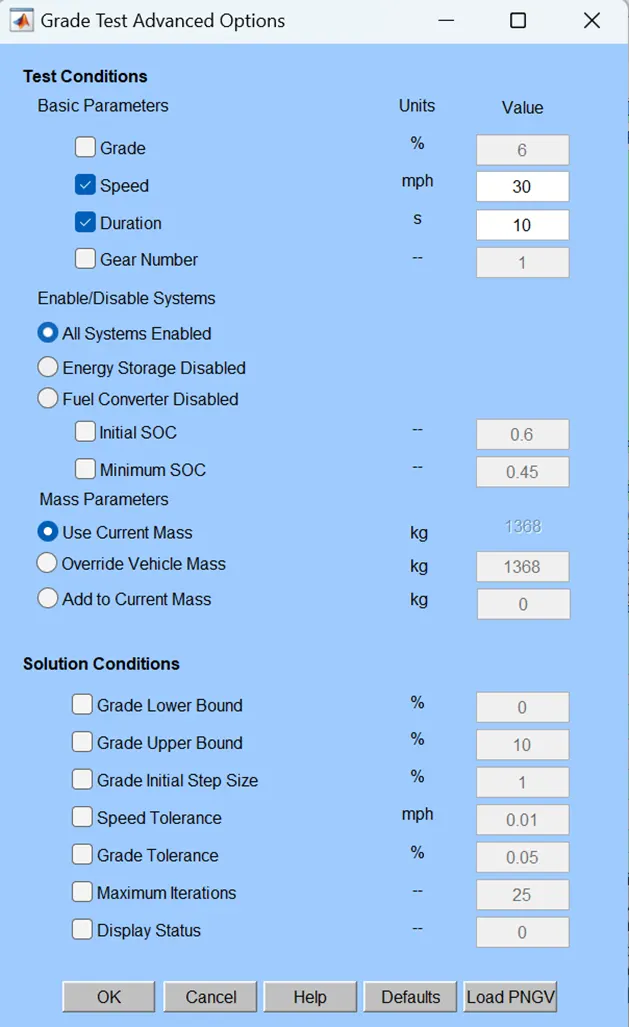
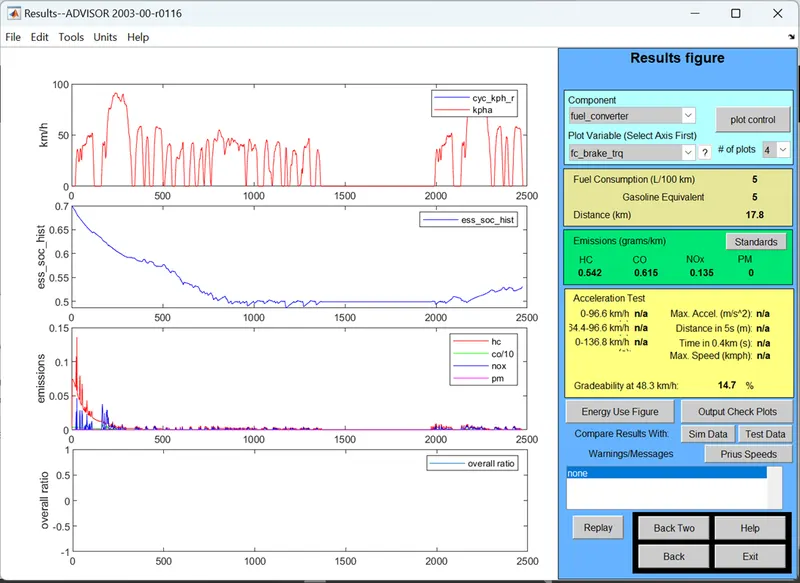
Gradeability is 14.7%, 48.3 km/h speed.
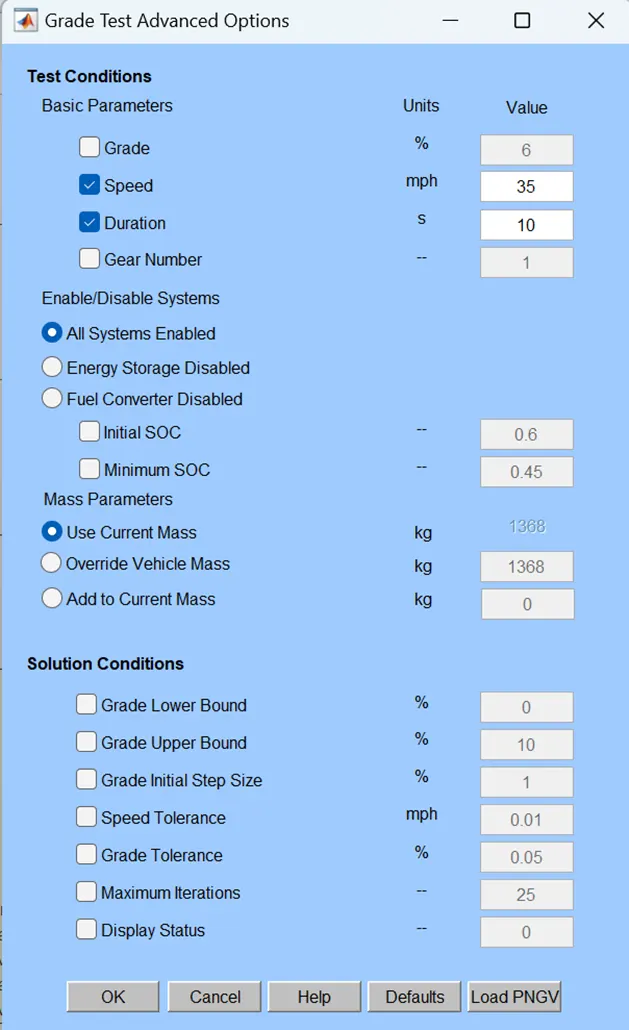
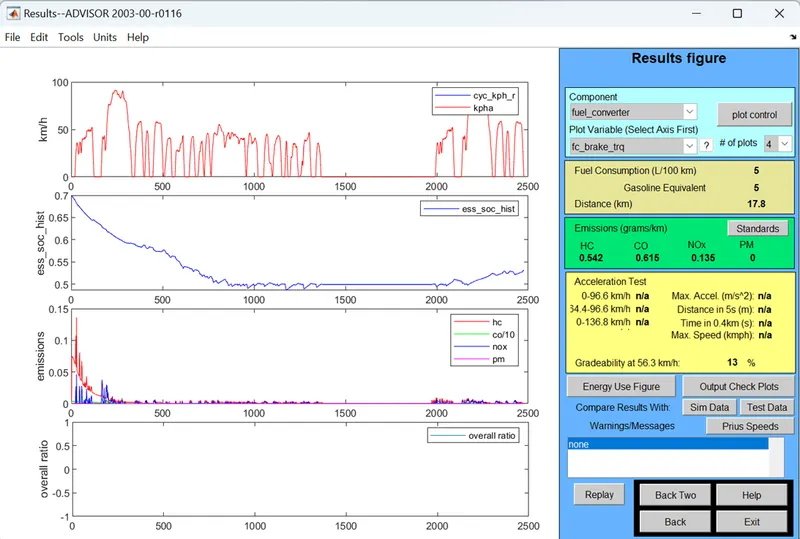
Gradeability is 13%, 56.3 km/h speed.
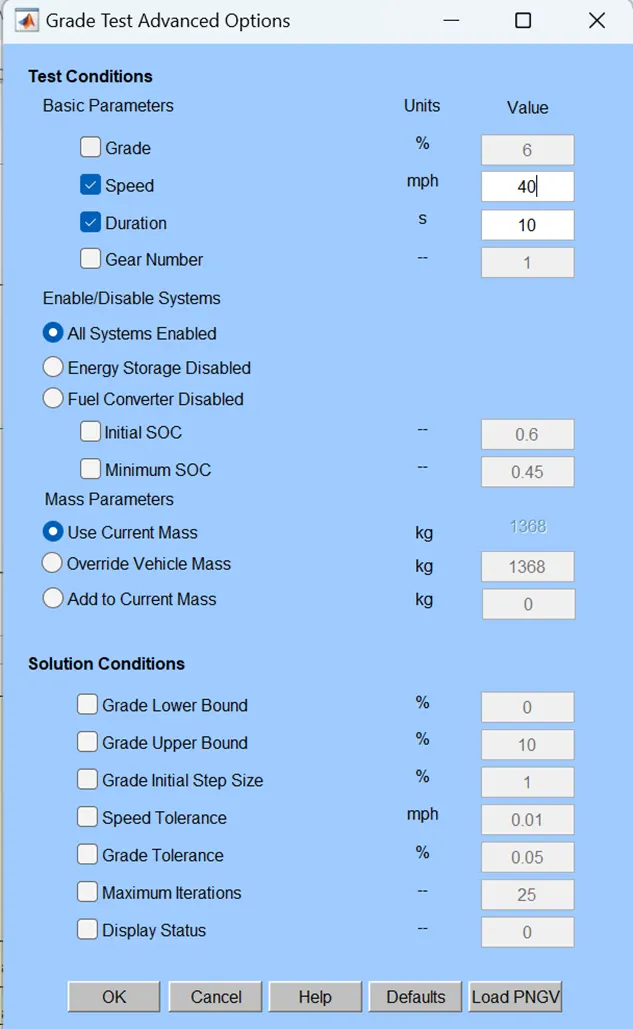
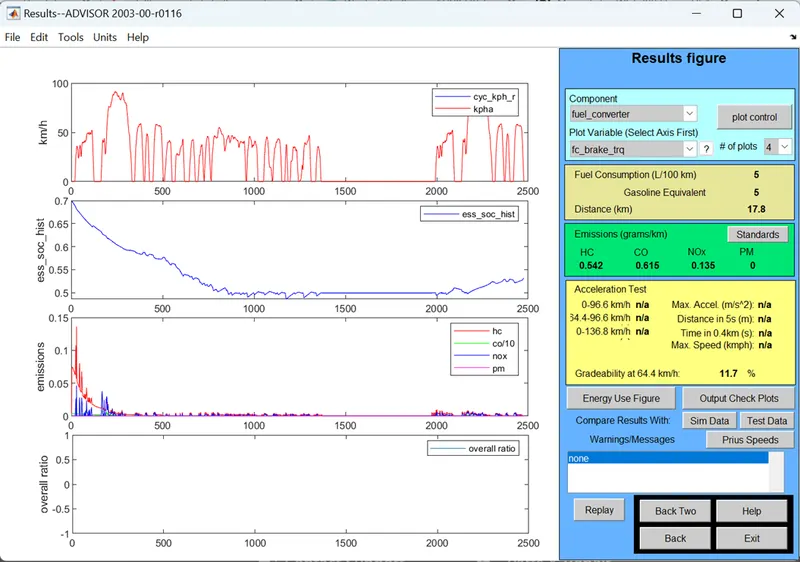
Gradeability is 11.7%, 64.4 km/h speed.
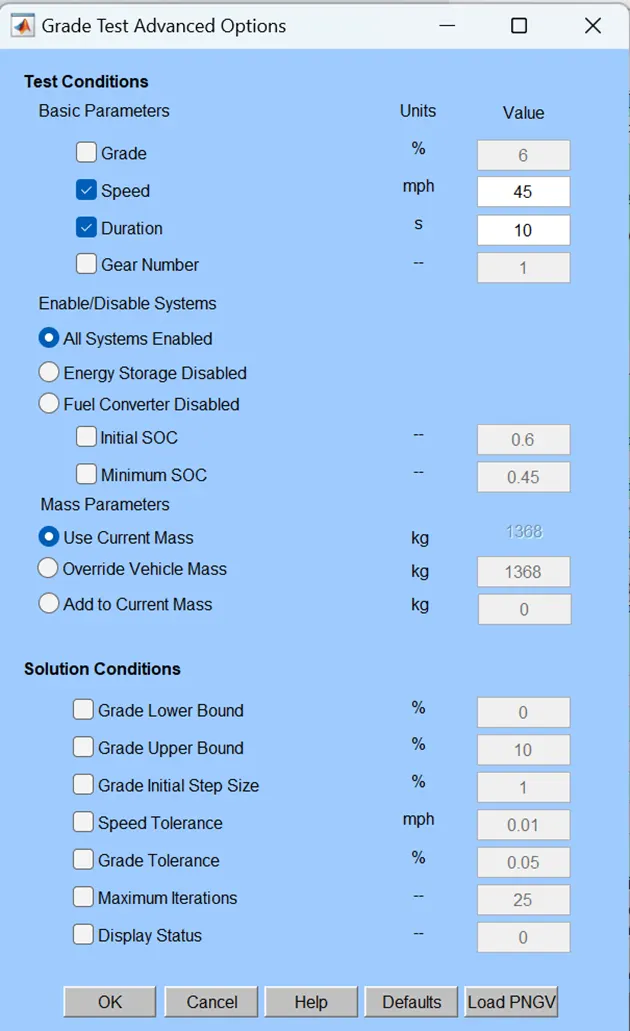
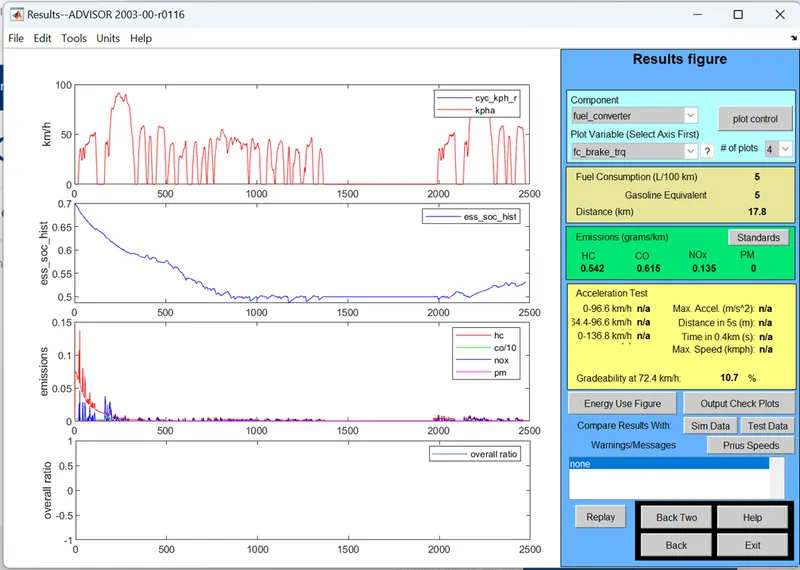
Gradeability is 10.7%, 72.4 km/h speed.
|
Gradeability |
Speed mph |
Speed kmph |
|
19.8% |
20 |
32.2 |
|
16.5% |
25 |
40.2 |
|
14.7% |
30 |
48.3 |
|
13% |
35 |
56.3 |
|
11.7% |
40 |
64.4 |
|
10.7% |
45 |
72.4 |
Concluded that by increasing the gradeability, vehicle speed is going to decrease.