Week-3 Challenge: ADVISOR Tool
components to motor_controller. The above table before giving the mass of 500kg.
the below ADVISOR TOOL after giving mass 500kg.
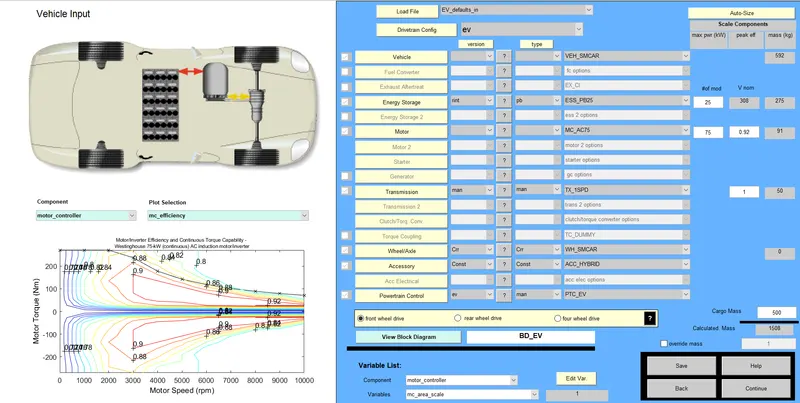
- Loading file 'EV_defaults_in in the ADVISOR Tool and the cargo mass input as 500kg.
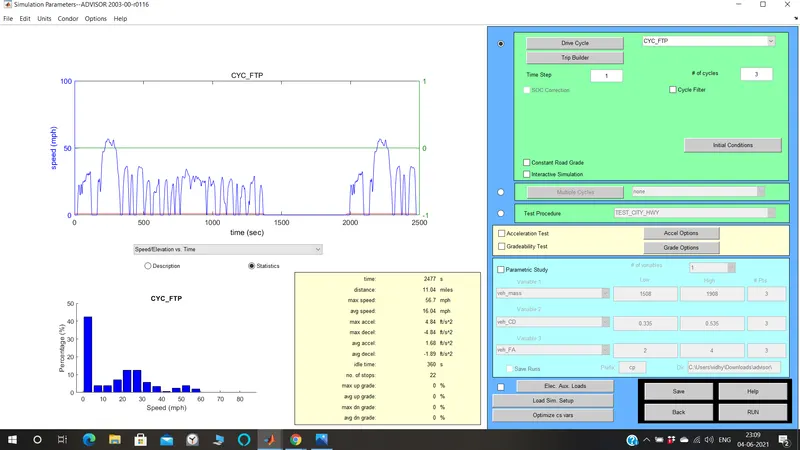
- On clicking continue the 'Drive cycle window' appears selecting 'CYC_FTP' to the drive cycle.
- the CYC_UDDS IS BEFORE CHANGING TO CYC_FTP.
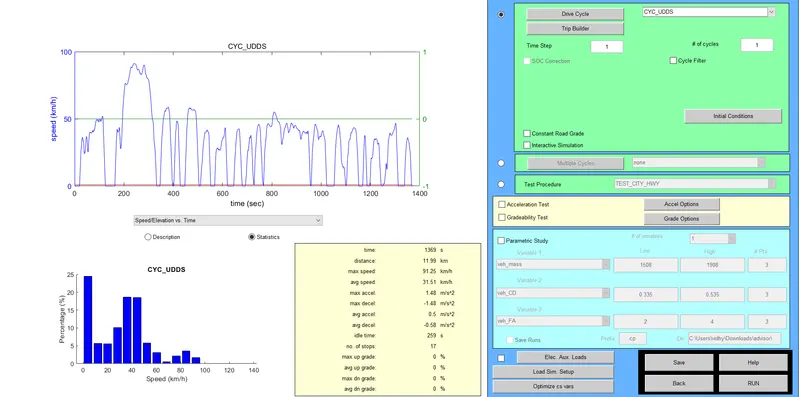
- THE BELOW ADVISOR TOOL AFTER CHANGE TO CYC_FTP AND THE WAVEFORM IS Obtained.
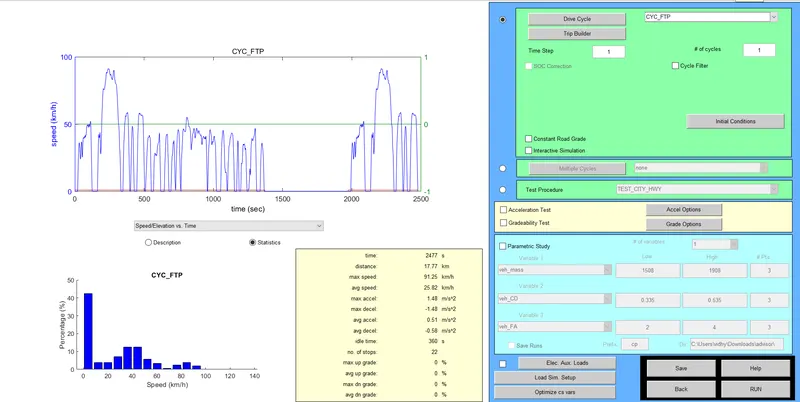
- each FTP drive cycle lasts for a time period of 2.4 sec and a distance of 17.8kmph. In order to verify if the vehicle can travel for 45km, we have to consider the number of cycles to be 4.
- ON clicking RUN. the results are obtained
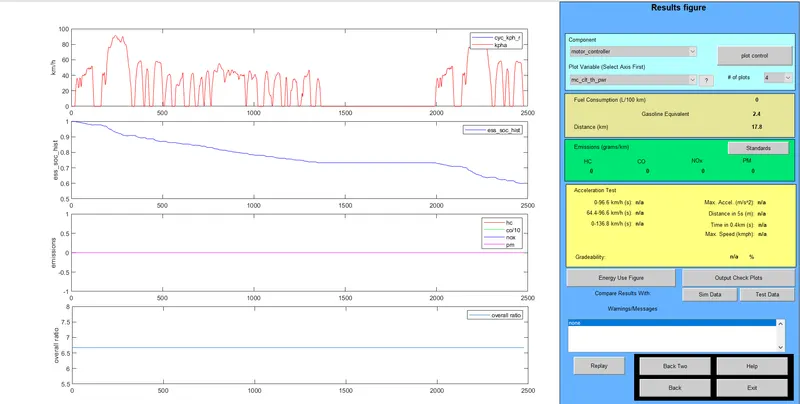
- The results figure window appears the graphs for velocity soc emission and overall ratio are displayed.
conclusion: Hence, For EV_defaults_in file, if cargo mass is 500 kg with all other default conditions, can the vehicle travel for 45 km with FTP drive cycle, and results are obtained.
Q.2: In the above case, try changing the battery capacity and repeat the simulation.
ANSWER: Loading file 'EV_defaults_in' in the ADVISOR TOOL and set the cargo mass as 500kg. In this case, we will increment the number of battery modules by 15. hence the total is 40 resulting in a nominal voltage of 493v.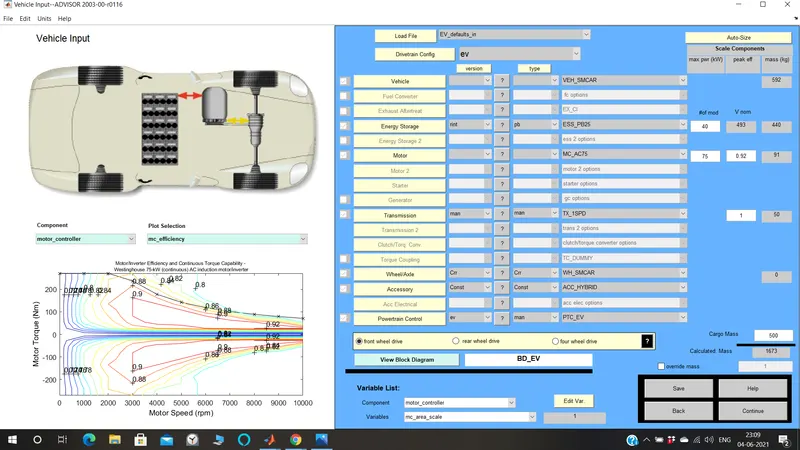
On clicking continues the drive cycle window appears. selecting 'CYC_FTP' to be the drive cycle. each FTP drive cycle lasts for a time period of 2477 seconds and a distance of 17.77km. In order to verify if the vehicle can travel for 45km, we have considered that the number cycle is 4.
On clicking RUN.
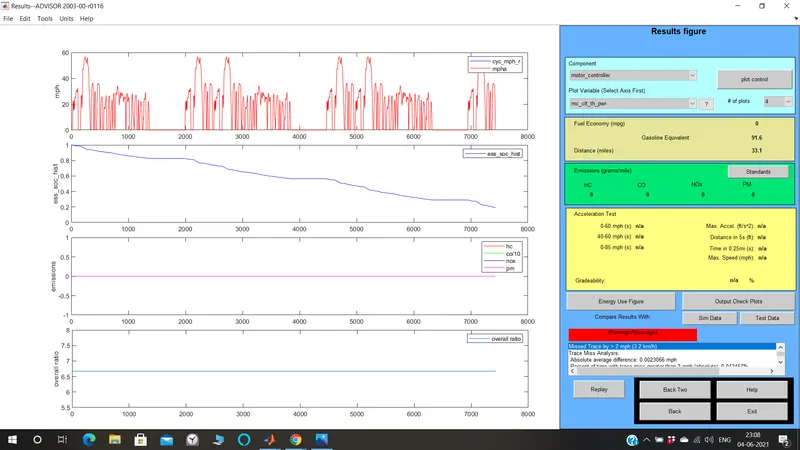
the results figure window appears the graphs for velocity SOC Emission and overall ratio are displayed.
CONCLUSION : While Increase in the number of battery module there will be increase in the Range .
Q.3: Perform gradeability test with PRIUS_Jpn_defaults_in file. Compare your results in a table and conclude.
ANSWER: Loading 'PRUS_Jpn_defaults_in' in the ADVISOR TOOL.
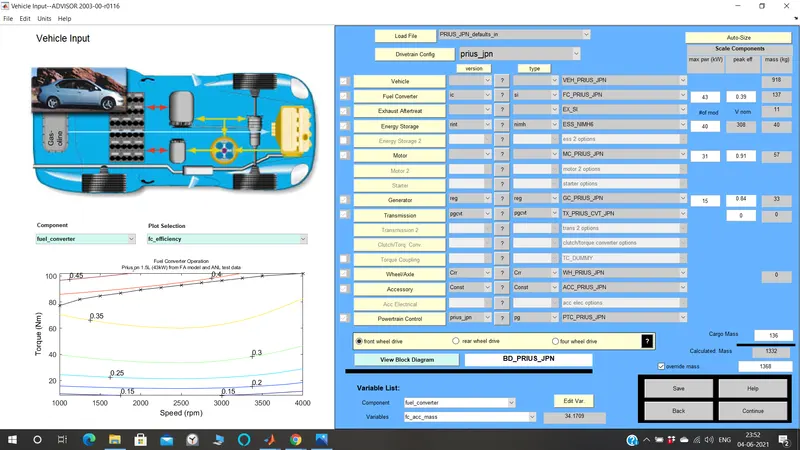
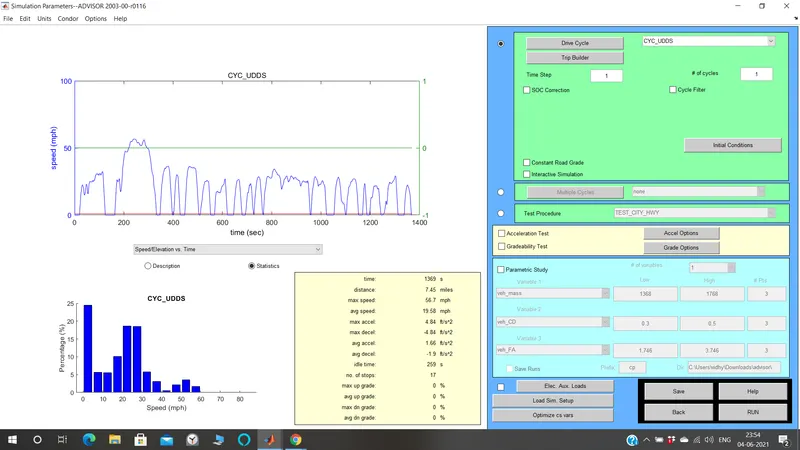
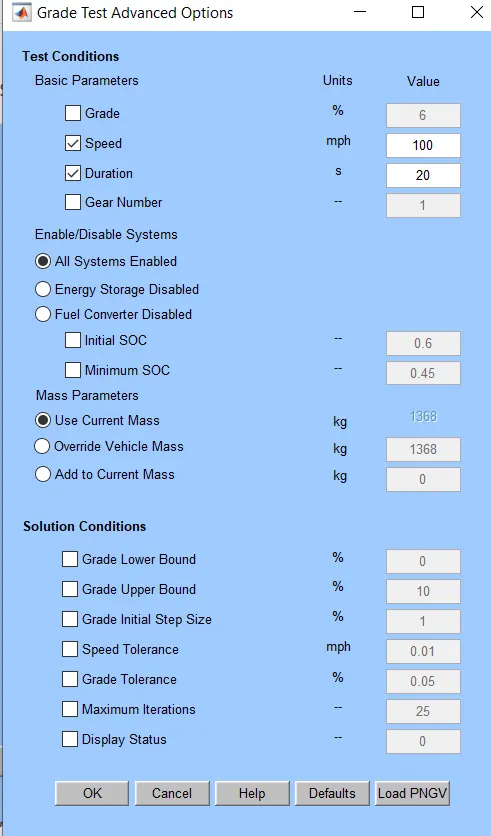
On clicking the continues button the 'drive cycle window' appears. the drive cycle selected is 'CYC_UDDS'.The gradeability test toggle is selected. On clicking the Grade options button, we can set the speed and duration as required. also, other parameters can be changed.
CASE:1.
SPEED = 60mph=96.6kmph and duration =20 seconds. all other parameters are set as default.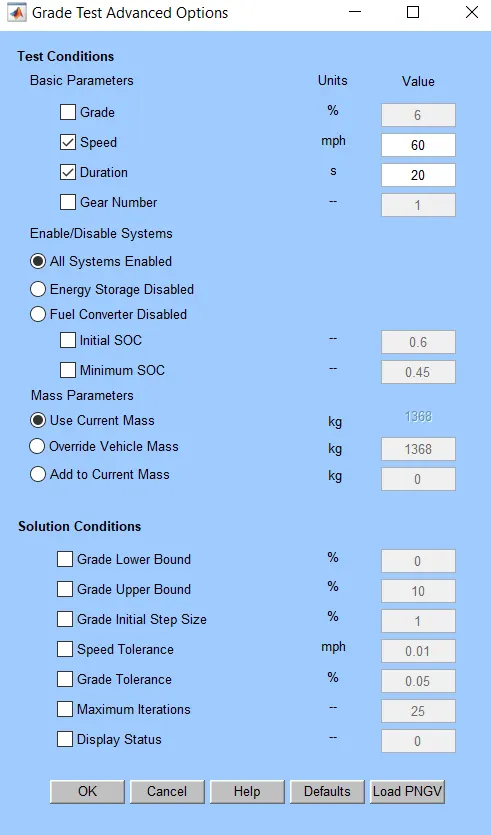
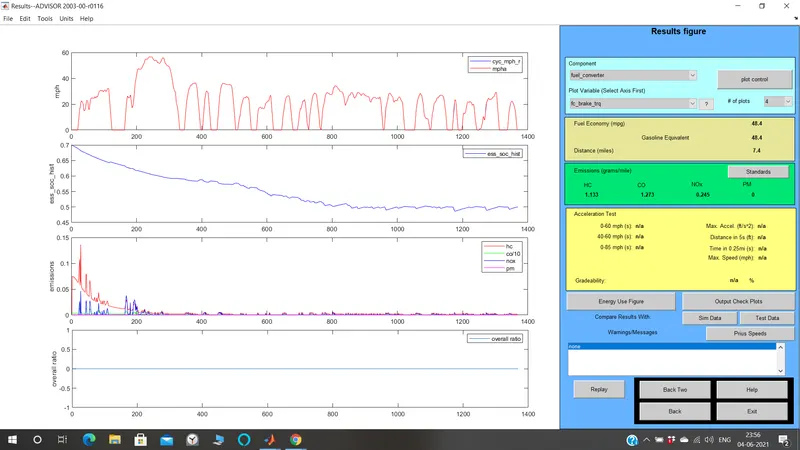
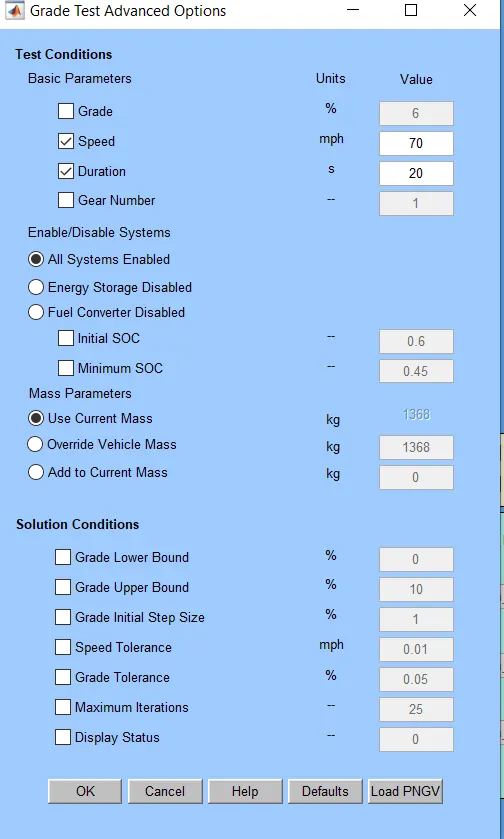
CASE:2. SPEED=70 mph =112.7kmph and duration =20 seconds. All other parameters are set as defaults.
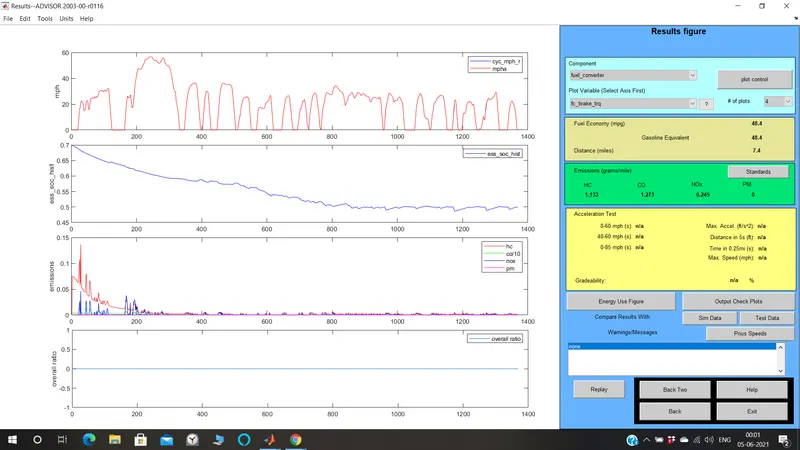
CASE:3. SPEED= 80mph=128.7kmph and duration=20 seconds. all other parameters are set as defaults.
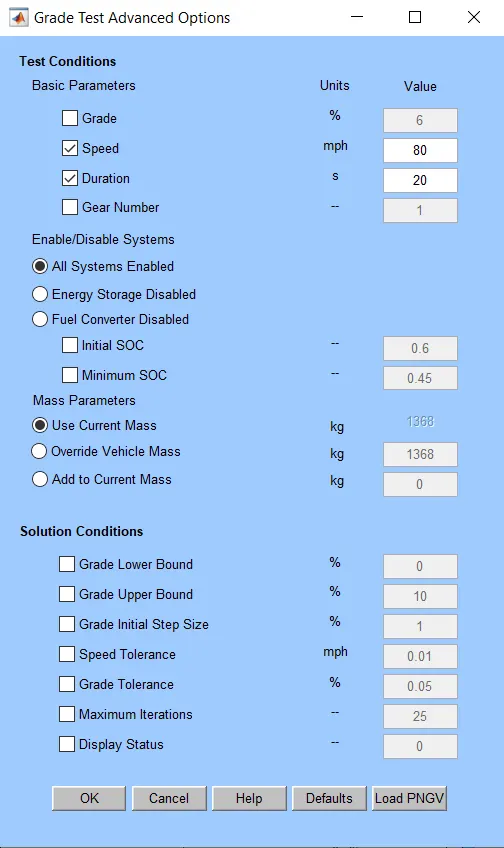
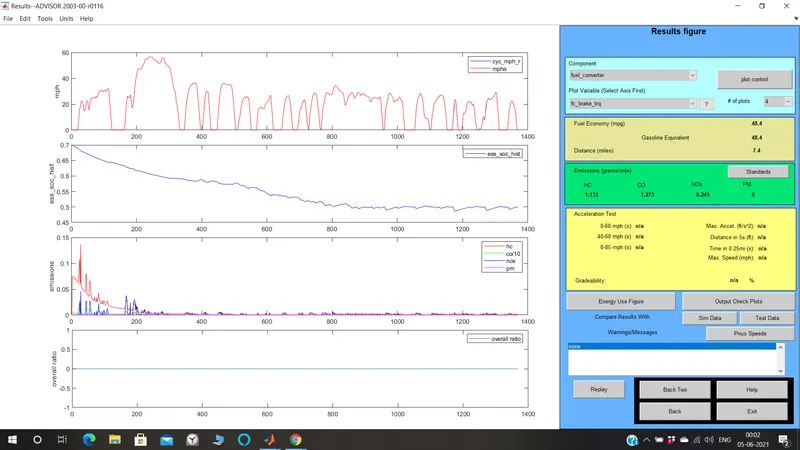
CASE:4. SPEED =90mph=144.8kmph and duration =20 seconds. All other parameters are ser as default.
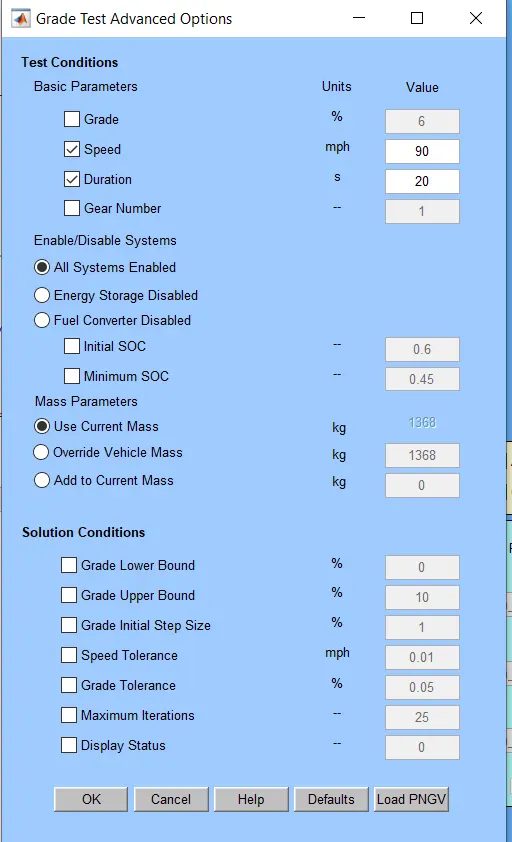
CASE:5. SPEED=100mph=160.9kmph and duration=20seconds. All other parameters are set as default.
CONCLUSION:
Gradeability decreases in increase in the speed of the Vehical .