Week-3 Challenge: ADVISOR Tool
1. For EV_defaults_in file, if cargo mass is 500 kg with all other default conditions, can the vehicle travel for 45 km with FTP drive cycle? Conclude your observations.
Steps:
- First we have to load EV_defaults_in file from drop down menu and change parallel_default_in from vehicle input window.
- Now changing the Cargo mass to 500kg we will see change in total mass of vehicle.
- Now click on Continue button after that new simulation parameter pop up
- in simulation parameter window change the Drive cycle to CYS_FTP by selecting drop down menu
- Below that we will see #of cycles from here we can set our Drive cycle.
- After prssing Run Button the simulation will start and it will show result in new window.
- Make sure that the metric system is turned on.
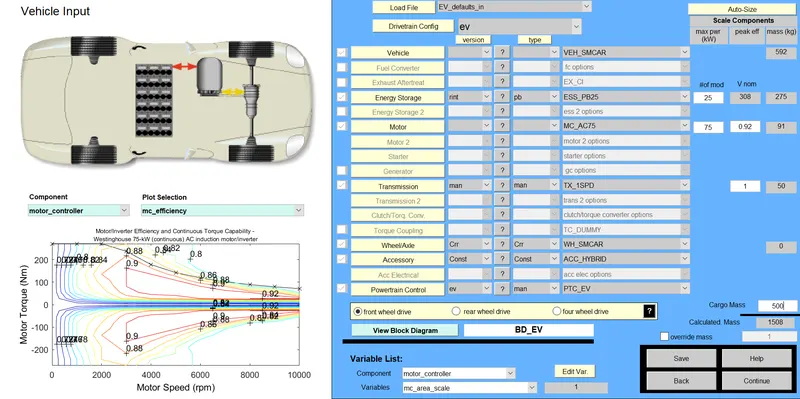
- Continue to next we will get below window in that will change Drive cycle
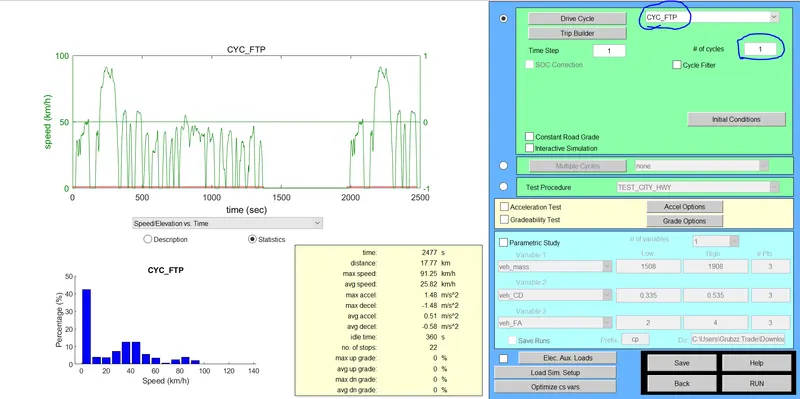
And then When will Run Below result we will get:
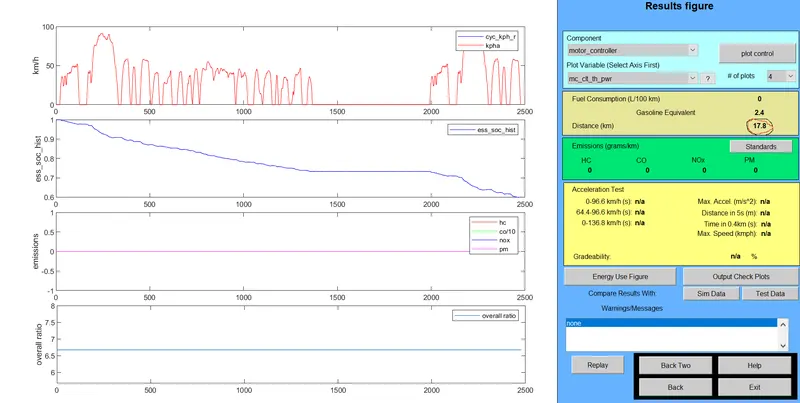
It shows distance covered by vehicle is 17.8.
Now increasing Drive cycle as 2:
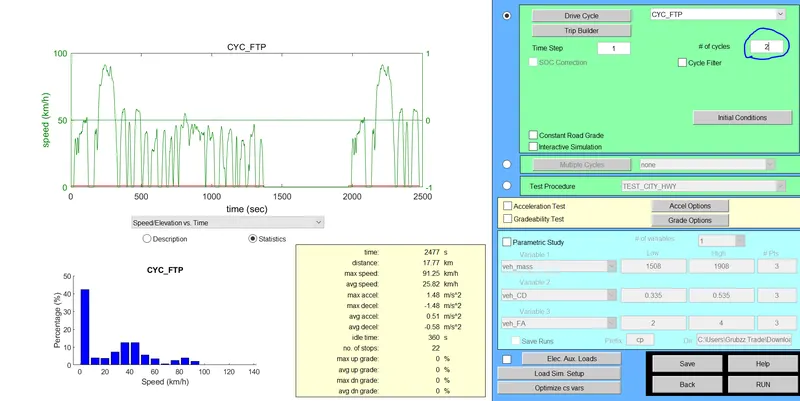
and then the Result:
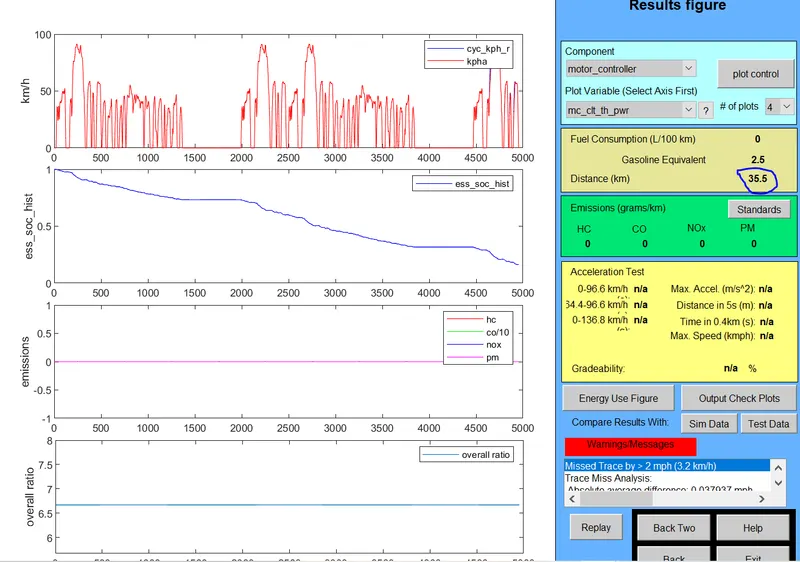
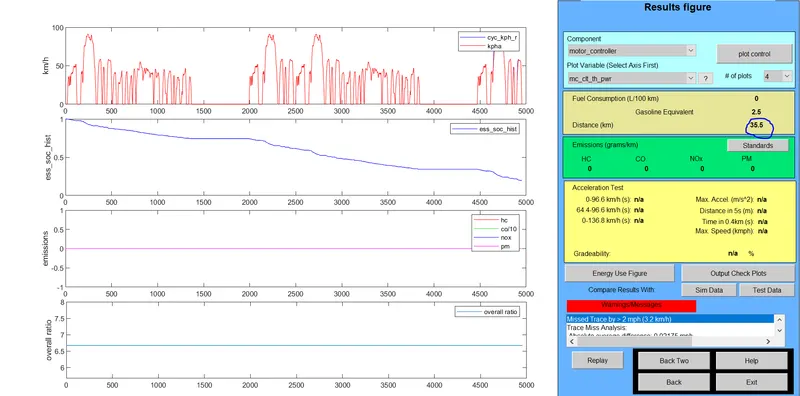
And Distance covered by vehicle is 35.5.
Now We will Run the same model with drive Cycle=3
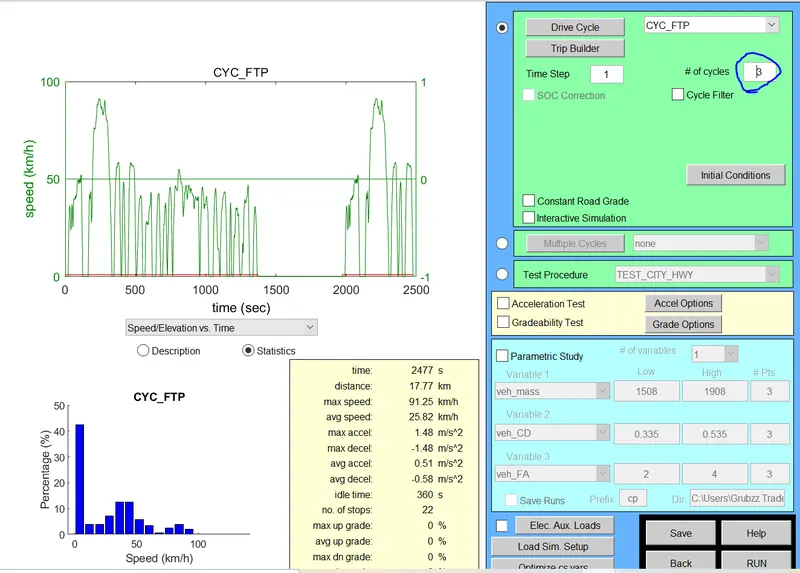
Result of Drive Cycle 3 is
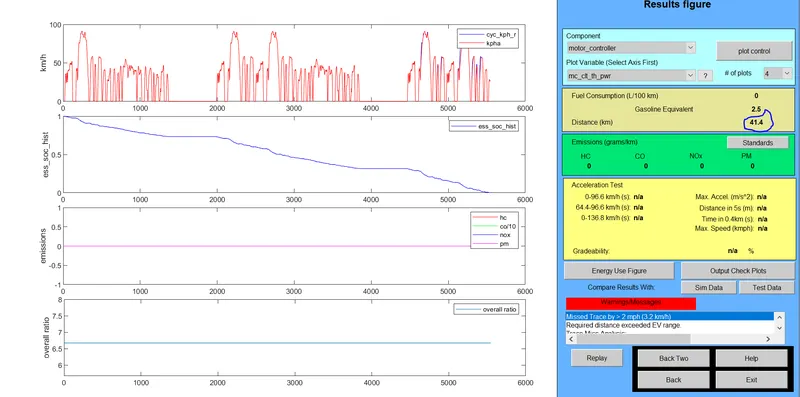
The Distance Travelled by Vehicle n 3 Drive cycle is 41.4.Used Completely 100% SOC.
Therefore we conclude in table:

From above observation :
The minimum distance travelled by vehicle is 17.8 km and maximum distance covered by vehicle is 41.1km with 100% use of SOC.with 3 Drive cycle
Therefore EV_Default_in can not travel Distance 45km in any Drive cycle.
Q.2. In the above case, try changing the battery capacity and repeat the simulation.
Steps:
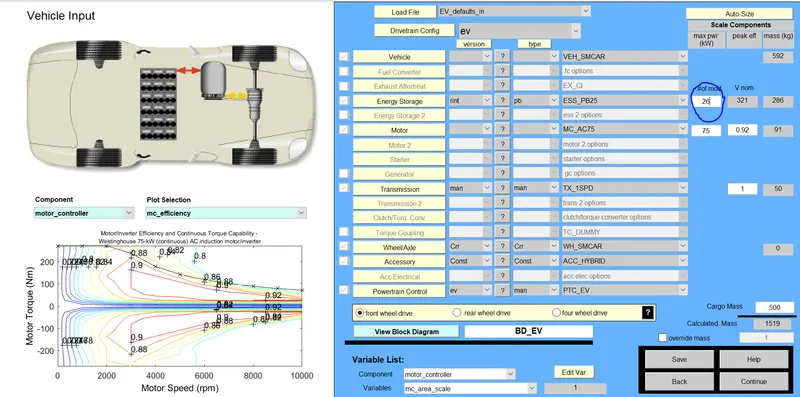
- In Vehicle input window we will change battery capacity from energy storage which will be open in 1st "#of mod v nom"
- Describe the battery capacity so we will change the module number of batteries from first box
- Next we will see the Changes in voltage and weight of the battery.
- Now click on continue for the further processing.
- New simulation window will open ,here we will change the Drive cycle to 2 or 3 one at a time and run the simulation.
Afetr completion of simulation we will see the result .
1. Energy storage system with 26 module and 2 Drive cycle.
Result:
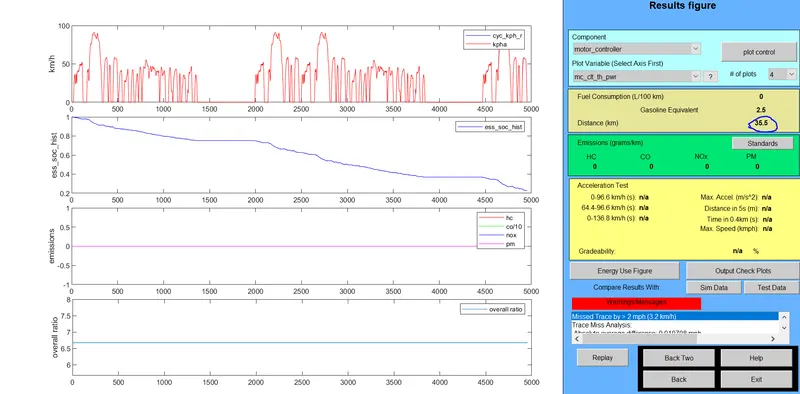
1.Energy storage system with 27 and Drive cycle 2

3.Energy storage system with 28 and Drive cycle 2

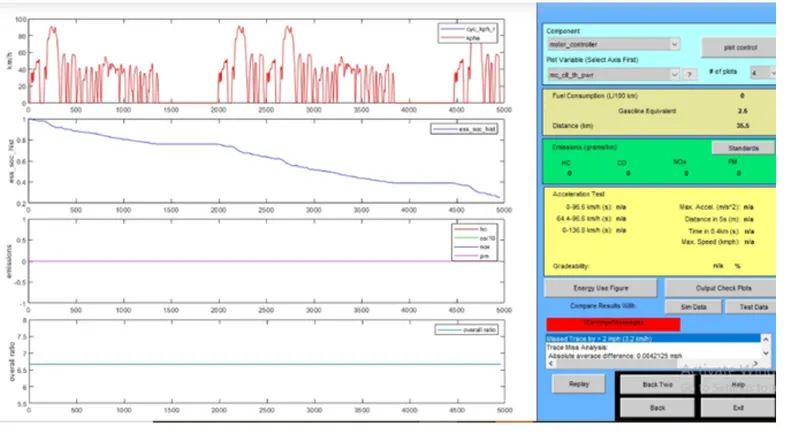
Therefore For Drive Cycle 2:

1. while changing the battery module in drive cycle 2 we get constant distance travel
2. We can also change battey module in different drive cycle.
with battery 26 and drive cycle 3
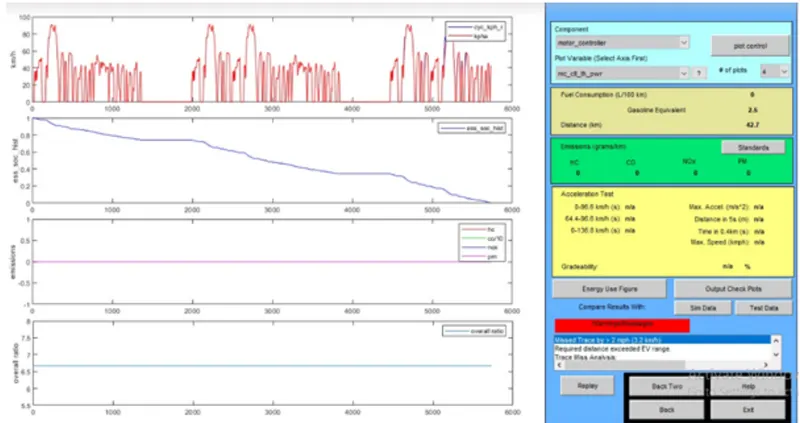
with battery module 27 drive cycle 3
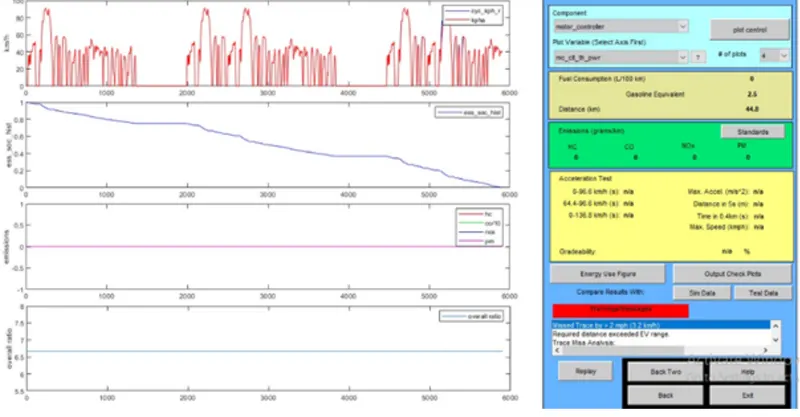
With battery 28 and drive cycle 3
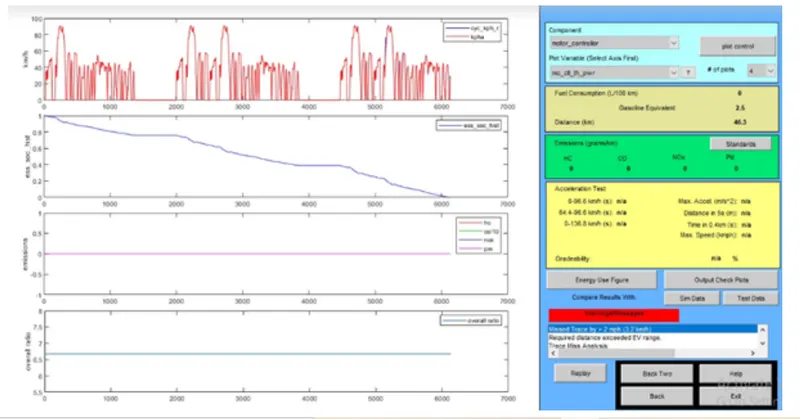
With Drive cycle 3
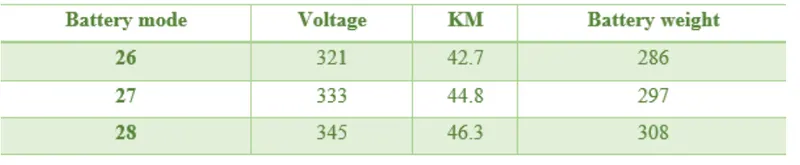
changing battery module 3 distance changes
to cover 45 km 345 voltage required with 28 battery module drive cycle 3
Q.3) Perform gradeability test with PRIUS_Jpn_defaults_in file. Compare your results in table and conclude.
Steps.:
- In ADVISOR tool vehicle input window select PRIUS_JPN_Default _model
- Continue the next window
- simulation parameter window will open
- Select Gradeability test and click on grade option box,a new dialogue box will open
Window:
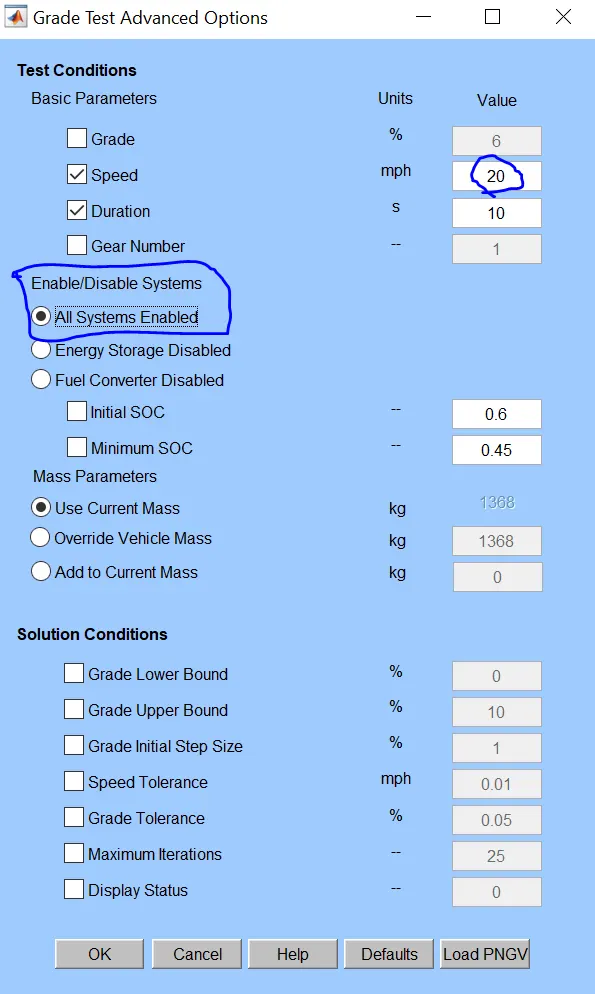
- In Grade option box we can change speed or duration with respect to our simulation
- For this simulation change speed one time or duration another time also click on constant road grade
- Click OK and run the simulation
Result for duration of 10 seconds:
1. Speed 20miles/hr or 32.2kmph
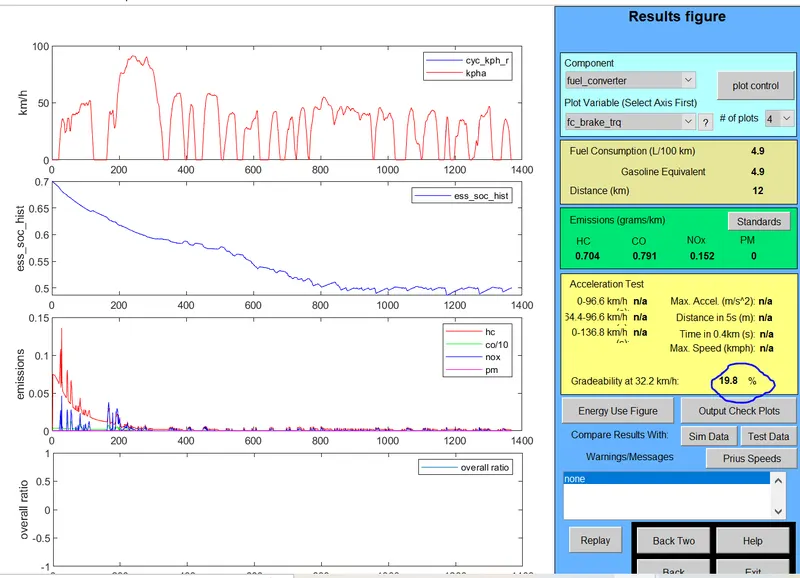
Gradeability 19.8%
2. Speed 25miles/hr or 40.2 kmph
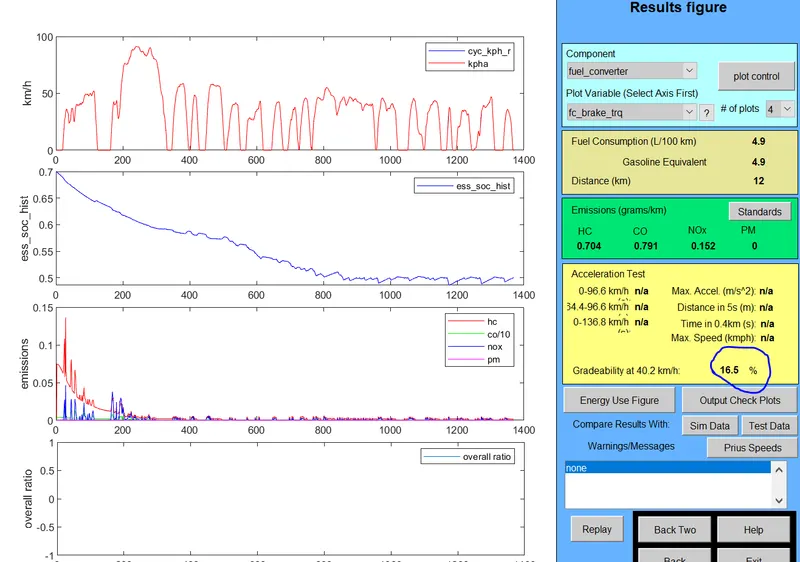
Gradeability 16.5%
3. Speed 30miles/hr or 48.3 kmph
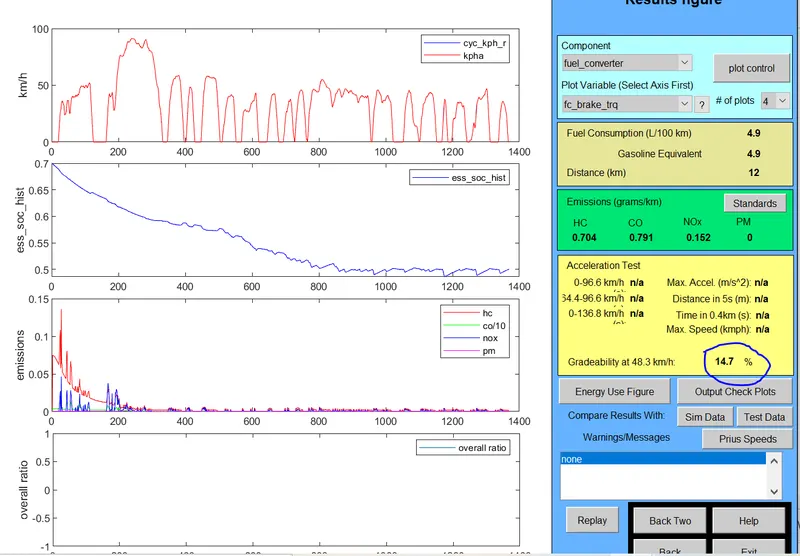
Gradeability 14.7%
3. Speed 35miles/hr or 56.3 kmph
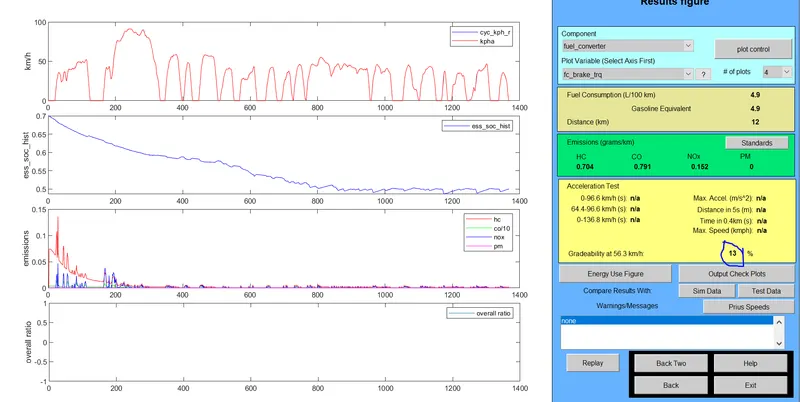
Gradeability 13%
4. Speed 40 miles/hr or 64.4 kmph
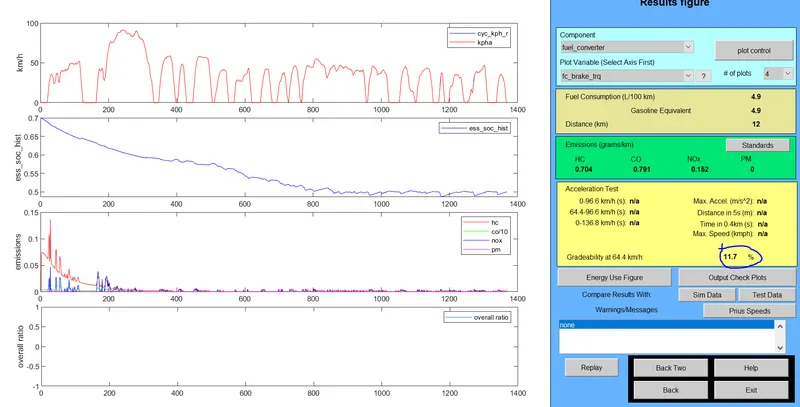
Gradeability 11.7%
4. Speed 45 miles/hr or 72.4 kmph
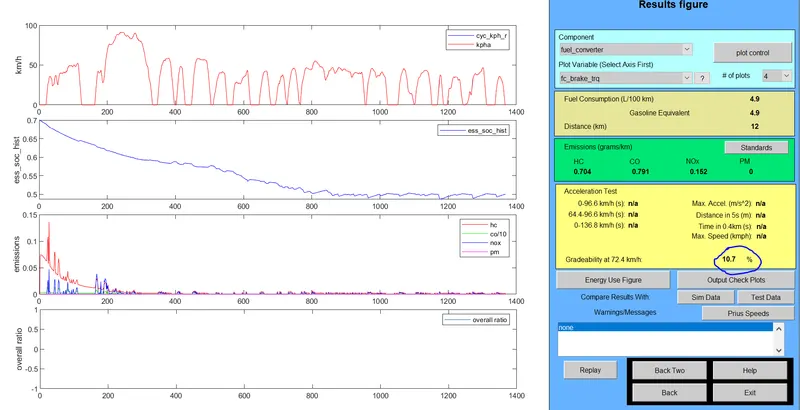
Gradeability 10.7%
For Time Duration 10 seconds.
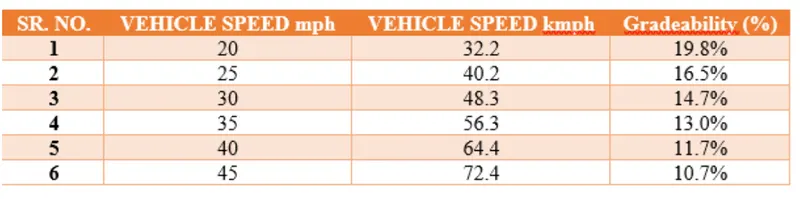
We can also see results with different time duration
Conclusion: When Vehicle speed increases there is decrease in Gradeabiity.