Week-3 Challenge: ADVISOR Tool
AIM-
Use ADVISOR tool and simulate the following
1. For EV_defaults_in file, if cargo mass is 500 kg with all other default conditions, can the vehicle travel for 45 km with FTP drive cycle? Conclude your observations.
Procedure -
Advisor tool-
- Advisor tool allows user to simulate and analyse conventional,light,heavy vehicles including hybrid electric and fuel cell vechicles.The tool allows user to assess effects of changes in vehicle components and other modifications that might lead to fuel economy,performance,emissions..
Opening Advisor-
We can open the advisor tool by opening the .m file and in the command window enter Advisor ,the start GUI apperas on the screen
The GUI at the start looks like -
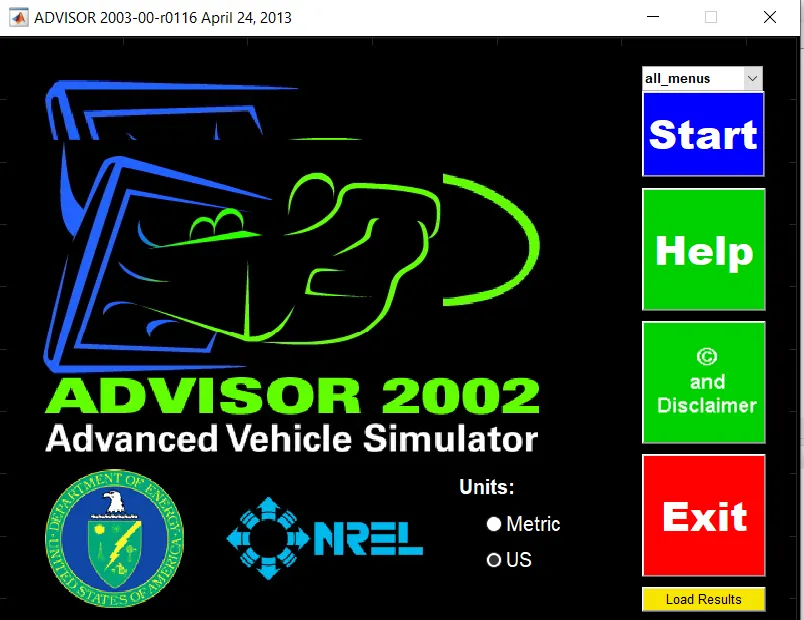
we select the measurement unit system ( metric - kilometers, US - miles )and click on start .
ADVISOR tool has three windows-
1. Vehicle input window
2.Simulation parameter window
3.Results window
This is how the vehicle input window appears -
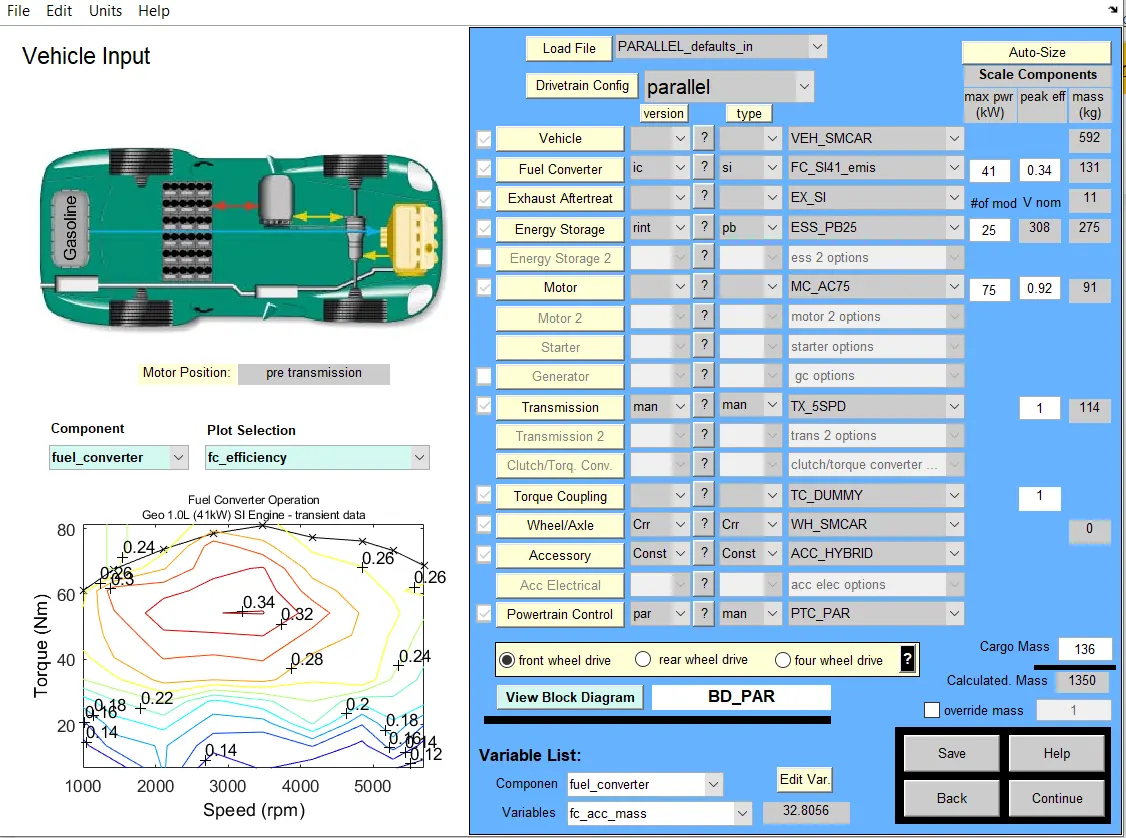
- Acoording to the given question we need to load EV_defaults_in file, and check if cargo mass is 500 kg with all other default conditions, can the vehicle travel for 45 km with FTP drive cycle?
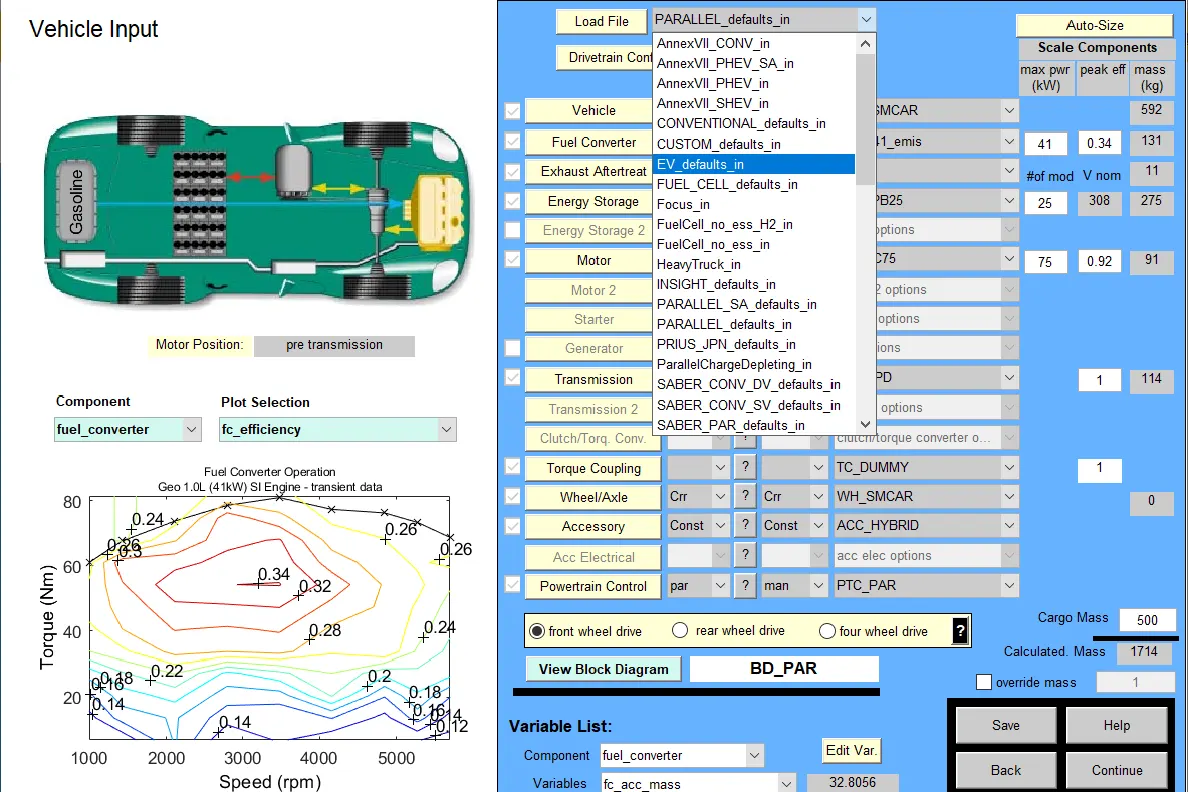
So in the load file option of the window click on drop down option and select EV_defaults and the file changes.
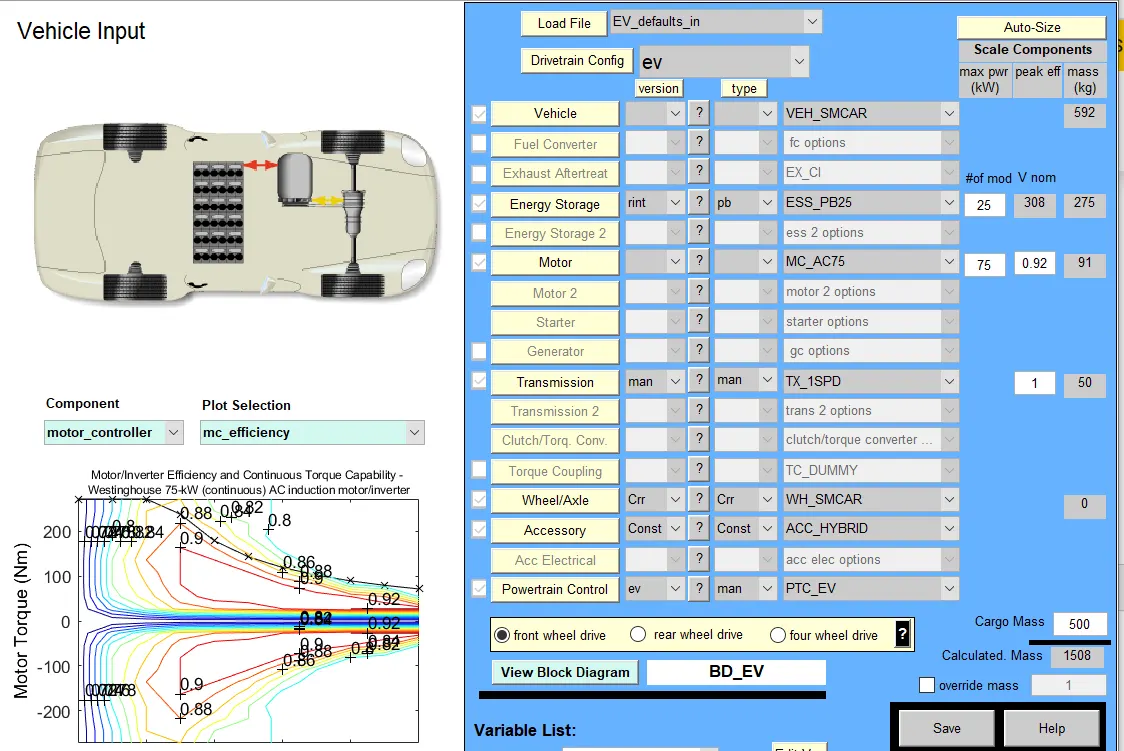
- After changing, the display GUI looks with parameters of EV vehicle,now in the cargo mass option type 500kgs so the overall caluclated mass increases
- Now click on continue and now the simulation parameter window appears and in this window change the cycle type to FTP drive cycle.
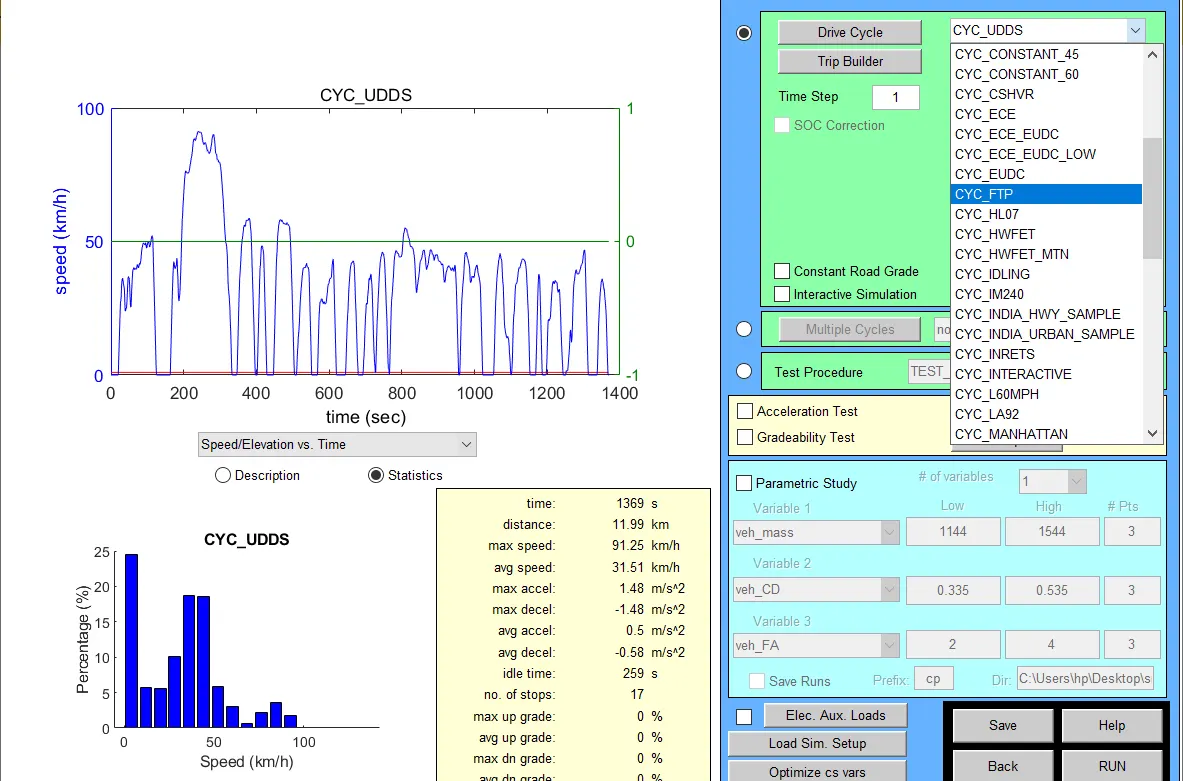
Now the GUI changes by replacing with the FTP cycle-
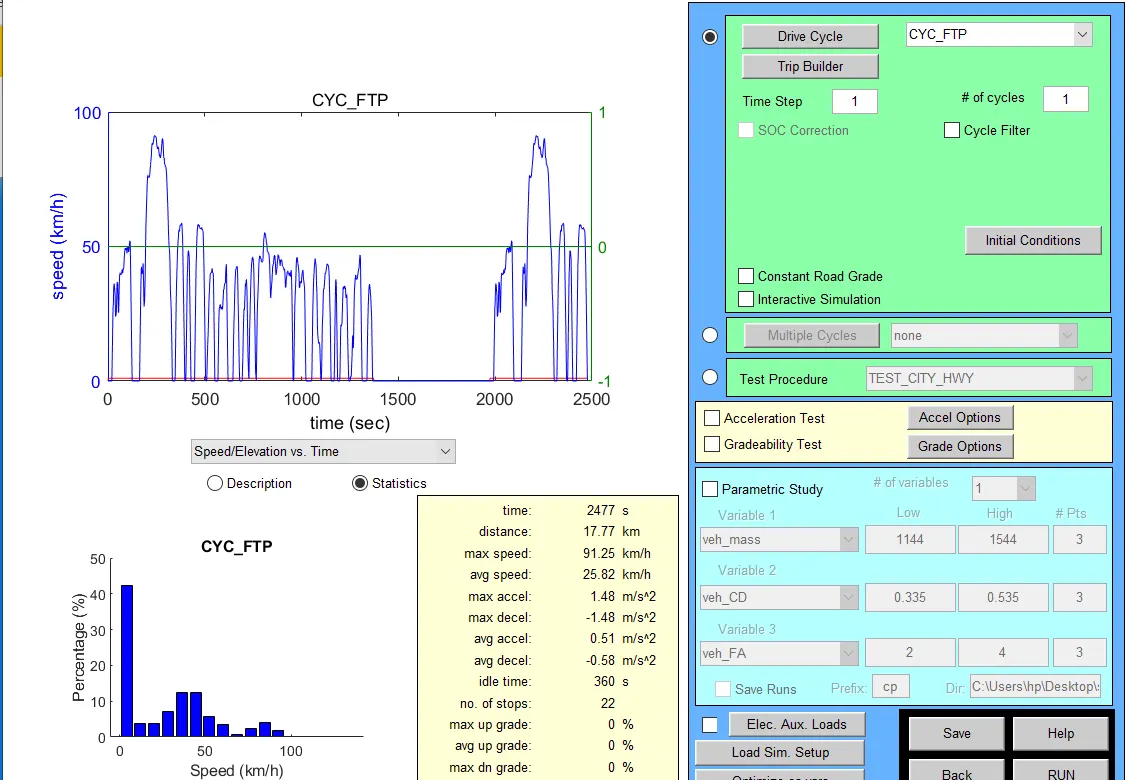
Click on the RUN button-
Now the results window appears.
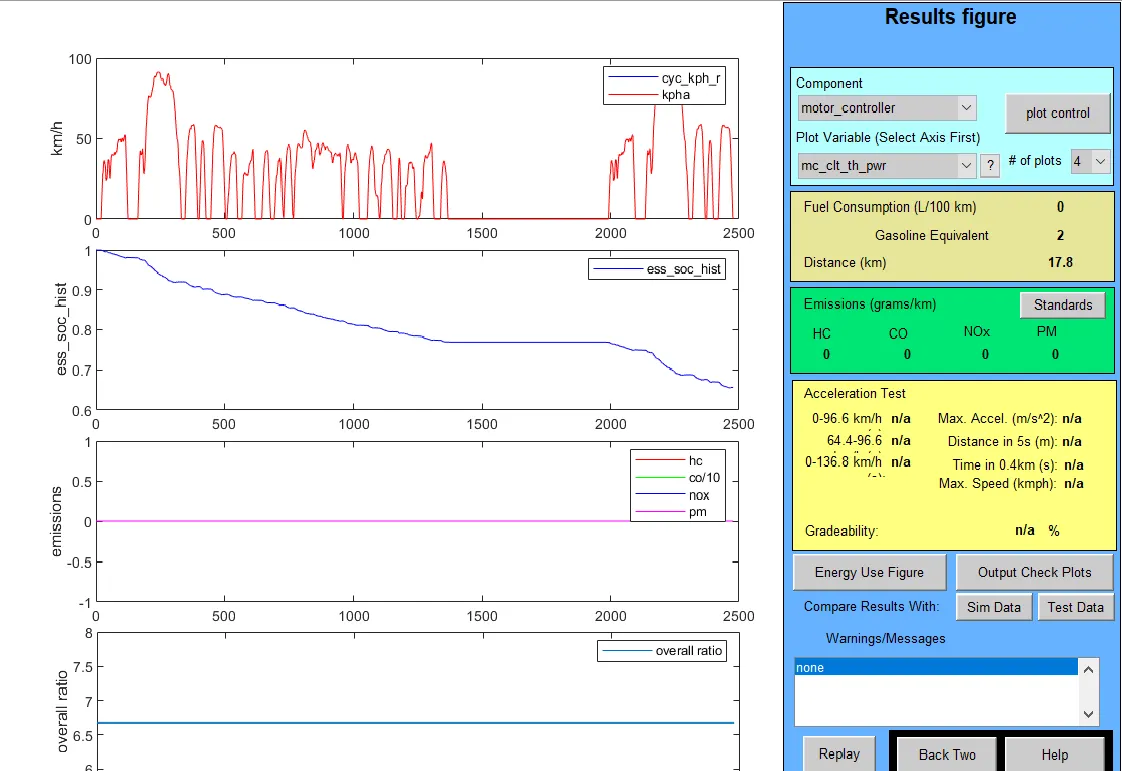
As we can see in the picture the energy drop in graph 2 ,here engergy used is 40 % and the distance travelled is 17.8 km . now we can increase the number of drive cycles to check the capabilty.
As seen in the simulation parameter window the number of cycles is increased to 2.
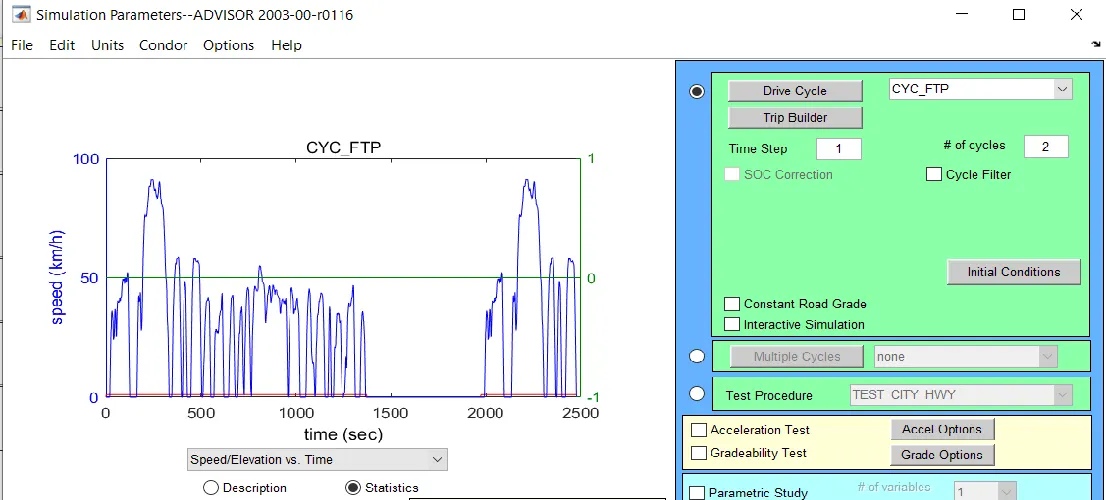
The ouput apperaing is -
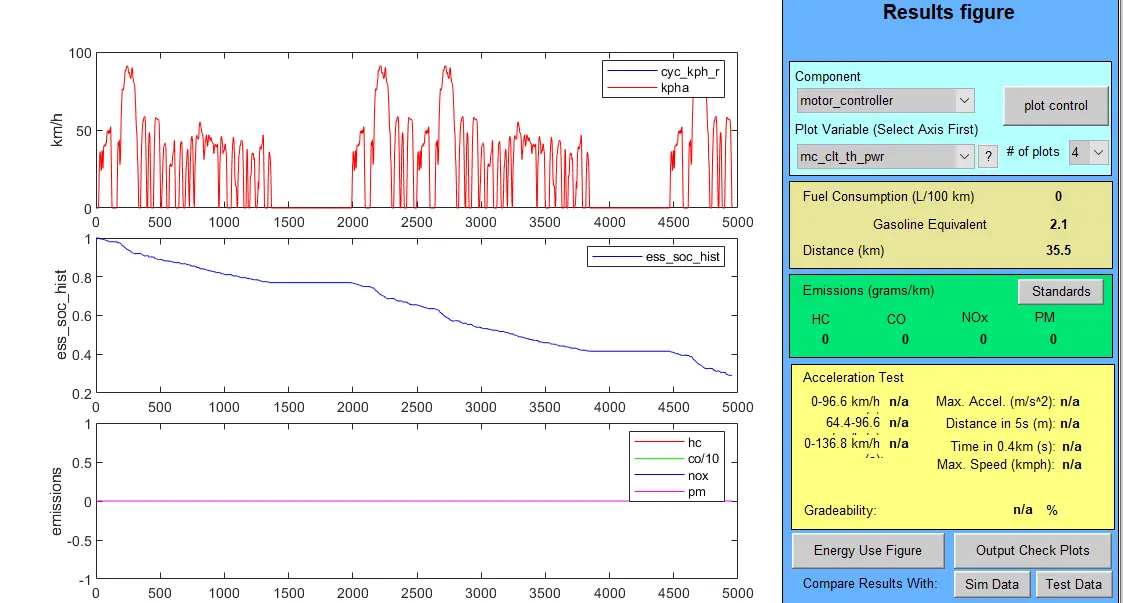
We can see if the drive cycle is increased to 3,the vehicle travels 35.5km and SOC remaining is 30 percent.
Now to use this remaining energy we can further increase the drive cycle to 3.
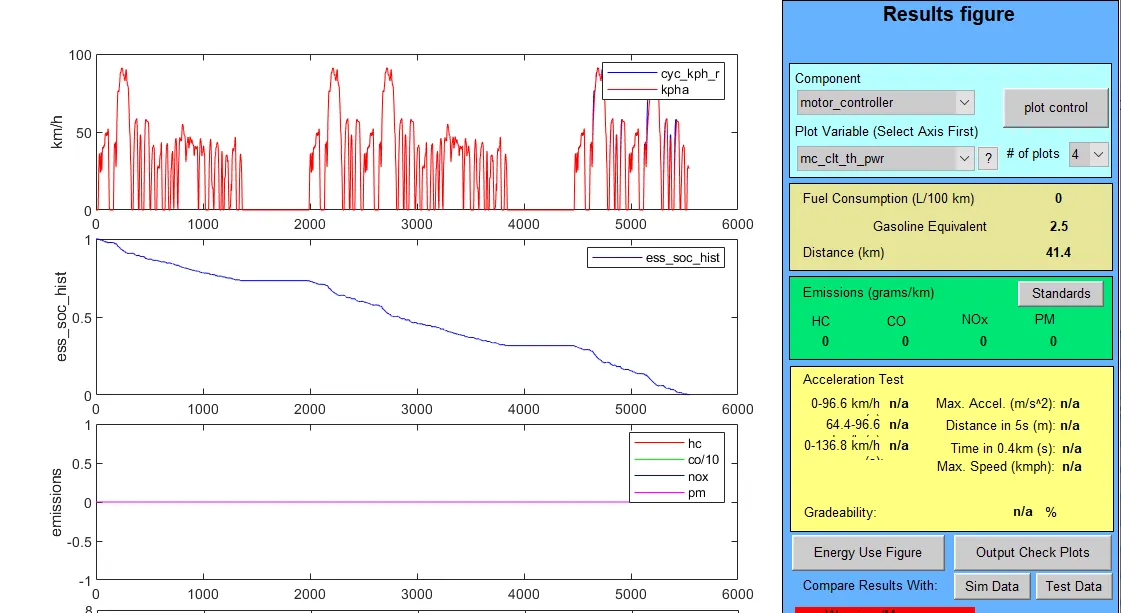
As we can see the remaining energy is almost zero and the distance travelled by vehicle is 41.4 km only
Conclusion - The vehicle cannot travel 45 Km with this specification.
Drive cycle Distance travelled (km)
1 17.8
2 35.5
3 41.4
Study 2-
Aim- In the above case, try changing the battery capacity and repeat the simulation.
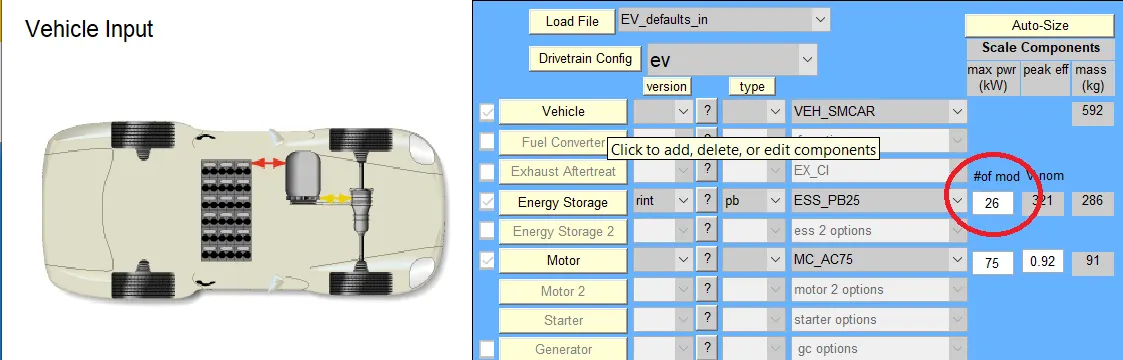
In the vehicle input window in th energy storage tab we try increasing the number of modules of the battery so that it increases the capacity and the distance covered by the vehicle increases.
Change the module number to 26
The output is the following-
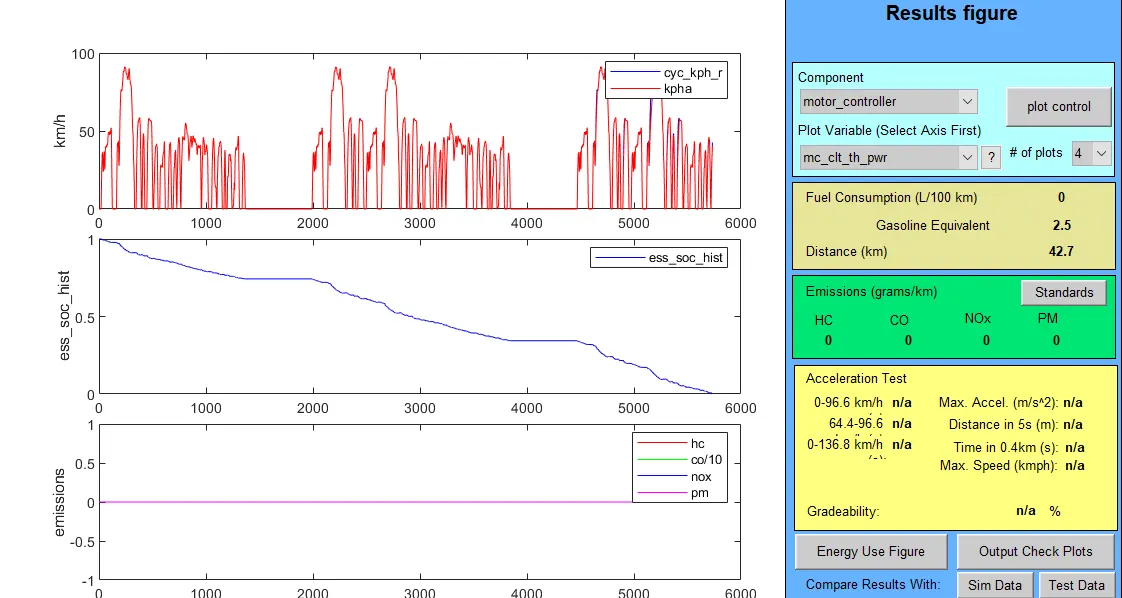
We see if the drive cycle number is set to 3 the maximum distance that can be covered has increased to 42.7 km
Let us increase the modules to 28
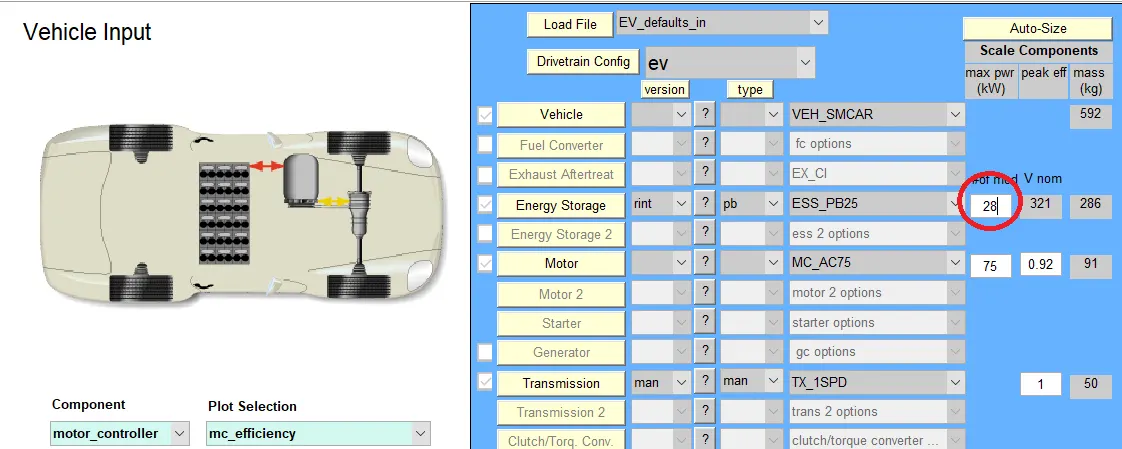
The output appears as-
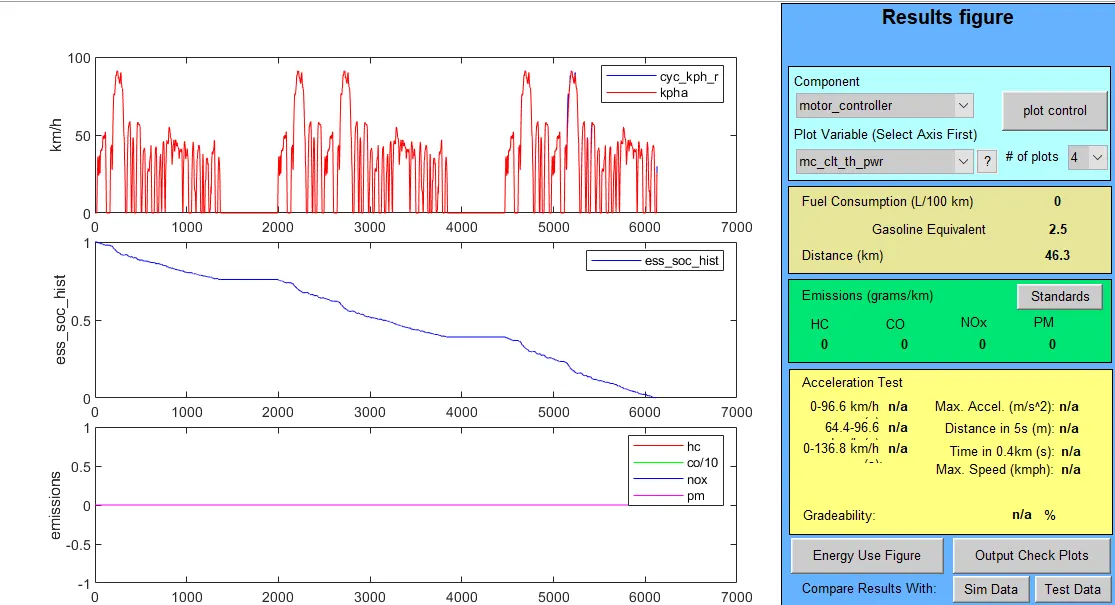
We can see here that for 28 modules and three drive cycles the vehicle is able to travel a distance of 46.3 km.
Conclusion - So as we increase the number of battery modules the ability of vehicle to cover more distance, when it is run through more drive cyles is increased
With Battery modules - 28
Voltage - 345V
Weight - 308 kg we are able to run the vechicle above 45 kilo metres
Study 3-
AIM-
Perform gradeability test with PRIUS_Jpn_defaults_in file,
Compare your results in table and conclude.
Procedure -
In advisor tool in vehicle input window select the model as PRIUS_Jpn_defaults_in
Now click on continue and then in simulation parameter window click on gradebility and grade options.
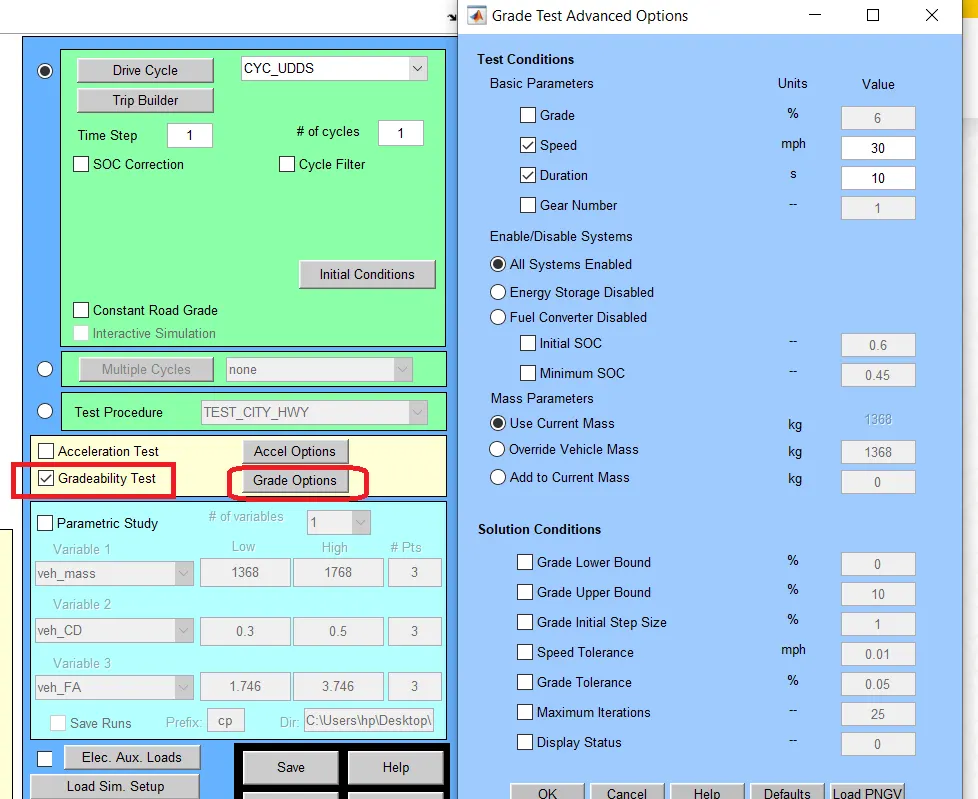
In this window we can change the speed and duration so see the change in gradebility.
For speed = 30 mph and duration = 10 seconds -
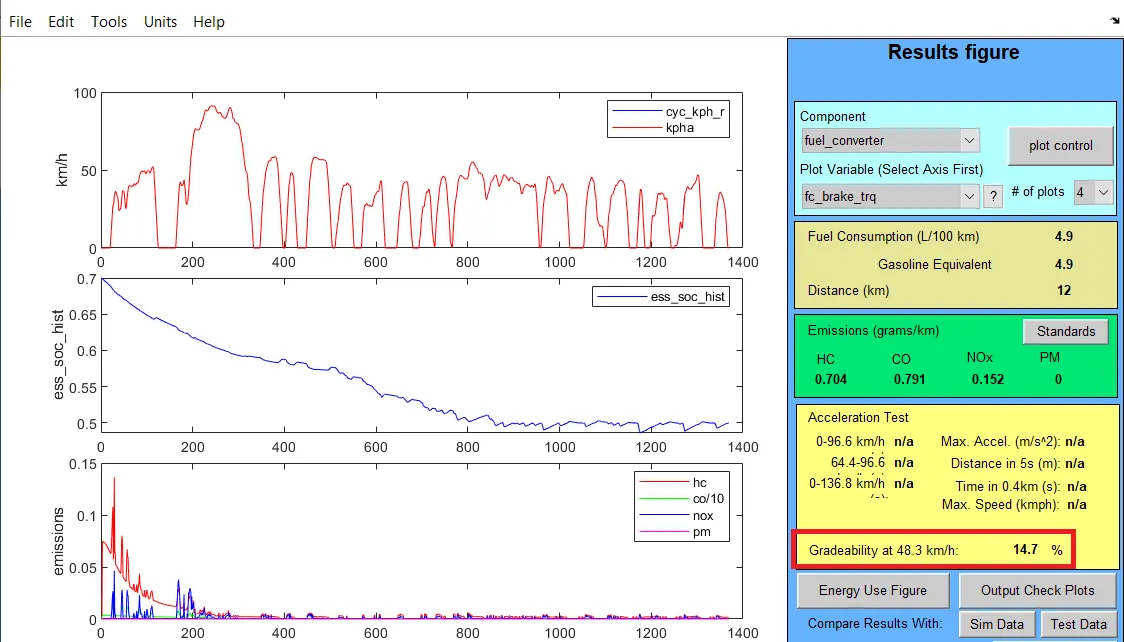
Gradebility here is 14.7 %.
For speed = 35 mph and duration = 10 seconds
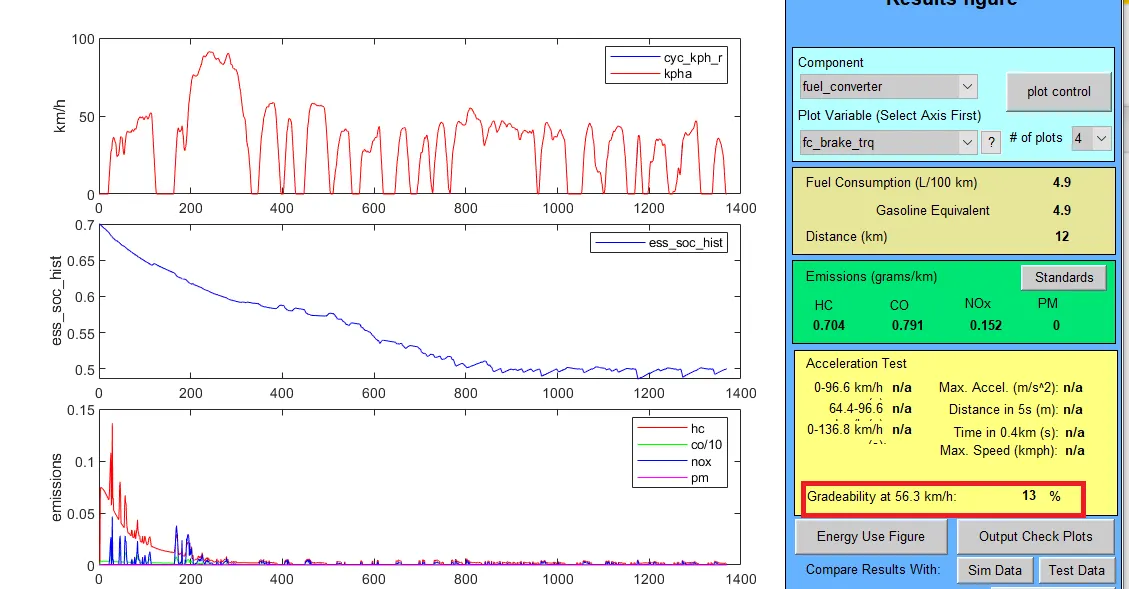
Gradebility here is 13%.
For speed = 40 mph and duration = 10 seconds
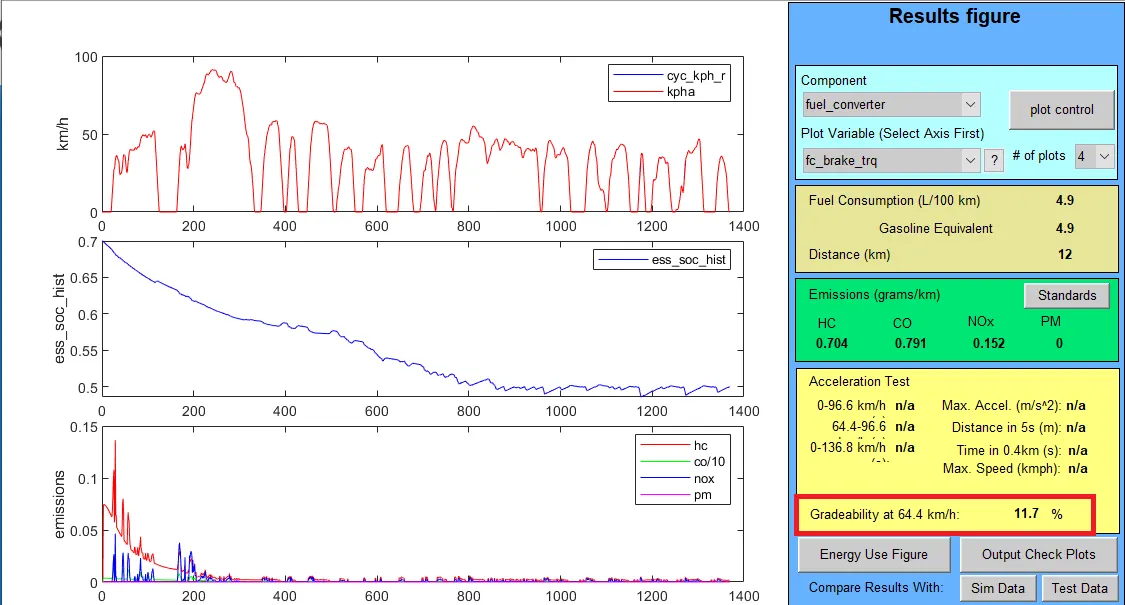
Gradebility here is 11.7%.
For speed = 50 mph and duration = 10 seconds
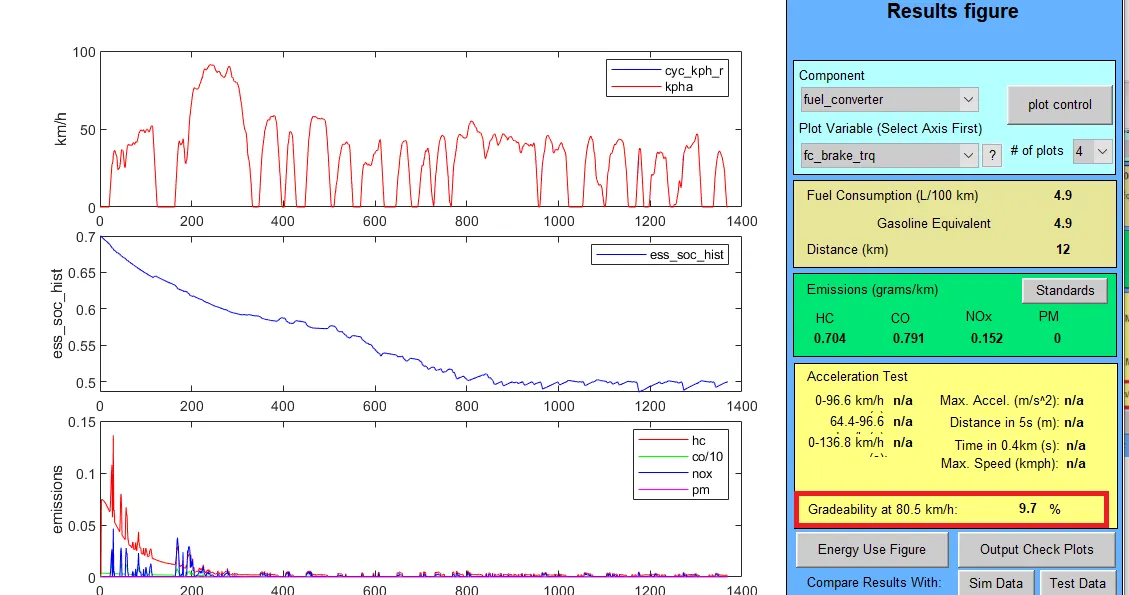
Gradebility here is 9.7%.
Now if the duration time is increased to 20 seconds
For speed = 30 mph and duration = 20 seconds
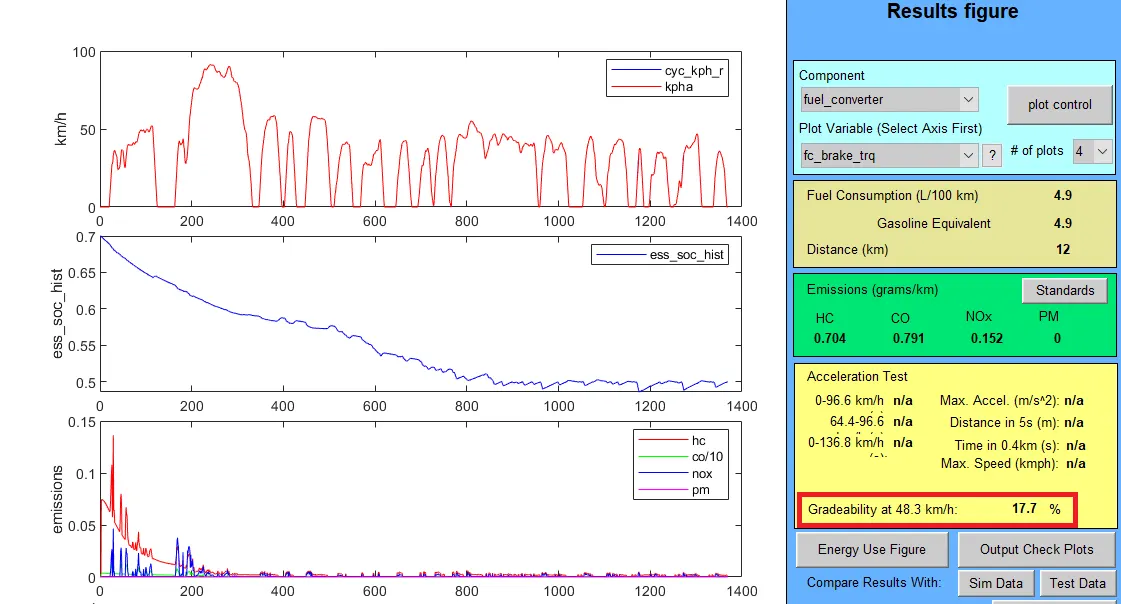
Gradebility here is 17.7%
For speed = 35 mph and duration = 20 seconds
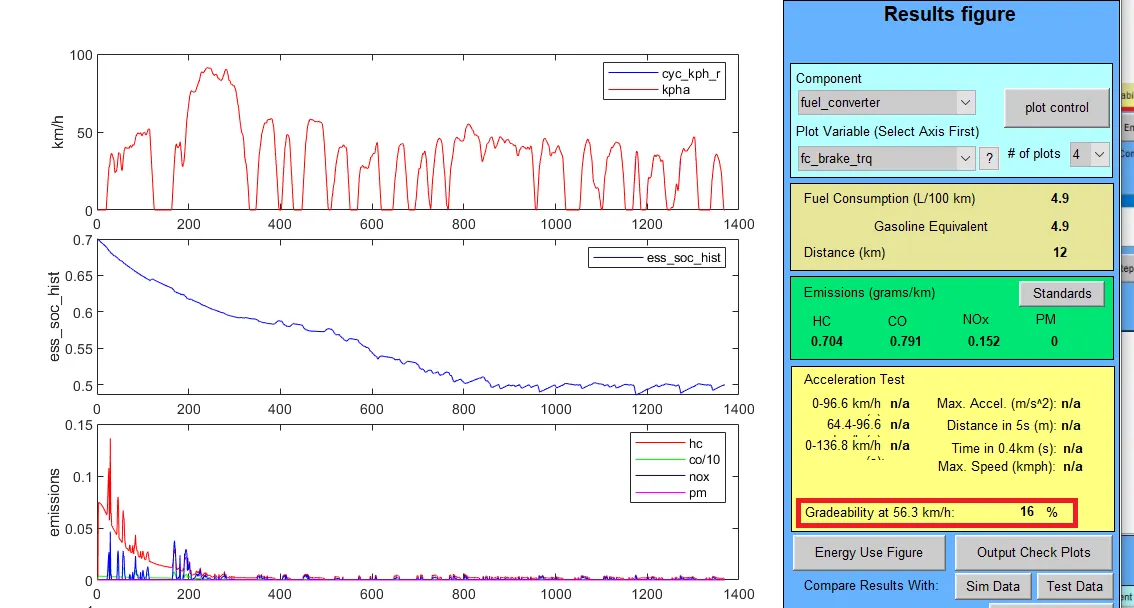
Gradebility here is 16%
For speed = 40 mph and duration = 20 seconds
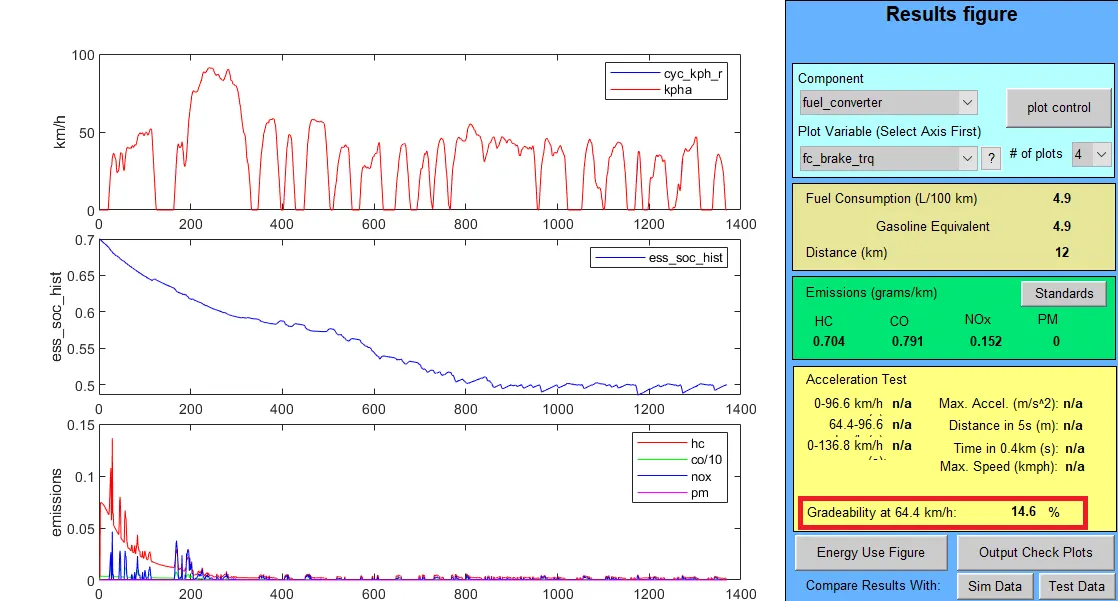
Gradebility here is 14.6%
For speed = 50 mph and duration = 20 seconds
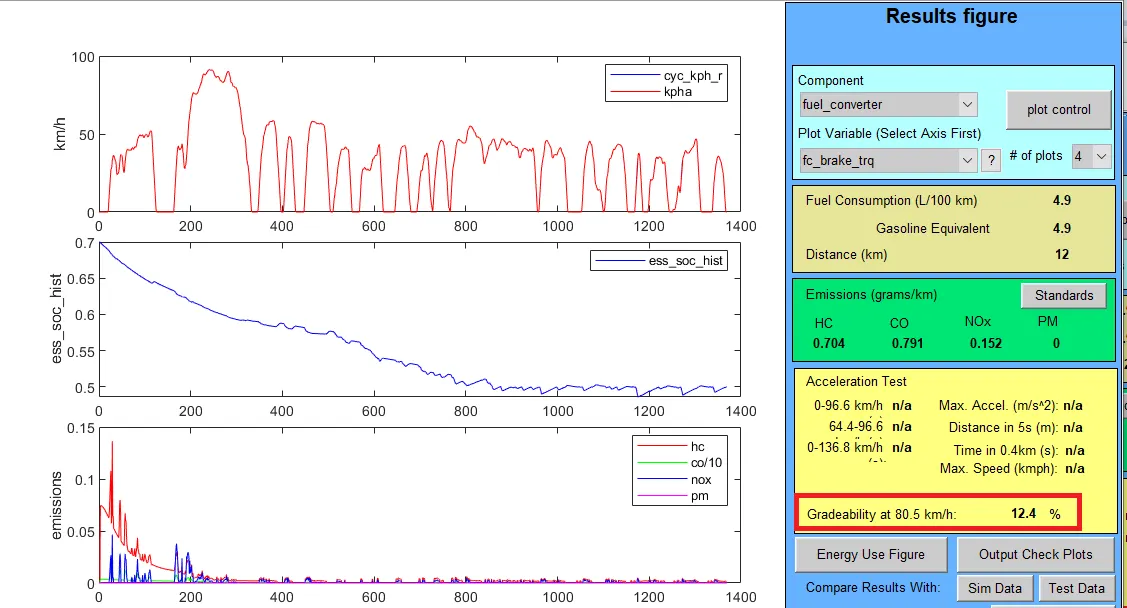
Gradebility here is 12.4%
Conclusion-
For duration = 10 seconds
S.no Vehicle speed (mph) Gradebility (%)
1 30 14.7
2 35 13
3 40 11.7
4 50 9.7
For duration = 20 seconds
S.no Vehicle speed (mph) Gradebility (%)
1 30 17.7
2 35 16
3 40 14.6
4 50 12.4
- As we can see in the table, as the speed of the vehicle increases the gradebility percentage decreases.
- Also at same speed as time duration changes gradebility increases.