Meshing of Hood model using ANSA
Objective:
- To mesh the Hood model provided in the challenge according to the given quality criteria. The quality criteria specified in the challenge is as follows:
|
S.No |
Quality Criteria |
Value |
|
1 |
Target/Average length |
5 |
|
2 |
Minimum Length |
2 |
|
3 |
Maximum Length |
7 |
|
4 |
Aspect |
3 |
|
5 |
Warpage |
15 |
|
6 |
Skewness |
45 |
|
7 |
Jacobian |
0.7 |
|
8 |
Minimum Quad Angle |
45 |
|
9 |
Maximum Quad Angle |
135 |
|
10 |
Minimum Tria Angle |
30 |
|
11 |
Maximum Tria Angle |
120 |
|
10 |
Tria Percentage |
15 |
Introduction:
- In this challenge, the component had to be meshed after creating its mid surface.
- The meshing of the component had to be according to the quality criteria mentioned above. For this purpose, there are various tools in ANSA to check the quality of the mesh.
- Tools that were introduced and were used in this challenge were, ‘split’, ‘release CON’, 'Reconstruct mesh’, ‘Edge2Perim’, etc.
- To increase the quality of the mesh as per the criteria, the meshed component can be reconstructed. Upon re-iterating it, a good mesh can be achieved.
- Also, a good quality mesh should not consist of rotational quads, elements of abrupt shapes and sizes, and also trias should be avoided (as quads are preferred over trias).
Procedure:
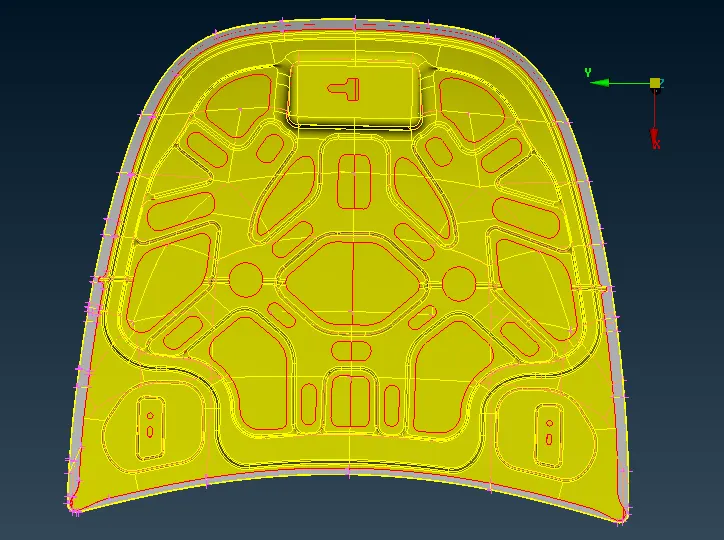
- The hood model was provided in .igs format and was imported in ANSA, and each part was observed for the topology cleanup. Each part from the model was meshed separately for better mesh control. The image below shows the main hood model.
Latch Reinforcement:
- The latch component was first meshed and for that, all the other components were kept hidden. A separate property was assigned to the latch reinforcement part and the model was ‘locked’ for ease of operations.
- The topology of this part was much cleaner as compared to the other components and hence cleanup was required only in a couple of areas. The unnecessary CONs were removed using the ‘cut’ feature from the ‘faces’ tab in ‘topo’ mode. After the cleanup, the mid surface was extracted directly.
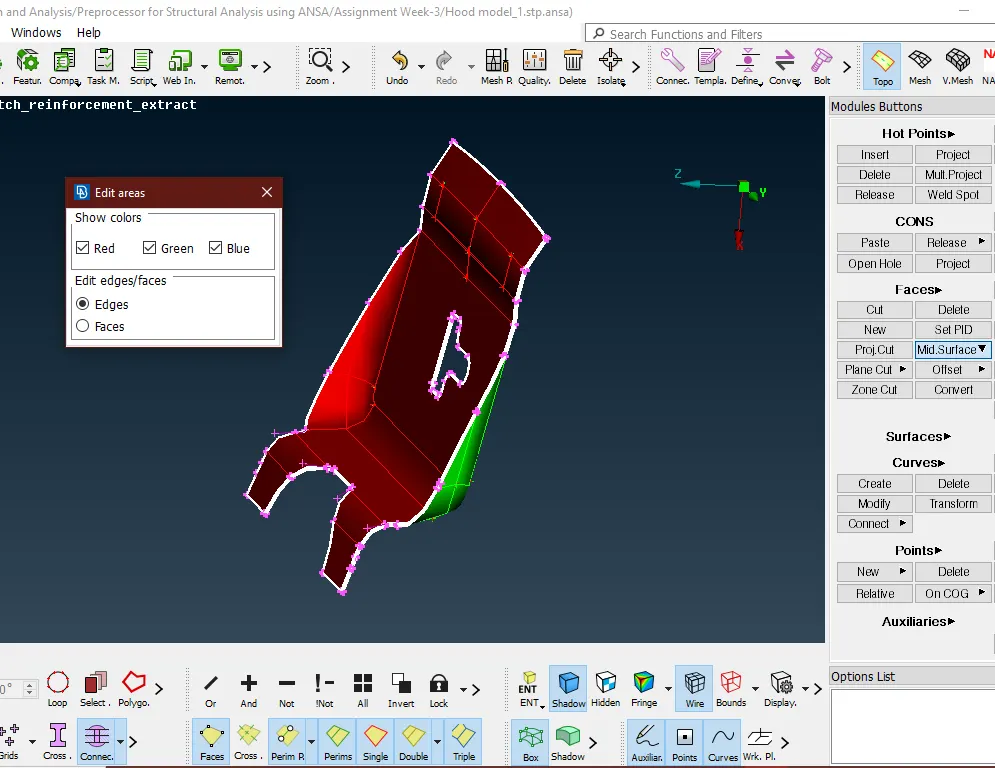
- For the extraction of the mid surface, the ‘Midsurface>skin’ option from the ‘faces’ tab in the ‘topo’ mode was used. This extracted the mid surface automatically. The model was divided into red, green, and blue regions depicting the negative, positive, and middle areas respectively as shown below.
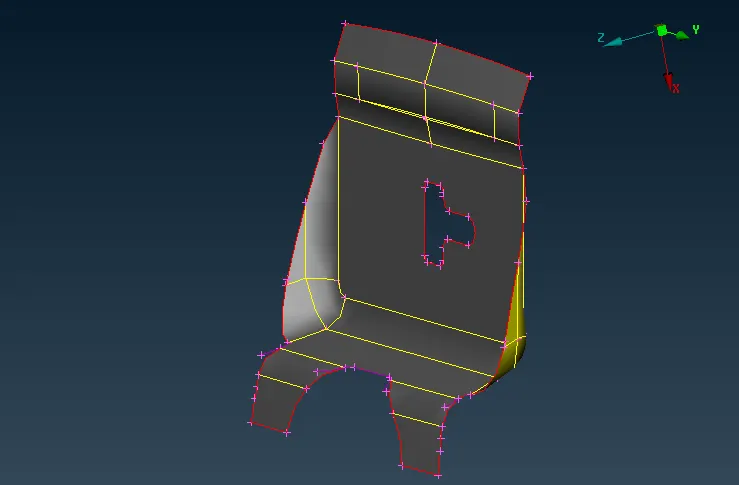
- After confirming the faces, the thickness of the component was calculated automatically, and the mid surface was extracted. This also created a separate property for the mid surface and the thickness was also assigned to it. The image below shows the mid surface extracted. After the mid surface extraction, the geometry was checked for any errors before meshing using the ‘checks>geometry’. There were 0 errors found in the process. This operation was carried for all the other following components.
- The model had to be meshed to the target element length of 5mm. To ensure this, the perimeter of the model had to be divided into sections of approximately 5mm each. For this purpose, the ‘length’ option from the ‘perimeters’ was used under the ‘mesh’ mode. In that, both the perimeter and the macro were set to a length of 5mm.
- Later, using the ‘best’ mesh option from the ‘mesh generation’ menu in the ‘mesh’ mode, the mesh was created on the surface of the latch. There were some failing elements and an improper mesh flow consisting of tria elements.
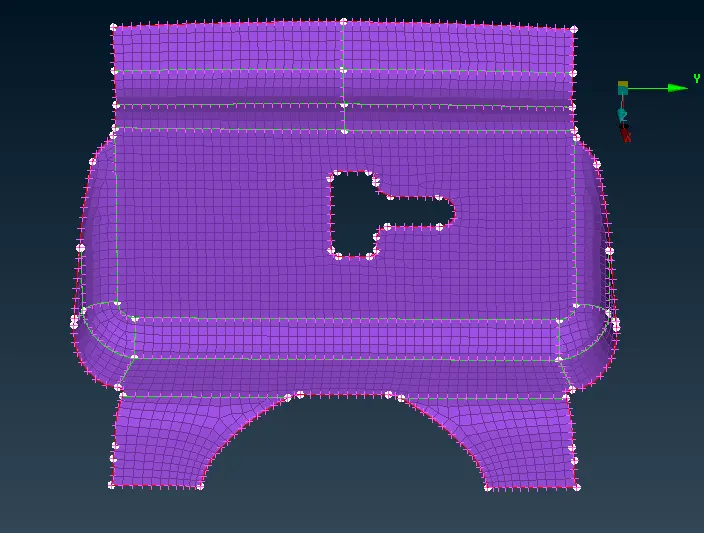
- Since both the failing elements and tria elements are not desired, they were eliminated by using the ‘reconstruction’ option from the ‘shell mesh’ module. This created a much better mesh with less number of tria elements than before. The reconstruction of the mesh was ‘rerun’ to get the more proper mesh. The image below shows the final mesh for the latch reinforcement.
Hinge Reinforcement:
- After the latch reinforcement, both the hinge components were meshed. For that first, their mid surface was extracted separately. Since this component too, had a simple geometry and constant thickness overall, the auto mid surface method opted.
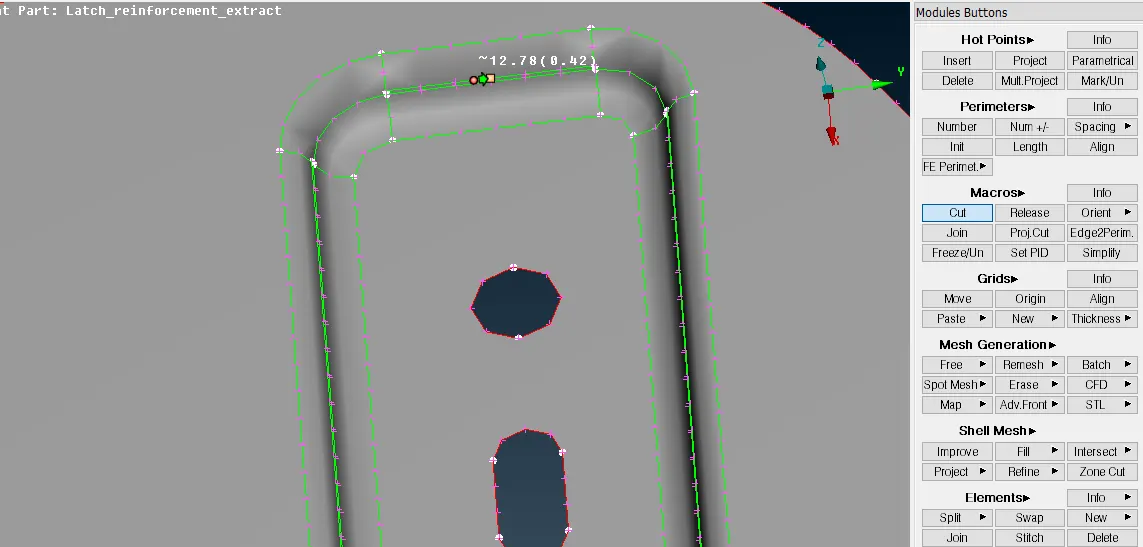
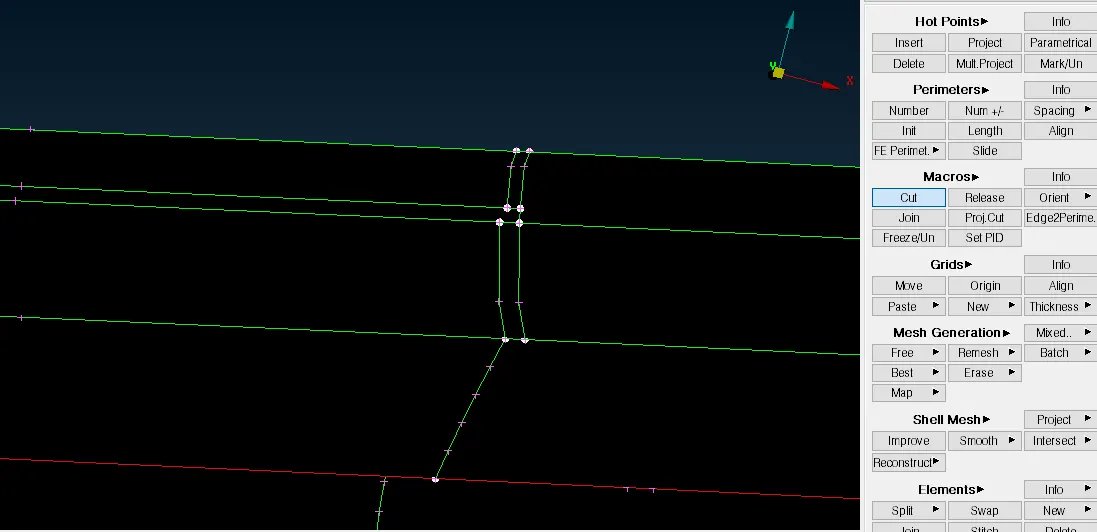
- But before extracting the mid surface, the topology cleanup operation had to be done. All the unnecessary CONs were removed using the ‘macros>cut’ option from the ‘mesh’ mode as shown in the image below. This operation can also be done in the topo mode.
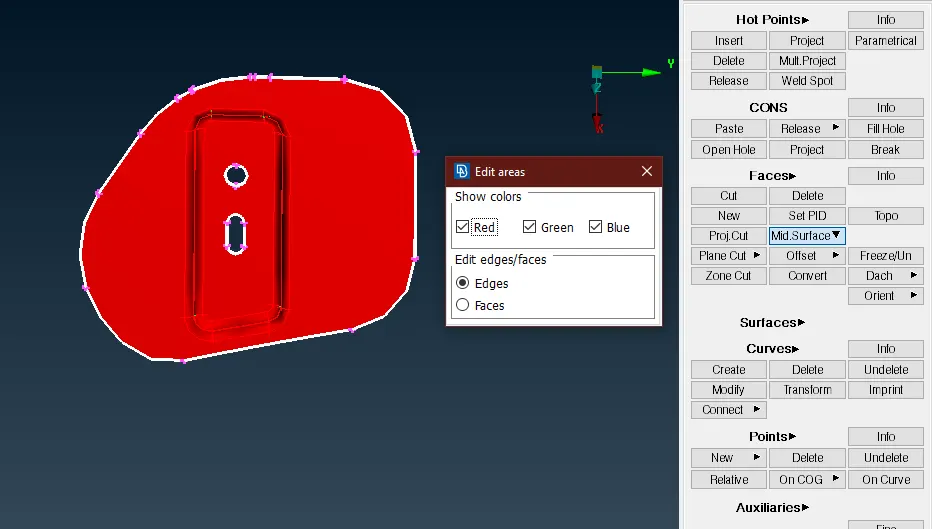
- The ‘skin’ command from the ‘mid. Surface’ menu in the ‘topo’ mode was used for extracting the middle surface. Just like the previous operation, the red, green, and blue areas were specified, the thickness was calculated automatically and the mid surface was created. The image below shows the mid surface extraction.
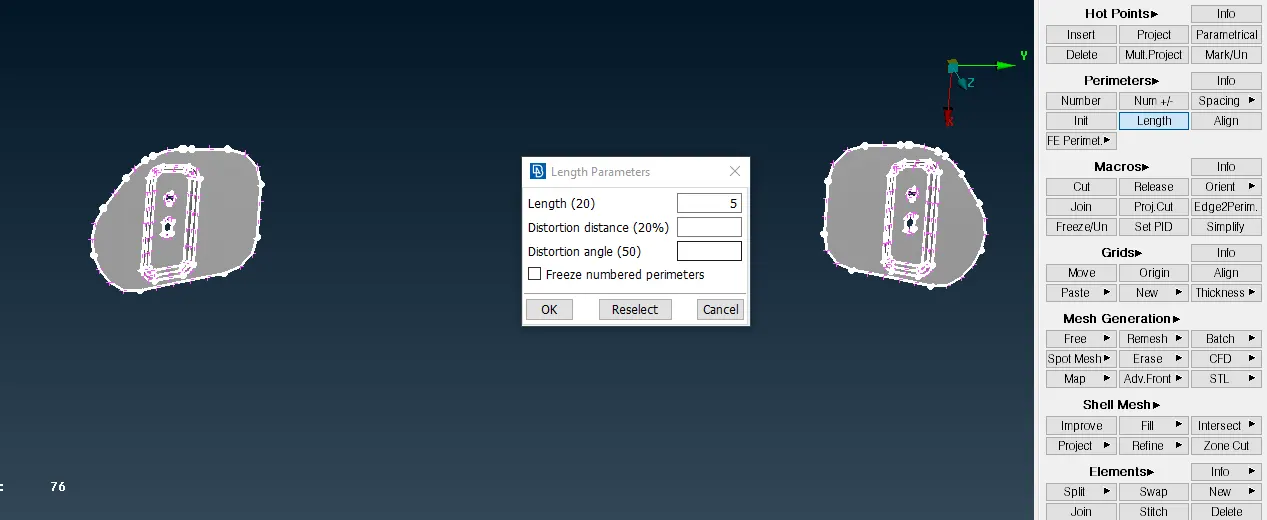
- Later the perimeter and macros of both the parts were divided into sections of 5mm each using the same ‘perimeter>length’ option similar to the latch reinforcement.
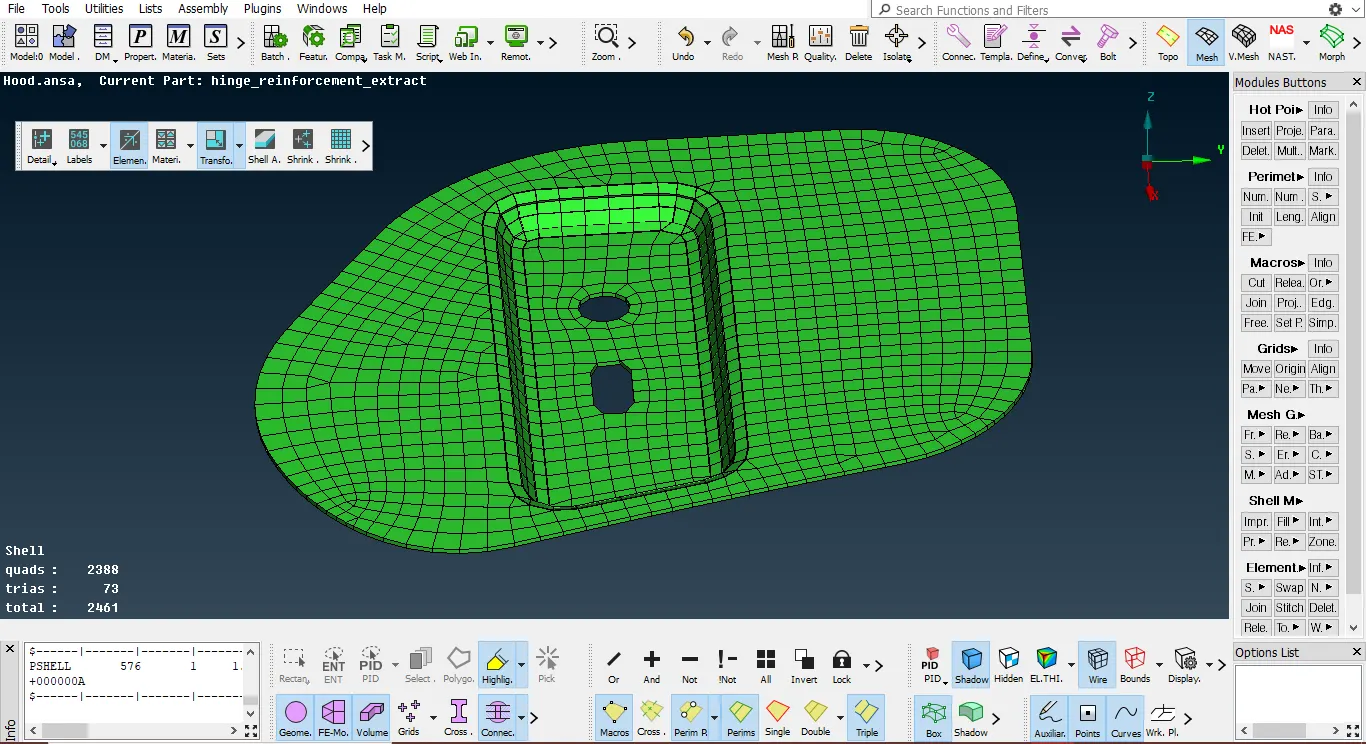
- Using the ‘best mesh’ option from the ‘mesh generation’ menu, both the components were meshed individually. The failing elements were eliminated by ‘reconstructing’ the mesh. Using the ‘split’ and ‘paste’ commands, the trias were eliminated, and later the mesh flow was smoothened using the ‘smooth’ option in the ‘shell mesh’ menu.
- The thickness which was assigned automatically during the mid surface generation was shown using the ‘shell as solids’ option in the ‘presentation parameters’ menu. The image below shows the final mesh along with the thickness of the model.
Outer extract:
- After the meshing of the hinge reinforcement component, the outer extract of the hood was meshed by following the same procedures as above. But in this case, since the geometry of the outer extract was exactly symmetrical, it was feasible to mesh only one of the halves and then mirror or replicate the mesh on to the other side.
- For this component, the mid surface was extracted first and then the topology was cleaned up only on one of the halves. The mid surface was again created using the ‘faces>midsurface>skin’ option in the ‘topo’ mode.
- After the extraction of the mid surface, the topology cleanup was performed on the component. All the unnecessary CONs and hot points were removed using ‘faces>cut’, and ‘hotpoints>delete’. New cuts were also made on the surfaces which would help in generating a better mesh.
- The component was cut in half using the ‘plane cut’ option from ‘topo>faces’. A cut was made exactly at the center using a plane. Half of the component was hidden using the ‘not’ command. Mesh was generated on the remaining half using the ‘best’ mesh option from the ‘mesh generation’ menu. It was ‘reconstructed’ for better mesh quality and to fix the failed elements. The tria elements were also removed by splitting and pasting the nodes.
- After the mesh was finalized, all the elements had to mirror the other half of the component. For this purpose, the ‘symmetry’ option from the ‘transform>copy’ menu was used. Using the ‘mirror by 3 points’ command, all the elements were copied and mirrored on the other side by selecting three points of the perimeter of the half which was meshed. These three points defined an axis along which the elements got copied to the other side.
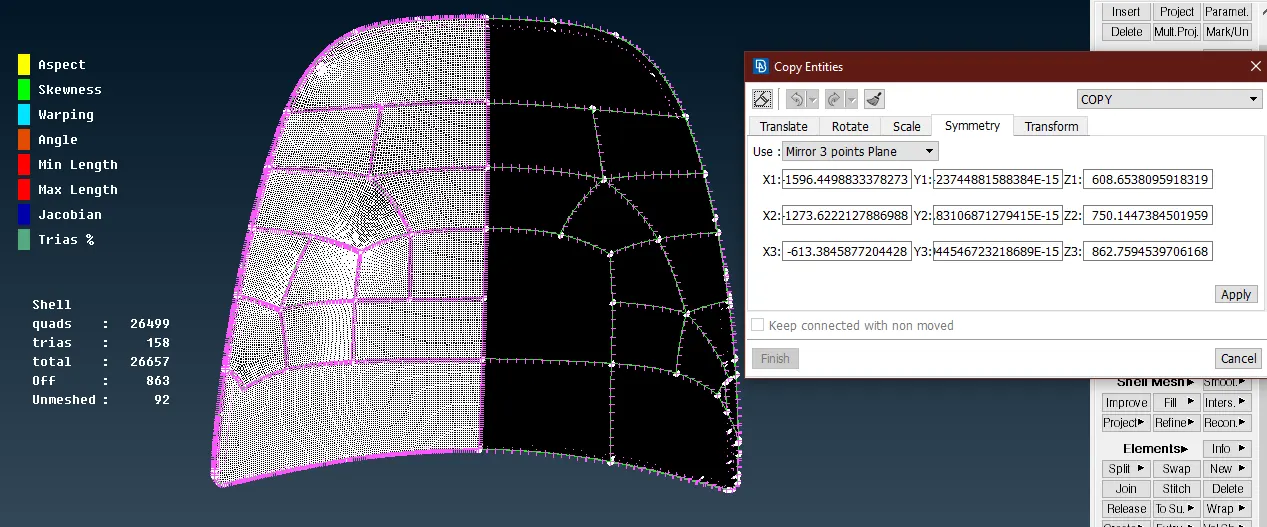
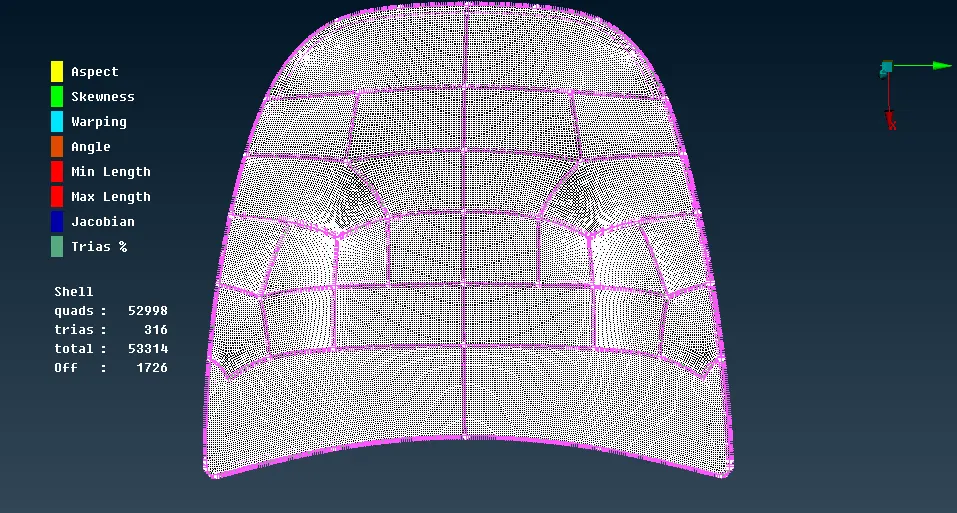
- As can be seen in the above image, there are a lot of failing elements in the component. These failing elements were present on the hemming portion of the component. Since the hemming portion was an essential part of the geometry, it was not possible to defeature it. Hence all the failing elements had to be accepted.
Inner extract:
- Just like the outer extract, the geometry of the inner extract was also very much symmetrical except the latch portion. Hence, a similar procedure was followed for this component too. The mid surface was extracted first, which created a separate property and also gave a thickness to the same. The image below shows the mid surface extracted using the skin option.
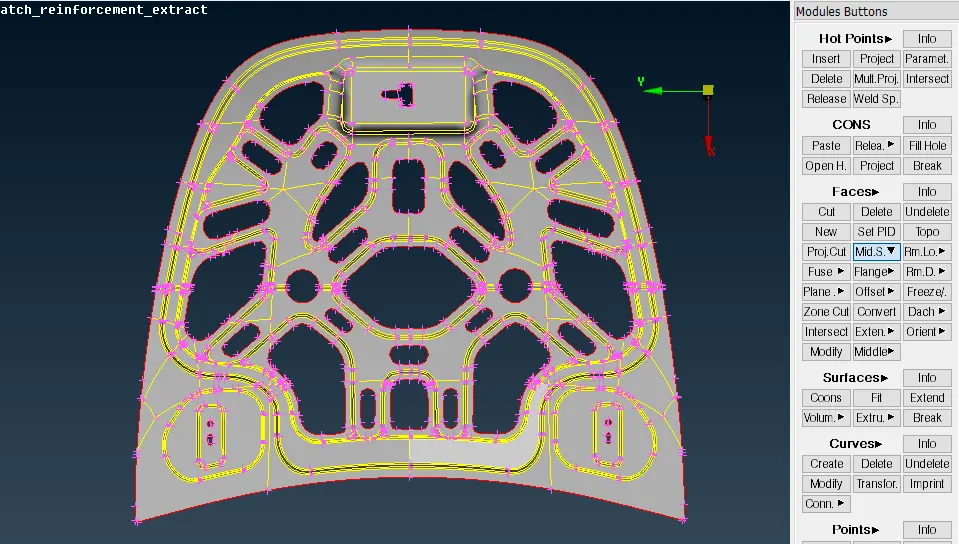
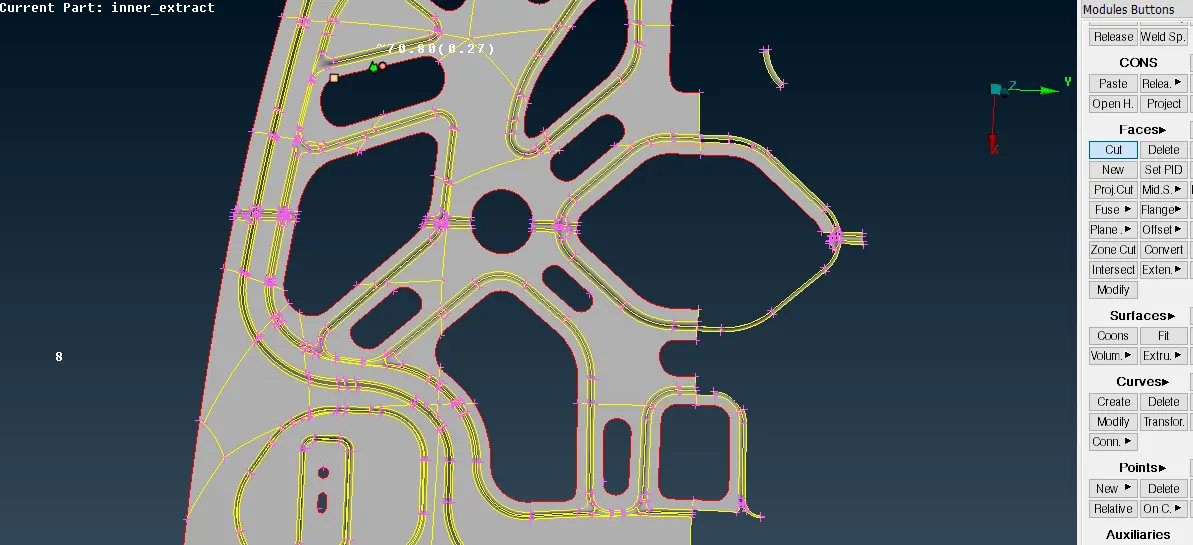
- Half of the mid surface including the latch portion was hidden using the ‘not’ command and the model was ‘locked’. In this component, there were a lot of unnecessary points and CONs which would result in an improper mesh flow and element failure. Therefore topology cleanup was required.
- Using the ‘cut’ option from the ‘faces’, the abrupt CONs were eliminated. In some areas, new cuts were also created according to the geometry for a better mesh flow.
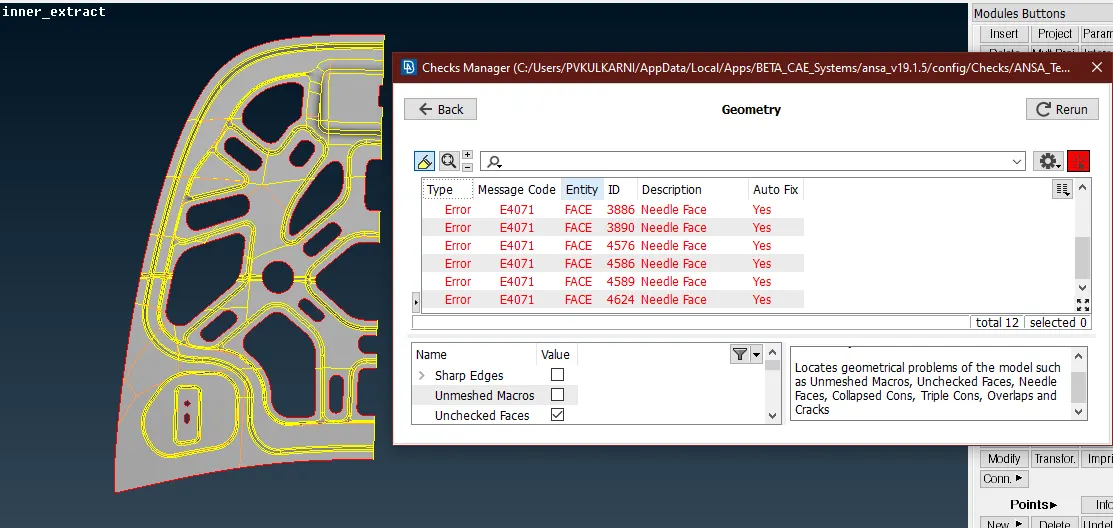
- After the topology cleanup, the component was checked for any geometrical errors using the ‘checks>geometry’ option. There were some errors present as seen in the image below which were eliminated by using the ‘fix’ option by right-clicking on them.
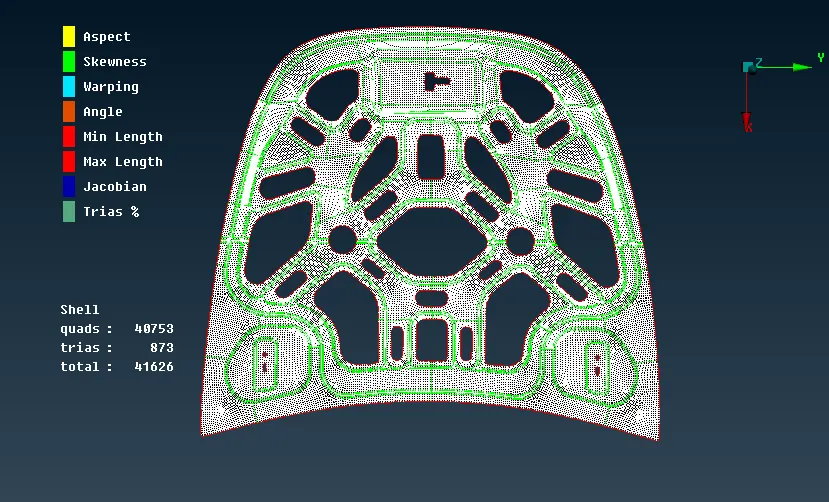
- Later the mesh was generated using the ‘best’ mesh option and was ‘reconstructed’ to eliminate the failing elements and trias were removed manually using a paste, split, swap, join option.
- After the mesh was finalized for half of the component, it was mirrored to the other side using the same operation as before, ‘transform>copy>symmetry>mirror using 3 points’. Later, the latch portion also meshed with proper connectivity to other neighboring elements. The image below shows the finalized mesh for the whole component.
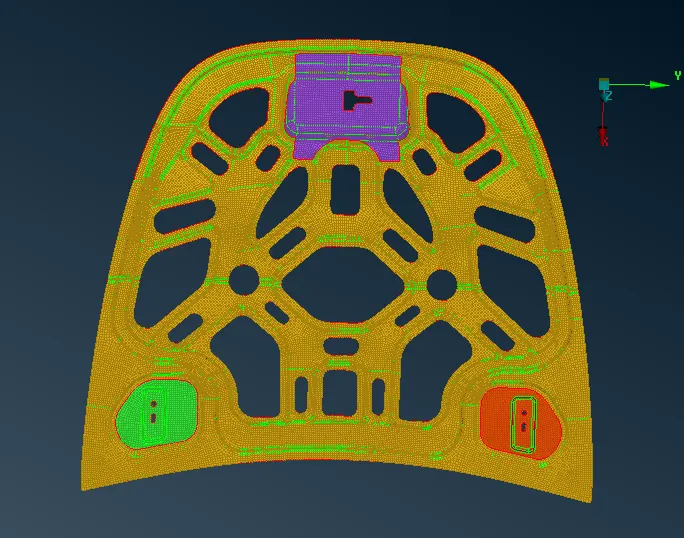
- The image below shows the final mesh for all the components (except the hood).
Result and Conclusion:
- In this challenge, the hood components were meshed as per the mentioned criteria successfully.
- A lot of new features and commands related to meshing like, ‘Edge2Perim’, ‘Plane Cut’, ‘Slide’, ‘reconstruct’, etc. were introduced in this challenge.
- This challenge also helped in making a refined mesh of a good quality pertaining to the set parameters.
- Upon several iterations, the efficiency of doing certain operations was increased, also this challenge helped to gain an insight into the real industrial problems.
- Along with this, different shortcuts specific to certain commands and features were practiced and the options to personalize them according to the need of the user were understood.