Week 3 - 2D meshing for sheet metal
2D meshing for sheet metal
Aim:
For the given Hood model, Take the mid surface for all the components after checking the geometrical errors and mesh the mid surface with the given element Quality criteria.
|
S.No |
Quality Criteria |
Value |
|
1 |
Target/Average length |
5 |
|
2 |
Minimum Length |
2 |
|
3 |
Maximum Length |
7 |
|
4 |
Aspect |
3 |
|
5 |
Warpage |
15 |
|
6 |
Skewness |
45 |
|
7 |
Jacobian |
0.7 |
|
8 |
Minimum Quad Angle |
45 |
|
9 |
Maximum Quad Angle |
135 |
|
10 |
Minimum Tria Angle |
30 |
|
11 |
Maximum Tria Angle |
120 |
|
12 |
Tria Percentage |
15 |
Procedure:
- Import Model
Open the given file (Hood_model1.stp) in ANSA, the given hood model has 4 components:
- Inner Extract (0.75)
- Outer Extract (0.75)
- Hinge (1.2)
- Latch (1.2) of uniform thickness.
- Geometry Clean-up:
The components are checked for geometry clean-up using Checks > Geometry and clean up the errors using auto fix and use topo tools like new face, delete and topo, etc. to achieve 100%.
- Mid – Surface Extraction:
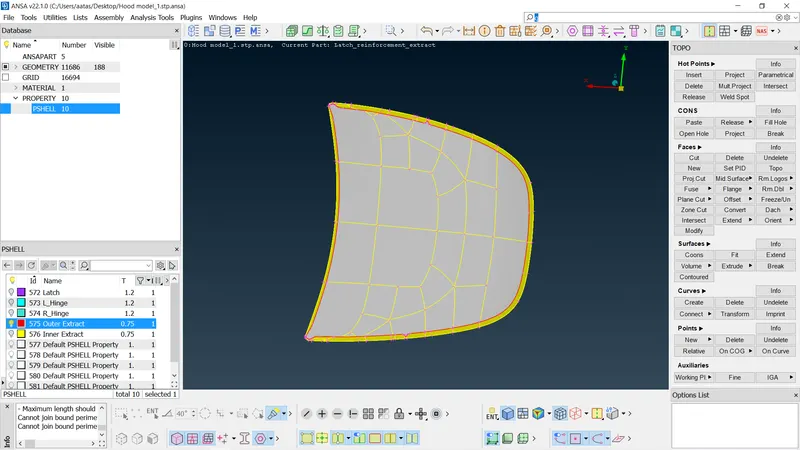
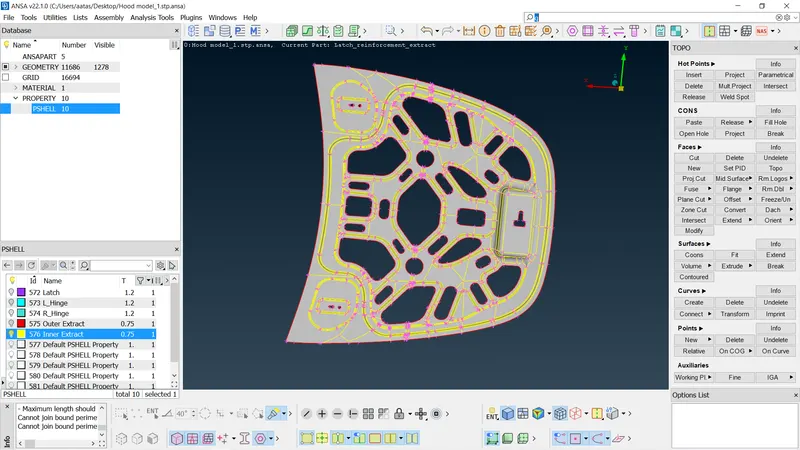
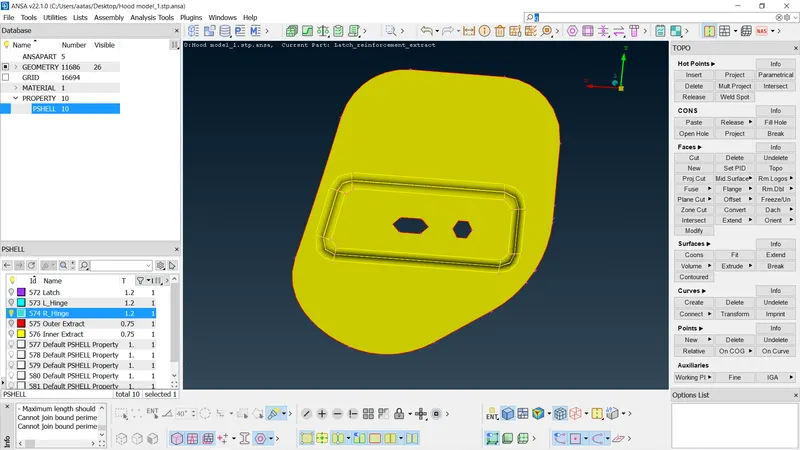
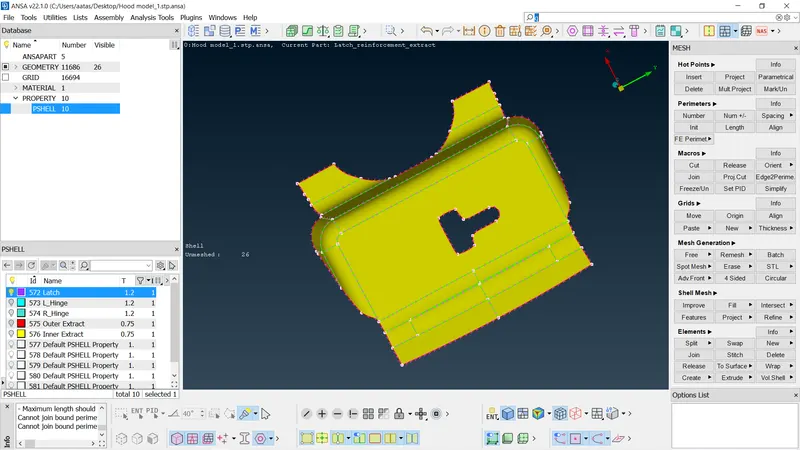
- Manual mid surfaces are extracted by selecting the faces of each component by offset option by giving the distance half of the thickness.
- For symmetrical components, only part of the component is extracted.
- Mid Surface Geometry is again checked for errors.
Outer Extract:
Inner Extract:
Latch Extract:
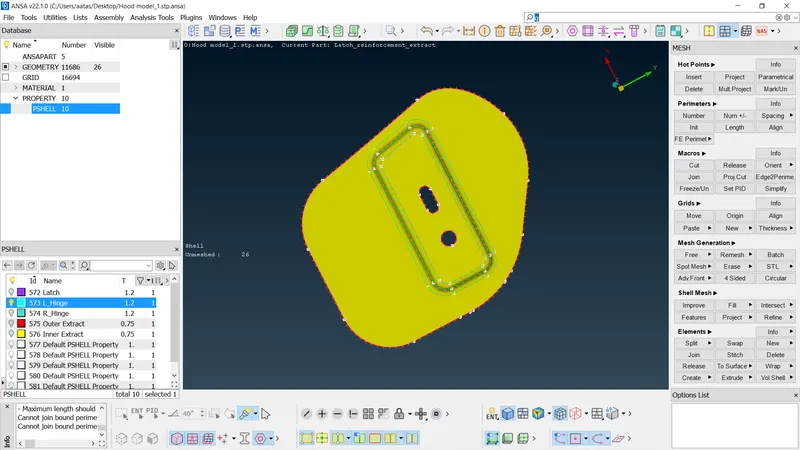
Hinge Extract:
- Assigning Property and Thickness:
The mid surfaces of the components of the hood are assigned with new PID and their thickness.
- Meshing:
The Mesh parameters and Quality Criteria as per the given are enter
- Cons and Hot points are altered according to fit the criteria, i.e., for hemming surface cons are joined to avoid failing minimum shell length using cut and join of macros tab.
- Perimeter and macros are set for 5mm using the length in the perimeter option of the mesh tab.
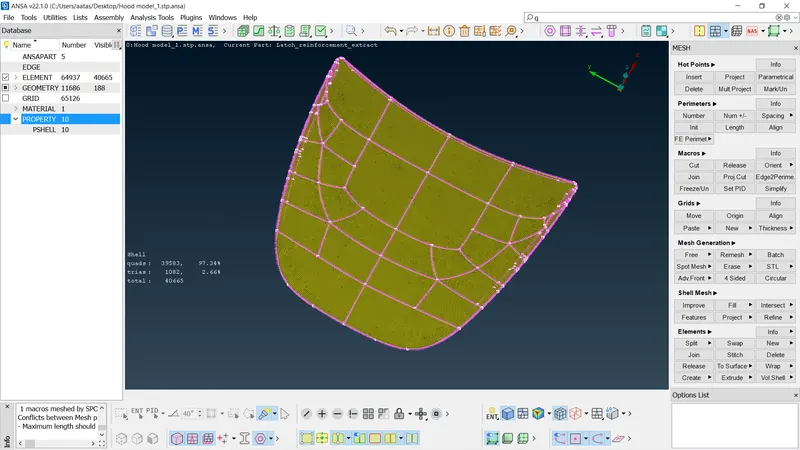
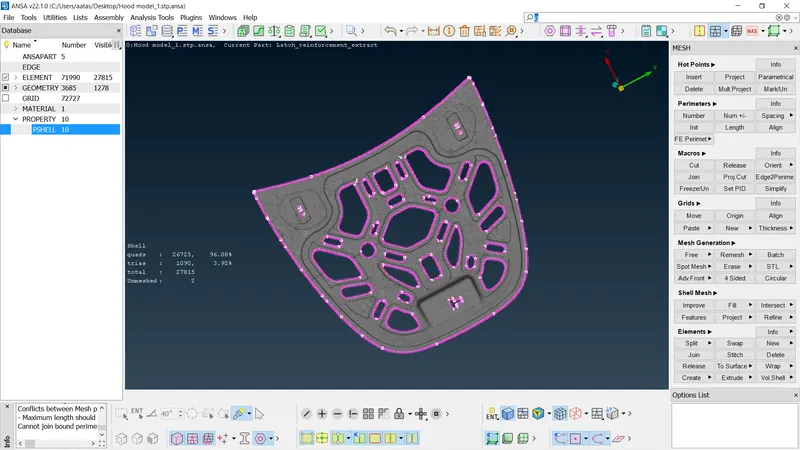
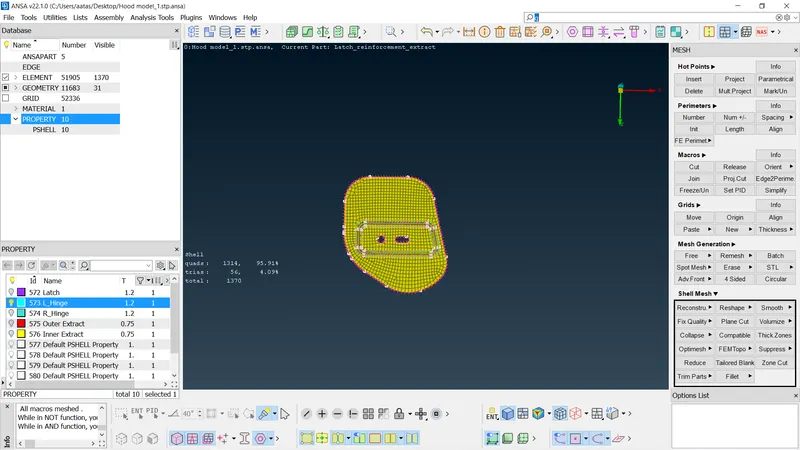
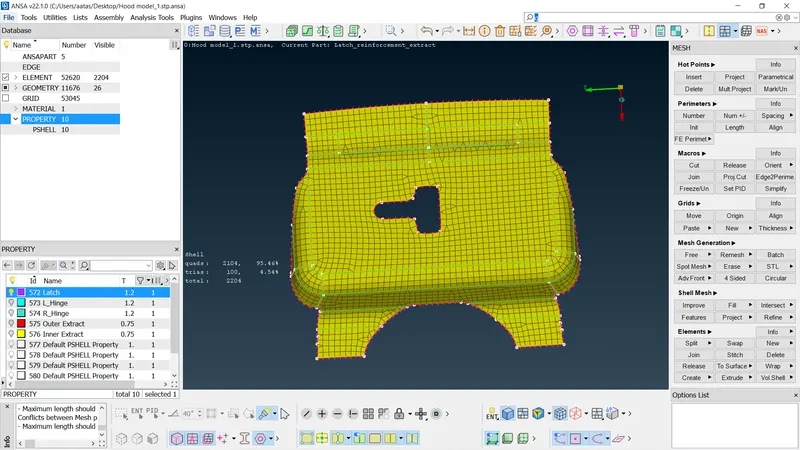
- Each component is meshed using the Best option in the Mesh Generation.
- Mesh Quality is improved using reconstruct option in Shell mesh.
- Further failed elements and trias are removed using Split, Swap, Join, Smooth, Paste and Num +/-.
- The Symmetric surfaces are reflected using transform -> copy option (Symmetry -> Working plane).
Outer Extract:
Inner Extract:
Latch Extract:
Hinge Extract:
Learning Outcomes:
- Basics of ANSA Software tools and GUI.
- To clean-up geometry of simple components.
- To Extract Mid – Surface and assign property and thickness.
- To mesh the component satisfying Quality Criteria with better mesh flow and less concentration of trias.
Conclusion:
From this assignment component, we can conclude that thicknes of the surface should be measured proprely and before generating the mid surface, all the components should be checker for quality. after generating shell elements, the uncessary trias should be avoided to get a proper mesh flow.