Week 2 - Flow over a Cylinder.
Aim :-Flow Over a Cylinder
Objective :- in this case we have to perform the follow cases.
→Performing 2D Simulation
→Modyfyning Reyonlds Number
→Creating Custumize fluids.
→Creating Run Time Animation
→Visulizing Vortex Shadding
→ Adding Moinitor Points
→Numerical Diffusion.
→Steady State and transient analysis
→Post Prpcessing.
Problem to solve-
Reyonlds No 100
1
step 1
open the Ansys Workbench.
Select Fluid Flow (Fluent) And Give Name -- Flow Over a Cylinder
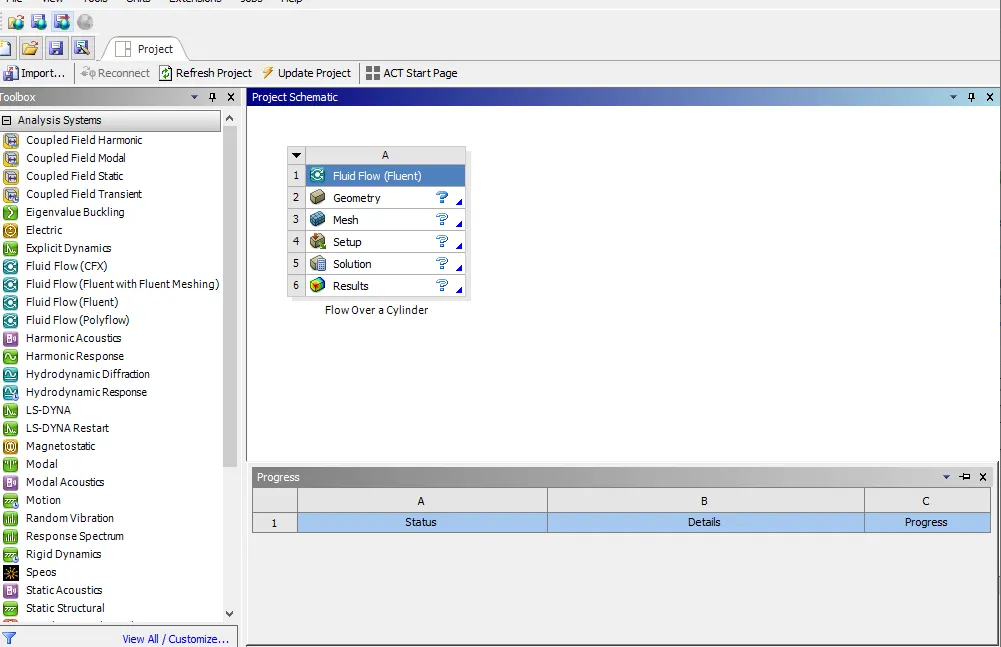
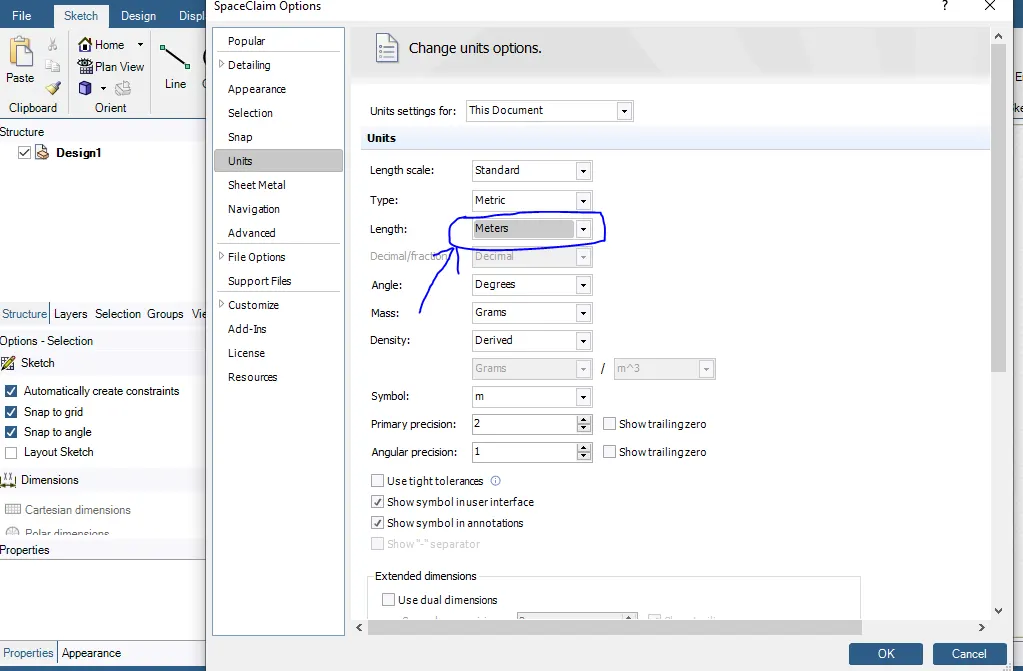
Double Click on the Geometry (Space Claim) & Set the units in meter.
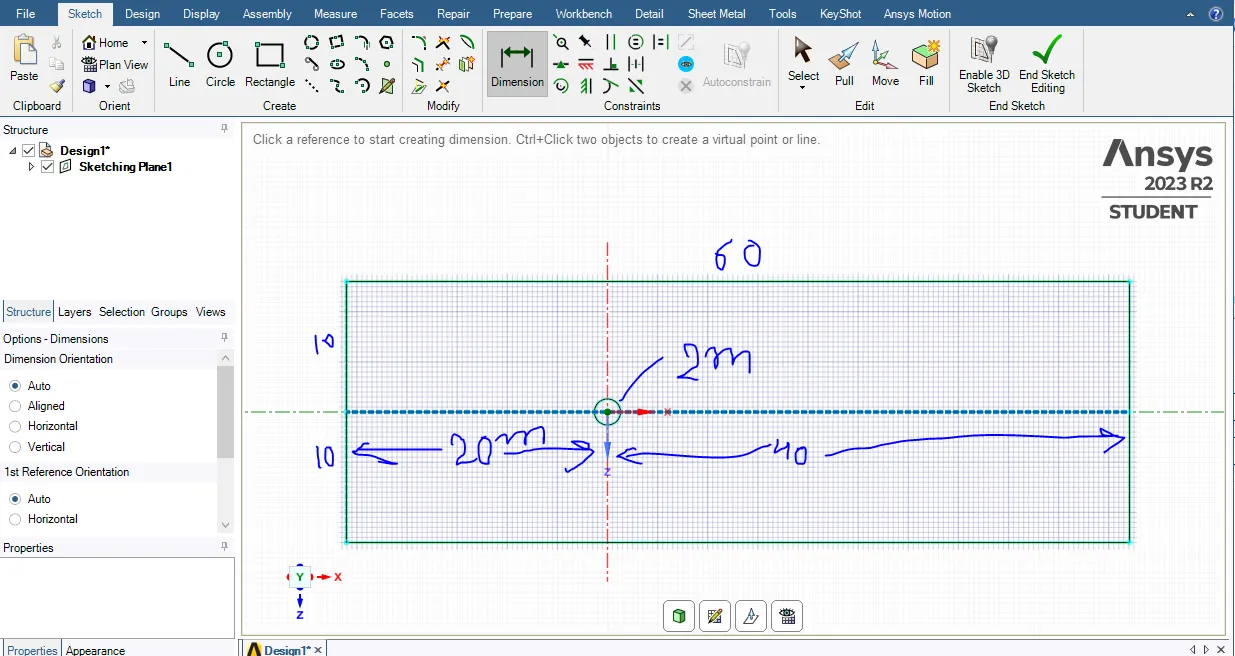
Select the Y axis and start the sketch.
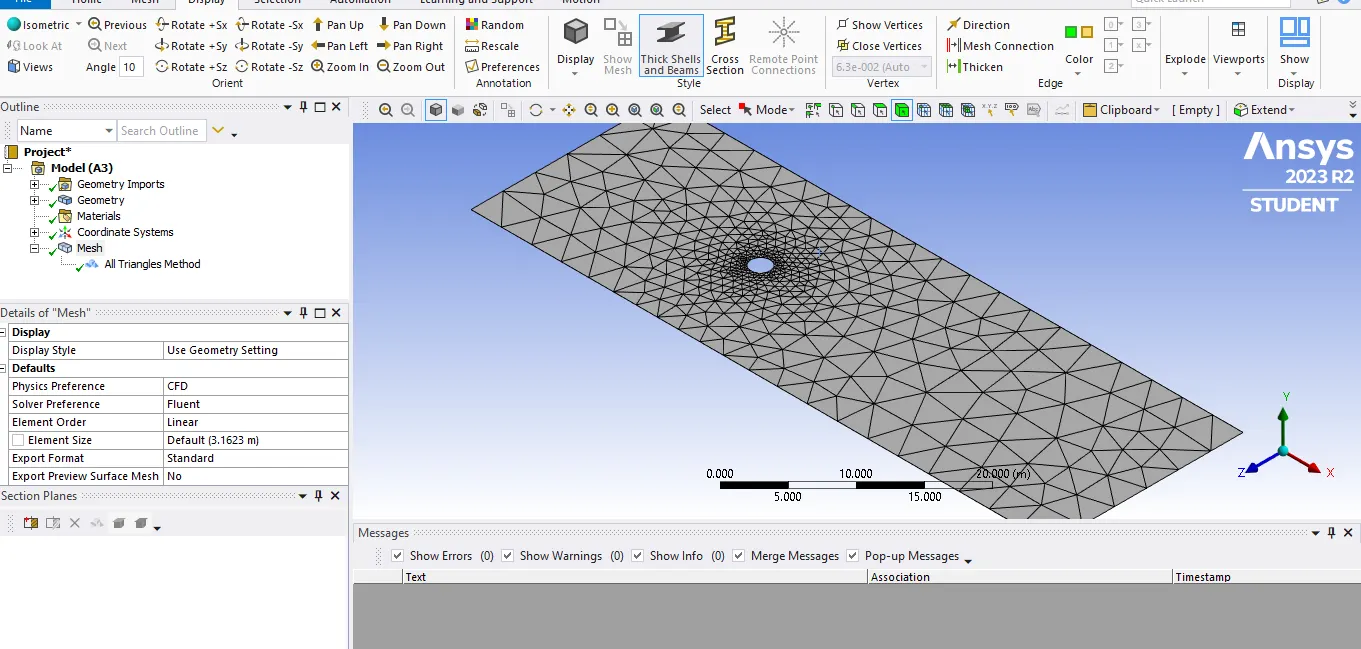
After that the Genrate the mesh Box Right Click and update and after that double click on mesh,
click on mesh, it will show the Quaderatel mesh but we need the triangles mesh.
follow the steps
Right Click on Mesh→ Insert → Method→Click on Automated Method→for select the body → select the triangles →ok→genrate mesh
Create the infliation (its Helps to the Body fitted mesh.)
Steps to apply infliation.
Right Click On Mesh→ Input→Method→Select the body→Select the boundary (only Edges selected)→apply →ok→Infliation option(First layer thickness)→height-5e-3
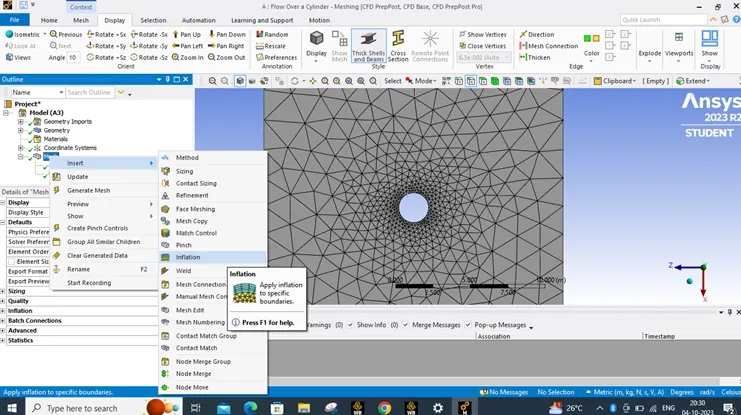
Genrate the mesh ok,
Create the Inlet
outlet
cylinder wall
symmetry both side wall
Update all
Go to the Setup Physics
Domain:- Steady →Absolute→Viscous model ( Laminar)
Check the material
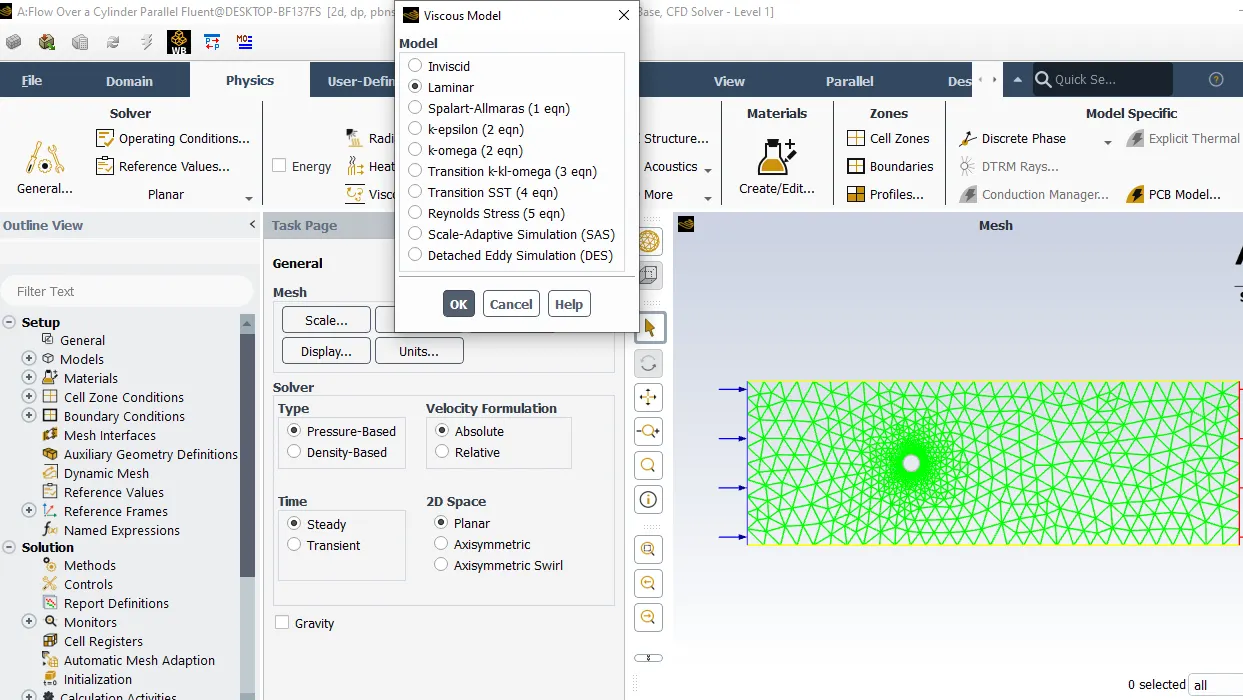
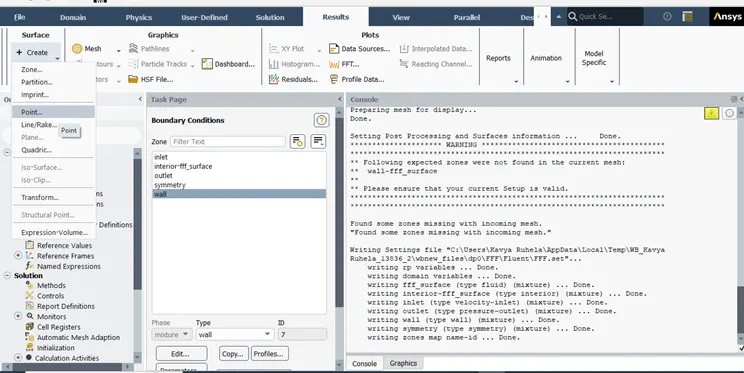
create the point. give the distance 4x diameter ,y-0
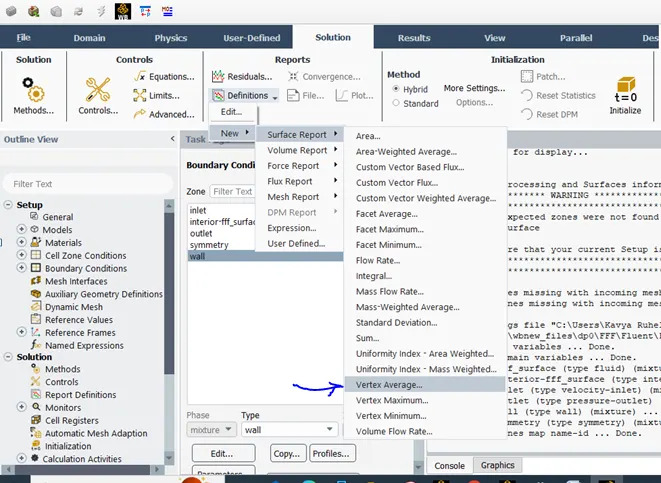
Solving :-Definitions → Surface Report → Vortex Avarage →Name&Report File.
Create The Contours:-
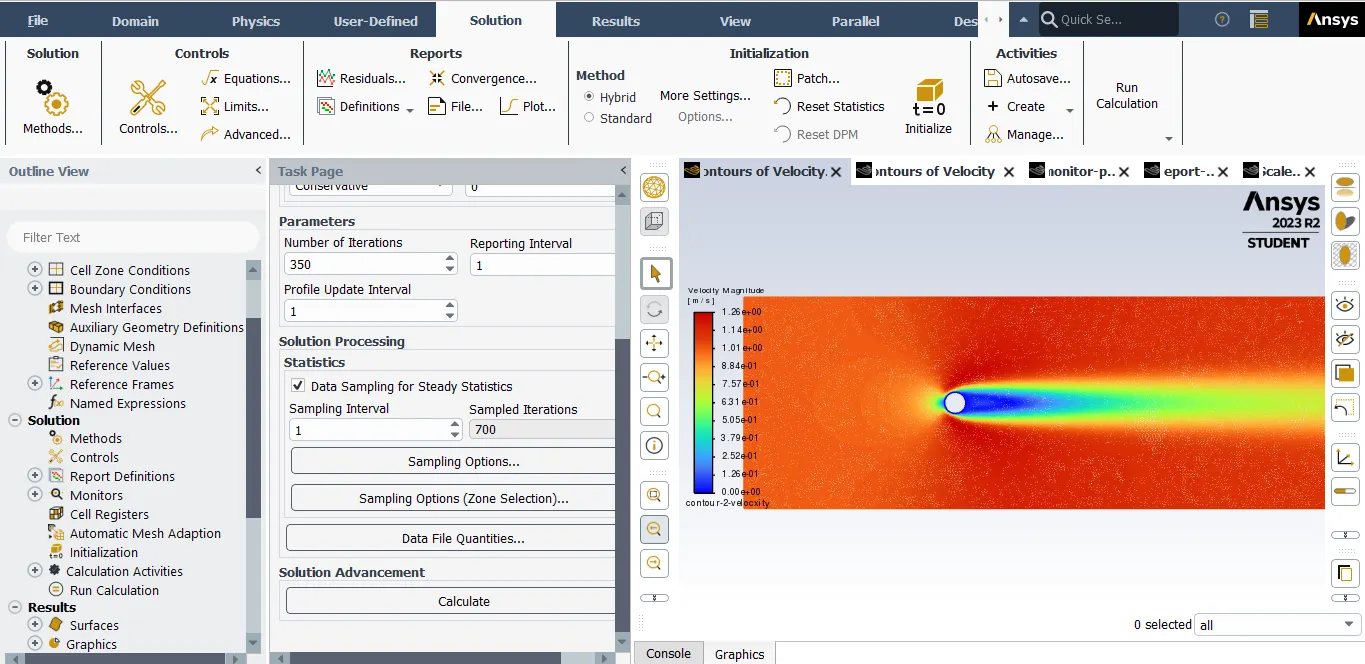
Solving Check on Hybrid ok → Hit I-0 start → then go to results → Contours →New →filled opton (Velocity)→Velocity Magnitude → select all inlet ,outlet ,boundary →Save & Display → Compute → click on Graphics Check the results.
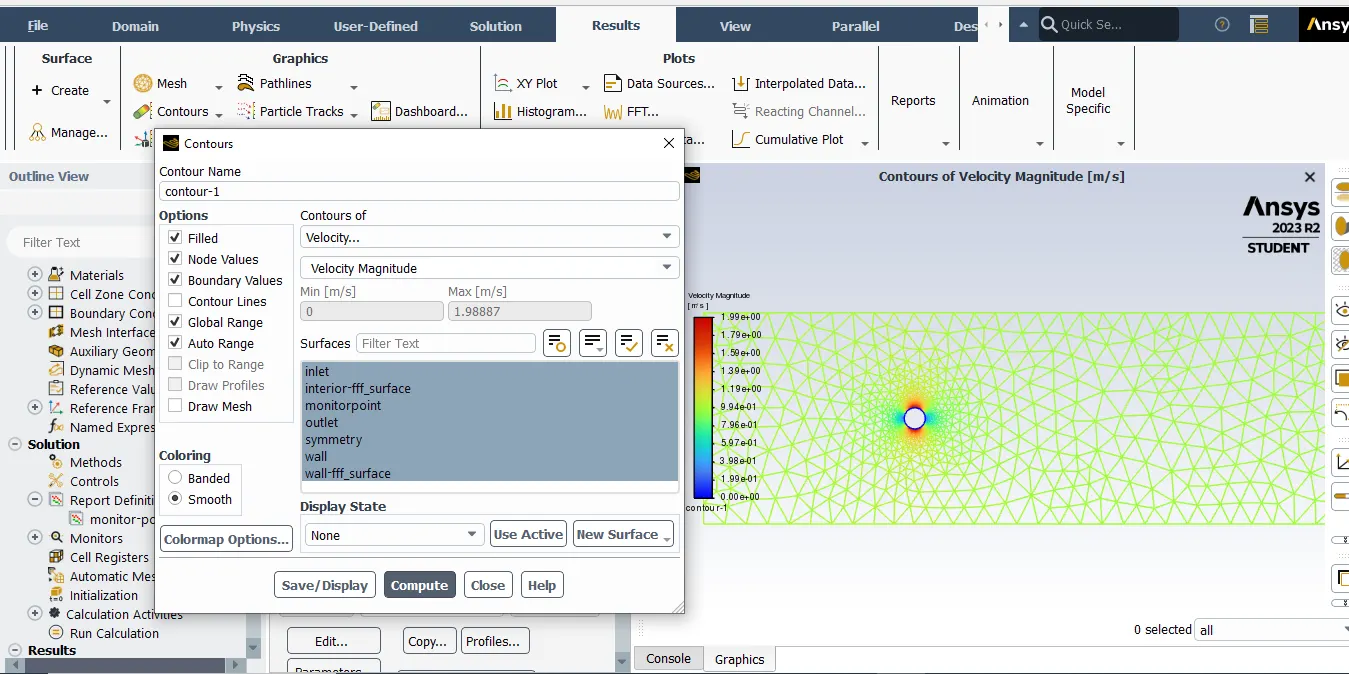
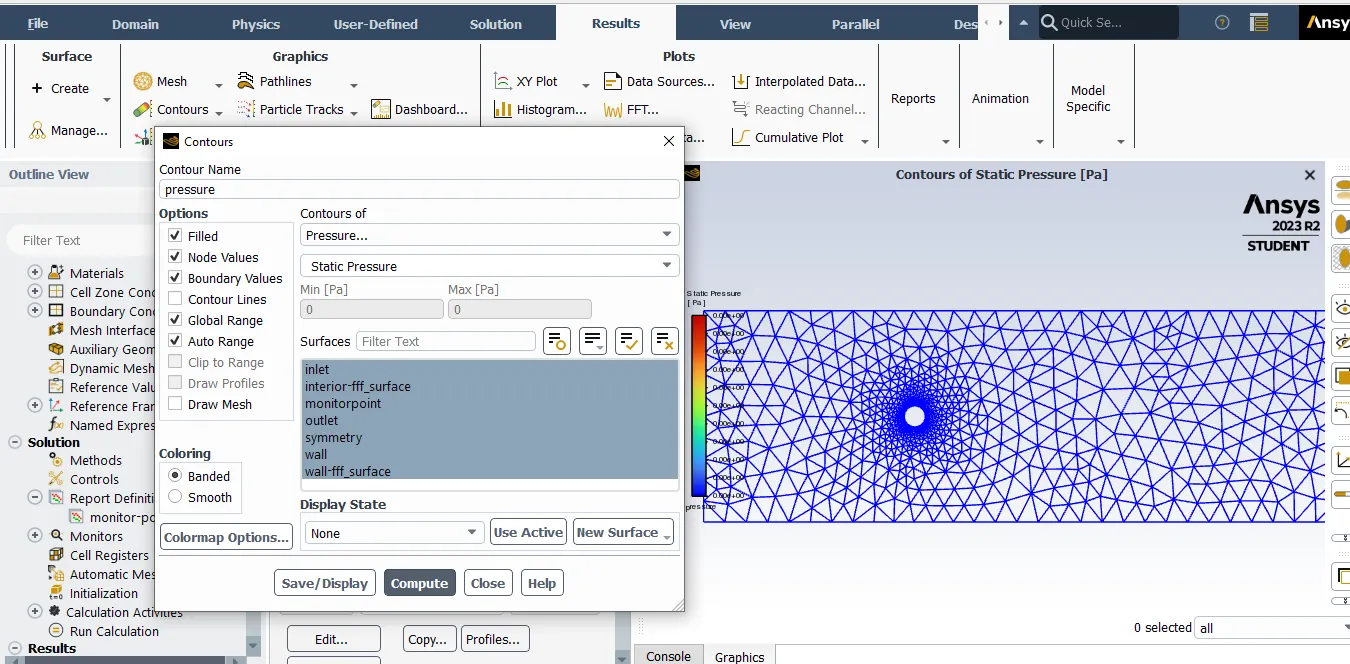
Change the pressure intial contour
.
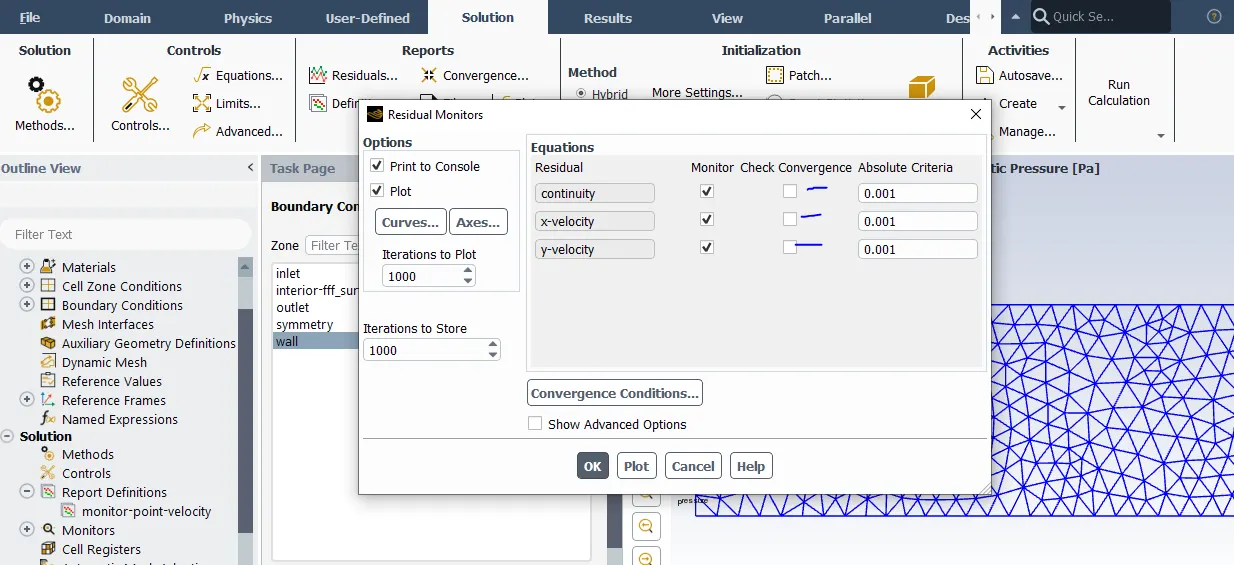
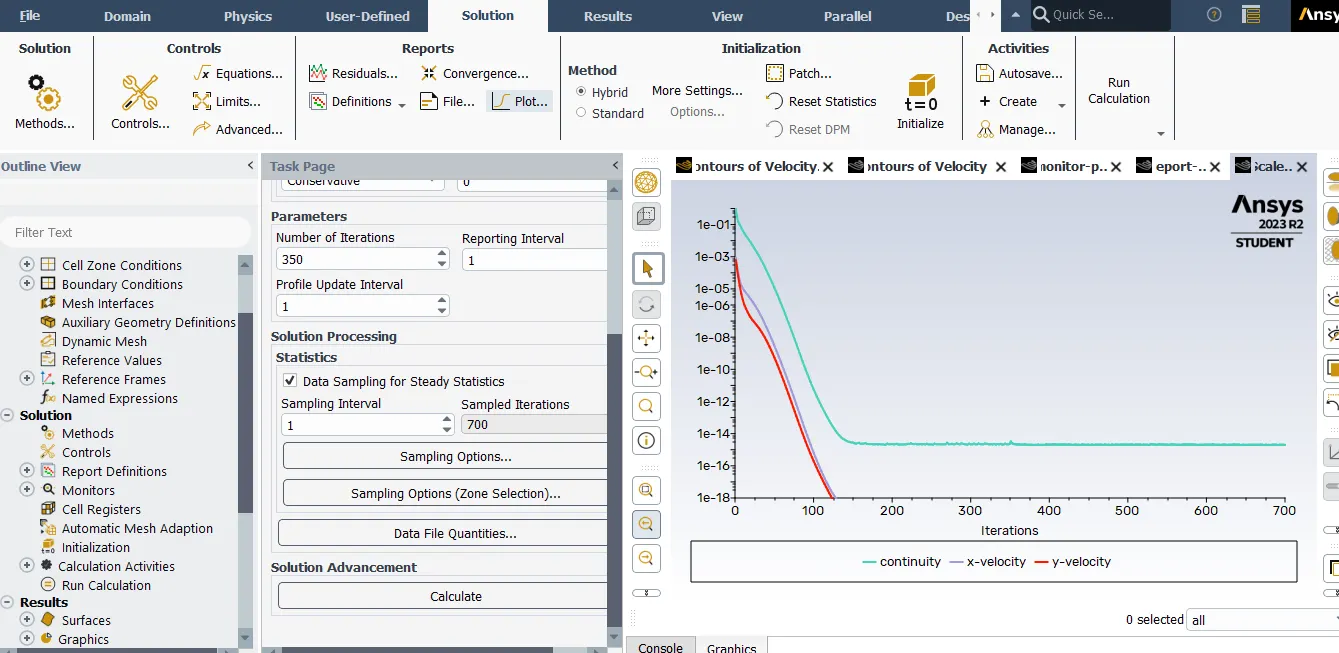
Uncheck the solving residuals for better result.
Create the animation activites.
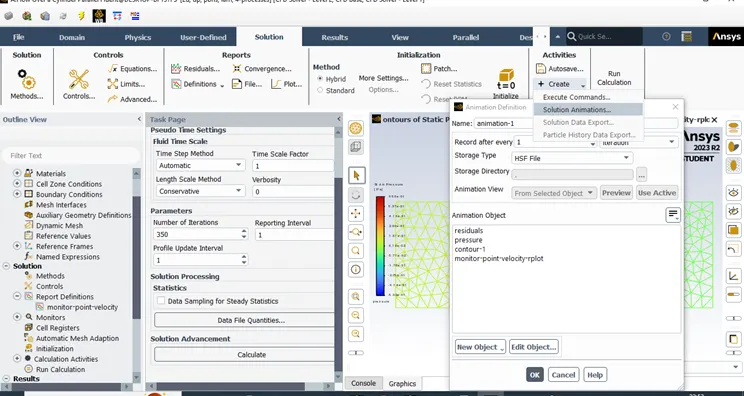
Steady Condition.
Unsteady Case Condtion.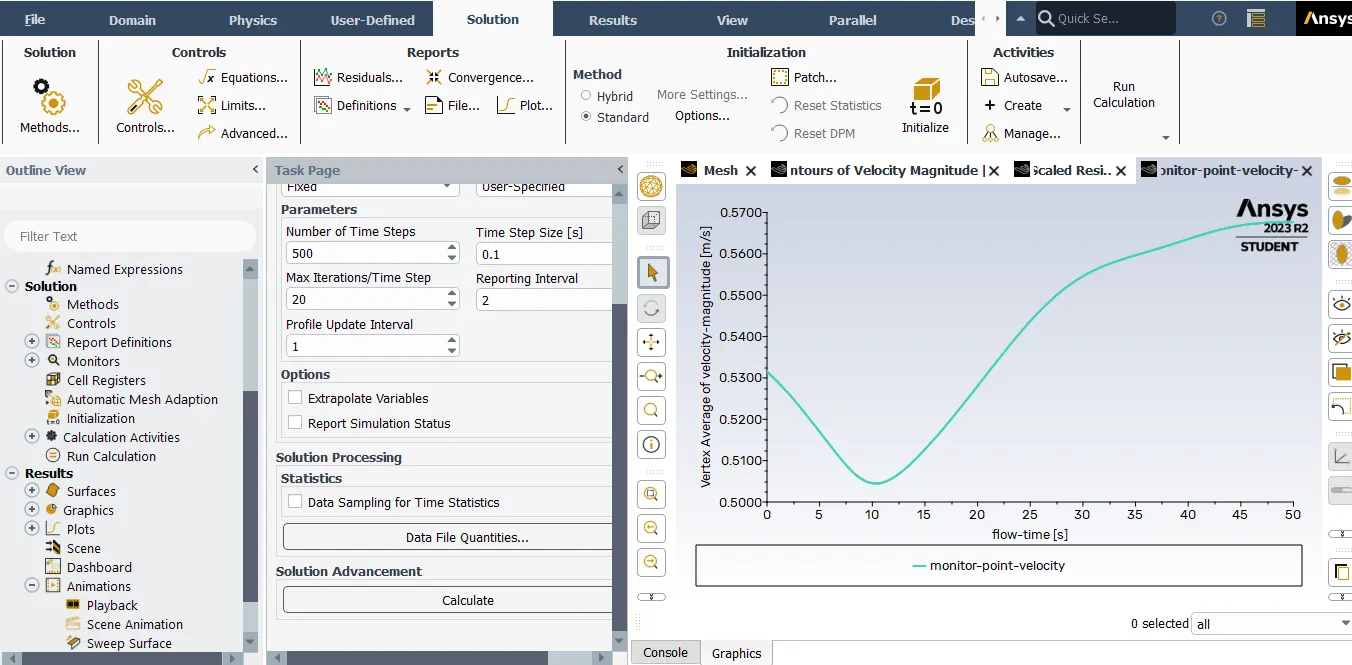
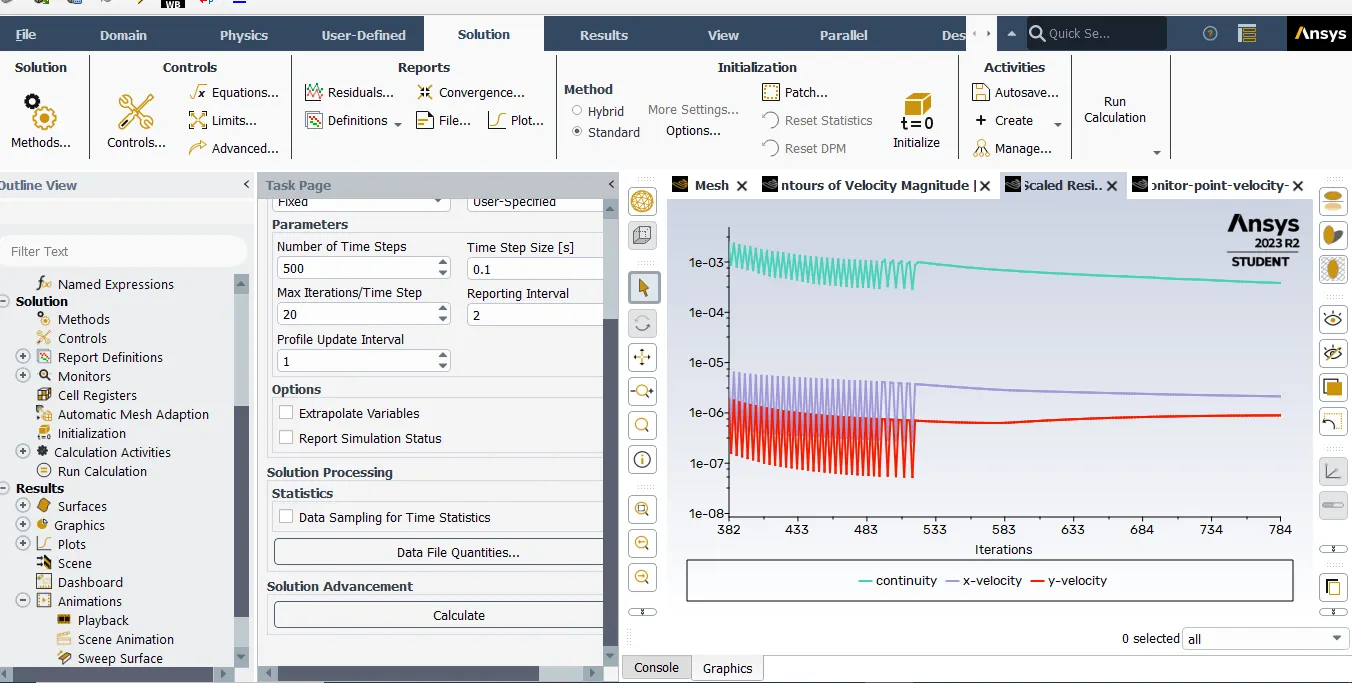
Drag & Lift
Lift coefficient decreases rapidly and drag coefficient increases rapidly when Reynolds number is decreased below critical range. This occurs due to change in flow pattern near Gurney flap at low Reynolds numbers.
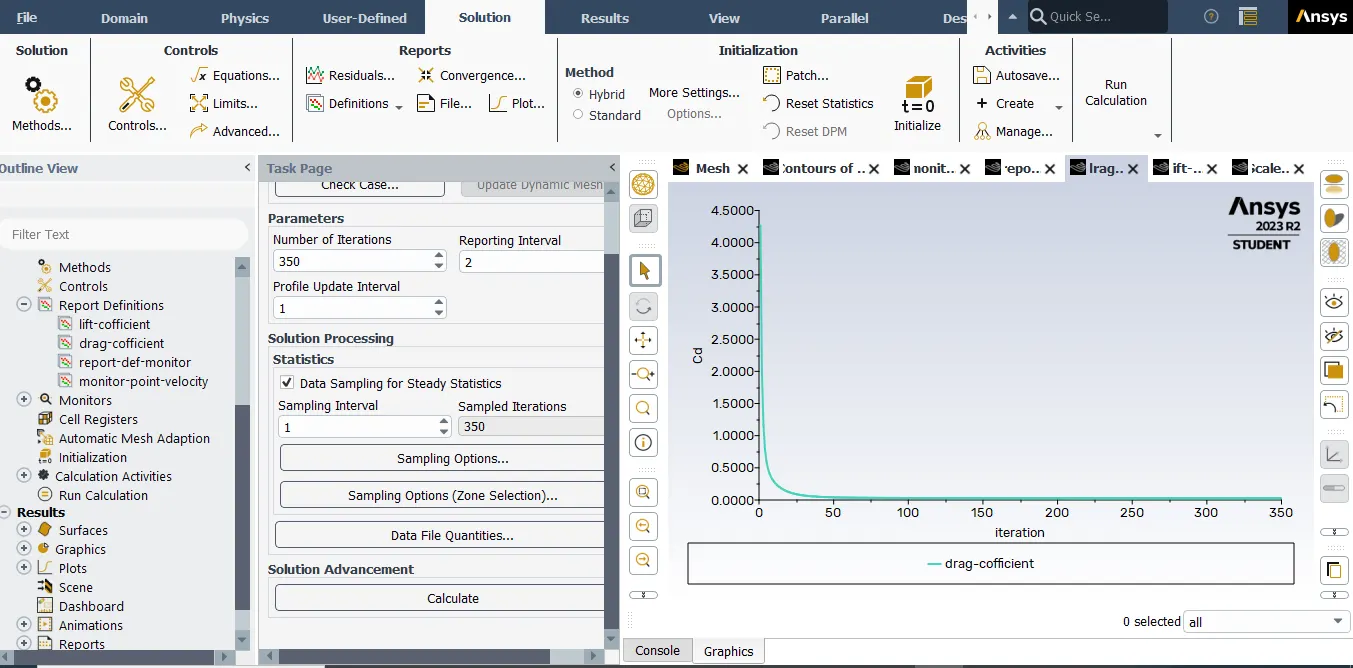
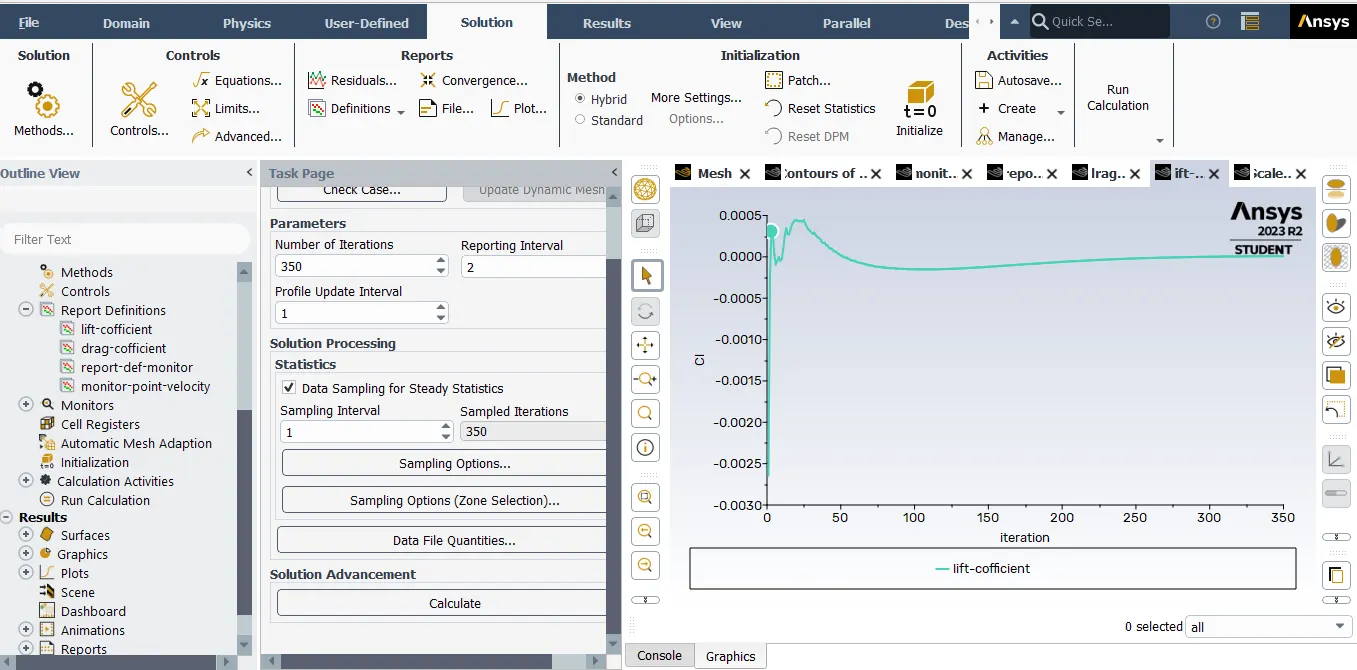
Strauhall number:
Strouhal number is a dimensionless number describing oscillating flow mechanisms.
The Strouhal number is often given as
St = f*d/u
Here,we have calculated staruhal no.using ansys fluent.
1.Go to fluent solver > results > fft analyser > load lift coefficient fiel > select plot FFT
Here, x axis denotes strauhal number and y axis denotes magnitude.
2.To get the magnitude of strauhal number,
go to results > fft analyser > click on write fft to file > click on write fft.
open the file in excel and 1st coloumn denotes the frequncy and 2nd coloumn denotes strauhal number.use the command max and select 2nd row and find the magnitude of strauhal number.
Conclusion:
1.When fluid flows over cylinder, wake region is formed next to cylinder due to decrease in pressure and recirculation of flow occures and hence flow separation occures.