Week 2 Challenge : Surface meshing on a Pressure valve
PROJECT REPORT
Aim:
This project aims to mesh a pressure valve using three different mesh sizes and find out the optimal mesh size.
OBJECTIVES:
- Check for the geometrical errors and perform Topology cleanup.
- Set three different target lengths as three different cases and mesh the model. Target length = 1mm, 3 mm and 5 mm (i.e. 3 cases).
- Element type to be used is triangular.
- Apply any one target length from the above at a time for the entire model as One case thereby create 3 different models for 3 cases.
PROCEDURE:
- The geometry of the pressure valve is shown below. It is a simple valve which consists an inlet, outlet and a spring that controls the outflow.
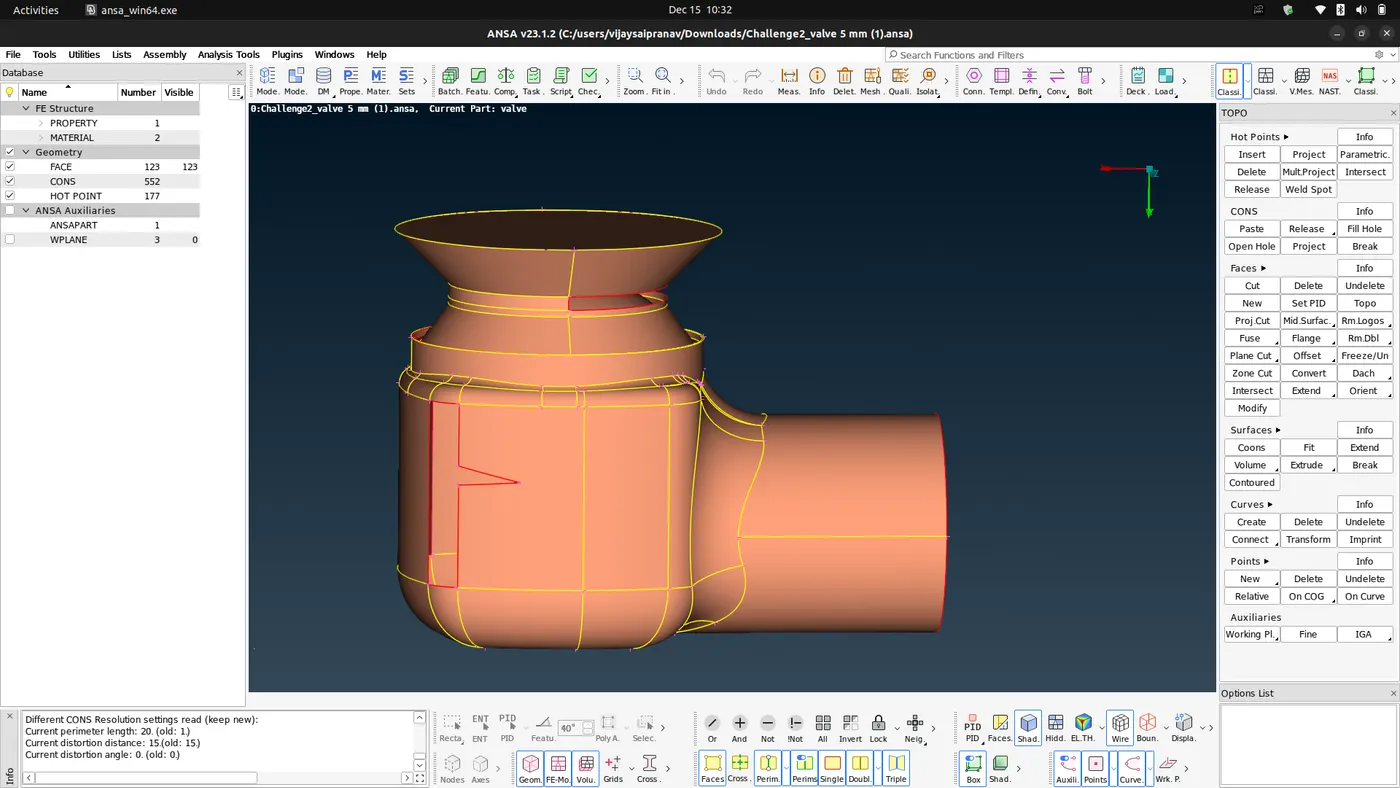
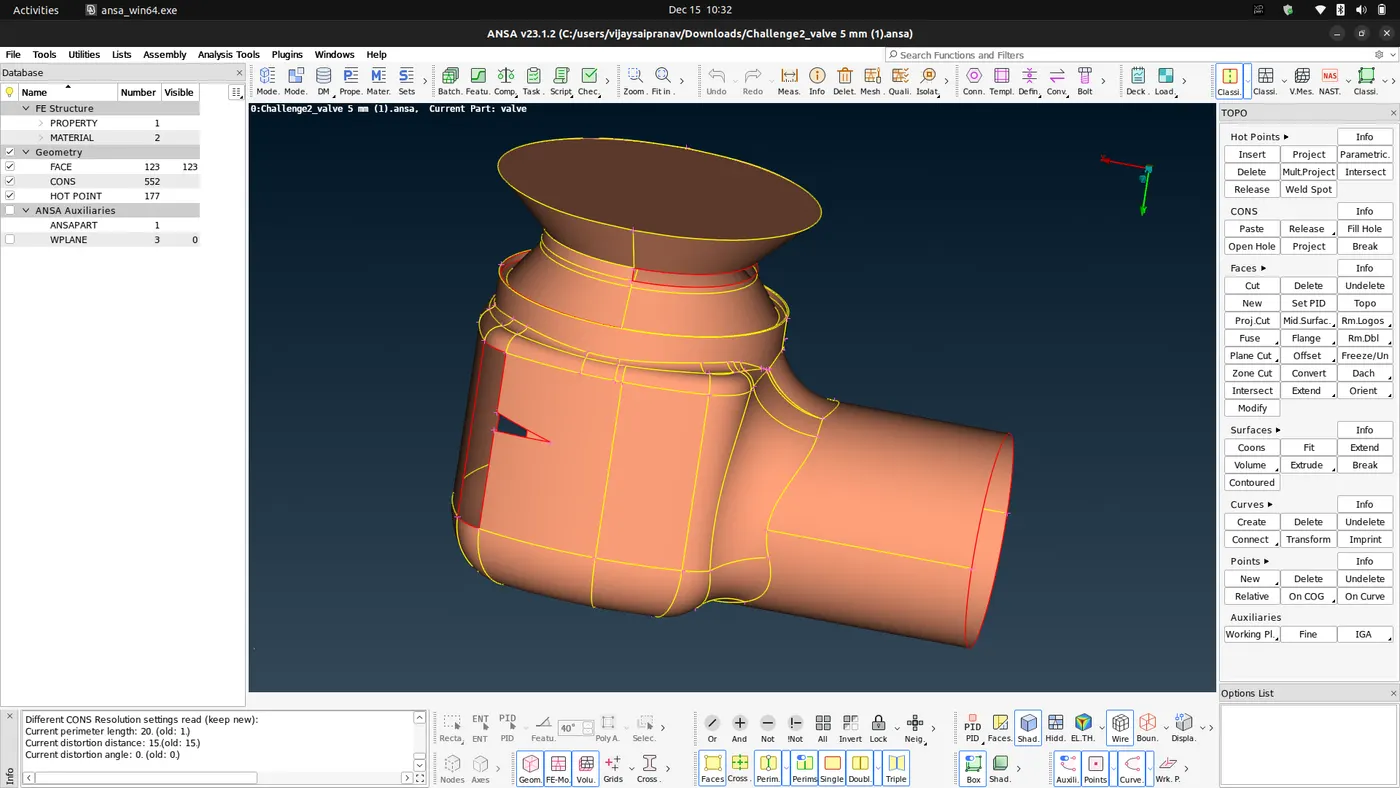
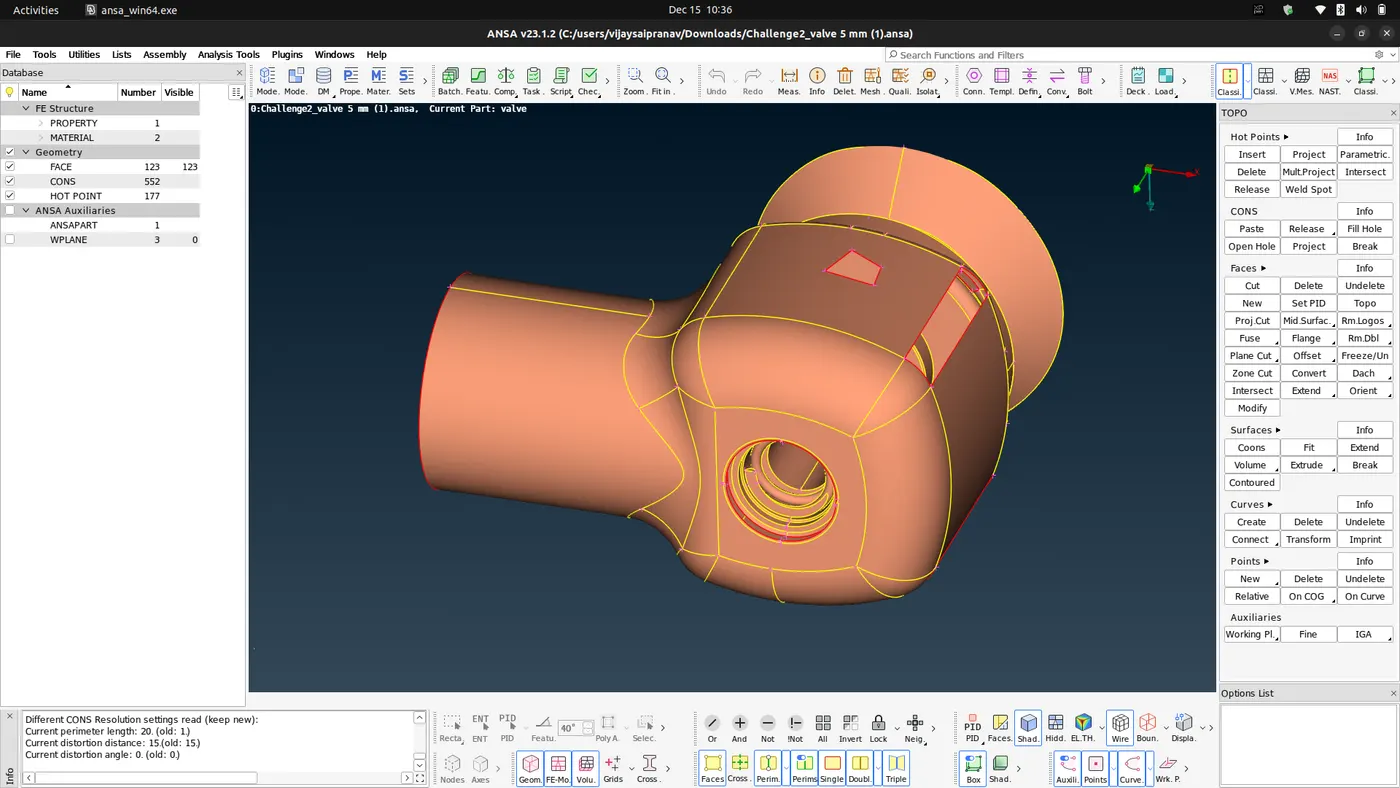
- As we can see from the above pictures, the geometry has a lot of openings and holes. These features are not supposed to be in the geometry.
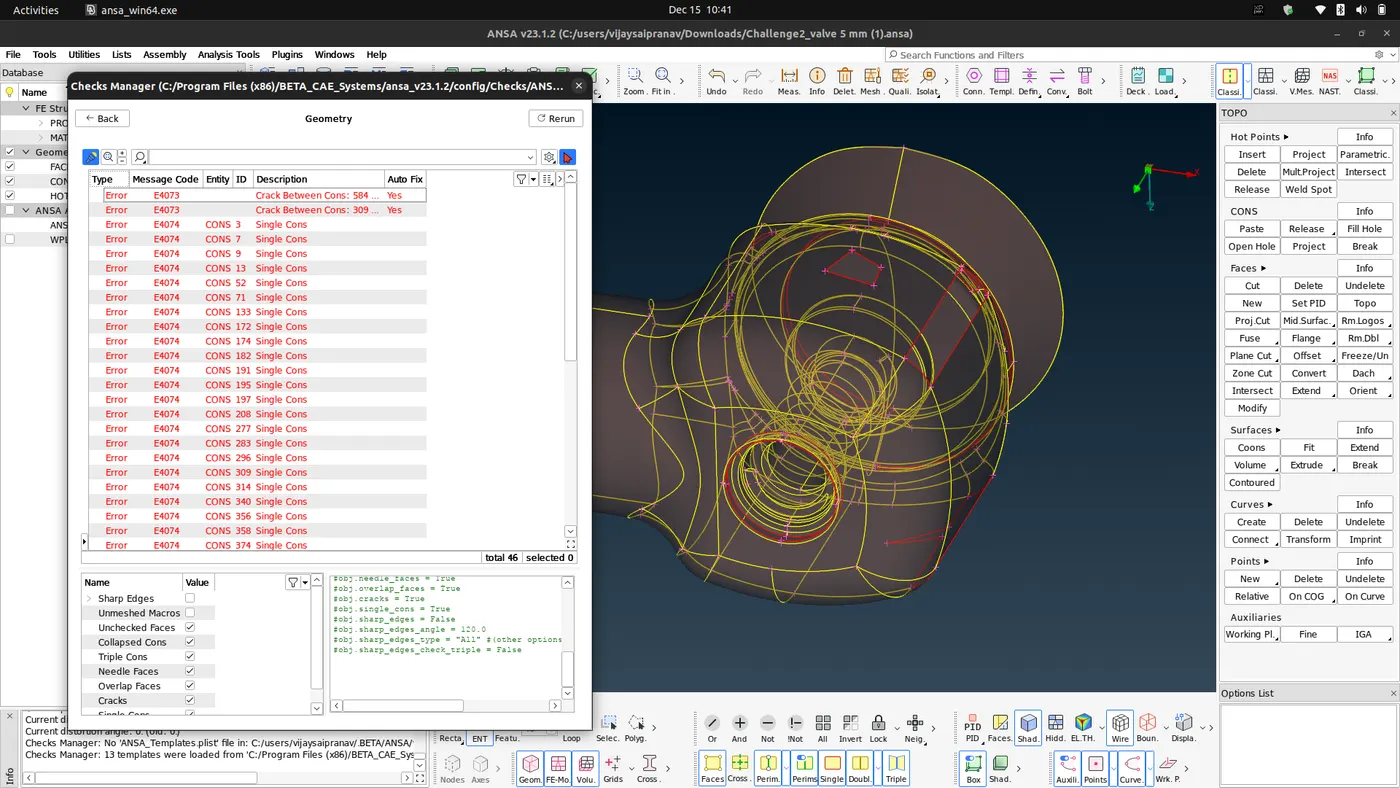
- We also performed a topology check that shows the unchecked faces,collapsed cons, tiple cons, needle faces, overlap faces, cracks, single cons(lines that are shared only by one surface meaning openings.) present in the model.
- We solve these errors by filling all the openings on the geometry. For a CFD volumetric mesh these openings are not desirable hence we use the New option in the Faces tab. This will pop up a new menu as shown.
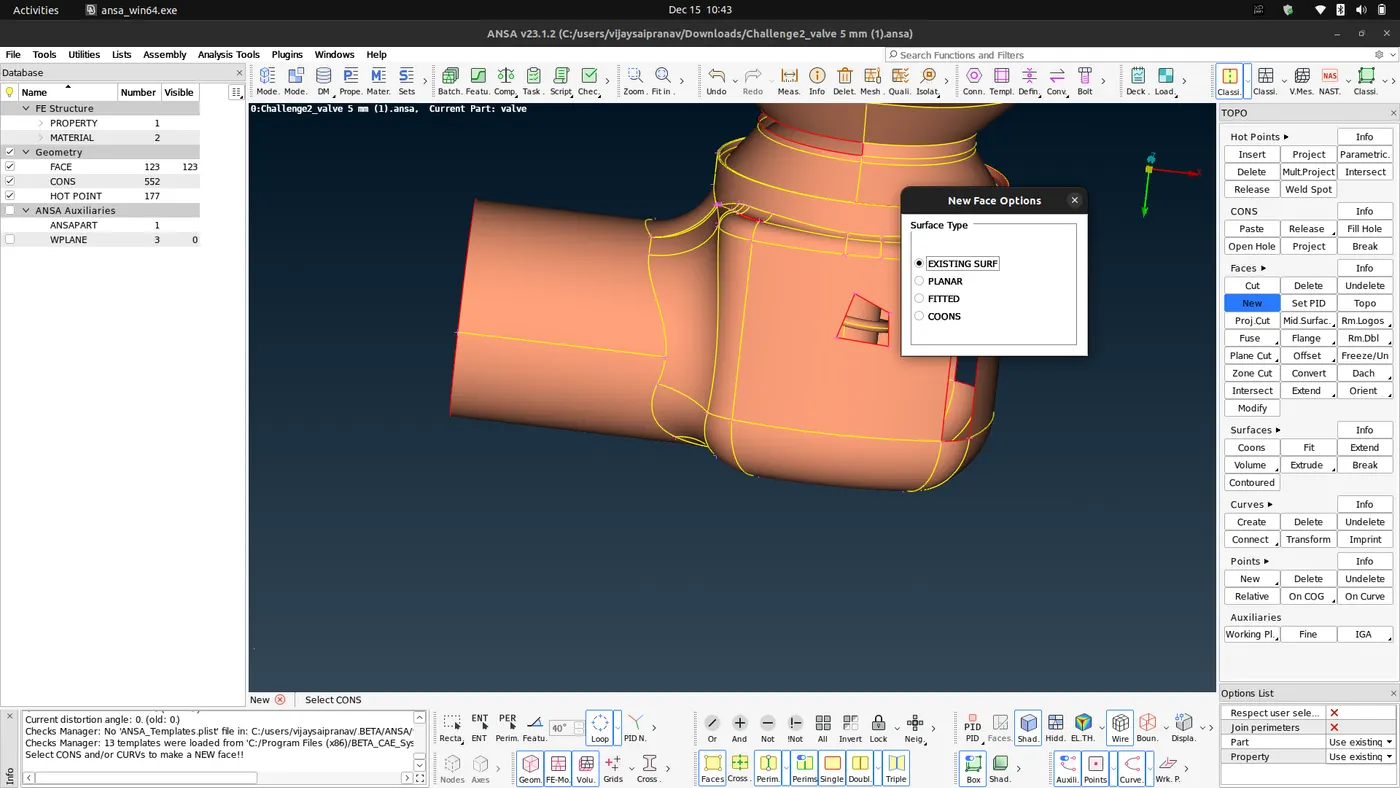
- Using the Exixsting surface / Planar/ Fitted/Coons you can fill the surface, here we are using Fitted, Coons, Existing Surf for the Cleanup of the geometry.
- Existing surface option fills an opening on an existing surface. Coons options lets us select coons one by one and fills the opening. Fitted option does the same also provides alternatives on how the surface will be filled.
-
There is also another option called Fill-Hole in the Cons tab which fills the holes on surfaces. Using these options we fill all the openings and the resultant geometry is as shown.
-
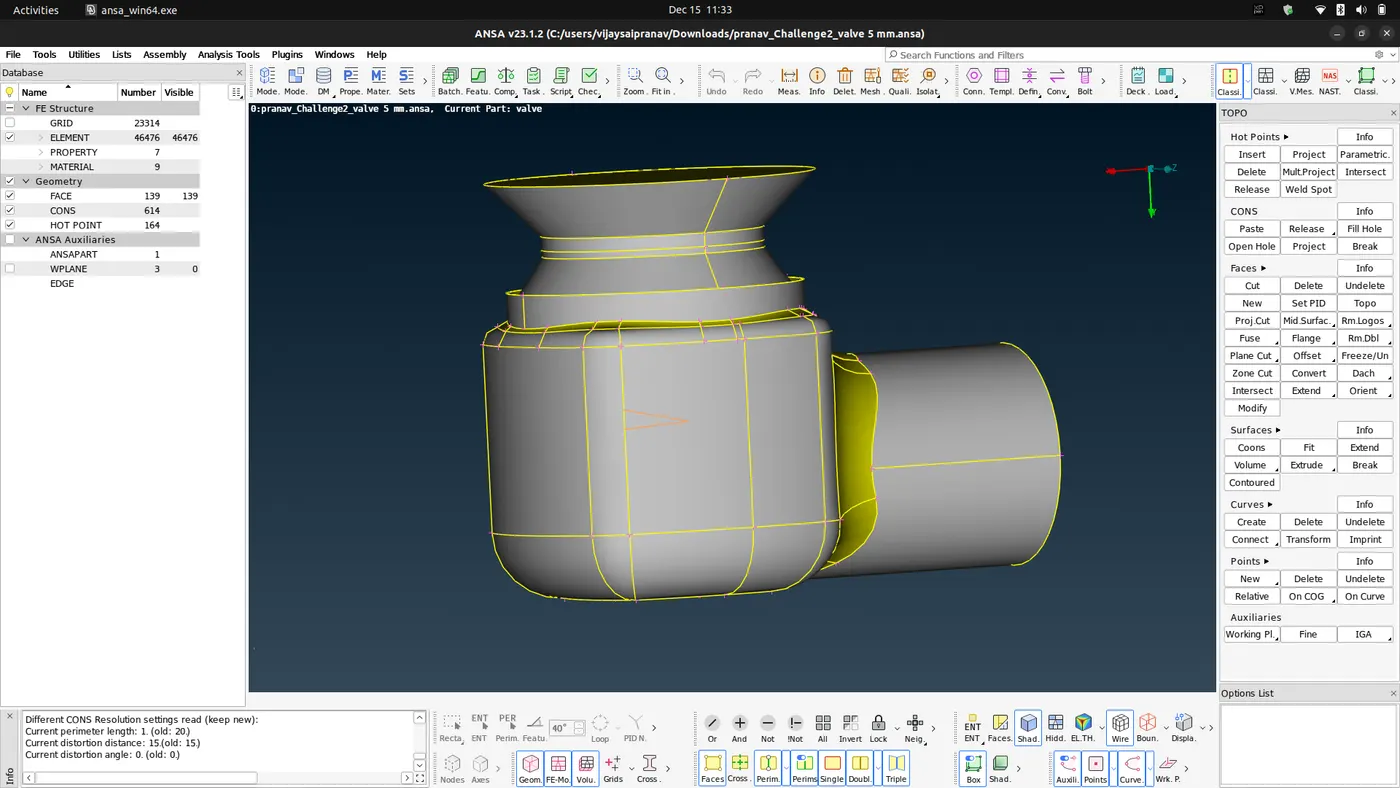
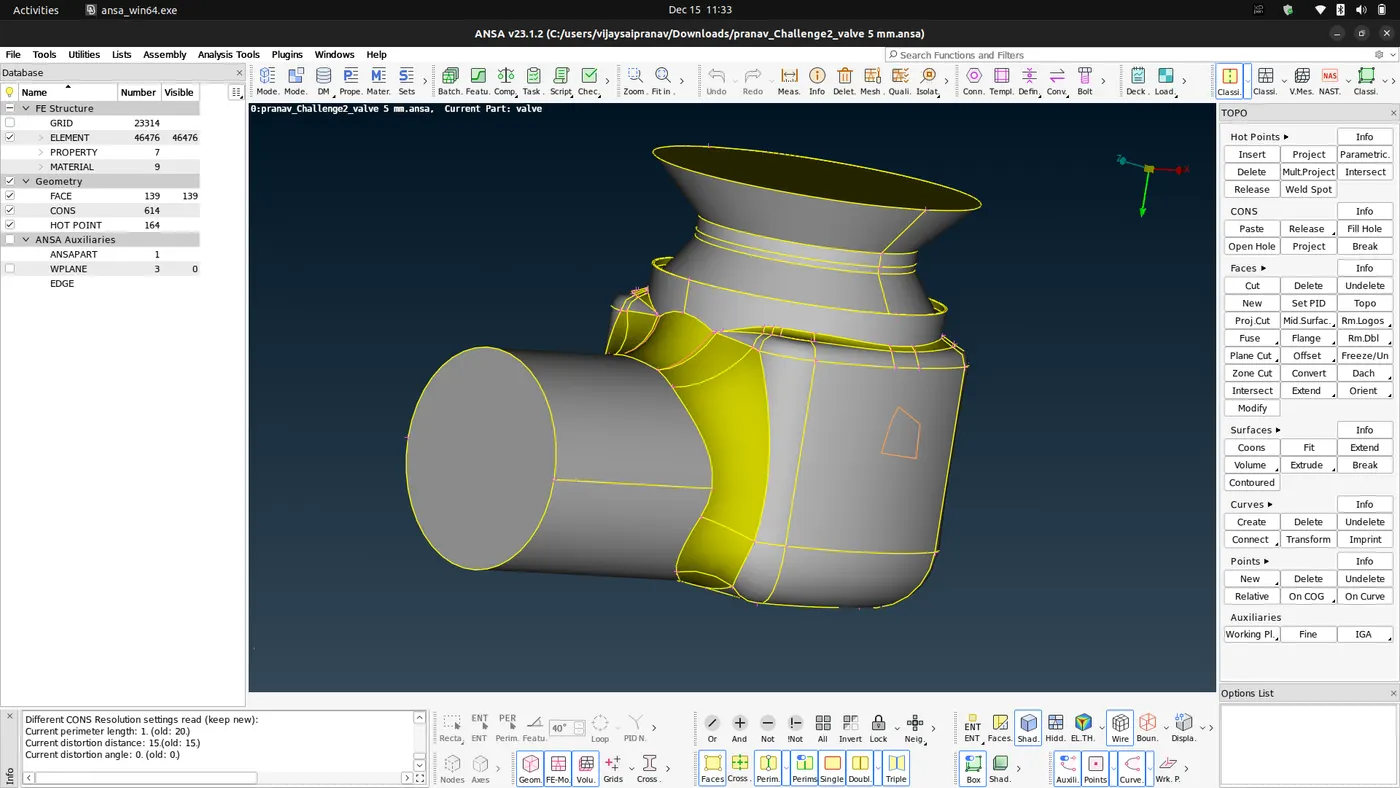
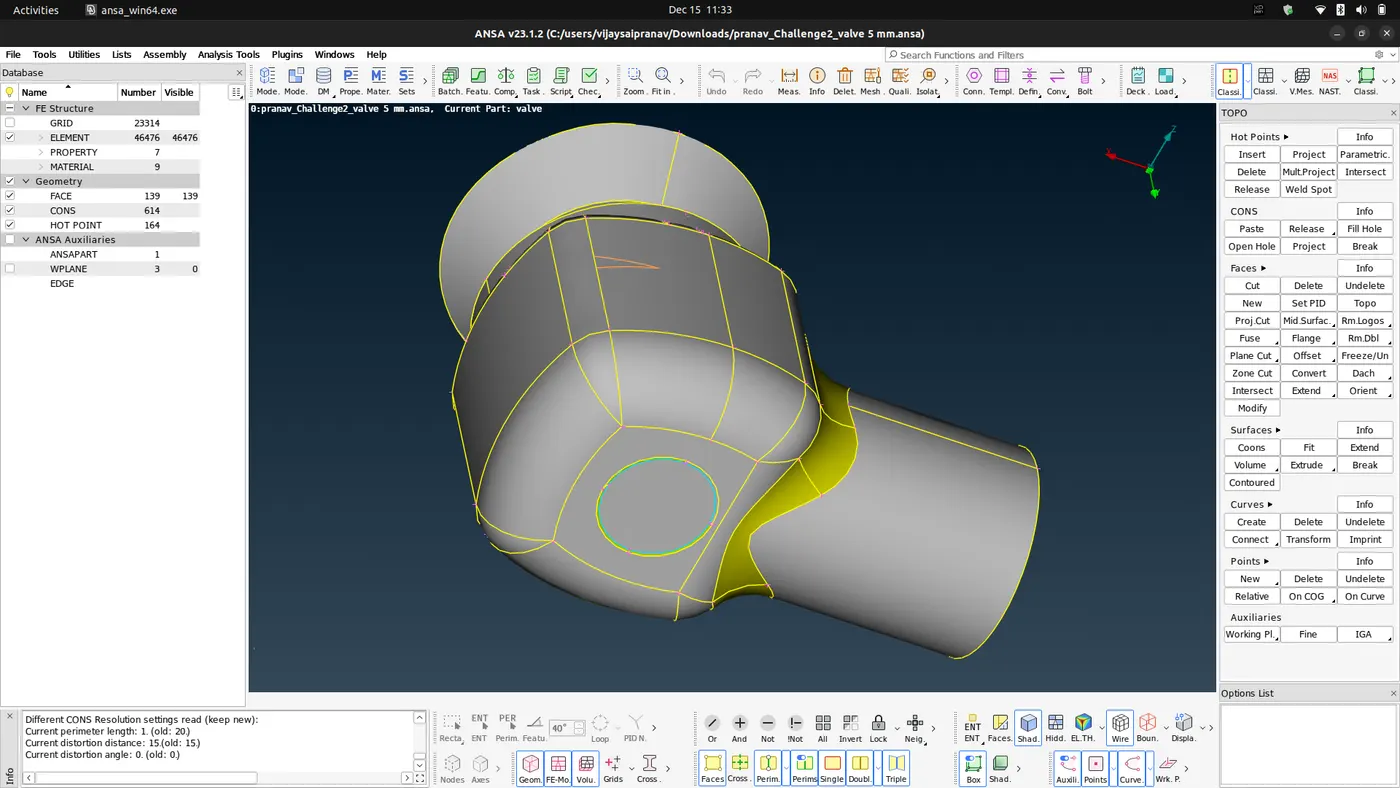
- Once all the holes are filled we delete the lines that are on the same plane too close to each other or has smallest distance between them.
- If these lines are present in the geometry, it will be a problem when the target length is greater than the distance between these lines.
- Once all these lines in the exterior are deleted we run a topology check once again.
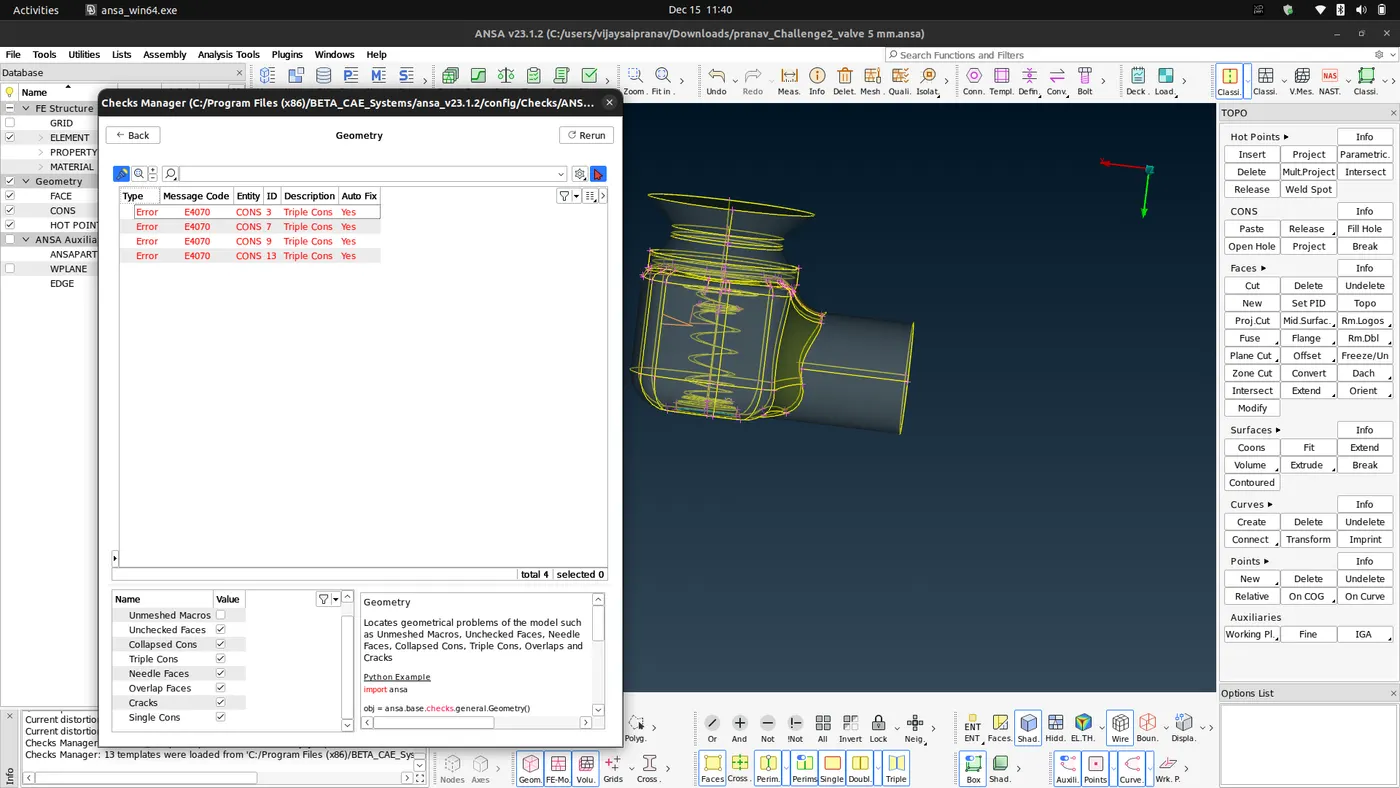
- Notice that we are still getting an error about triple cons. But we are leaving them alone since we require this triple con, so we can ignore this warning since we need this triple con in the geometry.
- Using the help of the property manager present in the top toolbar and the tools provided in the bottom toolbar we name the components as well as we give them a unique color and geometry assosiated with the PID.
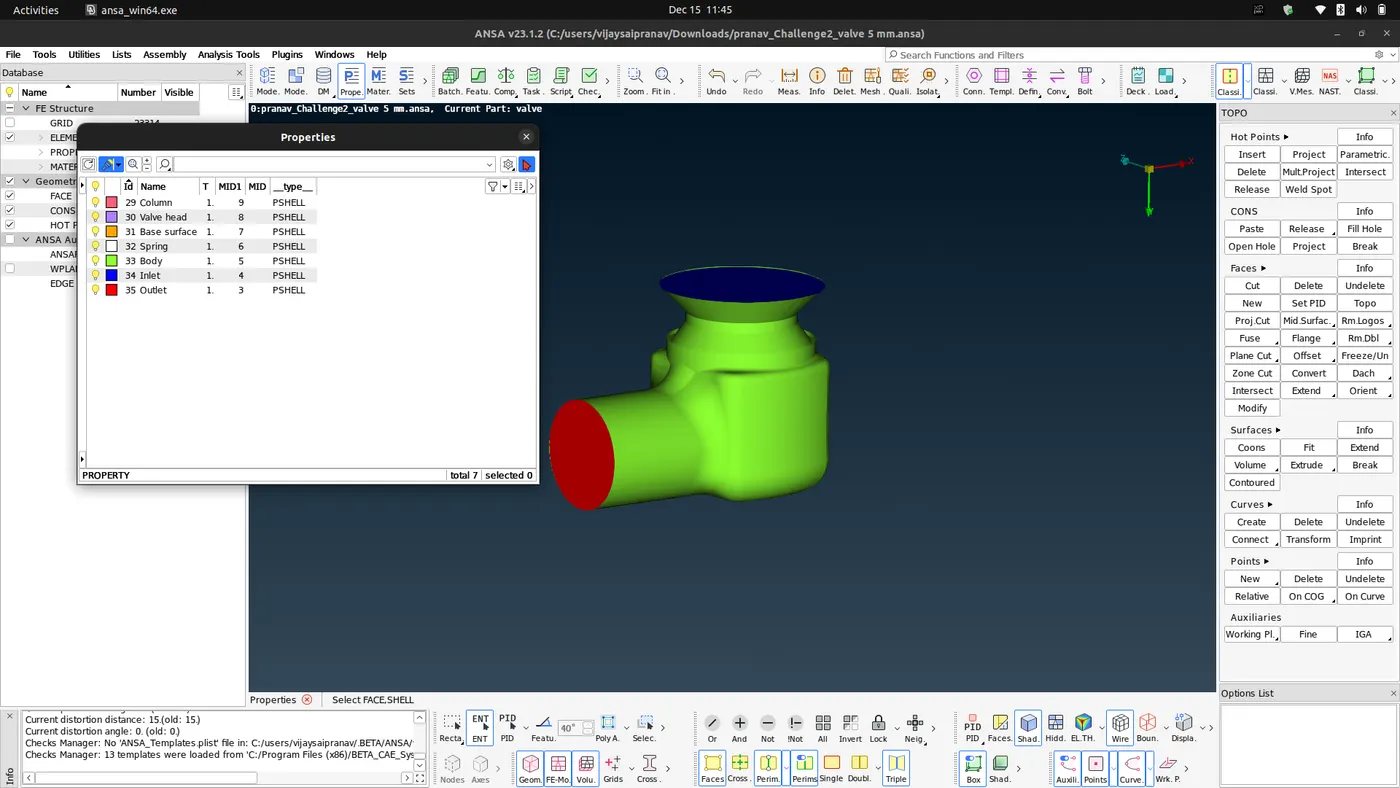
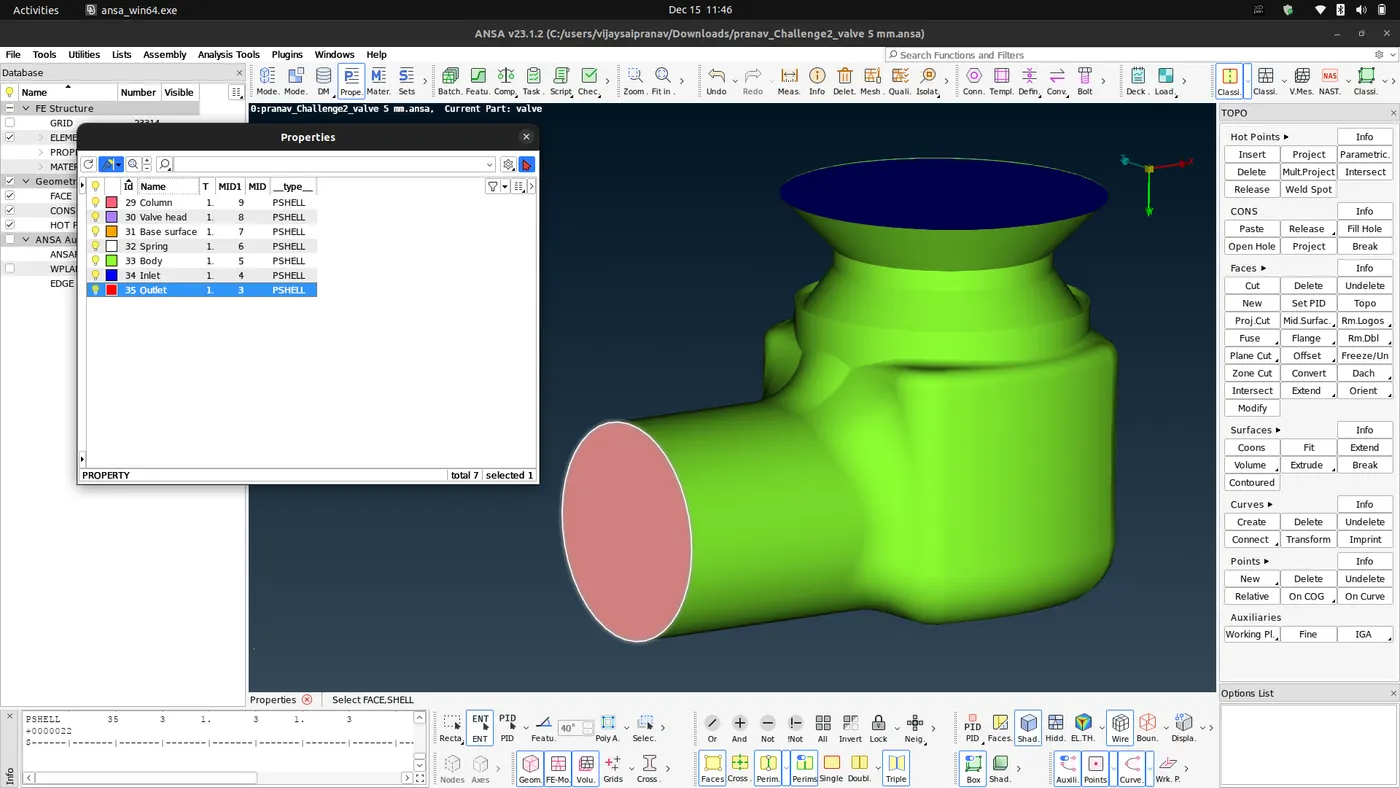
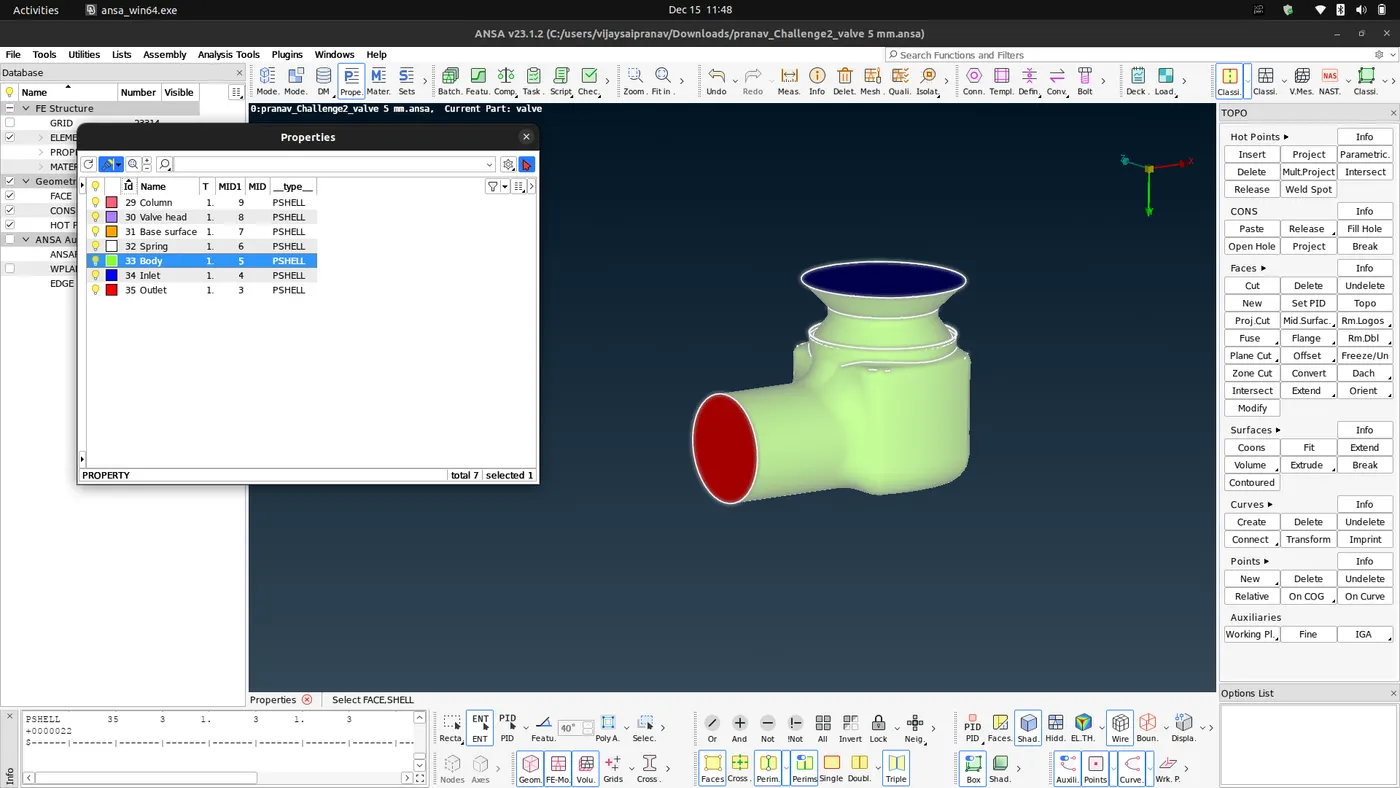
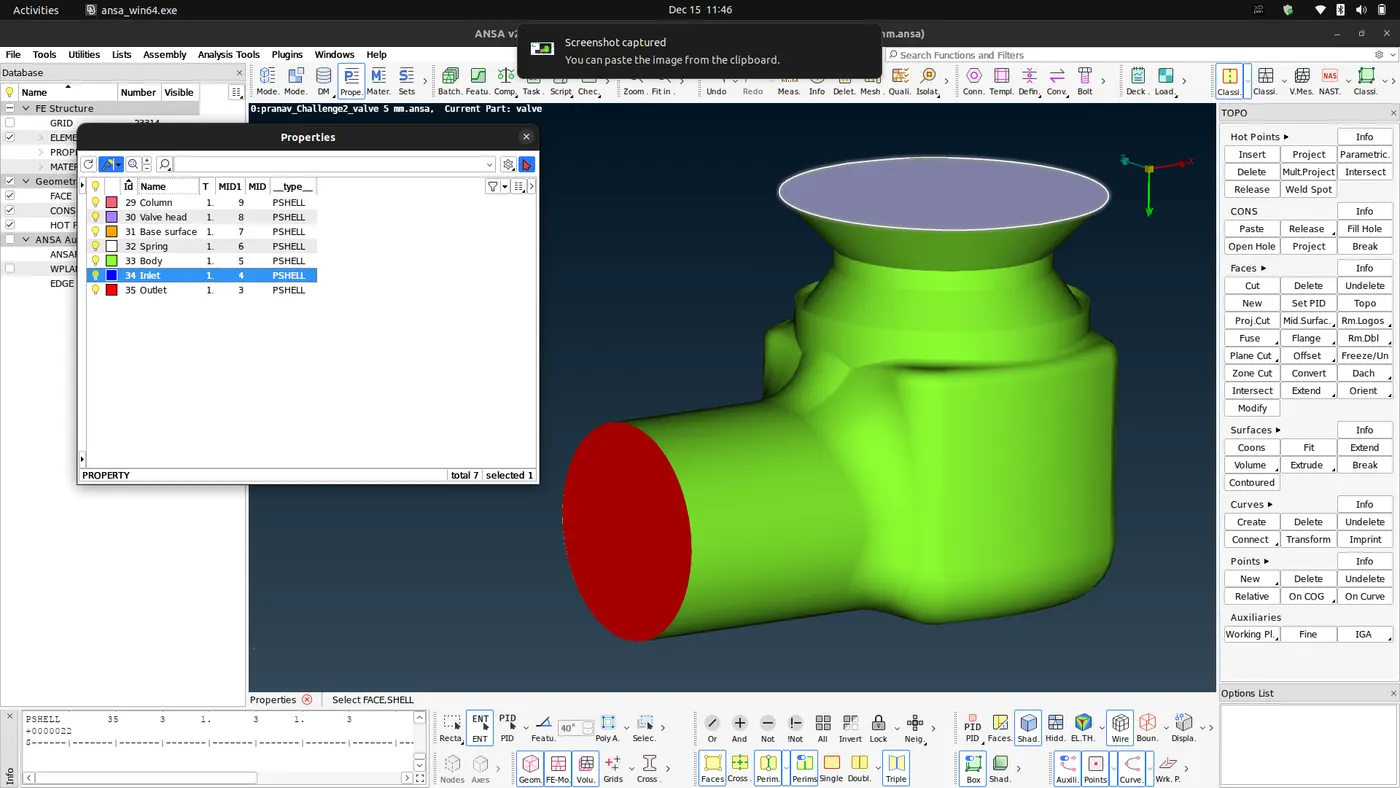
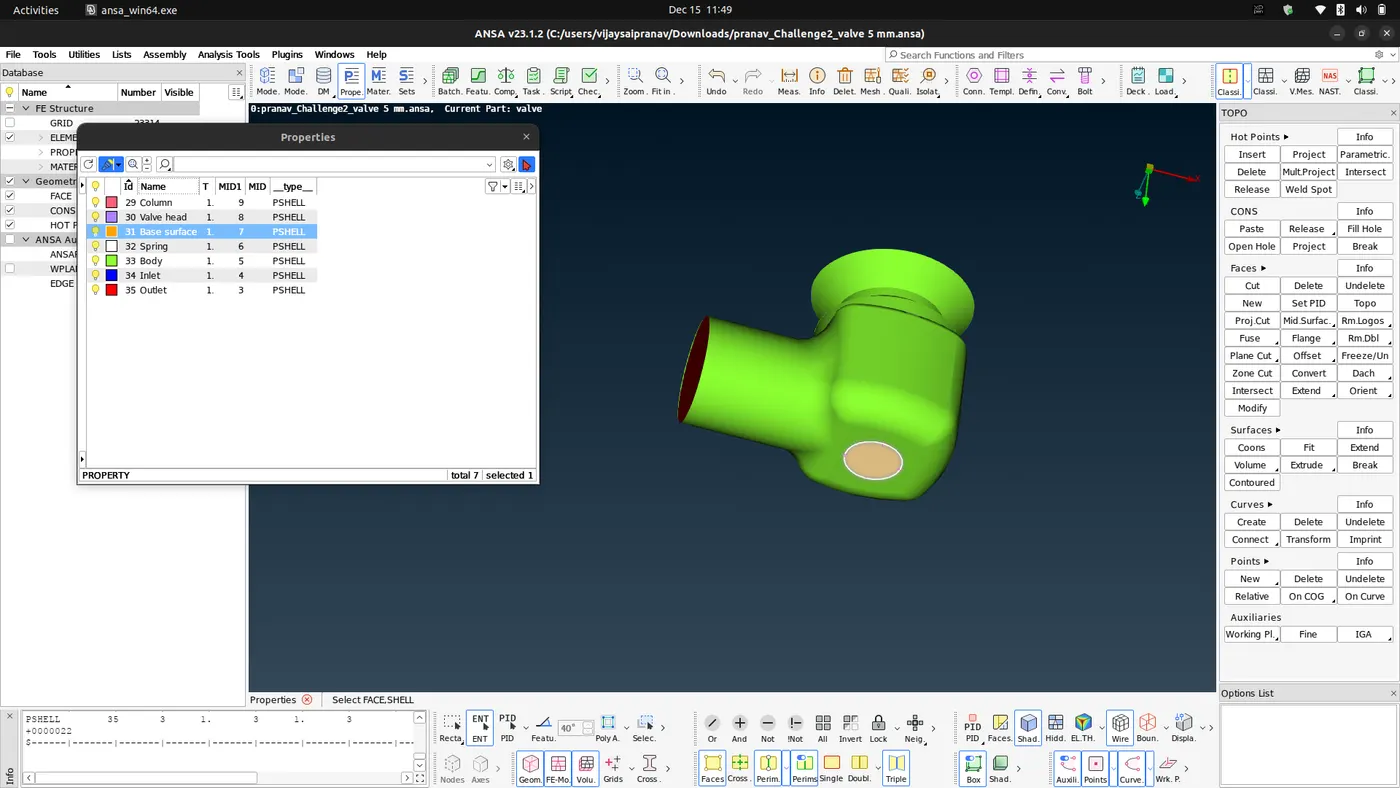
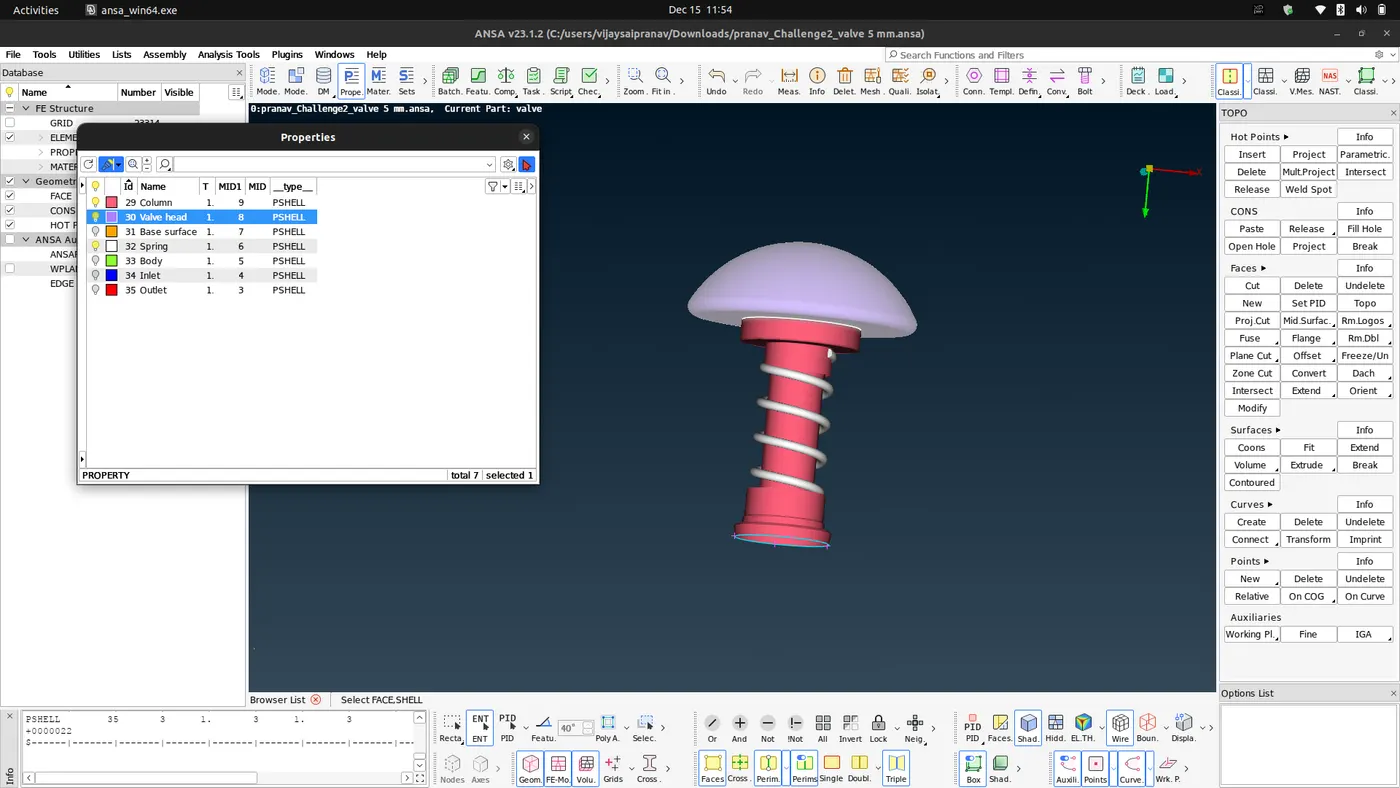
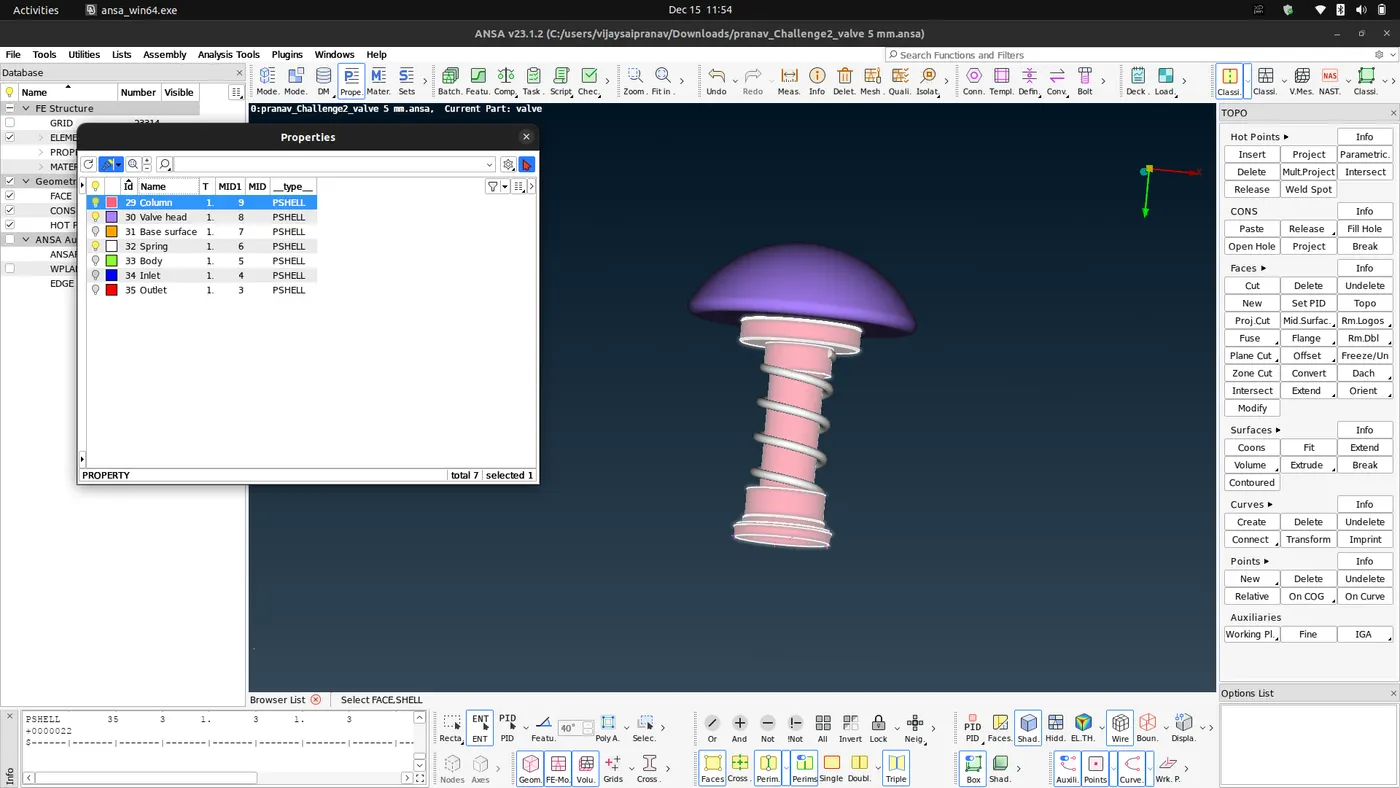
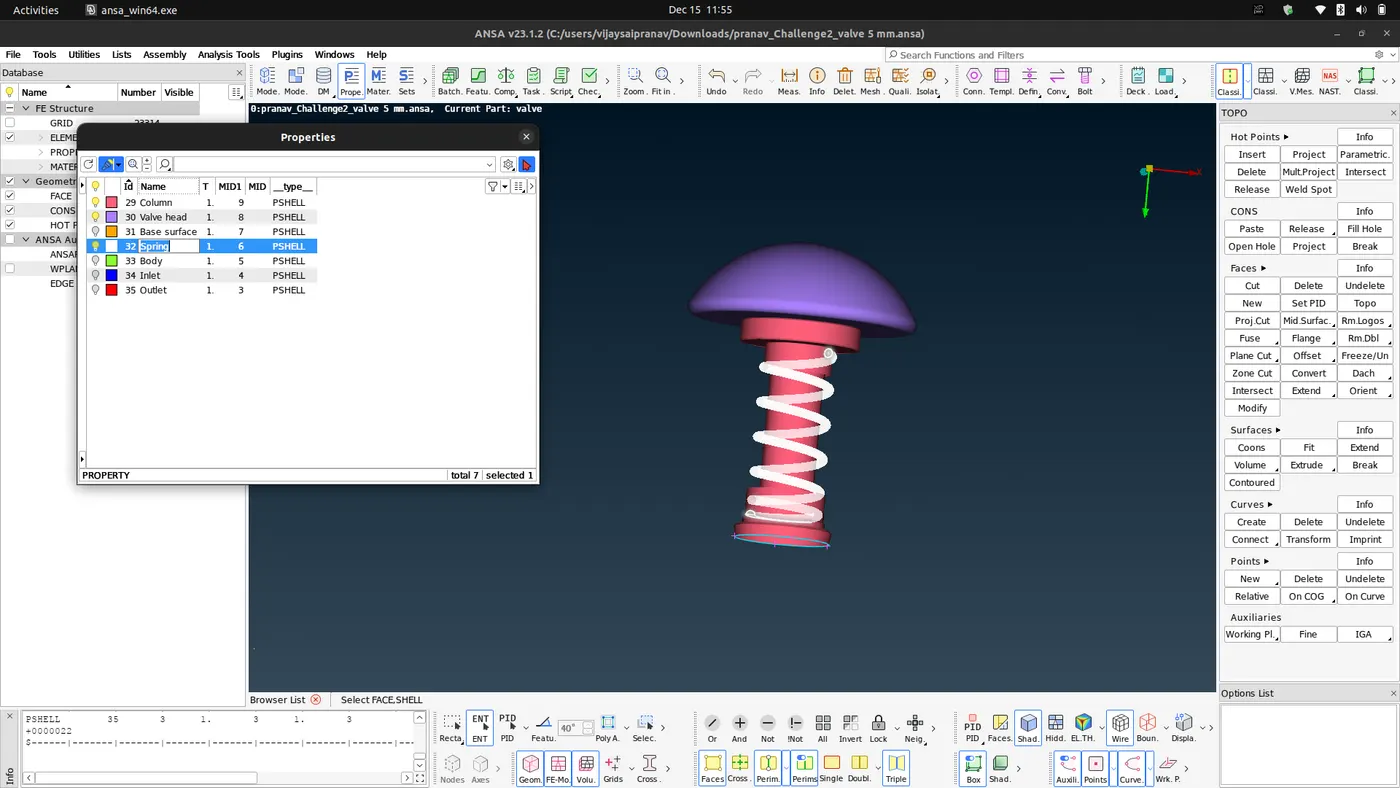
- Now after we have given each part its property id or PID next we move towards meshing
- Case 1 Target length = 5mm:
- before we generate mesh we have to give the mesh length , setup mesh properties and give quality criteria.
- Mesh length = 5mm
- In mesh properties :- target length = 5mm,minium length =3mm
- In Quality criteria :- Min length =3mm and max length = 7 mm
- we can use PID option from bottom toolbar to select one by one to mesh the geometry, since we have given each component a specific PID.
- The internal components can be selected by using NOT or OR to isolate and select them.
- before we generate mesh we have to give the mesh length , setup mesh properties and give quality criteria.
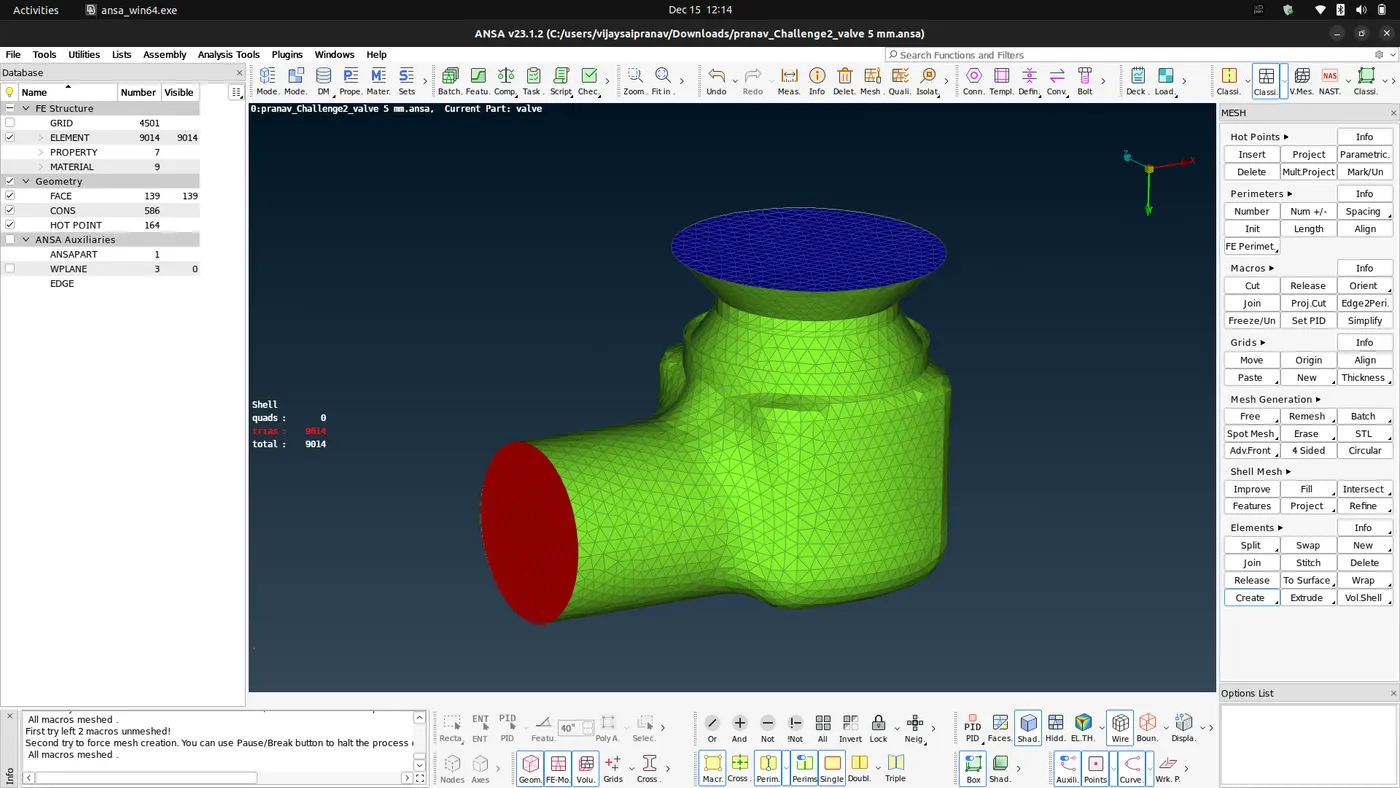
- Upon meshing we get the following results:-
- External components meshing:
- Internal components meshing:
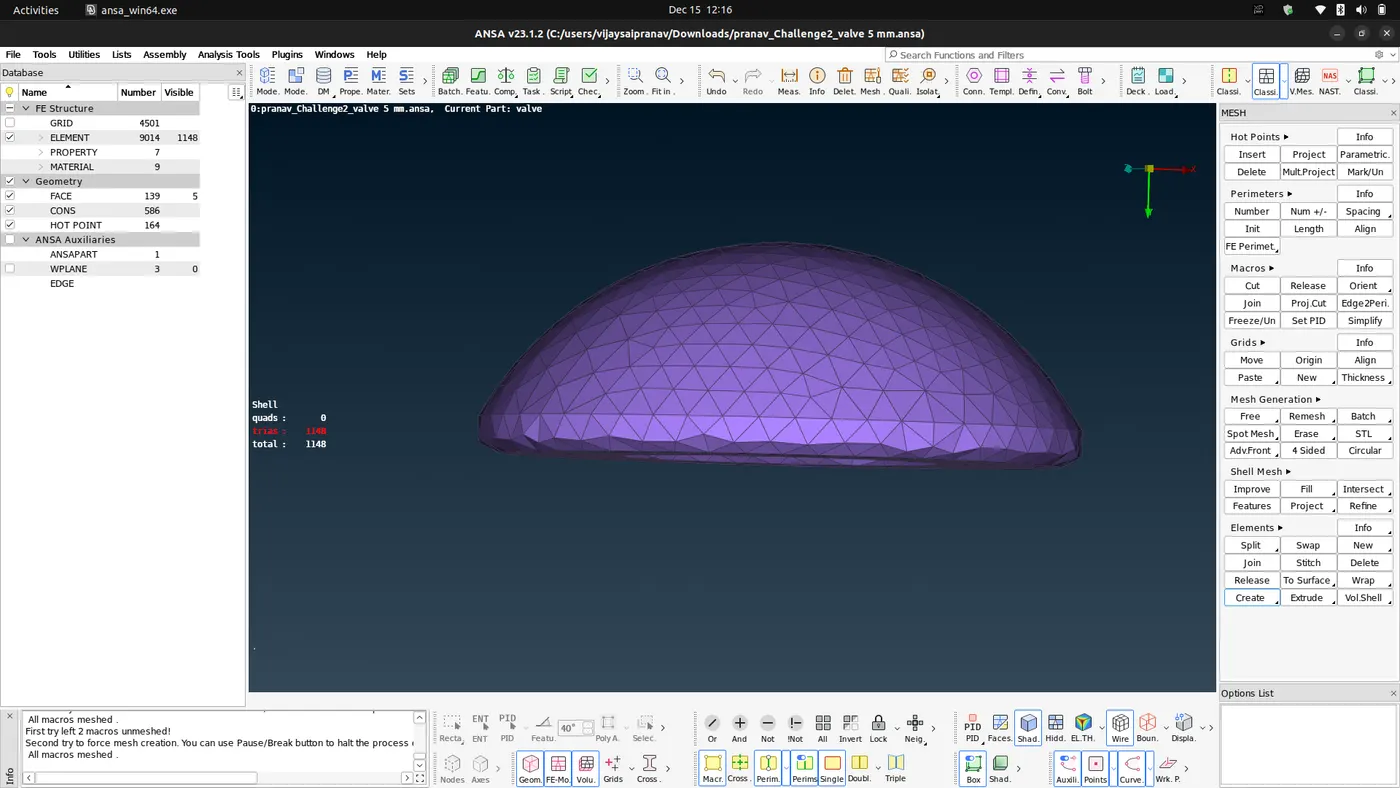
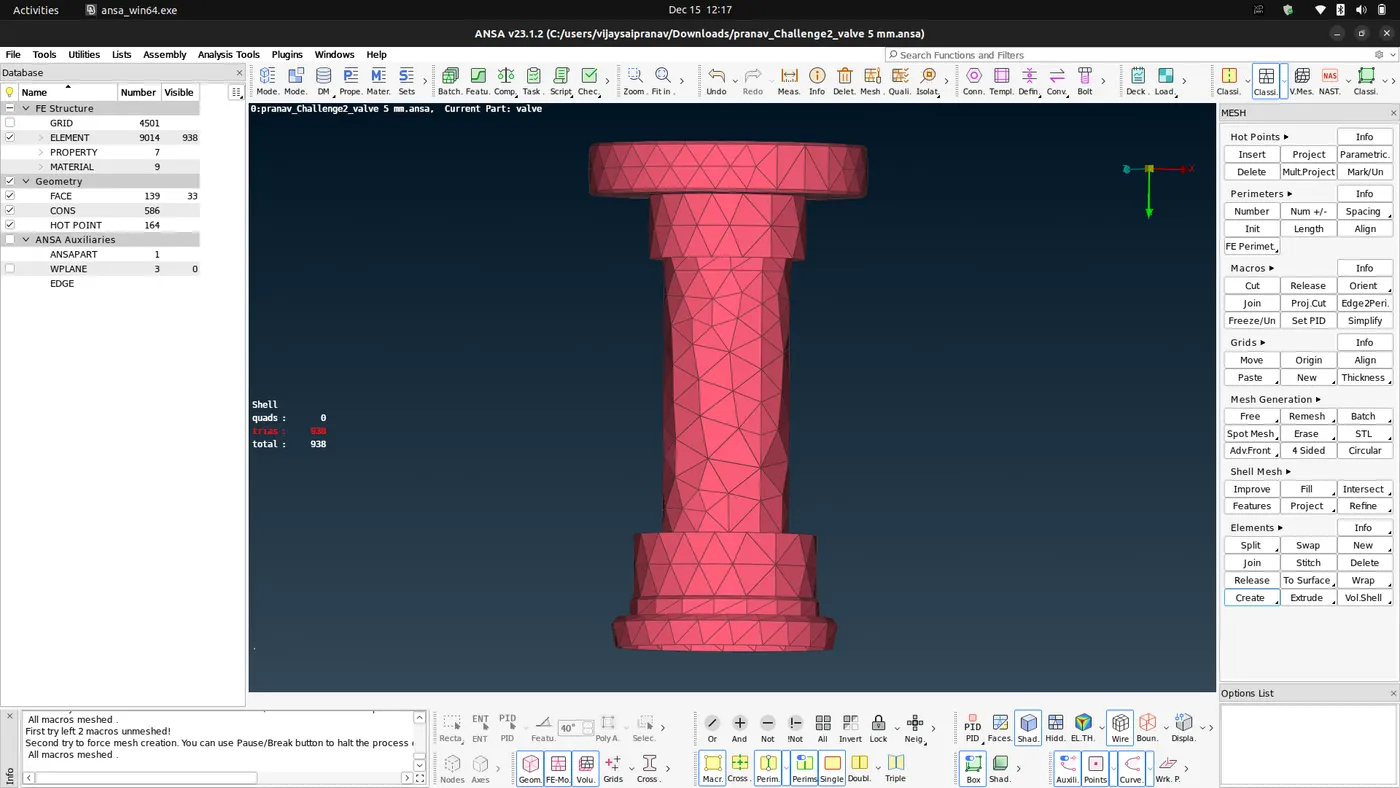
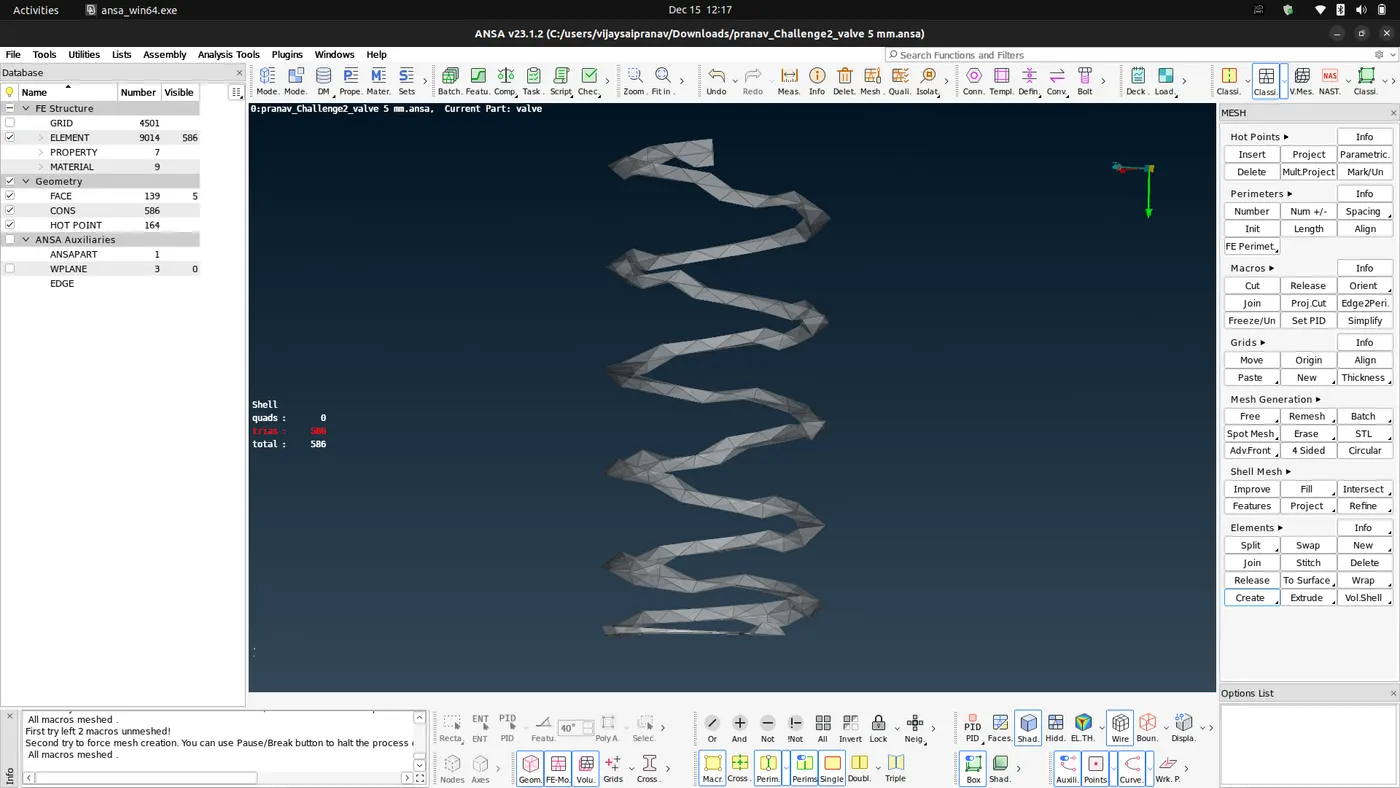
- The total number of elements generated are 9014 and no unmeshed or quad cells
- The external surface of the pressure valve is captured well with minor defeaturing at some curves but the internal components such as spring and the basehead was defeatured because the minimum target length was larger than that of coil diameter and the fillet radius of the valve head.
- The column is also defeatured because of the target length.
- Case 2 Target length = 3 mm:
- first remove the old mesh using Erase option in mesh generation.
- Using same procedure like in the case 1 change the mesh length to 3mm ,
- change the mesh properties :- target length = 3mm and min length = 1mm
- change the quality criteria:- min length=1mm and max length =5mm
- Upon meshing we get the following results:-
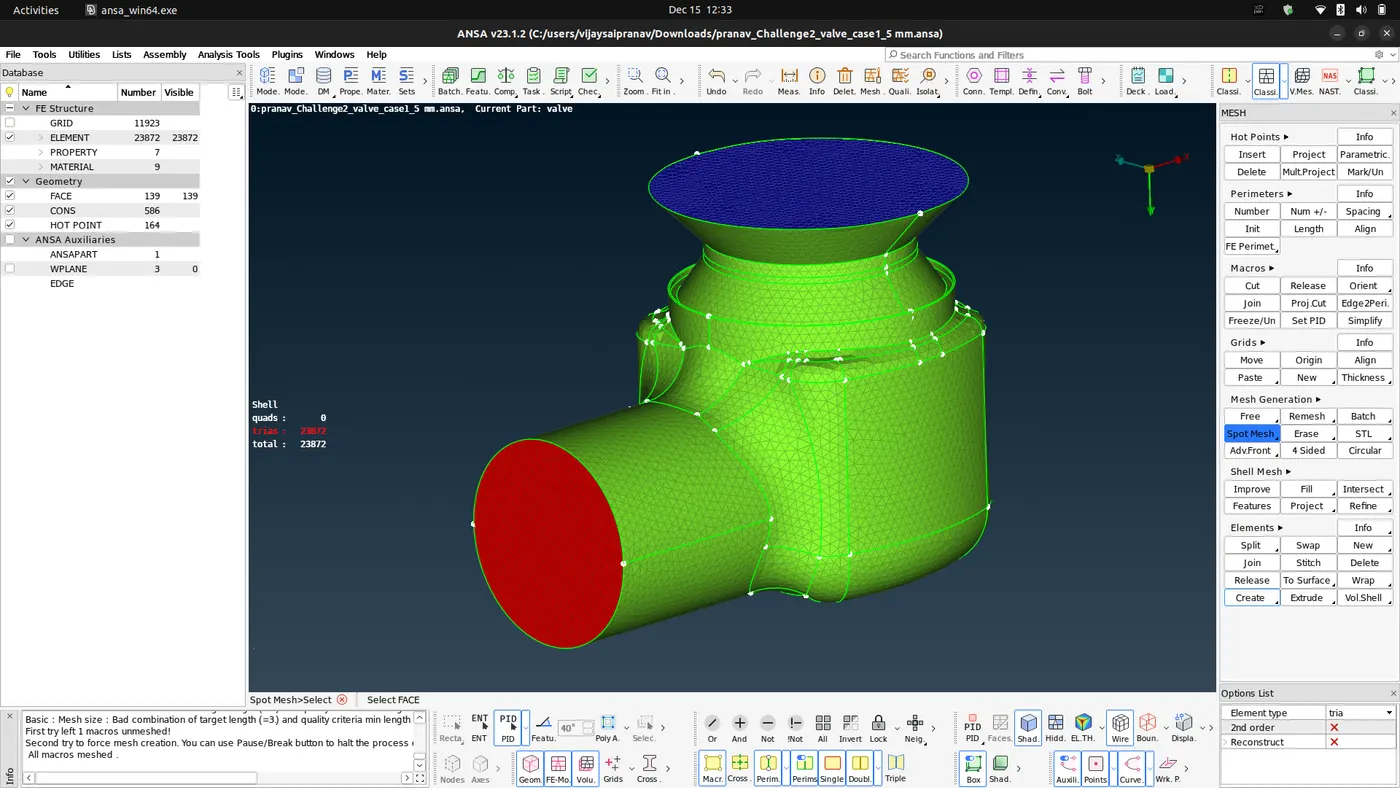
- External surface :-
- Internal components:
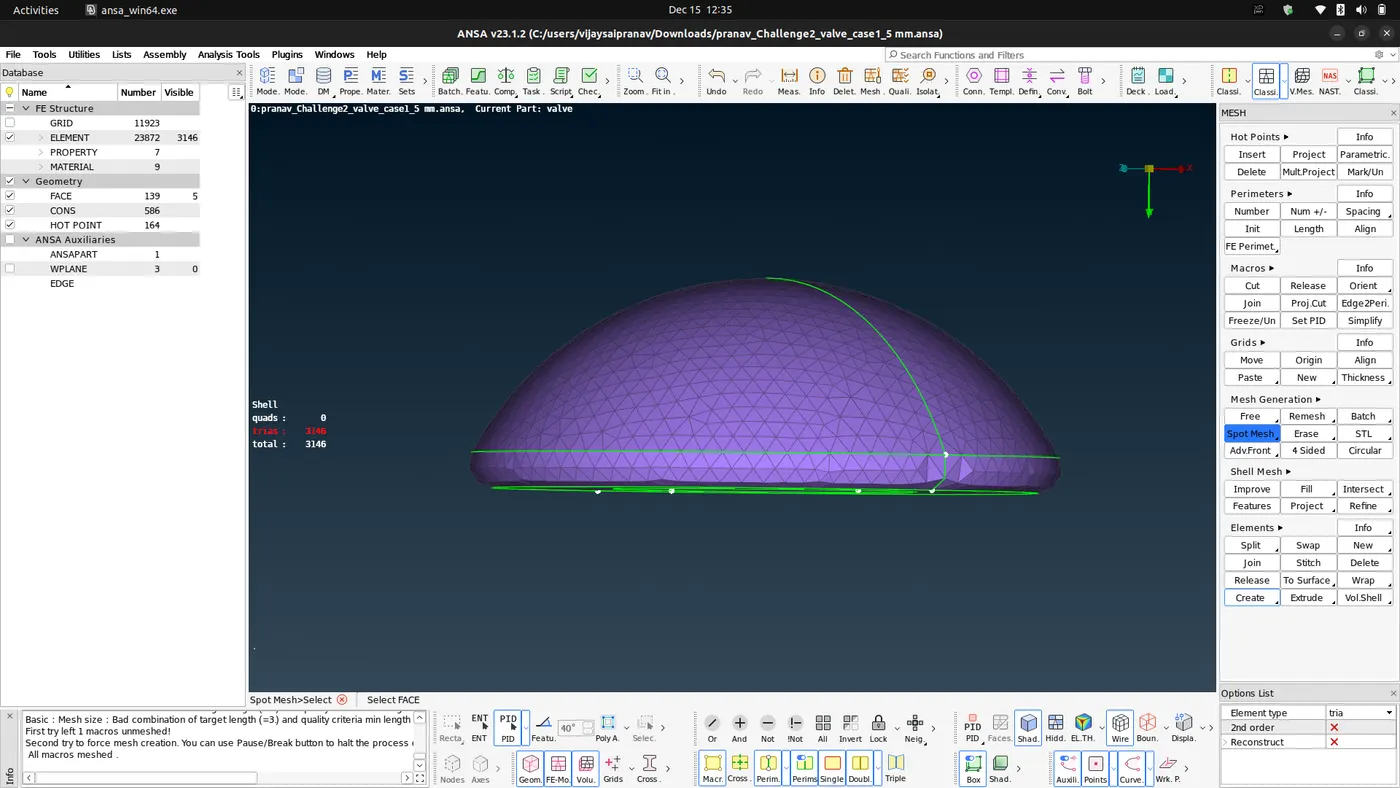
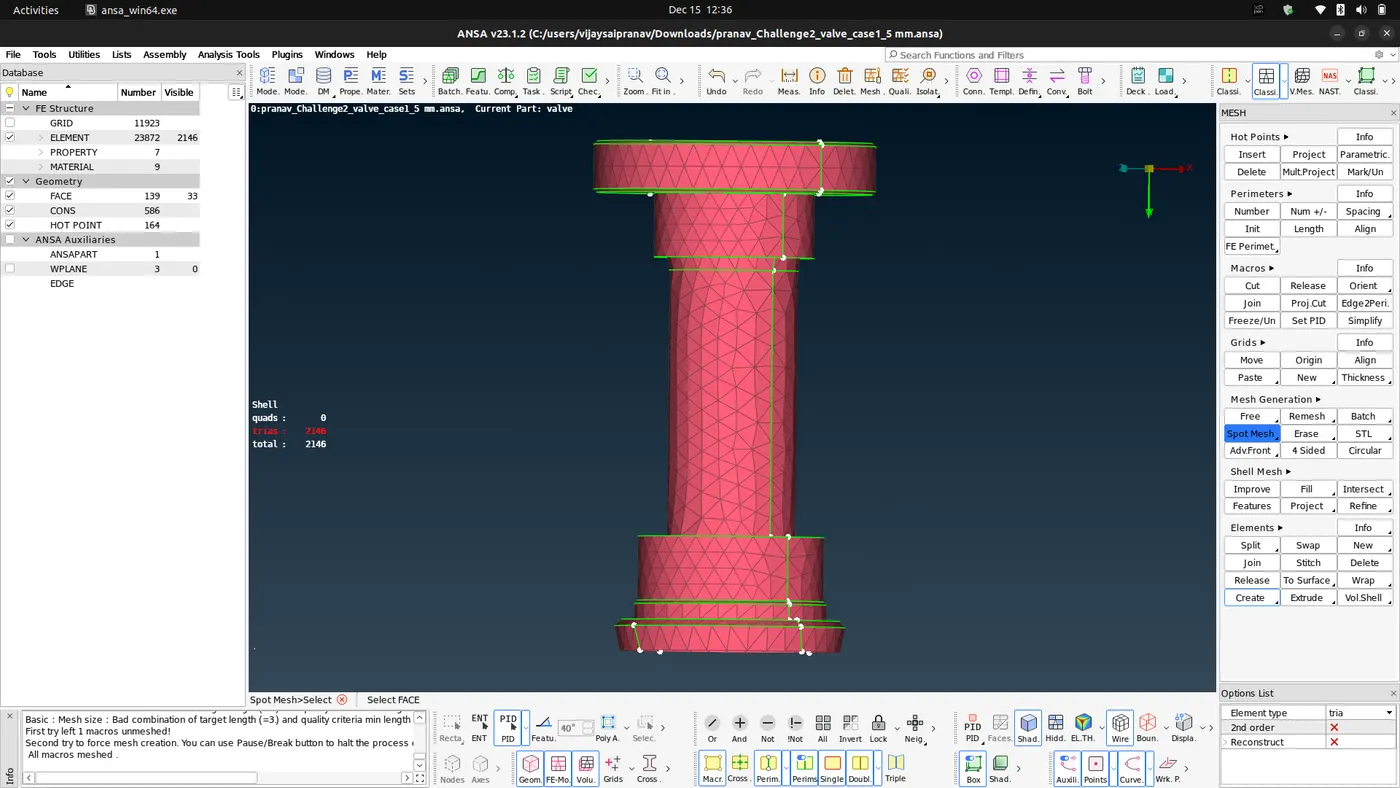
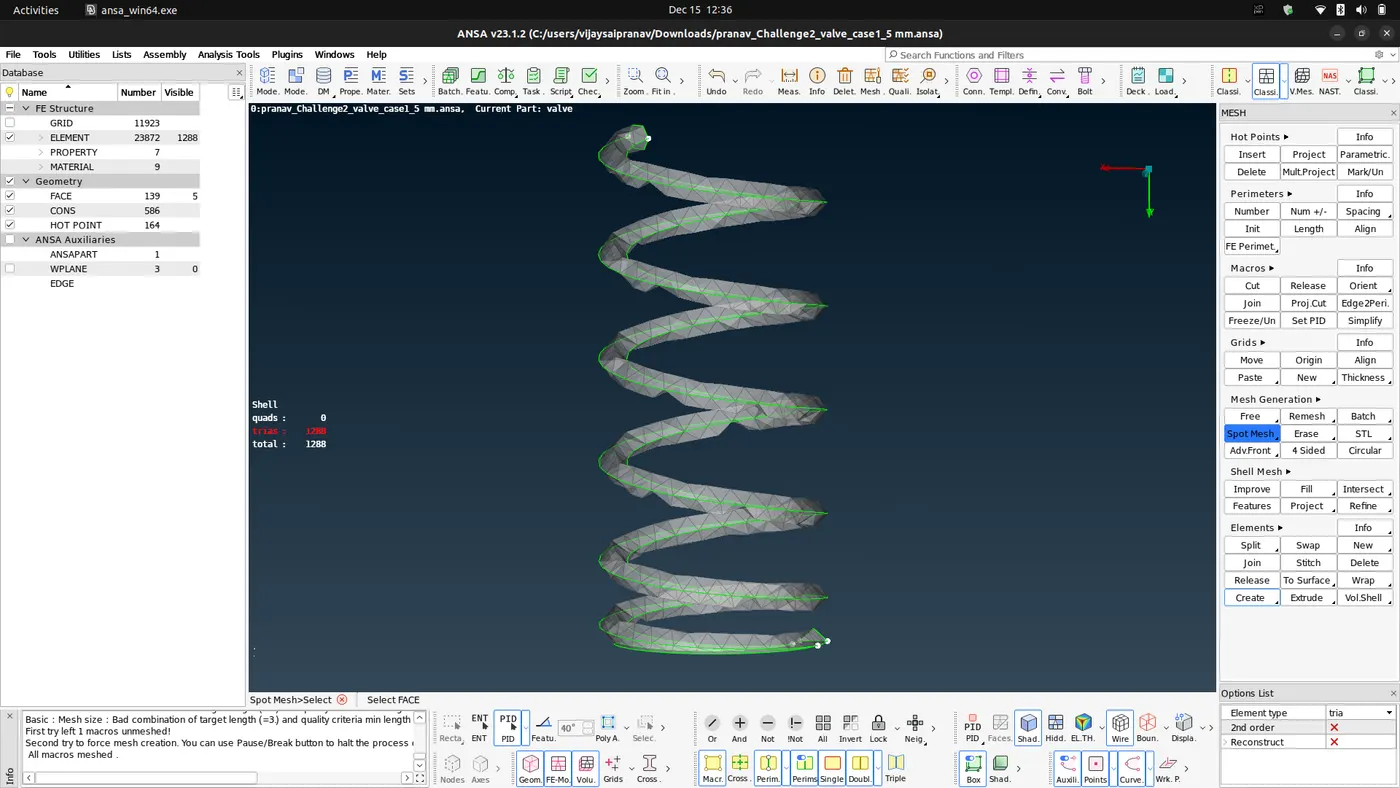
- The total numberof elements generated are 23872.and no unmeshed or quad cells.
- The external surface of the pressure valve is well captured but the internal components such as spring and the base head was defeatured because the minimum target length was larger than that of coil diameter and the fillet radius of the valve head.
- The column is captured correctly with less defeaturing.
- Case 3 Target length = 1 mm:
- Repeeat the process as done in case 2 just change the mesh length to 1 mm, in mesh properties change the target length to 1 mm and min length to 0.5 mm and in quality criteria change the min , max lengths to 0.5 ,2 respectively.
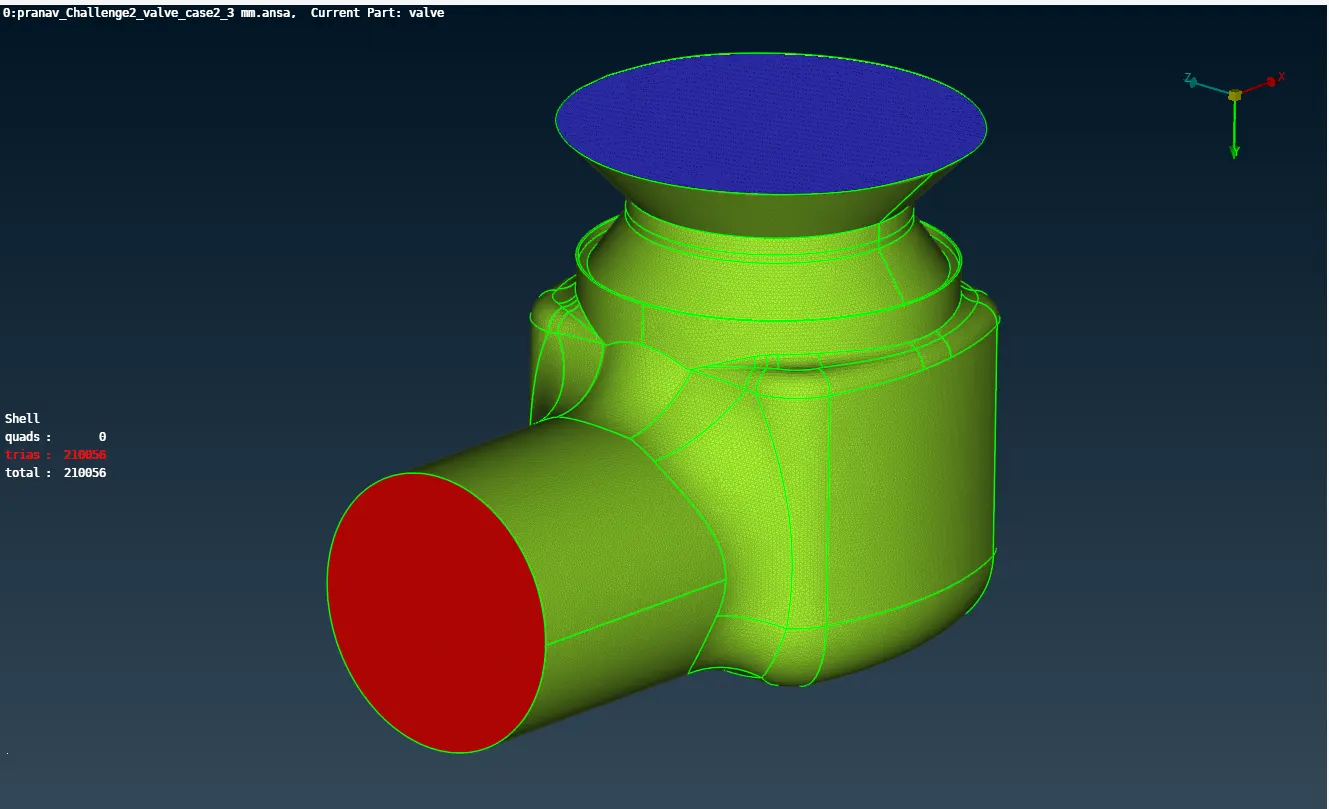
- Upon meshing we get these results :
- External components:-
- Internal components:-
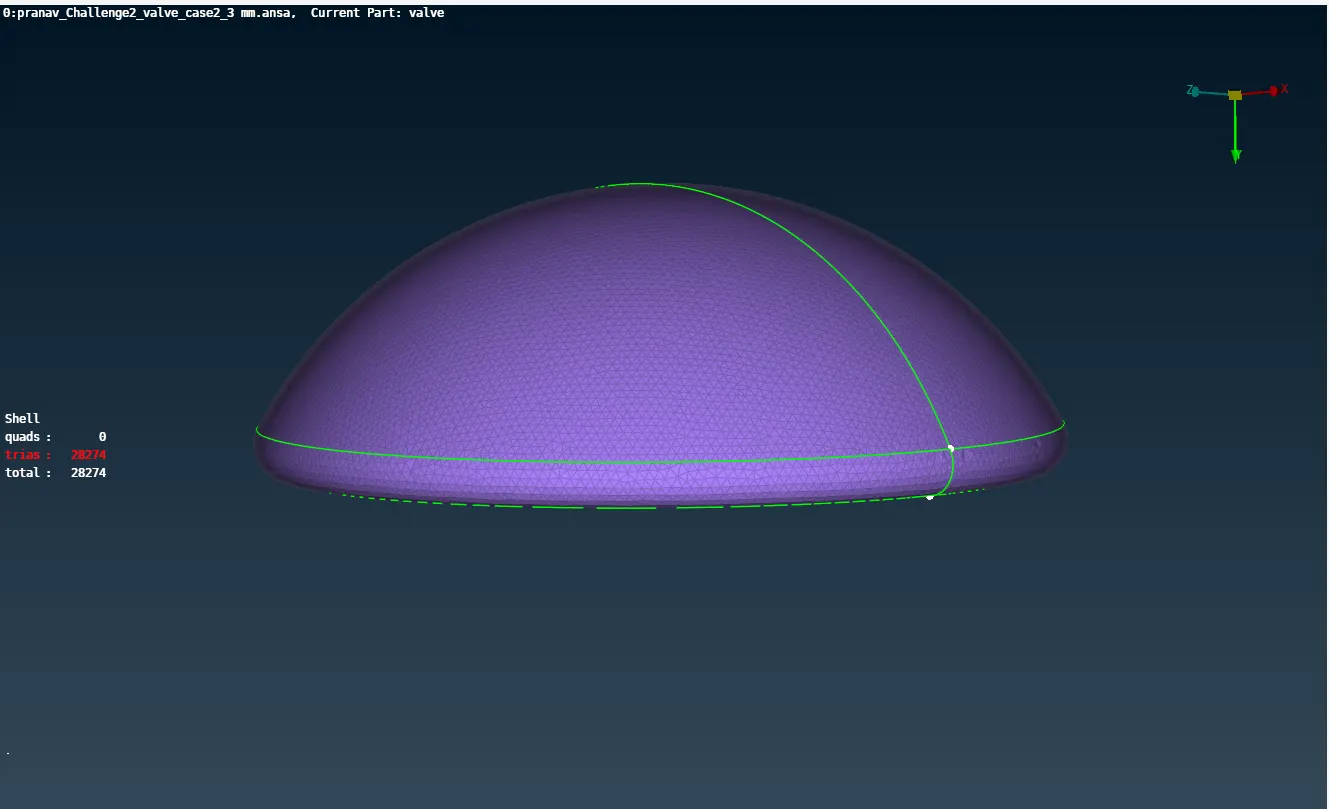
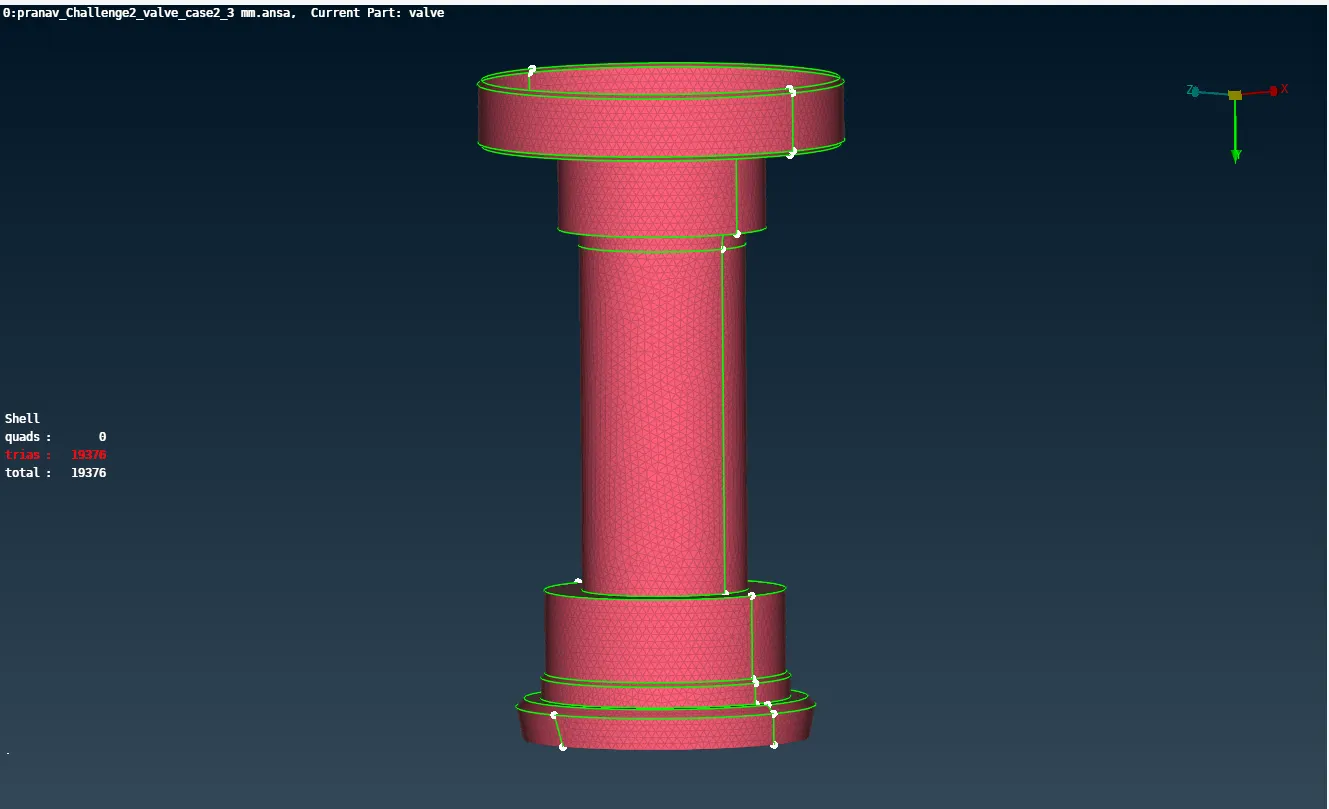
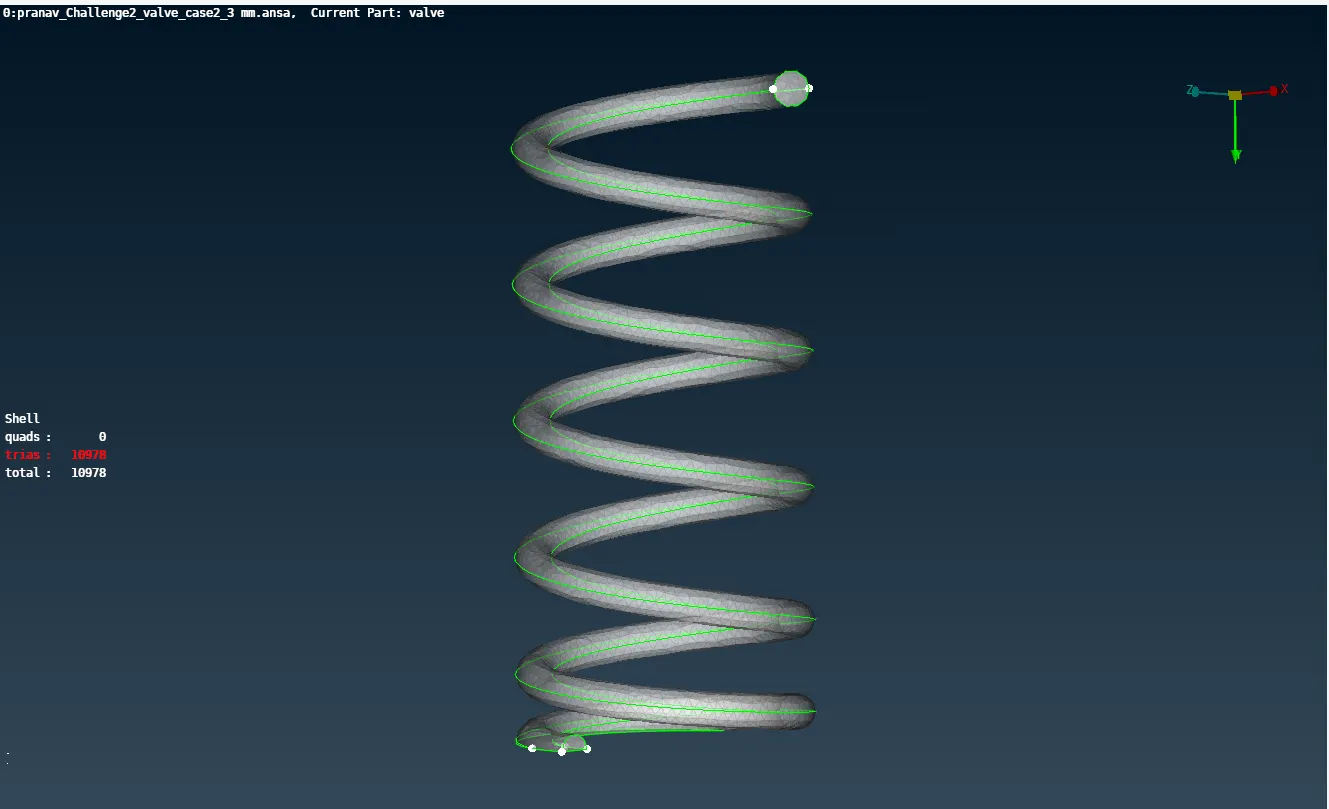
- The total number of elements generated are 210056 and no unmeshed or quad cells.
- The external surface and the internal components of the pressure valve is captured well when compared to the other two cases.
Conclusion:
- From the above 3 cases it is concluded that the case 3 with 1 mm target length has little to no defeaturing and has retained the geometry of all components.
- Hence case 3 is giving the best result. But it increases the computational time as we have more nodes to calculate .
- To decrease the computational time the number of elements need to be decreased without having defeaturing. To achieve this the components need to be meshed individually with different target lengths.
- From the above 3 cases for the inlet, body, outlet a target length of 5mm gives good results. While for the valve head and the column a target length of 3mm gives good results. For the spring a target length of 1mm gives good results.