Week 2 Challenge : Surface meshing on a Pressure valve
The surface meshing of the Pressure Valve
Objective:
- Surface Meshing of Pressure Valve with Different Target Length.
- Target Length = 1 mm
- Target Length = 3 mm
- Target Length = 5 mm
- Element Type = Triangle
Pressure Valve: A pressure valve is a mechanical device used to regulate or control the flow or the flow pressure.
Working: It contains the body having an inlet and outlet. When the flow from the inlet is increased it will push the spring with its pressure and close the outlet.
Application: The pressure valve is used for hydraulic and pneumatic applications as well, where the desired pressure is to be maintained or required.
Steps For Surface Meshing in ANSA
Step 1: Import the geometry from. Go to Check Manager.
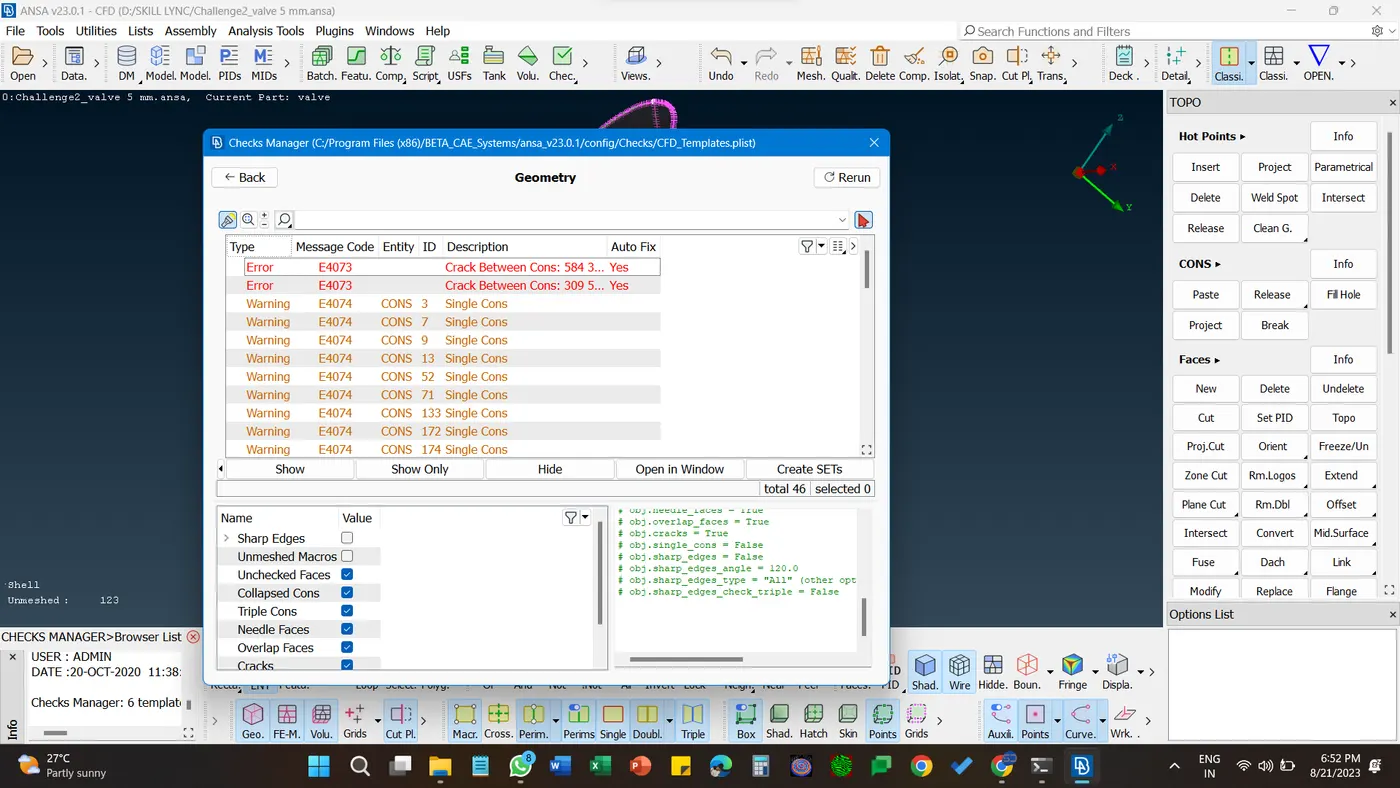
Step 2: Select Geometry Check, except the Sharp Edges and Unmeshed Macros. and Press Execute. It'll show the errors in surfaces.
Step 3: Red lines or cones show the single cons that are empty faces and to be filled. To fill these faces go to the rightmost section and select faces and Select New faces. As per the requirements select the cons and fill the empty faces using Existing Plane, Planner, Fitted, or Coons. After the filling of empty faces the geometry will be completed
Step 4: Go for the Checks Manager once again.
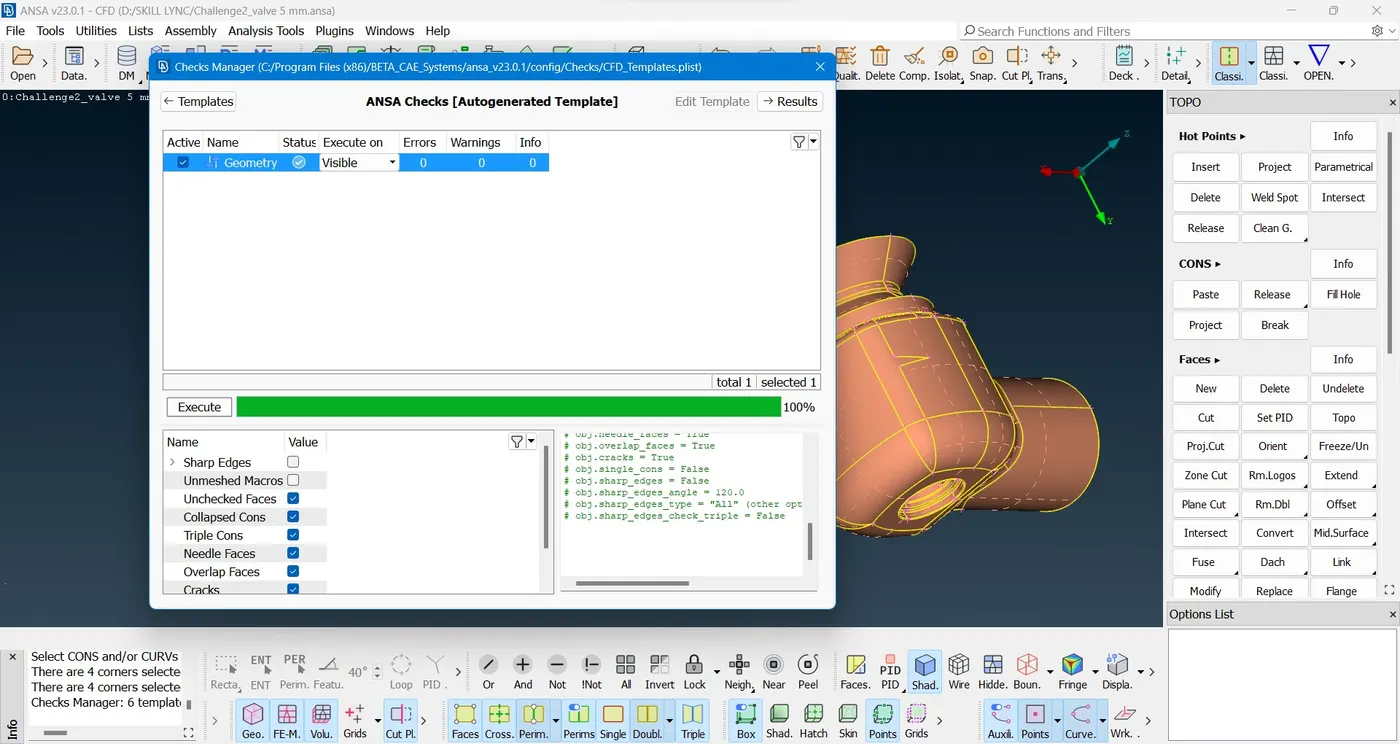
Step 5: In the mesh section Select the Classic Mesh and Go for Length. In length Select the Perimeter and macros simultaneously. Select geometry and enter the target length .
Enter a target length of 5 mm. At the top of the Mesh Parameter. There selected general, Element shape will be the Triangle. Enter The Same Target length i.e. 5mm
Step 6: Now in the topology section generate the spot mesh.
Step 7: Repeat the Steps using a target length of 3mm, 1mm.