Week 2 Challenge : Surface meshing on a Pressure valve
Aim: To study and surface meshing of pressure valve by Advanced CFD meshing using ANSA.
Theory:
ANSA is an advanced multidisciplinary CAE pre-processing tool that provides all the necessary functionlity for full model built up from CAD data to ready to run solver input file.
In this practicle we can study a pressure valve and we can surface meshing the model using ansa. The ansa software is use for the pre-processing task include Topo cleanup. Topo cleanup is nothing but the geomerty clean up before meshing correct the geometry of model using topo cleanup.
In this practical the given model we have to check for the geometrical errors and perform Topology cleanup accordingly. Set three different target lengths as three different cases and mesh the pressue valve model.
- Target length = 1mm, 3 mm and 5 mm
- Element type = Tria
We can Apply any one target length from the above at a time for the entire model as One case.And we can Submit 3 different models for 3 cases.
Procedure:
First we can input the model, then we can rotate the model using mouse button like left,right,scrool and middle etc. There are some function for geomerty view model which are or , and, not, !not, nebht,invert etc.
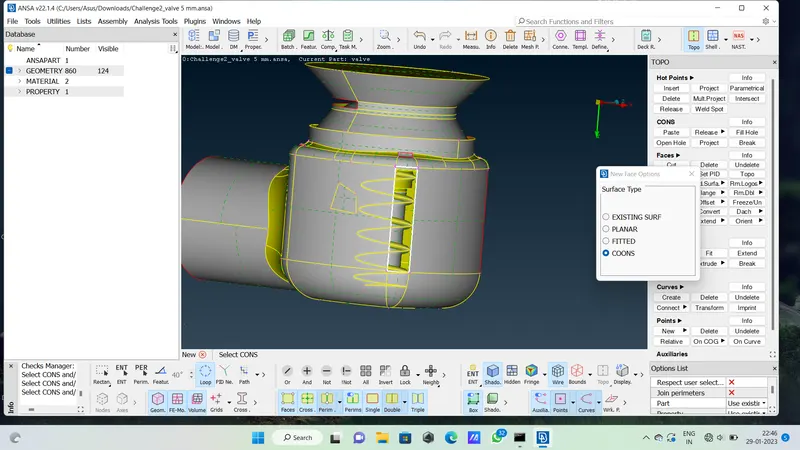
We are taking pressure valve model
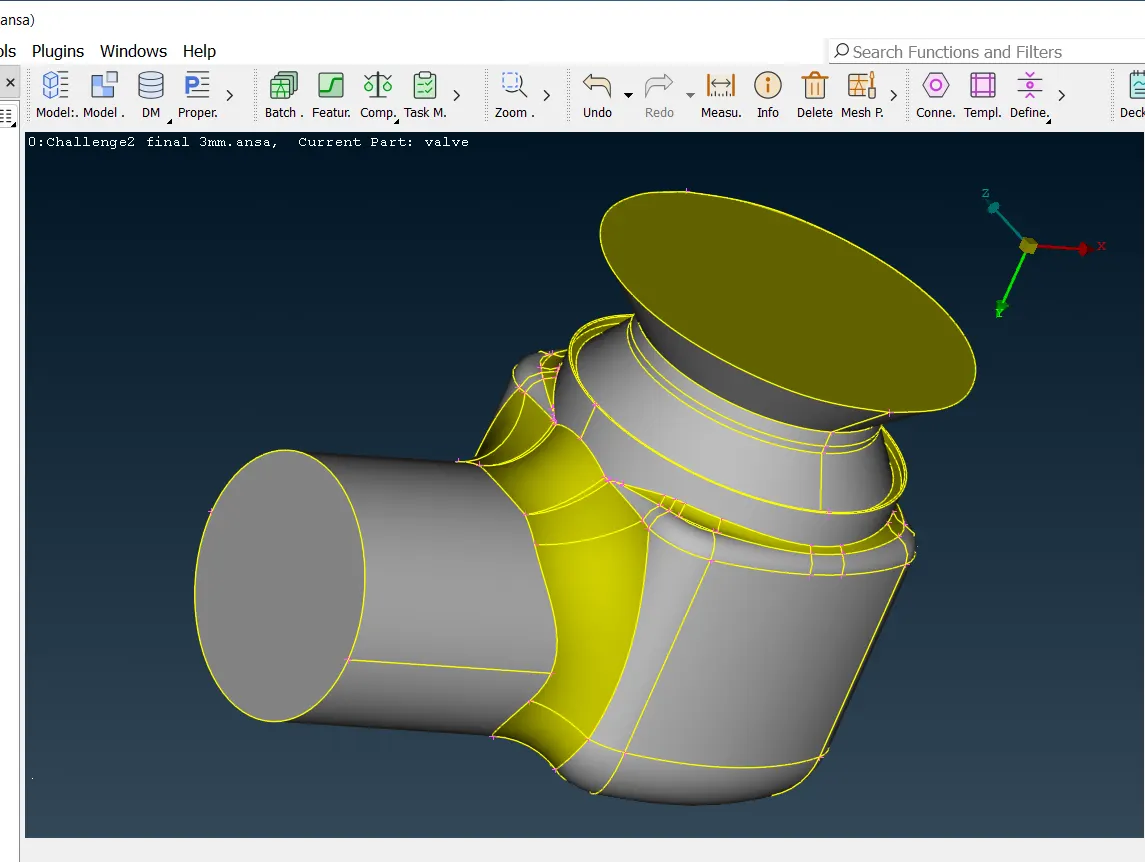
First of all using topo we can cleanup the geometry using the hot point like insert,project,multiproject,delet etc. using hot point sellect the nodes from the front and back faces of pressure valve. Then we canfull fil the blank edges of the model nodes using face option with new like coons planes fitted etc. also we can use the pin hole model,we can cut all the extra points. after cut use esc button for finished.
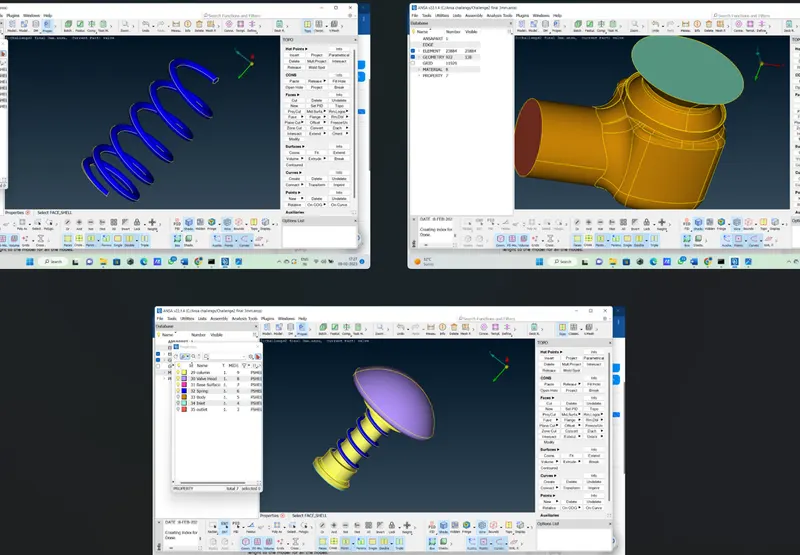
After cleaning and full fil the geometry we can separate the geometry wsing the properties algorithms in PID and we can give the names like head,column,spring,oulet,inlet,body the all different geometry after finishing we can go for meshing.
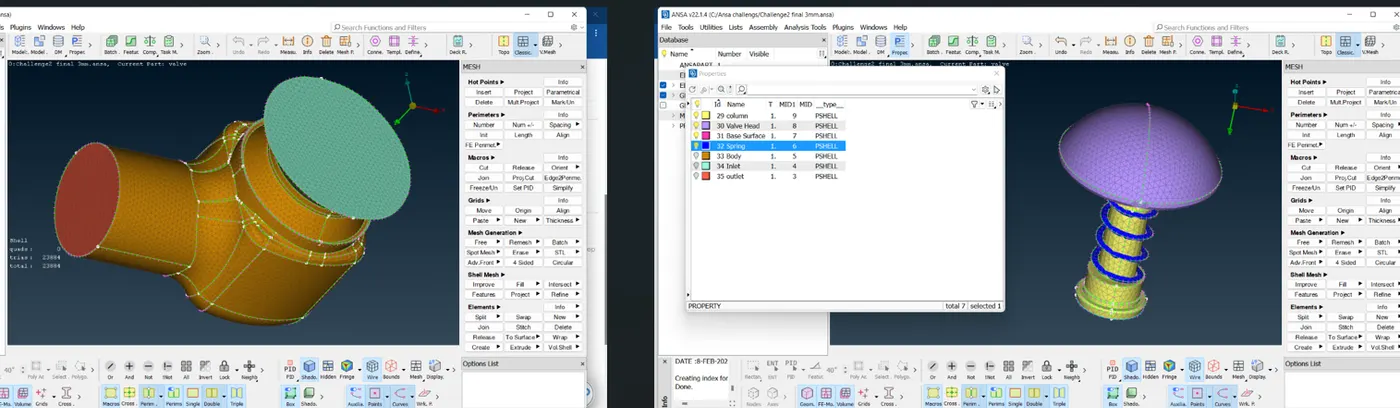
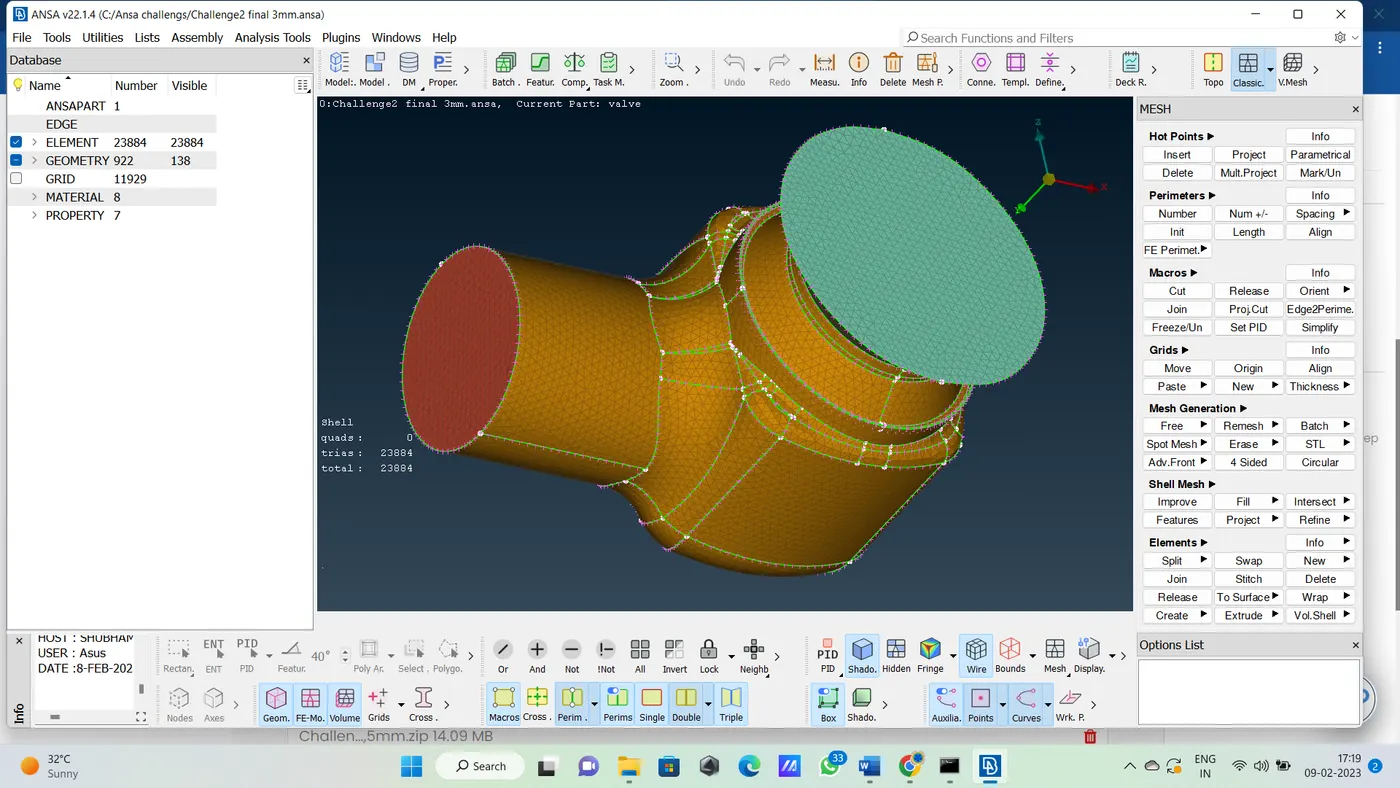
After cleaning the geometry we can go for meshing to the pressure valve. Any mesh should have mesh lenght so we can take mesh lenght is 3mm and the element is Tria respectively. The mam lenth is 5mm and min length is 1mm we can taken
so we can give the length parameters in lenght option the we can use the perimeters and mecros and put 3mm lenght to the model for all the nodes.
we can deploy the mesh to the model there are few mesh ganerating algorithms like free mesh, spot mesh , cfd mesh ,best mesh etc.
Now we use spot mesh algorithms and we can select the all the faces of the pressure valve one by one and creat the mesh on model. And after meshing we can check the mesh lenght with measuring tool.
Learning Outcomes:
we are learn to clean up the model using topo cleanup , lenght measuring,model rotating using mouse many function.different meshing function,pre processing all the type of model. cleaning and full fil the geometry,also we can learn to separate the geometry.
Result:
In this practical we can learn and stuy how to clean up and pre processing and the surfacing meshing pressure valve using ANSA Software.
Conclusion:
In this practical the we are studied the geometrical errors and perform Topology cleanup and surface meshing the pressue valve model.
- Target length = 3 mm
- Element type = Tria