Week 2- 2R Robotic Arm Challenge
 close all;
clear all;
clc;
l1=1;
l2=0.5;
x0=0;
y0=0;
n=1;
theta1=linspace(0,90,4);
theta2=linspace(0,90,4);
for i=1:length(theta1);
      for j=1:length(theta1);
            THETA1=theta1(i);
            THETA2=theta2(j);
            x1=l1*cosd(THETA1);
            y1=l1*sind(THETA1);
            x2=x1+l2*cosd(THETA2);
            y2=y1+l2*sind(THETA2);
     plot([x0 x1],[y0 y1],'linewidth',10,'color','b',[x1 x2],[y1 y2],'linewidth',3,'color','r');
     axis([-0.1 1.5 0 1.5])
     %plot([x1 x2],[y1 y2],'linewidth',3,'color','r');
     pause(0.0001)
     file_text=sprintf('output%d.png',n)
     saveas(gca,'file_text');
     n=n+1;
 end
 pause(0.001);
end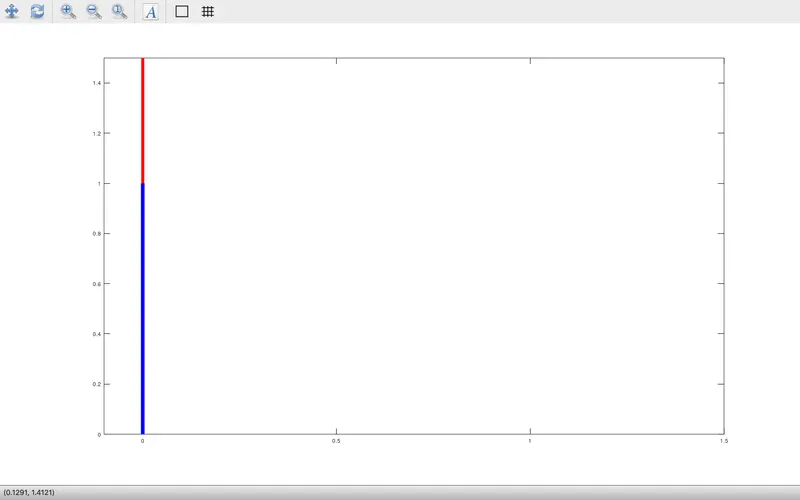
explanation:
the aim of the program is to create an animation for 2R robotic arm.the above code will show the animation for 2R robotic arm.here theta changes from 0 to 90 with a diffrence of 30 degree.by using linspace command we have made 4 divisions from 0 to 90 degree.
By using for loop the program code is written in such a way that first the 2nd arm moves from 0 to 90 in 4 divisions.then the 1st arm move from 0 to 30 degree, then the 2nd arm again complete from 0 to 90 degree.in this way each rotation of the 1st arm for 30 degree the 2nd arm rotates from 0 to 90 degree.
using axis command we have restrict the plot from -0.1 to 1.5 in x-axis and 0 to 1.5 in y-axis.so that the animation will move with in the provided space.
here pause(time in second) command has important role as it display the motion with a certain speed by stoping the animation. by decreasing the value of time in the pause (ex-pause(0.001)),it will show with more speed.so according to our convenience we'll give the time duration for pausing the motion.
then we save the image by using sprintf command.each image will save in our directory folder where the program code is saved.then by using the saved image,we can make animation video by using image magic software.