Week 2- 2R Robotic Arm Challenge
Aim :- To Write a program in Matlab to simulate the forward kinematics of a 2R Robotic Arm.
Objective :-
Write a program to simulate forward kinematics of a 2R Robotic Arm
To create a Movie/Animation from the plots obtained from the program
Theory:-
-A robotic arm is a type of mechanical arm, usually programmable , with similar functions to a human arm; the arm may be the sum total of the mechanism or may be part of a more complex robot. The links of such a manipulator are connected by joints allowing either rotational motion (such as in an articulated robot) or translational (linear) displacement. The links of the manipulator can be considered to form a kinematic chain. The terminus of the kinematic chain of the manipulator is called the end effector and it is analogous to the human hamd.
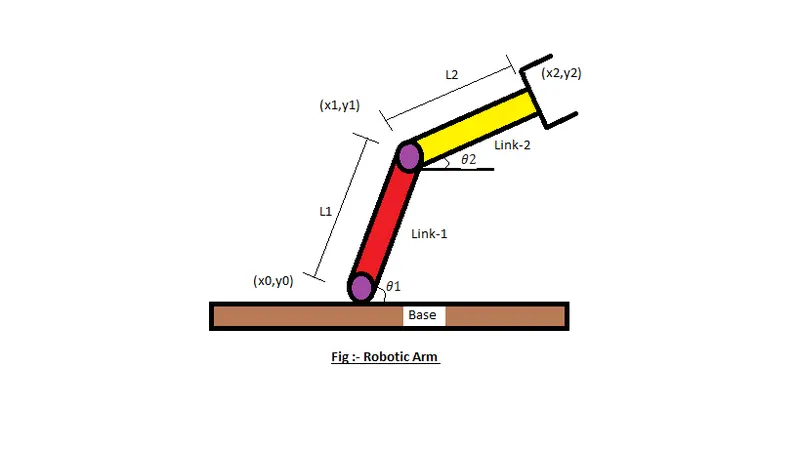
-In this project, we consider a 2R robotic arm. A 2R robotic arm represents a robotic arm with two rotations. i.e. it has two links which rotate or work over a two-dimensional plane with each of links having a single degree of freedom.
-Also, both the links are restricted to a 90° rotation with respect to the axes. Fig below shows the 2R robotic arm having many parts as described.
Code Explanation :-
Programing Language used Matlab Online
starting the program by using comments
Providing the input variables like
Predefining the length/values of the robotic arms, i.e. l1and l2
Providing the values for theta-1 & theta-2 using linspace command for theta=0 to 90 degrees for 12 values Providing the Cr (compression ratio ) value as a specific digit.
Now Using ‘for’ commandfor iterating the values of the desired variable.
Again using ‘for’ commandfor providing movement to the second robotic arm.
Providing the eqn for the x1,y1,x2,y2 or say Defining the coordinates of both the robotic arms.
Plotting all the coordinate values and providing the axis no.
Using the pause command to make the plot look realistic
Incrementing the cr or compression ratio value by +1 each time it executes for loop.
All figures are assigned to a variable M, one at a time usingcr
Ending the ‘for’ loop twice .
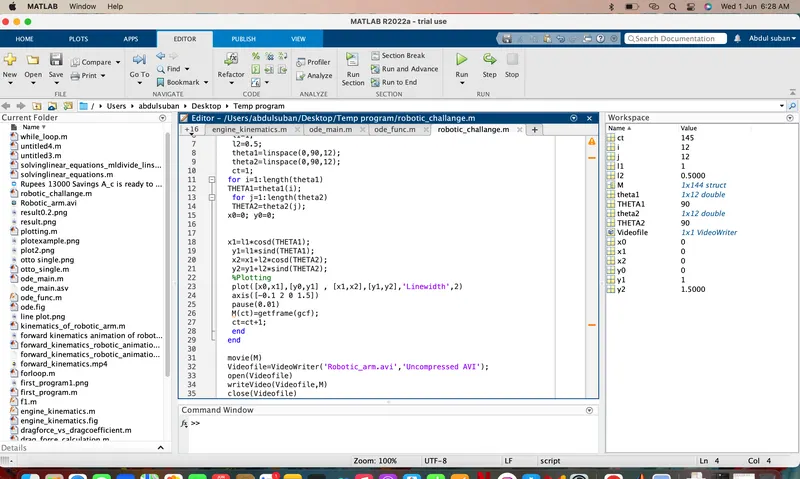
using movie commandis to combine all the figures saved in the M file to make an animation/movie At end saving the movie in .avi format.
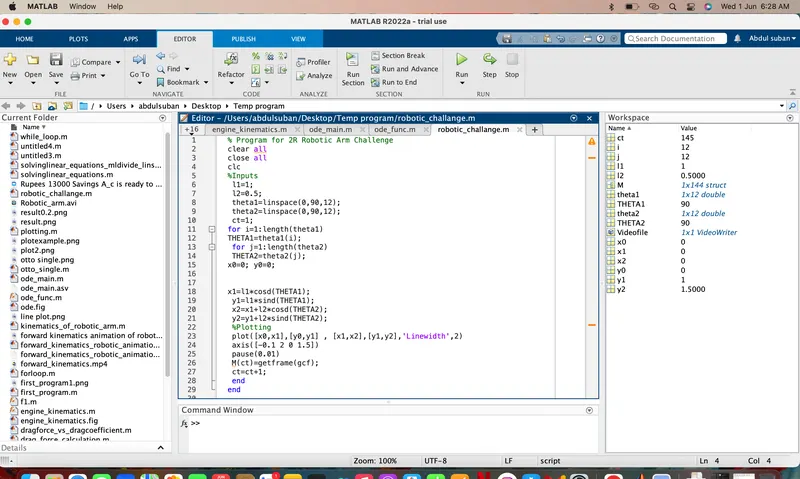
Matlab Code :-
% Program for 2R Robotic Arm Challenge
clear all
close all
clc
%Inputs
 l1=1;
 l2=0.5;
 theta1=linspace(0,90,12);
 theta2=linspace(0,90,12);
 ct=1;
for i=1:length(theta1)
THETA1=theta1(i);
 for j=1:length(theta2)
 THETA2=theta2(j);
x0=0; y0=0;
Errors & Command window Execution :-
- No Errors were found during exicution
- use of semi-colon (;) in coding results in no output in command window
Result/Conclusion :-
Thus we have simulated 2R robotic arm by using the matlab programming and also created a Movie/Animation from the plots obtained from the program
- below is the link given for the program output for movie/animation of a 2R robotic arm
https://youtu.be/L98xfToVYKg