Project 3 - MATLAB - Simulate - 2R Robotic Arm - forward kinematics
AIM -
Program in Matlab to simulate the forward kinematics of a 2R Robotic Arm
OBJECTIVE -
Program in Matlab to simulate the forward kinematics of a 2R Robotic Arm
PROCEDURE -
The robotic arm is a mechanical arm us for different industrial operations. And it’s a programmable. The robotic arm is mainly consists with the joints & links. The all links are joined with each other with a joint which calls servo motors & balancer. Forward kinematics is the optimizing the position & orientation of the manipulator in terms of joint variables.
Here,
Determining equation –
L1 = LENGHT OF ARM 1
L2 = LENGTH OF ARM 2
Q1 = ANGLE OF LINK 1
Q2 = ANGLE OF LINK 2
In MatLab staring our program with these 3 commands. Clear all - this command close all stored data in previous workspace Close all – this command close all previous figures, diag. Clc – this clears the command window. Now, First give the inputs for the link 1 , link 2 , theta 1, theta 2. with a ‘linspace’ command for equal gap within points. We have to define the theta 1 & 2 the separately so we can get the sets of value of x & y, now coordinates for starting Point the link 1 is defined.
The coordinates of end point link 1 or 2 are defined. Here ‘cosd’ & ‘sind’ is used to store values in degree. Then plotting the all points is done using the plot command having a line width is 7 unit. To determine the differentiate The link the legend command is used it helps to determines link with colour. For labelling the x axis and y axis we use the command of xlabel & ylabel and the pause command is use to pausing the program before processing the new sets of value.
For creating a move or animation is defined before for loop command as a ct and the variable is ‘M’. For capturing the frame every time ‘for’ command is used. Increment of ‘ct’ is add as 1. After for loop is ended, creating complete movie with command ‘movie’ assigning the filename and the then ‘writevideo’ Command used to make video and plot frame. And finally the ‘close’ command to close video.
here, the all report for progrming , analysising, graphs, video outputs are attchend bellow in brif explanation,
The youtube link for video output - https://youtu.be/rgzBFjp-ucU
The program -
clear all
close all
clc

%inputs
l1 = 1;
l2 = 0.5;

theta1 = linspace(0,90,10);
theta2 = linspace(0,90,10);

ct=1;
for i =  1:length(theta1)
    THETA1 = theta1(i);
    for j = 1:length(theta2)
    THETA2 = theta2(j);
    x0 = 0;
    y0 = 0;

    x1 = l1*cosd(THETA1);
    y1 = l1*sind(THETA1);

    x2 = x1 + l2*cosd(THETA2);
    y2 = y1 + l2*sind(THETA2);

    %ploting


     plot([x0 x1],[y0 y1],[x1 x2],[y1 y2],'linewidth',7)
     axis([-0.1 1.5 0 1.5])
     pause(0.3)
     N(ct) = getframe(gcf);
     ct = ct+1;

    end
end

movie(N);
videofile = VideoWriter('forward_kinematics_with_forloop.avi','Uncompressed AVI');
open(videofile)
writeVideo(videofile,N)
close(videofile)
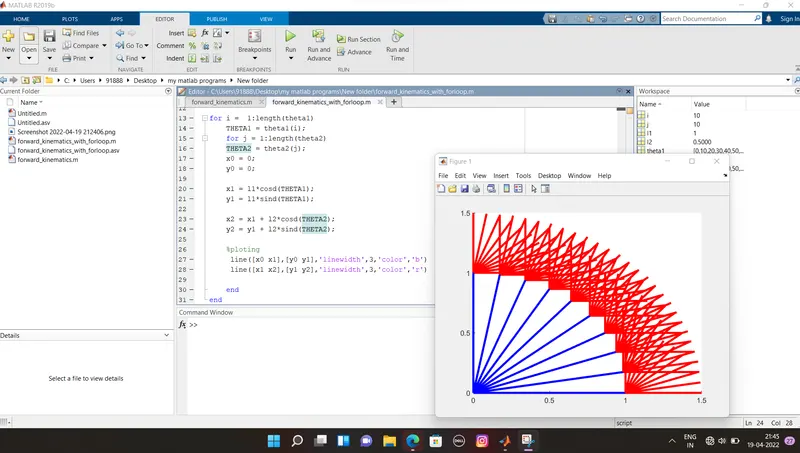
First graph output -
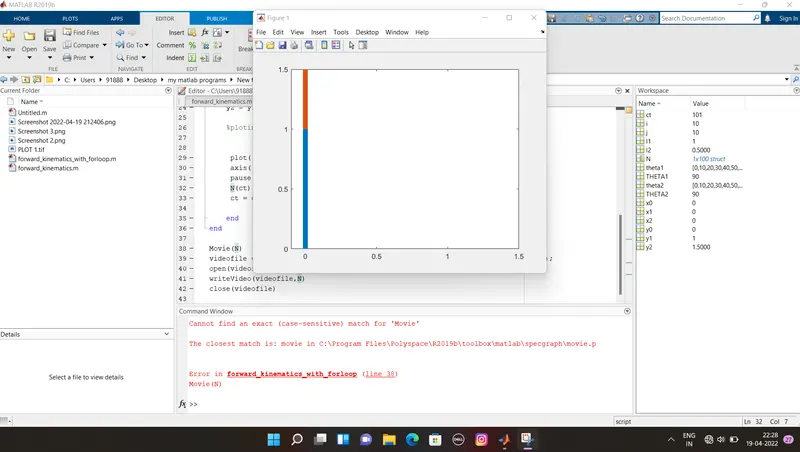
problem while running the program due to typing mistake , that is i change the capitle M fo movi with small m then it resolved.
Please find attached documents,....