Week 2- 2R Robotic Arm Challenge
Aim-
To simulate the forward kinematics of the robotic arm
Progamming language used is MATLAB
OBJECTIVE OF THE PROJECT:
The robotic arm will be two links upon which forward kinematics is being applied (forward kinematics refers to process of obtaining position and velocity of end effectors,given the known joint angles and angular velocitys.)
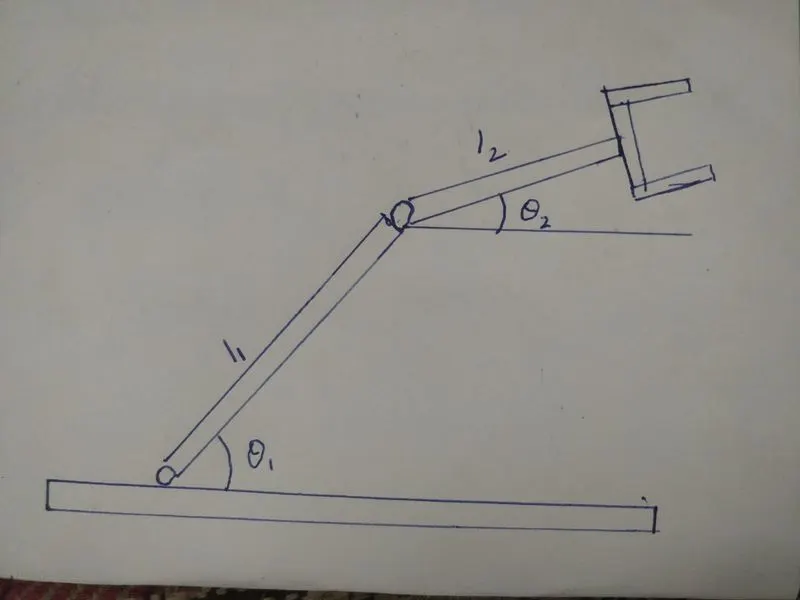
THE ABOVE IMAGE EXPLAINS THE WORKING OF 2R ROBOTIC ARM
CODE:
%Forward kinematics of a 2r robotic arm
clear all
close all
clc
%Inputs
%length of robotic arm
l1=1;
l2=0.5;
%set of angles for the movements of robotic arms
theta1=linspace(0,90,40);
theta2=linspace(0,90,4);
ct=1   %counter with starting value asigned as 1
for i=1:length(theta1)%iterating i 1to 10 as theta1 has 10 values
  THETA1=theta1(i);
  for j=1:length(theta2)
    THETA2=theta2(j);
%coordinates of start point of first arm
x0=0;
y0=0;
%coordinates of end point of first arm/start point of second arm
x1=l1*cosd(THETA1);
y1=l1*sind(THETA1);
%coordinates of end point of second arm
x2=x1+l2*cosd(THETA2);
y2=y1+l2*sind(THETA2);
%ploting
%coordinates of arms assigned over theta1,theta 2
plot([x0 x1],[y0 y1],[x1 x2],[y1 y2],'linewidth',3)
%limits of x-axis and yaxis
axis([-0.1 1.5 0 1.5])
%to cease the animation jumping from subsequent figures
pause(0.03)
%collecting frames of figures to comprise animation/movie
m(ct)=getframe(gcf);
ct=  ct+1;
end
end
%to make the movie of collected frames
movie(m)
%saving the movie in('.avi') format
videofile=VideoWriter('f_k.avi','uncompressed AVI');
open(videofile)
%writing the movie in the videofile created
writeVideo(videofile,m)
EXPLANTION OF PROGRAMM
- Initially we define the length of robotic arm.i'e l1 and l2
- set of values for theta1 and theta2 are asigned in and array with Lindspace command
- use of for command for iterating the values of the desired variables
- again using for command for providing movement for the second arm
- Defining the coordinates of both the arms
- plotting all the coordinates values and writing commands for changing appearence of the contours
- All figures are assiged to the value m one at a time using ct followed by terminating for loop.
- Finally movie command is used to combine all the figures saved in m file to make animation/movie and there after saving it in .avi format
ANIMATION-the link for the animation is given below
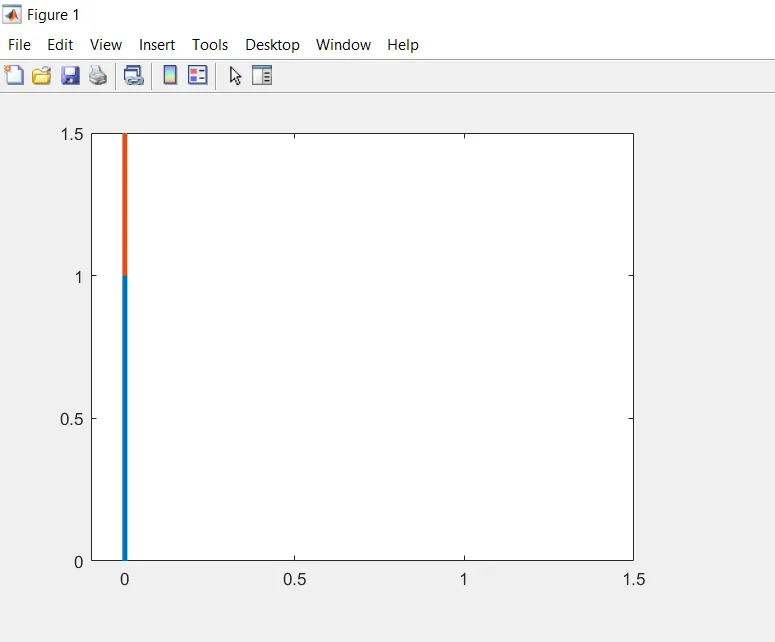
OUTPUT
ERRORS FACED:
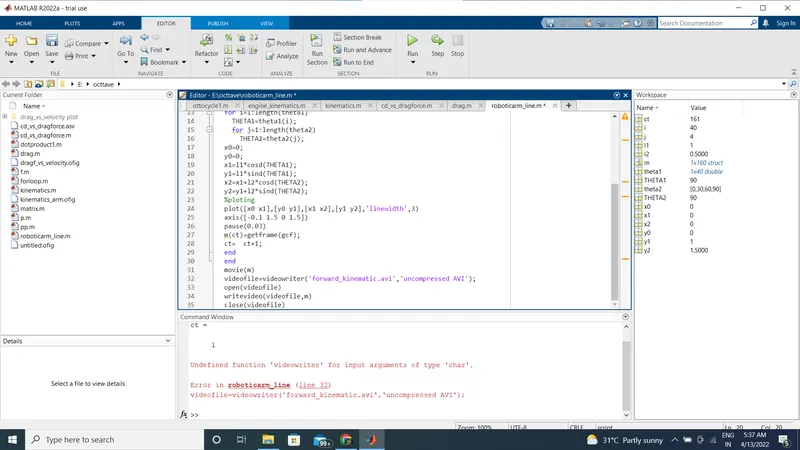
ERROR -Matlab is case sensitive
Steps taken-while creating the video use"VideoWriter"not"videoWriter"or"Videowriter"or"videowriter
CONCLUTION:A Practical scenerio regarding the functioning of the robotic arm and its working space has been experienced by simulating the forward kinematics in matlab